 MCL-18961
GLSL 4.50 is not supported
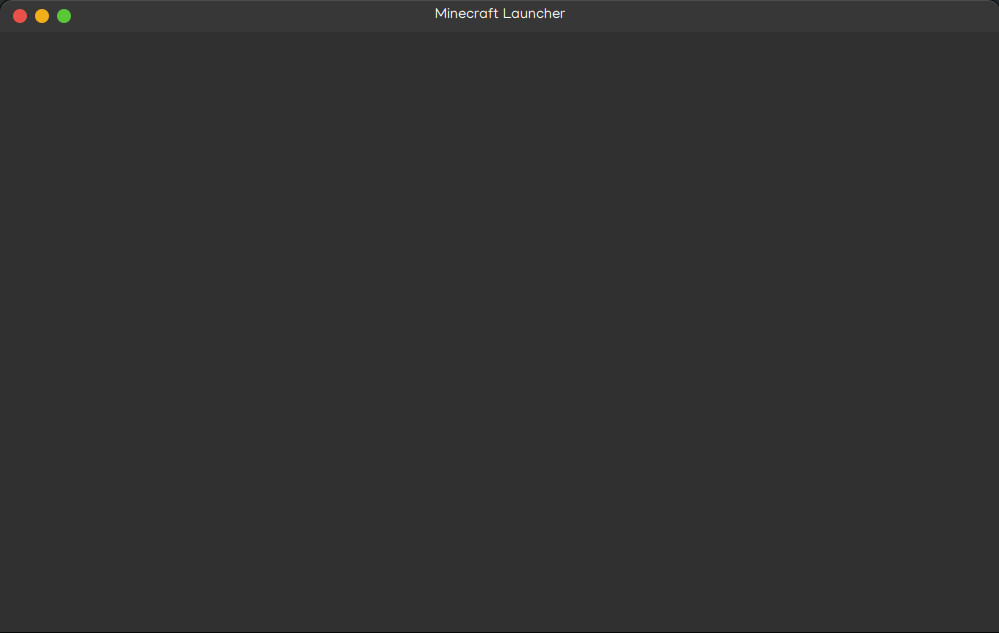
Trying to launch the Minecraft launcher from either the app or terminal results in the dreaded grey box:
The logs give me:
#version 100
precision mediump float;
precision mediump sampler2D;
uniform sampler2D uTextureSampler_0_Stage0;
varying highp vec2 vlocalCoord_Stage0;
void main() {
 mediump vec4 outputColor_Stage0;
 {
 outputColor_Stage0 = vec4(1.0);
 highp vec2 texCoord;
 texCoord = vlocalCoord_Stage0;
 outputColor_Stage0 = texture2D(uTextureSampler_0_Stage0, texCoord);
 }
 {
 gl_FragColor = outputColor_Stage0;
 }
}
Errors:
0:1(10): error: GLSL 4.50 is not supported. Supported versions are: 1.10, 1.20, 1.30, 1.40, 1.50, 3.30, 1.00 ES, and 3.00 ES
Looking around I found out the way to check openGL was with:
glxinfo | grep OpenGL
That gives me:
OpenGL vendor string: Intel Open Source Technology Center
OpenGL renderer string: Mesa DRI Intel(R) HD Graphics 3000 (SNB GT2)
OpenGL core profile version string: 4.5 (Core Profile) Mesa 20.0.8
OpenGL core profile shading language version string: 3.30
OpenGL core profile context flags: (none)
OpenGL core profile profile mask: core profile
OpenGL core profile extensions:
OpenGL version string: 4.5 (Compatibility Profile) Mesa 20.0.8
OpenGL shading language version string: 3.30
OpenGL context flags: (none)
OpenGL profile mask: compatibility profile
OpenGL extensions:
OpenGL ES profile version string: OpenGL ES 3.0 Mesa 20.0.8
OpenGL ES profile shading language version string: OpenGL ES GLSL ES 3.00
OpenGL ES profile extensions:
So I should support and be able to use v4.5 just fine right?
But what's going wrong?
Environment
OS: Zorin OS 15.3 (Ubuntu 20.04 LTS)
Java: 16.0.1

Created Issue:
GLSL 4.50 is not supported
Trying to launch the Minecraft launcher from either the app or terminal results in the dreaded grey box:
The logs give me:
#version 100
precision mediump float;
precision mediump sampler2D;
uniform sampler2D uTextureSampler_0_Stage0;
varying highp vec2 vlocalCoord_Stage0;
void main() {
 mediump vec4 outputColor_Stage0;
 {
 outputColor_Stage0 = vec4(1.0);
 highp vec2 texCoord;
 texCoord = vlocalCoord_Stage0;
 outputColor_Stage0 = texture2D(uTextureSampler_0_Stage0, texCoord);
 }
 {
 gl_FragColor = outputColor_Stage0;
 }
}
Errors:
0:1(10): error: GLSL 4.50 is not supported. Supported versions are: 1.10, 1.20, 1.30, 1.40, 1.50, 3.30, 1.00 ES, and 3.00 ES
Looking around I found out the way to check openGl was by running
glxinfo | grep OpenGL
That gives me:
OpenGL vendor string: Intel Open Source Technology Center OpenGL renderer string: Mesa DRI Intel(R) HD Graphics 3000 (SNB GT2) OpenGL core profile version string: 4.5 (Core Profile) Mesa 20.0.8 OpenGL core profile shading language version string: 3.30 OpenGL core profile context flags: (none) OpenGL core profile profile mask: core profile OpenGL core profile extensions: OpenGL version string: 4.5 (Compatibility Profile) Mesa 20.0.8 OpenGL shading language version string: 3.30 OpenGL context flags: (none) OpenGL profile mask: compatibility profile OpenGL extensions: OpenGL ES profile version string: OpenGL ES 3.0 Mesa 20.0.8 OpenGL ES profile shading language version string: OpenGL ES GLSL ES 3.00 OpenGL ES profile extensions:So I should support and be able to use v4.5 just fine right?
But what's going wrong?
Environment
OS: Zorin OS 15.3 (Ubuntu 20.04 LTS)
Java: 16.0.1
Attachments1
![[Bot] Arisa](../../../data/avatars/users/43007.png)
Trying to launch the Minecraft launcher from either the app or terminal results in the dreaded grey box:
The logs give me:
#version 100
precision mediump float;
precision mediump sampler2D;
uniform sampler2D uTextureSampler_0_Stage0;
varying highp vec2 vlocalCoord_Stage0;
void main() {
 mediump vec4 outputColor_Stage0;
 {
 outputColor_Stage0 = vec4(1.0);
 highp vec2 texCoord;
 texCoord = vlocalCoord_Stage0;
 outputColor_Stage0 = texture2D(uTextureSampler_0_Stage0, texCoord);
 }
 {
 gl_FragColor = outputColor_Stage0;
 }
}
Errors:
0:1(10): error: GLSL 4.50 is not supported. Supported versions are: 1.10, 1.20, 1.30, 1.40, 1.50, 3.30, 1.00 ES, and 3.00 ES
Looking around I found out the way to check openGl was by running
glxinfo | grep OpenGL
That gives me:
OpenGL vendor string: Intel Open Source Technology Center OpenGL renderer string: Mesa DRI Intel(R) HD Graphics 3000 (SNB GT2) OpenGL core profile version string: 4.5 (Core Profile) Mesa 20.0.8 OpenGL core profile shading language version string: 3.30 OpenGL core profile context flags: (none) OpenGL core profile profile mask: core profile OpenGL core profile extensions: OpenGL version string: 4.5 (Compatibility Profile) Mesa 20.0.8 OpenGL shading language version string: 3.30 OpenGL context flags: (none) OpenGL profile mask: compatibility profile OpenGL extensions: OpenGL ES profile version string: OpenGL ES 3.0 Mesa 20.0.8 OpenGL ES profile shading language version string: OpenGL ES GLSL ES 3.00 OpenGL ES profile extensions:So I should support and be able to use v4.5 just fine right?
But what's going wrong?
Trying to launch the Minecraft launcher from either the app or terminal results in the dreaded grey box:
The logs give me:
#version 100
precision mediump float;
precision mediump sampler2D;
uniform sampler2D uTextureSampler_0_Stage0;
varying highp vec2 vlocalCoord_Stage0;
void main() {
 mediump vec4 outputColor_Stage0;
 {
 outputColor_Stage0 = vec4(1.0);
 highp vec2 texCoord;
 texCoord = vlocalCoord_Stage0;
 outputColor_Stage0 = texture2D(uTextureSampler_0_Stage0, texCoord);
 }
 {
 gl_FragColor = outputColor_Stage0;
 }
}
Errors:
0:1(10): error: GLSL 4.50 is not supported. Supported versions are: 1.10, 1.20, 1.30, 1.40, 1.50, 3.30, 1.00 ES, and 3.00 ES
Looking around I found out the way to check openGl was by running
glxinfo | grep OpenGL
That gives me:
OpenGL vendor string: Intel Open Source Technology Center OpenGL renderer string: Mesa DRI Intel(R) HD Graphics 3000 (SNB GT2) OpenGL core profile version string: 4.5 (Core Profile) Mesa 20.0.8 OpenGL core profile shading language version string: 3.30 OpenGL core profile context flags: (none) OpenGL core profile profile mask: core profile OpenGL core profile extensions: OpenGL version string: 4.5 (Compatibility Profile) Mesa 20.0.8 OpenGL shading language version string: 3.30 OpenGL context flags: (none) OpenGL profile mask: compatibility profile OpenGL extensions: OpenGL ES profile version string: OpenGL ES 3.0 Mesa 20.0.8 OpenGL ES profile shading language version string: OpenGL ES GLSL ES 3.00 OpenGL ES profile extensions:So I should support and be able to use v4.5 just fine right?
But what's going wrong?
Trying to launch the Minecraft launcher from either the app or terminal results in the dreaded grey box:
The logs give me:
#version 100
precision mediump float;
precision mediump sampler2D;
uniform sampler2D uTextureSampler_0_Stage0;
varying highp vec2 vlocalCoord_Stage0;
void main() {
 mediump vec4 outputColor_Stage0;
 {
 outputColor_Stage0 = vec4(1.0);
 highp vec2 texCoord;
 texCoord = vlocalCoord_Stage0;
 outputColor_Stage0 = texture2D(uTextureSampler_0_Stage0, texCoord);
 }
 {
 gl_FragColor = outputColor_Stage0;
 }
}
Errors:
0:1(10): error: GLSL 4.50 is not supported. Supported versions are: 1.10, 1.20, 1.30, 1.40, 1.50, 3.30, 1.00 ES, and 3.00 ES
Looking around I found out the way to check openG
lwasby runningglxinfo | grep OpenGL
That gives me:
OpenGL vendor string: Intel Open Source Technology Center OpenGL renderer string: Mesa DRI Intel(R) HD Graphics 3000 (SNB GT2) OpenGL core profile version string: 4.5 (Core Profile) Mesa 20.0.8 OpenGL core profile shading language version string: 3.30 OpenGL core profile context flags: (none) OpenGL core profile profile mask: core profile OpenGL core profile extensions: OpenGL version string: 4.5 (Compatibility Profile) Mesa 20.0.8 OpenGL shading language version string: 3.30 OpenGL context flags: (none) OpenGL profile mask: compatibility profile OpenGL extensions: OpenGL ES profile version string: OpenGL ES 3.0 Mesa 20.0.8 OpenGL ES profile shading language version string: OpenGL ES GLSL ES 3.00 OpenGL ES profile extensions:So I should support and be able to use v4.5 just fine right?
But what's going wrong?
Trying to launch the Minecraft launcher from either the app or terminal results in the dreaded grey box:
The logs give me:
#version 100
precision mediump float;
precision mediump sampler2D;
uniform sampler2D uTextureSampler_0_Stage0;
varying highp vec2 vlocalCoord_Stage0;
void main() {
 mediump vec4 outputColor_Stage0;
 {
 outputColor_Stage0 = vec4(1.0);
 highp vec2 texCoord;
 texCoord = vlocalCoord_Stage0;
 outputColor_Stage0 = texture2D(uTextureSampler_0_Stage0, texCoord);
 }
 {
 gl_FragColor = outputColor_Stage0;
 }
}
Errors:
0:1(10): error: GLSL 4.50 is not supported. Supported versions are: 1.10, 1.20, 1.30, 1.40, 1.50, 3.30, 1.00 ES, and 3.00 ES
Looking around I found out the way to check openGL was with:
glxinfo | grep OpenGL
That gives me:
OpenGL vendor string: Intel Open Source Technology Center OpenGL renderer string: Mesa DRI Intel(R) HD Graphics 3000 (SNB GT2) OpenGL core profile version string: 4.5 (Core Profile) Mesa 20.0.8 OpenGL core profile shading language version string: 3.30 OpenGL core profile context flags: (none) OpenGL core profile profile mask: core profile OpenGL core profile extensions: OpenGL version string: 4.5 (Compatibility Profile) Mesa 20.0.8 OpenGL shading language version string: 3.30 OpenGL context flags: (none) OpenGL profile mask: compatibility profile OpenGL extensions: OpenGL ES profile version string: OpenGL ES 3.0 Mesa 20.0.8 OpenGL ES profile shading language version string: OpenGL ES GLSL ES 3.00 OpenGL ES profile extensions:So I should support and be able to use v4.5 just fine right?
But what's going wrong?

Thank you for your report!
However, this issue is Incomplete.
Your report does not contain enough information. As such, we're unable to understand or reproduce the problem.
Please, describe briefly your issue, write reproduction steps and attach launcher_log.txt file. Helpful link to find it: https://minecrafthopper.net/help/finding-minecraft-data-folder/.
You are welcome to create a new ticket about your issue with more detailed information. In case of a game crash, be sure to attach the crash report from minecraft/crash-reports/crash-<DATE>-client.txt.
However, please review the Bug Tracker Guidelines before creating new reports. Be sure to search for an existing issue as it is likely to have already been reported.
Quick Links:
📓 Bug Tracker Guidelines – 📧 Mojang Support
📓 Project Summary – ✍️ Feedback and Suggestions – 📖 Game Wiki