 MCL-19353
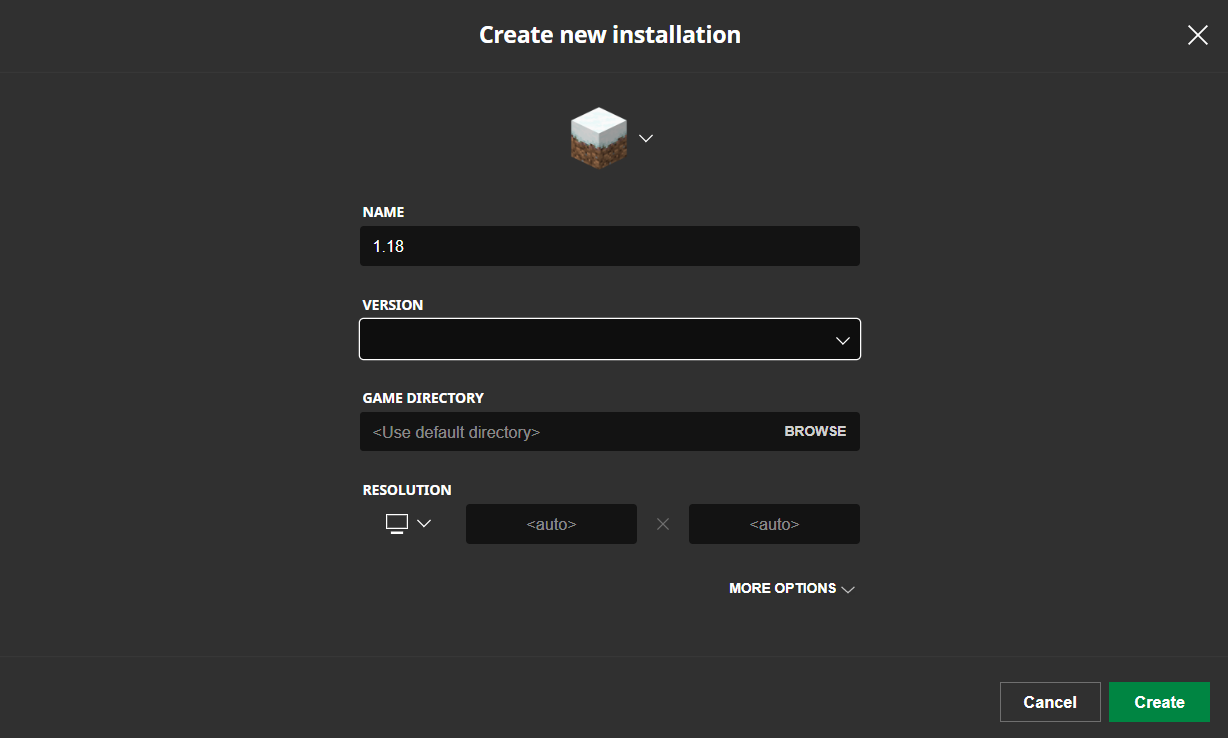
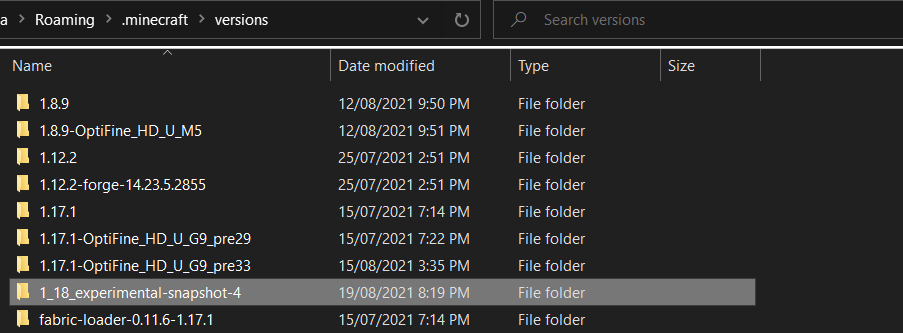
the folders in "versions" folder dont show up in launcher
whenever I try to make a new installation so I can try out the new 1.18 experimental snapshots there are no versions to make my installation use! I checked my versions folder and there all there but it wont work!

Created Issue:
the folders in "versions" folder dont show up in launcher
whenever I try to make a new installation so I can try out the new 1.18 experimental snapshots there are no versions to make my installation use! I checked my versions folder and there all there but it wont work!
Attachments2

pls fix
please describe this bug in more detail.
attach the versions folder and launcher_log.txt and do a png with that drop down bar on.
Hi there!
Could you try to reinstall the Launcher? After deleting it, find .minecraft and delete the file - what is important that this file should be deleted from the trash bin, because corrupted files from the old .minecraft file may interract with the newly generated .minecraft file.
This ticket will automatically reopen when you reply.