 MCL-9447
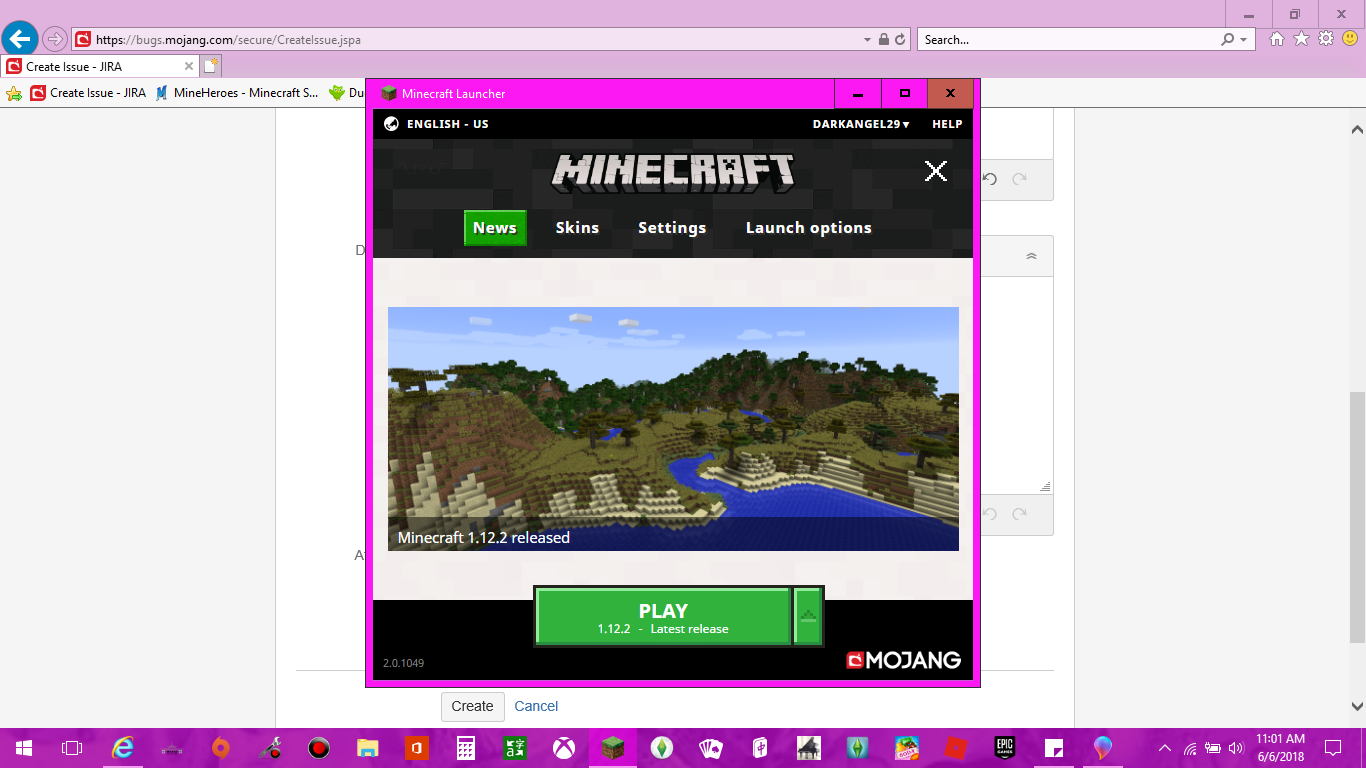
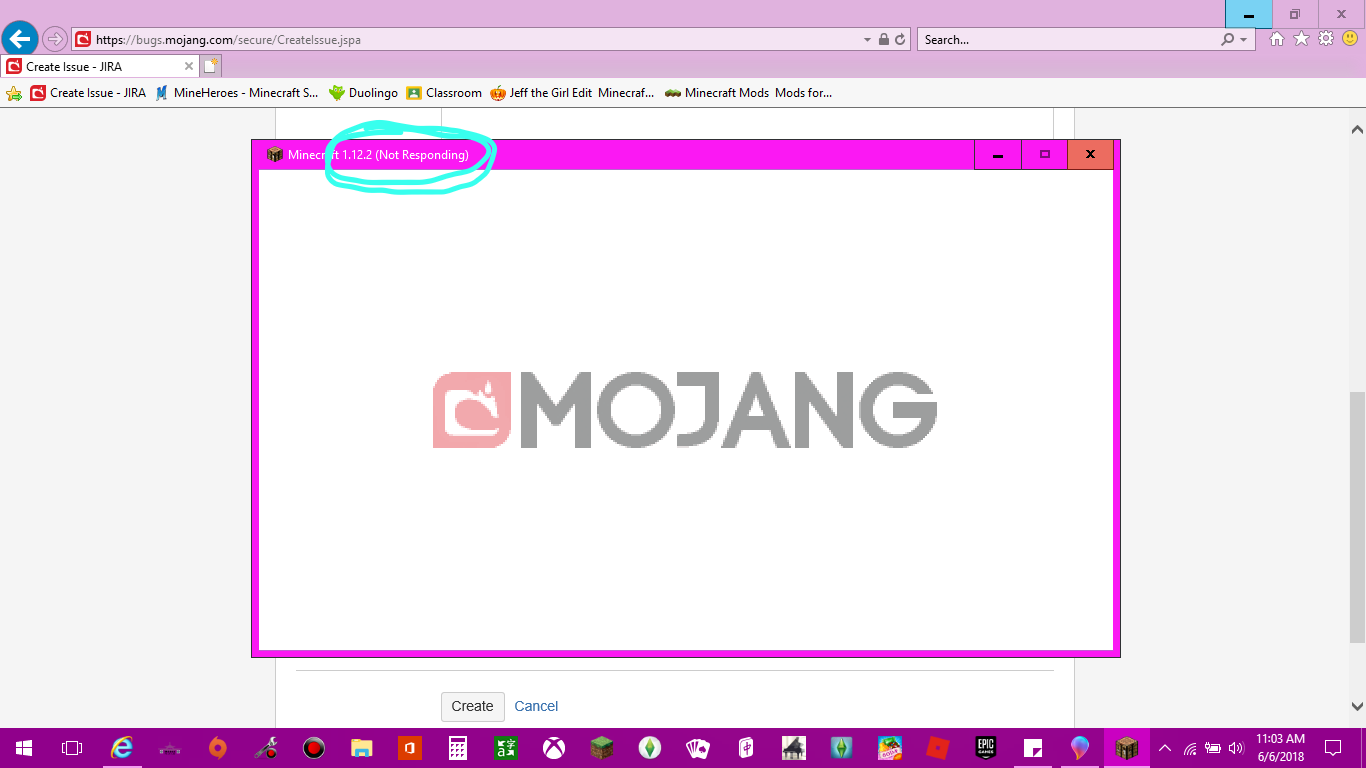
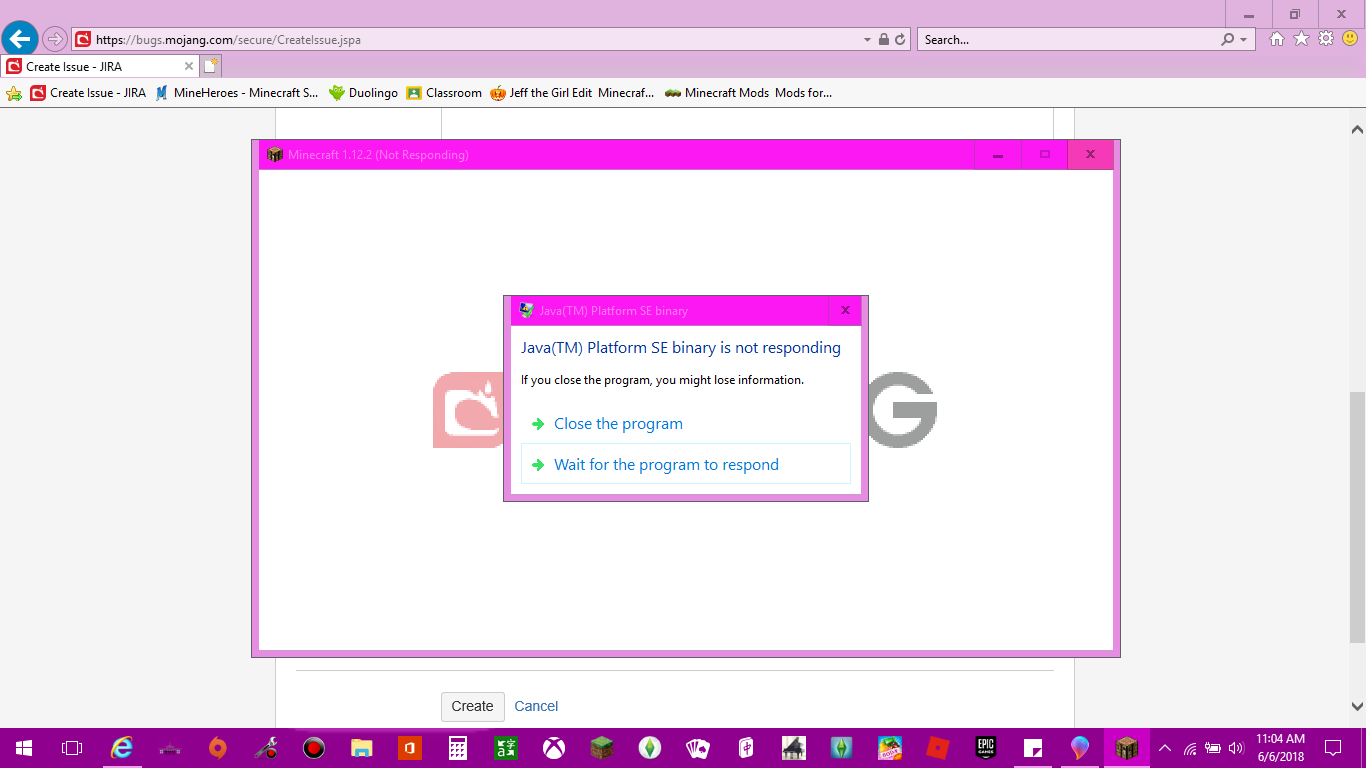
I will get the launcher to pop up, and I press "PLAY". I get the MOJANG screen to pop up, but cannot get into the game.
Environment
How To: Open your Minecraft and select your wanted version. Press "PLAY" and wait until completely loaded. MOJANG should come up, and when it does, wait for your Minecraft Main Menu to load if it ever does. You have a perfect game if it loads. My Main Menu does not come up. I'm not sure which versions this may affect.


Created Issue:
I will get the launcher to pop up, and I press "PLAY". I get the MOJANG screen to pop up, but cannot get into the game.
Environment
How To: Open your Minecraft and select your wanted version. Press "PLAY" and wait until completely loaded. MOJANG should come up, and when it does, wait for your Minecraft Main Menu to load if it ever does. You have a perfect game if it loads. My Main Menu does not come up. I'm not sure which versions this may affect.
Attachments4
![[Mod] Neko](../../../data/avatars/users/92901.png)
Thank you for your report!
However, this issue has been closed as Invalid.
This is a technical support issue; this site is for bug reports only. We do not have the resources to provide you with technical support.
Please contact the community support, linked below.
Quick Links:
📓 Issue Guidelines – 💬 Community Support – 📧 Customer Support – 📖 Game Wiki