 MC-124211
My screen is zoomed in
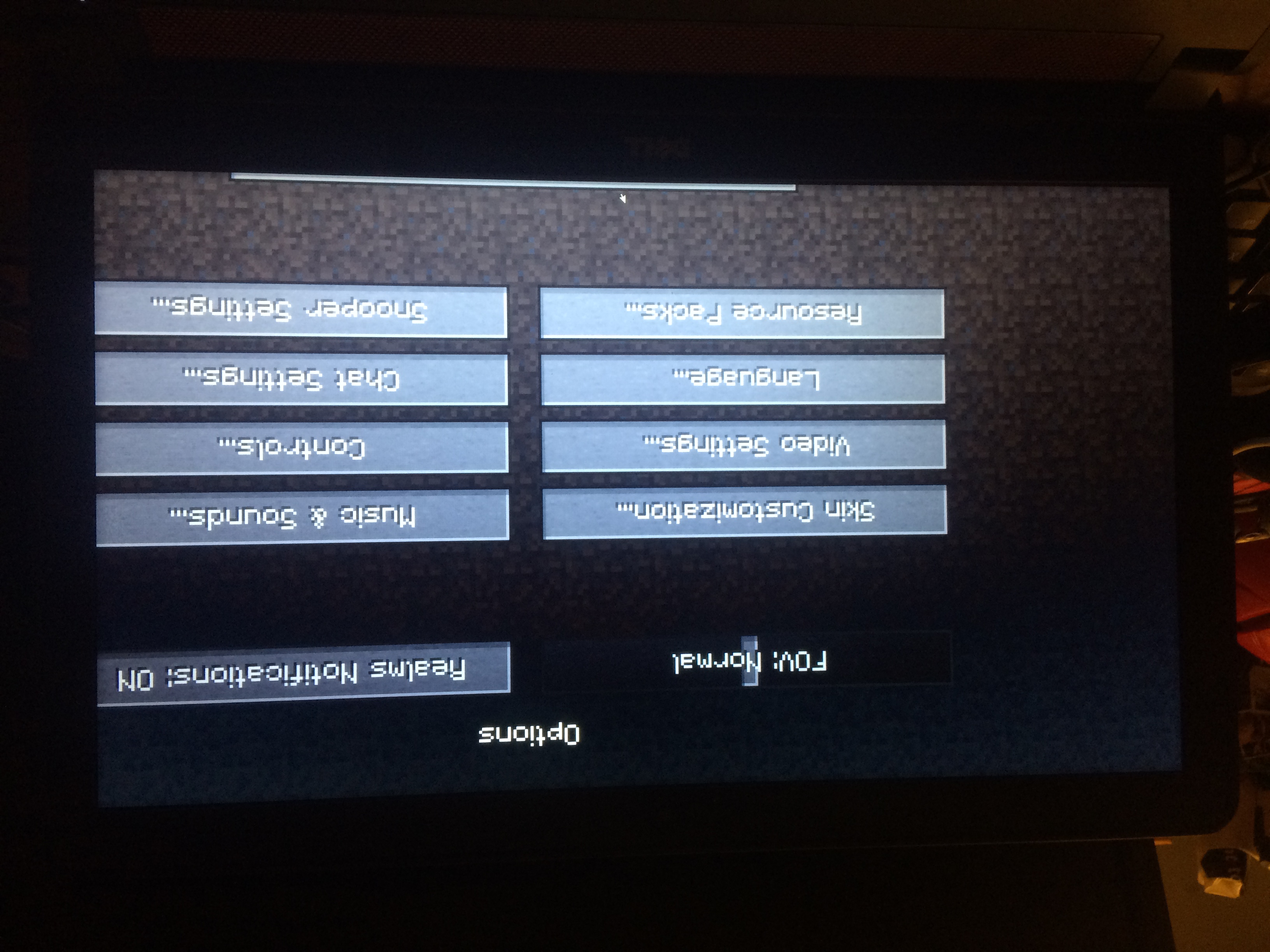
So my minecraft is zoomed on the top left corner and i have tried EVERYTHING from looking into my settings to re installing minecraft and using the repair feature. This has been bugging me for the past 3 days and have searched on youtube and asked people on planet minecraft and no one has anything on how to fix this. I asked mojang support on twitter and they told me to come here. The only way its not zoomed in is when i have it out of fullscreen.
Environment
I have tried 1.8.9 and 1.12.2
Linked Issues
Attachments2


Created Issue:
My screen is zoomed in
So my minecraft is zoomed on the top left corner and i have tried EVERYTHING from looking into my settings to re installing minecraft and using the repair feature. This has been bugging me for the past 3 days and have searched on youtube and asked people on planet minecraft and no one has anything on how to fix this. I asked mojang support on twitter and they told me to come here. The only way its not zoomed in is when i have it out of fullscreen.
Environment
I have tried 1.8.9 and 1.12.2
Linked Issues
relates to1
TRASH-36320
Attachments2
![[Mod] violine1101](../../../data/avatars/users/92858.png)
![[Mod] Neko](../../../data/avatars/users/92901.png)
relates to
duplicates
Omg i just realized one of the pictures is upside down lol
Guess we need [Mojang] Nathan Adams then to look at this report
On a more serious note, can you check whether this is still an issue in 18w02a? The fullscreen mechanics are changed in this snapshot. Here's a guide about how to play on a snapshot.
Also, could you force a crash by pressing F3 + C for 10 seconds while in-game and attach the crash report (minecraft/crash-reports/crash-<DATE>-client.txt) here please? It would be really helpful.