 MC-278992
I cannot open vaults in Trial Chambers...
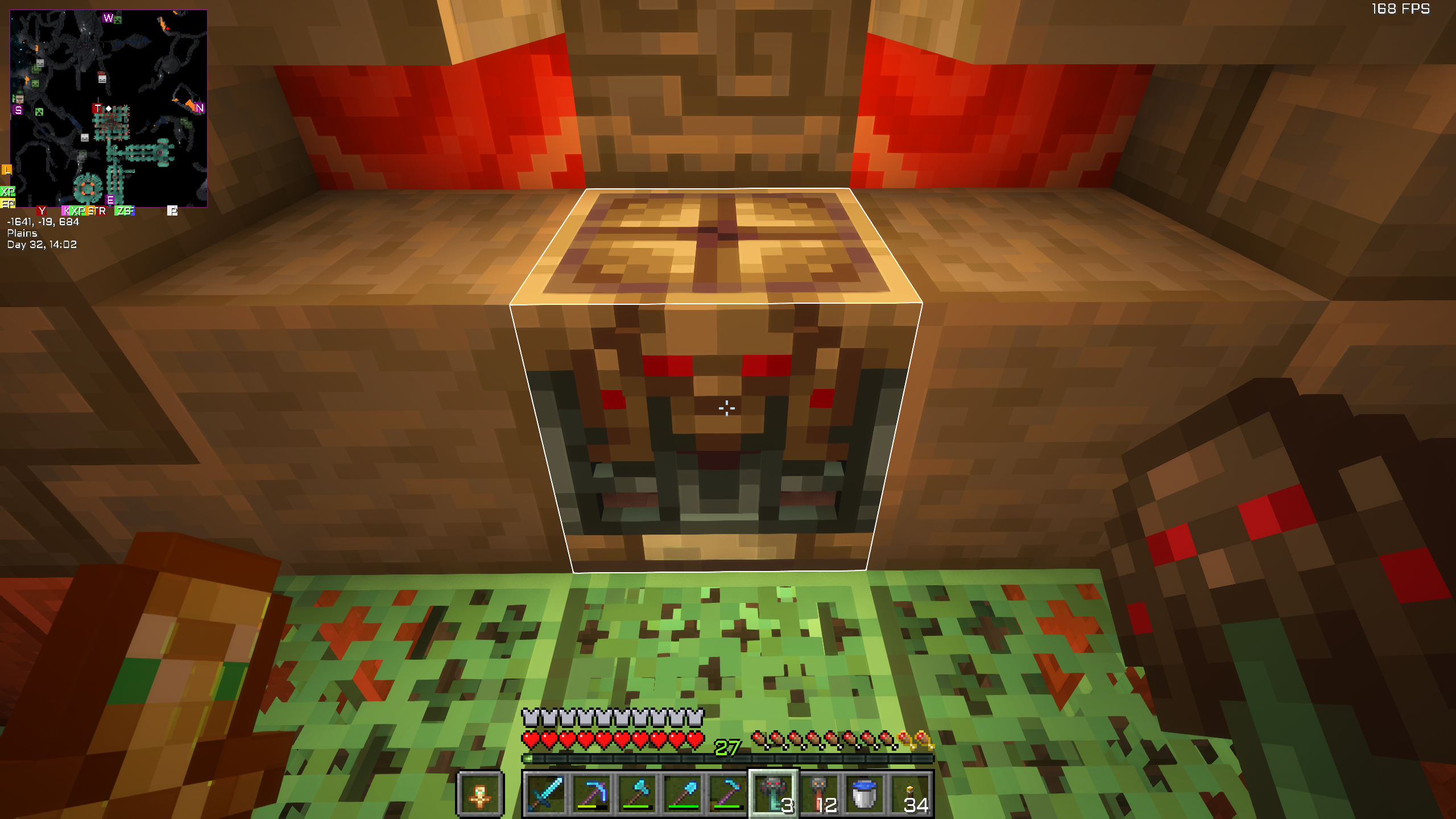
I'm playing on my own vanilla server with a couple of friends and after finally finding my first trial chamber the trial keys nor the ominous keys work. The vault simply seems to not "detect" me being close to it because it doesn't "open its mouth" how its supposed to be when I approach it.
I also tried it in three other trial chambers so that makes already four trial chambers not working and I think that is the case for any of the chambers I will find on the server.
Help would be really appreciated since this would be a huge upset not being able to use one of the newest and coolest features of Minecraft.
I'm happy about any tips or solution advices.
Tya cursey
Environment
Windows 10; Java 1.21.4


Created Issue:
I cannot open vaults in Trial Chambers...
I'm playing on my own vanilla server (Java 1.21.4) with a couple of friends and after finally finding my first trial chamber the trial keys nor the ominous keys work. The vault simply seems to not "detect" me being close to it because it doesn't "open its mouth" how its supposed to be when I approach it.
I also tried it in another trial chamber so that makes already two trial chambers not working and I think that is the case for any of the chambers I will find on the server.
Help would be really appreciated since this would be a huge upset not being able to use one of the newest and coolest features of Minecraft.
I'm happy about any tips or solution advices.Tya cursey
Attachments2
I'm playing on my own vanilla server
(Java 1.21.4)with a couple of friends and after finally finding my first trial chamber the trial keys nor the ominous keys work. The vault simply seems to not "detect" me being close to it because it doesn't "open its mouth" how its supposed to be when I approach it.
I also tried it in another trial chamber so that makes already two trial chambers not working and I think that is the case for any of the chambers I will find on the server.
Help would be really appreciated since this would be a huge upset not being able to use one of the newest and coolest features of Minecraft.
I'm happy about any tips or solution advices.Tya cursey
Windows 10; Java 1.21.4
I'm playing on my own vanilla server with a couple of friends and after finally finding my first trial chamber the trial keys nor the ominous keys work. The vault simply seems to not "detect" me being close to it because it doesn't "open its mouth" how its supposed to be when I approach it.
I also tried it inanother trial chamber so that makes alreadytwotrial chambers not working and I think that is the case for any of the chambers I will find on the server.
Help would be really appreciated since this would be a huge upset not being able to use one of the newest and coolest features of Minecraft.
I'm happy about any tips or solution advices.Tya cursey
I'm playing on my own vanilla server with a couple of friends and after finally finding my first trial chamber the trial keys nor the ominous keys work. The vault simply seems to not "detect" me being close to it because it doesn't "open its mouth" how its supposed to be when I approach it.
I also tried it in three other trial chambers so that makes already four trial chambers not working and I think that is the case for any of the chambers I will find on the server.
Help would be really appreciated since this would be a huge upset not being able to use one of the newest and coolest features of Minecraft.
I'm happy about any tips or solution advices.Tya cursey
![[Mod] Jiingy](../../../data/avatars/users/91802.png)
Please try replicating the issue in vanilla. You are clearly using a minimap mod in those screenshots.
I tried to recreate the issue in vanilla Minecraft Java 1.21.4 in Creative Mode difficulty hard under the same seed and it works perfectly fine. The problem doesn't exist here. There are no mods or plugins used on the server I got the issue on itself, its purely vanilla and all the mods I use are client side.
Do note that modded server software, even without plugins, will also mess with things like this.
Thank you for your report!
However, this issue is Invalid.
Your game, launcher or server is modified.
If you can reproduce the issue in a vanilla environment, please recreate the issue.
Quick Links:
📓 Bug Tracker Guidelines – 💬 Community Support – 📧 Mojang Support (Technical Issues) – 📧 Microsoft Support (Account Issues)
📓 Project Summary – ✍️ Feedback and Suggestions – 📖 Game Wiki
Is there a way to "reload" the world files without losing the builds or like reload the whole data of the world/check for missing files or corrupted ones? I could also save certain files and put them back into the server after I did that. Because I tried it in singleplayer with the exact same modded client and datapacks and it works perfectly fine, so it has to be something with the server/world files. The server isnt bukkit, paper or anything else, its really just vanilla.