 MC-55659
New move mode in /clone doesn't "move" the blocks like its supposed to
What I expected to happen was for the blocks to be clone and "moved" to the coordinate.
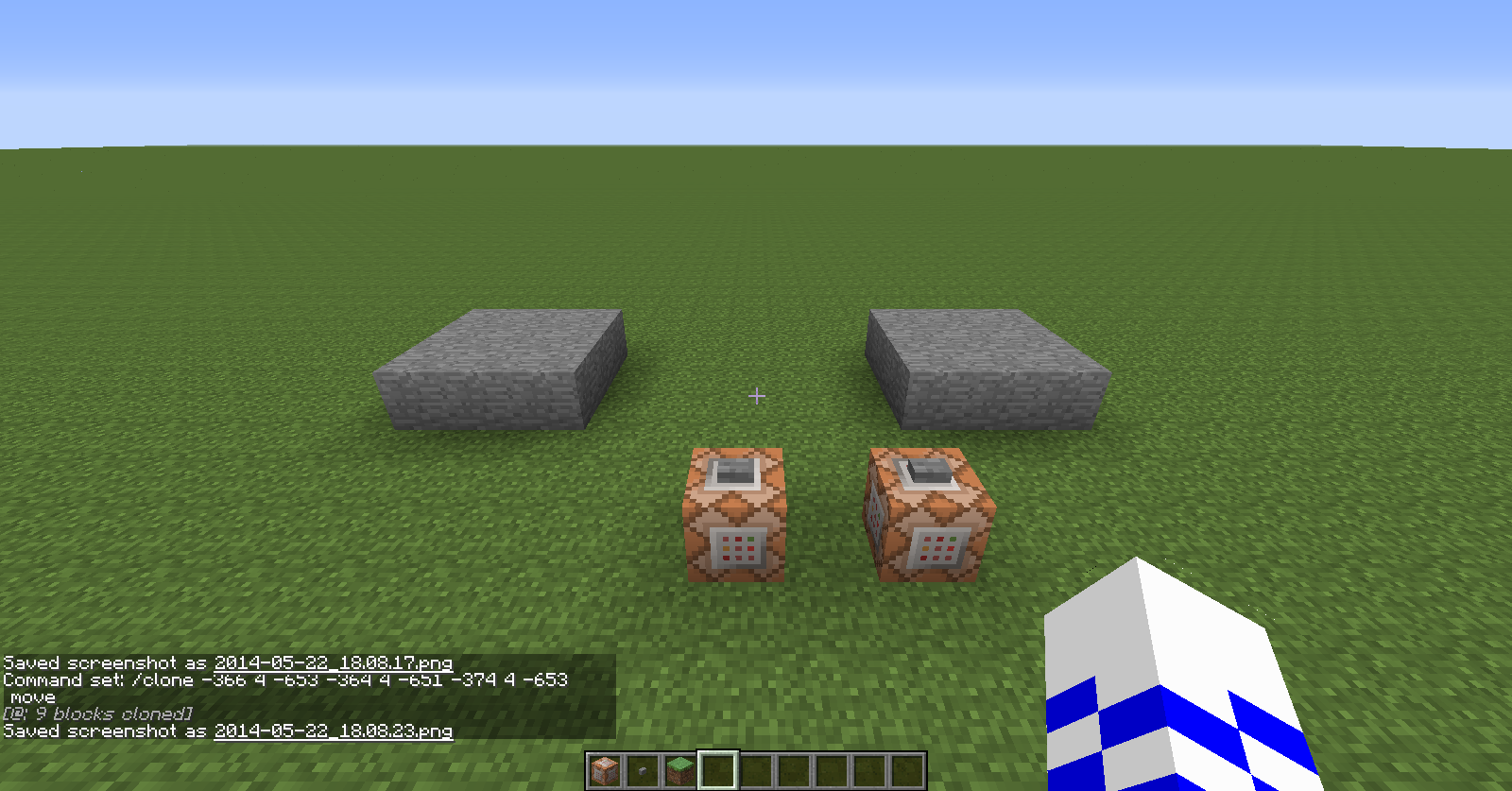
What actually happened was that even though the blocks got cloned, they didn't get "moved" like they were supposed to.
Steps to Reproduce:
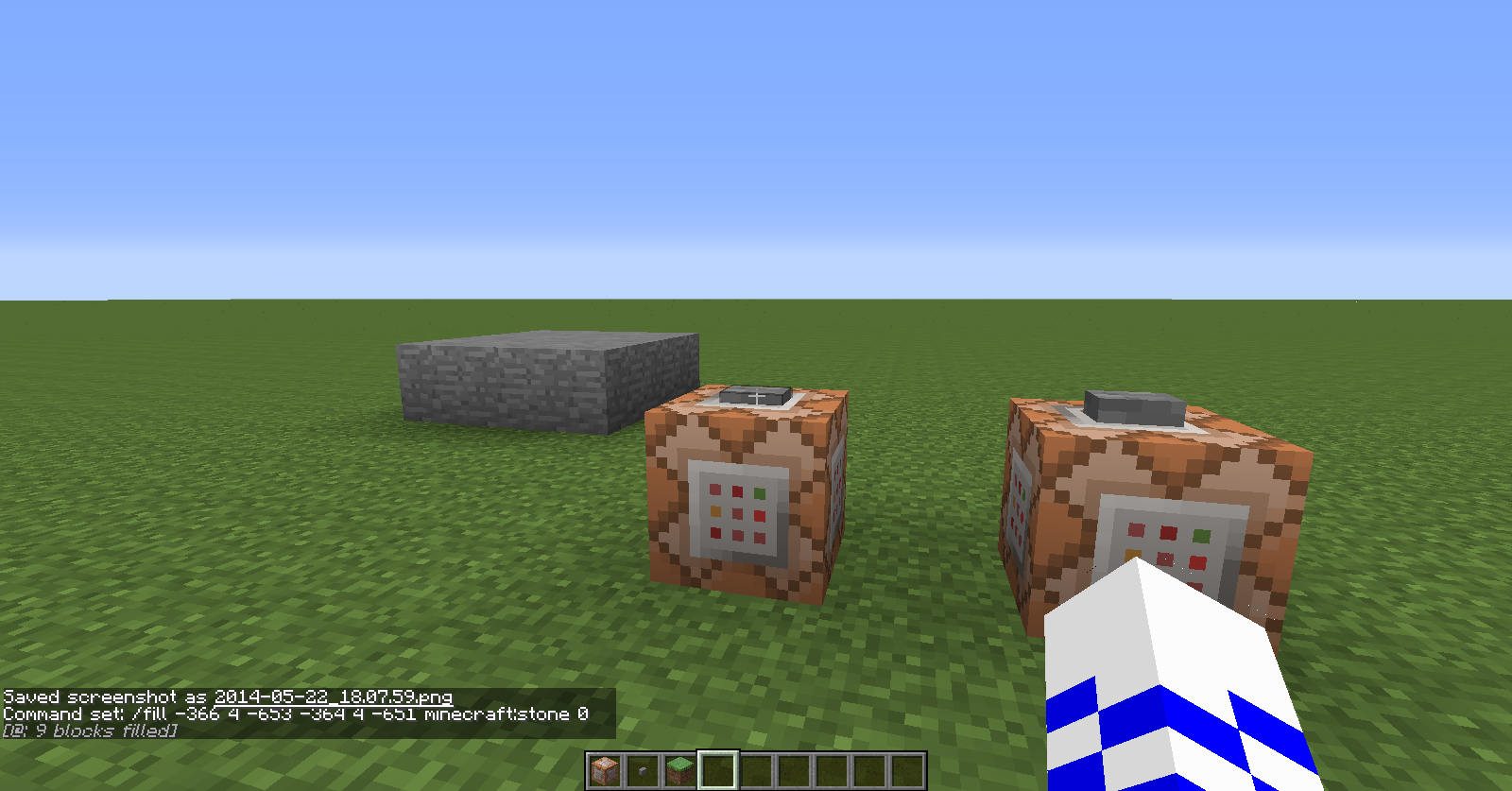
1. Give yourself a command block, and include /fill, along with the coords in which the blocks can be filled.
2. Activate that command.
3. Give yourself a command block, and include /clone, along with the coords in which the blocks can be cloned, along with the "move" mode at the end of the destination coords.
4. Activate that command.
Environment
Windows 7 and Java Version 8 Update 5




Created Issue:
New move mode in /clone doesn't "move" the blocks like its supposed to
What I expected to happen was for the blocks to be clone and "moved" to the cooridnate.
What actually happened was that even though the blocks got cloned, they didn't get "moved" like they were supposed to.
Steps to Reproduce:
1. Give yourself a command block, and include /fill, along with the coords in which the blocks can be filled.
.
2. Activate that command.3. Give yourself a command block, and include /clone, along with the coords in which the blocks can be cloned, along with the "move" mode at the end of the destination coords.
4. Activate that command.
Environment
Windows 7 and Java Version 8 Update 5
Attachments5
What I expected to happen was for the blocks to be clone and "moved" to the cooridnate.
What actually happened was that even though the blocks got cloned, they didn't get "moved" like they were supposed to.
Steps to Reproduce:
1. Give yourself a command block, and include /fill, along with the coords in which the blocks can be filled.
.
2. Activate that command.3. Give yourself a command block, and include /clone, along with the coords in which the blocks can be cloned, along with the "move" mode at the end of the destination coords.
4. Activate that command.
What I expected to happen was for the blocks to be clone and "moved" to the cooridnate.
What actually happened was that even though the blocks got cloned, they didn't get "moved" like they were supposed to.
Steps to Reproduce:
1. Give yourself a command block, and include /fill, along with the coords in which the blocks can be filled.2. Activate that command.
3. Give yourself a command block, and include /clone, along with the coords in which the blocks can be cloned, along with the "move" mode at the end of the destination coords.
4. Activate that command.
What I expected to happen was for the blocks to be clone and "moved" to the coor
idnate.What actually happened was that even though the blocks got cloned, they didn't get "moved" like they were supposed to.
Steps to Reproduce:
1. Give yourself a command block, and include /fill, along with the coords in which the blocks can be filled.2. Activate that command.
3. Give yourself a command block, and include /clone, along with the coords in which the blocks can be cloned, along with the "move" mode at the end of the destination coords.
4. Activate that command.
What I expected to happen was for the blocks to be clone and "moved" to the coordinate.
What actually happened was that even though the blocks got cloned, they didn't get "moved" like they were supposed to.
Steps to Reproduce:
1. Give yourself a command block, and include /fill, along with the coords in which the blocks can be filled.2. Activate that command.
3. Give yourself a command block, and include /clone, along with the coords in which the blocks can be cloned, along with the "move" mode at the end of the destination coords.
4. Activate that command.

the mode is "replace move" (yes, two words!) and not only "move"
See http://minecraft.gamepedia.com/Commands#clone
Well, a mistake on my part.