 MCL-20000
Not able to open the new launcher
1.: I can't install the new launcher through the Microsoft Store, it replaces the install button with an arrow. (i can't show it because i already uninstalled the old launcher which for me was the only way to get to the Microsoft Store page of the launcher)
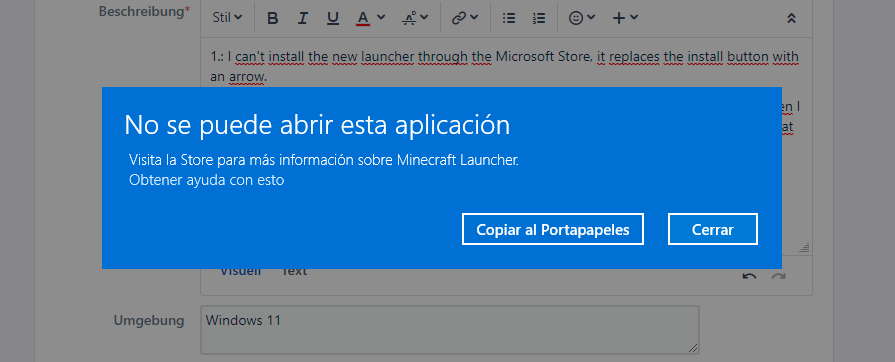
2.: When I install it from the web page, it does it all correctly, no errors what-so-ever, but when I open the launcher, nothing happens. If I open it with administrator rights an error appears that says that I can't open the application.
Environment
Windows 11

Created Issue:
Not able to open the new launcher
1.: I can't install the new launcher through the Microsoft Store, it replaces the install button with an arrow. (i can't show it because i already uninstalled the old launcher which for me was the only way to get to the Microsoft Store page of the launcher)
2.: When I install it from the web page, it does it all correctly, no errors what-so-ever, but when I open the launcher, nothing happens. If I open it with administrator rights an error appears that says that I can't open the application.
Environment
Windows 11
Attachments1
![[MCQA] Zgajak](../../../data/avatars/users/10122.svg)
This same thing happens to me. I installed the launcher but when I try to open it in the store or my apps nothing happens.
i also have this issue, i have checked in task manager and there isn't anything that comes up in there when i try to open it
Hi there!
Could you answer few questions regarding this issue, it will help with the investigation:
This ticket will automatically reopen when you reply.