 MCL-2088
minecraft launcher messed up images
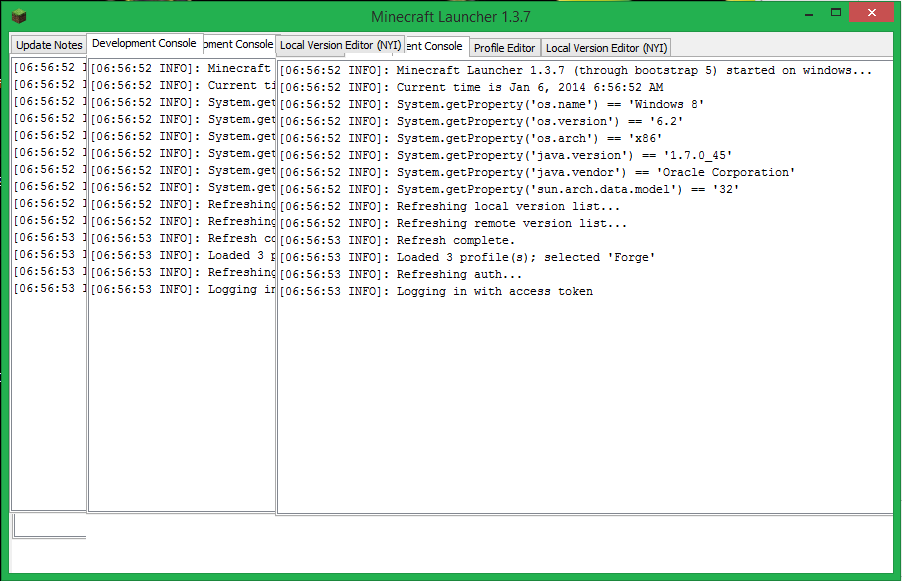
Minecraft launcher will open and updates when needed but is really buggy and the images get screwed up and i have to search for the buttons because certain parts of images will be over them.
only occurs when the launcher isn't maximized and usually happens when i try to change the profiles. When the images are messed up and then changed to be maximized the launcher works normally without any problems.
The versions downloaded are 1.7.4, snapshot, 1.6.4 with forge buildcraft and railcraft.
Environment
Windows 8 Dual core 2.20GHz 64Bit 8GB RAM NVIDIA GeForce GT 520 Graphics


Created Issue:
minecraft launcher messed up images
Minecraft launcher will open and updates when needed but is really buggy and the images get screwed up and i have to search for the buttons because certain parts of images will be over them.
only occurs when the launcher isn't maximized and usually happens when i try to change the profiles. When the images are messed up and then changed to be maximized the launcher works normally without any problemsEnvironment
Windows 8 Dual core 2.20GHz 64Bit 8GB RAM NVIDIA GeForce GT 520 Graphics
Attachments2
Minecraft launcher will open and updates when needed but is really buggy and the images get screwed up and i have to search for the buttons because certain parts of images will be over them.
only occurs when the launcher isn't maximized and usually happens when i try to change the profiles. When the images are messed up and then changed to be maximized the launcher works normally without any problems.
The versions downloaded are 1.7.4, snapshot, 1.6.4 with forge buildcraft and railcraft.

Hmm interesting, does this happen with one of the default windows themes? Looks like you are using a custom one.
Actually looking closer it seems that you may have a graphics issue.
Please force a crash by pressing F3 + C for 10 seconds while in-game and attach the crash report (minecraft/crash-reports/crash-<DATE>-client.txt) here.
Ignoring modded crash report as this is related to the launcher not the game.
Have you loaded up the latest video drivers for Windows 8 or are you using the pre-installed ones?
http://www.geforce.com/drivers/results/70183
Ya that fixed it but i had to download the 64 bit version. The only thing is that i kept everything up to date for a while and have had that problem since 1.6.2. I also had the graphics installation fail at the very end saying there was nothing wrong.
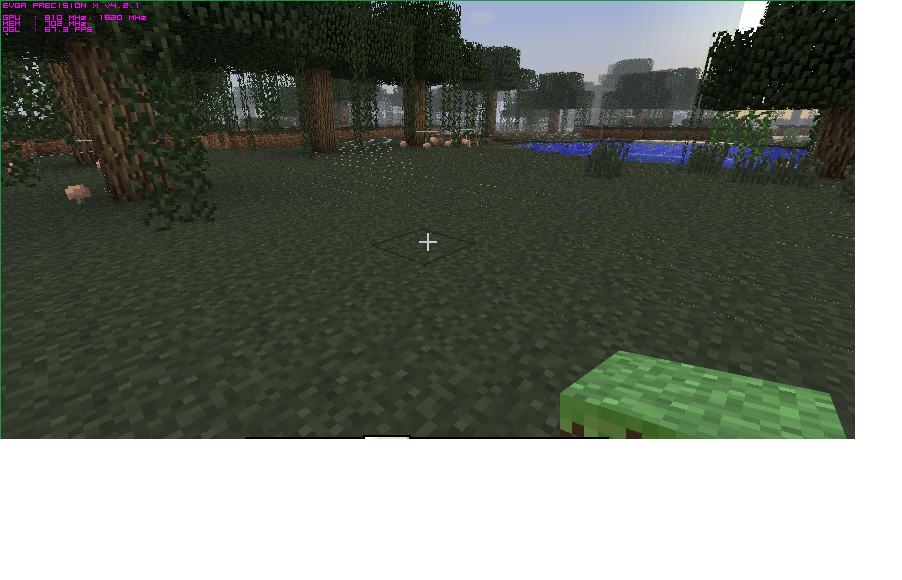
Im not sure what or why but you can sorta see through the blocks were they connect, right under the cursor you might be able to see the red from the lava under the ground as well as the blue from the water elsewere
Adjust your mipmap settings.
After playing the game for a little bit i relaunched it and the problem is back
OK well since this is a technical support issue...
For technical support please use the Mojang Support Center.