 MCL-22437
New Minecraft Launcher Installation is Missing Start Icon
I was having trouble with my Minecraft login, and part of my troubleshooting process included reinstalling the game. When I did, I noticed the icon, when searching in the start menu (the way I open most programs), is missing. I'm on Windows 10.
Steps:
- Install Minecraft Launcher
- Search "minecraft" in Start
- Notice the icon is missing
The installer I used is the one you get from https://www.minecraft.net/en-us/download as of 9/16/2022.


Created Issue:
New Minecraft Launcher Installation is Missing Start Icon
I was having trouble with my Minecraft login, and part of my troubleshooting process included reinstalling the game. When I did, I noticed the icon, when searching in the start menu (the way I open most programs), is missing. I'm on Windows 10.
Steps:
- Install Minecraft Launcher
- Search "minecraft" in Start
- Notice the icon is missing
The installer I used is the one you get from https://www.minecraft.net/en-us/download as of 9/16/2022.
Attachments2
Added Attachments:
![[Bot] Arisa](../../../data/avatars/users/43007.png)
Hi there!
Does this issue occur on the older version of the Launcher (Win 7/8)? Or the newer (win10/11 version of MS store/Xbox app version)?
Have you tried reinstalling the app? And if so, have you tried deleting .minecraft folder (copying its content elsewhere beforehand) after uninstalling the Launcher?
This ticket will automatically reopen when you reply.
Hey, thanks for getting back to me.
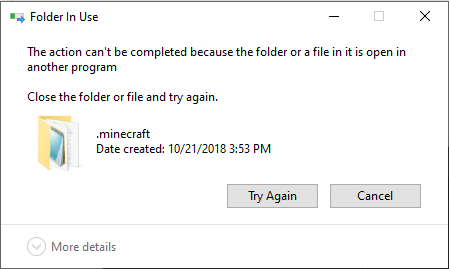
It's the win10/11 version, and yes, I tried reinstalling the launcher multiple times with no joy. I had not yet attempted to remove the .minecraft folder, but attempting to do so, today, with a cut/paste operation yielded the "Folder In Use" explorer error dialog (screenshot attached), even after rebooting my machine (weird).
Hi again!
Can you open task manager and see if the Launcher is still open?
Have you installed Launcher from xbox app/MS store?
This ticket will automatically reopen when you reply.
Welp, when I tried today, I was able to move the .minecraft folder after uninstalling (didn't even need to reboot!). Not sure what that was all about.
Steps I took to test your theories:
Hi once more,
This ticket will automatically reopen when you reply.