 MCL-23732
Unable to sign into Microsoft on the official AUR release
Put the summary of the bug you're having here
What I expected to happen was...:{}
I was expecting the Microsoft account sign-in popup to appear so I could login to my account and start playing Minecraft.
What actually happened was...:
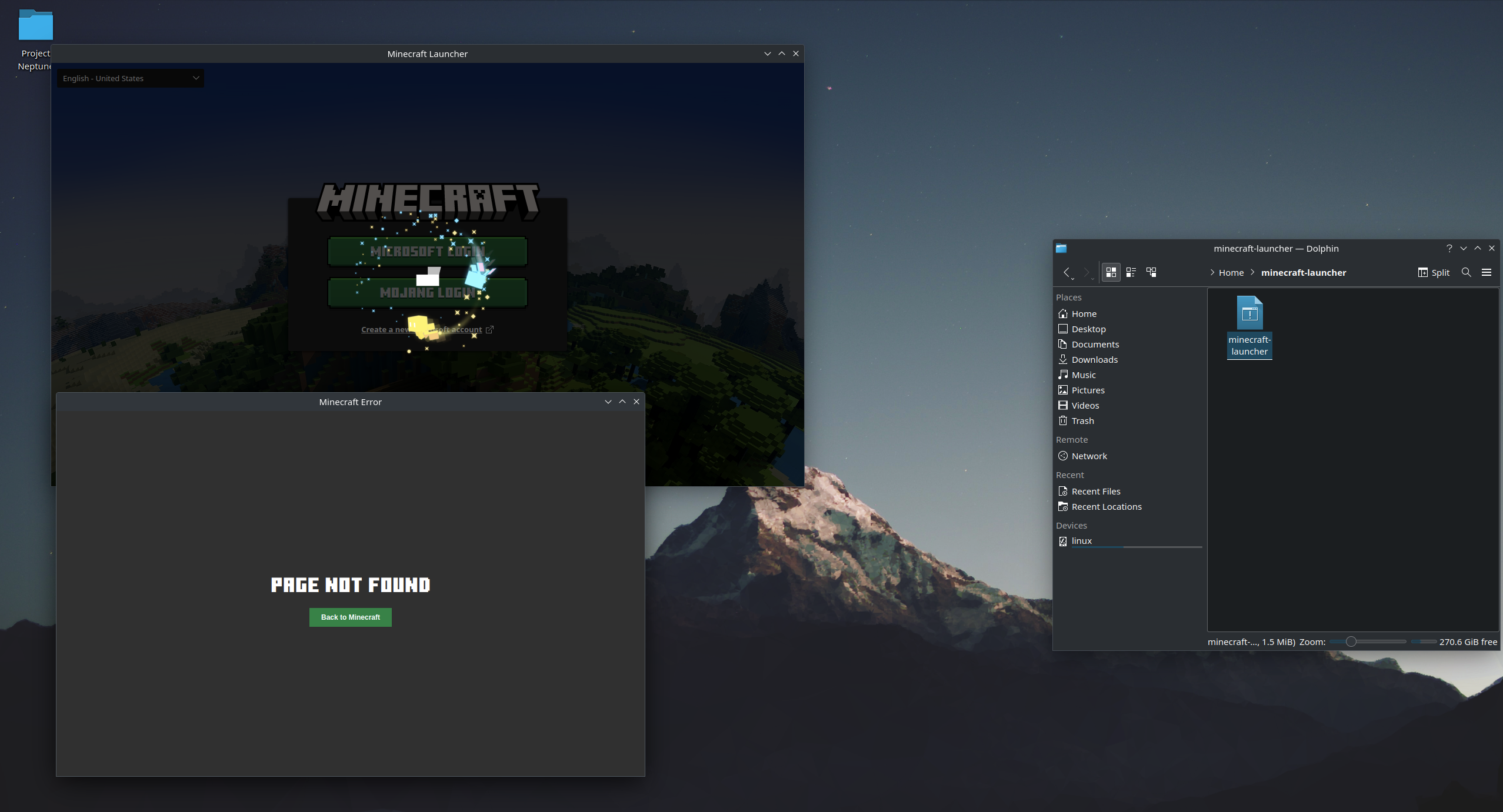
The launcher opens a page with the text "
Failed to load the page.
Please check your internet connection and try Reload again.
Error message: ERR_NAME_NOT_RESOLVED (code=-105)
"
This is not a problem with my internet as I can load other things just fine, and I have re-installed the launcher multiple times even running it straight from the repo.
Re-installing linux has not fixed this issue and restarting the launcher results in a different problem (both of which are posted here)
Steps to Reproduce:
1. Install the latest version of Arch Linux with KDE plasma
2. Install minecraft-launcher from the Arch User Repository
3. Launch minecraft-launcher from command line (or minecraft-launcher.desktop)
4. Sadness
Environment
Arch Linux 6.4.12


Created Issue:
Unable to sign into Microsoft on the official AUR release
Put the summary of the bug you're having here
What I expected to happen was...:{}
I was expecting the Microsoft account sign-in popup to appear so I could login to my account and start playing Minecraft.
What actually happened was...:
The launcher opens a page with the text "
Failed to load the page.
Please check your internet connection and try Reload again.
Error message: ERR_NAME_NOT_RESOLVED (code=-105)
"
This is not a problem with my internet as I can load other things just fine, and I have re-installed the launcher multiple times even running it straight from the repo.
Re-installing linux has not fixed this issue and restarting the launcher results in a different problem (both of which are posted here)
Steps to Reproduce:
1. Install the latest version of Arch Linux with KDE plasma
2. Install minecraft-launcher from the Arch User Repository
3. Launch minecraft-launcher from command line (or minecraft-launcher.desktop)
4. Sadness
Environment
Arch Linux 6.4.12
Attachments7
![[Bot] Arisa](../../../data/avatars/users/43007.png)
Hi there!
Have you read this article? [Secure Token Storage Failure on Linux | Minecraft Help|https://help.minecraft.net/hc/en-us/articles/4408668374925-Secure-Token-Storage-Failure-on-Linux]
Also, do you have by chance, installed Seahorse app?
This ticket will automatically reopen when you reply.
I've made sure gnome-keyring is installed properly and still no change, I've also installed the seahorse application and still no change.
UPDATE
It seems a new launcher update has fixed this issue and I've successfully logged into my Microsoft account. You can close this now
Closing as cannot reproduce.