 MCL-8461
Why is my launcher blank?
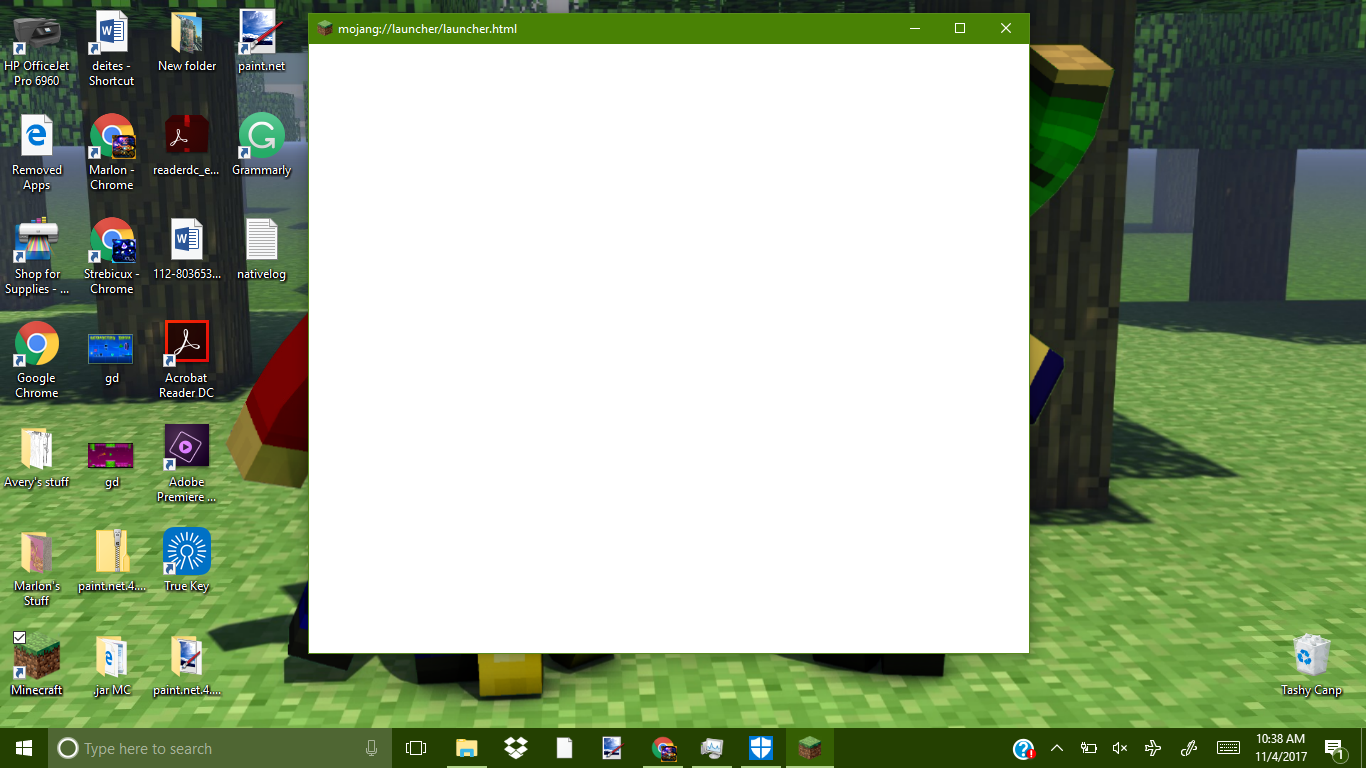
I clicked the minecraft app on my desktop, and then the minecraft launcher was just a white square with nothing on it. At the top of the box, instead of saying Minecraft Launcher, it said mojang://launcher/launcher.html. I don't know what kind of computer mine is but i do know that it is windows 10 or higher. This worked yesterday fine, I haven't changed anything and now it doesn't. I made sure that I'm not running windows XP or vista, and still nothing. In case this helps, my username is strebicus.
Environment
Linked Issues
Attachments1

Created Issue:
I clicked the minecraft app on my desktop, then the launcher just stayed blank.
I clicked the minecraft app on my desktop, and then the minecraft launcher was just a white square with nothing on it. I dont know what kind of computer mine is but i do know that it is windows 10 or higher.
Environment
Attachments1
I clicked the minecraft app on my desktop, and then the minecraft launcher was just a white square with nothing on it. I dont know what kind of computer mine is but i do know that it is windows 10 or higher. Please help! I can't play minecraft until this is fixed!
I clicked the minecraft app on my desktop, then the launcher just stayed blank.Launcher is just blank...
![[Mod] Neko](../../../data/avatars/users/92901.png)
duplicates
I clicked the minecraft app on my desktop, and then the minecraft launcher was just a white square with nothing on it. I dont know what kind of computer mine is but i do know that it is windows 10 or higher. Please help! I can't play minecraft until this is fixed! In case this helps, my username is strebicus.
I clicked the minecraft app on my desktop, and then the minecraft launcher was just a white square with nothing on it. I dont know what kind of computer mine is but i do know that it is windows 10 or higher.
Please help! I can't play minecraft until this is fixed!In case this helps, my username is strebicus.I clicked the minecraft app on my desktop, and then the minecraft launcher was just a white square with nothing on it. I dont know what kind of computer mine is but i do know that it is windows 10 or higher. This worked yesterday fine, I haven't changed anything and now it doesn't. I made sure that i'm not running windows XP or vista, and still nothing. In case this helps, my username is strebicus.
I clicked the minecraft app on my desktop, and then the minecraft launcher was just a white square with nothing on it. I dont know what kind of computer mine is but i do know that it is windows 10 or higher. This worked yesterday fine, I haven't changed anything and now it doesn't. I made sure that
i'm not running windows XP or vista, and still nothing. In case this helps, my username is strebicus.I clicked the minecraft app on my desktop, and then the minecraft launcher was just a white square with nothing on it. At the top of the box, instead of saying Minecraft Launcher, it said mojang://launcher/launcher.html. I don't know what kind of computer mine is but i do know that it is windows 10 or higher. This worked yesterday fine, I haven't changed anything and now it doesn't. I made sure that I'm not running windows XP or vista, and still nothing. In case this helps, my username is strebicus.
Launcher is justblank...Why is my launcher blank?

Why is this marked resolved??? It is not at all!
I have tried even changing it to XP then back to windows 8, as high as it will let me go! HELP ME!
YA can't mark it as resolved when the solution didn't work.
I don't know how to troubleshoot launcher issues, but you may want to try the older launcher, which is available from the alternative download page.
And, no, resolved as duplicate is correct here.
MCL-5511is still open, meaning it's not fixed, but further discussion is probably best there - tracking the bug in two places does not work well.