 SunCat
- SunCat
- suncat
- Europe/Moscow
- Yes
- No

![[Mojang] Grum (Erik Broes)](../../../data/assets/gravatar/grum.png)
![[Mojang] Cory Scheviak](../../../data/avatars/users/92893.png)
![[Mojang] Searge (Michael Stoyke)](../../../data/assets/gravatar/searge.png)

 MC-197549
![[Mojang] Bartosz Bok](../../../data/avatars/users/10122.svg)






















The bug
When you have a clock which teleports an entity every game tick less than about
0.045(value has changed) blocks, it looks raggedly.
This could relate to:MC-73980How to reproduce
1. Summon an ArmorStand with NoGravity:1b
/summon ArmorStand ~ ~ ~ {NoGravity:1b}2. Let a clock run this command every tick:
/tp @e[r=10,type=ArmorStand] ~ ~0.004~This is probably also the reason why the feet of every mob end underneath a lilypad.
The bug
When you have a clock which teleports an entity every game tick less than about
0.045(value has changed) blocks, it looks raggedly.
This could relate to:MC-73980How to reproduce
1. Summon an ArmorStand with NoGravity:1b
/summon ArmorStand ~ ~ ~ {NoGravity:1b}2. Let a clock run this command every tick:
/tp @e[r=10,type=ArmorStand] ~ ~0.001 ~This is probably also the reason why the feet of every mob end underneath a lilypad.
The bug
When you have a clock which teleports an entity every game tick less than about
0.045(value has changed) blocks, it looks raggedly.
This could relate to:MC-73980How to reproduce
1. Summon an ArmorStand with NoGravity:1b
/summon ArmorStand ~ ~ ~ {NoGravity:1b}2. Let a clock run this command every tick:
/tp @e[r=10,type=ArmorStand] ~ ~0.001 ~This is probably also the reason why the feet of every mob end underneath a lilypad.
2016-02-11_22.05.24.png
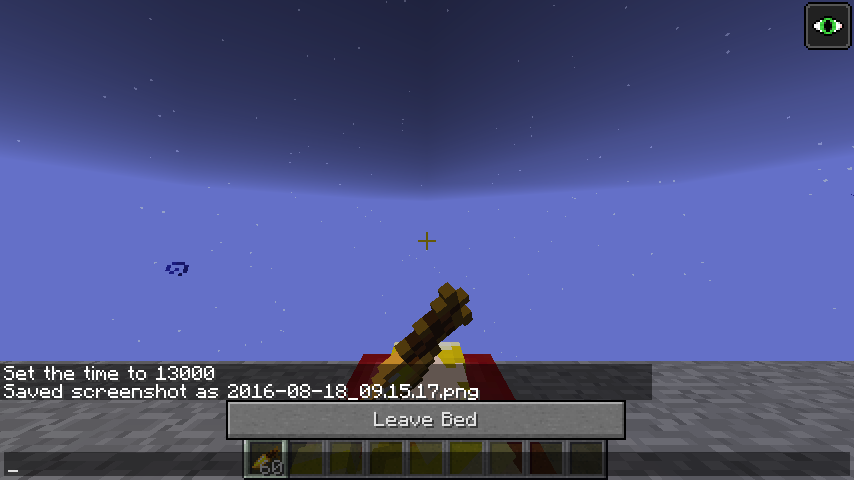
Your body now renders when sleeping. However the main hand sometimes does not render properly.
It should render your hand and holding item.
UPDATE: As of 16w39c, two marker armor stands riding each other will be offset as if they are normal armor stands. The offset should be 0 as they are markers, and so both should be at the same x y z coordinate as they used to be. See related:
MC-108008Summoning a marker armor stand with other entity passengers has the passengers offset upwards, even though they should be aligned to the marker stand's position with no offset due to there being no hitbox size. This did not happen before 16w snapshots.
Test:
/summonArmorStand ~ ~ ~ {Marker:1b,Passengers:[{id:ArmorStand,Marker:0b}]}/summonArmorStand ~ ~ ~ {Marker:1b,Passengers:[{id:Cow}]}Test (as of 16w39c) for marker stands being offset instead of being at the same coordinate:
/summonArmorStand ~ ~ ~ {Marker:1b,Passengers:[{id:ArmorStand,Marker:1b}]}Some things do work however, such as a marker armor stand passenger or a villager passenger.
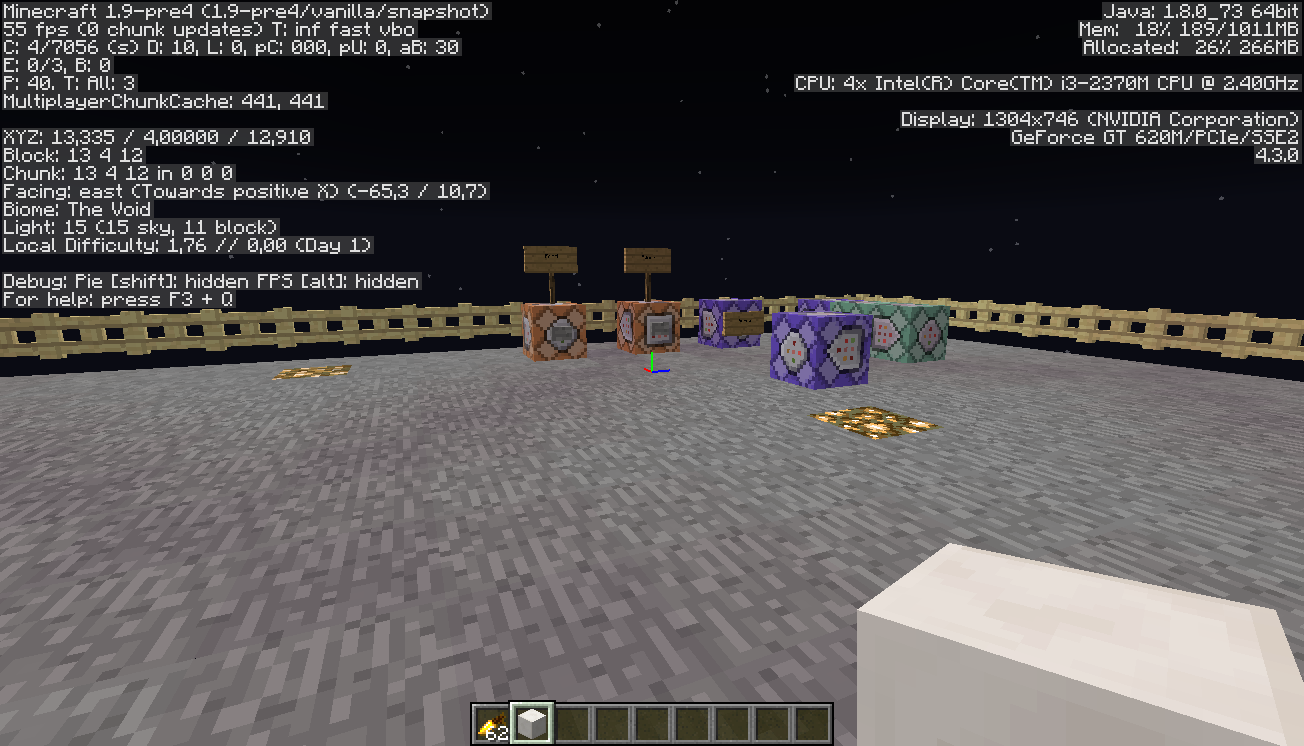
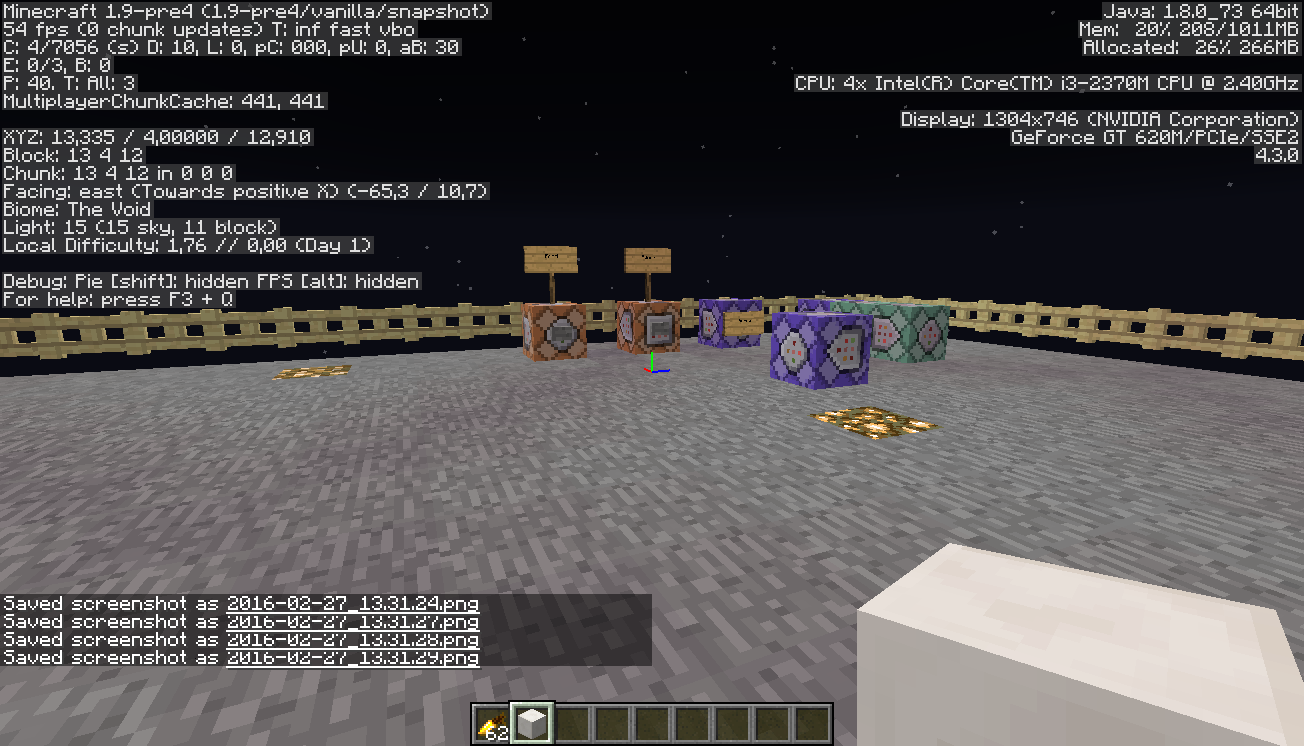
See screenshot of pig and cow and armor stand for a picture of the issue in 1.9 pre-4
Summoning a marker armor stand with other entity passengers has the passengers offset upwards, even though they should be aligned to the marker stand's position with no offset due to there being no hitbox size. This did not happen before 16w snapshots.
Test:
/summon armor_stand ~ ~ ~ {Marker:1b,Passengers:[{id:armor_stand,Marker:0b}]}/summon armor_stand ~ ~ ~ {Marker:1b,Passengers:[{id:cow}]}Test (as of 16w39c) for marker stands being offset instead of being at the same coordinate:
/summon armor_stand ~ ~ ~ {Marker:1b,Passengers:[{id:armor_stand,Marker:1b}]}Some things do work however, such as a marker armor stand passenger or a villager passenger.
See screenshot of pig and cow and armor stand for a picture of the issue in 1.9 pre-4
Summoning a marker armor stand with other entity passengers has the passengers offset upwards, even though they should be aligned to the marker stand's position with no offset due to there being no hitbox size. This did not happen before 16w snapshots.
Test:
/summon armor_stand ~ ~ ~ {Marker:1b,Passengers:[{id:armor_stand,Marker:0b}]}/summon armor_stand ~ ~ ~ {Marker:1b,Passengers:[{id:cow}]}
Test (as of 16w39c) for marker stands being offset instead of being at the same coordinate:/summon armor_stand ~ ~ ~ {Marker:1b,Passengers:[{id:armor_stand,Marker:1b}]}Some things do work however, such as a marker armor stand passenger or a villager passenger.
See screenshot of pig and cow and armor stand for a picture of the issue in 1.9 pre-4
Summoning a marker armor stand with other entity passengers has the passengers offset upwards, even though they should be aligned to the marker stand's position with no offset due to there being no hitbox size. This did not happen before 16w snapshots.
Test:
/summon armor_stand ~ ~ ~ {Marker:1b,Passengers:[{id:armor_stand,Marker:0b}]}/summon armor_stand ~ ~ ~ {Marker:1b,Passengers:[{id:cow}]}Some things do work however, such as a marker armor stand passenger or a villager passenger.
See screenshot of pig and cow and armor stand for a picture of the issue in 1.9 pre-4
Confirmed
relates to
relates to
Confirmed for 16w07b
Steps to reproduce
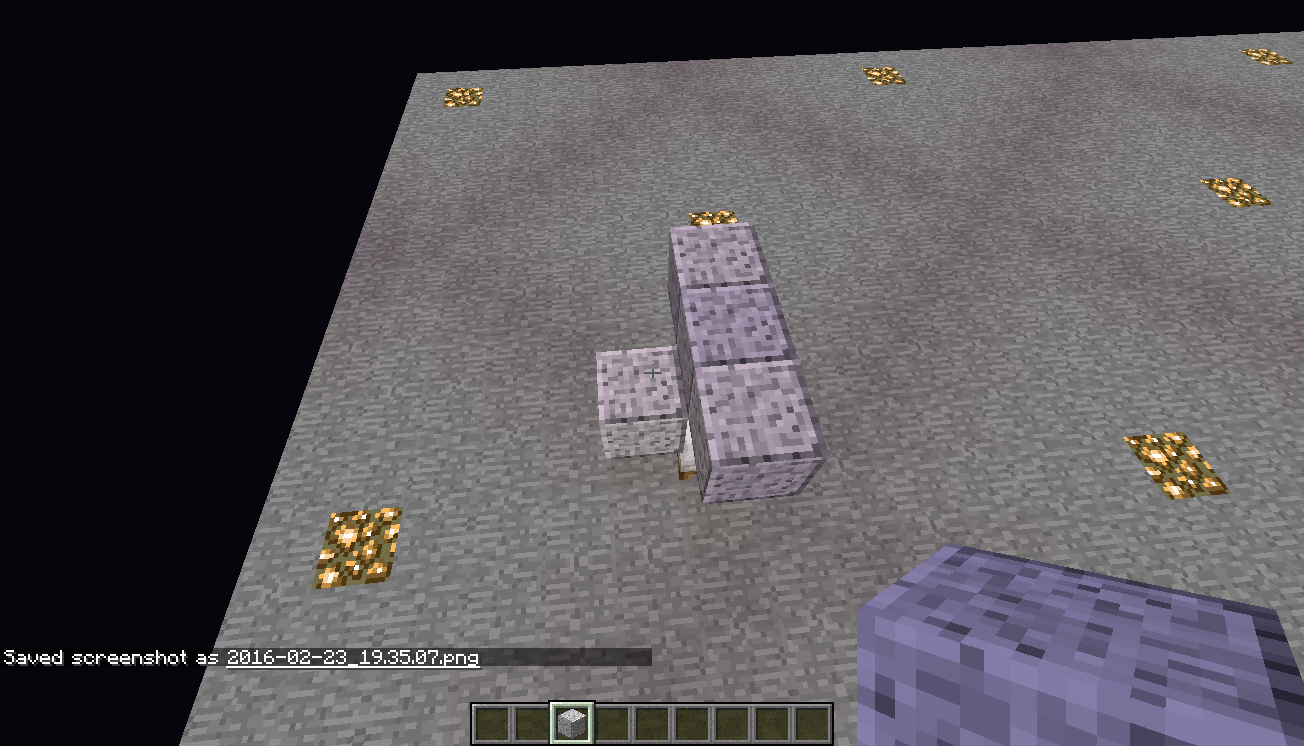
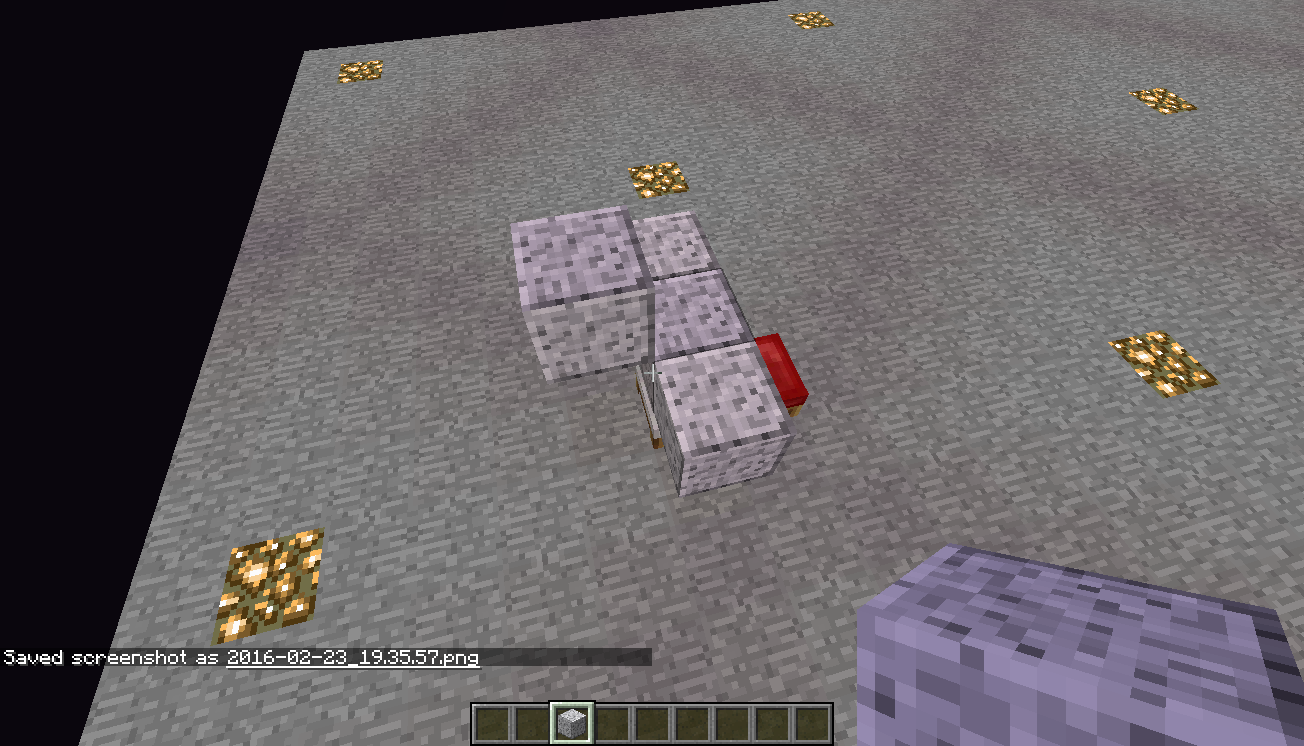
- Summon every armorstand in the middle of the blocks as shown in the pictures "two entities.png" and "four entities.png" in +X+Z direction
- Stand on each wool block in the corners between iron blocks and type in chat
/say @e[c=2].
- If you stand on yellow or red wool you will see
[YourNick] YourNick and Armorstandwhich is intended
- On orange wool
[YourNick] Armorstand and YourNick- On blue wool:
- If you stand in the corner next to the yellow wool
[YourNick] YourNick and Armorstand(intended)
- Next to the orange or red wool
[YourNick] Armorstand and Armorstand
If you use a selector that searches for the nearest entity (@p, @e [c=1] , etc), it will always find the entity executing the command (if possible), even if there is another equally close entity. Essentially, entities are always closer to themselves than to any other entity, regardless of actual location. This is extremely useful, and is not a bug. However, this behavior only occurs when specifically searching for the one closest entity. If you search for the 2 closest entities, or the farthest entity, this property will not be taken into account.
Steps to reproduce:
- {}
- {}
- {}
- {}
If you use a selector that searches for the nearest entity (@p, @e[c=1], etc), it will always find the entity executing the command (if possible), even if there is another equally close entity. Essentially, entities are always closer to themselves than to any other entity, regardless of actual location. This is extremely useful, and is not a bug. However, this behavior only occurs when specifically searching for the one closest entity. If you search for the 2 closest entities, or the farthest entity, this property will not be taken into account.
Steps to reproduce:
- {}
- {}
- {}
- {}
If you use a selector that searches for the nearest entity (@p, @e[c=1], etc), it will always find the entity executing the command (if possible), even if there is another equally close entity. Essentially, entities are always closer to themselves than to any other entity, regardless of actual location. This is extremely useful, and is not a bug. However, this behavior only occurs when specifically searching for the one closest entity. If you search for the 2 closest entities, or the farthest entity, this property will not be taken into account.
To reproduce, execute these commands:
/summon minecraft:armor_stand ~ ~ ~ {Tags:["test1"]} /summon minecraft:armor_stand ~ ~ ~ {Tags:["test2"]} /summon minecraft:armor_stand ~ ~ ~ {Tags:["test3"]} /execute @e[tag=test3] ~ ~ ~ /scoreboard players tag @e[c=2] listThe last command will find "test1" and "test2", while you executed it from "test3"
If you use a selector that searches for the nearest entity (@p, @e[c=1], etc), it will always find the entity executing the command (if possible), even if there is another equally close entity. Essentially, entities are always closer to themselves than to any other entity, regardless of actual location. This is extremely useful, and is not a bug. However, this behavior only occurs when specifically searching for the one closest entity. If you search for the 2 closest entities, or the farthest entity, this property will not be taken into account.
To reproduce, execute these commands:
/summon minecraft:armor_stand ~ ~ ~ {Tags:["test1"]} /execute @e[tag=test1] ~ ~ ~ /summon minecraft:armor_stand ~ ~ ~ {Tags:["test2"]} /execute @e[tag=test1] ~ ~ ~ /summon minecraft:armor_stand ~ ~ ~ {Tags:["test3"]} /execute @e[tag=test3] ~ ~ ~ /scoreboard players tag @e[c=2] listOr these
/summon armor_stand ~ ~ ~ {CustomName:"test1",NoGravity:1b} /execute @e[name=test1] ~ ~ ~ /summon armor_stand ~ ~ ~ {CustomName:"test2",NoGravity:1b} /execute @e[name=test1] ~ ~ ~ /summon armor_stand ~ ~ ~ {CustomName:"test3",NoGravity:1b} /execute @e[name=test3] ~ ~ ~ /say @e[c=2]The last command will find "test1" and "test2", while you executed it from "test3"
If you use a selector that searches for the nearest entity (@p, @e[c=1], etc), it will always find the entity executing the command (if possible), even if there is another equally close entity. Essentially, entities are always closer to themselves than to any other entity, regardless of actual location. This is extremely useful, and is not a bug. However, this behavior only occurs when specifically searching for the one closest entity. If you search for the 2 closest entities, or the farthest entity, this property will not be taken into account.
To reproduce, execute these commands:
/summon minecraft:armor_stand ~ ~ ~ {Tags:["test1"]} /execute @e[tag=test1] ~ ~ ~ /summon minecraft:armor_stand ~ ~ ~ {Tags:["test2"]} /execute @e[tag=test1] ~ ~ ~ /summon minecraft:armor_stand ~ ~ ~ {Tags:["test3"]} /execute @e[tag=test3] ~ ~ ~ /scoreboard players tag @e[c=2] listOr these
/summon armor_stand ~ ~ ~ {CustomName:"test1",NoGravity:1b} /execute @e[name=test1] ~ ~ ~ /summon armor_stand ~ ~ ~ {CustomName:"test2",NoGravity:1b} /execute @e[name=test1] ~ ~ ~ /summon armor_stand ~ ~ ~ {CustomName:"test3",NoGravity:1b} /execute @e[name=test3] ~ ~ ~ /say @e[c=2]The last command will find "test1" and "test2", while you executed it from "test3"
Code analysis by Marcono1234 can be found in this comment
shift key to move one stack of itemcannot be reconfiguredSome inventory controls can't be reconfigured
You can only use:
- Button 1 (LMB) for moving and splitting items
- Button 2 (RMB) for splitting items
- LShift for moving stacks of items between inventories and hotbar
- LControl for combination with Drop button to throw multiple items
If you change controls (that use these buttons as default) to use other buttons, new buttons won't work in inventory, and old buttons will still work
Old description:
The shift key used in inventory menu to move one stack of item between chest and inventory cannot be reconfigured through the option > Control settings panel.
Although the sneak key can be remapped, the key to move one stack of item to chest/inventory is still mapped to shift.Info : i remaped the sneak action key to CapsLock, but i guess the move action key is hard coded to shift.
You can only use:
- Button 1 (LMB) for moving and splitting items
- Button 2 (RMB) for splitting items
- LShift for moving stacks of items between inventories and hotbar
- LControl for combination with Drop button to throw multiple items
If you change controls (that use these buttons as default) to use other buttons, new buttons won't work in inventory, and old buttons will still work
Old description:
The shift key used in inventory menu to move one stack of item between chest and inventory cannot be reconfigured through the option > Control settings panel.
Although the sneak key can be remapped, the key to move one stack of item to chest/inventory is still mapped to shift.Info : i remaped the sneak action key to CapsLock, but i guess the move action key is hard coded to shift.
You can only use:
- Button 1 (LMB) for moving and splitting items
- Button 2 (RMB) for splitting items
- LShift for moving stacks of items between inventories and hotbar
- LControl for combination with Drop button to throw multiple items
If you change controls (that use these buttons as default) to use other buttons, new buttons won't work in inventory, and old buttons will still work
Old description:
The shift key used in inventory menu to move one stack of item between chest and inventory cannot be reconfigured through the option > Control settings panel.
Although the sneak key can be remapped, the key to move one stack of item to chest/inventory is still mapped to shift.Info : i remaped the sneak action key to CapsLock, but i guess the move action key is hard coded to shift.
relates to
 Normal
relates to
duplicates
Fixed for 1.9
relates to
standing on top of a ladder with cow two blocks above me,ican milk it using a stack of buckets.the buckets fill up as expected and are put in new slots but as soon asimove or click on one of the buckets they all empty out and stack up again.tested milking while not standing on top of ladder and it worked. you have to stand on top of the ladder, and not hang onto it.hope that makes sense. shout if you need more info!Standing on top of a ladder with cow two blocks above me, I can milk it using a stack of buckets. The buckets fill up as expected and are put in new slots but as soon as I move or click on one of the buckets they all empty out and stack up again. You have to stand on top of the ladder, and not hang onto it.
relates to
relates to
relates to
When cutting/breaking redstone wire, the portion of the wire that is no longer connected to the power source remains powered even though the line has been cut.
http://www.youtube.com/watch?v=5UNpLokCduo
Narrative:
 Low
Lowrelates to
is duplicated by
relates to
is duplicated by
ProfMobius (Thomas Guimbretiere), Are you saying "It works as intended, but it'll be fixed in the next snapshot"? =)
Zombie
scan't go through open doors if theyhaveCanBreakDoors:0 and the target isn't a villager. Confirmed with player, snow golem and a skeleton as a target. (the mobs provoked the zombie).
If the only way from zombie to player goes through open doors, the zombie stays behind the doors and follows the player's movements (see the Animation.gif)
If there are 2 ways from a zombie to player, one through open doors and the other without them, the zombie chooses the second way.MC-100296says about it.
Steps to reproduce:
- Build a room with a door (a place, which can be exited only through door(s))
- Summon a zombie in it via
/summon Zombie ~ ~ ~ {CanBreakDoors:0b}- Make sure you are outside of the room, and a zombie (normally) can come to you.
- Switch to survival mode.
- Open the door.
The result: the zombie would be stuck behind the door.Zombie can't go through open doors if it has CanBreakDoors:0, it isn't a baby and the target isn't a villager. Confirmed with player, snow golem and a skeleton as a target. (the mobs provoked the zombie).
If the only way from zombie to player goes through open doors, the zombie stays behind the doors and follows the player's movements (see the Animation.gif)
If there are 2 ways from a zombie to player, one through open doors and the other without them, the zombie chooses the second way.MC-100296says about it.
Steps to reproduce:
- Build a room with a door (a place, which can be exited only through door(s))
- Summon a zombie in it via
/summon Zombie ~ ~ ~ {CanBreakDoors:0b}- Make sure you are outside of the room, and a zombie (normally) can come to you.
- Switch to survival mode.
- Open the door.
The result: the zombie would be stuck behind the door.
Zombie can't go through open doors if it has CanBreakDoors:0, it isn't a baby
and the target isn't a villager. Confirmed with player, snow golem and a skeleton as a target. (the mobs provoked the zombie).
If the only way from zombie to player goes through open doors, the zombie stays behind the doors and follows the player's movements (see the Animation.gif)
If there are 2 ways from a zombie to player, one through open doors and the other without them, the zombie chooses the second way.MC-100296says about it.
Steps to reproduce:
- Build a room with a door (a place, which can be exited only through door(s))
- Summon a zombie in it via
/summon Zombie ~ ~ ~ {CanBreakDoors:0b}- Make sure you are outside of the room, and a zombie (normally) can come to you.
- Switch to survival mode.
- Open the door.
The result: the zombie would be stuck behind the door.
Zombies and zombie pigmen sometimes can't go through open doors.
Zombie can't go through open doors if it has CanBreakDoors:0, it isn't a baby and the target isn't a villager. Confirmed with player, snow golem and a skeleton as a target. (the mobs provoked the zombie).
If the only way from zombie to player goes through open doors, the zombie stays behind the doors and follows the player's movements (see the Animation.gif)
If there are 2 ways from a zombie to player, one through open doors and the other without them, the zombie chooses the second way.MC-100296says about it.
Steps to reproduce:
- Build a room with a door (a place, which can be exited only through door(s))
- Summon a zombie in it via
/summon Zombie ~ ~ ~ {CanBreakDoors:0b}- Make sure you are outside of the room, and a zombie (normally) can come to you.
- Switch to survival mode.
- Open the door.
The result: the zombie would be stuck behind the door.
Zombie can't go through open doors if it has CanBreakDoors:0, it isn't a baby and the target isn't a villager. Zombie pigman can't go through them if it's not a baby. Confirmed with player, snow golem and a skeleton as a target. (the mobs provoked the zombie).
If the only way from zombie to player goes through open doors, the zombie stays behind the doors and follows the player's movements (see the Animation.gif)
If there are 2 ways from a zombie to player, one through open doors and the other without them, the zombie chooses the second way.MC-100296says about it.
Steps to reproduce:
- Build a room with a door (a place, which can be exited only through door(s))
- Summon a zombie in it via
/summon Zombie ~ ~ ~ {CanBreakDoors:0b}- Make sure you are outside of the room, and a zombie (normally) can come to you.
- Switch to survival mode.
- Open the door.
The result: the zombie would be stuck behind the door.
Zombie can't go through open doors if it has CanBreakDoors:0, it isn't a baby and the target isn't a villager. Zombie pigman can't go through them if it's not a baby. Confirmed with a player, a snow golem and a skeleton as a target. (the mobs provoked the zombie).
If the only way from zombie to player goes through open doors, the zombie stays behind the doors and follows the player's movements (see the Animation.gif)
If there are 2 ways from a zombie to player, one through open doors and the other without them, the zombie chooses the second way.MC-100296says about it.
Steps to reproduce:
- Build a room with a door (a place, which can be exited only through door(s))
- Summon a zombie in it via
/summon Zombie ~ ~ ~ {CanBreakDoors:0b}or a zombie pigman via
/summon PigZombie ~ ~ ~ {IsBaby:0}- Make sure you are outside of the room, and a zombie (normally) can come to you.
- Switch to survival mode.
- Open the door.
The result: the zombie would be stuck behind the door.
Zombie can't go through open doors if it has CanBreakDoors:0, it isn't a baby and the target isn't a villager. Zombie pigman can't go through them if it's not a baby. Confirmed with a player, a snow golem and a skeleton as a target. (the mobs provoked the zombie).
If the only way from zombie to player goes through open doors, the zombie stays behind the doors and follows the player's movements (see the Animation.gif)
If there are 2 ways from a zombie to player, one through open doors and the other without them, the zombie chooses the second way.MC-100296says about it.
Steps to reproduce:
- Build a room with a door (a place, which can be exited only through door(s))
- Summon a zombie in it via
/summon Zombie ~ ~ ~ {CanBreakDoors:0b}or a zombie pigman via
/summon PigZombie ~ ~ ~ {IsBaby:0}- Make sure you are outside of the room, and a zombie (normally) can come to you.
- Switch to survival mode.
- Open the door.
The result: the zombie would be stuck behind the door.Zombie can't go through open doors if it has CanBreakDoors:0, it isn't a baby and the target isn't a villager. Zombie pigman can't go through them if it's not a baby. Confirmed with a player, a snow golem and a skeleton as a target. (the mobs provoked the zombie).
If the only way from zombie to player goes through open doors, the zombie stays behind the doors and follows the player's movements (see the Animation.gif)
If there are 2 ways from a zombie to player, one through open doors and the other without them, the zombie chooses the second way.MC-100296says about it.
Steps to reproduce:
- Build a room with a door (a place, which can be exited only through door(s))
- Summon a zombie in it via
/summon Zombie ~ ~ ~ {CanBreakDoors:0b}or a zombie pigman via
/summon PigZombie ~ ~ ~ {IsBaby:0}- Make sure you are outside of the room, and a zombie (normally) can come to you.
- Switch to survival mode.
- Open the door.
- If the mob is a Zombie Pigman, hit it.
The result: the zombie would be stuck behind the door.
Zombies and zombie pigmen sometimes can't go through open doors.Some mobs can't go through open doors.
Zombie can't go through open doors if it hasCanBreakDoors:0, it isn't a baby and the target isn't a villager. Zombie pigman can't go through them if it's not a baby. Confirmed with a player, a snow golem and a skeleton as a target. (the mobs provoked the zombie).
If the only way from zombie to player goes through open doors, the zombie stays behind the doors and follows the player's movements (see the Animation.gif)
If there are 2 ways from a zombie to player, one through open doors and the other without them, the zombie chooses the second way.MC-100296says about it.
Steps to reproduce:
- Build a room with a door (a place, which can be exited only through door(s))
- Summon a zombie in it via
/summon Zombie ~ ~ ~ {CanBreakDoors:0b}or a zombie pigman via
/summon PigZombie ~ ~ ~ {IsBaby:0}- Make sure you are outside of the room, and a zombie (normally) can come to you.
- Switch to survival mode.
- Open the door.
- If the mob is a Zombie Pigman, hit it.
The result: the zombie would be stuck behind the door.Affects: Zombies with CanBreakDoors:0, it isn't a baby and the target isn't a villager. Zombie pigman can't go through them if it's not a baby. Confirmed with a player, a snow golem and a skeleton as a target. (the mobs provoked the zombie).
If the only way from zombie to player goes through open doors, the zombie stays behind the doors and follows the player's movements (see the Animation.gif)
If there are 2 ways from a zombie to player, one through open doors and the other without them, the zombie chooses the second way.MC-100296says about it.
Steps to reproduce:
- Build a room with a door (a place, which can be exited only through door(s))
- Summon a zombie in it via
/summon Zombie ~ ~ ~ {CanBreakDoors:0b}or a zombie pigman via
/summon PigZombie ~ ~ ~ {IsBaby:0}- Make sure you are outside of the room, and a zombie (normally) can come to you.
- Switch to survival mode.
- Open the door.
- If the mob is a Zombie Pigman, hit it.
The result: the zombie would be stuck behind the door.
Affects: Zombie
swith CanBreakDoors:0,it isn't a baby and the target isn't a villager.Zombiepigmancan't go through them if it's not a baby. Confirmed with a player, a snow golem and a skeleton as a target. (the mobs provoked the zombie).
If the only way from zombie to player goes through open doors, the zombie stays behind the doors and follows the player's movements (see the Animation.gif)
If there are 2 ways from a zombie to player, one through open doors and the other without them, the zombie chooses the second way.MC-100296says about it.
Steps to reproduce:
- Build a room with a door (a place, which can be exited only through door(s))
- Summon a zombie in it via
/summon Zombie ~ ~ ~ {CanBreakDoors:0b}or a zombie pigman via
/summon PigZombie ~ ~ ~ {IsBaby:0}- Make sure
you are outside of the room, and a zombie(normally) can cometo you.- Switch to survival mode.
- Open the door.
If the mob is a Zombie Pigman, hit it.
The result: thezombie wouldbe stuck behind the door.Affects: Zombie with CanBreakDoors:0, IsBaby:0 and the target isn't a villager, Zombie Pigman with IsBaby:0, all passive mobs when carrying corresponding food, Creeper, Blaze, Witch, Endermite, Wolf/Dog, Ocelot/Cat, Polar Bear. Tested with all walking mobs. Don't know if affects wandering.
If the only way from zombie to player goes through open doors, the zombie stays behind the doors and follows the player's movements (see the Animation.gif)
If there are 2 ways from a zombie to player, one through open doors and the other without them, the zombie chooses the second way.MC-100296says about it.
Steps to reproduce:
- Build a room with a door (a place, which can be exited only through door(s))
- Summon a zombie in it via
/summon Zombie ~ ~ ~ {CanBreakDoors:0b}or a zombie pigman via
/summon PigZombie ~ ~ ~ {IsBaby:0}or any other mobs (can use spawn eggs).
- Make sure the mob (normally) can come out of the room.
- Open the door.
- Provoke/take needed food in hand/go far enough away.
The result: the mob will be stuck behind the door.
Affects: Zombie with CanBreakDoors:0, IsBaby:0 and the target isn't a villager, Zombie Pigman with IsBaby:0, all passive mobs when carrying corresponding food, Creeper, Blaze, Witch, Endermite, Wolf/Dog, Ocelot/Cat, Polar Bear. Tested with all walking mobs. Don't know if affects wandering.
If the only way from zombie to player goes through open doors, the zombie stays behind the doors and follows the player's movements (see the Animation.gif)
If there are 2 ways from a zombie to player, one through open doors and the other without them, the zombie chooses the second way.MC-100296says about it.
Steps to reproduce:
- Build a room with a door (a place, which can be exited only through door(s))
- Summon a zombie in it via
/summon Zombie ~ ~ ~ {CanBreakDoors:0b}or a zombie pigman via
/summon PigZombie ~ ~ ~ {IsBaby:0}or any other mobs (can use spawn eggs).
- Make sure the mob (normally) can come out of the room.
- Open the door.
- Provoke/take needed food in your hand/go far enough away.
The result: the mob will be stuck behind the door.
Affects: Zombie with CanBreakDoors:0, IsBaby:0 and the target isn't a villager, Zombie Pigman with IsBaby:0, all passive mobs when carrying corresponding food, Creeper, Blaze, Witch, Endermite, Wolf/Dog, Ocelot/Cat, Polar Bear. Tested with all walking mobs. Don't know if affects wandering.
If the only way from zombie to player goes through open doors, the zombie stays behind the doors and follows the player's movements (see the Animation.gif)
If there are 2 ways from a zombie to player, one through open doors and the other without them, the zombie chooses the second way.MC-100296says about it.
Steps to reproduce:
- Build a room with a door (a place, which can be exited only through door(s))
- Summon a zombie in it via
/summon Zombie ~ ~ ~ {CanBreakDoors:0b}or a zombie pigman via
/summon PigZombie ~ ~ ~ {IsBaby:0}or any other mobs (can use spawn eggs).
- Make sure the mob (normally) can come out of the room.
- Open the door.
- Provoke/take needed food in your hand/go far enough away.
The result: the mob will be stuck behind the door.Affects:
- With wooden doors: Zombie with CanBreakDoors:0, IsBaby:0 and the target isn't a villager, Zombie Pigman with IsBaby:0
- With iron doors: any Zombie and any Zombie Pigman
- With any doors: all passive mobs when carrying corresponding food, Creeper, Blaze, Witch, Endermite, Wolf/Dog, Ocelot/Cat, Polar Bear.
- Tested with all walking mobs. Don't know if affects wandering.
If the only way from zombie to player goes through open doors, the zombie stays behind the doors and follows the player's movements (see the Animation.gif)
If there are 2 ways from a zombie to player, one through open doors and the other without them, the zombie chooses the second way.MC-100296says about it.
Steps to reproduce:
- Build a room with a door (a place, which can be exited only through door(s))
- Summon a zombie in it via
/summon Zombie ~ ~ ~ {CanBreakDoors:0b}or a zombie pigman via
/summon PigZombie ~ ~ ~ {IsBaby:0}or any other mobs (can use spawn eggs).
- Make sure the mob (normally) can come out of the room.
- Open the door.
- Provoke/take needed food in your hand/go far enough away.
The result: the mob will be stuck behind the door.
Affects:
- With wooden doors: Zombie with CanBreakDoors:0
, IsBaby:0and the target isn't a villager, Zombie Pigman with IsBaby:0- With iron doors: any Zombie
andanyZombie Pigman- With any doors: all passive mobs when carrying corresponding food, Creeper, Blaze, Witch, Endermite, Wolf/Dog, Ocelot/Cat, Polar Bear.
- Tested with all walking mobs. Don't know if affects wandering.
If the only way from zombie to player goes through open doors, the zombie stays behind the doors and follows the player's movements (see the Animation.gif)
If there are 2 ways from a zombie to player, one through open doors and the other without them, the zombie chooses the second way.MC-100296says about it.
Steps to reproduce:
- Build a room with a door (a place, which can be exited only through door(s))
- Summon a zombie in it via
/summon Zombie ~ ~ ~ {CanBreakDoors:0b}or a zombie pigman via
/summon PigZombie ~ ~ ~ {IsBaby:0}or any other mobs (can use spawn eggs).
- Make sure the mob (normally) can come out of the room.
- Open the door.
- Provoke/take needed food in your hand/go far enough away.
The result: the mob will be stuck behind the door.Affects:
- With wooden doors: Zombie and Husk with CanBreakDoors:0 and the target isn't a villager, Zombie Pigman with IsBaby:0
- With iron doors: any Zombie, Husk and Zombie Pigman
- With any doors: all passive mobs when carrying corresponding food, Creeper, Blaze, Witch, Endermite, Wolf/Dog, Ocelot/Cat, Polar Bear.
- Tested with all walking mobs. Don't know if affects wandering.
If the only way from zombie to player goes through open doors, the zombie stays behind the doors and follows the player's movements (see the Animation.gif)
If there are 2 ways from a zombie to player, one through open doors and the other without them, the zombie chooses the second way.MC-100296says about it.
Steps to reproduce:
- Build a room with a door (a place, which can be exited only through door(s))
- Summon any mob from the list in it
- Make sure the mob (normally) can come out of the room.
- Open the door.
- Provoke/take needed food in your hand/go far enough away.
The result: the mob will be stuck behind the door.
Some mobs can'tgothrough open doors.Some mobs can't pathfind through open doors.
Affects:
- With wooden doors: Zombie and Husk with CanBreakDoors:0 and the target isn't a villager, Zombie Pigman with IsBaby:0
- With iron doors: any Zombie, Husk
andZombie Pigman- With any doors: all passive mobs when carrying corresponding food, Creeper, Blaze, Witch, Endermite, Wolf/Dog, Ocelot/Cat, Polar Bear.
- Tested with all walking mobs. Don't know if affects wandering.
If the only way from zombie to player goes through open doors, the zombie stays behind the doors and follows the player's movements (see the Animation.gif)
If there are 2 ways from a zombie to player, one through open doors and the other without them, the zombie chooses the second way.MC-100296says about it.
Steps to reproduce:
- Build a room with a door (a place, which can be exited only through door(s))
- Summon any mob from the list in it
- Make sure the mob (normally) can come out of the room.
- Open the door.
- Provoke/take needed food in your hand/go far enough away.
The result: the mob will be stuck behind the door.Affects:
- With wooden doors: Zombie and Husk with CanBreakDoors:0 and the target isn't a villager, Zombie Pigman with IsBaby:0
- With iron doors: any Zombie, Husk, Zombie Pigman and Villager
- With any doors: all passive mobs when carrying corresponding food, Creeper, Blaze, Witch, Endermite, Wolf/Dog, Ocelot/Cat, Polar Bear.
- Tested with all walking mobs. Don't know if affects wandering.
If the only way from zombie to player goes through open doors, the zombie stays behind the doors and follows the player's movements (see the Animation.gif)
If there are 2 ways from a zombie to player, one through open doors and the other without them, the zombie chooses the second way.MC-100296says about it.
Steps to reproduce:
- Build a room with a door (a place, which can be exited only through door(s))
- Summon any mob from the list in it
- Make sure the mob (normally) can come out of the room.
- Open the door.
- Provoke/take needed food in your hand/go far enough away.
The result: the mob will be stuck behind the door.
Affects:
- With wooden doors: Zombie and Husk with CanBreakDoors:0 and the target isn't a villager, Zombie Pigman with IsBaby:0
- With iron doors: any Zombie, Husk, Zombie Pigman and Villager
- With any doors: all passive mobs when carrying corresponding food, Creeper, Blaze, Witch, Endermite, Wolf/Dog, Ocelot/Cat, Polar Bear.
- Tested with all walking mobs. Don't know if affects wandering.
If the only way from zombie to player goes through open doors, the zombie stays behind the doors and follows the player's movements (see the Animation.gif)
If there are 2 ways from a zombie to player, one through open doors and the other without them, the zombie chooses the second way.MC-100296says about it.
Steps to reproduce:
- Build a room with a door (a place, which can be exited only through door(s))
- Summon any mob from the list in it
- Make sure the mob (normally) can come out of the room.
- Open the door.
- Provoke/take needed food in your hand/go far enough away.
The result: the mob will be stuck behind the door.Doesn't affect villagers and zombie-type mobs with CanBreakDoors:1
If the only way from mob to the target goes through open doors, the mob stays behind the doors and follows the player's movements (see the Animation.gif)
If there are 2 ways from a zombie to player, one through open doors and the other without them, the zombie chooses the second way.
Steps to reproduce:
- Build a room with a door (a place, which can be exited only through door(s))
- Summon any mob from the list in it
- Make sure the mob (normally) can come out of the room.
- Open the door.
- Provoke/take needed food in your hand/go far enough away.
The result: the mob will be stuck behind the door.
Some mobs can't pathfind through open doors.Mobs can't pathfind through open doors.
Doesn't affectvillagers andzombie-type mobswith CanBreakDoors:1
If the only way from mob to the target goes through open doors, the mob stays behind the doors and follows the player's movements (see the Animation.gif)
If there are 2 ways from a zombie to player, one through open doors and the other without them, the zombie chooses the second way.
Steps to reproduce:
- Build a room with a door (a place, which can be exited only through door(s))
- Summon any mob from the list in it
- Make sure the mob (normally) can come out of the room.
- Open the door.
- Provoke/take needed food in your hand/go far enough away.
The result: the mob will be stuck behind the door.Works as expected if the doors are wooden and the mob is a villager or zombie/zombie villager with CanBreakDoors:1 or/and a villager as a target.
If the only way from mob to the target goes through open doors, the mob stays behind the doors and follows the player's movements (see the Animation.gif)
If there are 2 ways from a zombie to player, one through open doors and the other without them, the zombie chooses the second way.
Steps to reproduce:
- Build a room with a door (a place, which can be exited only through door(s))
- Summon any mob from the list in it
- Make sure the mob (normally) can come out of the room.
- Open the door.
- Provoke/take needed food in your hand/go far enough away.
The result: the mob will be stuck behind the door.
Works as expected if the doors are wooden and the mob is a villager or zombie/zombie villager with CanBreakDoors:1 or/and a villager as a target.
If the only way from mob to the target goes through open doors, the mob stays behind the doors and follows the player's movements (see the Animation.gif)
If there are 2 ways from a zombie to player, one through open doors and the other without them, the zombie chooses the second way.
Steps to reproduce:
- Build a room with a door (a place, which can be exited only through door(s))
- Summon any mob in it, that can be provoked / led by food.
- Make sure the mob (normally) can come out of the room.
- Open the door.
- Provoke/take needed food in your hand/go far enough away.
The result: the mob will be stuck behind the door.Works as expected
- if the doors are wooden and the mob is a villager or zombie (villager) with CanBreakDoors:1
- if the mob is a zombie (villager) and it has a villager as a target
- if the mob is a baby zombie (villager)
If the only way from mob to the target goes through open doors, the mob stays behind the doors and follows the player's movements (see the Animation.gif)
If there are 2 ways from a zombie to player, one through open doors and the other without them, the zombie chooses the second way.
Steps to reproduce:
- Build a room with a door (a place, which can be exited only through door(s))
- Summon any mob in it, that can be provoked / led by food.
- Make sure the mob (normally) can come out of the room.
- Open the door.
- Provoke/take needed food in your hand/go far enough away.
The result: the mob will be stuck behind the door.
Micah, Minecraft Windows 10 is a port of Minecraft PE. We are talking about Minecraft PC, which requires Java to launch, but this allowes it to work on Windows, Mac and Linux.
Steps to reproduce:
- Summon an ArmorStand via
/summon ArmorStand ~ ~ ~ {NoGravity:1}- Change it's rotation.
Ex. commands:/tp @e[type=ArmorStand] ~ ~ ~ ~45 ~/tp @e[type=ArmorStand] ~ ~ ~ 45 ~
- Notice that the ArmorStand visually didn't rotate, but it's direction of looking (can be seen via F3+B) is updated.
- If you reopen the world at this or next point, the ArmorStand will be updated and fixed.
- If you teleport the ArmorStand in this same place with the same rotation, it still won't update. You can use any of these commands:
/tp @e[type=ArmorStand] ~ ~ ~Steps to reproduce:
- Summon an ArmorStand via
/summon ArmorStand ~ ~ ~ {NoGravity:1}- Change it's rotation.
Ex. commands:
Relative:/tp @e[type=ArmorStand] ~ ~ ~ ~45 ~Absolute:
/tp @e[type=ArmorStand] ~ ~ ~ 45 ~
- Notice that the ArmorStand visually didn't rotate, but it's direction of looking (can be seen via F3+B) is updated.
- If you reopen the world at this or next step, the ArmorStand will be updated and fixed.
- Teleport the ArmorStand in this same place with the same rotation. You can use any of these commands:
/tp @e[type=ArmorStand] ~ ~ ~/tp @e[type=ArmorStand] ~ ~ ~ ~ ~/tp @e[type=ArmorStand] ~ ~ ~ (a number you used in the 2nd step) ~
- Notice that it still won't update.
- Change it's rotation again (using an absolute command with a different number or any relative one).
- Now it's updated, and will behave normally.
Workarounds:
- For normal players: reopen the world.
- For map makers: teleport the ArmorStand to itself, then change it's rotation.
A few notes:
Steps to reproduce:
- Summon an ArmorStand via
/summon ArmorStand ~ ~ ~ {NoGravity:1}- Change it's rotation.
Ex. commands:
Relative:/tp @e[type=ArmorStand] ~ ~ ~ ~45 ~Absolute:
/tp @e[type=ArmorStand] ~ ~ ~ 45 ~
- Notice that the ArmorStand visually didn't rotate, but it's direction of looking (can be seen via F3+B) is updated.
- If you reopen the world at this or next step, the ArmorStand will be updated and fixed.
- Teleport the ArmorStand in this same place with the same rotation. You can use any of these commands:
/tp @e[type=ArmorStand] ~ ~ ~/tp @e[type=ArmorStand] ~ ~ ~ ~ ~/tp @e[type=ArmorStand] ~ ~ ~ (a number you used in the 2nd step) ~
- Notice that it still won't update.
- Change it's rotation again (using an absolute command with a different number or any relative one).
- Now it's
updated, and will behave normally.Workarounds:
- For normal players: reopen the world.
- For map makers: teleport the ArmorStand to itself, then change it's rotation.
A few notes:
Steps to reproduce:
- Summon an ArmorStand via
/summon ArmorStand ~ ~ ~ {NoGravity:1}- Change it's rotation.
Ex. commands:
Relative:/tp @e[type=ArmorStand] ~ ~ ~ ~45 ~Absolute:
/tp @e[type=ArmorStand] ~ ~ ~ 45 ~
- Notice that the ArmorStand visually didn't rotate, but it's direction of looking (can be seen via F3+B) is updated.
- If you reopen the world at this or next step, the ArmorStand will be updated and fixed.
- Teleport the ArmorStand in this same place with the same rotation. You can use any of these commands:
/tp @e[type=ArmorStand] ~ ~ ~/tp @e[type=ArmorStand] ~ ~ ~ ~ ~/tp @e[type=ArmorStand] ~ ~ ~ (a number you used in the 2nd step) ~
- Notice that it still won't update.
- Change it's rotation again (using an absolute command with a different number or any relative one).
- Now it's fixed.
Workarounds:
- For normal players: reopen the world.
- For map makers: teleport the ArmorStand to itself, then change it's rotation.
A few notes:
- If you change the ArmorStand's rotation and position, or only position, it'll will behave as expectIed since then.
- Don't use chain command blocks or spam the commands very fast, or it will be
MC-67695.
Steps to reproduce:
- Summon an ArmorStand via
/summon ArmorStand ~ ~ ~ {NoGravity:1}- Change it's rotation.
Ex. commands:
Relative:/tp @e[type=ArmorStand] ~ ~ ~ ~45 ~Absolute:
/tp @e[type=ArmorStand] ~ ~ ~ 45 ~
- Notice that the ArmorStand visually didn't rotate, but it's direction of looking (can be seen via F3+B) is updated.
- If you reopen the world at this or next step, the ArmorStand will be updated and fixed.
- Teleport the ArmorStand in this same place with the same rotation. You can use any of these commands:
/tp @e[type=ArmorStand] ~ ~ ~/tp @e[type=ArmorStand] ~ ~ ~ ~ ~/tp @e[type=ArmorStand] ~ ~ ~ (a number you used in the 2nd step) ~
- Notice that it still won't update.
- Change it's rotation again (using an absolute command with a different number or any relative one).
- Now it's fixed.
Workarounds:
- For normal players: reopen the world.
- For map makers: teleport the ArmorStand to itself, then change it's rotation.
A few notes:
- If you change the ArmorStand's rotation and position, or only position, it'll will behave as expectIed since then.
- Don't use chain command blocks or spam the commands very fast, or it will be
MC-67695.Steps to reproduce:
- Summon an ArmorStand via
/summon ArmorStand ~ ~ ~ {NoGravity:1,Tags:["bug"]}- Change it's rotation.
Ex. commands:
Relative:/tp @e[tag=bug] ~ ~ ~ ~45 ~Absolute:
/tp @e[tag=bug] ~ ~ ~ 45 ~
- Notice that the ArmorStand visually didn't rotate, but it's direction of looking (can be seen via F3+B) is updated.
- If you reopen the world at this or next step, the ArmorStand will be updated and fixed.
- Teleport the ArmorStand in this same place with the same rotation. You can use any of these commands:
/tp @e[tag=bug] ~ ~ ~/tp @e[tag=bug] ~ ~ ~ ~ ~/tp @e[tag=bug] ~ ~ ~ (a number you used in the 2nd step) ~
- Notice that it still won't update.
- Change it's rotation again (using an absolute command with a different number or any relative one).
- Now it's fixed.
Workarounds:
- For normal players: reopen the world.
- For map makers: teleport the ArmorStand to itself, then change it's rotation.
A few notes:
- If you change the ArmorStand's rotation and position, or only position, it'll will behave as expectIed since then.
- Don't use chain command blocks or spam the commands very fast, or it will be
MC-67695.
Steps to reproduce:
- Summon an ArmorStand via
/summon ArmorStand ~ ~ ~ {NoGravity:1,Tags:["bug"]}- Change it's rotation.
Ex. commands:
Relative:/tp @e[tag=bug] ~ ~ ~ ~45 ~Absolute:
/tp @e[tag=bug] ~ ~ ~ 45 ~
- Notice that the ArmorStand visually didn't rotate, but it's direction of looking (can be seen via F3+B) is updated.
- If you reopen the world at this or next step, the ArmorStand will be updated and fixed.
- Teleport the ArmorStand in this same place with the same rotation. You can use any of these commands:
/tp @e[tag=bug] ~ ~ ~/tp @e[tag=bug] ~ ~ ~ ~ ~/tp @e[tag=bug] ~ ~ ~ (a number you used in the 2nd step) ~
- Notice that it still won't update.
- Change it's rotation again (using an absolute command with a different number or any relative one).
- Now it's fixed.
Workarounds:
- For normal players: reopen the world.
- For map makers: teleport the ArmorStand to itself, then change it's rotation.
A few notes:
- If you change the ArmorStand's rotation and position, or only position, it'll will behave as expect
Ied since then.- Don't use chain command blocks or spam the commands very fast, or it will be
MC-67695.Steps to reproduce:
- Summon an ArmorStand via
/summon ArmorStand ~ ~ ~ {NoGravity:1,Tags:["bug"]}- Change it's rotation.
Ex. commands:
Relative:/tp @e[tag=bug] ~ ~ ~ ~45 ~Absolute:
/tp @e[tag=bug] ~ ~ ~ 45 ~
- Notice that the ArmorStand visually
didn't rotaterotated and returned back very fast, but it's direction of looking (can be seen via F3+B) is updated.- If you reopen the world at this or next step, the ArmorStand will be updated and fixed.
- Teleport the ArmorStand in this same place with the same rotation. You can use any of these commands:
/tp @e[tag=bug] ~ ~ ~/tp @e[tag=bug] ~ ~ ~ ~ ~/tp @e[tag=bug] ~ ~ ~ (a number you used in the 2nd step) ~
- Notice that it still won't update.
- Change it's rotation again (using an absolute command with a different number or any relative one).
- Now it's fixed.
Workarounds:
- For normal players: reopen the world.
- For map makers: teleport the ArmorStand to itself, then change it's rotation.
A few notes:
- If you change the ArmorStand's rotation and position, or only position, it'll will behave as expected since then.
- Don't use chain command blocks or spam the commands very fast, or it will be
MC-67695.
Steps to reproduce:
- Summon an ArmorStand via
/summon ArmorStand ~ ~ ~ {NoGravity:1,Tags:["bug"]}- Change it's rotation.
Ex. commands:
Relative:/tp @e[tag=bug] ~ ~ ~ ~45 ~Absolute:
/tp @e[tag=bug] ~ ~ ~ 45 ~
- Notice that the ArmorStand visually
didn't rotaterotated andreturned back very fast, but it's direction of looking (can be seen via F3+B) is updated.- If you reopen the world at this or next step, the ArmorStand will be updated and fixed.
- Teleport the ArmorStand in this same place with the same rotation. You can use any of these commands:
/tp @e[tag=bug] ~ ~ ~/tp @e[tag=bug] ~ ~ ~ ~ ~/tp @e[tag=bug] ~ ~ ~ (a number you used in the 2nd step) ~
- Notice that it still won't update.
- Change it's rotation again (using an absolute command with a different number or any relative one).
- Now it's fixed.
Workarounds:
- For normal players: reopen the world.
- For map makers: teleport the ArmorStand to itself, then change it's rotation.
A few notes:
- If you change the ArmorStand's rotation and position, or only position, it'll will behave as expected since then.
- Don't use chain command blocks or spam the commands very fast, or it will be
MC-67695.
Steps to reproduce:
- Summon an ArmorStand via
/summon ArmorStand ~ ~ ~ {NoGravity:1,Tags:["bug"]}- Change it's rotation.
Ex. commands:
Relative:/tp @e[tag=bug] ~ ~ ~ ~45 ~Absolute:
/tp @e[tag=bug] ~ ~ ~ 45 ~
- Notice that the ArmorStand visually
didn't rotaterotated and turned back very fast, but it's direction of looking (can be seen via F3+B) is updated.- If you reopen the world at this or next step, the ArmorStand will be updated and fixed.
- Teleport the ArmorStand in this same place with the same rotation. You can use any of these commands:
/tp @e[tag=bug] ~ ~ ~/tp @e[tag=bug] ~ ~ ~ ~ ~/tp @e[tag=bug] ~ ~ ~ (a number you used in the 2nd step) ~
- Notice that it still won't update.
- Change it's rotation again (using an absolute command with a different number or any relative one).
- Now it's fixed.
Workarounds:
- For normal players: reopen the world.
- For map makers: teleport the ArmorStand to itself, then change it's rotation.
A few notes:
- If you change the ArmorStand's rotation and position, or only position, it'll will behave as expected since then.
- Don't use chain command blocks or spam the commands very fast, or it will be
MC-67695.Steps to reproduce:
- Summon an ArmorStand via
/summon ArmorStand ~ ~ ~ {NoGravity:1,Tags:["bug"]}- Change it's rotation.
Ex. commands:
Relative:/tp @e[tag=bug] ~ ~ ~ ~45 ~Absolute:
/tp @e[tag=bug] ~ ~ ~ 45 ~
- Notice that the ArmorStand visually didn't rotate, but it's direction of looking (can be seen via F3+B) is updated.
- If you reopen the world at this or next step, the ArmorStand will be updated and fixed.
- Teleport the ArmorStand in this same place with the same rotation. You can use any of these commands:
/tp @e[tag=bug] ~ ~ ~/tp @e[tag=bug] ~ ~ ~ ~ ~/tp @e[tag=bug] ~ ~ ~ (a number you used in the 2nd step) ~
- Notice that it still won't update.
- Change it's rotation again (using an absolute command with a different number or any relative one).
- Now it's fixed.
Workarounds:
- For normal players: reopen the world.
- For map makers: teleport the ArmorStand to itself, then change it's rotation.
A few notes:
- If you change the ArmorStand's rotation and position, or only position, it'll will behave as expected since then.
- Don't use chain command blocks or spam the commands very fast, or it will be
MC-67695.
Steps to reproduce:
- Summon an
ArmorStand via/summonArmorStand ~ ~ ~ {NoGravity:1,Tags:["bug"]}- Change it's rotation.
Ex. commands:
Relative:/tp @e[tag=bug] ~ ~ ~ ~45 ~Absolute:
/tp @e[tag=bug] ~ ~ ~ 45 ~
- Notice that the
ArmorStand visually didn't rotate, but it's direction of looking (can be seen via F3+B) is updated.- If you reopen the world at this or next step, the
ArmorStand will be updated and fixed.- Teleport the
ArmorStand in this same place with the same rotation. You can use any of these commands:/tp @e[tag=bug] ~ ~ ~/tp @e[tag=bug] ~ ~ ~ ~ ~/tp @e[tag=bug] ~ ~ ~ (a number you used in the 2nd step) ~
- Notice that it still won't update.
- Change it's rotation again (using an absolute command with a different number or any relative one).
- Now it's fixed.
Workarounds:
- For normal players: reopen the world.
- For map makers: teleport the
ArmorStand to itself, then change it's rotation.A few notes:
- If you change the
ArmorStand's rotation and position, or only position, it'll will behave as expected since then.- Don't use chain command blocks or spam the commands very fast, or it will be
MC-67695.Steps to reproduce:
- Summon an armor stand via
/summon armor_stand ~ ~ ~ {NoGravity:1,Tags:["bug"]}- Change it's rotation.
Ex. commands:
Relative:/tp @e[tag=bug] ~ ~ ~ ~45 ~Absolute:
/tp @e[tag=bug] ~ ~ ~ 45 ~
- Notice that the armor stand visually didn't rotate, but it's direction of looking (can be seen via F3+B) is updated.
- If you reopen the world at this or next step, the armor stand will be updated and fixed.
- Teleport the armor stand in this same place with the same rotation. You can use any of these commands:
/tp @e[tag=bug] ~ ~ ~/tp @e[tag=bug] ~ ~ ~ ~ ~/tp @e[tag=bug] ~ ~ ~ (a number you used in the 2nd step) ~
- Notice that it still won't update.
- Change it's rotation again (using an absolute command with a different number or any relative one).
- Now it's fixed.
Workarounds:
- For normal players: reopen the world.
- For map makers: teleport the armor stand to itself, then change it's rotation.
A few notes:
- If you change the armor stand's rotation and position, or only position, it'll will behave as expected since then.
- Don't use chain command blocks or spam the commands very fast, or it will be
MC-67695.
Newly summoned NoGravity Armor Stand needs to be rotated at least twice to update it's visual rotation.
![[Mod] NeunEinser](../../../data/avatars/users/39263.png)
@SunCat Yeah... I want to have a book so I can execute the commands from everywhere...
The chat cap isn't a bug btw. but the cap in a JSON book.

SunCat Well from how I understood it they were natural spawns, as in regular chicken (not remaining chicken from baby zombies riding them) - but good point, maybe I misunderstood it, I'll just stack them together and test those after I got rid of their rider }=)
Thanks for the suggestion!


Confirmed for
- 16w06a
Could you please change the title to something like "/trigger command gives false error when no value for objective is set"
And please mention in the description a clear way to reproduce. As SunCat pointed out you should mention that you have to create the objective first
SunCat I have Windows 7, and I can see the issue just fine
![[Mod] Skylinerw](../../../data/assets/gravatar/skylinerw.png)
@SunCat That report details issues concerning directional bias, while this report covers the lack of sender bias if an entity has the potential to target itself.
For example, if you summoned 3 armor stands at the exact same location (thus disregarding directional bias) and cause the newest one of them to say the name of the closest two, it will not say its own name and will instead say the name of the two oldest armor stands.
I'm not watching this bug
SunCat whoops, fixed
SunCat source?
Liam Richard Downer The enviroment is only supposed to contain pc details.
![[Mod] violine1101](../../../data/avatars/users/92858.png)
SunCat Not fixed for me, I went out of render distance, then back, and the skelly in the boat of the OP's test command is standing upright, not sitting anymore.
Screenshot attached.
SunCat I'm not quite following what you're saying.
SunCat not true, the Glowing tag is part of the basis entity tags, see http://minecraft.gamepedia.com/Chunk_format#Entity_format for more information.
Edit: whoops didn't read that right, you're correct.
user-f2760 Ressourcepacks cannot change loottables. The only way to change loottables is via the saves folder (worldname/data/loot_tables)
Maybe "Reloaded game resources" would be more accurate.
Also since SunCat confirmed it, it probably should be marked as community consensus.
SunCat sorry, we can currently only mark 1.10.2 as affected.
@user-f2760 this syntax is not valid. Like SunCat's screenshot shows the game tries to remove the player "testTeam" from their team as well and it prints the message seperately because "testTeam" has the index 2 which currently is treated as running for every single entity.
SunCat that's also the case in 1.10.2.
Edit: Commented on wrong ticked, thanks SunCat
Confirmed for 16w41a: When baby mobs (e.g. Villagers) are in a confined space (e.g. 1x1 tube) they can gllitch out of it as soon as they grow up.
Thanks for the link to the correct bugpost, SunCat }=)
Marcono1234 SunCat Can you please confirm?
Why do you think SunCat didn't? She's not a helper for doing nothing.
1. It's [Mod] violine1101 not SunCat user-f2760
2. Just checking!!!!!
Time for some code analysis! This is based on MCP for 1.10.2. Please link this in the description.
So the reason for both this and MC-54932 is the same. As SunCat said, this does not affect Player-only selectors in most cases; if the players make up 1/16 or more of the loaded entities, the bug will occur.
The bottleneck is the method getEntitiesWithinAABB, which is used for both radius- and region-based selection of entities (and players in the 1/16 case mentioned above). It loops through all chunks within the bounding box and, if they are loaded, adds any of their entities that fall within the bounding box.
public <T extends Entity> List<T> getEntitiesWithinAABB(Class <? extends T > clazz, AxisAlignedBB aabb, @Nullable Predicate <? super T > filter)
{
    int i = MathHelper.floor_double((aabb.minX - MAX_ENTITY_RADIUS) / 16.0D);
    int j = MathHelper.ceiling_double_int((aabb.maxX + MAX_ENTITY_RADIUS) / 16.0D);
    int k = MathHelper.floor_double((aabb.minZ - MAX_ENTITY_RADIUS) / 16.0D);
    int l = MathHelper.ceiling_double_int((aabb.maxZ + MAX_ENTITY_RADIUS) / 16.0D);
    List<T> list = Lists.<T>newArrayList();

    for (int i1 = i; i1 < j; ++i1)
    {
        for (int j1 = k; j1 < l; ++j1)
        {
            if (this.isChunkLoaded(i1, j1, true))
            {
                this.getChunkFromChunkCoords(i1, j1).getEntitiesOfTypeWithinAAAB(clazz, aabb, list, filter);
            }
        }
    }

    return list;
}
To solve the bug, the method must be able to quickly determine whether it will be more efficient to loop through all possible chunks in the area (and then check if they are loaded) or through all loaded chunks (and then check if they are in the area), and then to loop through the loaded chunks if that is the decision. Therefore I suggest adding two methods to IChunkProvider: getNumLoadedChunks() and iterLoadedChunks(), both of which should be trivial to implement.
The new method:
public <T extends Entity> List<T> getEntitiesWithinAABB(Class <? extends T > clazz, AxisAlignedBB aabb, @Nullable Predicate <? super T > filter)
{
    int i = MathHelper.floor_double((aabb.minX - MAX_ENTITY_RADIUS) / 16.0D);
    int j = MathHelper.ceiling_double_int((aabb.maxX + MAX_ENTITY_RADIUS) / 16.0D);
    int k = MathHelper.floor_double((aabb.minZ - MAX_ENTITY_RADIUS) / 16.0D);
    int l = MathHelper.ceiling_double_int((aabb.maxZ + MAX_ENTITY_RADIUS) / 16.0D);
    List<T> list = Lists.<T>newArrayList();

    int chunksInAABB = (j - i) * (l - k);

    if (chunksInAABB > this.chunkProvider.getNumLoadedChunks())
    {
        for (Chunk chunk : this.chunkProvider.iterLoadedChunks())
        {
            if (chunk.xPosition >= i && chunk.xPosition < j && chunk.zPosition >= k && chunk.zPosition < l)
            {
                chunk.getEntitiesOfTypeWithinAAAB(clazz, aabb, list, filter);
            }
        }
    }
    else
    {
        for (int i1 = i; i1 < j; ++i1)
        {
            for (int j1 = k; j1 < l; ++j1)
            {
                if (this.isChunkLoaded(i1, j1, true))
                {
                    this.getChunkFromChunkCoords(i1, j1).getEntitiesOfTypeWithinAAAB(clazz, aabb, list, filter);
                }
            }
        }
    }

    return list;
}
This way the function will have exactly the same input and output, but will never check more chunks than are actually loaded.
SunCat Thank you! 
[ offtopic ]
I did manage to make a simple filter some time ago, but wouldn't know how to do so for the dozens bugposts I find important, as there are limited things I can select or insert, and it'd also show bugposts I'm not interested in ;-; But thanks for the tip with the "Advanced", I found a help to it and will go over it when I got a bit time to see if that solves my problem! The "key" thing sounds interesting, I'll definitely check that out, thank you!  I might still bug y'all in the future to overtake a few bugposts I find important and are not that frequently updated though, maybe
[ /offtopic ]
SunCat Okay, will take care of it
Hey IllidanS4, you're still here
Thanks a lot for posting this, or it might have remained undetected for quite some time.
I fiddle a lot with those end gateway portal blocks, but even then I never saw that!
Thanks a ton on behalf of people who might get issues with that "flashing"
Thank you SunCat, will take care of it
Beautiful Sunday to everyone.
![[Mod] bemoty](../../../data/avatars/users/50554.png)
SunCat Oops! Yup, thanks for giving notice. Seems like I was a bit tired yesterday, sorry. 0w0
SunCat I see, thanks!

![[Mojang] slicedlime](../../../data/assets/gravatar/slicedlime.jpeg)

I have been trying for some time and couldn't reproduce; as SunCat said, you always teleport on top of the leaves.
Note: I'd seek a second opinion before marking this as fixed.
Affects 1.19.2.
If SunCat doesn't mind, I'd be willing to become the reported and keep this updated. My commands keep triggering this rather reliably.
Use
Use command blocks for long commands
Yeah
Dan Midgett, please use the 'preview'-feature when trying to get the formatting right. Every single little committed/saved change generates a new email for those who are watching the issue.
Maybe
MC-88206IMO It's intended
Michael, it must be "There is no such enchantment with ID 12345" or so
Go to %appdata%\.minecraft\crash-reports, take the latest file and attach it
Dupe of
MC-83897Also you don't have access to future versions, so don't mark them affected
Confirmed in 15w39c (
MC-89388)Dupe of
MC-89043Confirmed in 15w39c (
MC-89382)Dupe of
MC-88847Readd video, please
I believe it's intended. Double pressing W was only way to activate sprinting before adding sprint button. You press WW only once, then you sprint until you stop moving. The same goes for the single sprint button.
You are trying to tp someone to multiple entities.
Use /tp @p @e[c=1]
@james baroni-harrison please use the Mojang Support Center
@Les3awe, please, use preview feature. Every single change is sent to watchers' emails.
Jeff, this bug was first found in this (15w41b) snapshot, already confirmed and will be fixed in future version.
@[insomniac_lemon], please use preview feature. Every single change is sent to watchers.
From 15w41a you should use Passengers tag:
/summon Pig ~ ~ ~ {Invulnerable:1b,Silent:1b,id:"Pig",NoAI:1b,CustomName:"Laser",Passengers:[{id:"Guardian",Attributes:[{Name:generic.attackDamage,Base:100}],CustomName:"Laser",Silent:1b,Invulnerable:1b}]}Please add your video
[Mod] Les3awe,
MC-3329is about generated torches, and this ticket is about placed torch[Helper] Michał, IMO it must show only in hotbar.
Bob Saggot and John Walter, were your worlds opened in any version before 15w42a? Because if they were, the NoAI skeletons could spawn and stay there until you found them in this version, or it's actually a different bug.
I think 2014-08-17_06.18.42.png and 2014-08-27_20.50.12.png
 should be deleted or moved to
MC-63070.mickwok, Fix Version/s:Future Version - 1.9+ means this bug fixed (if Mojang did it right) in the next snapshot.
It's fixed, but there is no fix version
Confirmed for 15w44b
Occured once when I was killing ArmorStands using /execute in repeating command blocks. Can't reproduce.
Edit: I always play in minimized.
[Mod] redstonehelper, your link is broken
/blockdata ~ ~ ~ {}- type it in the chat (with coordinates you need) and you'll see what data has this block (and what you can testfor it)
This is
MC-90192I think it generates but replaces with fire due to
MC-91528jodi850 one elytron, many elytra
Kumasasa, change Items and XP-orbs tickets with each otherWhat's the fix version?
Video Settings - 3D Anaglyph:On/Off
It's for 3D 2 colour glasses
Dupe of
MC-91290*15w46a
Do you have any antivirus? If so, can you add minecraft.net to the whitelist? (I had some missing sounds in previous versions, and it was fixed this way)
Dupe of
MC-91803orMC-91610Can you add a video/gif of the issue?
Confirmed for 15w47c
Dupe of MC-87093
From wiki: blaze fireball deals 5 damage itself AND 4 fire damage.
Plugin servers aren't supported. ("Protected Areas" are made with plugins)
Confirmed.
It shoud set the same set up options as in the original world (such as world type, gamemode, bonus chest and so on)
In MC:PE it is the same, so it's intended
It's a Minecraft Launcher (MCL) issue
Dupe of
MC-91290Dupe of
MC-91404Maybe intended.
Villagers use the first nonempty slot to plant crops; if the first slot is filled with seeds, they'll plant wheat until the slot is empty.
You can empty a villager by taking all items it gets using a hopper minecart in a block of a farmland.
This bug must be in MCL
And people will fall through floor on landing
What was your hunger? What did you eat?
Confirmed for 16w04a
Fixed for beacons in 15w49b, confirmed in 16w04a for everything else
Still in 16w05a
Still in 16w05a
Still in 16w05a
Still in 16w05a
Still in 16w05a
Also shift-double click with an item doesn't work, only shift-click
Can't confirm, maybe your villager have full inventory.
Still in 16w05b and 1.8.9
It's intended
Can confirm
Fixed before 1.8.9
Still in 16w05b
Still in 16w05b
Also, this can be done in creative.
Still in 16w05b
For further tests:
/setblock ~ ~ ~ minecraft:mob_spawner 0 replace {SpawnData:{id:ArmorStand,NoGravity:1}}Yes, still in 16w05b
It's a cooldown for items. It's also used by chorus fruit and shield (when disabled by axe). It's white because of
MC-86943Dupe of
MC-94451(https://bugs.mojang.com/browse/MC-94451?focusedCommentId=282870&page=com.atlassian.jira.plugin.system.issuetabpanels:comment-tabpanel#comment-282870)Dupe of
MC-90605Meri Diana What about a zombie on a chicken? 'Cos in the error an entity doesn't know, what passenger it has.
Dupe of
MC-46956Confirmed for 16w06a using
and normal jump boost potions.
Still in 16w06a
Still in 16w06a
Same with zombie pigmen (
MC-96803)What was the seed?
What was the seed?
Still in 16w06a
Still in 16w06a
Still in 16w06a
Still in 16w06a
Still in 16w06a
Can't reproduce in 16w06a
Still in 16w06a
Can't confirm for 16w06a
Teleportation in Y can't be tested due to
MC-96565, but in X and Z it's quite smooth.Cannot reproduce in 16w06a
Confirmed for 16w06a
Also some paintings are moving when changed.
Confirmed for 16w06a
Confirmed for 16w06a
Confirmed for 16w06a
Steps to reproduce?
Dupe of
MC-90605(which should be reopend)I tried to reproduce the crash. A few moments after summoning nothing happened, I was able to /entitydata the zombie, then the world froze (beside me). There were invisible blocks near unloaded chunks. When I went into empty chunks, after some time with 0 FPS the game ended with "out of memory" screen. Tried to open the world, and the game crashed with "java.lang.NullPointerException: Unexpected error".
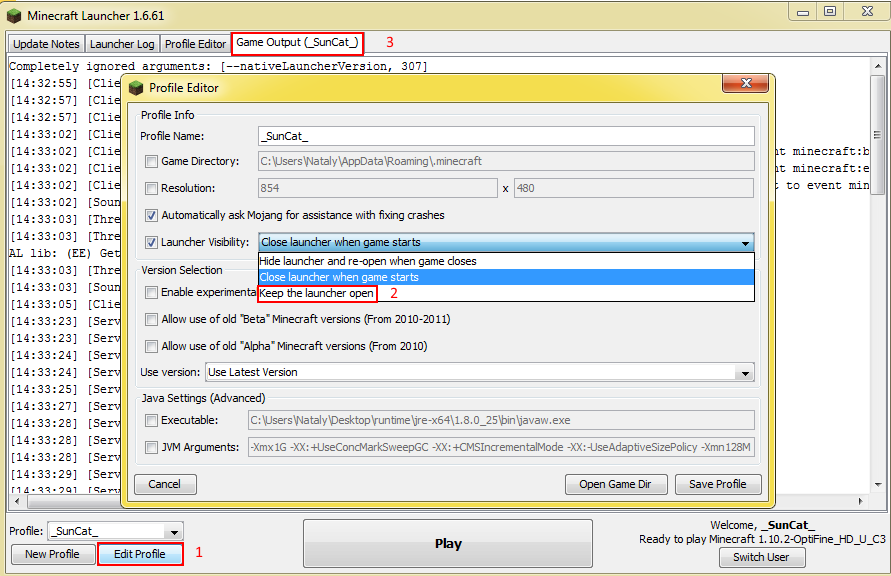
Game output:
Confirmed in 16w06a
Confirmed
WAI
You should first create a trigger objective
/scoreboard objectives add testTrigger trigger
Then enable it for yourself to change
/scoreboard players enable @p testTrigger
Then you can use your command.
Confirmed
Can't confirm for 16w06a
Confirmed, but probably a feature request
Confirmed!
Anyway, it's not fixed per
MC-96892Confirmed
Dupe of
MC-82703Confirmed
Confirmed
Confirmed for 16w06a
Confirmed. It's a client-server desinс, because if you make the boat fall, skeleton stays on the same place, but /tp sends you to the boat (where the skeleton actually is). Also, if the skeleton is far from the boat, you can't hit it.
Relates to
MC-91290Dupe of
MC-83571Dupe of
MC-96821Dupe of
MC-36030First part is
MC-96815Confirmed for 16w06a
Can't confirm, but you have another bug - you don't have a shield in your off hand (though you have it in your off slot)
Confirmed for 16w06a, the same is for making a farm land out of dirt.
Confirmed for 16w06a
Confirmed for 16w06a
I think compass is intended, 'cos if you mirror it, in off hand it would show in wrong direction (I might be wrong).
Confirmed for 16w06a
Confirmed for 16w06a
I think this is a dupe of
MC-65869, or comments are just mixed up.Confirmed for 16w06a
Confirmed for 16w06a
No, it was made in 16w04a and was used to test
MC-7222in previous snapshots.Confirmed for 16w06a
Confirmed for 16w06a (to update Confirmation Status)
Fixed in 16w06a or before
Confirmed for 16w06a
Partly confirmed for 16w06a
Health bar updates, but only healing is animated
Confirmed for 16w06a
Confirmed for 16w06a
Partly dupe of
MC-86310Confirmed for 16w06a
Confirmed for 16w06a
Confirmed for 16w06a, tipped arrows also don't damage.
Confirmed for 16w06a
Confirmed for 16w06a
Can't confirme for 16w06a
Confirmed for 16w06a
Confirmed for 16w06a
Confirmed for 16w06a
Confirmed!
Confirmed!
Dupe of
MC-79556Confirmed for 16w06a, also the arrow doesn't disappear.
Confirmed for 16w06a
Confirmed for 16w06a
Confirmed for 16w06a
See
MC-83824Confirmed for 16w06a
Confirmed for 16w06a
Confirmed for 16w06a
Confirmed for 16w06a
Confirmed for 16w06a
Confirmed for 16w06a
Confirmed for 16w06a
Confirmed for 16w06a
Confirmed for 16w06a
Dupe of
MC-96254See https://bugs.mojang.com/browse/MC-95352?focusedCommentId=285905&page=com.atlassian.jira.plugin.system.issuetabpanels:comment-tabpanel#comment-285905
Confirmed
Confirmed for 16w07b
Confirmed for 16w07b
Confirmed for 16w07b
You need to jump in mid-air
Screenshot, seed, coordinates
Confirmed for 16w07b
Confirmed
Confirmed for 16w07b
Confirmed
MC-2548Can you put this command in a repeat command block (to see the difference in trajectory)
/execute @e[type=Snowball] ~ ~ ~ summon ArmorStand ~ ~ ~ {NoGravity:1,Tags:[test],Marker:1,Small:1}Confirmed for 16w07b
Confirmed for 1st pre 1.9
Confirmed for 1.9-pre1
Confirmed for 1.9-pre1; regression of
MC-17454I think they both dupe
MC-97190Dupe of
MC-89928MC-2025?WAI
Dupe of
MC-87296Dupe of
MC-89309Armorstands actually spawn at 0 0 Z
There is no entity in spawner minecart for 1.9-pre2
WAIConfirmed for 1.9-pre2
Confirmed for 1.8.9, fixed for 1.9-pre2
Confirmed for 1.9-pre2
Confirmed for 1.9-pre2. Also if previous entity had a name (using setblock/blockdata), it applies for a new entity
Confirmed for 1.9-pre2
Confirmed
Can't confirm
Confirmed
Did you kill the dragon previously?
See here: https://bugs.mojang.com/browse/MC-82816?focusedCommentId=245814&page=com.atlassian.jira.plugin.system.issuetabpanels:comment-tabpanel#comment-245814
Can't reproduce in 1.9-pre2