 MCLG-435
Stuck Offline
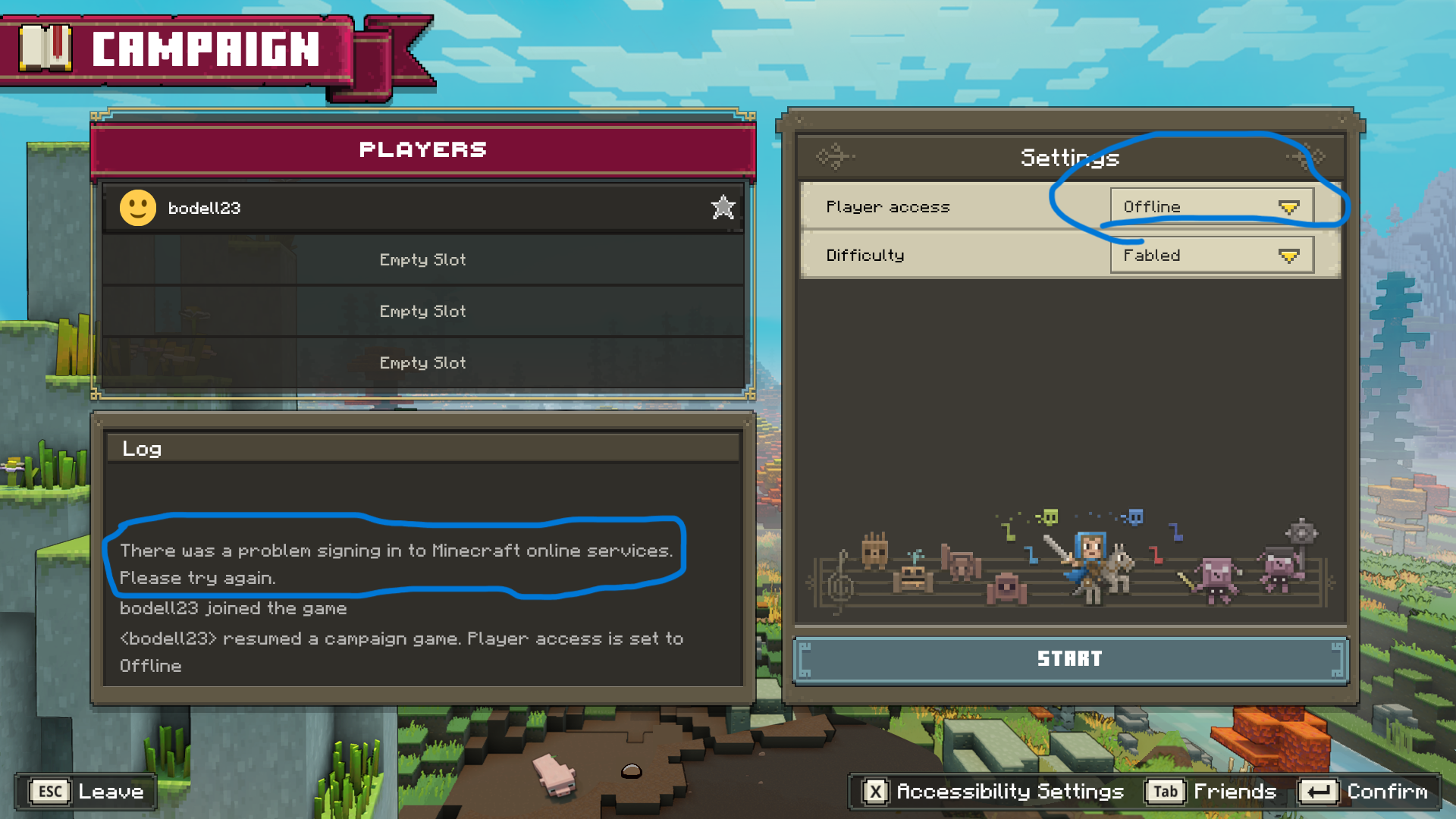
When I get on Minecraft legends it says that it cannot connect to my Minecraft account, so I got back off and on. After it loaded it still had the issue. I tried uninstalling it and downloading it from Xbox but that didn't work.

Created Issue:
Stuck Offline
When I get on Minecraft legends it says that it cannot connect to my Minecraft account, so I got back off and on. After it loaded it still had the issue. I tried uninstalling it and downloading it from Xbox but that didn't work.
Attachments1

![[Bot] Arisa](../../../data/avatars/users/43007.png)
Added OS Version: PREDATOR HELIOS 300
Added Labels: muliplayer online-services server
Added Affects Versions: Version #21510
Added Attachments:
Added ADO: 1083396
![[Mojang] Big Beak](../../../data/avatars/users/88062.png)
Added Fixed Versions: Version #21623
We do not have enough information to find the cause of this issue.
Have you tried turning the PC off and on again?
Is the issue still occuring?
If the issue is still occuring, are you able to create/join public versus lobbies?
If the issue is still occuring, are you able to join other campaign lobby?
Please record a video of this happening and attach it to this report.
If you are on Windows, you can use WindowsAltR to open a built-in app for recording game footage.
If you are on Mac (Mojave or later), you can use ShiftCommand5 to open a built-in app for recording your screen.
In case you don't have a program to record videos, we recommend using the free recording software OBS.
In case the resulting video file is too large to be uploaded to the bug tracker directly, please upload it elsewhere (e.g. as unlisted video on YouTube) and link to it here.
This issue is being temporarily resolved as Awaiting Response. Once the requested information has been delivered, the report will be reopened automatically.
Quick Links:
📓 Bug Tracker Guidelines – 📧 Mojang Support
📓 Project Summary – ✍️ Feedback and Suggestions – 📖 Game Wiki – 📖 FAQs
Every once in a while Minecraft services will work with it. But the game works fine on any other device. My device is: PREDATOR HELIOS 300. Regular Minecraft can't find files and those files have to be downloaded manually.
This issue should now be resolved with a service fix we released.