 MCPE-70069
Everything Appears Black
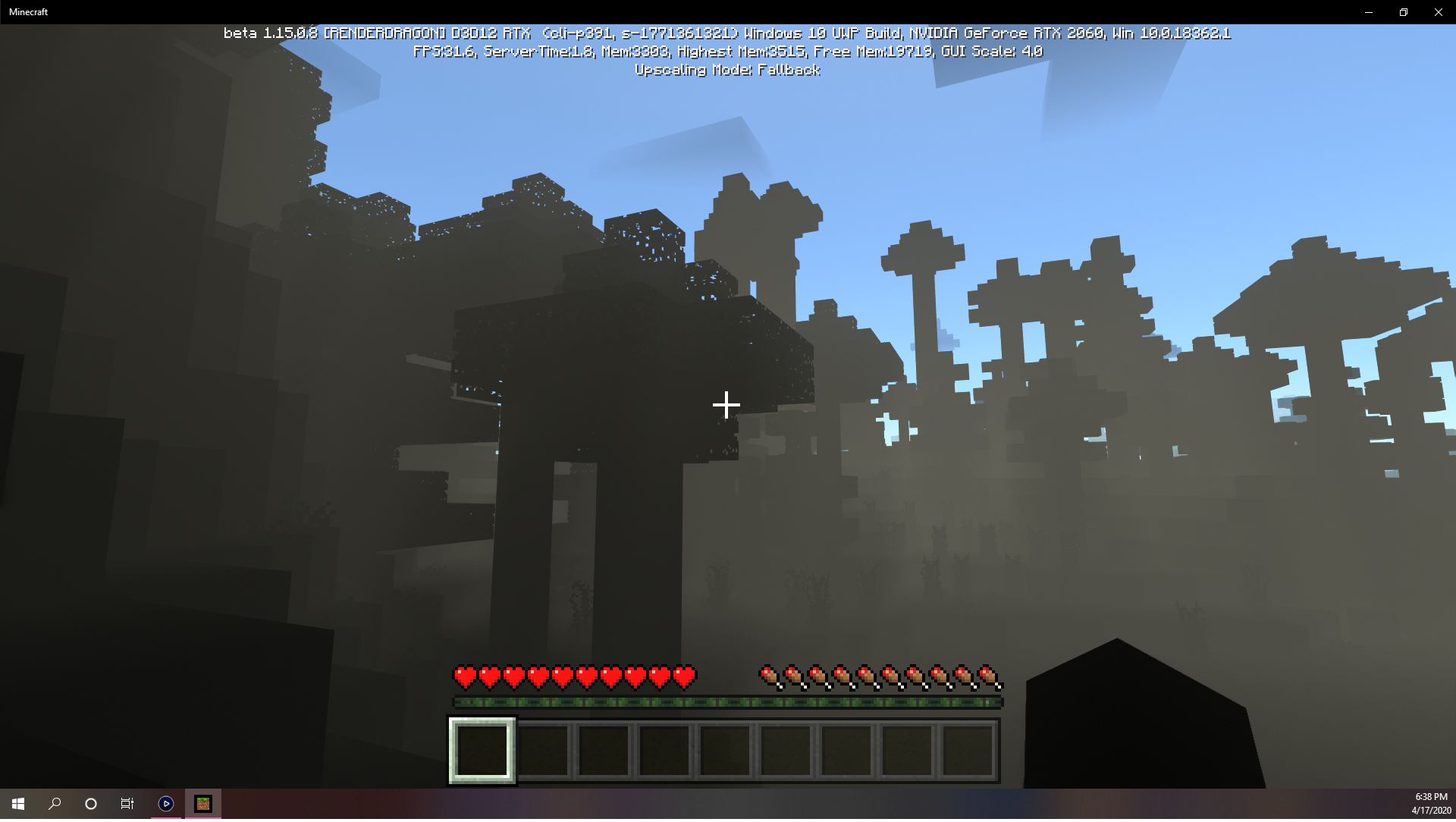
When the option "DirectX Ray Tracing" is enabled, everything appears black.
When this option is disabled, everything appears normal.
Linked Issues
Attachments9



Created Issue:
Everything Appears Black
When the option "DirectX Ray Tracing" is enabled, everything appears black.
When this option is disabled, everything appears normal.
Attachments1
- Unresolved
- Open
- Unconfirmed
- Windows
- 64-Bit Windows 10 Home Edition
- 1.15.0.8 RTX Beta
Added Attachments:
![[Mod] OcelotOnesie](../../../data/avatars/users/43220.png)
Added Linked Issues:
duplicates
Same problem here! Here are some more screenshots and clips from the Color, Light, and Shadow RTX map:
Also when I turn on RTX with the ';' key, it fades in oddly. It won't let me attach the clips, so you can watch them here.
Home page: (notice the background)

In the settings menu: (notice the background)

Inside the map with RTX off, then on:


Inside the map with RTX off, then on:


Inside the map with RTX off, then on:


Inside the map with RTX on: (That white spot is sunlight.)

Above the map with RTX on:

Link to all original pics and clips: bit.ly/2RM51xI
Background of the menu appears black for me too on the Neter update BETA, not sure if it's supposed to.
Try clean uninstalling and reinstalling NVIDIA driver 445.87. Make sure to clean out the old driver.
Edit 1: Attempt to run RTX ON without upscaling enabled if the previous didn't help
Thank you for your report!
We're actually already tracking this issue at
MCPE-69401, so I will resolve and link this ticket as a duplicate.If you would like to add a vote and any extra information to the main ticket it would be appreciated.
If you haven't already, you might like to make use of the search feature to see if the issue has already been mentioned.
Quick Links:
📓 Issue Guidelines – 💬 Community Support – 📧 Customer Support – 📖 Game Wiki