 ThatJadon 26
- ThatJadon_26
- jadonnsavell26
- America/Los_Angeles
- Yes
- No
 MCPE-32210
 MC-137202
 REALMS-1436








 WEB-1571



 BDS-16608
 MCD-7272


 MCLG-138
When a firework is shot it causes a lot of lag and I can barley move or anything.
When I jump or crouch and place a block at the same time it does not place the block even if its not under me.
When I try to load any world It will not load and now I can't play minecraft kindle fire.
When I try to load any world It will not load and now I can't play minecraft kindle fire.
When I'm in creative mode, I will still die by lightning. Environment: Creative, multiplayer LAN, by command block.
When you break a
birchstair the top turns to a darker color.When you break any stair the top turns to a darker color.
BirchStairs Turn Dark
Feed items always say they wasposted a the same DateFeed items always say they were posted a the same Date
When an item in the feed is posted, it will always say the dat
ewas posted on Dec 31 1969.When an item in the feed is posted, it will always say the day it was posted on Dec 31 1969.
Date, Feed
Feeditemsalwayssay they wereposted a thesame DateFeed Items Always Say they were Posted at the Same Date
Minecraft 1_4_2019 3_17_00 PM.png
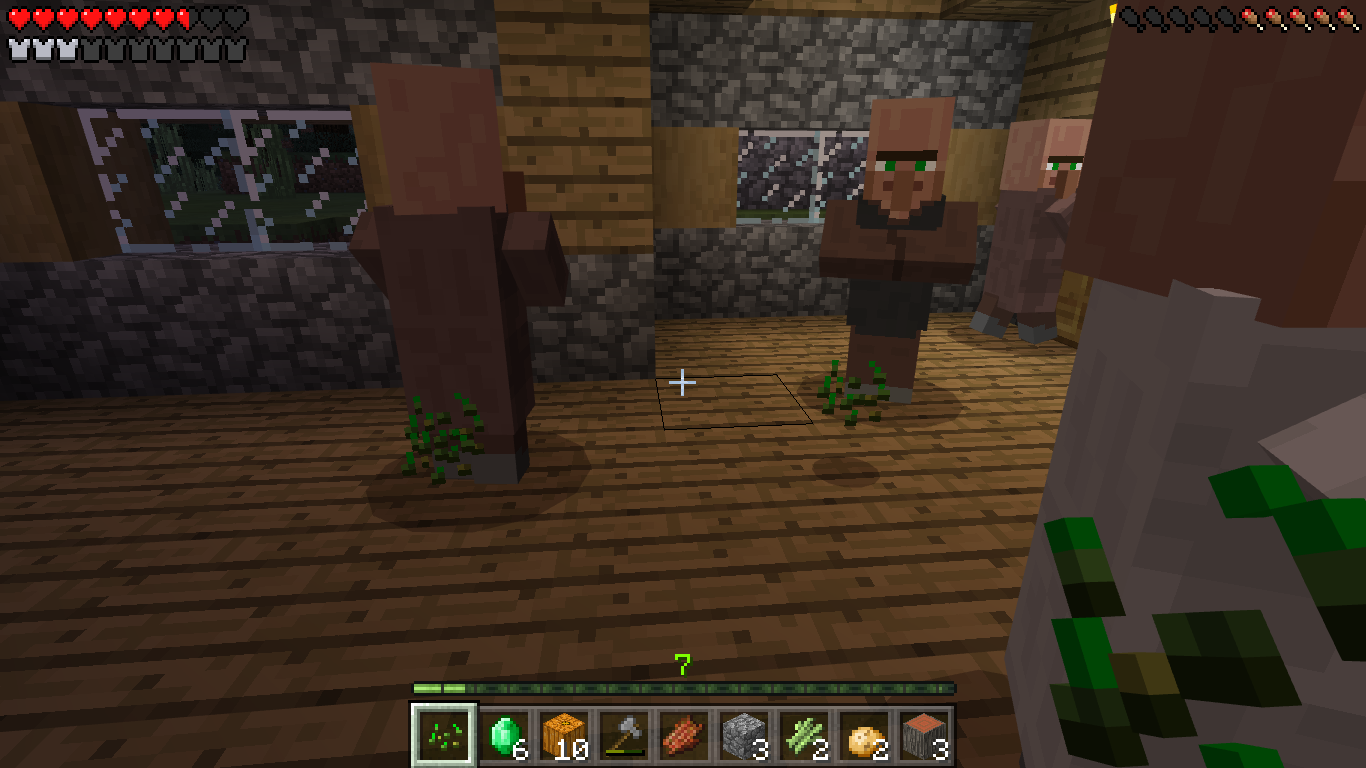
Zombie villagers run crazy!!!
Since no one can earn certain achievements like
MCPE-35279MCPE-43276MCPE-45060MCPE-47535and for me I can't unlock the Map Room achievement. So Obviously, no achevements can't be earned.Since no one can earn certain achievements like
MCPE-35279,MCPE-43276,MCPE-45060,MCPE-47535,MCPE-46308and for me I can't unlock the Map Room achievement. So Obviously, no achievements can't be earned.MCPE-46308
I think overall you can't earn any achievementsCan't earn any achievements
Since no one can earn certain achievements like
MCPE-35279,MCPE-43276,MCPE-45060,MCPE-47535,MCPE-46308and for me I can't unlock the Map Room achievement. So Obviously, no achievements can't be earned.MCPE-46308Since no one can earn certain achievements like
MCPE-35279,MCPE-43276,MCPE-45060,MCPE-47535,MCPE-46308and for me, I can't unlock the Map Room achievement. So Obviously, no achievements can't be earned.
This is a simple bug, Vindicators won’t have an axe but hold their hand out as if they have an axe. This is on PlayStation 4
CTully, it happens when you walk past something 2 blocks tall, but you have to be really close.
Iron golems can spawn on any block or in the air but not on stone.
At this time, the issue is fixed but I want to clarify that it was only possible to spawn an iron golem on a world and not a realm.
When
TNT is ignited, it floats half a block abovewalls.Steps to Reproduce:
- Place a fence or wall.
- Place TNT on top of it.
- Ignite the TNT.
When an entity is on a wall or fence, it floats half a block above.
Steps to Reproduce:
- Place a fence or wall.
- Summon any entity above the fence/wall or stand on it yourself.
Ignited TNTfloatsabove walls and fencesEntities float above walls and fences
When I use pick block (button 3) any mushroom I pick gives the light brown mushroom
. Instead. The reason I think this happening is because it probably searches the list and it finds the light brown as the first result.When I use pick block (button 3) any mushroom I pick gives the light brown mushroom instead. The reason I think this happening is because it probably searches the list and it finds the light brown as the first result.
Wrong Mushroom is given when picking block
When I use pick block (button 3) any mushroom I pick gives the light brown mushroom instead. The reason I think this happening is because it probably searches the list and it finds the light brown as the first result.
Update: This issue is fixed with all the blocks beside the regular mushroom block. When pick blocking a regular mushroom block you get a brown mushroom block.
Thats intended...
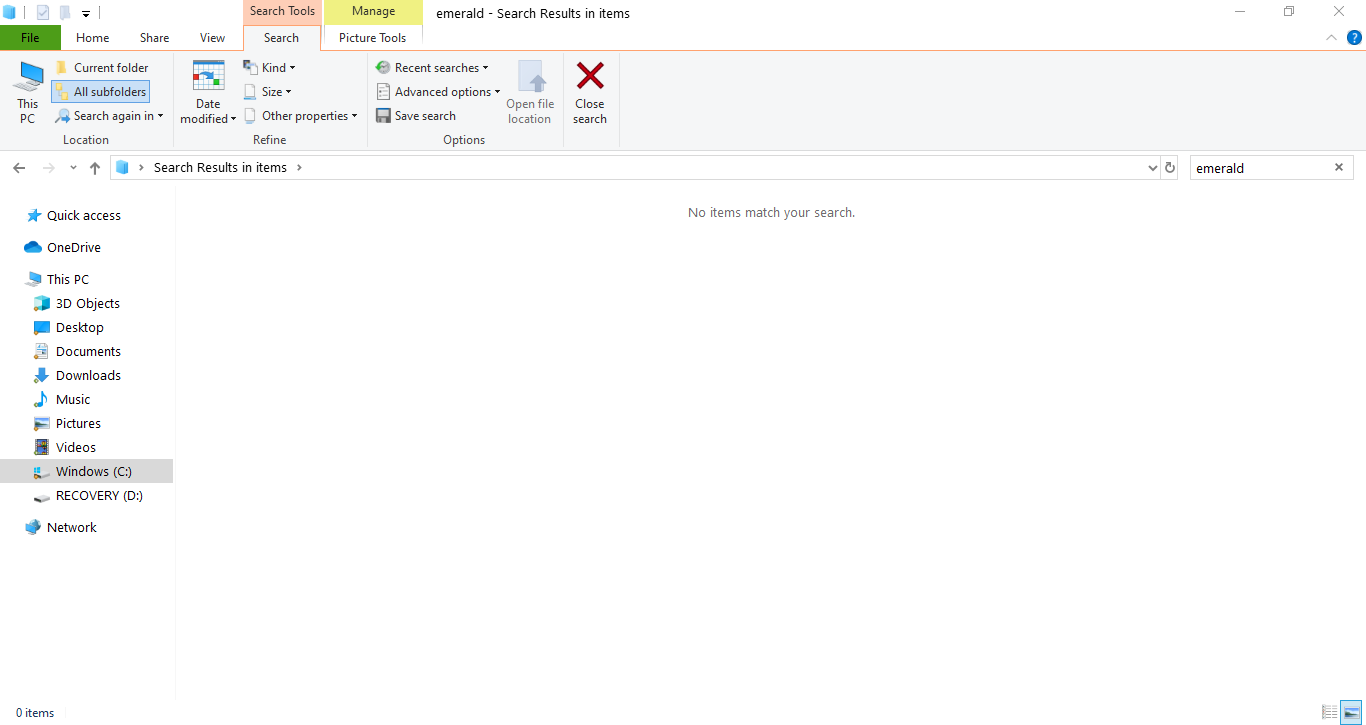
When I went to minecraft.net/en-us/addons and downloaded the resource for Bedrock edtiion, it didn't come with the emerald texture in the items folder. This happened to the 1.14 and 1.16 downloads.
When I went to https://minecraft.net/en-us/addons and downloaded the resource for Bedrock edition, it didn't come with the emerald texture in the items folder. This happened to the 1.14 and 1.16 downloads.
What is your CPU and GPU?
It does happen even without commands

(This looks like commands but they are just barriers instead of glass so it's easier to see)
Certaintypeofparticles giveserror messageSwirl type particles give error message
I tried running the /particle command with minecraft:wither_boss_invulnerable it shows the black particle for it. However, the log says something is wrong with the direction yet it works fine. Here is what it says:
[Molang][error]-Error: accessing a variable that doesn't exist: variable.direction.x
[Molang][error]-Error: accessing a variable that doesn't exist: variable.direction.y
[Molang][error]-Error: accessing a variable that doesn't exist: variable.direction.z
I then tried other particles with the swirl thing in it, I used minecraft:splash_spell_emitter and minecraft:mobspell_emitter and I got this error for both of them:
[Molang][error]-Error: accessing a variable that doesn't exist: variable.color.r
[Molang][error]-Error: accessing a variable that doesn't exist: variable.color.g
[Molang][error]-Error: accessing a variable that doesn't exist: variable.color.b
[Molang][error]-Error: accessing a variable that doesn't exist: variable.color.a
Once again, not sure why it says that but to me it seems to work fine.
I tried running the /particle command with minecraft:wither_boss_invulnerable it shows the black particle for it. However, the log says something is wrong with the direction yet it works fine. Here is what it says:
[Molang][error]-Error: accessing a variable that doesn't exist: variable.direction.x
[Molang][error]-Error: accessing a variable that doesn't exist: variable.direction.y
[Molang][error]-Error: accessing a variable that doesn't exist: variable.direction.z
I then tried other particles with the swirl thing in it, I used minecraft:splash_spell_emitter and minecraft:mobspell_emitter and I got this error for both of them:
[Molang][error]-Error: accessing a variable that doesn't exist: variable.color.r
[Molang][error]-Error: accessing a variable that doesn't exist: variable.color.g
[Molang][error]-Error: accessing a variable that doesn't exist: variable.color.b
[Molang][error]-Error: accessing a variable that doesn't exist: variable.color.a
Some swirl particles that don't give an error:
minecraft:evoker_spell
Once again, not sure why it says that but to me it seems to work fine.
I tried running the /particle command with minecraft:wither_boss_invulnerable it shows the black particle for it. However, the log says something is wrong with the direction yet it works fine. Here is what it says:
[Molang][error]-Error: accessing a variable that doesn't exist: variable.direction.x
[Molang][error]-Error: accessing a variable that doesn't exist: variable.direction.y
[Molang][error]-Error: accessing a variable that doesn't exist: variable.direction.z
I then tried other particles with the swirl thing in it, I used minecraft:splash_spell_emitter and minecraft:mobspell_emitter and I got this error for both of them:
[Molang][error]-Error: accessing a variable that doesn't exist: variable.color.r
[Molang][error]-Error: accessing a variable that doesn't exist: variable.color.g
[Molang][error]-Error: accessing a variable that doesn't exist: variable.color.b
[Molang][error]-Error: accessing a variable that doesn't exist: variable.color.a
Some swirl particles that don't give an error:
minecraft:evoker_spell
Once again, not sure why it says that but to me it seems to work fine.
I tried running the /particle command with minecraft:wither_boss_invulnerable it shows the black particle for it. However, the log says something is wrong with the direction yet it works fine. Here is what it says:
[Molang][error]-Error: accessing a variable that doesn't exist: variable.direction.x
[Molang][error]-Error: accessing a variable that doesn't exist: variable.direction.y
[Molang][error]-Error: accessing a variable that doesn't exist: variable.direction.z
I then tried other particles with the swirl thing in it, I used minecraft:splash_spell_emitter and minecraft:mobspell_emitter and I got this error for both of them:
[Molang][error]-Error: accessing a variable that doesn't exist: variable.color.r
[Molang][error]-Error: accessing a variable that doesn't exist: variable.color.g
[Molang][error]-Error: accessing a variable that doesn't exist: variable.color.b
[Molang][error]-Error: accessing a variable that doesn't exist: variable.color.a
Some swirl particles that don't give an error:
minecraft:evoker_spell
Once again, not sure why it says that but to me it seems to work fine.
I tried running the /particle command with minecraft:wither_boss_invulnerable it shows the black particle for it. However, the log says something is wrong with the direction yet it works fine. Here is what it says:
[Molang][error]-Error: accessing a variable that doesn't exist: variable.direction.x
[Molang][error]-Error: accessing a variable that doesn't exist: variable.direction.y
[Molang][error]-Error: accessing a variable that doesn't exist: variable.direction.z
I then tried other particles with the swirl thing in it, I used minecraft:splash_spell_emitter and minecraft:mobspell_emitter and I got this error for both of them:
[Molang][error]-Error: accessing a variable that doesn't exist: variable.color.r
[Molang][error]-Error: accessing a variable that doesn't exist: variable.color.g
[Molang][error]-Error: accessing a variable that doesn't exist: variable.color.b
[Molang][error]-Error: accessing a variable that doesn't exist: variable.color.a
Some swirl particles that don't give an error:
minecraft:evoker_spell
Once again, not sure why it says that but to me it seems to work fine.
I tried running the /particle command with minecraft:wither_boss_invulnerable it shows the black particle for it. However, the log says something is wrong with the direction yet it works fine. Here is what it says:
[Molang][error]-Error: accessing a variable that doesn't exist: variable.direction.x
[Molang][error]-Error: accessing a variable that doesn't exist: variable.direction.y
[Molang][error]-Error: accessing a variable that doesn't exist: variable.direction.z
I then tried other particles with the swirl thing in it, I used minecraft:splash_spell_emitter and minecraft:mobspell_emitter and I got this error for both of them:
[Molang][error]-Error: accessing a variable that doesn't exist: variable.color.r
[Molang][error]-Error: accessing a variable that doesn't exist: variable.color.g
[Molang][error]-Error: accessing a variable that doesn't exist: variable.color.b
[Molang][error]-Error: accessing a variable that doesn't exist: variable.color.a
Some swirl particles that don't give an error:
minecraft:evoker_spell
Other particles:
minecraft:basic_crit_particle
Log:
23:22:51[Molang][error]-Error: accessing a variable that doesn't currently exist in this entity: variable.direction
23:22:51[Molang][error]-Error: unable to find member variable .x
23:22:51[Molang][error]-Error: unhandled request for unknown variable `.x`
23:22:51[Molang][error]-Error: accessing a variable that doesn't currently exist in this entity: variable.direction
23:22:51[Molang][error]-Error: unable to find member variable .y
23:22:51[Molang][error]-Error: unhandled request for unknown variable `.y`
23:22:51[Molang][error]-Error: accessing a variable that doesn't currently exist in this entity: variable.direction
23:22:51[Molang][error]-Error: unable to find member variable .z
23:22:51[Molang][error]-Error: unhandled request for unknown variable `.z`
Swirl type particles give error messageSome particles give error message
The function wouldn't matter, it's still the same formatting, and all functions are custom made and there are no like built-in ones.
This simple bug that could've been fixed with the text in the How to Play screen at the top left where it will say "How to Play : <name>" There is a space before the colon (
and that shouldn't be there so I made a fix for this bug (as in the files I attached) since this small bug has been around for years (note that these copies are from the 1.16.40 version of MC)
This simple bug that could've been fixed with the text in the How to Play screen at the top left where it will say "How to Play : <name>" There is a space before the colon : and that shouldn't be there so I made a fix for this bug (as in the files I attached) since this small bug has been around for years (note that these copies are from the 1.16.40 version of MC)
so.. is this going to be reopened
Duplicate of
MCPE-79608
Before this is marked as a duplicate, please read below.
I am currently using an MS Surface Pro 4. There have been internet issues including not being able to connect to realms, the marketplace, external/featured servers, and the pause screen on a world saying that your MS account has been disconnected and to try logging back in. When using the default/recommended resolution (2736 x 1824) almost everything internet-related doesn't work. The weird thing is, is that I changed the screen resolution 2 times and it acts completely normal with no internet issues.
Also, I am aware this bug report might be hard to understand so please comment with any questions
Internet issues when using a certainscreenresolutionInternet issues when using a certain display resolution
Fences and bars will not connect although if a fence gate is placed and opened it will make fences connect bit if you click a fence it will disconnect one side .
Fences and bars will not connect although if a fence gate is placed and opened it will make fences connect bit if you click a fence it will disconnect one side.
Windows 10, Good processor.
When I break the bed and put it n the ground, it will be the hight of 1 block up when
ireopen the realm.When I break the bed and put it on the ground, it will be the height of 1 block up when I reopen the realm.
The items can’t be stacked with others if they were dropped, or if you press X or A on the other stack
The items can’t be stacked with others if they were dropped, or if you press X or A on the other stack
From It appears that we cannot stack items from that come from different conditions. I.e: we cannot stack "Stone blocks" that come from mining with a "Silk touch" pickaxe with "Stone blocks" that come from smelting, or we cannot stack "cooked salmon" cooked by a "fisherman villager" with "cooked salmon" cooked in a furnace.
The items can’t be stacked with others if they were dropped, or if you press X or A on the other stack
From Félix Laurin: It appears that we cannot stack items from that come from different conditions. I.e: we cannot stack "Stone blocks" that come from mining with a "Silk touch" pickaxe with "Stone blocks" that come from smelting, or we cannot stack "cooked salmon" cooked by a "fisherman villager" with "cooked salmon" cooked in a furnace.
In the game files, there are many translations in the game are not used anymore and can be removed. Here are some that could be removed to free up some space and to make viewing the files a little easier:
seargeSays.searge*
commands.getchunkdata.*
commands.getchunks.*
commands.getspawnpoint.description
commands.gettopsolidblock.commands.stats.
crossPlatformToggle.*
disconnectionScreen.crossPlayDisabled*
generator.amplified*
generator.nether
generator.largeBiomes
generator.old
globalPauseScreen.message
item.axolotlColorLucy.name
item.ruby.name
tile.oreRuby.name
stream.*
profanity_filter.*
xbox.signin.error.pocket.line*
client.version.1.*
playscreen.beta_*
options.vbo
options.stream*
options.fov.max
options.fov.min
options.hudOpacity.*
options.forceUnicodeFont
options.fboEnable
options.farWarning*
multiplayer.texturePrompt.line*
multiplayer.info*
multiplayer.downloadingStats
mcoServer.title
key.smoothCamera
key.stream*
* = delete anything that has anything with this localization name part
Feel free to comment any more that I missedIn the game files, there are many translations in the game are not used anymore and can be removed. Here are some that could be removed to free up some space and to make viewing the files a little easier:
seargeSays.searge*
commands.getchunkdata.*
commands.getchunks.*
commands.getspawnpoint.description
commands.gettopsolidblock.*commands.stats*
crossPlatformToggle.*
disconnectionScreen.crossPlayDisabled*
generator.amplified*
generator.nether
generator.largeBiomes
generator.old
globalPauseScreen.message
item.axolotlColorLucy.name
item.ruby.name
tile.oreRuby.name
stream.*
profanity_filter.*
xbox.signin.error.pocket.line*
client.version.1.*
playscreen.beta_*
options.vbo
options.stream*
options.fov.max
options.fov.min
options.hudOpacity.*
options.forceUnicodeFont
options.fboEnable
options.farWarning*
multiplayer.texturePrompt.line*
multiplayer.info*
multiplayer.downloadingStats
mcoServer.title
key.smoothCamera
key.stream*
* = delete anything that has anything with this localization name part
Feel free to comment any more that I missed
In the game files, there are many translations in the game are not used anymore and can be removed. Here are some that could be removed to free up some space and to make viewing the files a little easier:
seargeSays.searge*
commands.getchunkdata.*
commands.getchunks.*
commands.getspawnpoint.description
commands.gettopsolidblock.*commands.stats*
crossPlatformToggle.*
disconnectionScreen.crossPlayDisabled*
generator.amplified*
generator.nether
generator.largeBiomes
generator.old
globalPauseScreen.message
item.axolotlColorLucy.name
item.ruby.name
tile.oreRuby.name
stream.*
profanity_filter.*
xbox.signin.error.pocket.line*
client.version.1.*
playscreen.beta_*
options.vbo
options.stream*
options.fov.max
options.fov.min
options.hudOpacity.*
options.forceUnicodeFont
options.fboEnable
options.farWarning*
multiplayer.texturePrompt.line*
multiplayer.info*
multiplayer.downloadingStats
mcoServer.title
key.smoothCamera
key.stream*
* = delete anything that has anything with this localization name part
Feel free to comment any more that I missed
In the game files, there are many translations in the game are not used anymore and can be removed. Here are some that could be removed to free up some space and to make viewing the files a little easier:
seargeSays.searge*
commands.getchunkdata.*
commands.getchunks.*
commands.getspawnpoint.description
commands.gettopsolidblock.*commands.stats*
crossPlatformToggle.*
disconnectionScreen.crossPlayDisabled*
generator.amplified*
generator.nether
generator.largeBiomes
generator.old
globalPauseScreen.message
item.axolotlColorLucy.name
item.ruby.name
tile.oreRuby.name
stream.*
profanity_filter.*
xbox.signin.error.pocket.line*
client.version.1.*
playscreen.beta_*
options.vbo
options.stream*
options.fov.max
options.fov.min
options.hudOpacity.*
options.forceUnicodeFont
options.fboEnable
options.farWarning*
multiplayer.texturePrompt.line*
multiplayer.info*
multiplayer.downloadingStats
mcoServer.title
key.smoothCamera
key.stream*
* = delete anything that has anything with this localization name part
Feel free to comment any more that I missedIn the game files, there are many translations in the game are not used anymore and can be removed. Here are some that could be removed to free up some space and to make viewing the files a little easier:
seargeSays.searge*
commands.getchunkdata.*
commands.getchunks.*
commands.getspawnpoint.description
commands.gettopsolidblock.*
commands.stats*
crossPlatformToggle.*
disconnectionScreen.crossPlayDisabled*
generator.amplified*
generator.nether
generator.largeBiomes
generator.old
globalPauseScreen.message
item.axolotlColorLucy.name
item.ruby.name
tile.oreRuby.name
stream.*
profanity_filter.*
xbox.signin.error.pocket.line*
client.version.1.*
playscreen.beta_*
options.vbo
options.stream*
options.fov.max
options.fov.min
options.hudOpacity.*
options.forceUnicodeFont
options.fboEnable
options.farWarning*
multiplayer.texturePrompt.line*
multiplayer.info*
multiplayer.downloadingStats
mcoServer.title
key.smoothCamera
key.stream*
tile.netherreactor.*
* = delete anything that has anything with this localization name part
Feel free to comment any more that I missed
Windows 7 & 10, 2GB DRR2, AMD Athlon 64 X2 Dual Core Processor 5000+ 2.59GHz
Windows 7 & 10, 2GB DRR2, AMD Athlon 64 X2 Dual Core Processor 5000+ @ 2.59GHz
i7-3960X CPU @ 3.3GHz, 32GB DDR3
Windows 7 & 10 & Server 2022, 2GB DRR2, AMD Athlon 64 X2 Dual Core Processor 5000+ @ 2.59GHz
i7-3960X CPU @ 3.3GHz, 32GB DDR3
Found the issue. Not having Minecraft Bedrock installed seems to stop it from starting the server
Campaign Ends Up Corrupting the Whole Game Until Restart after Placing a Marker
When I was playing the campain on fabled, the game disconnected me the splitsecond I tried placing a marker on Brilliant Beetle. After trying to reconnect to it, the game would give me the "There was a problem loading this world" message every I tried to until I reopened the game.
Once I had reopened the game (video 2), I tried to load the campaign up again but this time it wouldn't give the disconnection screen. The game instead would just bring me back to the menu and the entire game would break with the font and font color changing to black, and if I remember correctly, I couldn't click anything either. I could not start new campaigns either as it would do the same thing.
Eventually, the campaign got completetely deleted (removed from the selection menu) and the game would still not let me create a new campaign until I restarted my device and my original 17-hour-long campaign is still gone.When I was playing the campain on fabled, the game disconnected me the splitsecond I tried placing a marker on Brilliant Beetle. After trying to reconnect to it, the game would give me the "There was a problem loading this world" message every I tried to until I reopened the game.
Once I had reopened the game ( Disconnection after reopening MCL-1.mp4), I tried to load the campaign up again but this time it wouldn't give the disconnection screen after the first time. The game instead would just bring me back to the menu and the entire game would break with the font and font color changing to black, and if I remember correctly, I couldn't click anything either. I could not start new campaigns either as it would do the same thing.
Eventually, the campaign got completetely deleted (removed from the selection menu) and the game would still not let me create a new campaign until I restarted my device and my original 17-hour-long campaign is still gone.

The dash is not put in between the "Buy" text
(in Hebrew)and the Minecoin price on the buy buttonssince the Hebrewtext is put on the right sideas it should be and is.The dash is not put in between the "Buy" text and the Minecoin price on the buy buttons in right to left languages such as Hebrew since the text is put on the right side instead of the left.
The Dash (-) between the "Buy" Text and Price is in the Incorrect Place inHebrewThe Dash (-) between the "Buy" Text and Price is in the Incorrect Place in Right to Left Languages
I could never add my little brother or anyone ether even if friends is turned on. its done this for a very long time. -from a kid
It doesn't do it on pocket either.
I totally agree with this bug.
if you were on creative maybe you broke the chest by a acedent?
thought that too but I relized its in the next update.
If it is on hard they aways can pick up anything. So if it is not on hard mode then it is a bug.
It has not crashed Just lag
They don't break doors if it is in peaceful, easy, normal. They are only destroyed in Hard mode.
I was on a server so but I can try it on a regular world and see.
How they almost look like they run like 70 mph!
It is my regular picture library and I can't take a screenshot on my tablet.
They are a little new
I always is with zombie villagers
Thats not a bug it just comes from a diffrent website they set it to
This is ment to happen so they dont get behind or stuck somewhere and you cant get them.
That happened to me on my survival realm world for bedrock edition today.
It could be that the server is bad and dosent work well.
Yes, we already had a report and this is wrong it happens to me and then I die.
It seems from all the comments that blocks that are in the middle ike fences, glass, iron bars they all do it.
OMG same as me and i reported it and it has BEEN A WEEK!!
@Eric Hines If you do so, you will want to have xbox live and/or download your worlds that are downloaded or created to safely keep them from being deleted.
If it is n a regular wiki, then it could not be true due to people just signing up and then saying wrong/false information but if it is the Minecraft wiki it probably is wrong information they aid wrong.
This is ALL correct and is exactly the same for me.
When I had a broken piston head, it had the texture of the head on the side.
I've had something kinda like that happen to me a while ago on my kindle fire. https://bugs.mojang.com/browse/MCPE-38710?filter=-2
Something similar happens on my kindle fire when they walk, their legs float in a walking motion and don't move.
Opposite for me, it doesn't even download world templates.
If they are too far they can't go back and they don't sense each other, they sense by the doors.
I have something similar where most types of blocks have purple and Black.
It seems to happen under slabs too
This is not the problem because of the iPad, it would not download at all if it wasn't supported for iOS and Minecraft supports iOS 8.0.0 or later. I can even run it on my iPhone on iOS 9.3.5
This happens when there is a space, at least on Windows 10 bedrock edition
Same as me
That happens when I have no internet now, but it works when I am.
Well I know they are supposed to if they are not fed they are supposed to despawn when on leads, feed them so it dosesn't happen again
Well, I have a public one and I am sure that if you aren't on for that long and constant leaving and joining, that's probably why it's doing that
Error 500 is when the server couldn't be more specific on what the exact server is.
Error 500 is when the server couldn't be more specific on what the exact server is.
This happened to me last night on my Switch too, but its fine now.
It may be that its having trouble with your Xbox live account
Happened in Windows 10 Edition
Happens with my Switch, and also when I try to go online without changing it, it says it is platform restricted so I have to change my skin.
Similar to
MCPE-52547where it happens when it touches a zombie pigman.Similar to
MCPE-43042where it happens when it touches a player.Same on servers where it doesn't show, it also happens where if I whisper to someone, it doesn't show what I said, but it shows if someone else whispers to me.
That happens for every server, its called ghost/shadow chat, its a bug for everyone.
Check your video setting that "Hide HUD" is turned off.
This is not a report
This is a problem with their coding, and they don't have a dedicated server.
Do you have hide HUD on? Its in video settings and if it's on, turn it off
You can't edit while in the game, you can only do it without being on it.
It may be that it's not supported yet, like iPhone 11 ha same problem, don't know about X though.
Same, so far I've used Lifeboat and Mineplex and Mineplex crashes the game.
Same on iPhone
It’s a realm, not server
Same as joining Mineplex
Same, iPhone 5 with iOS 10 crashes too
If it’s a dedicated server, you may need to update it, report it in BDS (bedrock dedicated server)
It may be something with their server because the exact same server either do/don’t work on other devices, and Mineplex doesn’t work for me too.
You need to remove that screenshot and blur all the other info because of security reasons.
For me, that has almost always happened in your realm, even before 1.13
Happens also on one of my other skins
Happens on iOS, Nintendo Switch, and Windows 10 once in a while.
If you are talking about Siri on your iOS device, they don't do anything about that, but if you are talking about the screen reader, thats not Siri.
Happens on Nintendo Switch
It does the same with the other cape and without a cape.
The same problem, after enchanting with /enchant, I did /give <item> and then the enchantment showed up. Minecrat - enchant + give cmd.mp4
The issue is being tracked on
MCPE-48207Have you used the command yet? The block type is what type it was last time you ran it. If you didn't use it, it is automatically set to impulse.
The realm and yourself must be the same version even if you are 1.14.60
When it crashes it resets the entire realm at a certain point, not part of it.
You need to download the world, play it, and put it on the realm.
/ban is not available yet too. If you do not want them to do anything, go to the pause menu and next to their name is a star, click on that and you can change that to visitor, this means they will only be able to fly/walk around and cannot edit anything.
Background of the menu appears black for me too on the Neter update BETA, not sure if it's supposed to.
no, you need to be the same version
Ok but BETA doesn't mean its a long time
What does it say when you try to login? Attach a screenshot
Mac does not have Bedrock edition
This is not a bug, it is not supposed to show cracks. If you think iron golems should go to feedback.minecraft.net
This is not a bug with Minecraft, this is with whoever made this resource pack
Still a issue
Um... it happens on realms...
Already known, Mineplex has some was to workaround it
That is intended to stop people from downloading the game for someone and then someone (like a friend) just signs in since you downloaded it for them. I do know that it is your other account, it is just how the game is set up.
I did not change anything, it was a flat world and the seed is 6309439981061290656 and the coords are 4 40 -376
Try using fn+2 to take a screenshot
You can't change the reporter
After 30 minutes of it being frozen still, I closed it and it said an error has occurred on my Switch.
Its happened to me before on iOS a while ago, I think you have to wait a few seconds and then it shows up.
No, if the addons don't work its very likely their fault possibly because it doesn't support the version you are on possibly.
that would be on a beta version not 1.16.1
no, it is not a feature to show the cape, only the head
happens with bees under slabs, you have to break the slab above to let it go or it will stay there forever.
I only get 3 waves every raid I get
It seems to be that it is a texture bug where it is showing the base color only.
Didn't affect 1.16 for me but effects 1.16.20
This issue is still existing, it also affects skeletons and zombies.
To replicate make a little box, then place a block with a slab on it and put buttons on the sides of the block and you will see mobs will try to get up. Another way is to make a mob farm/grinder and at the hole place a button.
No, I wasn't pressing those, I selected the button that says resource packs in the photo
It would happen about half of the time but it doesn't happen anymore.
No, I tried it on a world and it spawns but on realms it does not spawn.
Probably because a zombie killed them or they turned to zombie villagers which burn in the sun.
This is most likely not a bug with Minecraft and with the texture packs mixed together, If you could attach a screenshot that would help a lot.
That's intended... they basically renamed Mojang to Mojang studios so they put a new logo.
For me, I am not able to eat it unless in creative mode, not sure if there is a background issue behind this bug that's causing this to happen too.
Thats an issue with the map, not the game.
If you want to request this to be changed, go to feedback.minecraft.net
Of course it freezes for a second because the game is trying to process a bunch of things at once.
Its not just /kick, its any command, /scoreboard, /msg, etc. Basically the game thinks they exist in the world but once you actually run the command it thinks they don't exist.
@GoldenHelmet I have like the same thing too lol
Yes, the horn is very loud just like the ender dragon growl, I even went in the resource pack files and they set the volume to 100%! (100x the normal recording volume)
This is still an issue
What Android device are you using?
It does happen even without commands
(This looks like commands but they are just barriers instead of glass so it's easier to see)
He probably used /execute@s~~~ gamemode c when the exploit was around which is now pached.
One thing that I observed was that when I spawned in a baby mob and I tried to place a block above its body (I guess its not the head lol) it wouldn't let me place it almost like the mob was 2 blocks high and not 1.
Its intended, it can have different amounts and/or the person took a diamond out.
Weird bug, but it definitely looks interesting 👀
Does it say, "You were kicked from the game" and you rejoin and it says "You are not invited to play on this server?"
Affects 1.16.40 sometimes
Most likely affects all devices.
also affects minecraft:conduit_particle
error (it spams it):
[Molang][error]-Error: accessing a variable that doesn't exist: variable.direction_x
[Molang][error]-Error: accessing a variable that doesn't exist: variable.direction_y
[Molang][error]-Error: accessing a variable that doesn't exist: variable.direction_z
Can confirm for Windows 10 1.16.40
Does not relate to
MC-1875, that is Java edition, not bedrock edition.I did look it up before reporting and did not find anything on it.
Still affects to date but it is intentional.
This is not a bug, you just don't have OP privileges for yourself.
Fixed in 1.16
It is probably intentional but It would be nice if they let you use it to connect to featured servers and additional servers on mobile and PC and on console, it would give an error message saying that it can only use featured servers if it was an additional server it's trying to connect to.
lt still exists, but it might be intentional because it's probably supposed to only work on the EDU version of MC since it was from https://education.minecraft.net
Also could you please apply 1.16.40 because Arisa keeps removing it
Also, a note on this, using the exact same command in the chat does not show the error message and just says who and why someone was kicked.
Another note: The command block does successfully kick but does not display the right message which is why this issue is caused most likely.
Affects 1.16.40
This is a mod/addon, this website is only for bugs that are from Minecraft itself, not a different addon maker.
I just figured it out that this not a mod/addon, sorry about that (by the way, just because you have a goat horn doesn't mean its not)
Um... Isn't this a bug?
If you had no internet, how are you even reporting this...
Please leave suggestions at feedback.minecraft.net!
That is pretty funny...
Crashes are automatically reported to the Mojang/Minecraft team
uh this isn't a bug report...
It is intended because the website for the 3D exports has been stopped.
what version is he/she on?
Try editing the "Safe Screen Area" in the video settings of the game
do you have a copy of the resource pack you could upload?
have you tried reinstalling the game?
Try reinstalling it maybe
There might possibly be an issue with the GPU when it uses it
uh how would someone have a name even close to 100 letters
It’s not a feature, it’s a bug why would there be a space before it and the newer things on the how to play screen don’t have a space before the :
Can confirm for Nintendo Switch and PC
can you see it lagging when you walk around? If no, they probably gave you visitor permissions which doesn't let you do anything
How would you be in the RTX beta on a Xbox
I have had a similar issue on a Microsoft Surface tablet yet I could still log in and it didn't sign me out of my other device.
Yes and I think there is an issue where the game thinks you are above and on the gound at the same time, if you go fly with mayfly and have someone else watch you, the other person will see you basically jumping up and down, I've also seen hackers use fly hacks and they too bounce up and down really fast.
I have the same bug like Connor has on my Surface Pro 4. When it does that on a server, it doesn't show anything but entities and then it does the same thing again a few minutes later showing the blocks.
Duplicate of
MCPE-111017This issue still exists but it is very rare to happen
this bug should affect all devices since it is a .lang file
I found the problem in the game files, the commands.scoreboard.description in the pt_BR.lang file was in English. Here I have attached a new copy of the pt_BR.lang that fixes this bug.
That is an intentional feature. You can go to Settings > Accessibility > and turn off "Enable UI Screen Reader"
I had MC open all night while my PC was in sleep. I turned it back on and the entire game was pink and there was no audio
there is a fix for those who have this issue https://youtu.be/caym6uJGIrk
happens with slabs too
I have this issue with packs (skins, resource, and behaviors)
If you were banned from Minecraft itself there are no ban appeals for some reason
Also this website is for bug reports only
There is also fall damage when walking down a long stairway
Also, my friend takes damage when moving up and down on ladders I believe.
One thing that I noticed about flying with mayfly is that the game thinks you are on the ground and in the air at the same. Whenever you fly over an item, it will pick it up and when someone else looks at you, they seem to bounce up and down really fast. Also hovering over the void will cause you to die.
did you have any global/resource packs applied?
Duplicated by
MCPE-111640I found a workaround. If you try to enter the realm via the "Add Realm" button and then put in the code even if you have it added already, it will join the realm normally.
The two display resolutions that I used (and work) are 1680 x 1050 and 1920 x 1080
The issue might be power related since the default uses more screen and is higher quality
Actually, every translation with the word "chain" in German says "Verketten" instead of "Kette" (besides chainmail armor)
here are all of the translation fixes in the de_DE.lang file that needs to be fixed with the word:
commandBlockScreen.blockType.chain=Kette
howtoplay.commandBlocks.text.5.2= - Kette - Führt den gespeicherten Befehl aus, wenn der Befehlsblock davor seinen Befehl ausgeführt bzw. nicht ausgeführt hat.
tile.chain.name=Kette
Fix: de_DE.mcpack
Once again, It's not a bug. the bug is really that you can dupe carpet because you basically can cheat then. It's an exploit
This issue is a duplicate and is being tracked as
REALMS-6812This issue is a duplicate and is being tracked as
REALMS-6812When changing anti-aliasing, it makes the screen turn red for a second
I had it happen on a realm before, but after about a minute it popped out the seed and the stem was removed
Affects all blocks. I had a custom enchant on a dragon egg and it covered the whole slot
Crash logs are automatically sent to Mojang
Affects shulker boxes as well
Happens with maps downloaded from the marketplace only. (Yes It seems wrong what I'm saying but try for yourself)
This reporting site is not for The Hive and Minecraft itself only. Mojang can not fix issues with other servers
Duplicate of
MCPE-120807. Please upvote and search for your issue before you report if you haven't.what is your mouse and your computer specs?
Duplicates
MCPE-121868Do you have the music pack installed? This is required for all mobile devices and can be found in the marketplace for free/no cost. Also make sure to check your volume settings for music
I tried the /stopsound command in a repeating command block. When I turned it on my game froze but didn't crash and kept playing other sounds (music, phantoms, you name it)
deleting the game will delete the worlds. You can try to back up the worlds by pressing the edit button on each world and then press export. then import them back when you reinstall the game.
This issue does seem like it won't fix by uninstalling and reinstalling though.
Should be a simple fix for the developers as they probably have to change what the lowest y coordinate is allowed to load in.
What does the message say?
Steps to Reproduce:
1. Activate a conduit
Observed Results:
No heart of the sea appears
Expected Results:
The heart of the sea should be in the shells
This issue should be renamed to something like "The heart of the sea does not appear in the conduit"
It’s not down for me
Duplicates MCPE-94012
This issue still exists, but now only picking a regular mushroom block gives you a brown mushroom block.
does this happen when you remove all your resource packs? And if so and if it still appears, did you mess with any of the game/program files?
I think it should stay too it is a nice “feature”
Ined, the .version file is there but still shows the same error message.