 WEB-3106
Space missing between "Security questions" and "Your account is secure"
The bug:
If you go to your Mojang account settings at https://account.mojang.com/me/settings you will see that there is a space missing between "Security questions" and "Your account is secure"
See attachment for example.
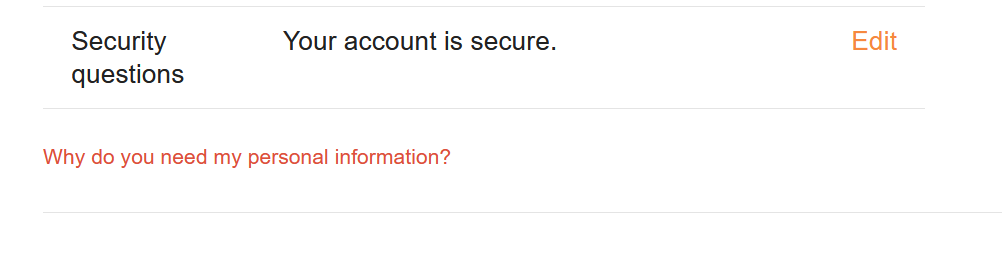

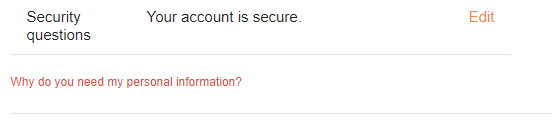



 Normal
Created Issue:
Space missing between "Security questions" and "Your account is secure"
The bug: If you go to your Mojang account settings at https://account.mojang.com/me/settings you will see that there is a space missing between "Security questions" and "Your account is secure"
See attachment for example.
The bug:
If you go to your Mojang account settings at https://account.mojang.com/me/settings you will see that there is a space missing between "Security questions" and "Your account is secure"
See attachment for example.The bug:
If you go to your Mojang account settings at https://account.mojang.com/me/settings you will see that there is a space missing between "Security questions" and "Your account is secure"
See attachment for example.
![[Bot] Arisa](../../../data/avatars/users/43007.png)

![[Mod] Greymagic27](../../../data/avatars/users/92875.png)
Can't seem to reproduce this?
I can only reproduce it using the Firefox browser. Could you try it on there as well?
No, though I am currently on version 83 of it so it may just be a bug in older versions of Firefox.
The latest version of Firefox is 80.0.1 though, which I am on
80 is release, 81 is pre-release, 82 is alpha and 83 is nightly - seems to not occur in 83 at the moment, which is what makes me believe it was/is an issue with Firefox.
I will try updating my Firefox to 83 and see if it resolves the issue.
The issue persists on version 83
I went ahead and tried on a different device and the space was there, therefore, the issue likely lies with my main device, and which means it isn't a bug or at least not one that affects many people.
Hmm, that is really odd - maybe it's one of your browser plugins causing the issue?
Tried disabling all browser extensions, it did nothing.
Is this still an issue?