![[Mod] Greymagic27](../../../data/avatars/users/92875.png) [Mod] Greymagic27
[Mod] Greymagic27
- Greymagic27
- greymagic27
- Europe/London
- Yes
- No
 MC-136322
 MCL-11867
 MCPE-57924
![[Mojang] Matthew Gatland](../../../data/avatars/users/43046.png)
 MCD-49
![[Mojang] Web Team](../../../data/avatars/users/10122.svg)
![[Mojang] Mega_Spud (Jay Wells)](../../../data/avatars/users/92696.png)
 WEB-4856


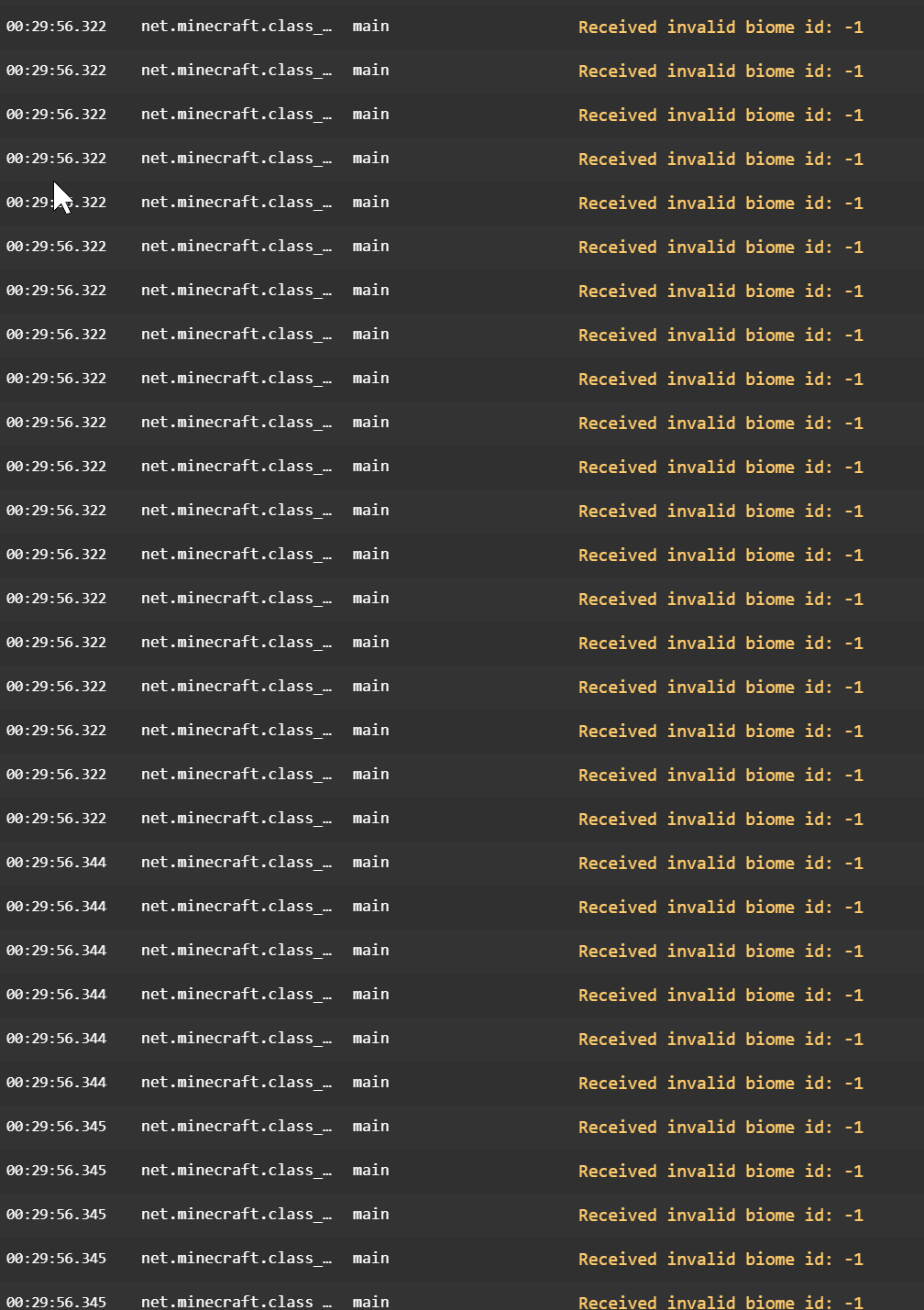


I launched my minecraft and this came up.
I saw this issue when I was providing support on minecraftIRC. I tried searching it up but no one has had the same problem so I made this,
The dxdiag: https://paste.ubuntu.com/p/bs9TpmYq3J/
The crash report: https://paste.ubuntu.com/p/d4GnkRVY3K/
This has just popped up again on minecraft support discord
A few peoplehave been having an issue wheretheyfire fireworks in the sky and it givesthem really low FPS. I know this has been made before but it has recently occurred in 1.13.1 so I thought I should report it
I have been having an issue were I fire fireworks in the sky and it gives me really low FPS. I know this has been made before but it has recently occurred in 1.13.1 so I thought I should report it
having the issue: https://paste.ubuntu.com/p/BdbS7n3Qzg/
is duplicated by
MC-179094
is duplicated by
is duplicated by
is duplicated by
is duplicated by
is duplicated by
is duplicated by
is duplicated by
is duplicated by
is duplicated by
is duplicated by
is duplicated by
is duplicated by
is duplicated by
is duplicated by
is duplicated by
is duplicated by
is duplicated by
is duplicated by
is duplicated by
is duplicated by
is duplicated by
is duplicated by
is duplicated by
is duplicated by
https://paste.ubuntu.com/p/BdbS7n3Qzg/
Error: java.lang.IllegalStateException: GLFW error 65542: WGL: The driver does not appear to support OpenGL
https://paste.ubuntu.com/p/BdbS7n3Qzg/
Error: java.lang.IllegalStateException: GLFW error 65542: WGL: The driver does not appear to support OpenGL
https://paste.ubuntu.com/p/BdbS7n3Qzg/
Error: java.lang.IllegalStateException: GLFW error 65542: WGL: The driver does not appear to support OpenGL
Hello, I saw there was something about this already on here but it said it was for windows 10 edition so I thought I would make one for java edition as I am having this problem.
Created this by mistake then saw there was something about it already
https://paste.ubuntu.com/p/BdbS7n3Qzg/
Error: java.lang.IllegalStateException: GLFW error 65542: WGL: The driver does not appear to support OpenGL
It should be possible to download the needed files by using a VPN outside of the UK
Edit: Now thinking about it this possibly works as intended
a.txt
is duplicated by
is duplicated by
is duplicated by
is duplicated by
In two cases I've seen, this has gone hand in hand with the 'unable to start the minecraft runtime. This is most likely caused by a corruption' issue.
is duplicated by
is duplicated by
is duplicated by
is duplicated by
is duplicated by
is duplicated by
is duplicated by
is cloned by
https://imgur.com/gallery/Yb7fJe2
For each of these errors, no incompatable software is on the persons PC and there is no obvious cause to the error.
Possible dupe of: https://bugs.mojang.com/browse/MCL-11266
Thank you for your report!
We're already tracking this issue atMC-9553, so I will resolve and link this ticket as a duplicate.If you would like to add a vote and any extra information to the main ticket it would be appreciated.
If you haven't already, you might like to make use of the search feature to see if the issue has already been mentioned.
Quick Links:
📓 Issue Guidelines – 💬 Community Support – 📧 Customer Support – 📖 Game Wiki
Thank you for your report!
We're already tracking this issue atMCL-12558, so I will resolve and link this ticket as a duplicate.If you would like to add a vote and any extra information to the main ticket it would be appreciated.
If you haven't already, you might like to make use of the search feature to see if the issue has already been mentioned.
Quick Links:
📓 Issue Guidelines – 💬 Community Support – 📧 Customer Support – 📖 Game Wiki
I was told to create another bug report about this issue as
MCL-12191has been fixed. It seems to occur after the launcher update and there have been a few reports on the issue already, both in discord and on IRC.Possible workaround: Delete the launcher_profiles.json file from .minecraft and try to launch the launcher.
Potential workaroundDelete the launcher_profiles.json from .minecraft (%appdata%/.minecraft)
If you need additional help, please contact 💬 Community Support.
I was told to create another bug report about this issue as
MCL-12191has been fixed. It seems to occur after the launcher update and there have been a few reports on the issue already, both in discord and on IRC.Possible workaround: Delete the launcher_profiles.json file from .minecraft and try to launch the launcher.
Potential workaroundDelete the launcher_profiles.json from .minecraft (%appdata%/.minecraft)
If you need additional help, please contact 💬 Community Support.
I was told to create another bug report about this issue as
MCL-12191has been fixed. It seems to occur after the launcher update and there have been a few reports on the issue already, both in discord and on IRC.Possible workaround: Delete the launcher_profiles.json file from .minecraft and try to launch the launcher.
Thank you for your report!
We're already tracking this issue atMCL-12558, so I will resolve and link this ticket as a duplicate.If you would like to add a vote and any extra information to the main ticket it would be appreciated.
If you haven't already, you might like to make use of the search feature to see if the issue has already been mentioned.
Quick Links:
📓 Issue Guidelines – 💬 Community Support – 📧 Customer Support – 📖 Game Wiki
Sounds more like a windows problem rather than with the game as I've had it happen to me whilst playing games other than MC
Duplicate of MCPE-45185
Minecarts with chest arespasticin the cornersMinecarts with chest are one block offset in the corners
is duplicated by
is duplicated by
relates to
duplicates
Mojang Websitehttps://account.mojang.com/mehttps://account.mojang.com/me shows wrong logos for Debain and Arch Linux
is duplicated by
Thank you for your report!
We're already tracking this issue atMCL-11632, so I will resolve and link this ticket as a duplicate.If you would like to add a vote and any extra information to the main ticket it would be appreciated.
If you haven't already, you might like to make use of the search feature to see if the issue has already been mentioned.
Quick Links:
📓 Issue Guidelines – 💬 Community Support – 📧 Customer Support – 📖 Game Wiki
Can you confirm this is still an issue in 1.15 pre 2?
is duplicated by
relates to
Thank you for your report!
We're already tracking this issue atMCL-11867, so I will resolve and link this ticket as a duplicate.If you would like to add a vote and any extra information to the main ticket it would be appreciated.
If you haven't already, you might like to make use of the search feature to see if the issue has already been mentioned.
Quick Links:
📓 Issue Guidelines – 💬 Community Support – 📧 Customer Support – 📖 Game Wiki
duplicates
cGame crashing upon login
is duplicated by
is duplicated by
is duplicated by
relates to
is duplicated by
is duplicated by
is duplicated by
is duplicated by
Enderman holding flowers(confirmed)
Contact supportIf you purchased Minecraft: Java Edition before October 19th, 2018, while waiting for the fix, you can contact Mojang support to get a new code. If you have a non-working code, please include it.
https://help.minecraft.net/hc/en-us/requests/newCant get the minecraft windows 10 edition code.
I can not get the code, although I got minecraft 2015 and therefore the code should be mine.There are also many people with the same problem.The problem has existed for a month and there are also many people like me with the same problem. I have already written to minecraft support, but you won't get an answer there, even after a long time, which is why this is my last hope to get a reasonable answer
Contact supportIf you
purchased Minecraft: Java Edition before October 19th, 2018, whilewaitingfor the fix, you cancontact Mojang support to get a new code. If you have a non-working code, please include it.
https://help.minecraft.net/hc/en-us/requests/newCant get the minecraft windows 10 edition code.
I can not get the code, although I got minecraft 2015 and therefore the code should be mine.There are also many people with the same problem.The problem has existed for a month and there are also many people like me with the same problem. I have already written to minecraft support, but you won't get an answer there, even after a long time, which is why this is my last hope to get a reasonable answer
NoticeIf you are having trouble claiming your free Windows 10 Bedrock code from your Mojang Account, don’t worry! Mojang is working on the issue. Check the article below.
https://help.minecraft.net/hc/en-us/articles/360038403371-Windows-10-Code-ErrorCant get the minecraft windows 10 edition code.
I can not get the code, although I got minecraft 2015 and therefore the code should be mine.There are also many people with the same problem.The problem has existed for a month and there are also many people like me with the same problem. I have already written to minecraft support, but you won't get an answer there, even after a long time, which is why this is my last hope to get a reasonable answer
We need to indentify what's causing the issue. Please send a crash report by looking at my reply above.
is duplicated by
is duplicated by
is duplicated by
is duplicated by
is duplicated by
is duplicated by
is duplicated by
is duplicated by
is duplicated by
is duplicated by
is duplicated by
is duplicated by
is duplicated by
is duplicated by
is duplicated by
relates to
is duplicated by
is duplicated by
is duplicated by
is duplicated by
is duplicated by
is duplicated by
is duplicated by
is duplicated by
.Crashes whilst playing realm
relates to
 Low
LowIt may not be a direct duplicate, as that ticket was closed due to the user not meeting the specifications.
Thank you for your report!
However, this issue has been temporarily closed as Awaiting Response.We do not have enough information to find the cause of this issue.
Please force a crash by pressing F3 + C for 10 seconds while in-game and attach the crash report (minecraft/crash-reports/crash-<DATE>-client.txt) here.Once attached, the report will be reopened automatically.
Quick Links:
📓 Issue Guidelines – 💬 Community Support – 📧 Customer Support – 📖 Game Wiki
is duplicated by
is duplicated by
is duplicated by
lockup and freeze.....spasticmovementlockup and freeze.....jittery movement
Attempting to use the following json as a version (provided by Minecraft Forge) results in several files being corrupted on their download which results in their hashes being invalid.
If a library is defined as required in the root version and a version json inherits from it and re-declares the library, the file downloads improperly and fails to launch.
If an item is declared as a library in both 1.12.2 and a child, then it seems this behavior occurs. This also has occurred with 1.7.10 Forge files.
POSSIBLE FIXES:
- Download the file that's said in the "URL" and place it in the folder identified by "Path"
- Run the vanilla version of the game for that version, then run the modded version.
Potential fixes
- Download the file that's said in the "URL" and place it in the folder identified by "Path"
- Run the vanilla version of the game for that version, then run the modded version.
If you need additional help, please contact 💬 Community Support.
Attempting to use the following json as a version (provided by Minecraft Forge) results in several files being corrupted on their download which results in their hashes being invalid.
If a library is defined as required in the root version and a version json inherits from it and re-declares the library, the file downloads improperly and fails to launch.
If an item is declared as a library in both 1.12.2 and a child, then it seems this behavior occurs. This also has occurred with 1.7.10 Forge files.
Mojang website ran out of code, so i would like to request a code..... please reply to me with a code/ or just private chat me....at twitter
longlong
@longlon59267183
Mojang website ran out of code, so i would like to request a code..... please reply to me with a code/ or just private chat me....at twitter
Thank you for your report!
However, this issue is Invalid.Bug reports are only accepted in English, sorry.
Feel free to create a new report if you can speak English.Quick Links:
📓 Issue Guidelines – 💬 Community Support – 📧 Customer Support – 📖 Game Wiki
Thank you for your report!
However, this issue is Invalid.Bug reports are only accepted in English, sorry.
Feel free to create a new report if you can speak English.Quick Links:
📓 Issue Guidelines – 💬 Community Support – 📧 Customer Support – 📖 Game Wiki
Mod NoticeThis is the generic error message when trying to connect to a server that isn't available from your end, or it's actually no server at all (example: try connecting to the IP "google.com" - this error will show). If it is a valid server, something is blocking the connection to the server, which is a technical support issue. Please use the technical support resources for help, which you can find here: http://
hopper.minecraft.net/help/technical-support-resources/I can't connect to any Minecraft server. What I've tried:
Reinstalling Minecraft (numerous times). Both by deleting the Minecraft folder from roaming, saving the saves to another location so it's a clean install.
Restarting my computer.
I've pinged the server from CMD and I have connections to the internet, so I'm sure it is in Minecraft.
I'd like to add that this happens when I try to connect to any server. I've taken the 2 most popular servers on the internet and they give me the same message. Plus this one server I want to join.
Mod NoticeThis is the generic error message when trying to connect to a server that isn't available from your end, or it's actually no server at all (example: try connecting to the IP "google.com" - this error will show). If it is a valid server, something is blocking the connection to the server, which is a technical support issue. Please use the technical support resources for help, which you can find here: https://minecrafthopper.net/help/technical-support-resources/
I can't connect to any Minecraft server. What I've tried:
Reinstalling Minecraft (numerous times). Both by deleting the Minecraft folder from roaming, saving the saves to another location so it's a clean install.
Restarting my computer.
I've pinged the server from CMD and I have connections to the internet, so I'm sure it is in Minecraft.
I'd like to add that this happens when I try to connect to any server. I've taken the 2 most popular servers on the internet and they give me the same message. Plus this one server I want to join.
is duplicated by
Thank you for your report!
However, this issue is Invalid.This is a technical support issue; this site is for bug reports only. We do not have the resources to provide you with technical support.
Please contact the community support, linked below and contact your ISP.Quick Links:
📓 Issue Guidelines – 💬 Community Support – 📧 Customer Support – 📖 Game Wiki

[Mod] Greymagic27, this is WEB-1087. Dominicentek, add more information to that ticket through the comments. Thank you
![[Mod] Michael Wobst](../../../data/avatars/users/37868.png)
[Mod] Greymagic27, did you even look at the video?
[Mod] Greymagic27, there's no dofiredamage gamerule. They are apparently playing the game in pure survival with no cheats enabled, therefore no /gamerule command available.
![[Mod] violine1101](../../../data/avatars/users/92858.png)
Logging out of the launcher and logging back in again usually solves the issue. If you need assistance, please contact community support, as [Mod] Greymagic27 said.
I can confirm that this is reproducible with both 20w07a and 20w08a as well. Tested on 2 machines: Late 2018 Mac mini with a non-retina display on macOS GA + Dev and 2019 16-inch MacBook Pro.
This behavior also occurs if the game client is set to start in fullscreen, when a particular build works in that manner (I have intermittently seen MC-6665 return under Catalina, but not reproducible enough to open a new bug).
The workaround provided by TheXug earlier does still work as described when launching the game in windowed mode and then activating fullscreen afterward.
Please let me know if I can provide any additional information.
hardware
| MacBookPro16,1 | Macmini8,1 | |
|---|---|---|
| OS | 10.15.3 (19D76) | 10.15.3 (19D76) + 10.15.4 (19E234g) |
| CPU | i7 2.6 GHz | i5 3.0 GHz |
| RAM | 16 GB | 16 GB |
| Display Resolution |
3072 x 1920
|
1920 x 1200 non-retina monitor |
launcher_log.txt
Note: Some personal identifiers have been obfuscated from the SentryAPI rows.
✔ ~/Library/Application Support/minecraft 01:31 $ cat launcher_log.txt | grep -v "NetQueue.cpp" [Info: 2020-02-20 06:26:13.994278: Common.cpp(31)] Native Launcher Version: 654 [Info: 2020-02-20 06:26:13.994302: Common.cpp(32)] Operating System: OSX Version 10.15.3 (Build 19D76) [Info: 2020-02-20 06:26:13.996755: Common.cpp(33)] Application Data directory: /Users/jared/Library/Application Support/minecraft [Info: 2020-02-20 06:26:13.996796: Common.cpp(34)] Executable Path: /Applications/Minecraft.app/Contents/MacOS/launcher [Info: 2020-02-20 06:26:13.996809: Common.cpp(35)] App Directory dir: /Applications/Minecraft.app/Contents [Info: 2020-02-20 06:26:13.996818: Common.cpp(36)] Game data directory: /Users/jared/Library/Application Support/minecraft [Info: 2020-02-20 06:26:13.996828: Common.cpp(37)] Launcher dir: /Users/jared/Library/Application Support/minecraft/launcher [Info: 2020-02-20 06:26:13.996840: Common.cpp(38)] Java dir: /Users/jared/Library/Application Support/minecraft/runtime/jre-x64 [Info: 2020-02-20 06:26:13.996852: Common.cpp(39)] TmpDir dir: /var/folders/hj/d6jvt46d40v6t4mps456pvyc0000gn/T/MinecraftLauncher [Info: 2020-02-20 06:26:13.996862: Common.cpp(40)] x64: 1 [Info: 2020-02-20 06:26:13.997170: LauncherConfiguration.cpp(257)] Using configuration at path: /Users/jared/Library/Application Support/minecraft/launcher_profiles.json [Info: 2020-02-20 06:26:13.997578: LauncherConfiguration.cpp(52)] [DATA]05c6c8b92c69df1e88ce48f158cd41eadc06326d64f22025e7e3700dc9ea06206cbe0c339b733cfae30ef9ae165fc9b74816295c1f26fc9a7a79c900936e30625cba8965511704af83eaeb2c1597928355a8eeb57b184da196a33fd4b51a879a25581c7581863723f8ff38730561cbca15a8fe4371d0e774eead05ee1ccf55e842f0f2349ed3bb569d7e1f4b7edb6309b3cf73169566cbbd85e4aca04a8fbc8f11977ebfb613b3f23ad449529f6119b2ce1c1546d685d3d23d3c8826019cda2872bf050fcddb2fa5d9c99dab518b531a849f44b7c774eeb5a2023f80f50e8a64f0560de008167ff487ddbf1c140612b9e29848289b2cfa50f8fd08a3d2ba7eccee296bf97ba68ab3dd4b7d766ea39aa6d463eb9b0584c1e180379ffecd7e79255405b5428a023f372780a2b7a2237edc2d441a3af27672d8f9d78e8a36c07a1910019560f63cdfaa9badacdeb5a54d2c4b1e1223a758e66702db7926c73c767b76880755128a1a87e90558fe2ea426e7ddd14d6c284daf192d8eb70bfaa913059b5a7fc6236496ad2b89e4f2674bbc6e8c84a752d8a7de6c976e44783397608cb7894da3bc362121336ffcefd4e5ffc9768f7836a354451bc8760c1ab29a248ac42be22f3f86e911aa35dc69b78004a9ffa8b1f2ed8d996932ff4308f57ff18ce33ad02aad630084634d3718b1e6121b2eb7a603d31c75b1f0caf1e2fedb98e0e30dbbb457be75f9371488bde8382927a20788c1222b14f7a7d7f2c31b5abb55342d541f543b30d6860bc659f1706a2eca62c4e1ea0719071f4404e4f751c3d1ad60f0a320c370d4f38d1add0fc1f000e7a9db06c35a61f663ecd6754dba5a0a18cab4a3e160338637b9562507d92f138da860c5c6033d183232743b5d726f17648a593b9ca2271f9116c1ea6c679682321daa55e4cf057354032e37e0e0bd9177bd48b563abd3937d655d2d7dbe919adfffa0966727e2af90fd2b8a142013346d15aa333cd49c9d8a77a3e015d045515c8bd2fad526ceb8b1d4c03a20695b3f6961acfd7daec1aa2b007d3c4fc990f223474e6696312149135c3f6a68b9d2959e672533170ed7dda8ff73ceed37111572b7c09cbe51c34f9f0ff918ee7ef892d2217195513a8f2ab0cd72c316b4387b1ee0e38f0f8149c7679f2cf68a0514c87a4c48169de115192b13ff4651364f0b0862adf8647c7598f4968b8c1c65d2e5aa498554f367a433a9251387a7e2e0f1d0e18dec3e28e10d8d999cc29b2a1d4de98002d87ccb3ebb8dee159ecdb9eee2e3b222d9ec4cda9d32aeecd03af0c91c3e863f20e806bb9ee6d91e835b25b2a8b92cfee497ac277f21d503b2038b5f39792fd9afe6cdb01b83489f1cfb5b5a5c27d20d3c7a2940cea3c57e4864e0a36edd482654f679af9a71d64d4f0f427ac089bd45f9d6a204d08bc88f4a0df6245be336dace7495da3154d3a13e78173c848e86bb7845d93ce62bd8a51e5bc9b3808146c4a514ee69e9a2bdae472fe6f844272d006b83b47b92465e000e0406502a3d315d1ae2881f0a4e458309c1aa9cc3455e1b2c0835f17e1e297bf100254dcabaa792cb47ee5a0c9f5352be7d3776ceff90d7666178d1dbc342ccb58ef08c93446465f3cdb9a4309a3470ac1e1dac29b3ca296ef90b60a51fdc9f818443d1c182d6a0035d7543627fd01f2a46b3ae25772209025994fc6cf9de06797b1c1cacf902dc3b9291d4ef42103c398547e1ec71346db6d31ceede974f9bc305eeeb6d2a0643f18951f8c94a4187e7e483f6105e17ca11980dccd548480317536cc55ae5938b4c8d2b657a93d2a61ec4ca86193d156467511a079ad4b5e4fa562a0b42be2a89c39e3249bc21fc23d1c092887ecdf3a25c1857e71d1cedc93746b5424fdd99c5eff54ebdddfddf6bf83bb561d5762ec28f4c4da00e4fcd8278add5bd711e1c6b2fe90bfaa0ebd905f483261f165b791d7f35d79ab504d247078247e105bb87a1d0af5953e849598869f746531c77eb2808a070d25b86455a7f98ca3ed9fb2181e6ed9a6c7cf181aac79b8f4340f930a91af9d54bd4bbde8f133639b4d523dc2b494ba43a658a08d58863412bdec2b1f519bf9df68bc0ed494b75e7beb037808fae330ceb56dd94ff8d39c9c31d2329cd8b2b5bc80dde27f93d02671ad230c556217b754be5897c257c36246d7fbc83c147857bc02091a4eed9394eb2d5dd6ac654b5e984e91c0e43588bbe45dca565d6c8d4236a75a7b665e14ed2090f70fc7b09773b3831004855411f0dadfc9af55a94e389b61a74bb5f4b24704df0b78698b8b11e716140a7d7971878004fc6a9b74395d48a3fb829e29c5bce61ba44ade7aeb7e70caa0f9e8465bd0f1c1a5645fcff73bd0e3dc608791d370acd52ca38d71862907392b0c4e16524a2c3b73e5b87f081eab816ffdc6e5471d914440f8b4431820c3b7b6e4174d5529e3dc4c47ed969f2a8412ec0e5dc28880d56b953b41eb060697087df8c3dda34982a36af08518c4526e59849f1f2880ec4d5ca33ed09ca9750229cf136cfd71aa638423a2454c3a0b518d1d4135483d0b41f241e125efa86d55e65ce35289ce2b9690c404df96ef33759412998eb93b3a50deace7ad92f5663103ddccc689e35e2bb4592a466372ab85692c9e9f88bcd3405e57df9b1c53bfc3c260190c0c26f16adeb10cb194ff3ca084cf63f50ed3612c07b50aedbe28a8ef239a38c9e97694198ec690a45 [Info: 2020-02-20 06:26:14.198415: LauncherConfiguration.cpp(167)] Deciding on update with strategy 2 and clientID 169 [Info: 2020-02-20 06:26:14.198461: LauncherConfiguration.cpp(183)] Version of launcher-bootstrap is current, no action is necessary. [Info: 2020-02-20 06:26:14.198488: LauncherConfiguration.cpp(216)] Bootstrap is current [Info: 2020-02-20 06:26:14.199723: LauncherConfiguration.cpp(167)] Deciding on update with strategy 2 and clientID 169 [Info: 2020-02-20 06:26:14.199806: LauncherConfiguration.cpp(183)] Version of launcher-core is current, no action is necessary. [Info: 2020-02-20 06:26:14.199836: LauncherConfiguration.cpp(216)] Bootstrap is current [Info: 2020-02-20 06:26:14.200652: LauncherConfiguration.cpp(167)] Deciding on update with strategy 2 and clientID 169 [Info: 2020-02-20 06:26:14.200735: LauncherConfiguration.cpp(183)] Version of jre-x64 is current, no action is necessary. [Info: 2020-02-20 06:26:14.200765: LauncherConfiguration.cpp(216)] Bootstrap is current [Info: 2020-02-20 06:26:14.201165: StartLibrary.cpp(68)] Starting /Users/jared/Library/Application Support/minecraft/launcher/launcher.bundle with /Users/jared/Library/Application Support/minecraft/runtime/jre-x64/jre.bundle/Contents/Home/bin/java [Info: 2020-02-20 06:26:14.266474: StartLibrary.cpp(83)] Running launcher! [Info: 2020-02-20 06:26:14.267192: LauncherMain.cpp(82)] Initiated models [Info: 2020-02-20 06:26:14.268137: LauncherMain.cpp(209)] Running launcher core (version 2.1.11318) [Info: 2020-02-20 06:26:14.268517: LauncherMain.cpp(91)] Initiated launcher controller [Info: 2020-02-20 06:26:14.268650: LauncherMain.cpp(226)] Initialization completed [Info: 2020-02-20 06:26:14.268757: LauncherMain.cpp(249)] Main process: true [Info: 2020-02-20 06:26:14.268790: SentryAPI.cpp(322)] The string '/Users/jared/Library/Application Support' was added to the logging blacklist [Info: 2020-02-20 06:26:14.268801: SentryAPI.cpp(322)] The string '///Users/jared/Library/Application Support' was added to the logging blacklist [Info: 2020-02-20 06:26:14.268811: LauncherMain.cpp(295)] workDir: .../minecraft [Info: 2020-02-20 06:26:14.268823: SentryAPI.cpp(322)] The string '/Applications/Minecraft.app' was added to the logging blacklist [Info: 2020-02-20 06:26:14.268847: SentryAPI.cpp(322)] The string '///Applications/Minecraft.app' was added to the logging blacklist [Info: 2020-02-20 06:26:14.268857: LauncherMain.cpp(303)] appDir: .../Contents [Info: 2020-02-20 06:26:14.269078: LauncherMain.cpp(355)] Launcher core version: 2.1.11318 (fc8d393d4bab76d2a7800e9ca5be84aae62dfbd5) [Info: 2020-02-20 06:26:14.296746: LauncherController.cpp(140)] Constructing launcher controller with workDir: .../minecraft, isActive: 1 [Info: 2020-02-20 06:26:14.296940: ProfilesFileData.cpp(154)] Reading preferences on path: /Users/jared/Library/Application Support/minecraft/launcher_profiles.json [Info: 2020-02-20 06:26:14.297877: SentryAPI.cpp(322)] The string 'xxxxxxxxxxxxxxxxxxxxxxxxxxxxxxxx' was added to the logging blacklist [Info: 2020-02-20 06:26:14.297901: SentryAPI.cpp(322)] The string 'xxxxx@xxxxxxxxxxxx.xxx' was added to the logging blacklist [Info: 2020-02-20 06:26:14.297914: SentryAPI.cpp(322)] The string 'ktnjared' was added to the logging blacklist [Info: 2020-02-20 06:26:14.297925: SentryAPI.cpp(322)] The string 'xxxxxxxxxxxxxxxxxxxxxxxxxxxxxxxx' was added to the logging blacklist [Info: 2020-02-20 06:26:14.297936: SentryAPI.cpp(322)] The string 'xxxxxxxxxxxxxxxxxxxxxxxxxxxxxxxx' was added to the logging blacklist [Info: 2020-02-20 06:26:14.298007: GameVersionManager.cpp(77)] Looking for installed versions in .../minecraft/versions [Info: 2020-02-20 06:26:14.298818: GameVersionManager.cpp(121)] Parsing version 20w08a [Info: 2020-02-20 06:26:14.300629: GameVersionManager.cpp(121)] Parsing version 1.15.1 [Info: 2020-02-20 06:26:14.302325: GameVersionManager.cpp(121)] Parsing version 20w06a [Info: 2020-02-20 06:26:14.304036: GameVersionManager.cpp(121)] Parsing version 1.15.2-pre2 [Info: 2020-02-20 06:26:14.305831: GameVersionManager.cpp(121)] Parsing version 1.15.2 [Info: 2020-02-20 06:26:14.307702: GameVersionManager.cpp(121)] Parsing version 20w07a [Info: 2020-02-20 06:26:14.320633: LauncherAppBrowser.cpp(57)] Work dir is .../minecraft [Info: 2020-02-20 06:26:14.343576: root_window_manager.cpp(77)] Main window has been opened: 0x6000007b4300 [Info: 2020-02-20 06:26:14.475540: LauncherMain.cpp(82)] Initiated models [Info: 2020-02-20 06:26:14.475558: LauncherMain.cpp(209)] Running launcher core (version 2.1.11318) [Info: 2020-02-20 06:26:14.476044: LauncherMain.cpp(91)] Initiated launcher controller [Info: 2020-02-20 06:26:14.476571: LauncherMain.cpp(226)] Initialization completed [Info: 2020-02-20 06:26:14.477356: LauncherMain.cpp(249)] Main process: false [Info: 2020-02-20 06:26:14.477440: SentryAPI.cpp(322)] The string '/Applications/Minecraft.app/Contents' was added to the logging blacklist [Info: 2020-02-20 06:26:14.477450: SentryAPI.cpp(322)] The string '///Applications/Minecraft.app/Contents' was added to the logging blacklist [Info: 2020-02-20 06:26:14.477460: LauncherMain.cpp(295)] workDir: .../.minecraft [Info: 2020-02-20 06:26:14.477474: SentryAPI.cpp(322)] The string '/Users/jared/Library/Application Support/minecraft/launcher/launcher.bundle/Contents/Frameworks/launcher-Helper.app' was added to the logging blacklist [Info: 2020-02-20 06:26:14.477482: SentryAPI.cpp(322)] The string '///Users/jared/Library/Application Support/minecraft/launcher/launcher.bundle/Contents/Frameworks/launcher-Helper.app' was added to the logging blacklist [Info: 2020-02-20 06:26:14.477491: LauncherMain.cpp(303)] appDir: .../Contents [Info: 2020-02-20 06:26:14.506599: LauncherController.cpp(140)] Constructing launcher controller with workDir: .../.minecraft, isActive: 0 [Info: 2020-02-20 06:26:14.515498: LauncherAppRenderer.cpp(85)] Javascript bridge extended. [Info: 2020-02-20 06:26:14.588747: GameVersionManager.cpp(183)] Got available versions manifest from https://launchermeta.mojang.com/mc/game/version_manifest.json?_t=2020-02-20T06:26:14Z [Info: 2020-02-20 06:26:14.683513: LauncherAppRenderer.cpp(219)] Creating renderer context [Info: 2020-02-20 06:26:15.153570: ControllerInterface.cpp(120)] Running async method getCapes [Info: 2020-02-20 06:26:15.153751: ControllerInterface.cpp(120)] Running async method getActiveSkin [Info: 2020-02-20 06:26:15.897389: ControllerInterface.cpp(120)] Running async method checkForUpdates [Info: 2020-02-20 06:31:14.906187: ControllerInterface.cpp(120)] Running async method checkForUpdates
![[Mod] SPGoding](../../../data/avatars/users/44622.png)
Please consider reopening this issue, [Mod] Greymagic27. This is not a duplicate of WEB-1647.
Multiple users has reported this bug under that ticket in just a few days, thus we can say that this is a new bug which occurred recently.
Is there any posibilyty to save the resource pack because i have been making this for a long time?
![[Mod] j_p_smith](../../../data/avatars/users/92851.png)
Confirmed in 1.16.1. As both the command in the description and [Mod] Greymagic27's command no longer work, here is the command for the current version:
/give @p diamond_sword{Enchantments:[{id:sharpness,lvl:5}],AttributeModifiers:[{AttributeName:generic.attack_damage,Amount:6,Slot:mainhand,UUID:[I;1,2,3,4]}]}

You're my hero too [Mod] Greymagic27

[Mod] Greymagic27 seems like MC-35082 is what the reporter is describing. This is working as intended.

ok sorry.[Mod] Greymagic27 I won't do that message anymore.

[Mod] Greymagic27
Something similar, but it is possible different

[Mod] Greymagic27 Hello, just to be sure: MCL-17432 is an older ticket for launcher versions 2.2.2529 (Windows), 2.2.2530 (Mac), 2.2.2528 (Linux), however the fix was for 2.2.27xx which was in Beta (see violine's comment), but the issue we have is with a newer launcher version, namely 2.2.3106 (Windows), so this bugpost here is a clone/re-occurrence, but not a dupe..?
[Mod] Greymagic27 I'm a bit confused 
The launcher update was, as always, automatical, the release version, and the generic user doesn't download Beta-versions of the launcher.
The reported bugged launcher version of MCL-17432 was an older version, and the mentioned launcher fix version was also an older version than the one we report here.
If you really want me to, of course I can download the Beta version of the current launcher to test, but even if it would work there, this doesn't make this bugpost here a Duplicate (in my personal opinion, you mods may have other rules).
I just thought it would be important to have this bug registered as re-occurring, as, going by what violine wrote, this must be the case here.
Will report back after downloading the Beta-launcher.
[Mod] Greymagic27 Both bugs (first 2 tables' textfont appearing in black plus game output not filling whole window) are indeed fixed in the current Beta-launcher version 2.2.3125 Wednesday, June 9, 2021, 6:29:32 PM, however I will now disable Beta-launcher again, as this is the Default for the majority of users, I'd reckon.
I think we are all confused here as this bug was stated as fixed with the older launcher version than we report here, just to try to detangle the issue we have of understanding why you resolved this bugpost as duplicate
[Mod] violine1101 Thanks for clearing that up, that's indeed absolutely confusing, any "normal" person would think that the last 4 digits indicate the progression of launcher versions.
That means, if the next launcher release version will yet again not have the other changes of the other Beta you mentioned (the one which is a 2.3, not a 2.2.x-launcher version) implemented, there'll be new reports of this bug.
Thank you again, also to [Mod] Greymagic27 for asking
![[Mod] Avoma](../../../data/avatars/users/86198.png)
To access the parent ticket, click on the blue text provided above by [Mod] Greymagic27.
Duplicate of MC-210917. See [Mod] Greymagic27's comment attached to this ticket.
Duplicate of MC-210917. See [Mod] Greymagic27's comment attached to this ticket.
Duplicate of MC-210917. See [Mod] Greymagic27's comment attached to this ticket.
Duplicate of MC-210917. Please see [Mod] Greymagic27's comment attached to this ticket for further details.

No for me ,but it do not fix...
Someone player still use the card to pay,they do not have credit card or other.
"That just ignored the problem and haven't solved it"
![[Helper] osfanbuff63](../../../data/avatars/users/94394.png)
As well as what [Mod] Greymagic27 said, if you have the new Xbox app installed, click "Get" while signed into your account in that. I was able to fix this error that way. You can get the new Xbox app at https://www.xbox.com/en-US/apps/xbox-app-for-pc.
Edit: I'm on Windows 10, that may factor into it.
[Mod] Greymagic27 I can play now but I can't use the window store launcher.
Please provide the crash log or launcher log requested by [Mod] Greymagic27 to diagnosis your issue
Duplicate of MC-210917. Please see [Mod] Greymagic27's comment attached to this ticket for further details.
I was not able to reproduce this issue. MC-261519 - Cannot Reproduce.png
After mining a block, my "foodExhaustionLevel" NBT data value increased, therefore meaning that hunger was consumed when mining a block. As requested already by [Mod] Greymagic27, could you please provide a video of this problem occurring while the F3 debug screen is enabled? You can check the value of your "foodExhaustionLevel" NBT data by using the command provided below.
/data get entity @s foodExhaustionLevel
Upon increasing the game's allocated memory, the world loading progress only remained stuck at 0% for a couple of seconds, and then the world began being created as normal. As partially mentioned by [Mod] Greymagic27, this may have something to do with memory.

[Mod] Greymagic27 Why do you keep setting the resolution status to Awaiting Response, yet haven't requested any clarification?
If you'd like more info, please let me know what info you need so that this issue can be fixed.
![[Mod] Jiingy](../../../data/avatars/users/91802.png)
[Mod] Greymagic27, are you on the Fabulous! graphics setting? I ask, because of MC-192839.

[Mod] Greymagic27, if you're graphic settings are on fabulous then the hitbox won't appear.
[Mod] Greymagic27, why was the block-tag-recommended label removed from this report? It wasn't removed from the reports by [~Awesoman3000].
[Mod] Greymagic27, as mentioned in White Henry's comment, Jingy's reproduction steps are incorrect. White Henry's comment rectifies this misunderstanding. Since you labeled this as "Cannot Reproduce," I've initiated MC-270539. Hopefully, with the more comprehensive description, you'll be able to replicate the issue.
[Mod] Greymagic27 This bug is not exclusive to swift sneak. All methods of increasing the player's sneaking speed have this effect.

As [Mod] Greymagic27 mentioned, you need to be using a vanilla (paid, preferably) instance of Minecraft for it to be valid on the bug tracker.
[Mod] Greymagic27 How many times did you try it? For me to record the video, I had to try three times before I got the particles to show up. I think the timings of the pearl landing and /tick rate commands matter.
If you can't reproduce it after multiple tries, you can mark this report as Cannot Reproduce, I guess.
https://x.com/mojangstatus/status/1800101837304987819?s=46
If you're experiencing this issue please file a ticket with Mojang: https://aka.ms/Minecraft-Support. You should include a description of the problem, when/how the issue occurred, the error message, and a screenshot if possible. Please see this comment by [Mod] Greymagic27 for more information.
Please do not add comments such as "me too" or "I have this issue as well"; instead refer to the information above and in the pinned comments.
When I try to enter minecraft. net, several times I get an error indicating that there are problems to validate my data and asks me to log in again, I do it and it shows me that I have to buy again the two games I have, minecraft java and bedrock, sometimes when I refresh the page or click again on login in the top right button, everything comes out as before, change name and skin in the java version and in bedrock no purchase button, but if I try to access any of the two options in java, the error occurs again that I must buy, when I click on buy I get that I already have the game, also looking in the browser inspector, indicates that the api where the validation is performed is throwing the error 429 Too Many Request
This seems to duplicate WEB-7179
According to [Mod] Greymagic27 there is an outage currently going on which affects the xbox servers and in turn, the Minecraft licensing/auth servers. This means it's possible you may be unable to change your name, your skin, or be able to play Minecraft at all, regardless of your launcher. Your purchase is not at risk however and if the game shows as unowned, this should be resolved when the outage is resolved.
This seems to duplicate WEB-7179
Please note that the game hasn't been deleted, there is an outage currently going on which affects the xbox servers and in turn, the Minecraft licensing/auth servers. This means it's possible you may be unable to change your name, your skin, or be able to play Minecraft at all, regardless of your launcher. Your purchase is not at risk however and if the game shows as unowned, this should be resolved when the outage is resolved. According to [Mod] Greymagic27
[Mod] Greymagic27, I believe the reporter is referring to the Bedrock Editor, you can see my previous comment.
still flashing and freezing after community support help attempt
Comment by [Mod] Greymagic27:
We tried a full driver reinstall with DDU to check if it was a display driver issue
Why @[Mod] Greymagic27 ?
[Mod] Greymagic27 I noticed you just added the other link that had been mentioned to the "related posts"... as I have said, these are categorically NOT the same issues. They have completely separate root causes. If this could please be remedied that would be greatly appreciated!
Please read over the comments left by [Mojang] slicedlime and [Mod] Greymagic27 on that report, see if that helps.
![[Mod] GoldenHelmet](../../../data/avatars/users/18951.svg)
Jacob:
No one could possibly evaluate your issue without more information. I understand your frustration with the file upload size limit, but that is out of our control and the pinned comment from [Mod] Greymagic27 already gives a workaround for that.
In case the resulting video file is too large to be uploaded to the bug tracker directly, please upload it elsewhere (e.g. as unlisted video on YouTube) and link to it here.
If you find it impossible to get a video to show the issue happening, we could try to work with screenshots that show the build and the problem spot(s), and a fuller explanation of what is happening.

[Mod] Greymagic27 Here are the steps to reproduce (I will also amend the report to include these):
- Open a creative world in an affected version (e.g. 24w39a).
- Set graphics quality to Fabulous Graphics.
- Spawn an enderman and a spider.
- Enter spectator mode.
- Spectate the enderman. Notice that the screen colors are precisely inverted while spectating the enderman.
- Stop spectating the enderman. Notice that the screen is returned to normal.
- Spectate the spider. Notice that the screen is tinted red and distorted while spectating the spider.
- Stop spectating the spider. Notice that the screen remains tinted red. This is because the ColorModulate uniform has not been properly reset from spectating the spider and it is applied in the transparency post shader.
- Set graphics quality to Fast Graphics. Notice that the screen is no longer tinted red. This is because no post shader is applied anymore.
- Spectate the enderman again. Notice that the screen colors are inverted once again, but with a red tint applied which makes it subtly different from before. This is because the ColorModulate uniform has not been properly reset from spectating the spider and it is applied in the enderman's post shader.
- Repeat these same steps in Minecraft Java Edition 1.21.1. Notice that the observed behavior does not occur.
I performed these exact steps while I wrote them and observed the incorrect behavior.

[Mod] Greymagic27 I can tell you what the server is, I just did not think it was relevant. I would very much appreciate you re-adding the private marking (and I can tell you the name of the server if you need it), otherwise I would like to remove the attached reports.

you saw my changes and you're gonna open my ticket? [Mod] Greymagic27

[Mod] Greymagic27: The provided video appears to be encoded using High Efficiency Video Coding (HEVC, H.265, or MPEG-H Part 2). I have transcoded it to Advanced Video Coding (AVC, H.264, or MPEG-4 Part 10), which should resolve your playback issues.
See if disabling any resource packs you may have enabled solves the rendering issue, and attach the crash report as [Mod] Greymagic27 requested.
I just got another report of it yesterday on the minecraft discord
This problem has just popped up on the minecraft support discord channel again.
This issue is present in 1.13.1
The policy has changed, Clones are allowed as this is marked as fixed
Firework Particles have this effect
The fix still works in 1.13.1 but the error is still present
Running ADWCleaner seems to sort this issue out
Confirmed in 1.13.2
Duplicates: https://bugs.mojang.com/browse/MCPE-33349
Try F3+T to reload the textures. This may bump the sound into working.
Duplicate of: https://bugs.mojang.com/browse/MC-144605
Join community support here: https://minecraftirc.net/minecrafthelp/landing/ and we will take a look at the issue
Still an issue in 1.9.0.15 but can't provide any information to reproduce
Hold shift and right click on the icon, then click maximise
You can reload textures with F3+T to 'trick' the sound into working. Although it is wierd that the new snapshots isn't putting out any sounds.
This is a driver error, join community support here: https://minecraftirc.net/minecrafthelp/landing/
Hold shift and right click on the launcher, then click maximise
Relates to: https://bugs.mojang.com/browse/MCL-5546
Deleting the options.txt seems to work. Crash report is attached to the report. Confirmed 1.13.2
Thank you for your report!
However, this issue is Invalid.
This is a technical support issue; this site is for bug reports only. We do not have the resources to provide you with technical support.
Please contact the community support, linked below.
http://hopper.minecraft.net/help/technical-support-resources/
Possible dupe of this: https://bugs.mojang.com/browse/MC-135110
Log out of the launcher. Close the launcher.
Open the launcher and log back in.
This is a technical issue and doesn't belong on the bug tracker. To get assistance please view https://help.mojang.com/customer/portal/articles/1175661
Dupe of: https://bugs.mojang.com/browse/MC-23484
Dupe of: https://bugs.mojang.com/browse/MC-128302
Dupe of: https://bugs.mojang.com/browse/MC-94900
Dupe of: https://bugs.mojang.com/browse/MC-112780
Dupe of: https://bugs.mojang.com/browse/MCL-9929
This is a technical issue and doesn't belong on the bug tracker. To get assistance please view https://help.mojang.com/customer/portal/articles/1175661
This is a technical issue and doesn't belong on the bug tracker. To get assistance please view https://help.mojang.com/customer/portal/articles/1175661
This is a technical issue and doesn't belong on the bug tracker. To get assistance please view https://help.mojang.com/customer/portal/articles/1175661
To be sure no programs caused your issue please follow these steps: Malwarebytes ADWCleaner is a utility to clean a PC which is infested with malware. Download it here: https://downloads.malwarebytes.com/file/adwcleaner
Run it, click Scan Now, once it completes the scan click Clean & Repair, restart the computer when it asks you to and come back here for further instructions.
Could be related: https://bugs.mojang.com/browse/MC-125007
Dupe of: https://bugs.mojang.com/browse/MC-153734
Malwarebytes ADWCleaner is a utility to clean a PC which is infested with malware. Download it here: https://downloads.malwarebytes.com/file/adwcleaner
Run it, click Scan Now, once it completes the scan click Clean & Repair, restart the computer when it asks you to and come back here for further instructions.
Please keep in mind that this is a bug tracker, it's not a technical support center. For that sort of support in the future please refer to http://hopper.minecraft.net/help/technical-support-resources/
Dupe of: https://bugs.mojang.com/browse/MCL-5511
Reinstalling and/or updating your video drivers may fix the issue. This is only a potentional fix however
This may be an intended feature from mojang
See https://bugs.mojang.com/browse/MCL-6550
May be related: https://bugs.mojang.com/browse/MC-54702
https://bugs.mojang.com/browse/MC-131318
Can you attach the crash report using the 'attachment' box above?
Shift+right click the icon on your taskbar and click 'maximise'
https://bugs.mojang.com/browse/MC-34749
Press the windows key+R at the same time and type '%appdata%/.minecraft'
In that folder, open the 'launcher_profiles.json' using notepad. At the bottom of the file and change "channel": "beta", to "channel": "release"
Press the windows key+R at the same time and type '%appdata%/.minecraft'
In that folder, open the 'launcher_profiles.json' using notepad. At the bottom of the file and change "channel": "beta", to "channel": "release"
Mojang blocks most VPNs. If your VPN won't work, switch it off
The minecraft files may still exist. If so, Press the windows key + R at the same time and type '%appdata%/.minecraft'
In that folder, open the 'launcher_profiles.json' using notepad. At the bottom of the file change "channel": "beta", to "channel": "release"
Dupe of: https://bugs.mojang.com/browse/MC-32606
On MacOS, press Cmd+Space and type "Terminal" and double click on the Terminal option that appears. Then, type 'open ~/Library/Application\ Support/.minecraft' to open the .minecraft folder.
In that folder, open the 'launcher_profiles.json' using notepad. At the bottom of the file change "channel": "beta", to "channel": "release"
Related: https://bugs.mojang.com/browse/MCL-5638
Also please try running this tool: Malwarebytes ADWCleaner is a utility to clean a PC which is infested with malware. Download it here: https://downloads.malwarebytes.com/file/adwcleaner
Run it, click Scan Now, once it completes the scan click Clean & Repair, restart the computer when it asks you to and come back here for further instructions.
Your specs are far too low to play minecraft. You may be able to play 1.13.2 and lower but you will get crashes
Dupe of: https://bugs.mojang.com/browse/MC-128302
Please also note we only accept bug reports in english
Please attach the crash report usng the 'attachments' box above
Dupe of: https://bugs.mojang.com/browse/MCL-6550
Dupe of: https://bugs.mojang.com/browse/MCL-6550
https://bugs.mojang.com/browse/MCL-6550
Click your Minecraft username (or email address) in the upper left part of the launcher, select Log out, then re-enter your info and try the game again.
Confirmed 1.14.3
Possible dupe of: https://bugs.mojang.com/browse/MC-150369
Malwarebytes ADWCleaner is a utility to clean a PC which is infested with malware. Download it here: https://downloads.malwarebytes.com/file/adwcleaner
Run it, click Scan Now, once it completes the scan click Clean & Repair, restart the computer when it asks you to and come back here for further instructions
Malwarebytes ADWCleaner is a utility to clean a PC which is infested with malware. Download it here: https://downloads.malwarebytes.com/file/adwcleaner
Run it, click Scan Now, once it completes the scan click Clean & Repair, restart the computer when it asks you to and come back here for further instructions
This is still an issue. Crash report attached
When creating bug reports please search to see if one has already been created as this is a duplicate of: https://bugs.mojang.com/browse/MCL-5546
Dupe of: https://bugs.mojang.com/browse/MC-150005
I did hijackthis on the people having the issue and found no malware. But I didn't do adwcleaner due to nothing showing up on the log. Next time I see the issue I'll do adwcleaner and report backEdit: I remembered last night that I got two people to run adwcleaner to no success
Dupe of: https://bugs.mojang.com/browse/MCL-11754
In 3 cases I've seen the error message alternate between launcher.dll and unable to start the minecraft runtime enviroment
Dupe of: https://bugs.mojang.com/browse/MCL-11754
Please search before making a bug report. This is a due of: https://bugs.mojang.com/browse/MCL-11754
This is not a support platform, this is a bug tracker. Please use the Customer Support, linked below, if you need further support.
http://hopper.minecraft.net/help/technical-support-resources/
That would make me think that its related to a corrupt installation. I'll see if I can confirm this
Another case where unable to start the minecraft runtime enviroment came up as well as the launcher.dll error. I think we can confirm that they go hand in hand at this point
It's the same issue as
MC-297. Hence it's been marked as a duplicateDuplicate of: https://bugs.mojang.com/browse/MCL-5546
A VPN isn't a reliable fix though, mojang blocks most of them and it would cause more issues than this. But at least we're slowly narrowing down a possible cause
From many cases, it seems like it's DNS related. I wonder what's going on with the DNS/mojang servers to cause this
Dupe of: https://bugs.mojang.com/browse/MC-297
Most people having the issue are saying that restarting or removing the launcher processes doesn't work as a fix. I'll update the ticket as/if I get more information
For most users, it seems the issue has been resolved.
Aye, but for now it's resolved at least
For one person, running the game in a 'blank slate' fixed the issue. I have yet to test this but I'll expand on this comment when/if more results come in.
Possible dupe of: https://bugs.mojang.com/browse/MCPE-45185
Possible dupe of: https://bugs.mojang.com/browse/MCPE-45185
This is a technical support issue; this site is for bug reports only. See here for places to get help: https://help.mojang.com/customer/portal/articles/1175661
This is nothing we can help with here, you'll need to contact mojang: https://help.minecraft.net/hc/en-us/requests/new
Dupe of https://bugs.mojang.com/browse/MC-297
This is nothing we can help with here, you'll need to contact mojang: https://help.minecraft.net/hc/en-us/requests/new
Dupe of: https://bugs.mojang.com/browse/MCL-12076
Thank you for your report!
However, this issue is Invalid.
This is a technical support issue; this site is for bug reports only. We do not have the resources to provide you with technical support.
Please contact the community support, linked below.
https://help.minecraft.net/hc/en-us/articles/360035130751-Technical-support-resources
Thank you for your report!
However, this issue is Invalid.
This is a technical support issue; this site is for bug reports only. We do not have the resources to provide you with technical support.
Please contact the community support, linked below.
https://help.minecraft.net/hc/en-us/articles/360035130751-Technical-support-resources
Dupe of: https://bugs.mojang.com/browse/MCPE-45185
Dupe of: https://bugs.mojang.com/browse/MC-297
Thank you for your report!
However, this issue is Invalid.
This is an account issue; this site is for bug reports only. We do not have the resources to provide you with account support.
Please contact mojang support by using the link below.
https://help.minecraft.net/hc/en-us/requests/new
Thank you for your report!
However, this issue is Invalid.
This is a technical support issue; this site is for bug reports only. We do not have the resources to provide you with technical support.
Please contact the community support, linked below.
https://help.minecraft.net/hc/en-us/articles/360035130751-Technical-support-resources
Thank you for your report!
However, this issue is Invalid.
This is a technical support issue; this site is for bug reports only. We do not have the resources to provide you with technical support.
Please contact community support, linked below.
https://help.minecraft.net/hc/en-us/articles/360035130751-Technical-support-resources
Works as intended I think
Log out and back into the launcher with the account that's had the name change.
Duplicate of https://bugs.mojang.com/browse/MC-297
Thank you for your report!
However, this issue is Invalid.
This is a technical support issue; this site is for bug reports only. We do not have the resources to provide you with technical support.
Please contact community support, linked below.
https://help.minecraft.net/hc/en-us/articles/360035130751-Technical-support-resources
https://gyazo.com/8d978942916e1f7c1328825003db6570 - Video of the bug happening
Duplicate of: https://bugs.mojang.com/browse/MC-121772
That's not really a solution we can spread as you need your host file.
It's more likely the issue was caused by something in your hosts file, hence why removing the file all together fixed your problem.
Thank you for your report!
However, this issue is Invalid.
This is a technical support issue; this site is for bug reports only. We do not have the resources to provide you with technical support.
Please contact community support, linked below.
https://help.minecraft.net/hc/en-us/articles/360035130751-Technical-support-resources
Duplicate of: https://bugs.mojang.com/browse/MCL-6550
The not responding could be related to https://bugs.mojang.com/browse/MCL-6550
The 3 processes are normal, that's just how it works
Looks like a dupe of:
MCL-5546This bug should be fixed now
Thank you for your report!
However, this issue is Invalid.
You appear to be using an alt-dispenser and/or a pirated/cracked client, which we do not support. If you wish to play the game, please buy it from minecraft.net
Thank you for your report!
However, this issue is Invalid.
This is a technical support issue; this site is for bug reports only. We do not have the resources to provide you with technical support.
Please contact community support, linked below.
https://help.minecraft.net/hc/en-us/articles/360035130751-Technical-support-resources
Still an issue in 1.14.4
Isn't it related to MC-297?
Thanks for your report!
However, this issue is Invalid.
This isn't a bug, rather a WIP feature of the new launcher.
Thank you for your report!
However, this issue is Invalid.
This is a technical support issue; this site is for bug reports only. We do not have the resources to provide you with technical support.
Please contact community support, linked below.
https://help.minecraft.net/hc/en-us/articles/360035130751-Technical-support-resources
Thank you for your report!
However, this issue is Invalid.
This is a technical support issue; this site is for bug reports only. We do not have the resources to provide you with technical support.
Please contact community support, linked below.
https://help.minecraft.net/hc/en-us/articles/360035130751-Technical-support-resources
Duplicate of MCL-5638
Thank you for your report!
However, this issue is Invalid.
This is a technical support issue; this site is for bug reports only. We do not have the resources to provide you with technical support.
Please contact community support, linked below.
https://help.minecraft.net/hc/en-us/articles/360035130751-Technical-support-resources
Thank you for your report!
However, this issue is Invalid.
This is a technical support issue; this site is for bug reports only. We do not have the resources to provide you with technical support.
Please contact community support, linked below.
https://help.minecraft.net/hc/en-us/articles/360035130751-Technical-support-resources
Thank you for your report!
However, this issue is Invalid.
This is a technical support issue; this site is for bug reports only. We do not have the resources to provide you with technical support.
Please contact community support, linked below.
https://help.minecraft.net/hc/en-us/articles/360035130751-Technical-support-resources
I assumed dupe because this one got marked as a duplicate:
MCL-10593Duplicate of MC-165377
Thank you for your report!
However, this issue is Invalid.
This is a technical support issue; this site is for bug reports only. We do not have the resources to provide you with technical support.
Please contact community support, linked below.
https://help.minecraft.net/hc/en-us/articles/360035130751-Technical-support-resources
Thank you for your report!
However, this issue is Invalid
Your game, launcher or server is modified.
If you can reproduce the issue in a vanilla environment, please recreate the issue.
Quick Links:
📓 Issue Guidelines – 💬 Community Support – 📧 Customer Support – 📖 Game Wiki
Post the whole log
Any screenshot or video to show the issue?
I had this happen to me and when I tried to launch it again it worked fine
I've attached a screenshot of what I think is the zombie villager bug he's talking about.
Thank you for your report!
We're already tracking this issue at https://bugs.mojang.com/browse/MCL-12542 so I will resolve and link this ticket as a duplicate.
If you would like to add a vote and any extra information to the main ticket it would be appreciated.
If you haven't already, you might like to make use of the search feature to see if the issue has already been mentioned.
Quick Links:
📓 Issue Guidelines – 💬 Community Support – 📧 Customer Support – 📖 Game Wiki
Possible duplicate of: https://bugs.mojang.com/browse/MCPE-45185
Can confirm. It happens to me also
Elaborate?
Possible duplicate of https://bugs.mojang.com/browse/MCL-12191 ?
Did you make the world in a snapshot version or in 1.14.4?
It showed optifine in your log, hence my message about it being invalid
Thank you for your report!
We're already tracking this issue at
MCL-6550, so I will resolve and link this ticket as a duplicate.If you would like to add a vote and any extra information to the main ticket it would be appreciated.
If you haven't already, you might like to make use of the search feature to see if the issue has already been mentioned.
Quick Links:
📓 Issue Guidelines – 💬 Community Support – 📧 Customer Support – 📖 Game Wiki
I didn't mark it as a duplicate because there's a message on that report that says to create individual bug reports instead of adding onto that report
Thank you for your report!
However, this issue is Invalid.
This is a technical support issue; this site is for bug reports only. We do not have the resources to provide you with technical support.
Please contact the community support, linked below.
Quick Links:
📓 Issue Guidelines – 💬 Community Support – 📧 Customer Support – 📖 Game Wiki
Thank you for your report!
However, this issue is Invalid.
This is a technical support issue; this site is for bug reports only. We do not have the resources to provide you with technical support.
Please contact the community support, linked below.
Quick Links:
📓 Issue Guidelines – 💬 Community Support – 📧 Customer Support – 📖 Game Wiki
Thank you for your report!
However, this issue is Invalid.
This is a technical support issue; this site is for bug reports only. We do not have the resources to provide you with technical support.
Please contact the community support, linked below.
Quick Links:
📓 Issue Guidelines – 💬 Community Support – 📧 Customer Support – 📖 Game Wiki
Thank you for your report!
However, this issue is Invalid.
This is a technical support issue; this site is for bug reports only. We do not have the resources to provide you with technical support.
Please contact the community support, linked below.
Quick Links:
📓 Issue Guidelines – 💬 Community Support – 📧 Customer Support – 📖 Game Wiki
Thank you for your report!
We're already tracking this issue at
MCL-12561, so I will resolve and link this ticket as a duplicate.If you would like to add a vote and any extra information to the main ticket it would be appreciated.
If you haven't already, you might like to make use of the search feature to see if the issue has already been mentioned.
Quick Links:
📓 Issue Guidelines – 💬 Community Support – 📧 Customer Support – 📖 Game Wiki
This still seems to be occuring for many users
Thank you for your report!
We're already tracking this issue at
MCL-12561, so I will resolve and link this ticket as a duplicate.If you would like to add a vote and any extra information to the main ticket it would be appreciated.
If you haven't already, you might like to make use of the search feature to see if the issue has already been mentioned.
Quick Links:
📓 Issue Guidelines – 💬 Community Support – 📧 Customer Support – 📖 Game Wiki
As he can't login, he won't be able to follow those instructions through. Please also see my ealier response about this being a technical issue, and us not being able to provide him with technical support here on the bug tracker. He'll need to seek help from Community Support.
Thank you for your report!
We're already tracking this issue at
MCL-12561, so I will resolve and link this ticket as a duplicate.If you would like to add a vote and any extra information to the main ticket it would be appreciated.
If you haven't already, you might like to make use of the search feature to see if the issue has already been mentioned.
Quick Links:
📓 Issue Guidelines – 💬 Community Support – 📧 Customer Support – 📖 Game Wiki
Done: https://bugs.mojang.com/browse/MCL-12561
We do not have enough information to find the cause of this issue.
Please attach the crash report found in minecraft/crash-reports/crash-<DATE>-client.txt here.
If you cannot find a crash report, please attach the full launcher log found in minecraft/launcher_log.txt.
This issue has been temporarily closed as Awaiting Response. Once the requested information has been delivered, the report will be reopened automatically.
Quick Links:
📓 Issue Guidelines – 💬 Community Support – 📧 Customer Support – 📖 Game Wiki
Possible dupe/related to: https://bugs.mojang.com/browse/MCL-12561
Turning off compatibilty mode seems to have fixed the issue for one person
EDIT: Turning it on for one person worked as well. Not sure what can trigger it yet
EDIT2: Switing on and off compatability mode seems to stop the issue for a short while
Thank you for your report!
We're already tracking this issue at
MCL-12561, so I will resolve and link this ticket as a duplicate.If you would like to add a vote and any extra information to the main ticket it would be appreciated.
If you haven't already, you might like to make use of the search feature to see if the issue has already been mentioned.
Quick Links:
📓 Issue Guidelines – 💬 Community Support – 📧 Customer Support – 📖 Game Wiki
Thank you for your report!
However, this issue is Invalid.
This is a technical support issue; this site is for bug reports only. We do not have the resources to provide you with technical support.
Please contact the community support, linked below.
Quick Links:
📓 Issue Guidelines – 💬 Community Support – 📧 Customer Support – 📖 Game Wiki
We do not have enough information to find the cause of this issue.
Please attach the crash report found in minecraft/crash-reports/crash-<DATE>-client.txt here.
If you cannot find a crash report, please attach the full launcher log found in minecraft/launcher_log.txt.
This issue has been temporarily closed as Awaiting Response. Once the requested information has been delivered, the report will be reopened automatically.
Quick Links:
📓 Issue Guidelines – 💬 Community Support – 📧 Customer Support – 📖 Game Wiki
Thank you for your report!
However, this issue is Invalid.
You have posted a feature request or a suggestion. This site is for bug reports only.
For suggestions, please visit Minecraft Suggestions on Reddit.
Quick Links:
📓 Issue Guidelines – 💬 Community Support – 📧 Customer Support – 📖 Game Wiki
Thank you for your report!
However, this issue is Invalid.
This is a technical support issue; this site is for bug reports only. We do not have the resources to provide you with technical support.
Please contact the community support, linked below.
Quick Links:
📓 Issue Guidelines – 💬 Community Support – 📧 Customer Support – 📖 Game Wiki
Thank you for your report!
We're already tracking this issue at MC-163851, so I will resolve and link this ticket as a duplicate.
If you would like to add a vote and any extra information to the main ticket it would be appreciated.
If you haven't already, you might like to make use of the search feature to see if the issue has already been mentioned.
Quick Links:
📓 Issue Guidelines – 💬 Community Support – 📧 Customer Support – 📖 Game Wiki
Thank you for your report!
We're already tracking this issue at MCPE-47598, so I will resolve and link this ticket as a duplicate.
If you would like to add a vote and any extra information to the main ticket it would be appreciated.
If you haven't already, you might like to make use of the search feature to see if the issue has already been mentioned.
Quick Links:
📓 Issue Guidelines – 💬 Community Support – 📧 Customer Support – 📖 Game Wiki
Brian, that's completely unrelated. Create a new bug report if you think it's a bug.
Did you look for the full launcher log?
Is this still an ongoing issue?
In .minecraft, look for a launcher_log.txt and attach that
Thank you for your report!
However, this issue is Invalid.
This is a technical support issue; this site is for bug reports only. We do not have the resources to provide you with technical support.
Please contact the community support, linked below.
Quick Links:
📓 Issue Guidelines – 💬 Community Support – 📧 Customer Support – 📖 Game Wiki
Thank you for your report!
However, this issue is Invalid.
This is a technical support issue; this site is for bug reports only. We do not have the resources to provide you with technical support.
Please contact the community support, linked below.
Quick Links:
📓 Issue Guidelines – 💬 Community Support – 📧 Customer Support – 📖 Game Wiki
http://minecraftirc.net/minecrafthelp/landing/
Remember they're volunteers so it may take a while to get help
Thank you for your report!
However, this issue is Invalid.
This is a technical support issue; this site is for bug reports only. We do not have the resources to provide you with technical support.
Please contact the community support, linked below.
Quick Links:
📓 Issue Guidelines – 💬 Community Support – 📧 Customer Support – 📖 Game Wiki
Isn't this WAI?
Looks like a technical issue, something we can't help with here on the bug tracker. See the Quick Link for contacting Community Support.
Quick Links:
📓 Issue Guidelines – 💬 Community Support – 📧 Customer Support – 📖 Game Wiki
Thank you for your report!
We're already tracking this issue at
MCL-6550, so I will resolve and link this ticket as a duplicate.If you would like to add a vote and any extra information to the main ticket it would be appreciated.
If you haven't already, you might like to make use of the search feature to see if the issue has already been mentioned.
Quick Links:
📓 Issue Guidelines – 💬 Community Support – 📧 Customer Support – 📖 Game Wiki
Thank you for your report!
However, this issue is Invalid.
This is a technical support issue; this site is for bug reports only. We do not have the resources to provide you with technical support.
Please contact the community support, linked below.
Quick Links:
📓 Issue Guidelines – 💬 Community Support – 📧 Customer Support – 📖 Game Wiki
Thank you for your report!
We're already tracking this issue at
MC-156852, so I will resolve and link this ticket as a duplicate.If you would like to add a vote and any extra information to the main ticket it would be appreciated.
If you haven't already, you might like to make use of the search feature to see if the issue has already been mentioned.
Quick Links:
📓 Issue Guidelines – 💬 Community Support – 📧 Customer Support – 📖 Game Wiki
Thank you for your report!
We're already tracking this issue at
MC-135110, so I will resolve and link this ticket as a duplicate.If you would like to add a vote and any extra information to the main ticket it would be appreciated.
If you haven't already, you might like to make use of the search feature to see if the issue has already been mentioned.
Quick Links:
📓 Issue Guidelines – 💬 Community Support – 📧 Customer Support – 📖 Game Wiki
Thank you for your report!
We're already tracking this issue at
MCL-12561, so I will resolve and link this ticket as a duplicate.If you would like to add a vote and any extra information to the main ticket it would be appreciated.
If you haven't already, you might like to make use of the search feature to see if the issue has already been mentioned.
Quick Links:
📓 Issue Guidelines – 💬 Community Support – 📧 Customer Support – 📖 Game Wiki
Log out and back into the launcher.
Thank you for your report!
We're already tracking this issue at
MCL-12561, so I will resolve and link this ticket as a duplicate.If you would like to add a vote and any extra information to the main ticket it would be appreciated.
If you haven't already, you might like to make use of the search feature to see if the issue has already been mentioned.
Quick Links:
📓 Issue Guidelines – 💬 Community Support – 📧 Customer Support – 📖 Game Wiki
Still a current issue.
Turning on and off compatability mode for the launcher solved the issue for one user.
Deleting the launcher_skins.json (worked for one user), and at extension the .minecraft folder (worked for another), fixes the issue. I assume because it removes the file that's causing the issue
Thank you for your report!
We're already tracking this issue at
MCL-12561, so I will resolve and link this ticket as a duplicate.If you would like to add a vote and any extra information to the main ticket it would be appreciated.
If you haven't already, you might like to make use of the search feature to see if the issue has already been mentioned.
Quick Links:
📓 Issue Guidelines – 💬 Community Support – 📧 Customer Support – 📖 Game Wiki
Thank you for your report!
However, this issue is Invalid.
This is a technical support issue; this site is for bug reports only. We do not have the resources to provide you with technical support.
Please contact the community support, linked below.
Quick Links:
📓 Issue Guidelines – 💬 Community Support – 📧 Customer Support – 📖 Game Wiki
Thank you for your report!
However, this issue is Invalid.
Bug reports are only accepted in English, sorry.
Feel free to create a new report if you can speak English.
Quick Links:
📓 Issue Guidelines – 💬 Community Support – 📧 Customer Support – 📖 Game Wiki
Thank you for your report!
We're already tracking this issue at
MC-135110, so I will resolve and link this ticket as a duplicate.If you would like to add a vote and any extra information to the main ticket it would be appreciated.
If you haven't already, you might like to make use of the search feature to see if the issue has already been mentioned.
Quick Links:
📓 Issue Guidelines – 💬 Community Support – 📧 Customer Support – 📖 Game Wiki
We do not have enough information to find the cause of this issue.
Please attach the crash report found in minecraft/crash-reports/crash-<DATE>-client.txt here.
If you cannot find a crash report, please attach the full launcher log found in minecraft/launcher_log.txt.
This issue has been temporarily closed as Awaiting Response. Once the requested information has been delivered, the report will be reopened automatically.
Quick Links:
📓 Issue Guidelines – 💬 Community Support – 📧 Customer Support – 📖 Game Wiki
Thank you for your report!
However, this issue is Invalid.
This is a technical support issue; this site is for bug reports only. We do not have the resources to provide you with technical support.
Please contact the community support, linked below.
Quick Links:
📓 Issue Guidelines – 💬 Community Support – 📧 Customer Support – 📖 Game Wiki
Thank you for your report!
However, this issue is Invalid.
This is a technical support issue; this site is for bug reports only. We do not have the resources to provide you with technical support.
Please contact the community support, linked below.
Quick Links:
📓 Issue Guidelines – 💬 Community Support – 📧 Customer Support – 📖 Game Wiki
Thank you for your report!
However, this issue is Invalid.
This is a technical support issue; this site is for bug reports only. We do not have the resources to provide you with technical support.
Please contact the community support, linked below.
Quick Links:
📓 Issue Guidelines – 💬 Community Support – 📧 Customer Support – 📖 Game Wiki
I think it's WAI as it's just a dye
Thank you for your report!
However, this issue is Invalid.
This is a technical support issue; this site is for bug reports only. We do not have the resources to provide you with technical support.
Please contact the community support, linked below.
Quick Links:
📓 Issue Guidelines – 💬 Community Support – 📧 Customer Support – 📖 Game Wiki
Using a pirated/cracked launcher isn't a solution I'm willing to give out to people as those kinds of launchers are illegal and break the Minecraft EULA
Thank you for your report!
However, this issue is Invalid.
This is a technical support issue; this site is for bug reports only. We do not have the resources to provide you with technical support.
Please contact the community support, linked below.
Quick Links:
📓 Issue Guidelines – 💬 Community Support – 📧 Customer Support – 📖 Game Wiki
Thank you for your report!
However, this issue is Invalid.
This is a technical support issue; this site is for bug reports only. We do not have the resources to provide you with technical support.
Please contact the community support, linked below.
Quick Links:
📓 Issue Guidelines – 💬 Community Support – 📧 Customer Support – 📖 Game Wiki
Thank you for your report!
We're already tracking this issue at
MC-165687, so I will resolve and link this ticket as a duplicate.If you would like to add a vote and any extra information to the main ticket it would be appreciated.
If you haven't already, you might like to make use of the search feature to see if the issue has already been mentioned.
Quick Links:
📓 Issue Guidelines – 💬 Community Support – 📧 Customer Support – 📖 Game Wiki
Thank you for your report!
We're already tracking this issue at
MC-165298, so I will resolve and link this ticket as a duplicate.If you would like to add a vote and any extra information to the main ticket it would be appreciated.
If you haven't already, you might like to make use of the search feature to see if the issue has already been mentioned.
Quick Links:
📓 Issue Guidelines – ☃D83D? Community Support – 📧 Customer Support – 📖 Game Wiki
Thank you for your report!
We're already tracking this issue at MC-143776, so I will resolve and link this ticket as a duplicate.
If you would like to add a vote and any extra information to the main ticket it would be appreciated.
If you haven't already, you might like to make use of the search feature to see if the issue has already been mentioned.
Quick Links:
📓 Issue Guidelines – 💬 Community Support – 📧 Customer Support – 📖 Game Wiki
Thank you for your report!
We're already tracking this issue at
MCL-6550, so I will resolve and link this ticket as a duplicate.If you would like to add a vote and any extra information to the main ticket it would be appreciated.
If you haven't already, you might like to make use of the search feature to see if the issue has already been mentioned.
Quick Links:
📓 Issue Guidelines – 💬 Community Support – 📧 Customer Support – 📖 Game Wiki
Possible dupe of: https://bugs.mojang.com/browse/MCL-12570
Thank you for your report!
However, this issue is Working as Intended.
The report you have submitted is working as intended, mechanics of the game may change between updates.
Things such as graphics, sounds, world creation, biomes, redstone, villagers, and animals may not work the same in current versions.
Full Version History – Snapshot Version History – Feature Requests and Suggestions
Quick Links:
📓 Issue Guidelines – 💬 Community Support – 📧 Customer Support – 📖 Game Wiki
We do not have enough information to find the cause of this issue.
Please attach the crash report found in minecraft/crash-reports/crash-<DATE>-client.txt here.
If you cannot find a crash report, please attach the full launcher log found in minecraft/launcher_log.txt.
This issue has been temporarily closed as Awaiting Response. Once the requested information has been delivered, the report will be reopened automatically.
Quick Links:
📓 Issue Guidelines – 💬 Community Support – 📧 Customer Support – 📖 Game Wiki
Thank you for your report!
However, this issue is Invalid.
This is a technical support issue; this site is for bug reports only. We do not have the resources to provide you with technical support.
Please contact the community support, linked below.
Quick Links:
📓 Issue Guidelines – 💬 Community Support – 📧 Customer Support – 📖 Game Wiki
Thank you for your report!
We're already tracking this issue at
MCL-12561, so I will resolve and link this ticket as a duplicate.If you would like to add a vote and any extra information to the main ticket it would be appreciated.
If you haven't already, you might like to make use of the search feature to see if the issue has already been mentioned.
Quick Links:
📓 Issue Guidelines – 💬 Community Support – 📧 Customer Support – 📖 Game Wiki
Take a look at the bug report I linked you to.
Thank you for your report!
However, this issue is Invalid.
This is a technical support issue; this site is for bug reports only. We do not have the resources to provide you with technical support.
Please contact the community support, linked below.
Quick Links:
📓 Issue Guidelines – 💬 Community Support – 📧 Customer Support – 📖 Game Wiki
Thank you for your report!
However, this issue is Invalid.
This is a technical support issue; this site is for bug reports only. We do not have the resources to provide you with technical support.
Please contact the community support, linked below.
Quick Links:
📓 Issue Guidelines – 💬 Community Support – 📧 Customer Support – 📖 Game Wiki