 betz1576
- betz1576
- JIRAUSER729223
- Asia/Jerusalem
- Yes
- No
1 issues
Key
Summary
Status
Reporter
Assignee
Created
 MCL-22074

Added Attachments:
Screenshot from 2022-07-29 17-45-12.png
Removed Attachments:
Yes.
Yes.
Yes.
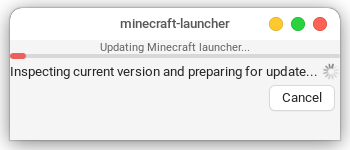
I attached a file containing the log of the launcher and I'll send it again. I'm also attaching images of the update window.
First, a window pops up saying the launcher is inspecting the current version and preparing for update, then a new window pops up and says the launcher is downloading update files, then the window closes and a new window pops up again saying that the launcher is downloading update files for the second time, and finally after that the launcher opens.