 BlueSky
- BlueSky12345
- JIRAUSER580011
- Europe/Stockholm
- Yes
- No
 MC-207755



It affect other versions. Just lazy to know I'm playing only 1.16.4 so yeah.
I'm not sure how that happened but it's all about the lightings. I was making a mob farm in creative, when zombies fall outside at daytime, the light was there. Still happens in shaders. You probely can tell because I didn't put light in htere.
It's all about the lightings.
Oops accidentally copy
I can only find this in 1.16.4.
This is a very random bug, when I was making a map, I put dispensers on the platform. But suddenly, I found this arrow that was dispensed by air and no horizontal momentum range. It was used to when I was using command blocks with the same speed delay within the arrow spawns and the hopper. It's very random. It disappears when I touched it.
Watch the video that was true.
I can only find this in 1.16.4.
This is a very random bug, when I was making a map, I put dispensers on the platform. But suddenly, I found this arrow that was dispensed by air and no horizontal momentum range. It was used to when I was using command blocks with the same speed delay within the arrow spawns and the hopper. It's very random. It disappears when I touched it.
Watch the video that was true.
Visually this happens to be 25% to 50% of this chance. Althrough because of the timings or something.
I can only find this in 1.16.4.
This bug was not a very bad bug, just this.
I can only find this in 1.16.4.
disappears when I touched it.This bug was not a very bad bug, just this.
I can only find this in 1.16.4.
Bug Appearance
- Just Arrow
Description
This bug was not a very bad bug, just this.
By the way, the arrow despawns.
Extras.
I can only find this in 1.16.4.
Bug Appearance
- Just Arrow
Description
This bug was not a very bad bug, just this.
By the way, the arrow despawns.
Extras.
I can only find this in 1.16.4.
Bug Appearance
- Just Arrow
Description
I have no idea that happens. I guessing that due to the dispenser.
This bug was not a very bad bug, just this.
By the way, the arrow despawns.
Extras.
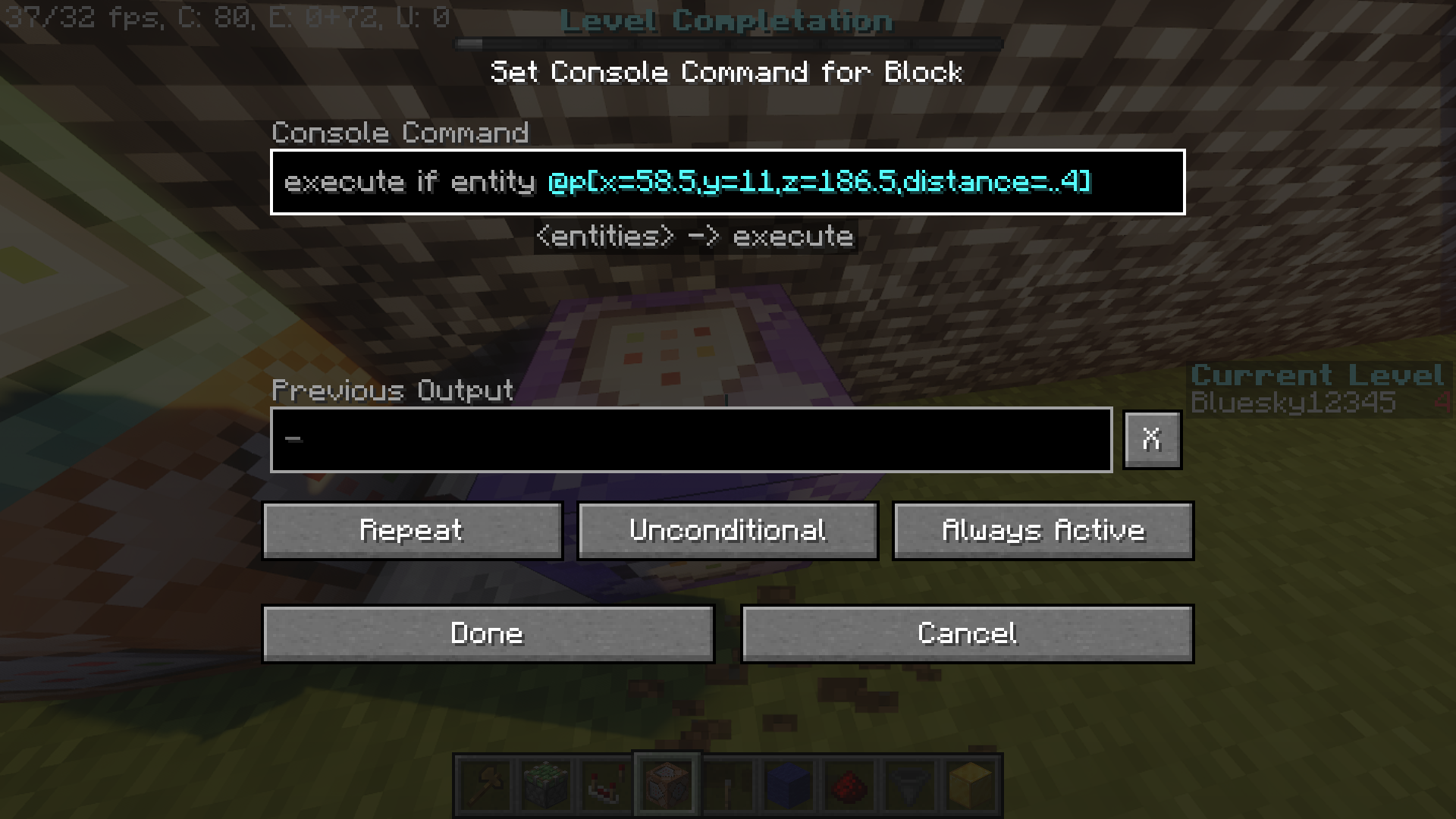
1.16.4 command execution blocks have a chance to fail detection if entity stands on certain coordinates, when I was in the following coordinates, it won't work as with the "Always Active" redstone activation, but it was fixed later on if you destroy a command block and replace it and paste the same command. It was annoying to mapmakers. Same as me. It will probely happen if you use WorldEdit and move structure around.
Affect detection commands:
/execute if entity @p[x=#,y=#,z=#,distance=..#]/execute if entity @p[x=#,y=#,z=#,dx=#,dy=#,dz=#]1.16.4 command execution blocks have a chance to fail detection if entity stands on certain coordinates, when I was in the following coordinates, it won't work as with the "Always Active" redstone activation, but it was fixed later on if you destroy a command block and replace it and paste the same command. It was annoying to mapmakers. Same as me. It will probely happen if you use WorldEdit and move structure around.
//
Affect detection commands:/execute if entity @p[x=#,y=#,z=#,distance=..#]/execute if entity @p[x=#,y=#,z=#,dx=#,dy=#,dz=#]
1.16.4 command execution blocks have a chance to fail detection if entity stands on certain coordinates, when I was in the following coordinates, it won't work as with the "Always Active" redstone activation, but it was fixed later on if you destroy a command block and replace it and paste the same command. It was annoying to mapmakers. Same as me. It will probely happen if you use WorldEdit and move structure around.
//
Affect detection commands:/execute if entity @p[x=#,y=#,z=#,distance=..#]/execute if entity @p[x=#,y=#,z=#,dx=#,dy=#,dz=#]1.16.4 command execution blocks have a chance to fail detection if entity stands on certain coordinates, when I was in the following coordinates, it won't work as with the "Always Active" redstone activation, but it was fixed later on if you destroy a command block and replace it and paste the same command. It was annoying to mapmakers. Same as me. It will probely happen if you use WorldEdit and move structure around.
Affect detection commands:/execute if entity @p[x=#,y=#,z=#,distance=..#]/execute if entity @p[x=#,y=#,z=#,dx=#,dy=#,dz=#]
1.16.4 command execution blocks have a chance to fail detection if entity stands on certain coordinates, when I was in the following coordinates, it won't work as with the "Always Active" redstone activation, but it was fixed later on if you destroy a command block and replace it and paste the same command. It was annoying to mapmakers. Same as me. It will probely happen if you use WorldEdit and move structure around.
Affect detection commands:/execute if entity @p[x=#,y=#,z=#,distance=..#]/execute if entity @p[x=#,y=#,z=#,dx=#,dy=#,dz=#]1.16.4 command execution blocks have a chance to fail detection if entity stands on certain coordinates, when I was in the following coordinates, it won't work as with the "Always Active" redstone activation, but it was fixed later on if you destroy a command block and replace it and paste the same command. It was annoying to mapmakers. Same as me. It will probely happen if you use WorldEdit and move structure around.
Affect detection commands:
/execute if entity @p[x=#,y=#,z=#,distance=..#]/execute if entity @p[x=#,y=#,z=#,dx=#,dy=#,dz=#]
1.16.4 command execution blocks have a chance to fail detection if entity stands on certain coordinates, when I was in the following coordinates, it won't work as with the "Always Active" redstone activation, but it was fixed later on if you destroy a command block and replace it and paste the same command or control + middle click command and destroy and place. It was annoying to mapmakers. Same as me. It will probely happen if you use WorldEdit and move structure around.
Affect detection commands:
/execute if entity @p[x=#,y=#,z=#,distance=..#]/execute if entity @p[x=#,y=#,z=#,dx=#,dy=#,dz=#]
(on)NOTE
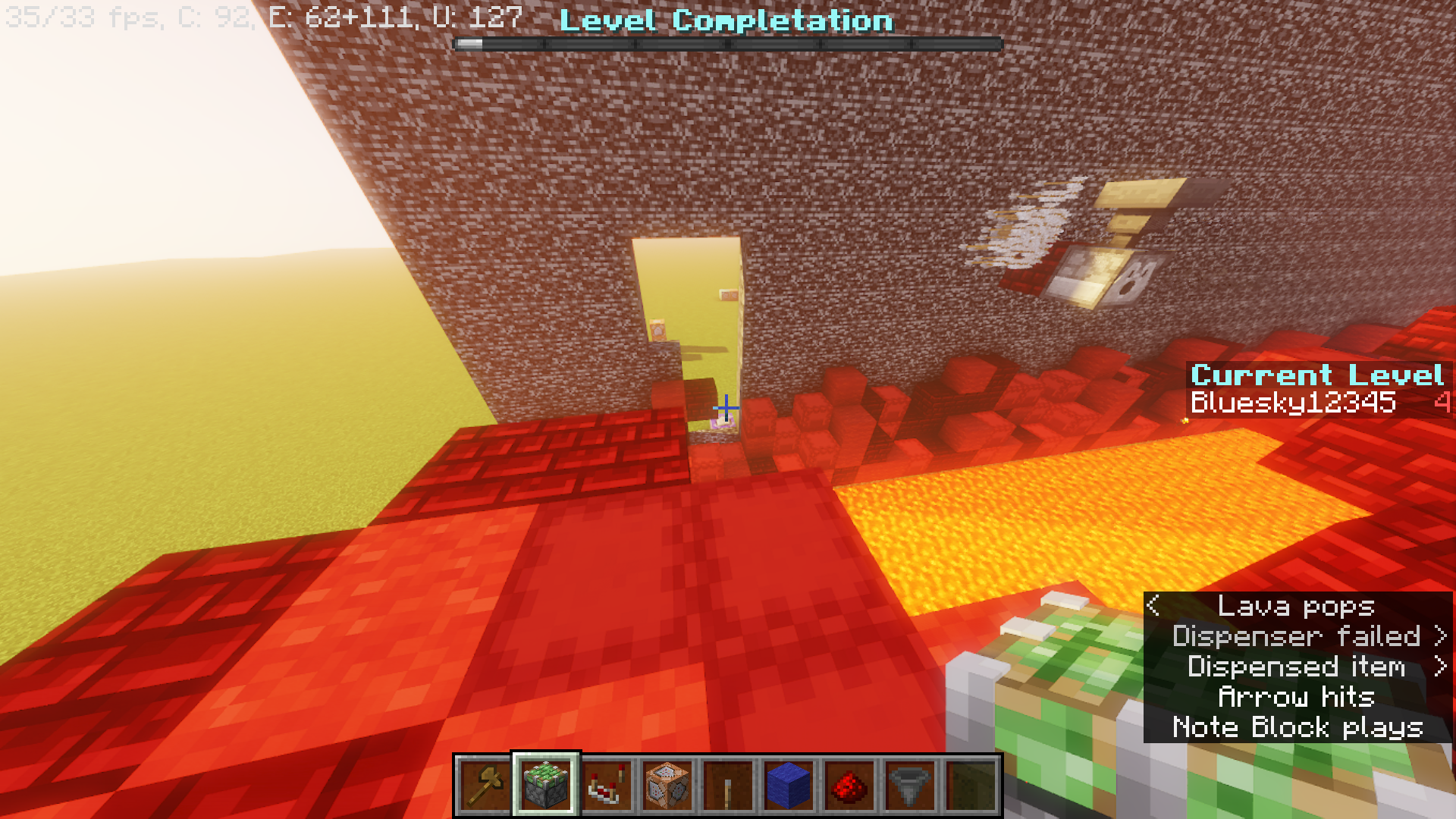
If you think I was faking the bug, I was screenshot around 3.531 seconds away from functioning text. I also break the walls to show you I didn't break the command blocks.
I'm using 1 mod "World Edit"
1.16.4 command execution blocks have a chance to fail detection if entity stands on certain coordinates, when I was in the following coordinates, it won't work as with the "Always Active" redstone activation, but it was fixed later on if you destroy a command block and replace it and paste the same command or control + middle click command and destroy and place. It was annoying to mapmakers. Same as me. It will probely happen if you use WorldEdit and move structure around.
Affect detection commands:
/execute if entity @p[x=#,y=#,z=#,distance=..#]/execute if entity @p[x=#,y=#,z=#,dx=#,dy=#,dz=#]
(on)NOTEIf you think I was faking the bug, I was screenshot around 3.531 seconds away from functioning text. I also break the walls to show you I didn't break the command blocks.
Ok thanks.
That's a launcher bug?
Is that supposed to be a launcher bug?