 Nico Gold
- ChainChomp21
- JIRAUSER577465
- Europe/Stockholm
- Yes
- No
 MCPE-133296
 MC-239207


When you load up a world in bedrock beta 1.17.20.20 on windows 10 and move your mouse around far enough to where the cursor wouldn't be in the window, you'll see the cursor outside of the window, even if the game isn't paused, for example: I have dual monitors and I had Minecraft playing in the right monitor and I moved my mouse left and the cursor was on the left monitor and when I right-clicked, it showed that desktop right click menu and the game paused. Here are some steps to replicate if you don't have dual monitors:
1) Open Bedrock Beta 1.17.20.20
2) Open an experimental world
3) Once the world is fully loaded, move your mouse down to the taskbar and click one of the icons(without pausing the game)What Happens: The cursor is visible and outside of the window while the game is playing and can click on icons while the character is moving
What is supposed to happen: the character moves without the cursor going out of the window
For the video, I was using the Beta Hider Resourcepack to hide the beta text at the top if the screen, but it is beta 1.17.20.20
Description:
When you load up a world in bedrock beta 1.17.20.20 on windows 10 and move your mouse around far enough to where the cursor wouldn't be in the window, you'll see the cursor outside of the window, even if the game isn't paused, for example: I have dual monitors and I had Minecraft playing in the right monitor and I moved my mouse left and the cursor was on the left monitor and when I right-clicked, it showed that desktop right click menu and the game paused. Here are some steps to replicate if you don't have dual monitors:Steps
1) Open Bedrock Beta 1.17.20.20
2) Open an experimental world
3) Once the world is fully loaded, move your mouse down to the taskbar and click one of the icons(without pausing the game)What Happens: The cursor is visible and outside of the window while the game is playing and can click on icons while the character is moving
What is supposed to happen: the character moves without the cursor going out of the window
For the video, I was using the Beta Hider Resourcepack to hide the beta text at the top if the screen, but it is beta 1.17.20.20
Description:
When you load up a world in bedrock beta 1.17.20.20 on windows 10 and move your mouse around far enough to where the cursor wouldn't be in the window, you'll see the cursor outside of the window, even if the game isn't paused, for example: I have dual monitors and I had Minecraft playing in the right monitor and I moved my mouse left and the cursor was on the left monitor and when I right-clicked, it showed that desktop right click menu and the game paused. Here are some steps to replicate if you don't have dual monitors:Steps
1) Open Bedrock Beta 1.17.20.20
2) Open an experimental world
3) Once the world is fully loaded, move your mouse down to the taskbar and click one of the icons(without pausing the game)What Happens: The cursor is visible and outside of the window while the game is playing and can click on icons while the character is moving
What is supposed to happen: the character moves without the cursor going out of the window
For the video, I was using the Beta Hider Resourcepack to hide the beta text at the top if the screen, but it is beta 1.17.20.20
Description:
When you load up a world in bedrock beta 1.17.20.20 on windows 10 and move your mouse around far enough to where the cursor wouldn't be in the window, you'll see the cursor outside of the window, even if the game isn't paused, for example: I have dual monitors and I had Minecraft playing in the right monitor and I moved my mouse left and the cursor was on the left monitor and when I right-clicked, it showed that desktop right click menu and the game paused. Here are some steps to replicate if you don't have dual monitors:Steps
1) Open Bedrock Beta 1.17.20.20
2) Open an experimental world
3) Once the world is fully loaded, move your mouse down to the taskbar and click one of the icons(without pausing the game)*What Happens: *
The cursor is visible and outside of the window while the game is playing and can click on icons while the character is movingWhat is supposed to happen:
The character moves without the cursor going out of the windowProbably Important To Know:
For the video, I was using the Beta Hider Resourcepack to hide the beta text at the top if the screen, but it is beta 1.17.20.20
Description:
When you load up a world in bedrock beta 1.17.20.20 on windows 10 and move your mouse around far enough to where the cursor wouldn't be in the window, you'll see the cursor outside of the window, even if the game isn't paused, for example: I have dual monitors and I had Minecraft playing in the right monitor and I moved my mouse left and the cursor was on the left monitor and when I right-clicked, it showed that desktop right click menu and the game paused. Here are some steps to replicate if you don't have dual monitors:Steps
1) Open Bedrock Beta 1.17.20.20
2) Open an experimental world
3) Once the world is fully loaded, move your mouse down to the taskbar and click one of the icons(without pausing the game)*What Happens: *
The cursor is visible and outside of the window while the game is playing and can click on icons while the character is movingWhat is supposed to happen:
The character moves without the cursor going out of the windowProbably Important To Know:
For the video, I was using the Beta Hider Resourcepack to hide the beta text at the top if the screen, but it is beta 1.17.20.20Description:
When you load up a world in bedrock beta 1.17.20.20 on windows 10 and move your mouse around far enough to where the cursor wouldn't be in the window, you'll see the cursor outside of the window, even if the game isn't paused, for example: I have dual monitors and I had Minecraft playing in the right monitor and I moved my mouse left and the cursor was on the left monitor and when I right-clicked, it showed that desktop right click menu and the game paused. Here are some steps to replicate if you don't have dual monitors:Steps
1) Open Bedrock Beta 1.17.20.20
2) Open an experimental world
3) Once the world is fully loaded, move your mouse down to the taskbar and click one of the icons(without pausing the game)*What Happens: *
The cursor is visible and outside of the window while the game is playing and can click on icons while the character is movingWhat is supposed to happen:
The character moves without the cursor going out of the windowProbably Important To Know:
For the video, I was using the Beta Hider Resourcepack to hide the beta text at the top if the screen, but it is beta 1.17.20.20
Description:
When you load up a world in bedrock beta 1.17.20.20 on windows 10 and move your mouse around far enough to where the cursor wouldn't be in the window, you'll see the cursor outside of the window, even if the game isn't paused, for example: I have dual monitors and I had Minecraft playing in the right monitor and I moved my mouse left and the cursor was on the left monitor and when I right-clicked, it showed that desktop right click menu and the game paused. Here are some steps to replicate if you don't have dual monitors:Steps
1) Open Bedrock Beta 1.17.20.20
2) Open an experimental world
3) Once the world is fully loaded, move your mouse down to the taskbar and click one of the icons(without pausing the game)*What Happens: *
The cursor is visible and outside of the window while the game is playing and can click on icons while the character is movingWhat is supposed to happen:
The character moves without the cursor going out of the windowProbably Important To Know:
For the video, I was using the Beta Hider Resourcepack to hide the beta text at the top if the screen, but it is beta 1.17.20.20Description:
When you load up a world in bedrock beta 1.17.20.20 on windows 10 and move your mouse around far enough to where the cursor wouldn't be in the window, you'll see the cursor outside of the window, even if the game isn't paused, for example: I have dual monitors and I had Minecraft playing in the right monitor and I moved my mouse left and the cursor was on the left monitor and when I right-clicked, it showed that desktop right click menu and the game paused. Here are some steps to replicate if you don't have dual monitors:Steps
1) Open Bedrock Beta 1.17.20.20
2) Open an experimental world
3) Once the world is fully loaded, move your mouse down to the taskbar and click one of the icons(without pausing the game)*What Happens: *
The cursor is visible and outside of the window while the game is playing and can click on icons while the character is movingWhat is supposed to happen:
The character moves without the cursor going out of the windowProbably Important To Know:
For the video, I was using the Beta Hider Resourcepack to hide the beta text at the top if the screen, but it is beta 1.17.20.20
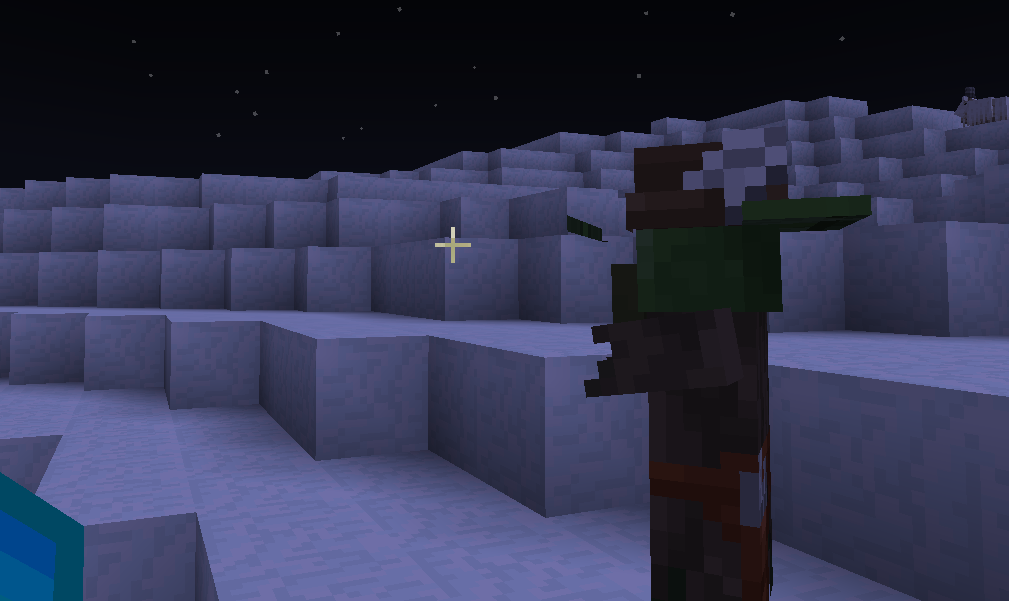
When you spawn in a zombie villager and it has the fletcher(the one with the arrows) type, its texture/model is messed up and makes its hat look funny.
Steps to replicate:
1) Spawn in a fletching zombie villager
2)
Look at its texturesWhen you spawn in a zombie villager and it has the fletcher(the one with the arrows) type, its texture/model is messed up and makes its hat look funny.
Steps to replicate:
1) Spawn in a fletching zombie villager
2) Use the programmer art resource pack
3) look at its textures
If I try to use the kill command in bedrock, the command won't work. This may be because of the sculk catalysts around, but the kill command won't work for me. The command console replies with No Targets Matched Selector when I use @p, @s, or @
{Gamertag}
When I walk on the ground with carpet on top of a deepslate block, the deepslate block walk sound plays instead of the carpet walk sound playing.
Steps to replicate:
1) Walk on a carpet on Deepslate Bricks
2) It should play the deepslate walk sound instead of the carpet walk sound
When I walk on the ground with carpet on top of a deepslate block, the deepslate block walk sound plays instead of the carpet walk sound playing.
Steps to replicate:
1) Walk on a carpet on Deepslate Bricks
2) It should play the deepslate walk sound instead of the carpet walk sound
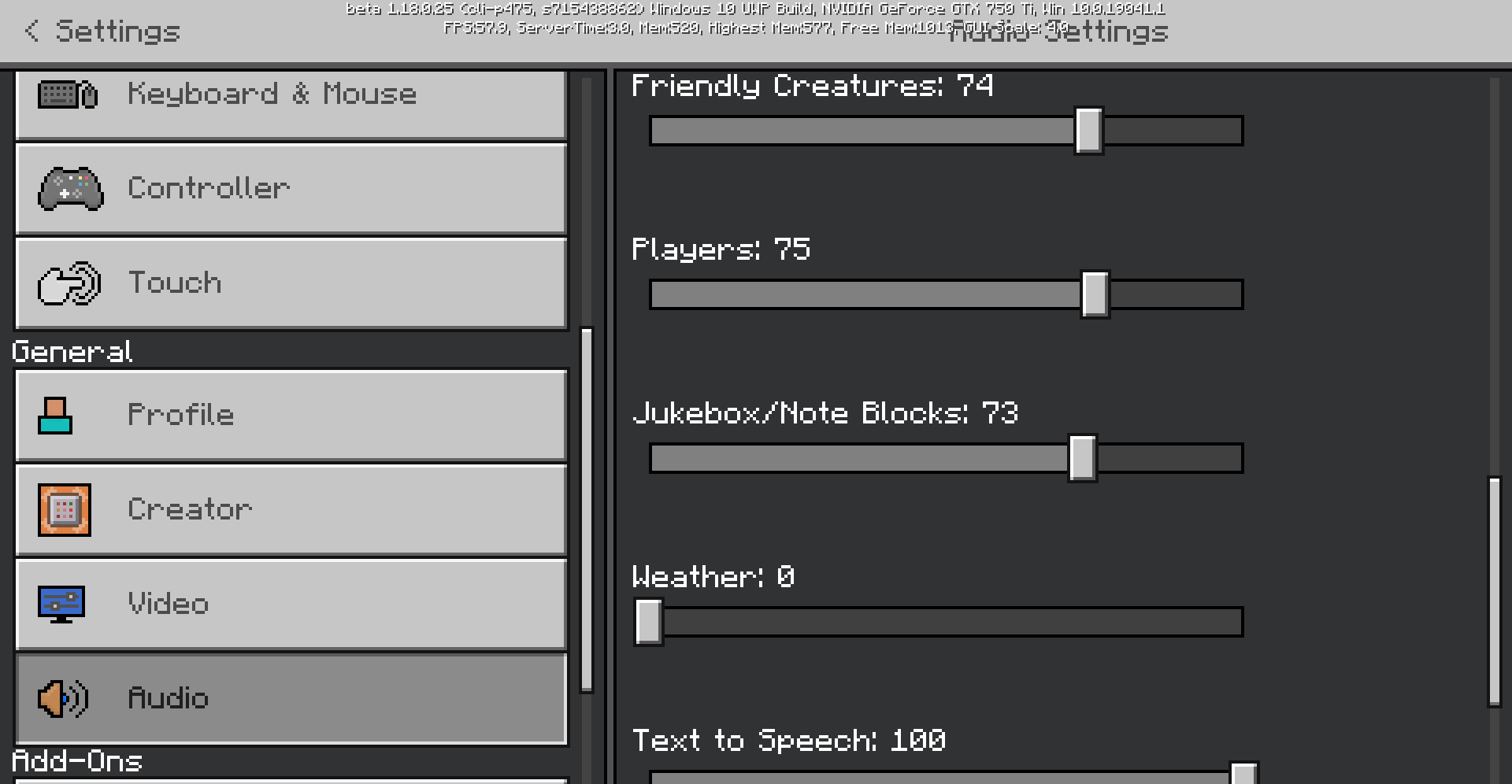
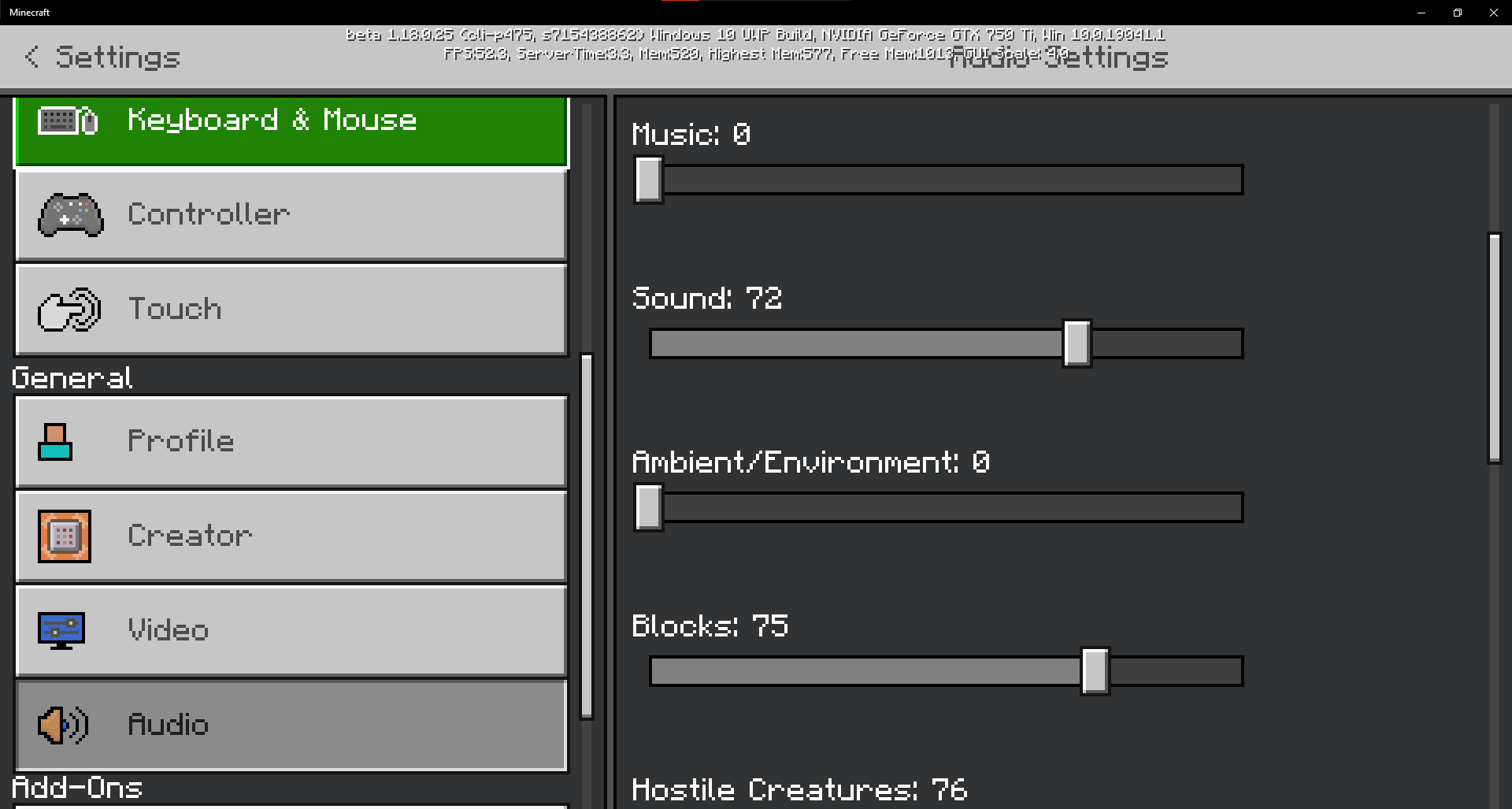
Edit: I was also using resourcepacks(BetaHider 1.0.6 and Java UI v1.1.1), I tried it without any resources and it produces the same result, I have attached the audio settings I've used.
When I was mining for deepslate in a cave, I came across invisible water and lava in a cave
Steps to reproduce:
1: Use the seed 318008(great mountain seed btw)
2: Go to the coords 576 11 250
3: Press the jump button
I attempted to attach a video, but the site won't accept the video token
When I was mining for deepslate in a cave, I came across invisible water and lava in a cave
Steps to reproduce:
1: Use the seed 318008(great mountain seed btw)
2: Go to the coords 576 11 250
3: Press the jump button
I attempted to attach a video, but the site won't accept the video token
When I was mining for deepslate in a cave, I came across invisible water and lava in a cave
Steps to reproduce:
1: Use the seed 318008(great mountain seed btw)
2: Go to the coords 576 11 250
3: Press the jump button
I attempted to attach a video, but the site won't accept the video token
[^Minecraft 2021-11-20 19-08-00.mp4] When I was mining for deepslate in a cave, I came across invisible water and lava in a cave
Steps to reproduce:
1: Use the seed 318008(great mountain seed btw)
2: Go to the coords 576 11 250
3: Press the jump button
I attempted to attach a video, but the site won't accept the video token
So I left a report on that same bug, I think it's a 1.16.101 bug, they said they can't do anything about it, I also hope I can get mine back, one thing that may help, is that the achivement images won't load, nor will my profile picture, I REALLY hope mojang will give us the capes that we purchased back. If any of you know a mojang employee, please tell them about this and have them give our capes back. If anyone else's minecraft images won't load and you have the same images, please reply to this message
If any mojang employee sees this, please email me on the email attached to my profile and let me know what you can do about it, if anyone would like to talk to me, I will be happy to give you my email or discord(Neon Cat#9999) and let's see what may cause it, so I can share it on this forum
This just started affecting me, when I started playing beta 1.17.20.20 and I reported it, it took me to this, and this bug is still working as of 6/30/2021, and is still working on beta 1.17.20.21, I have dual monitors, so this basically makes Minecraft Unplayable for me
@[Mod] OcelotOnesie I returned from both dimensions in that world, however I did it a while ago and I have died and reloaded the world multiple times. So maybe not recently, but I have.
It works with lava as well, sometimes mobs will walk into invisible lava and die and I have almost lost all of my items from this bug, this also works on PC as well