 Scheimong
- cyqsimon
- cyqsimon
- Europe/London
- Yes
- No
 MC-29302
![[Mojang] Nathan Adams](../../../data/assets/gravatar/dinnerbone.png)
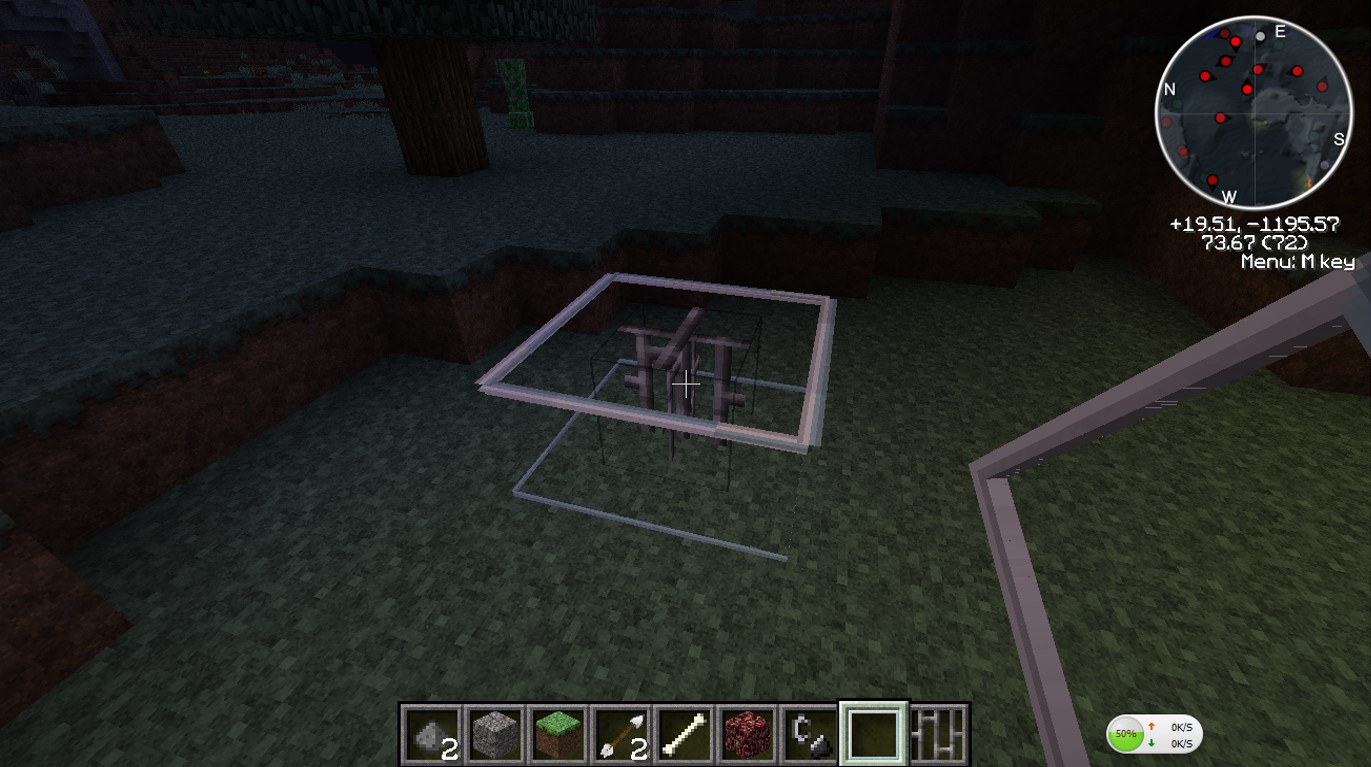





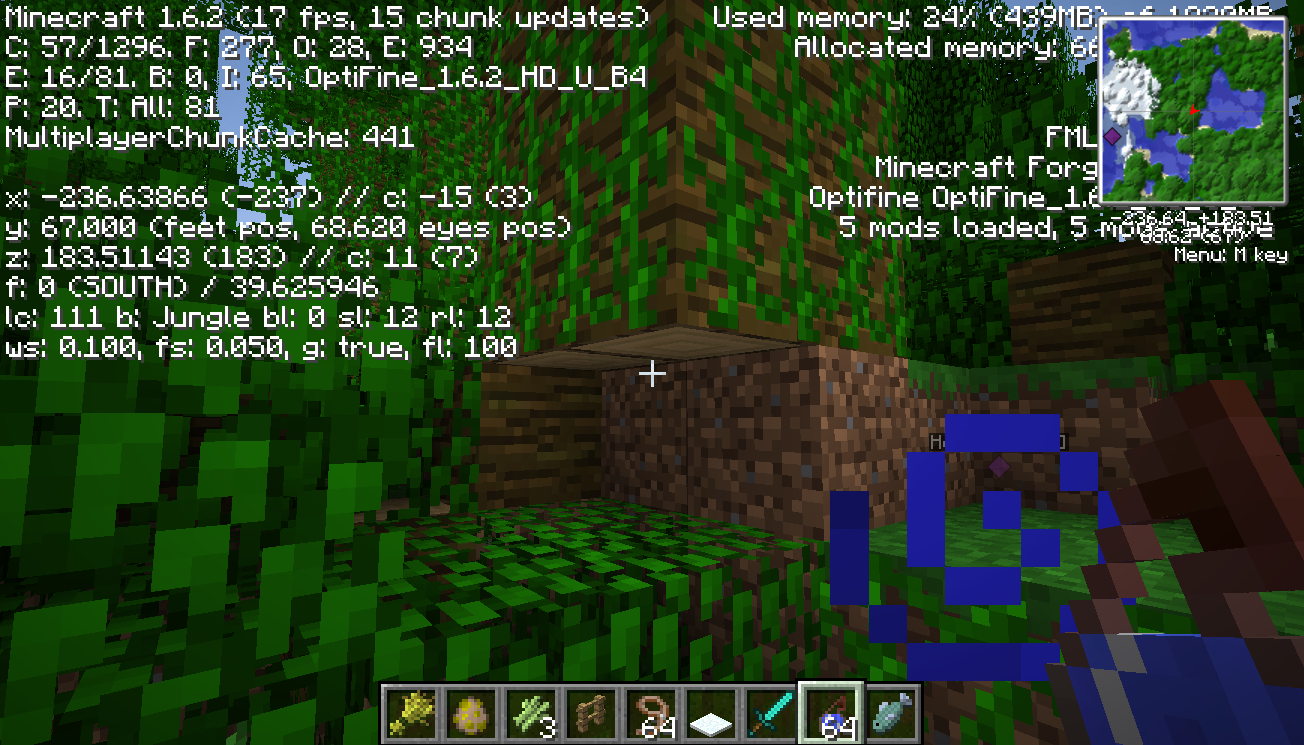






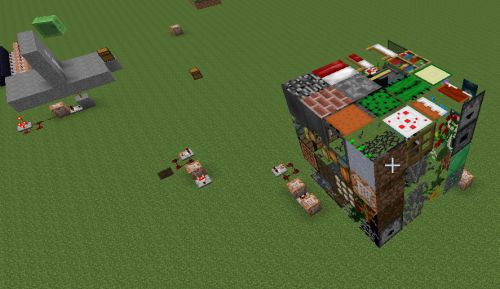
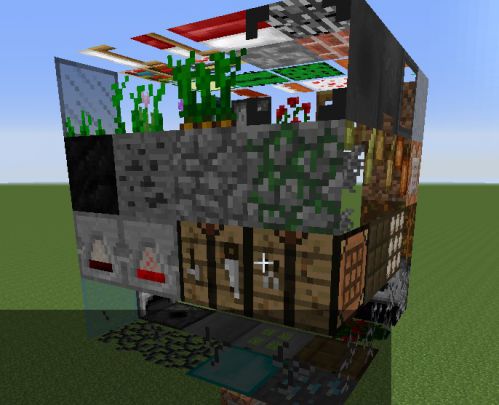


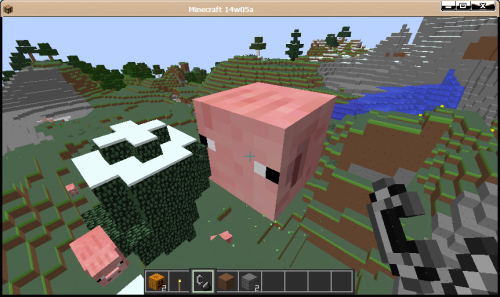

When the map generates under the seed 8015411986934972105 there is a big jungle tree at location -72 65 -120 that only has two blocks of wood on dirt while two other aren't. Screenshot attached.
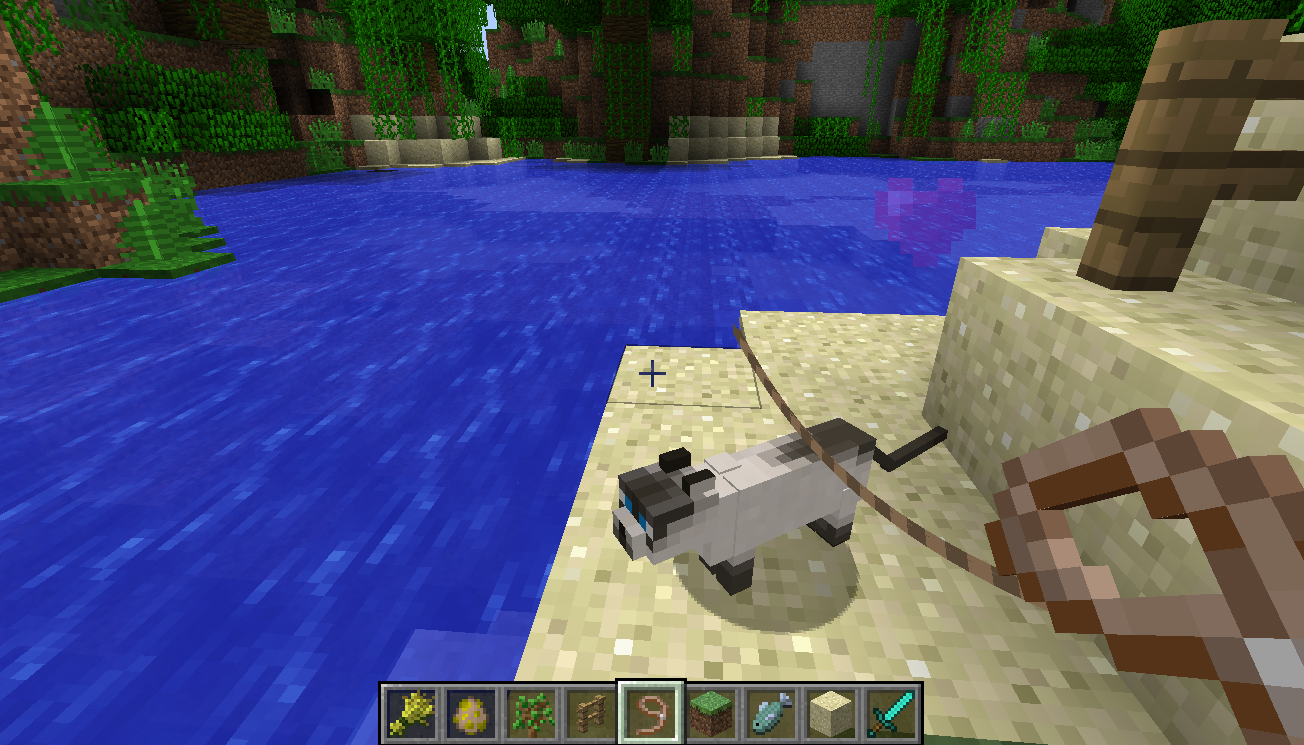
When I tie a lead to a tamed cat, (I know it sounds cruel)
What I expected to happen:
The lead should be attached to the cat's neckWhat did happen:
The lead tied to empty space above the cat's neckShouldn't be a mod's problem because I haven't installed any mods that interfere and change the gameplay experience.
When I tie a lead to a tamed cat, (I know it sounds cruel)
What I expected to happen:
The lead should be attached to the cat's neckWhat did happen:
The lead tied to empty space above the cat's neckShouldn't be a mod's problem because I haven't installed any mods that interfere and change the gameplay experience.
By the way just a suggestion:
The lead wrapped around the fence is REALLY ugly when there's just a tiny creature as a cat attached to it. I mean look at the 474kb screenshot......
After I place the last layer.png
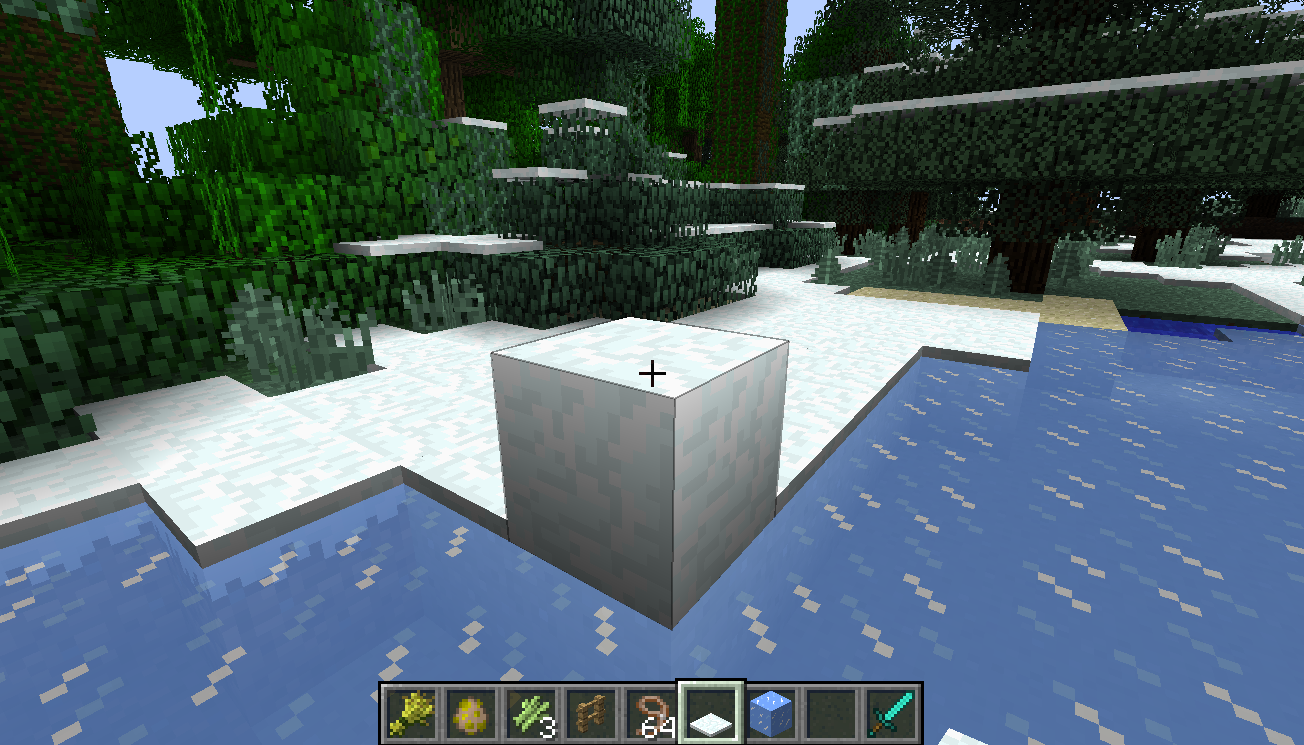
When I was placing snow on top of snow (in one-single-layer-of-snow biome) to stack them, they seem to be normal at first.
But just after I added the last layer of snow so that they become a single snow block, the bock that I just created disappeared immediately and only the layer that was generated by the game remained. I repeated the process and the same happened (not just on the same block, but on many other blocks around it, and I am in taiga biome so it couldn't have melted.).
just to give you the seed and the coordinates I did this:
seed: -3136499337269787360
coordinates: -309 63 209
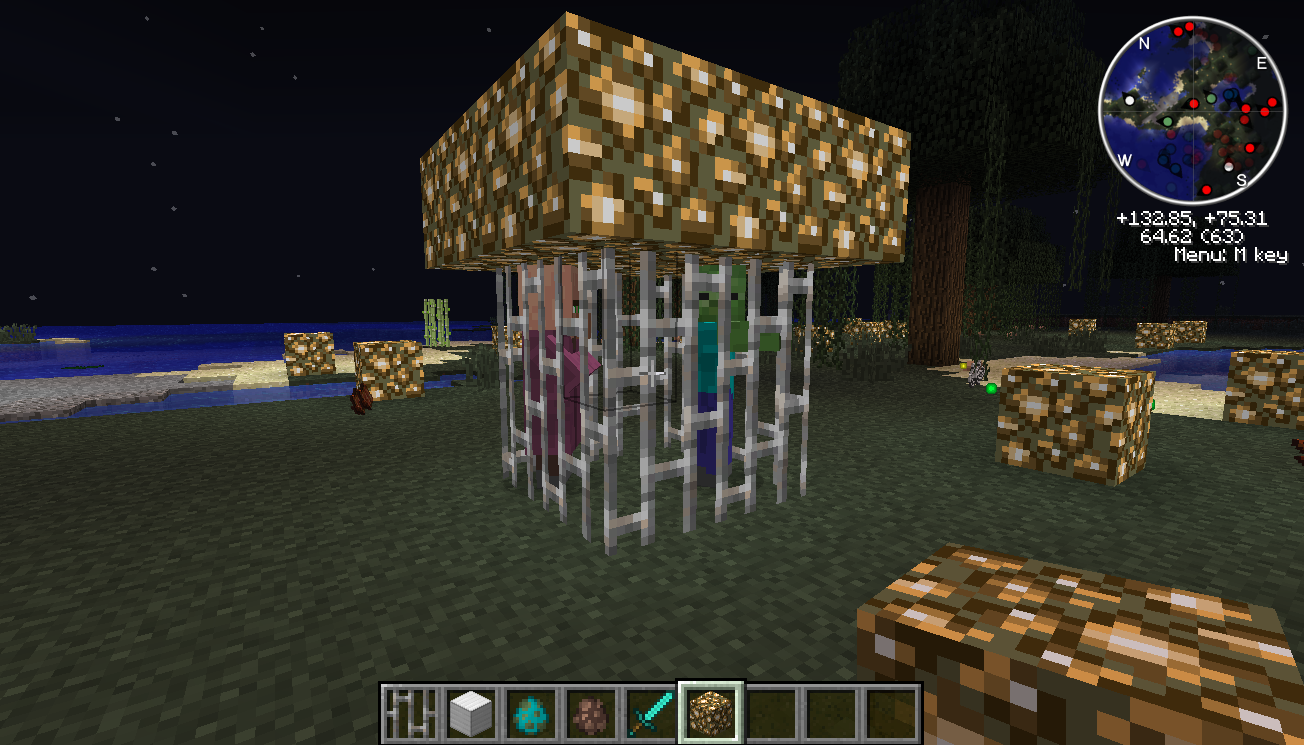
When I use the spawn eggs to spawn a villager in the cell and then spawn a zombie in the exact same position, the zombie only hurts the villager once or twice, and then it seems to ignore the existence of the villager. However, the zombies outside of the cell and still see the villager, converge on the cell, and even hurt the villager through the iron bars. (The blocks on top of the bars
are notnecessary to replicate the bug, they just prevent the zombie from burning in sunlight.)Note:
The bug doesn't seem to work when you spawn the zombie before the villager.The screenshots are from a MODDED minecraft and I am aware that this bug tracker only deals with problems with the original, unmodded minecraft. However, I DID test it with vanilla minecraft, in which the .minecraft folder and 1.6.2.jar and 1.6.2.json are BRAND NEW, UNCHANGED. (I also tested it with 1.5.2, in which the files are also brand new.)
When I use the spawn eggs to spawn a villager in the cell and then spawn a zombie in the exact same position, the zombie only hurts the villager once or twice, and then it seems to ignore the existence of the villager. However, the zombies outside of the cell and still see the villager, converge on the cell, and even hurt the villager through the iron bars. (The blocks on top of the bars ARE necessary to replicate the bug because they prevent the villager from changing its y-coordinate when taking damage.)
Note:
The bug doesn't seem to work when you spawn the zombie before the villager.The screenshots are from a MODDED minecraft and I am aware that this bug tracker only deals with problems with the original, unmodded minecraft. However, I DID test it with vanilla minecraft, in which the .minecraft folder and 1.6.2.jar and 1.6.2.json are BRAND NEW, UNCHANGED. (I also tested it with 1.5.2, in which the files are also brand new.)
When hovering my mouse above bricks (block) and nether bricks (block), I noticed that the nether bricks block's display name is nether brick (which is exactly the same as that of the item) instead of nether bricks
. That's all.When hovering my mouse above bricks (block) and nether bricks (block), I noticed that the nether bricks block's display name is nether brick (which is exactly the same as that of the item) instead of nether bricks (missing a s). That's all, minor problem indeed.
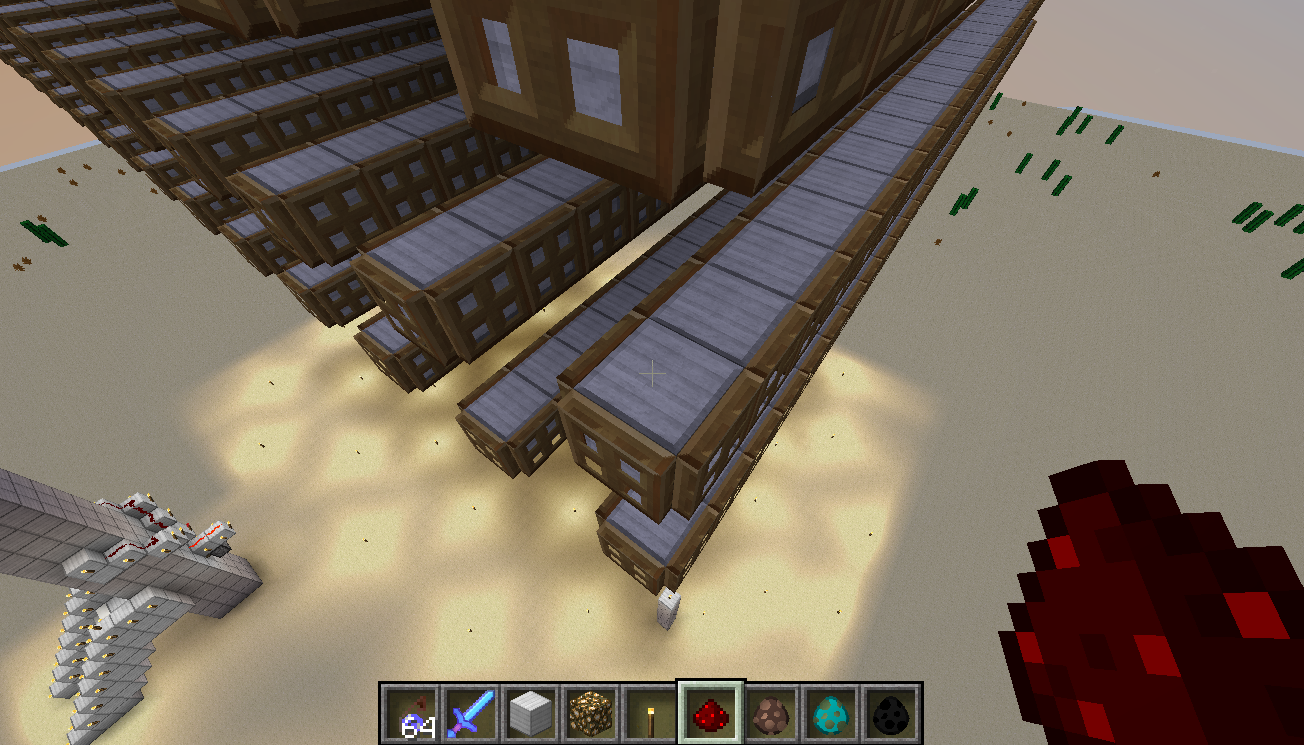
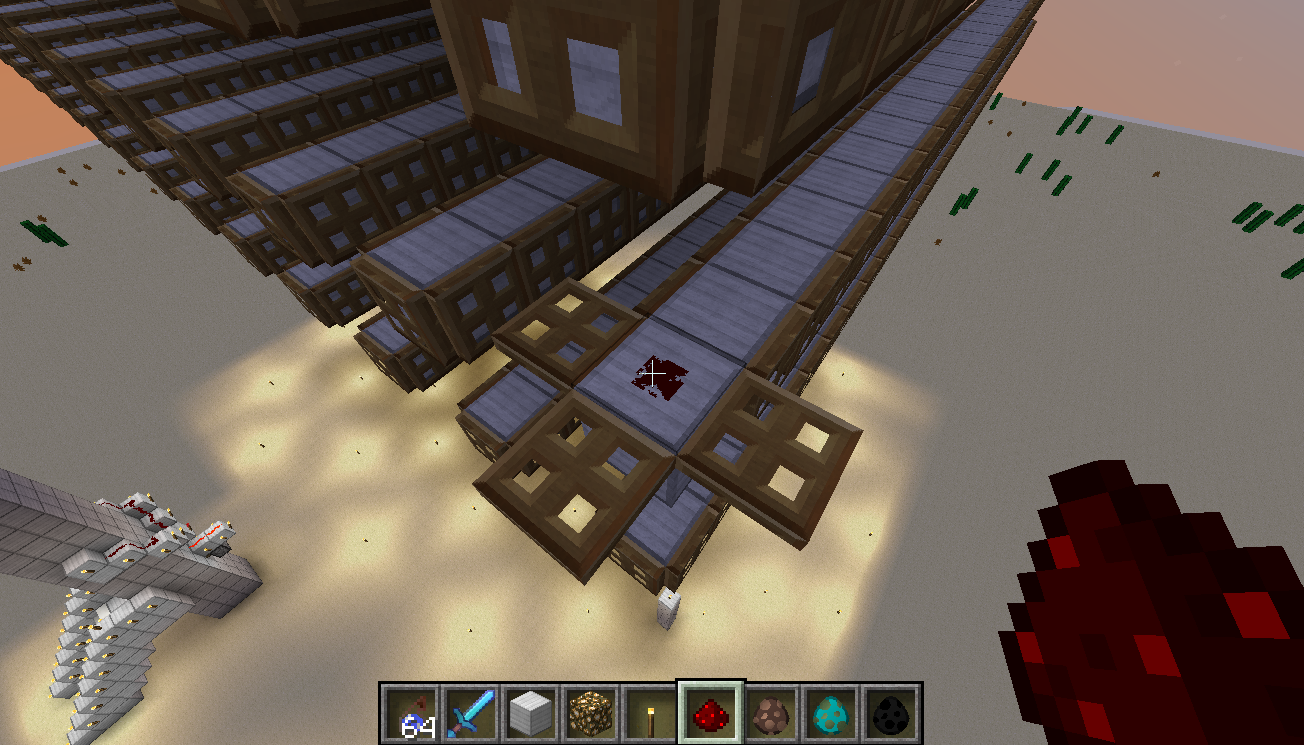
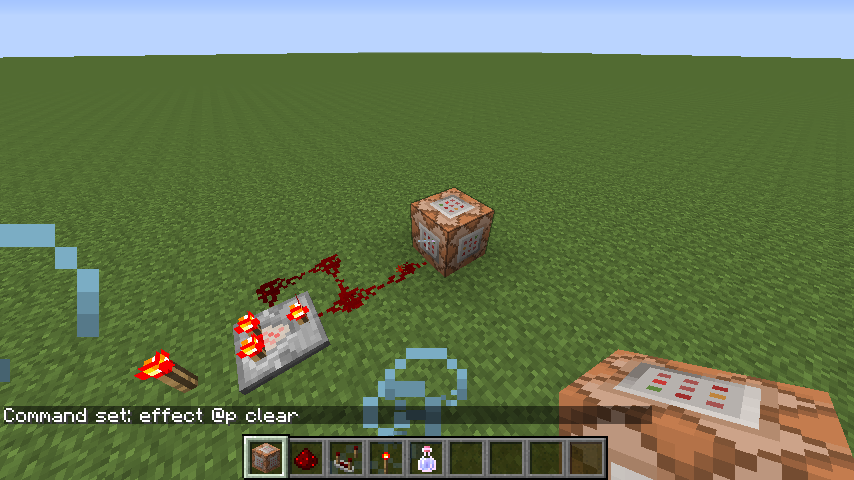
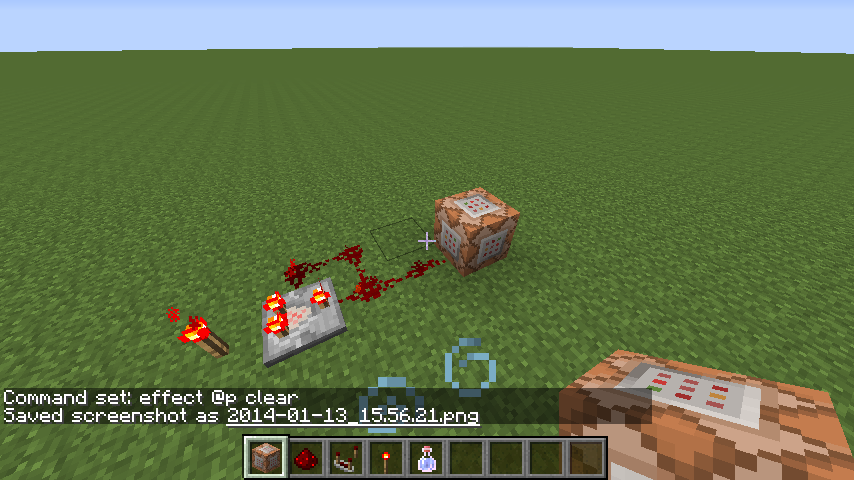
When I connect a comparator clock to a command block, sometimes the command doesnt get excuted.
Description of the photos: (This is an example)
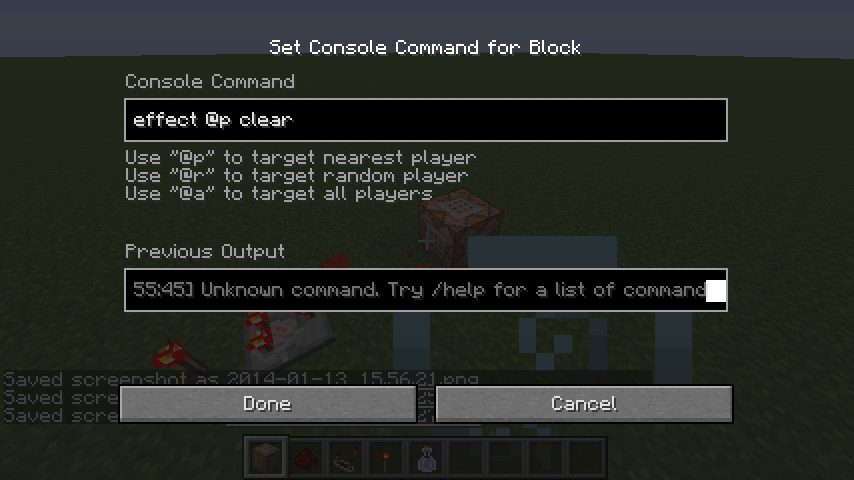
I gave myself speed effect by potion, and then typed effect @p clear in the command block.
The redstone clock is running, but it doesnt do anything. My potion effect is still there.
When I connect a comparator clock, which is a fast clock, to a command block, sometimes the command doesnt get excuted.
Description of the photos: (This is an example)
I gave myself speed effect by potion, and then typed effect @p clear in the command block.
The redstone clock is running, but it doesnt do anything. My potion effect is still there.
When I connect a comparator clock, which is a fast clock, to a command block, sometimes the command doesnt get excuted.
Description of the photos: (This is an example)
I gave myself speed effect by potion, and then typed effect @p clear in the command block.
The redstone clock is running, but it doesnt do anything. My potion effect is still there.Update: (Very interesting)
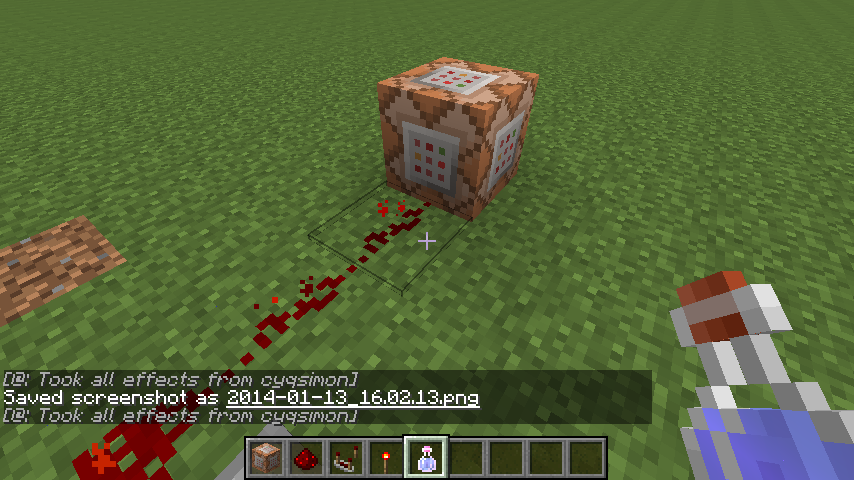
When I extend the redstone by one block, the command is successfully excuted, seen in the new photos
When I connect a comparator clock, which is a fast clock, to a command block, sometimes the command doesnt get excuted.
Description of the photos: (This is an example)
I gave myself speed effect by potion, and then typed effect @p clear in the command block.
The redstone clock is running, but it doesnt do anything. My potion effect is still there.Update: (Very interesting)
When I extend the redstone by one block, the command is successfully excuted, seen in the new photos
When I connect a comparator clock, which is a fast clock, to a command block, sometimes the command doesnt get excuted.
Description of the photos: (This is an example)
I gave myself speed effect by potion, and then typed effect @p clear in the command block.
The redstone clock is running, but it doesnt do anything. My potion effect is still there.Update: (Very interesting)
When I extend the redstone by one block, the command is successfully excuted, seen in the new photos. This is unexplainable using the proper redstone mechanics.
Also, the direction at which you place the mechanisms doesnt seem to affect the outcome.
Command Blocksometimes doesntrespond tofastredstoneclocksCommand Block Sometimes doesnt Respond to Fast Redstone Clock
This is the world I took those screenshots. I last ran it with 14w02c. You can test it out.
When I connect a comparator clock, which is a fast clock, to a command block, sometimes the command doesnt get excuted.
Description of the photos: (This is an example)
I gave myself speed effect by potion, and then typed effect @p clear in the command block.
The redstone clock is running, but it doesnt do anything. My potion effect is still there.Update: (Very interesting)
When I extend the redstone by one block, the command is successfully excuted, seen in the new photos. This is unexplainable using the proper redstone mechanics.
Also, the direction at which you place the mechanisms doesnt seem to affect the outcome.Update:
The world that contains the bug is now uploaded.
When I connect a comparator clock, which is a fast clock, to a command block, sometimes the command doesnt get excuted.
Description of the photos: (This is an example)
I gave myself speed effect by potion, and then typed effect @p clear in the command block.
The redstone clock is running, but it doesnt do anything. My potion effect is still there.Update: (Very interesting)
When I extend the redstone by one block, the command is successfully excuted, seen in the new photos. This is unexplainable using the proper redstone mechanics.
Also, the direction at which you place the mechanisms doesnt seem to affect the outcome.Update:
The world that contains the bug is now uploaded. I last ran it with 14w02c.
When I connect a comparator clock, which is a fast clock, to a command block, sometimes the command doesnt get excuted.
Description of the photos: (This is an example)
I gave myself speed effect by potion, and then typed effect @p clear in the command block.
The redstone clock is running, but it doesnt do anything. My potion effect is still there.Update: (Very interesting)
When I extend the redstone by one block, the command is successfully excuted, seen in the new photos. This is unexplainable using the proper redstone mechanics.
Also, the direction at which you place the mechanisms doesnt seem to affect the outcome.Update:
The world that contains the bug is now uploaded. I last ran it with 14w02c.
Update:
Two things:
1. The bug is also found in 1.7.2 and 1.7.4.
2. At the moment when I put down a piece of redstone to connect the command block to the clock, it excutes the command once, but that's it. After that the clock is still running but the command block doesn't respond.
When I connect a comparator clock, which is a fast clock, to a command block, sometimes the command doesnt get excuted.
Description of the photos: (This is an example)
I gave myself speed effect by potion, and then typed effect @p clear in the command block.
The redstone clock is running, but it doesnt do anything. My potion effect is still there.Update: (Very interesting)
When I extend the redstone by one block, the command is successfully excuted, seen in the new photos. This is unexplainable using the proper redstone mechanics.
Also, the direction at which you place the mechanisms doesnt seem to affect the outcome.Update:
The world that contains the bug is now uploaded. I last ran it with 14w02c.
Update:
Two things:
1. The bug is also found in 1.7.2 and 1.7.4.
2. At the moment when I put down a piece of redstone to connect the command block to the clock, it excutes the command once, but that's it. After that the clock is still running but the command block doesn't respond.When I connect a comparator clock, which is a fast clock, to a command block, sometimes the command doesnt get excuted.
Description of the photos: (This is an example)
I gave myself speed effect by potion, and then typed effect @p clear in the command block.
The redstone clock is running, but it doesnt do anything. My potion effect is still there.Update: (Very interesting)
When I extend the redstone by one block, the command is successfully excuted, seen in the new photos. This is unexplainable using the proper redstone mechanics.
Also, the direction at which you place the mechanisms doesnt seem to affect the outcome.Update:
The world that contains the bug is now uploaded. I last ran it with 14w02c.Update:
Two things:
1. The bug is also found in 1.7.2 and 1.7.4.
2. At the moment when I put down a piece of redstone to connect the command block to the clock, it excutes the command once, but that's it. After that the clock is still running but the command block doesn't respond.
Windows 8
bitPro 64 bit
JRE 7 Update 45
Official Launcher, -Xmx1G
When I connect a comparator clock, which is a fast clock, to a command block, sometimes the command doesnt get excuted.
Description of the photos: (This is an example)
I gave myself speed effect by potion, and then typed effect @p clear in the command block. This command should execute and remove my potion effect.
The redstone clock is running, but it doesnt do anything. My potion effect is still there.Update: (Very interesting)
When I extend the redstone by one block, the command is successfully excuted, seen in the new photos. This is unexplainable using the proper redstone mechanics.
Also, the direction at which you place the mechanisms doesnt seem to affect the outcome.Update:
The world that contains the bug is now uploaded. I last ran it with 14w02c.Update:
Two things:
1. The bug is also found in 1.7.2 and 1.7.4.
2. At the moment when I put down a piece of redstone to connect the command block to the clock, it excutes the command once, but that's it. After that the clock is still running but the command block doesn't respond.
When I connect a comparator clock, which is a fast clock, to a command block, sometimes the command doesnt get excuted.
Description of the photos: (This is an example)
I gave myself speed effect by potion, and then typed effect @p clear in the command block. This command should execute and remove my potion effect.
The redstone clock is running, but it doesnt do anything. My potion effect is still there.Update: (Very interesting)
When I extend the redstone by one block, the command is successfully excuted, seen in the new photos. This is unexplainable using the proper redstone mechanics.
Also, the direction at which you place the mechanisms doesnt seem to affect the outcome.Update:
The world that contains the bug is now uploaded. I last ran it with 14w02c.Update:
Two things:
1. The bug is also found in 1.7.2 and 1.7.4.
2. At the exact moment when I put down a piece of redstone to connect the command block to the clock, it excutes the command once, but that's it. After that the clock is still running but the command block doesn't respond.
When I connect a comparator clock, which is a fast clock, to a command block, sometimes the command doesnt get excuted.
Description of the photos: (This is an example)
I gave myself speed effect by potion, and then typed effect @p clear in the command block. This command should execute and remove my potion effect.
The redstone clock is running, but it doesnt do anything. My potion effect is still there.Update: (Very interesting)
When I extend the redstone by one block, the command is successfully excuted, seen in the new photos. This is unexplainable using the proper redstone mechanics.
Also, the direction at which you place the mechanisms doesnt seem to affect the outcome.Update:
The world that contains the bug is now uploaded. I last ran it with 14w02c.Update:
Two things:
1. The bug is also found in 1.7.2 and 1.7.4.
2. At the exact moment when I put down a piece of redstone to connect the command block to the clock, it excutes the command once, but that's it. After that the clock is still running but the command block doesn't respond, no matter how much potion I drink.
According to Dinnerbone's tweet, you should be able to open containers in spectator mode. However, when right clicking a minecart with chest/furnace, the GUI doesnt open.
I understand that they are entities while chests and other containers are tile entities. However they are still containers. You SHOULD be able to take a look inside with right click.
EDIT:
So does this applies to minecart with hopper/cmd block
windows 8 pro 64 bit
64 bit java 7 update 45
Official launcher 1.3.9
According to Dinnerbone's tweet, you should be able to open containers in spectator mode. However, when right clicking a minecart with chest/
furnace, the GUI doesnt open.I understand that they are entities while chests and other containers are tile entities. However they are still containers. You SHOULD be able to take a look inside with right click.
EDIT:
So does this applies to minecart with hopper/cmd block
According to Dinnerbone's tweet, you should be able to open containers in spectator mode. However, when right clicking a minecart with chest/hopper, the GUI doesnt open.
I understand that they are entities while chests and other containers are tile entities. However they are still containers. You SHOULD be able to take a look inside with right click.
When creating a slime with the following code,
summon Slime ~ ~1 ~ {ActiveEffects:[
{Id:14,Ambient:1,Duration:999999}],Size:15}
the slime gains random block/entity textures, screenshots attached.
PS. The Size NBT doesnt seem to affect the buggy texture.
Yeah but they should connect right? Why on earth couldn't iron bars connect to glass panes?
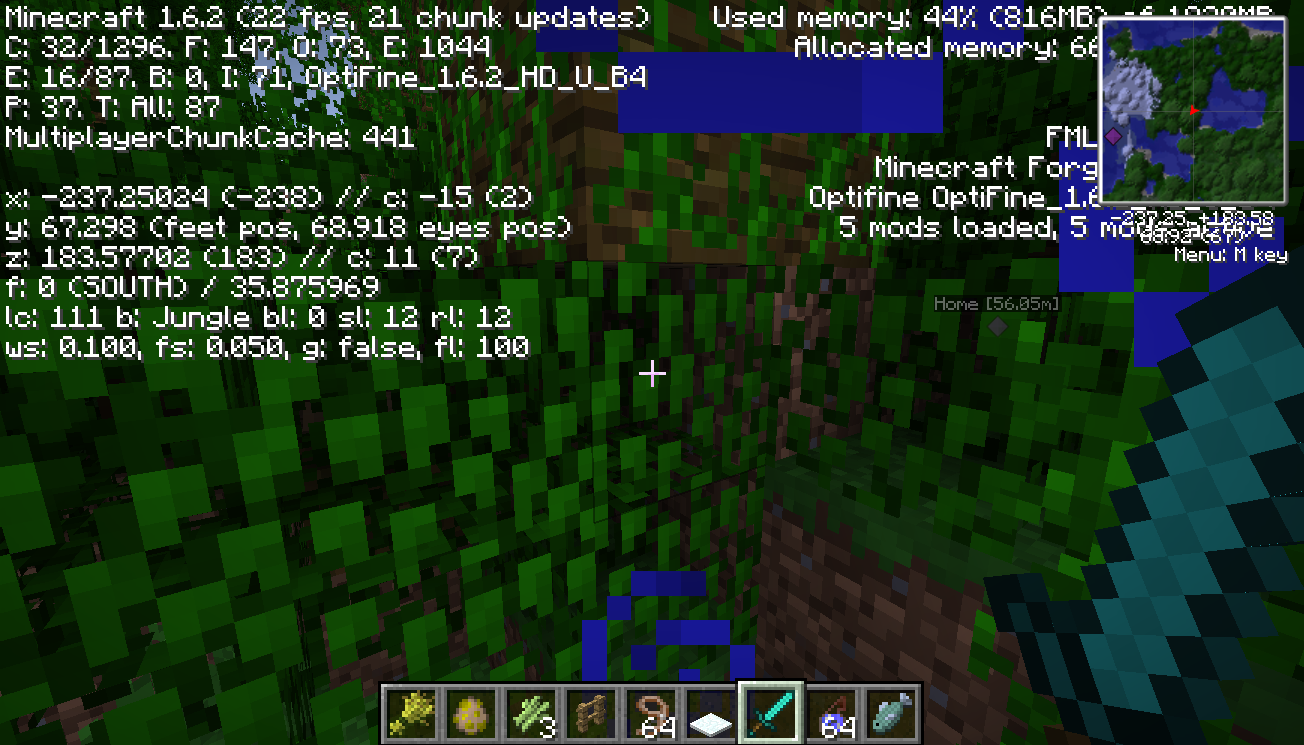
Hey Im sorry but I already deleted the world...... It was for testing one of my tnt cannons which failed dramatically so yeah...... But I did find similar situations in another world of mine (seed -3136499337269787360; coordinates: -236 67 183), only this time the two blocks that are supposed to be dirt are leaves (of another tree). And I will post the screenshots and forced crash reports in a sec.
Hey are you sure this is a FEATURE?
'Cause Im not quite sure about if a tree with its roots on leaves is normal?!
Maybe you want to look at it again...... or I would feel sad.......
Oh... Im sorry I did use search before reporting but it seems like I didn't see that reported bug...... But anyways, can you please add a description to
MC-18610orMC-7360because they don't explain why the zombies outside can still reach the villager inside. Thanks.Wait but what about the arrow disappearing bug?
This happens with chickens more often than any other mobs..... Probably because of their small size. One of my chicken escapes its pen every 3 minutes and my sheep do this every... Humm I don't know... Maybe 20 game days?
Can confirm
/difficulty 0 or peaceful or p doesnt despawn hostile mobs
well, thanks to /kill @e[type=!Player] I can deal with it........
ahhh...... Thats why.... Thank you very much @Conor McS
I dont understand how this is related to 46451
That issue is about the difference between server-side containers and client-side crafting tables.
This one, on the other hand, is about the difference between normal entities and the entities that are intended to act like tile entity containers.
I insist that you should be able to open those special minecarts in spectate mode.
Some more screenshots
Can confirm. Attempting to download ANYTHING with offcial minecraft launcher in China is just excruciating, if possible. Using Shanghai Telecom currently. However, I can download those game files manually by copying the download address from launcher info screen, removing https://, and pasting it into my browser. Yes, a backup http connection should be added to the launcher.
I wouldn't consider this a "suggestion". After all being unable to download content properly has been affecting our experience quite severely, and I would consider problems that prevent us from enjoying the benefits of premium accounts bugs. Considering this problem is indeed an easy fix, I believe Mojang should try its best to ensure its quality of service for its customers.
Actually, to be honest, it's not your fault. Blame the Chinese government for setting up GFW (which I really shouldn't mention [hyperbole intended]). But I mean... you can't sue this government for blocking a service... That's why we are pleading to you guys to make this change. Well anyways, please reconsider the current marking of this issue. Thanks.
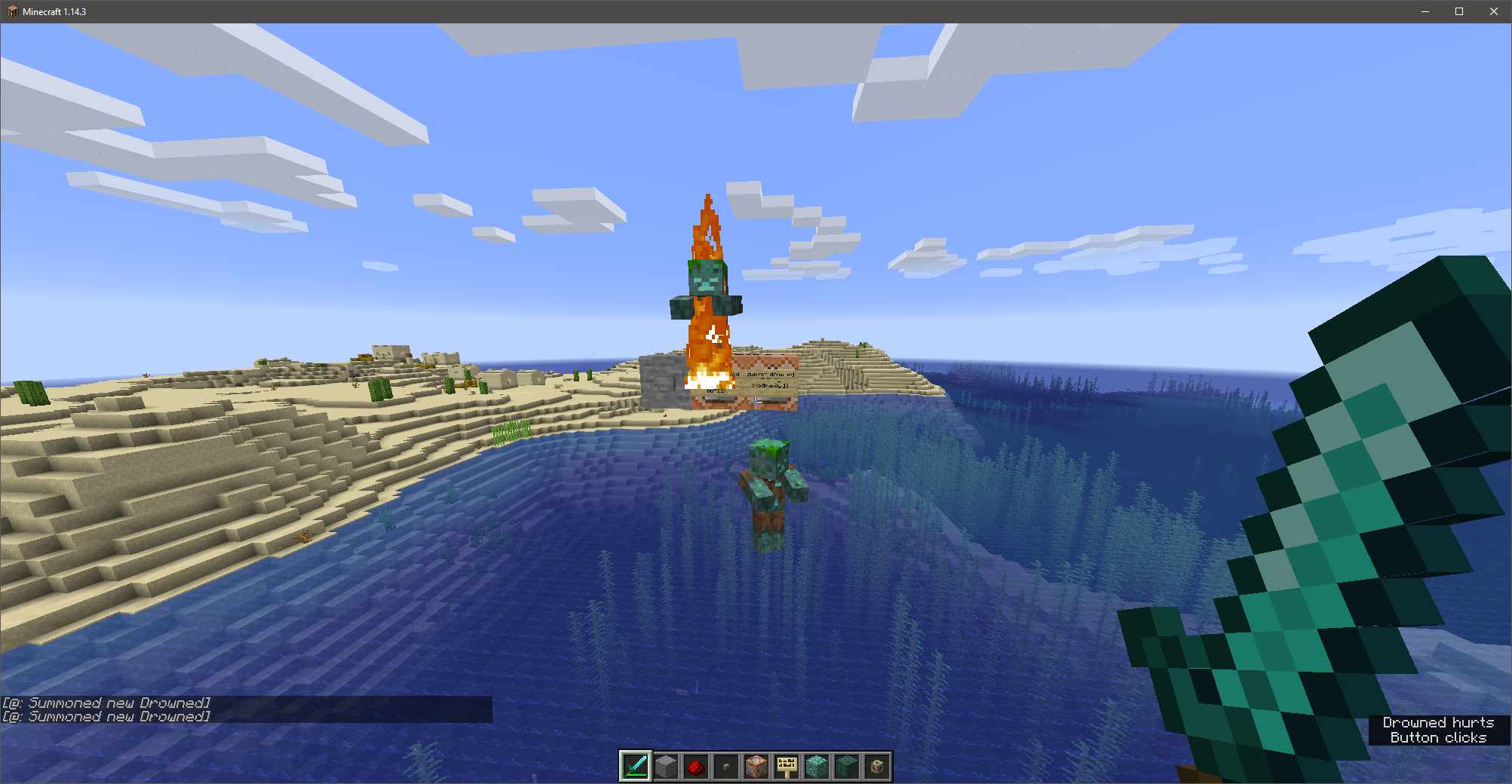
NoGravity:1 disables the downward acceleration of the drowned, but it still falls at constant speed.
I suspected that the downward motion was written into its AI, and testing seems to support my hypothesis.
Calling the following command causes the drowned to no longer fall by disabling its AI.
summon minecraft:drowned ~ ~ ~ {NoGravity:1, NoAI:1}See attachment for testing screenshots.