 Robert Miller
- fyedakin
- fyedakin
- Europe/Stockholm
- Yes
- No
 MC-40892
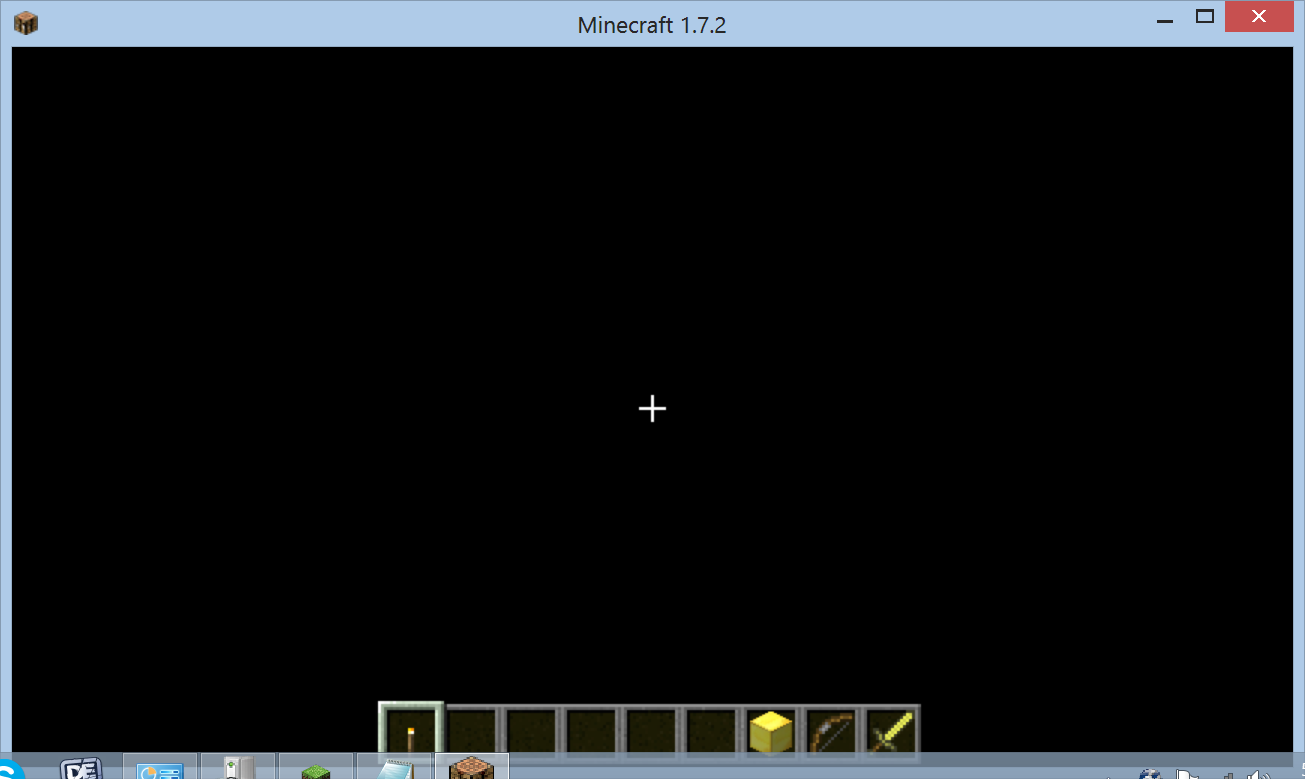
What I expected to happen was the world to load into a view where I could play.
What actually happened was the world loaded to a black screen with a blank item bar, the crosshair and the achievement bar. Menu will not access in this state until t
ask manager is pulled up
Describe what happened hereSteps to Reproduce:
1. Load Minecraft
2. Select Singleplayer
3. Load existing world or create a new world
4. World load proceeds and rather than loading any chunks it loads to a screen matching the provided screen shot.What I expected to happen was the world to load into a view where I could play.
What actually happened was the world loaded to a black screen with a blank item bar, the crosshair and the achievement bar. Menu will not access in this state until the game loses focus (tabbing out, pulling up task manager, etc)
Describe what happened hereSteps to Reproduce:
1. Load Minecraft
2. Select Singleplayer
3. Load existing world or create a new world
4. World load proceeds and rather than loading any chunks it loads to a screen matching the provided screen shot.
This makes me feel like a stooge. Thanks for the quick response, it's fully functional after installing the 64-bit version.