 Jetsadanuphont
- grizillar
- grizillar
- Europe/Stockholm
- Yes
- No
 MC-148607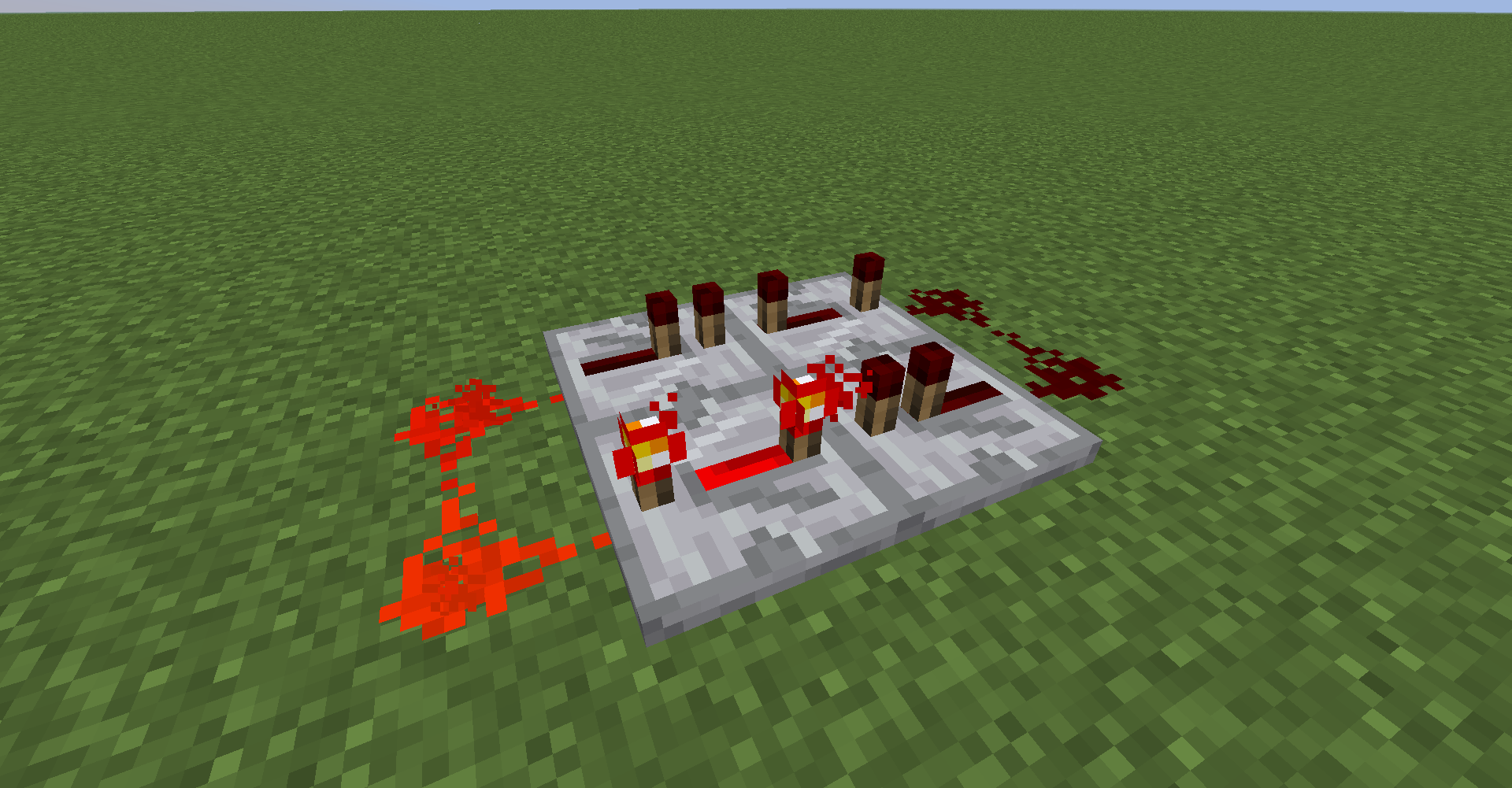




After player died redstone clock, redstone loop and command block loop stop.
picture 1: look like normal but it's actually stopped.
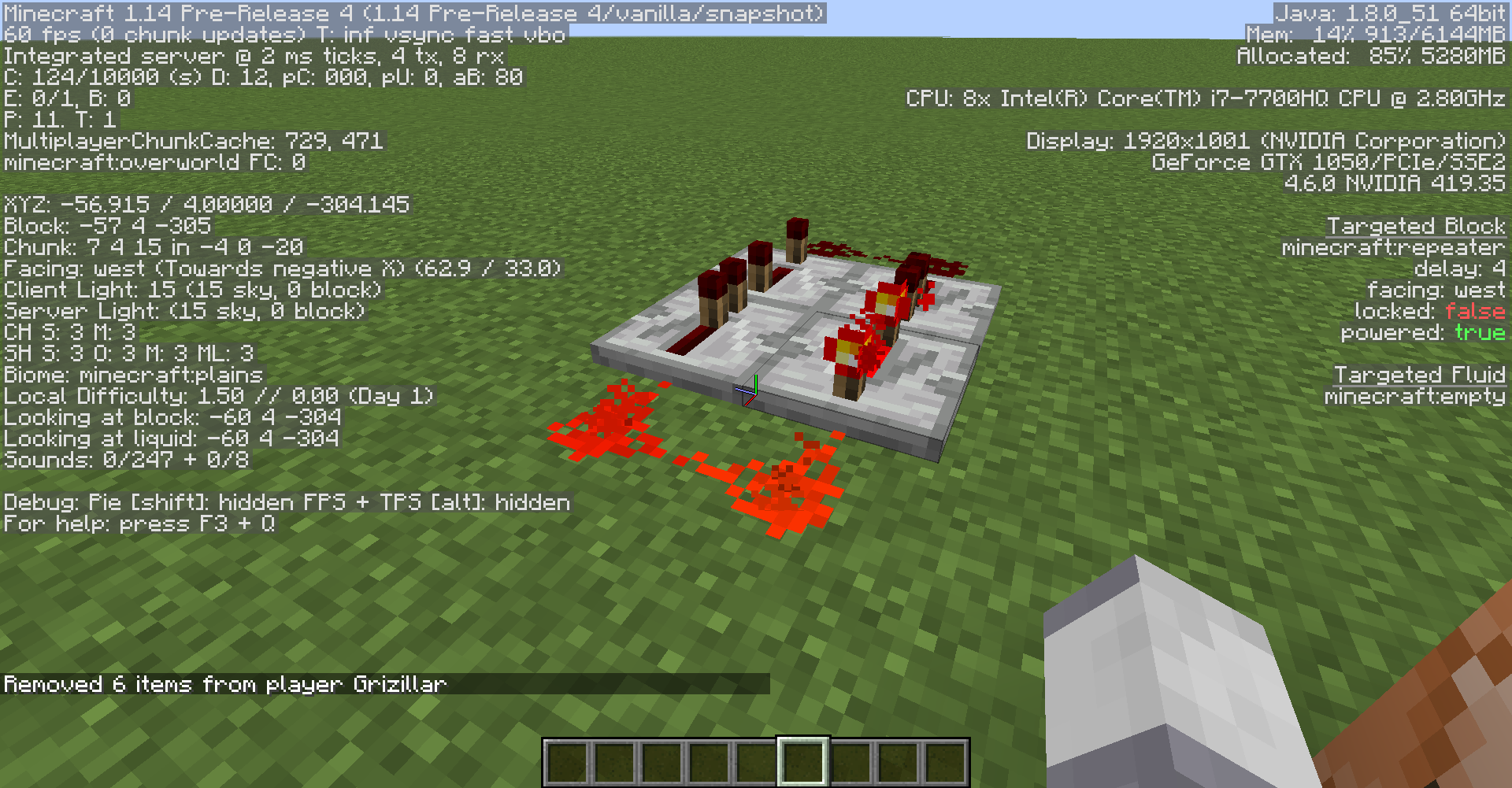
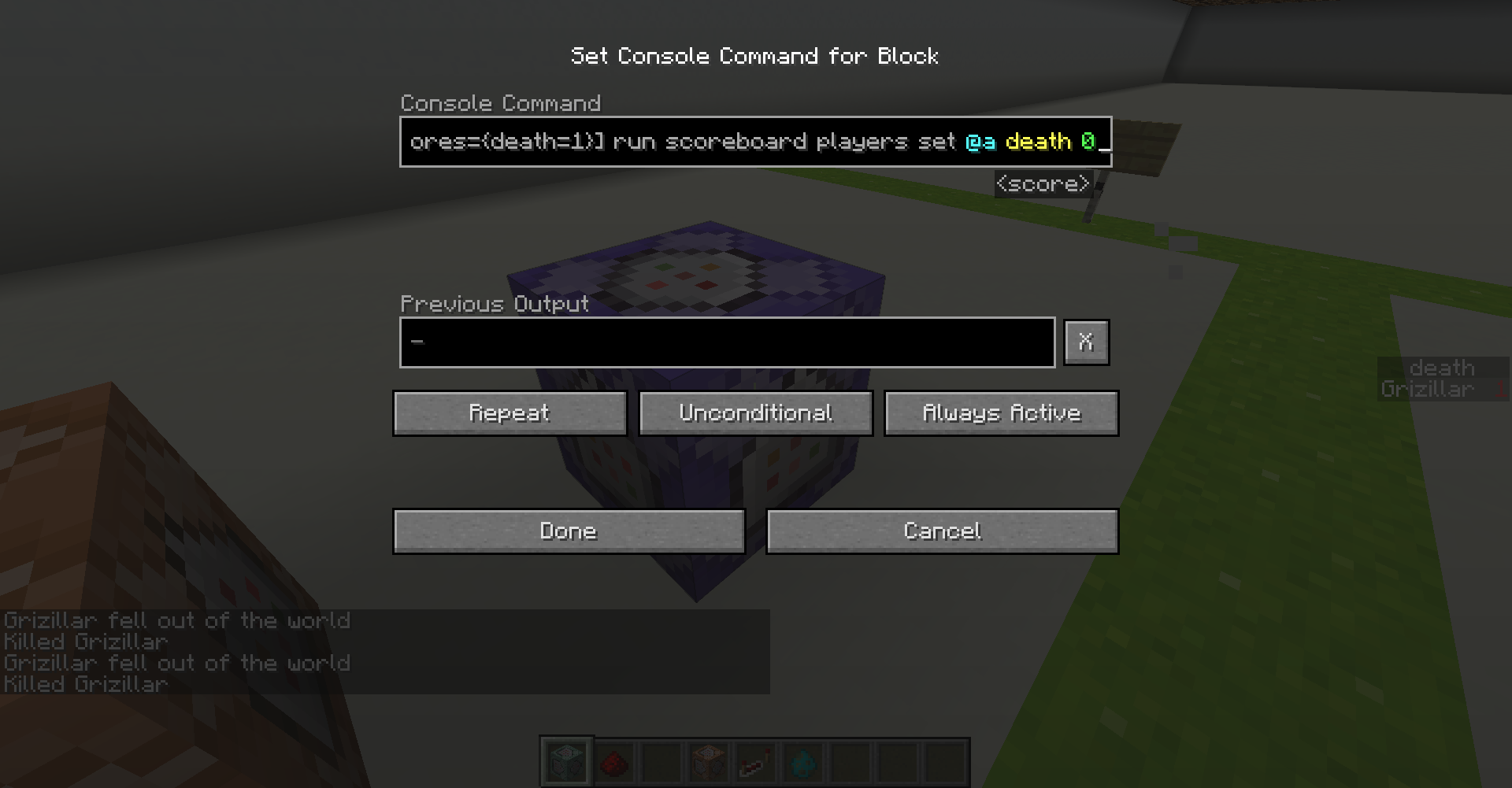
picture 2: in sidebar you can see death score is 1 but the command is stopped at not set my score back to 0.
What I expected to happen was...:
Redstone clock will run normally.What actually happened was...:
It stuck until you destroy one of redstone or the repeater.Steps to Reproduce:
1. Build easy redstone clock(as attachment picture) or command (/execute if entity @p[scores=\{death=1}] run scoreboard players reset @p death) if scoreboard death is deathCount criteria. And run command for few times in repeat command block. (first time it'll work normally)
2. Command /kill @a or being kill in anyways (tested with zombie)After player died redstone clock, redstone loop and command block loop stop.
picture 1: look like normal but it's actually stopped.
picture 2: in sidebar you can see death score is 1 but the command is stopped at not set my score back to 0.
What I expected to happen was...:
Redstone clock will run normally.What actually happened was...:
It stuck until you destroy one of redstone or the repeater.Steps to Reproduce:
{death=1}
1. Build easy redstone clock(as attachment picture) or command (/execute if entity @p[scores=] run scoreboard players reset @p death) if scoreboard death is deathCount criteria. And run command for few times in repeat command block. (first time it'll work normally)
2. Command /kill @a or being kill in anyways (tested with zombie)

After player died redstone clock, redstone loop and command block loop stop.
picture 1: look like normal but it's actually stopped.
picture 2: in sidebar you can see death score is 1 but the command is stopped at not set my score back to 0.
What I expected to happen was...:
Redstone clock will run normally.What actually happened was...:
It stuck until you destroy one of redstone or the repeater.Steps to Reproduce:
{death=1}
1. Build easy redstone clock(as attachment picture) or command (/execute if entity @p[scores=] run scoreboard players reset @p death) if scoreboard death is deathCount criteria. And run command for few times in repeat command block. (first time it'll work normally)
2. Command /kill @a or being kill in anyways (tested with zombie)After player died redstone clock, redstone loop and command block loop stop.
picture 1: look like normal but it's actually stopped.
picture 2: in sidebar you can see death score is 1 but the command is stopped at not set my score back to 0.
What I expected to happen was...:
Redstone clock will run normally.What actually happened was...:
It stuck until you destroy one of redstone or the repeater.Steps to Reproduce:
{death=1}
1. Build easy redstone clock(as attachment picture) or command (/execute if entity @p[scores=] run scoreboard players reset @p death) if scoreboard death is deathCount criteria. And run command for few times in repeat command block. (first time it'll work normally)
2. Command /kill @a or being kill in anyways (tested with zombie)
After player died redstone clock, redstone loop and command block loop stop.
picture 1: look like normal but it's actually stopped.
picture 2: in sidebar you can see death score is 1 but the command is stopped a
t not set my score back to 0.What I expected to happen was...:
Redstone clock will run normally.What actually happened was...:
It stuck until you destroy one of redstone or the repeater.Steps to Reproduce:
{death=1}
1. Build easy redstone clock(as attachment picture) or command (/execute if entity @p[scores=] run scoreboard players reset @p death) if scoreboard death is deathCount criteria. And run command for few times in repeat command block. (first time it'll work normally)
2. Command /kill @a or being kill in anyways (tested with zombie)After player died redstone clock, redstone loop and command block loop stop.
picture 1: look like normal but it's actually stopped.
picture 2: in sidebar you can see death score is 1 but the command is stopped and didn't set my score back to 0.
What I expected to happen was...:
Redstone clock will run normally.What actually happened was...:
It stuck until you destroy one of redstone or the repeater.Steps to Reproduce:
{death=1}
1. Build easy redstone clock(as attachment picture) or command (/execute if entity @p[scores=] run scoreboard players reset @p death) if scoreboard death is deathCount criteria. And run command for few times in repeat command block. (first time it'll work normally)
2. Command /kill @a or being kill in anyways (tested with zombie)
After player diedredstone clock, redstone loop and command block loop stop.
After player died redstone clock, redstone loop and command block loop stop.
picture 1: look like normal but it's actually stopped.
picture 2: in sidebar you can see death score is 1 but the command is stopped and didn't set my score back to 0.
What I expected to happen was...:
Redstone clock will run normally.What actually happened was...:
It stuck until you destroy one of redstone or the repeater.Steps to Reproduce:
{death=1}
1. Build easy redstone clock(as attachment picture) or command (/execute if entity @p[scores=] run scoreboard players reset @p death) if scoreboard death is deathCount criteria. And run command for few times in repeat command block. (first time it'll work normally)
2. Command /kill @a or being kill in anyways (tested with zombie)
PS Since Pre-Release 5 ,This glitch solved.
After player died redstone clock, redstone loop and command block loop stop.
picture 1: look like normal but it's actually stopped.
picture 2: in sidebar you can see death score is 1 but the command is stopped and didn't set my score back to 0.
What I expected to happen was...:
Redstone clock will run normally.What actually happened was...:
It stuck until you destroy one of redstone or the repeater.Steps to Reproduce:
{death=1}
1. Build easy redstone clock(as attachment picture) or command (/execute if entity @p[scores=] run scoreboard players reset @p death) if scoreboard death is deathCount criteria. And run command for few times in repeat command block. (first time it'll work normally)
2. Command /kill @a or being kill in anyways (tested with zombie)
PS Since Pre-Release 5 ,This glitch solved.
Everything is delayed.
Everything are delayed. Open barrel, open chest, chest close, barrel close village trade, etc.
But the still on good performance. Fine Frame Rate, Disk allocated not much.Sometimes, player skin is delayed too. (but I think that because my internet connection are at not good status or high latency.)
In attachments, I can open 2 of them at the same time because of the delay of the game. and I also can move a little bit before it close.
Since Pre-Release 5 ,Bug fixed.
Ok, randomtickspeed actually cause the problem. Return it to default can solve it.