Hi Violine1101, do I need to present this error to a dev, or will you be doing it on behalf of me? I would just like to know so that I can make some progress with the issue and get playing again.
I wish it worked like that! I've tried that about 4 times in a row haha. Uninstalled and cleared all minecraft folders off of my pc. Checked firewall settings. Cleared all minecraft files before each restart on task manager... Soooo frustrating!
 Cameron
 MCL-13519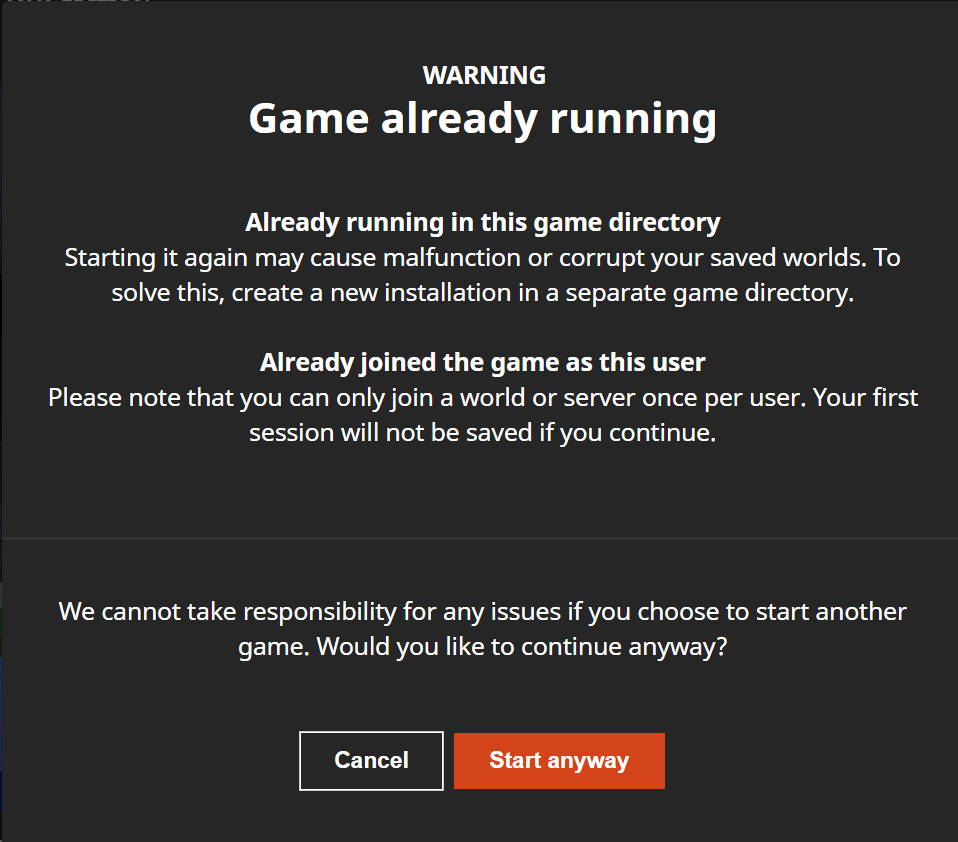


Yes it does, I've tried restarting a few times.
Yes it does, I've restarted my computer multiple times.
2020-03-30-1.log
I can't find the full launcher log as you've explained, is this it? I've attached the files in the attachment section.
Oops sorry, think it's here.
Yup think I've found it here - thanks for that
Any luck with that?
Okay, thanks. What do I need to do from here?
Or do I just wait to hear from you guys?
Hi Violine1101, do I need to present this error to a dev, or will you be doing it on behalf of me? I would just like to know so that I can make some progress with the issue and get playing again.
That's the issue, Minecraft does not start when I select 'Start Anyway' so I cannot play at all at the moment.
Any ideas for why I can't play when I press 'Start Anyway'? Rather frustrating as I haven't been able to play for 3 weeks now.
I wish it worked like that! I've tried that about 4 times in a row haha. Uninstalled and cleared all minecraft folders off of my pc. Checked firewall settings. Cleared all minecraft files before each restart on task manager... Soooo frustrating!