 Hardel
- Hardel
- hardel
- Europe/Stockholm
- Yes
- No
 MC-116396


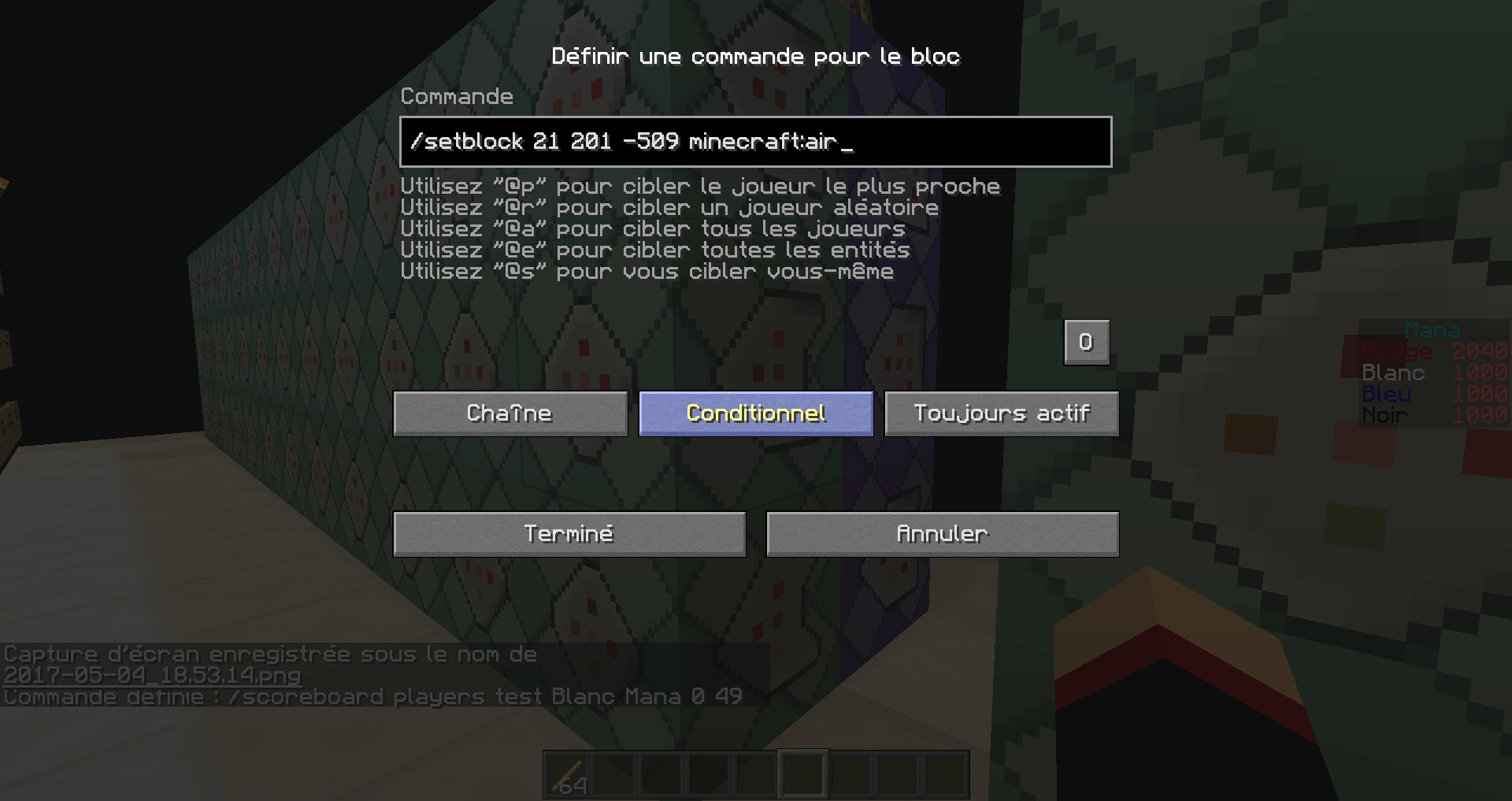

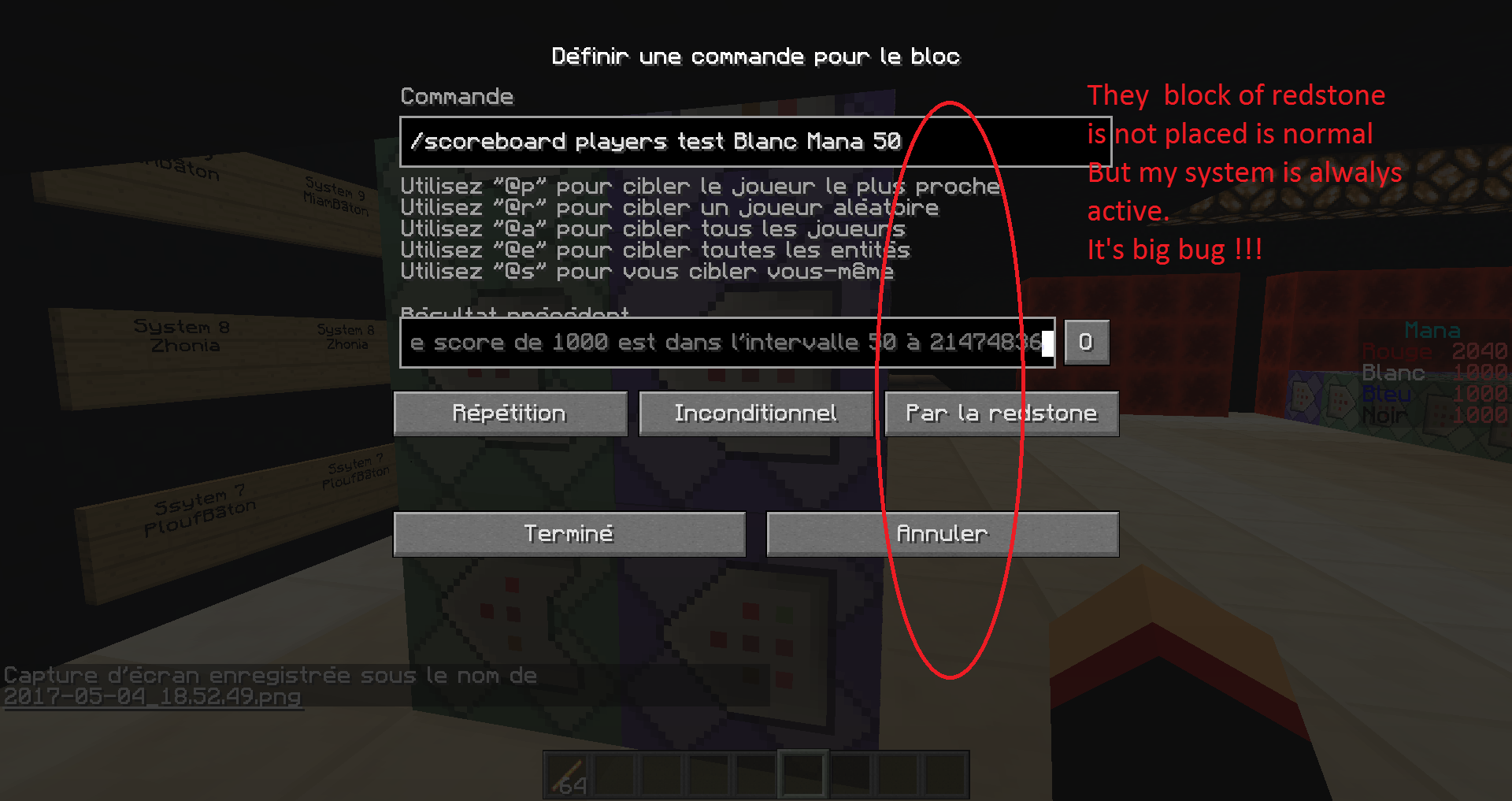
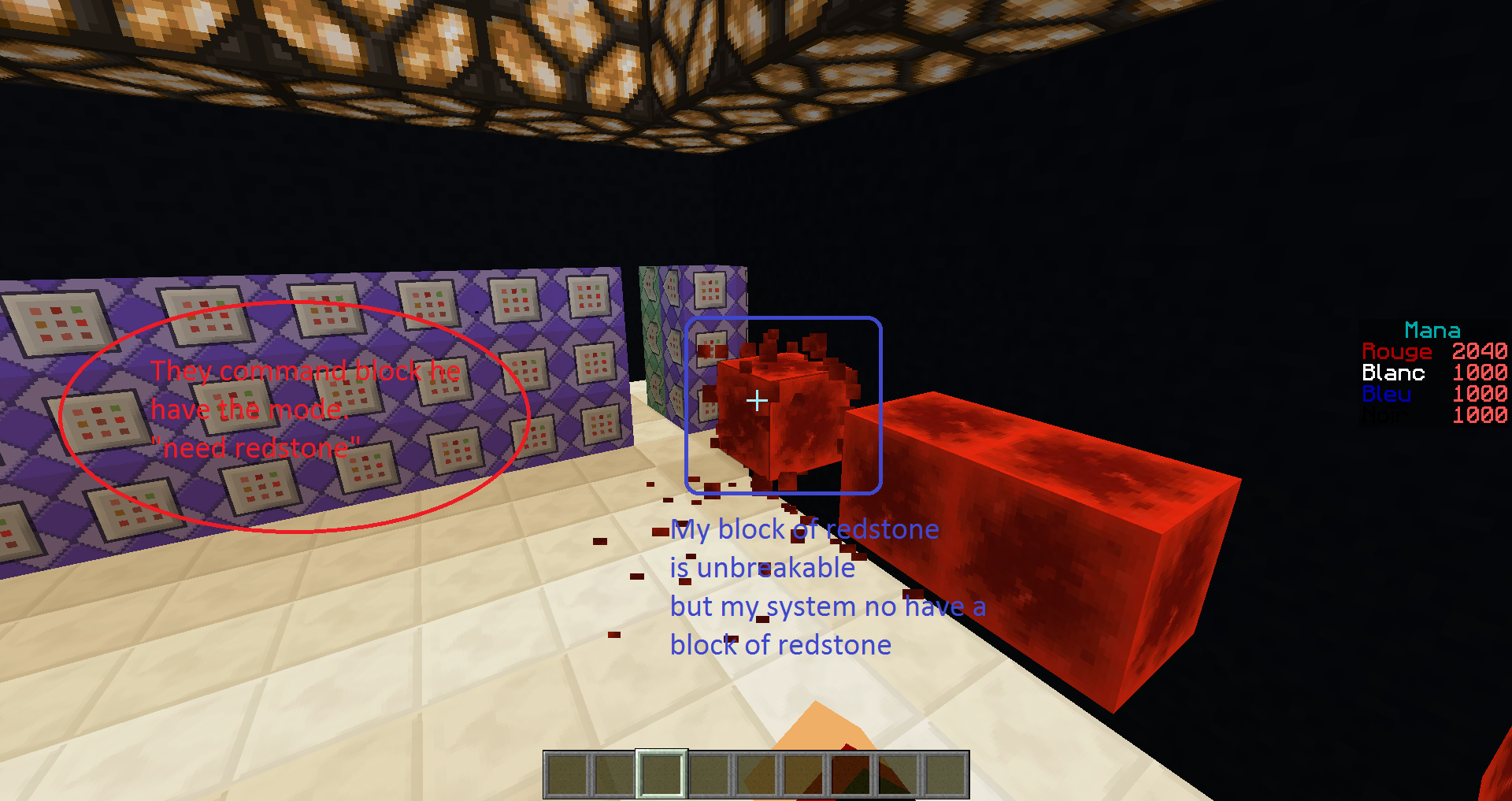























My system is good in 17w17b look picture 6 and 7.
and in 17w18a and 17w18b is full bug.Look my system in picture 1,2,3,4.
Ok so now look my picture 5.
my system is not powered but he placed a block of redstone and placed air block.Sorry for my english i speak bad english,im french.
My system is good in 17w17b look picture 6 and 7.
and in 17w18a and 17w18b is full bug.Look my system in picture 1,2,3,4.
Ok so now look my picture 5.
my system is not powered but he placed a block of redstone and placed air block.Sorry for my english i speak bad english,im french.
My system is good in 17w17b look picture 6 and 7.
and in 17w18a and 17w18b is full bug.Look my system in picture 1,2,3,4.
Ok so now look my picture 5.
my system is not powered but he placed a block of redstone and placed air block.Steps to reproduce:
1. create a scoreboard /scoreboard objective create Mana dummy Mana
1. place 4 command block (2 command block chain always active conditional) and (2 block of redstone repeat need redstone inconditionel)
The first system
in repeat /scoreboard player test "name" "objective" 50
in chain /setblock ~ ~2 ~ minecraft:redstone_block
next to the first system. create a seconde system.
in repeat /scoreboard player test "name" "objective" -10000 49
in chain /setblock ~1 ~2 ~ minecraft:air2.with one command fill a redstone block for activate they 2 system and look the bug.
Sorry for my english i speak bad english,im french.
My system is good in 17w17b look picture 6 and 7.
and in 17w18a and 17w18b is full bug.Look my system in picture 1,2,3,4.
Ok so now look my picture 5.
my system is not powered but he placed a block of redstone and placed air block.Steps to reproduce:
1. create a scoreboard /scoreboard objective create Mana dummy Mana
1. place 4 command block (2 command block chain always active conditional) and (2 block of redstone repeat need redstone inconditionel)
The first system
in repeat /scoreboard player test "name" "objective" 50
in chain /setblock ~ ~2 ~ minecraft:redstone_block
next to the first system. create a seconde system.
in repeat /scoreboard player test "name" "objective" -10000 49
in chain /setblock ~1 ~2 ~ minecraft:air2.with one command fill a redstone block for activate they 2 system and look the bug.
Sorry for my english i speak bad english,im french.
My system is good in 17w17b look picture 6 and 7.
and in 17w18a and 17w18b is full bug.Look my system in picture 1,2,3,4.
Ok so now look my picture 5.
my system is not powered but he placed a block of redstone and placed air block.Steps to reproduce:
1. create a scoreboard /scoreboard objective create Mana dummy Mana
And 1 time per seconde add 5 for scoreboard mana.2. place 4 command block (2 command block chain always active conditional) and (2 block of redstone repeat need redstone inconditionel)
The first system
in repeat /scoreboard player test "name" "objective" 50
in chain /setblock ~ ~2 ~ minecraft:redstone_block
next to the first system. create a seconde system.
in repeat /scoreboard player test "name" "objective" -10000 49
in chain /setblock ~1 ~2 ~ minecraft:air3.with one command fill a redstone block for activate they 2 system and look the bug.
/fill ~ ~ ~ ~ ~ ~ minecraft:restone_blockSorry for my english i speak bad english,im french.
My system is good in 17w17b look picture 6 and 7.
and in 17w18a and 17w18b is full bug.Look my system in picture 1,2,3,4.
Ok so now look my picture 5.
my system is not powered but he placed a block of redstone and placed air block.Steps to reproduce:
1. create a scoreboard
/scoreboard objective create Mana dummy Mana
And 1 time per seconde add 5 for scoreboard mana.2. place 4 command block (2 command block chain always active conditional) and (2 block of redstone repeat need redstone inconditionel)
The first system
in repeat /scoreboard player test "name""objective"50
in chain /setblock ~ ~2 ~ minecraft:redstone_block
next to the first system. create a seconde system.
in repeat /scoreboard player test "name""objective"-10000 49
in chain /setblock ~1 ~2 ~ minecraft:air3.with one command fill a redstone block for activate they 2 system and look the bug.
/fill ~ ~ ~ ~ ~ ~ minecraft:restone_blockSorry for my english i speak bad english,im french.
My system is good in 17w17b look picture 6 and 7.
and in 17w18a and 17w18b is full bug.Look my system in picture 1,2,3,4.
Ok so now look my picture 5.
my system is not powered but he placed a block of redstone and placed air block.Steps to reproduce:
1. create a scoreboard
/scoreboard objective create Mana dummy Mana
/scoreboard objective create Timer dummy Mana
Next to create a new system with 4 command block
Command block repeat /scoreboard player add Time Timer 1
Command block chain /scoreboard player test Time Timer 200
command block chain conditional /scoreboard player add RedTeam Mana 52. place 4 command block (2 command block chain always active conditional) and (2 block of redstone repeat need redstone inconditionel)
The first system
in repeat /scoreboard player test "name" Mana 50
in chain /setblock ~ ~2 ~ minecraft:redstone_block
next to the first system. create a seconde system.
in repeat /scoreboard player test "name" Mana -10000 49
in chain /setblock ~1 ~2 ~ minecraft:air3.with one command fill a redstone block for activate they 2 system and look the bug.
/fill ~ ~ ~ ~ ~ ~ minecraft:restone_blockSorry for my english i speak bad english,im french.
My system is good in 17w17b look picture 6 and 7.
and in 17w18a and 17w18b is full bug.Look my system in picture 1,2,3,4.
Ok so now look my picture 5.
my system is not powered but he placed a block of redstone and placed air block.Steps to reproduce:
1. create a scoreboard
/scoreboard objective create Mana dummy Mana
/scoreboard objective create Timer dummy Mana
Next to create a new system with 4 command block
Command block repeat /scoreboard player add Time Timer 1
Command block chain /scoreboard player test Time Timer 200
command block chain conditional /scoreboard player add RedTeam Mana 52. place 4 command block (2 command block chain always active conditional) and (2 block of redstone repeat need redstone inconditionel)
The first system
in repeat /scoreboard player test"name"Mana 50
in chain /setblock ~ ~2 ~ minecraft:redstone_block
next to the first system. create a seconde system.
in repeat /scoreboard player test"name"Mana -10000 49
in chain /setblock ~1 ~2 ~ minecraft:air3.with one command fill a redstone block for activate they 2 system and look the bug.
/fill ~ ~ ~ ~ ~ ~ minecraft:restone_blockSorry for my english i speak bad english,im french.
My system is good in 17w17b look picture 6 and 7.
and in 17w18a and 17w18b is full bug.Look my system in picture 1,2,3,4.
Ok so now look my picture 5.
my system is not powered but he placed a block of redstone and placed air block.Steps to reproduce:
1. create a scoreboard
/scoreboard objective create Mana dummy Mana
/scoreboard objective create Timer dummy Mana
Next to create a new system with 4 command block
Command block repeat /scoreboard player add Time Timer 1
Command block chain /scoreboard player test Time Timer 200
command block chain conditional /scoreboard player add RedTeam Mana 52. place 4 command block (2 command block chain always active conditional) and (2 block of redstone repeat need redstone inconditionel)
The first system
in repeat /scoreboard player test RedTeam Mana 50
in chain /setblock ~ ~2 ~ minecraft:redstone_block
next to the first system. create a seconde system.
in repeat /scoreboard player test RedTeam Mana -10000 49
in chain /setblock ~1 ~2 ~ minecraft:air3.with one command fill a redstone block for activate they 2 system and look the bug.
/fill ~ ~ ~ ~ ~ ~ minecraft:restone_blockSorry for my english i speak bad english,im french.
My system is good in 17w17b look picture 6 and 7.
and in 17w18a and 17w18b is full bug.Look my system in picture 1,2,3,4.
Ok so now look my picture 5.
my system is not powered but he placed a block of redstone and placed air block.Steps to reproduce:
1. create a scoreboard
/scoreboard objective create Mana dummy Mana
/scoreboard objective create Timer dummyMana
Next to create a new system with 4 command block
Command block repeat /scoreboard player add Time Timer 1
Command block chain /scoreboard player test Time Timer 200
command block chain conditional /scoreboard player add RedTeam Mana 52. place 4 command block (2 command block chain always active conditional) and (2 block of redstone repeat need redstone inconditionel)
The first system
in repeat /scoreboard player test RedTeam Mana 50
in chain /setblock ~ ~2 ~ minecraft:redstone_block
next to the first system. create a seconde system.
in repeat /scoreboard player test RedTeam Mana -10000 49
in chain /setblock ~1 ~2 ~ minecraft:air3.with one command fill a redstone block for activate they 2 system and look the bug.
/fill ~ ~ ~ ~ ~ ~ minecraft:restone_blockSorry for my english i speak bad english,im french.
My system is good in 17w17b look picture 6 and 7.
and in 17w18a and 17w18b is full bug.Look my system in picture 1,2,3,4.
Ok so now look my picture 5.
my system is not powered but he placed a block of redstone and placed air block.Steps to reproduce:
1. create a scoreboard
/scoreboard objective create Mana dummy Mana
/scoreboard objective create Timer dummy Timer
Next to create a new system with 4 command block
Command block repeat /scoreboard player add Time Timer 1
Command block chain /scoreboard player test Time Timer 200
command block chain conditional /scoreboard player add RedTeam Mana 52. place 4 command block (2 command block chain always active conditional) and (2 block of redstone repeat need redstone inconditionel)
The first system
in repeat /scoreboard player test RedTeam Mana 50
in chain /setblock ~ ~2 ~ minecraft:redstone_block
next to the first system. create a seconde system.
in repeat /scoreboard player test RedTeam Mana -10000 49
in chain /setblock ~1 ~2 ~ minecraft:air3.with one command fill a redstone block for activate they 2 system and look the bug.
/fill ~ ~ ~ ~ ~ ~ minecraft:restone_blockSorry for my english i speak bad english,im french.
My system is good in 17w17b look picture 6 and 7.
and in 17w18a and 17w18b is full bug.Look my system in picture 1,2,3,4.
Ok so now look my picture 5.
my system is not powered but he placed a block of redstone and placed air block.Steps to reproduce:
1. create a scoreboard
/scoreboard objective create Mana dummy Mana
/scoreboard objective create Timer dummy Timer
Next to create a new system with4command block
Command block repeat /scoreboard player add Time Timer 1
Command block chain /scoreboard player test Time Timer 200
command block chain conditional /scoreboard player add RedTeam Mana 52. place 4 command block (2 command block chain always active conditional) and (2 block of redstone repeat need redstone inconditionel)
The first system
in repeat /scoreboard player test RedTeam Mana 50
in chain /setblock ~ ~2 ~ minecraft:redstone_block
next to the first system. create a seconde system.
in repeat /scoreboard player test RedTeam Mana -10000 49
in chain /setblock ~1 ~2 ~ minecraft:air3.with one command fill a redstone block for activate they 2 system and look the bug.
/fill ~ ~ ~ ~ ~ ~ minecraft:restone_blockSorry for my english i speak bad english,im french.
My system is good in 17w17b look picture 6 and 7.
and in 17w18a and 17w18b is full bug.Look my system in picture 1,2,3,4.
Ok so now look my picture 5.
my system is not powered but he placed a block of redstone and placed air block.Steps to reproduce:
1. create a scoreboard
/scoreboard objective create Mana dummy Mana
/scoreboard objective create Timer dummy Timer
Next to create a new system with 3 command block
Command block repeat /scoreboard player add Time Timer 1
Command block chain /scoreboard player test Time Timer 200
command block chain conditional /scoreboard player add RedTeam Mana 52. place 4 command block (2 command block chain always active conditional) and (2 block of redstone repeat need redstone inconditionel)
The first system
in repeat /scoreboard player test RedTeam Mana 50
in chain /setblock ~ ~2 ~ minecraft:redstone_block
next to the first system. create a seconde system.
in repeat /scoreboard player test RedTeam Mana -10000 49
in chain /setblock ~1 ~2 ~ minecraft:air3.with one command fill a redstone block for activate they 2 system and look the bug.
/fill ~ ~ ~ ~ ~ ~ minecraft:restone_blockSorry for my english i speak bad english,im french.
My system is good in 17w17b look picture 6 and 7.
and in 17w18a and 17w18b is full bug.Look my system in picture 1,2,3,4.
Ok so now look my picture 5.
my system is not powered but he placed a block of redstone and placed air block.Steps to reproduce:
1. create a scoreboard
/scoreboard objective create Mana dummy Mana
/scoreboard objective create Timer dummy Timer
Next to create a new system with3command block
Command block repeat /scoreboard player add Time Timer 1
Command block chain /scoreboard player test Time Timer 200
command block chain conditional /scoreboard player add RedTeam Mana 52. place 4 command block (2 command block chain always active conditional) and (2 block of redstone repeat need redstone inconditionel)
The first system
in repeat /scoreboard player test RedTeam Mana 50
in chain /setblock ~ ~2 ~ minecraft:redstone_block
next to the first system. create a seconde system.
in repeat /scoreboard player test RedTeam Mana -10000 49
in chain /setblock ~1 ~2 ~ minecraft:air3.with one command fill a redstone block for activate they 2 system and look the bug.
/fill ~ ~ ~ ~ ~ ~ minecraft:restone_blockSorry for my english i speak bad english,im french.
My system is good in 17w17b look picture 6 and 7.
and in 17w18a and 17w18b is full bug.Look my system in picture 1,2,3,4.
Ok so now look my picture 5.
my system is not powered but he placed a block of redstone and placed air block.Steps to reproduce:
1. create a scoreboard
/scoreboard objective create Mana dummy Mana
/scoreboard objective create Timer dummy Timer
Next to create a new system with 4 command block
Command block repeat /scoreboard player add Time Timer 1
Command block chain /scoreboard player test Time Timer 200
command block chain conditional /scoreboard player add RedTeam Mana 5
command block chain conditional /scoreboard player remove Time Timer 2002. place 4 command block (2 command block chain always active conditional) and (2 block of redstone repeat need redstone inconditionel)
The first system
in repeat /scoreboard player test RedTeam Mana 50
in chain /setblock ~ ~2 ~ minecraft:redstone_block
next to the first system. create a seconde system.
in repeat /scoreboard player test RedTeam Mana -10000 49
in chain /setblock ~1 ~2 ~ minecraft:air3.with one command fill a redstone block for activate they 2 system and look the bug.
/fill ~ ~ ~ ~ ~ ~ minecraft:restone_blockSorry for my english i speak bad english,im french.
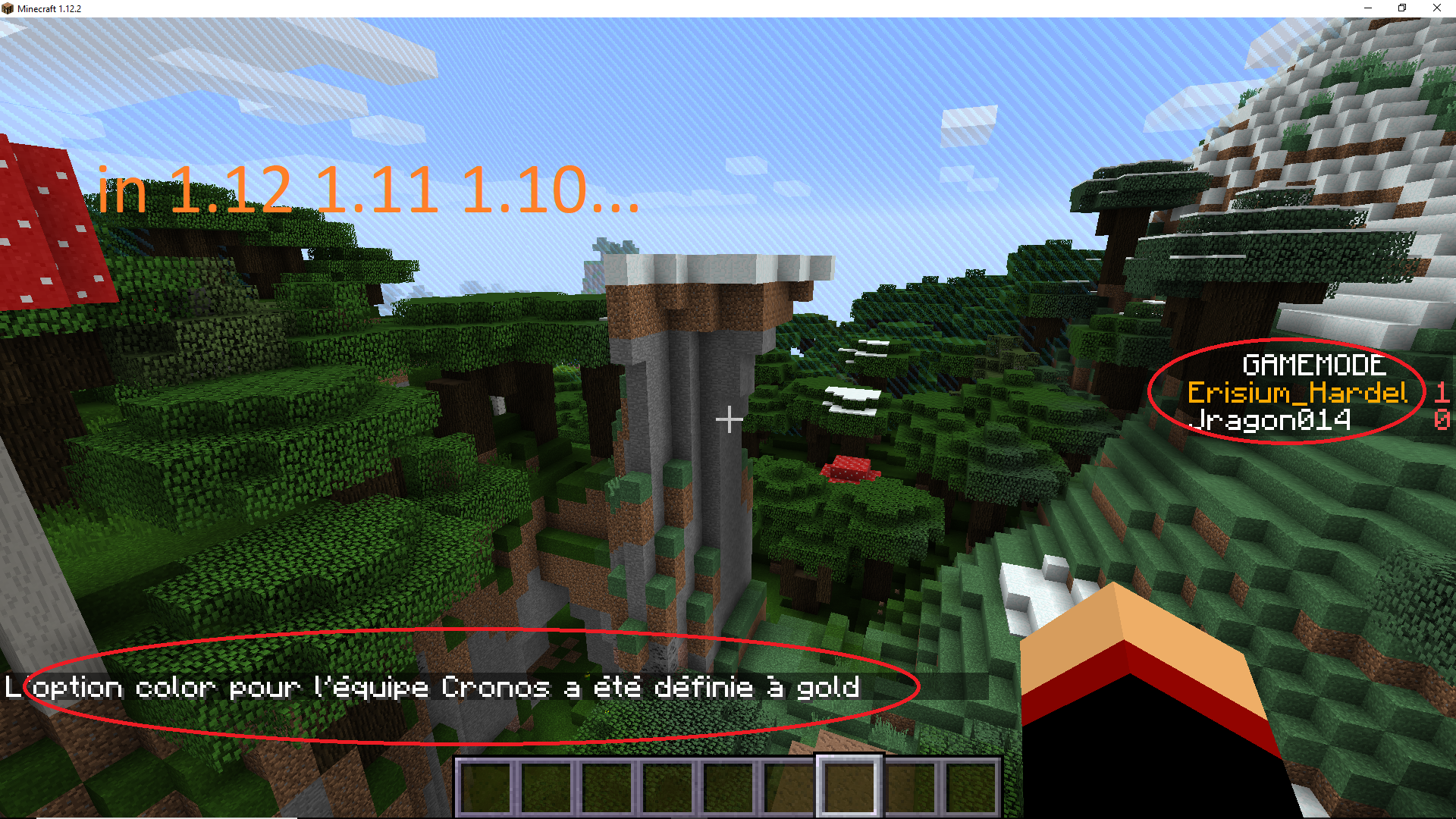
create scoreboard colored with fuction is bugged in pre realsese 7
reproduce the bug :
En-tête 1 En-tête 2 /scoreboard objectives add Mana dummu §3Mana
/scoreboard objectives setdisplays sidebar ManaCol A2 §3 = cyan
create scoreboard colored with fuction is bugged in pre realsese 7
reproduce the bug :
/scoreboard objectives add Mana dummu §3Mana/scoreboard objectives setdisplays sidebar Mana§3 = cyan
create scoreboard colored with fuction is bugged in pre realsese 7
reproduce the bug :
/scoreboard objectives add Mana dummu§3Mana/scoreboard objectives setdisplayssidebar Mana§3 = cyan
create scoreboard colored with fuction is bugged in pre realsese 7
reproduce the bug :
/scoreboard objectives add Mana dummy §3Mana/scoreboard objectives setdisplay sidebar Mana§3 = cyan
2017-06-03_12.03.53.png
Hello My name is Hardel.,
I started minecraft in beta 1.8.and now im map maker.
I just found a bug or a bad feature.So I'm coming here for you to talk about a bug or a bad feature.
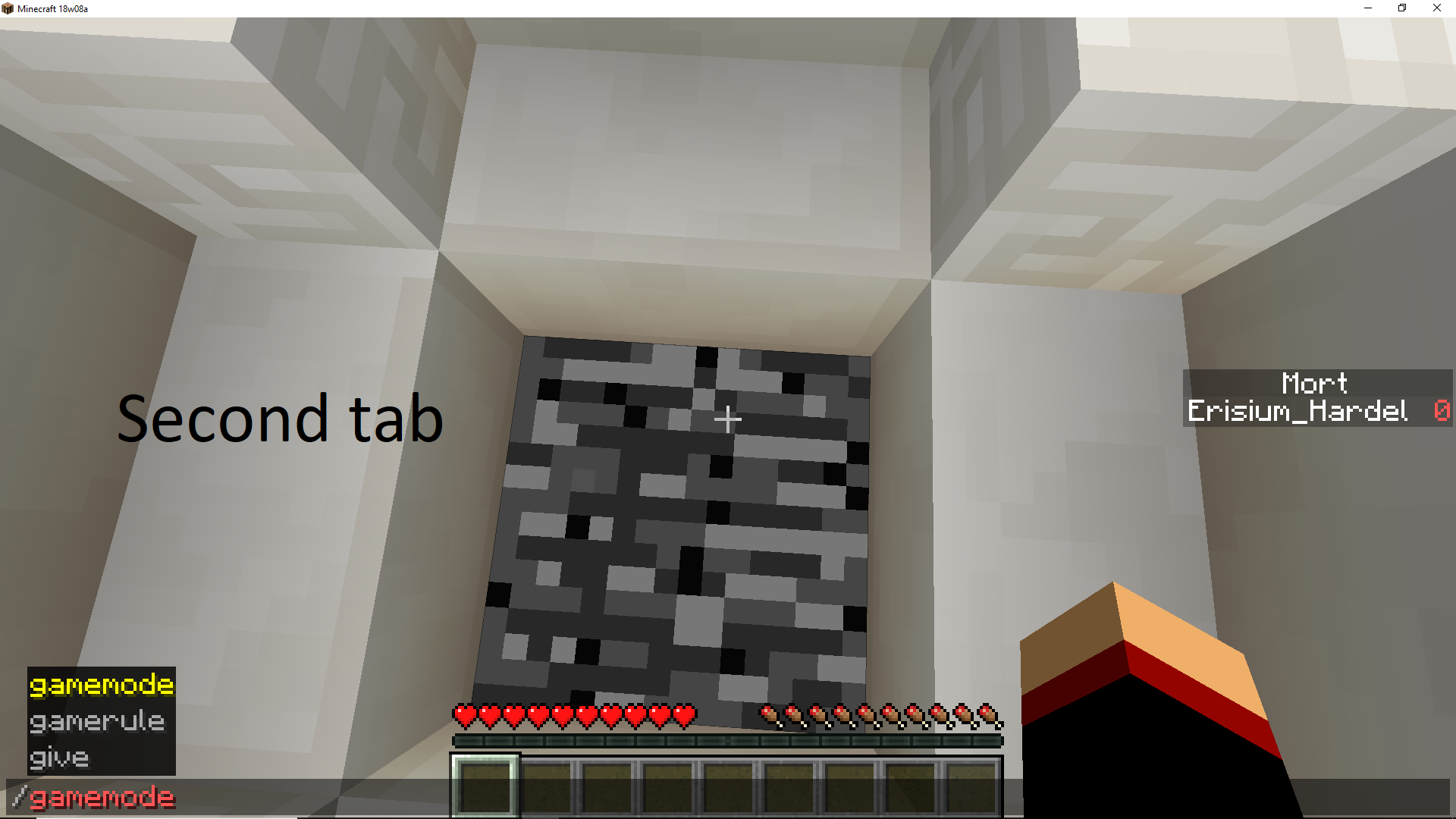
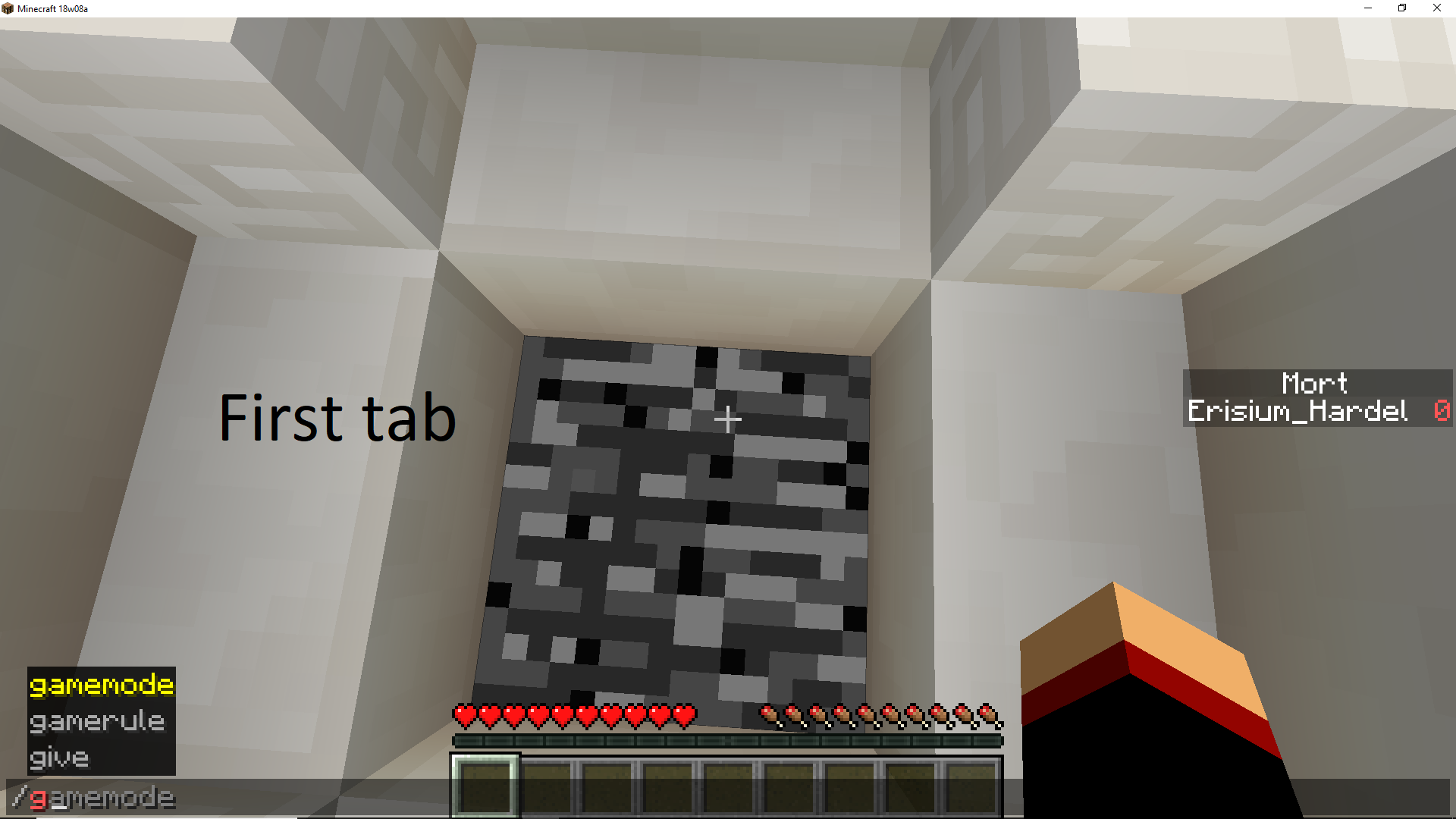
auto-complete needs to press the tab key twice to make it work.
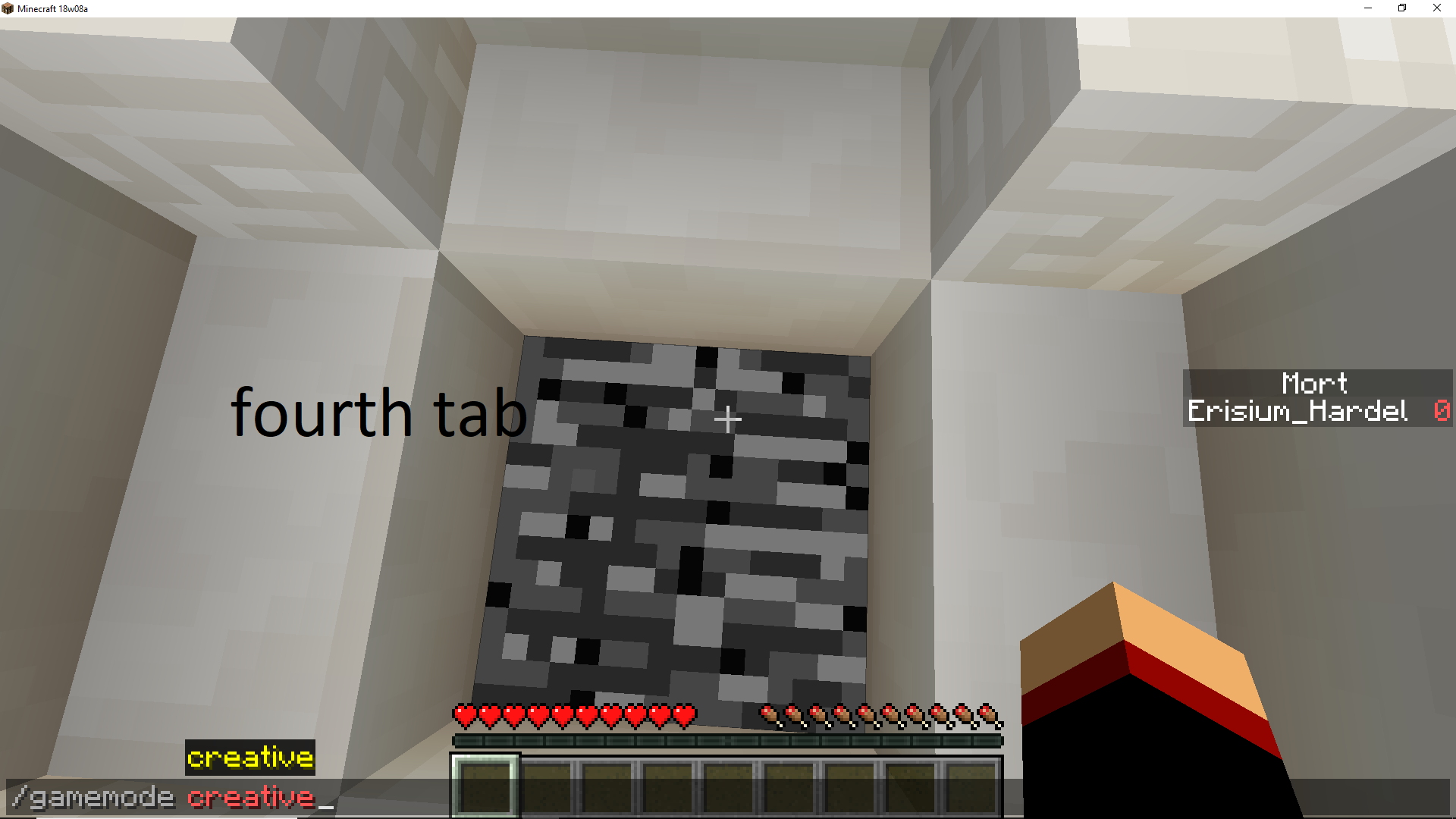
im map maker , And I find it annoying having to press tab twice to have auto completetion.example :
to write the command "/gamemode creative"
^
/ga [Tab] [Tab]
/gamemode c [Tab] [Tab]
/gamemode creative [enter]^I saw another bug ctrl + a in azerty does not work.
Thank you for taking the time to read my bug report.
I do not speak English very well , sorry ^^
Hello My name is Hardel.,
I started minecraft in beta 1.8.and now im map maker.
I just found a bug or a bad feature.So I'm coming here for you to talk about a bug or a bad feature.
auto-complete needs to press the tab key twice to make it work.
im map maker , And I find it annoying having to press tab twice to have auto completetion.example :
to write the command "/gamemode creative"
^
/ga [Tab] [Tab]
/gamemode c [Tab] [Tab]
/gamemode creative [enter]^I saw another bug ctrl + a in azerty does not work.
Thank you for taking the time to read my bug report.
I do not speak English very well , sorry ^^Hello My name is Hardel.,
I started minecraft in beta 1.8.and now im map maker.
I just found a bug or a bad feature.So I'm coming here for you to talk about a bug or a bad feature.
auto-complete needs to press the tab key twice to make it work.
im map maker , And I find it annoying having to press tab twice to have auto completetion.
- example :
- to write the command "/gamemode creative"
- /ga [Tab] [Tab]
- /gamemode c [Tab] [Tab]
- /gamemode creative [enter]
I saw another bug ctrl + a in azerty does not work.Thank you for taking the time to read my bug report.
I do not speak English very well , sorry ^^
Hello My name is Hardel.,
I started minecraft in beta 1.8.and now im map maker.
I just found a bug or a bad feature.So I'm coming here for you to talk about a bug or a bad feature.
auto-complete needs to press the tab key twice to make it work.
im map maker , And I find it annoying having to press tab twice to have auto completetion.
- example :
- to write the command "/gamemode creative"
- /ga [Tab] [Tab]
- /gamemode c [Tab] [Tab]
- /gamemode creative [enter]
I saw another bug ctrl + a in azerty does not work.Thank you for taking the time to read my bug report.
I do not speak English very well , sorry ^^Hello My name is Hardel.,
I started minecraft in beta 1.8.and now im map maker.
I just found a bug or a bad feature.So I'm coming here for you to talk about a bug or a bad feature.
auto-complete needs to press the tab key twice to make it work.
im map maker , And I find it annoying having to press tab twice to have auto completetion.
En-tête 1 En-tête 2 example :
to write the command "/gamemode creative"/ga [Tab] [Tab]
/gamemode c [Tab] [Tab]
/gamemode creative [enter]|Col A2|I saw another bug ctrl + a in azerty does not work.
Thank you for taking the time to read my bug report.
I do not speak English very well , sorry ^^
Hello My name is Hardel.,
I started minecraft in beta 1.8.and now im map maker.
I just found a bug or a bad feature.So I'm coming here for you to talk about a bug or a bad feature.
auto-complete needs to press the tab key twice to make it work.
im map maker , And I find it annoying having to press tab twice to have auto completetion.
En-tête 1En-tête2example :
to write the command "/gamemode creative"/ga [Tab] [Tab]
/gamemode c [Tab] [Tab]
/gamemode creative [enter]|Col A2|I saw another bug ctrl + a in azerty does not work.
Thank you for taking the time to read my bug report.
I do not speak English very well , sorry ^^Hello My name is Hardel.,
I started minecraft in beta 1.8.and now im map maker.
I just found a bug or a bad feature.So I'm coming here for you to talk about a bug or a bad feature.
auto-complete needs to press the tab key twice to make it work.
im map maker , And I find it annoying having to press tab twice to have auto completetion.
1.13 1.12 example :
to write the command "/gamemode creative"/ga [Tab] [Tab]
/gamemode c [Tab] [Tab]
/gamemode creative [enter]|Col A2||Col A2|I saw another bug ctrl + a in azerty does not work.
Thank you for taking the time to read my bug report.
I do not speak English very well , sorry ^^
Hello My name is Hardel.,
I started minecraft in beta 1.8.and now im map maker.
I just found a bug or a bad feature.So I'm coming here for you to talk about a bug or a bad feature.
auto-complete needs to press the tab key twice to make it work.
im map maker , And I find it annoying having to press tab twice to have auto completetion.
1.13 1.12 example :
to write the command "/gamemode creative"/ga [Tab] [Tab]
/gamemode c [Tab] [Tab]
/gamemode creative [enter]|Col A2||Col A2|I saw another bug ctrl + a in azerty does not work.
Thank you for taking the time to read my bug report.
I do not speak English very well , sorry ^^Hello My name is Hardel.,
I started minecraft in beta 1.8.and now im map maker.
I just found a bug or a bad feature.So I'm coming here for you to talk about a bug or a bad feature.
auto-complete needs to press the tab key twice to make it work.
im map maker , And I find it annoying having to press tab twice to have auto completetion.
1.13 1.12 example :
to write the command "/gamemode creative"
----------------------------------------------------------
/ga [Tab] [Tab]
/gamemode c [Tab] [Tab]
/gamemode creative [enter]Col A2 Col A2 I saw another bug ctrl + a in azerty does not work.
Thank you for taking the time to read my bug report.
I do not speak English very well , sorry ^^
Hello My name is Hardel.,
I started minecraft in beta 1.8.and now im map maker.
I just found a bug or a bad feature.So I'm coming here for you to talk about a bug or a bad feature.
auto-complete needs to press the tab key twice to make it work.
im map maker , And I find it annoying having to press tab twice to have auto completetion.
1.13 1.12 example :
to write the command "/gamemode creative"
----------------------------------------------------------
/ga [Tab] [Tab]
/gamemode c [Tab] [Tab]
/gamemode creative [enter]Col A2 Col A2 I saw another bug ctrl + a in azerty does not work.
Thank you for taking the time to read my bug report.
I do not speak English very well , sorry ^^
Hello My name is Hardel.,
I started minecraft in beta 1.8.and now im map maker.
I just found a bug or a bad feature.So I'm coming here for you to talk about a bug or a bad feature.
auto-complete needs to press the tab key twice to make it work.
im map maker , And I find it annoying having to press tab twice to have auto completetion.
1.13 1.12 example :
to write the command "/gamemode creative"
----------------------------------------------------------
/ga [Tab] [Tab]
/gamemode c [Tab] [Tab]
/gamemode creative [enter]I saw another bug ctrl + a in azerty does not work.
Thank you for taking the time to read my bug report.
I do not speak English very well , sorry ^^Hello My name is Hardel.,
I started minecraft in beta 1.8.and now im map maker.
I just found a bug or a bad feature.So I'm coming here for you to talk about a bug or a bad feature.
auto-complete needs to press the tab key twice to make it work.
im map maker , And I find it annoying having to press tab twice to have auto completetion.
@
example :
to write the command "/gamemode creative"/ga [Tab] [Tab]
/gamemode c [Tab] [Tab]
/gamemode creative [enter]I saw another bug ctrl + a in azerty does not work.
Thank you for taking the time to read my bug report.
I do not speak English very well , sorry ^^
Hello My name is Hardel.,
I started minecraft in beta 1.8.and now im map maker.
I just found a bug or a bad feature.So I'm coming here for you to talk about a bug or a bad feature.
auto-complete needs to press the tab key twice to make it work.
im map maker , And I find it annoying having to press tab twice to have auto completetion.
@
example :
to write the command "/gamemode creative"/ga [Tab] [Tab]
/gamemode c [Tab] [Tab]
/gamemode creative [enter]I saw another bug ctrl + a in azerty does not work.
Thank you for taking the time to read my bug report.
I do not speak English very well , sorry ^^Hello My name is Hardel.,
I started minecraft in beta 1.8.and now im map maker.
I just found a bug or a bad feature.So I'm coming here for you to talk about a bug or a bad feature.
auto-complete needs to press the tab key twice to make it work.
im map maker , And I find it annoying having to press tab twice to have auto completetion.example : to write the command "/gamemode creative" /ga [Tab] [Tab] /gamemode c [Tab] [Tab] /gamemode creative [enter]I saw another bug ctrl + a in azerty does not work.
Thank you for taking the time to read my bug report.
I do not speak English very well , sorry ^^
Hello My name is Hardel.,
I started minecraft in beta 1.8.and now im map maker.
I just found a bug or a bad feature.So I'm coming here for you to talk about a bug or a bad feature.
auto-complete needs to press the tab key twice to make it work.
im map maker , And I find it annoying having to press tab twice to have auto completetion.example : to write the command "/gamemode creative" /ga [Tab] [Tab] /gamemode c [Tab] [Tab] /gamemode creative [enter]I saw another bug ctrl + a in azerty does not work.
Thank you for taking the time to read my bug report.
I do not speak English very well , sorry ^^
Hello My name is Hardel.,
I started minecraft in beta 1.8.and now im map maker.
I just found a bug or a bad feature.So I'm coming here for you to talk about a bug or a bad feature.
auto-complete needs to press the tab key twice to make it work.
im map maker , And I find it annoying having to press tab twice to have auto completetion.example : to write the command "/gamemode creative" /ga [Tab] [Tab] /gamemode c [Tab] [Tab] /gamemode creative [enter]I saw another bug ctrl + a in azerty does not work.
Thank you for taking the time to read my bug report.
I do not speak English very well , sorry ^^Hello My name is Hardel.,
I started minecraft in beta 1.8.and now im map maker.
I just found a bug or a bad feature.So I'm coming here for you to talk about a bug or a bad feature.
auto-complete needs to press the tab key twice to make it work.
im map maker , And I find it annoying having to press tab twice to have auto completetion.?? example in 1.13.
to write the command "/gamemode creative"/ga [Tab] [Tab]
/gamemode c [Tab] [Tab]
/gamemode creative [enter]??I saw another bug ctrl + a in azerty does not work.
Thank you for taking the time to read my bug report.
I do not speak English very well , sorry ^^
Hello My name is Hardel.,
I started minecraft in beta 1.8.and now im map maker.
I just found a bug or a bad feature.So I'm coming here for you to talk about a bug or a bad feature.
auto-complete needs to press the tab key twice to make it work.
im map maker , And I find it annoying having to press tab twice to have auto completetion.??
example in 1.13.
to write the command "/gamemode creative"/ga [Tab] [Tab]
/gamemode c [Tab] [Tab]
/gamemode creative [enter]??I saw another bug ctrl + a in azerty does not work.
Thank you for taking the time to read my bug report.
I do not speak English very well , sorry ^^
Hello My name is Hardel.,
I started minecraft in beta 1.8.and now im map maker.
I just found a bug or a bad feature.So I'm coming here for you to talk about a bug or a bad feature.
auto-complete needs to press the tab key twice to make it work.
im map maker , And I find it annoying having to press tab twice to have auto completetion.??
example in 1.13.
to write the command "/gamemode creative"/ga [Tab] [Tab]
/gamemode c [Tab] [Tab]
/gamemode creative [enter]??I saw another bug ctrl + a in azerty does not work.
Thank you for taking the time to read my bug report.
I do not speak English very well , sorry ^^
Hello My name is Hardel.,
I started minecraft in beta 1.8.and now im map maker.
I just found a bug or a bad feature.So I'm coming here for you to talk about a bug or a bad feature.
auto-complete needs to press the tab key twice to make it work.
im map maker , And I find it annoying having to press tab twice to have auto completetion.?? example in 1.13.
to write the command "/gamemode creative"/ga [Tab] [Tab]
/gamemode c [Tab] [Tab]
/gamemode creative [enter] ??I saw another bug ctrl + a in azerty does not work.
Thank you for taking the time to read my bug report.
I do not speak English very well , sorry ^^
Hello My name is Hardel.,
I started minecraft in beta 1.8.and now im map maker.
I just found a bug or a bad feature.So I'm coming here for you to talk about a bug or a bad feature.
auto-complete needs to press the tab key twice to make it work.
im map maker , And I find it annoying having to press tab twice to have auto completetion.
??example in 1.13.
to write the command "/gamemode creative"/ga [Tab] [Tab]
/gamemode c [Tab] [Tab]
/gamemode creative [enter] ??I saw another bug ctrl + a in azerty does not work.
Thank you for taking the time to read my bug report.
I do not speak English very well , sorry ^^Hello My name is Hardel.,
I started minecraft in beta 1.8.and now im map maker.
I just found a bug or a bad feature.So I'm coming here for you to talk about a bug or a bad feature.
auto-complete needs to press the tab key twice to make it work.
im map maker , And I find it annoying having to press tab twice to have auto completetion.
??
example in 1.13.
to write the command "/gamemode creative"/ga [Tab] [Tab]
/gamemode c [Tab] [Tab]
/gamemode creative [enter]
??
I saw another bug ctrl + a in azerty does not work.Thank you for taking the time to read my bug report.
I do not speak English very well , sorry ^^
Hello My name is Hardel.,
I started minecraft in beta 1.8.and now im map maker.
I just found a bug or a bad feature.So I'm coming here for you to talk about a bug or a bad feature.
auto-complete needs to press the tab key twice to make it work.
im map maker , And I find it annoying having to press tab twice to have auto completetion.
??
example in 1.13.
to write the command "/gamemode creative"/ga [Tab] [Tab]
/gamemode c [Tab] [Tab]
/gamemode creative [enter]
??
I saw another bug ctrl + a in azerty does not work.Thank you for taking the time to read my bug report.
I do not speak English very well , sorry ^^Hello My name is Hardel.,
I started minecraft in beta 1.8.and now im map maker.
I just found a bug or a bad feature.So I'm coming here for you to talk about a bug or a bad feature.
auto-complete needs to press the tab key twice to make it work.
im map maker , And I find it annoying having to press tab twice to have auto completetion.example: to write the command "/gamemode creative" in 1.13. /ga [Tab] [Tab] /gamemode c [Tab] [Tab] /gamemode creative [enter]I saw another bug ctrl + a in azerty does not work.
Thank you for taking the time to read my bug report.
I do not speak English very well , sorry ^^
Hello My name is Hardel.,
I started minecraft in beta 1.8.and now im map maker.
I just found a bug or a bad feature.So I'm coming here for you to talk about a bug or a bad feature.
auto-complete needs to press the tab key twice to make it work.
im map maker , And I find it annoying having to press tab twice to have auto completetion.example: to write the command "/gamemode creative" in 1.13. /ga [Tab] [Tab] /gamemode c [Tab] [Tab] /gamemode creative [enter]
I saw another bug ctrl + a in azerty does not work.Thank you for taking the time to read my bug report.
I do not speak English very well , sorry ^^Hello My name is Hardel.,
I started minecraft in beta 1.8.and now im map maker.
I just found a bug or a bad feature.So I'm coming here for you to talk about a bug or a bad feature.
auto-complete needs to press the tab key twice to make it work.
im map maker , And I find it annoying having to press tab twice to have auto completetion.example: to write the command "/gamemode creative" in 1.13. /ga [Tab] [Tab] /gamemode c [Tab] [Tab] /gamemode creative [enter]to reproduce this bug
1. go to option "chat settings" -----> "command suggestion: Off"
2.start writing a command
3.use [tab] for autocompletionI saw another bug ctrl + a in azerty does not work.
Thank you for taking the time to read my bug report.
I do not speak English very well , sorry ^^
If a skeleton or Zombie is on hig
tFlower she don't die.If a skeleton or Zombie is on high Flower she don't die.
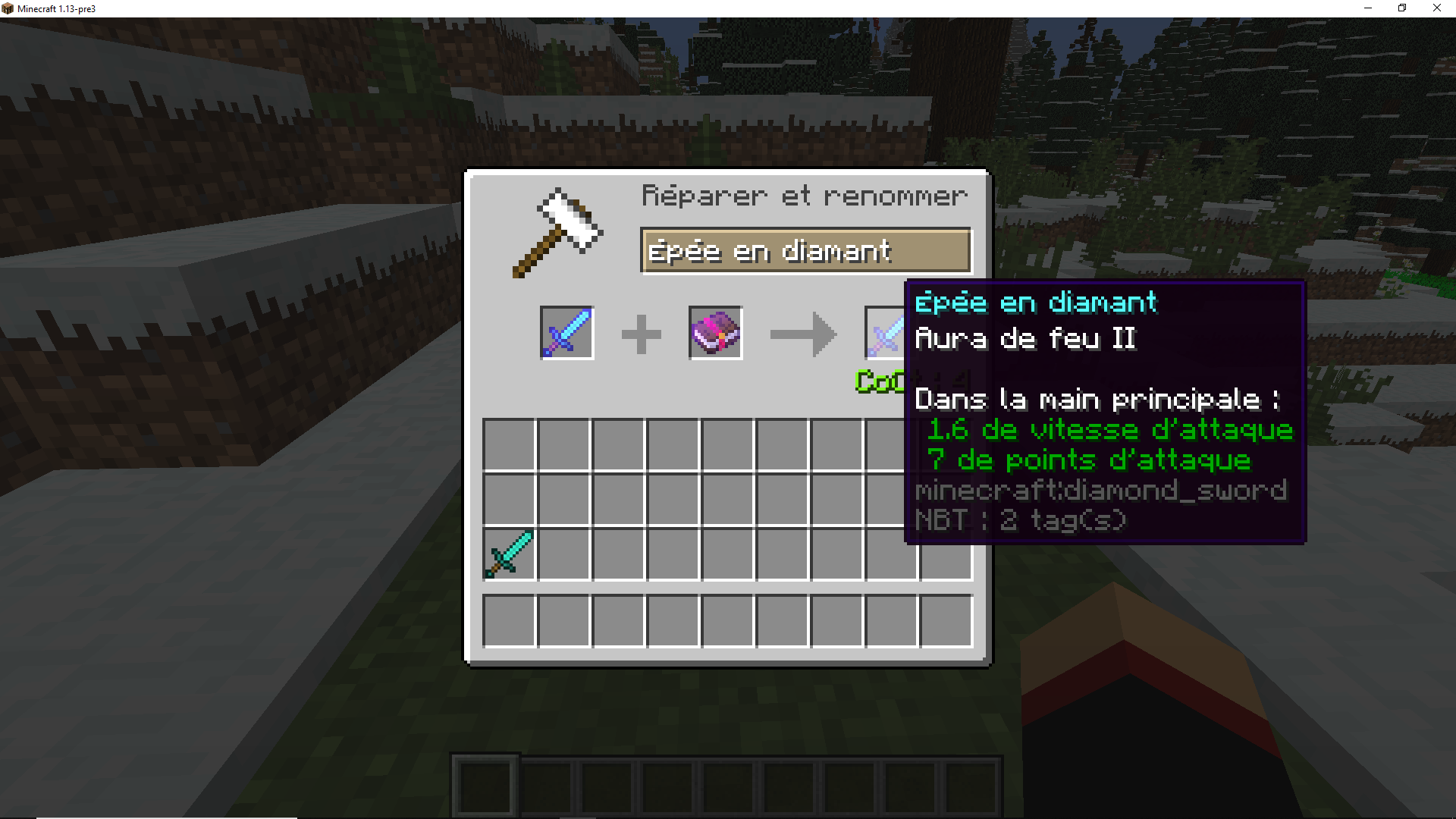
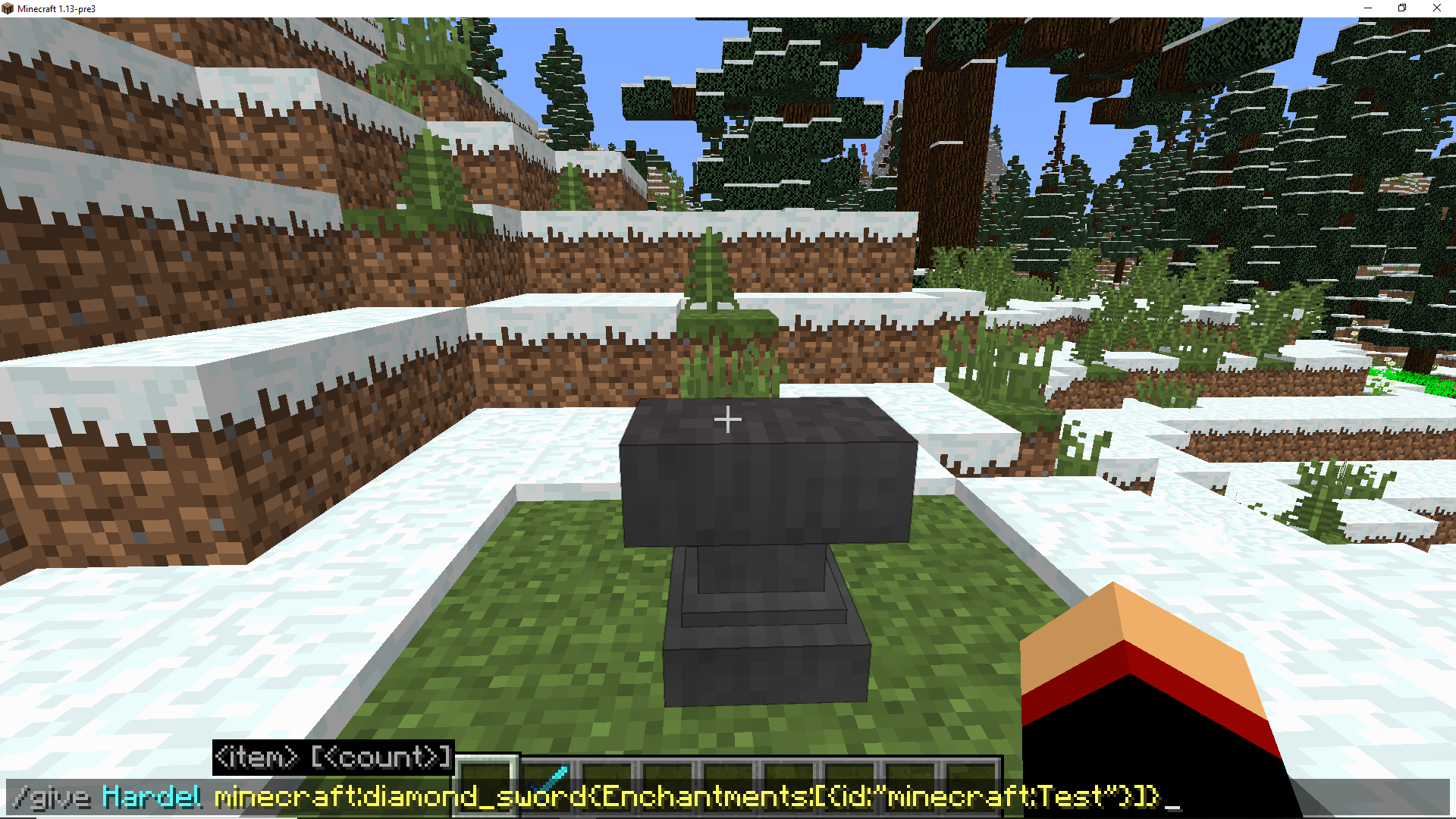
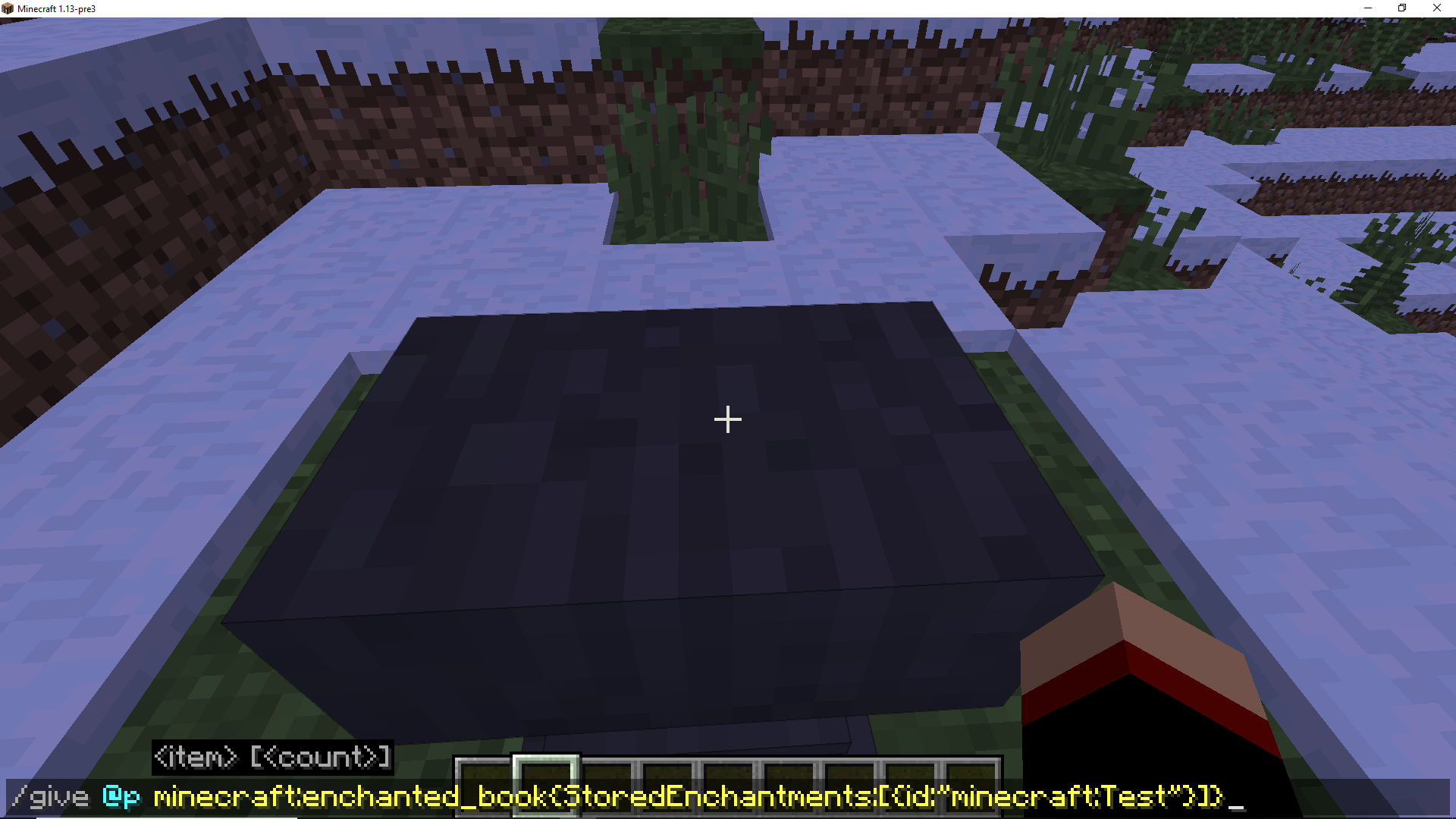
Enchantement withcommand bugEnchantement with enchanted book custom.
Hello !
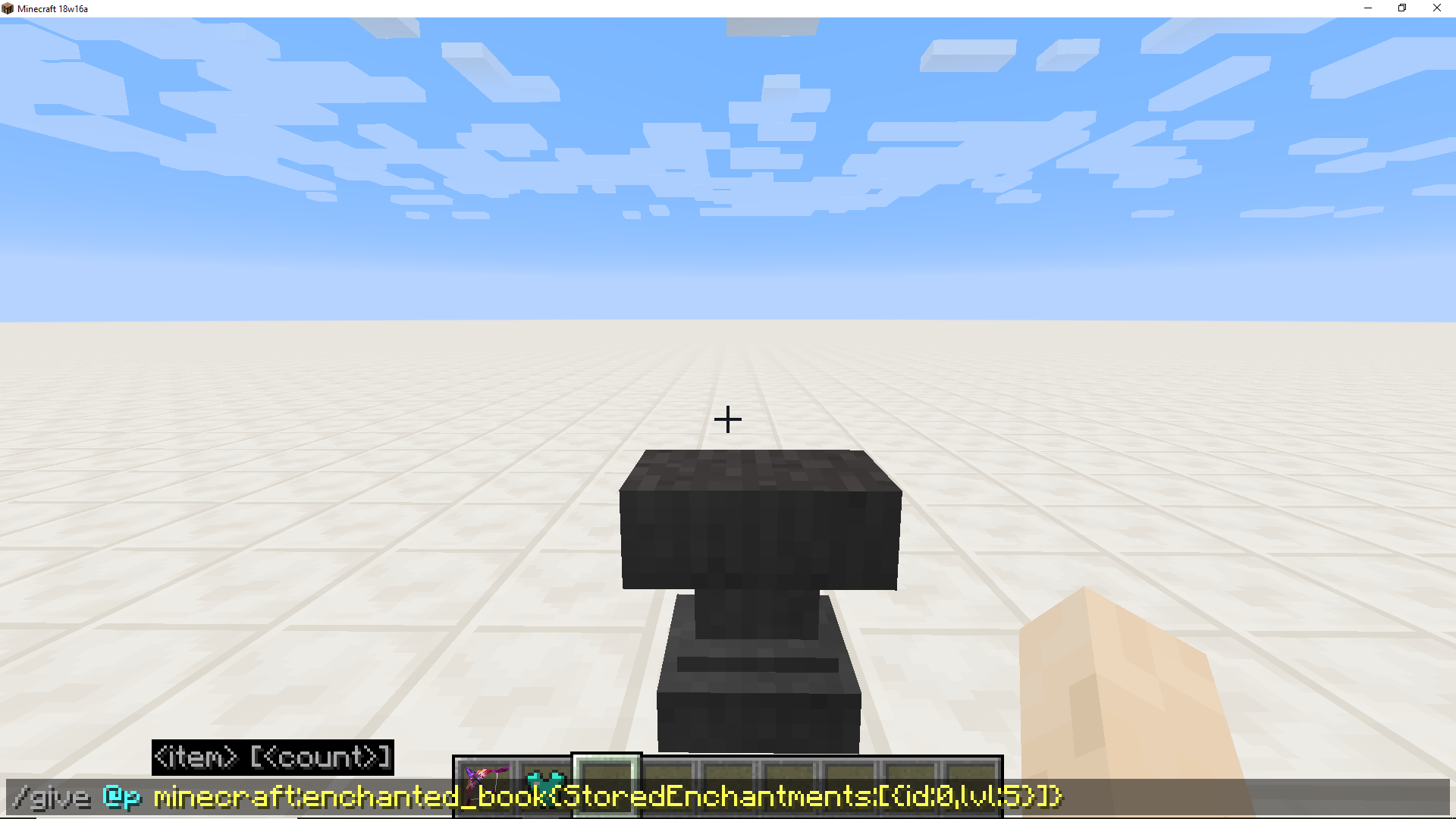
Use This command for give enchanted book Protection 5 ou more.
{id:0,lvl:5}
[#/give @p minecraft:enchanted_book{StoredEnchantments:[]}]
Use anvils with this enchanted_book "modified".
We can not go beyond the enchantement level limit. with this enchanted_book.
Hello !
Use This command for give enchanted book Protection 5 ou more.
/give @p minecraft:enchanted_book{StoredEnchantments:[{id:0,lvl:5}]}]Use anvils with this enchanted_book "modified".
We can not go beyond the enchantement level limit. with this enchanted_book.
Hi.
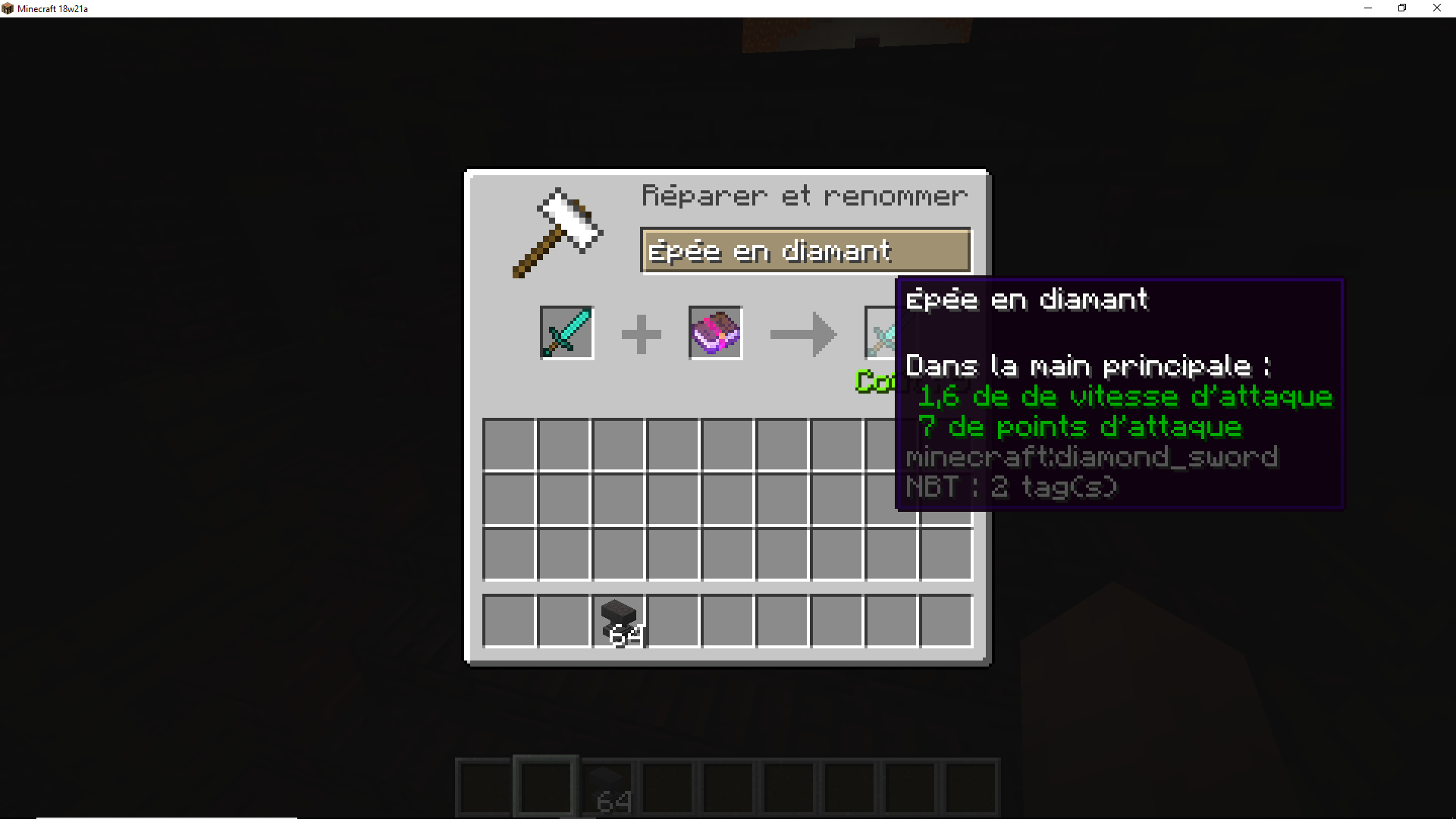
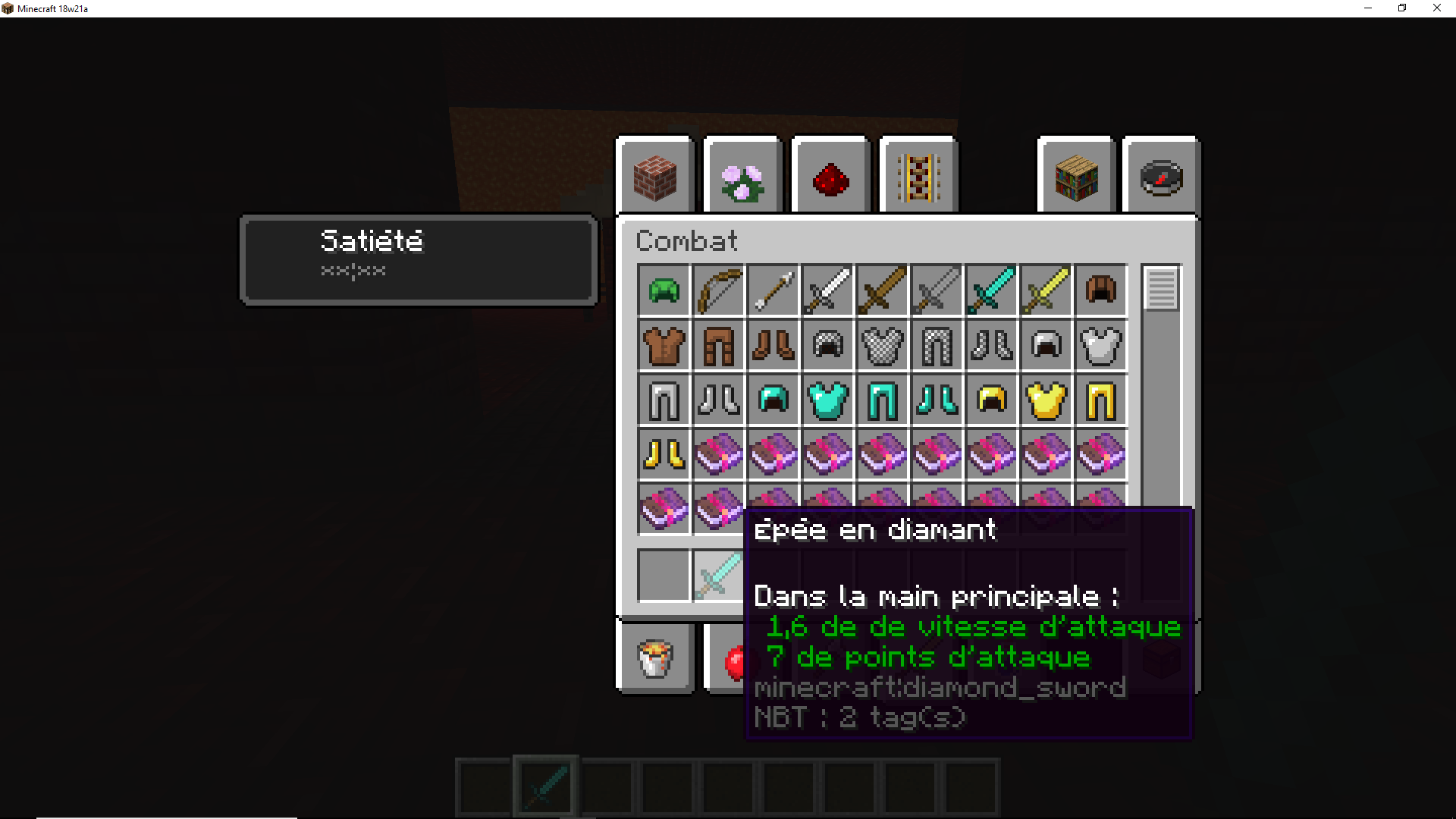
I find a bug with the book enchanted and anvil.
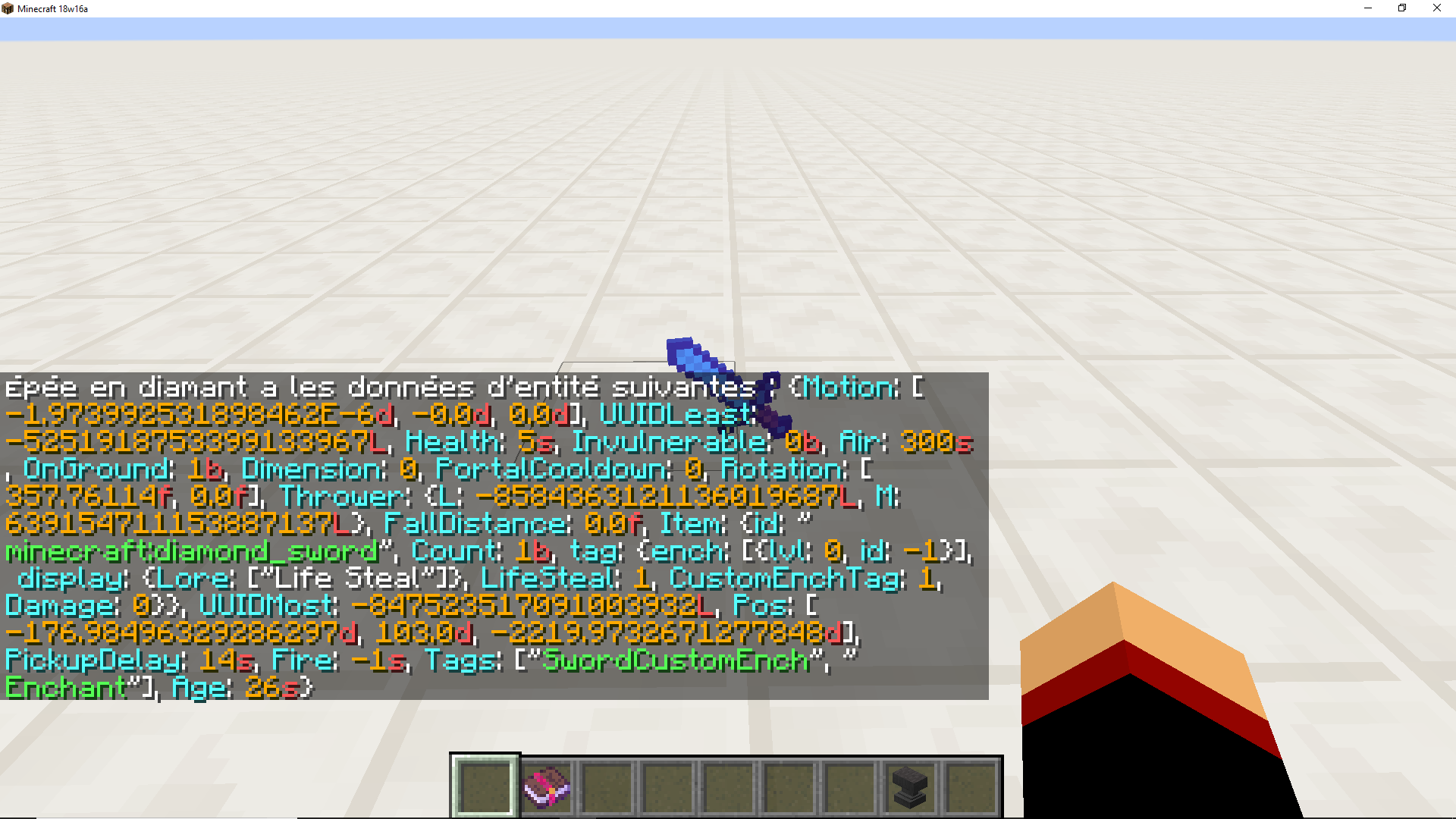
I think it's because of ench: [[\{id:-1,lvl:0}] of my diamond sword.To reproduce :
- Give item with custom ench négative
"/give @p minecraft:diamond_sword{ench:[ {id:-1,lvl:0}]}"
- Take a enchanted book "sharpness V" for example
- Use enchanted book with sword.
- CRASH xD
Hi.
I find a bug with the book enchanted and anvil.
{id:-1,lvl:0}
I think it's because of ench: [[] of my diamond sword.
To reproduce :
- Give item with custom ench négative
"/give @p minecraft:diamond_sword{ench:[ {id:-1,lvl:0}]}"
- Take a enchanted book "sharpness V" for example
- Use enchanted book with sword.
- CRASH xD
Hi.
I find a bug with the book enchanted and anvil.
{id:-1,lvl:0}
I think it's because of ench: [[] of my diamond sword.
To reproduce :
- Give item with custom ench négative
"/give @p minecraft:diamond_sword{ench:[{id:-1,lvl:0}]}"
- Take a enchanted book "sharpness V" for example
- Use enchanted book with sword.
- CRASH xD
Hi.
I find a bug with the book enchanted and anvil.
I think it's because of ench: [[\{id:-1,lvl:0}] of my diamond sword.To reproduce :
- Give item with custom ench négative
"[#/give @p minecraft:diamond_sword{ench:[ {id:-1,lvl:0}]}]"
- Take a enchanted book "sharpness V" for example
- Use enchanted book with sword in anvil.
- CRASH xD
Hi.
I find a bug with the book enchanted and anvil.
I think it's because of ench: [[\{id:-1,lvl:0}]of my diamond sword.To reproduce :
]}]"
- Give item with custom ench négative
"[#/give @p minecraft:diamond_sword{ench:[ {id:-1,lvl:0}]}]"
- Take a enchanted book "sharpness V" for example
- Use enchanted book with sword in anvil.
- CRASH xD
Hi.
I find a bug with the book enchanted and anvil.
{id:-1,lvl:0}
I think it's because of ench: [[] of my diamond sword.
To reproduce :
1- Give item with custom ench négative
{id:-1,lvl:0}
[#/give @p minecraft:diamond_sword{ench:[]}]]
2- Take a enchanted book "sharpness V" for exampl
3- Use enchanted book with sword in anvil
4- CRASH xD
Hi.
I find a bug with the book enchanted and anvil.
{id:-1,lvl:0}
I think it's because of ench: [[] of my diamond sword.
To reproduce :
1- Give item with custom ench négative
{id:-1,lvl:0}
[#/give @p minecraft:diamond_sword{ench:[]}]]
2- Take a enchanted book "sharpness V" for exampl
3- Use enchanted book with sword in anvil
4- CRASH xD
Hi.
I find a bug with the book enchanted and anvil.
{id:-1,lvl:0}
I think it's because of ench: [[] of my diamond sword.
To reproduce :
1- Give item with custom ench négative
/give @p minecraft:diamond_sword{ench:[{id:-1,lvl:0}]}]]2- Take a enchanted book "sharpness V" for exampl
3- Use enchanted book with sword in anvil
4- CRASH xD
Hi.
I find a bug with the book enchanted and anvil.
{id:-1,lvl:0}
I think it's because of ench: [[] of my diamond sword.
To reproduce :
1- Give item with custom ench négative
/give @p minecraft:diamond_sword{ench:[{id:-1,lvl:0}]}]]2- Take a enchanted book "sharpness V" for exampl
3- Use enchanted book with sword in anvil
4- CRASH xD
Hi.
I find a bug with the book enchanted and anvil.
I think it's because of ench négative of my diamond sword.To reproduce :
1- Give item with custom ench négative
/give @p minecraft:diamond_sword{ench:[{id:-1,lvl:0}]}]]2- Take a enchanted book "sharpness V" for exampl
3- Use enchanted book with sword in anvil
4- CRASH xD
Hi.
I find a bug with the book enchanted and anvil.
I think it's because of ench négative of my diamond sword.
To reproduce :
1- Give item with custom ench négative
/give @p minecraft:diamond_sword{ench:[{id:-1,lvl:0}]}]]2- Take a enchanted book "sharpness V" for exampl
3- Use enchanted book with sword in anvil
4- CRASH xD
Hi.
I find a bug with the book enchanted and anvil.
I think it's because of ench négative of my diamond sword.
To reproduce :
1- Give item with custom ench négative
/give @p minecraft:diamond_sword{ench:[{id:-1,lvl:0}]}]]2- Take a enchanted book "sharpness V" for exampl
3- Use enchanted book with sword in anvil
4- CRASH xD
Hi.
I find a bug with the book enchanted and anvil.
I think it's because of ench négative of my diamond sword.
To reproduce :
1- Give item with custom ench négative
/give @p minecraft:diamond_sword{ench:[{id:-1,lvl:0}]}2- Take a enchanted book "sharpness V" for example
3- Use enchanted book with sword in anvil
4- CRASH xD
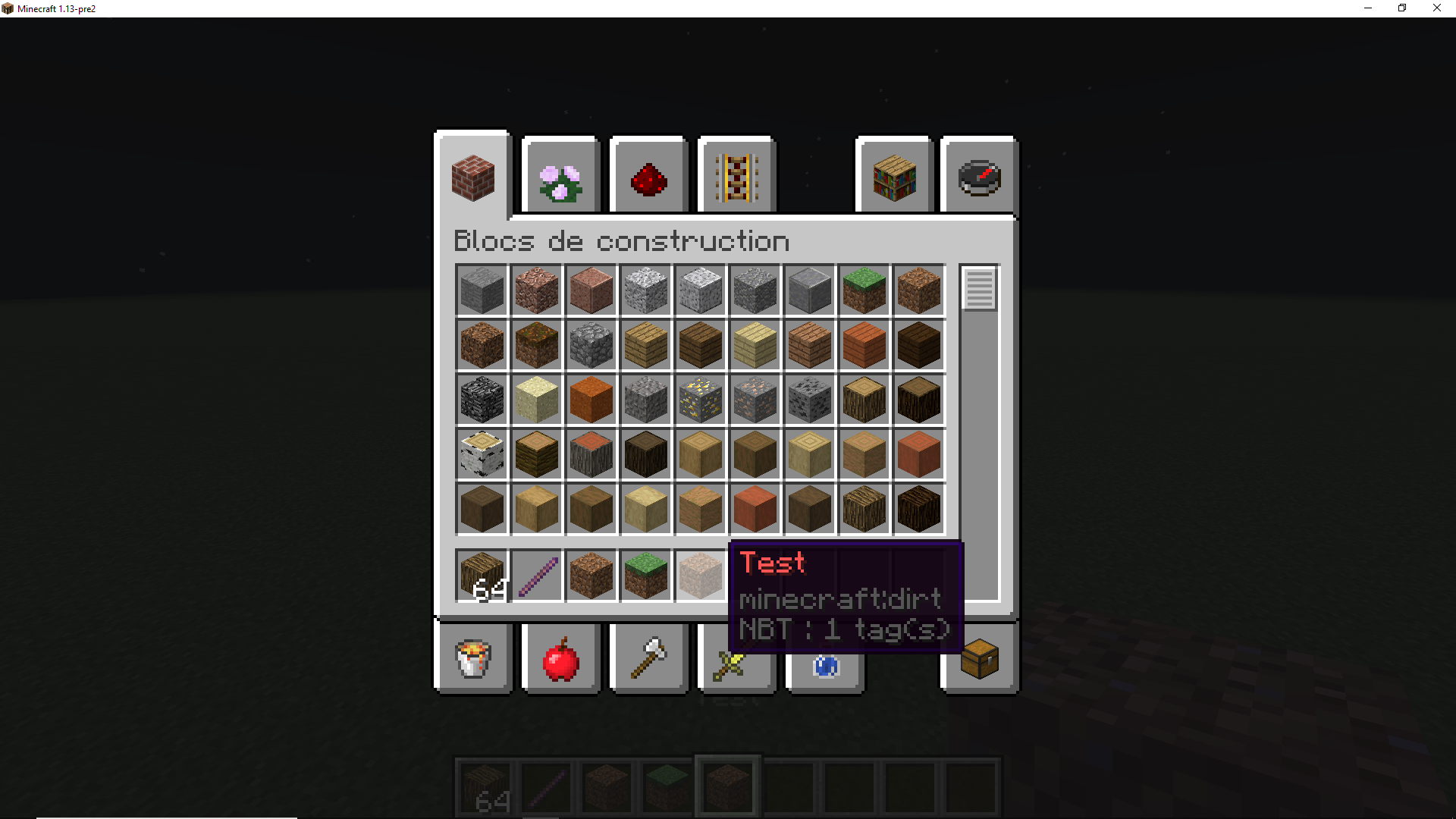
Enchantement books not workingin snapshot 18w21aEnchantement books not working (text and glowing).
It's simple like bug.
Enchanted books does not work.
It's simple like bug.
Enchanted books does not work.
It's simple like bug.
Enchanted books does not work.
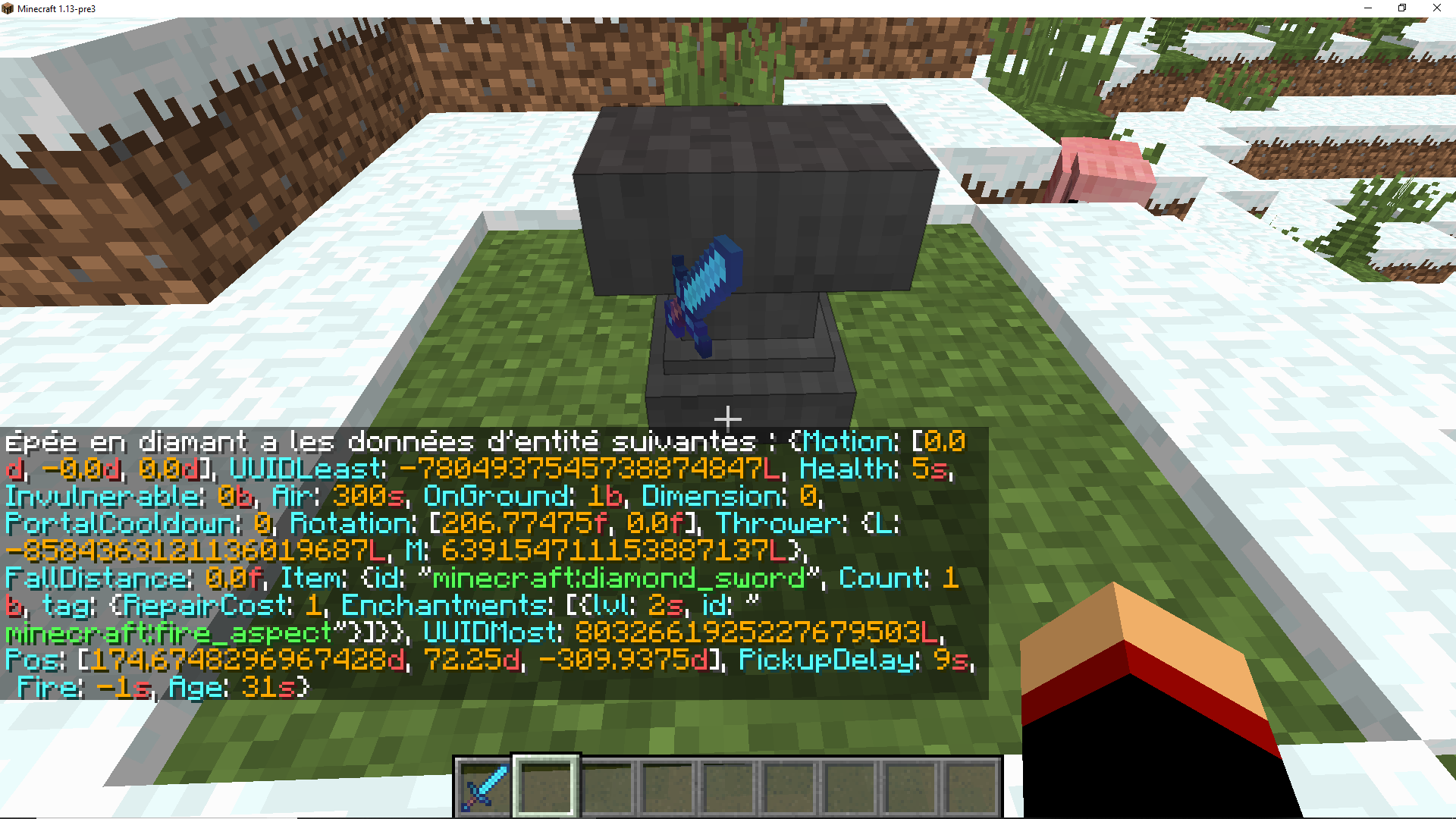
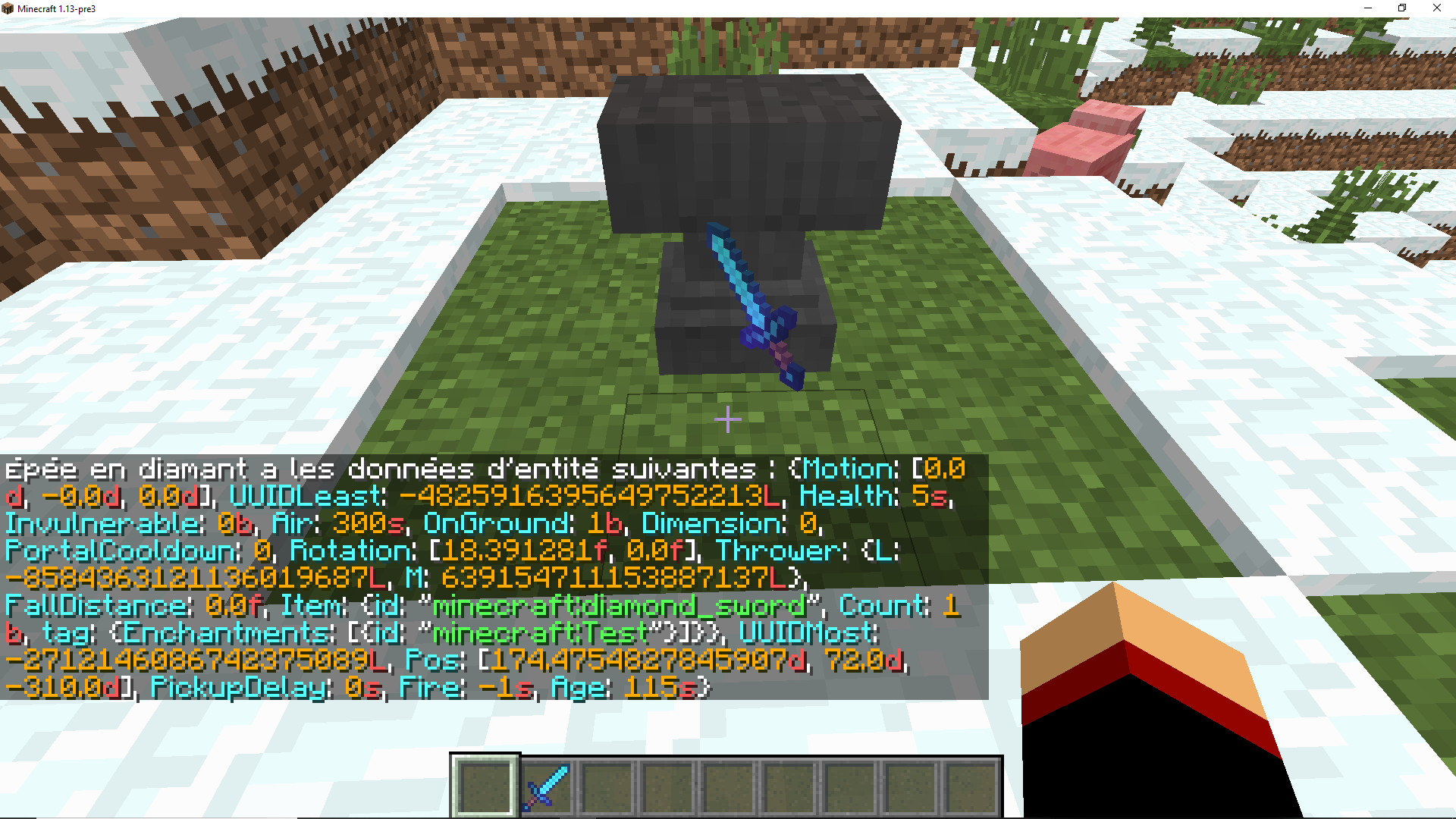
I think the problem is that your enchanted book appliedthe tag "ench" and not "Enchantments".
{ench:[\{id:"minecraft:sharpness",lvl:1}]} --> {Enchantments:[
{id:"minecraft:sharpness",lvl:1}]}
It's simple like bug.
Enchanted books does not work.
I think the problem is that your enchanted book appliedthe tag "ench" and not "Enchantments".
{ench:[\{id:"minecraft:sharpness",lvl:1}]} --> {Enchantments:[
{id:"minecraft:sharpness",lvl:1}]}
It's simple like bug.
Enchanted books does not work.
I think the problem is that your enchanted book appliedthe tag "ench" and not "Enchantments".
{ench:[{id:"minecraft:sharpness",lvl:1}]} --> {Enchantments:[{id:"minecraft:sharpness",lvl:1}]}
Enchantement books not working (textand glowing).
Enchantement books not working(text).
Hello.
I explain badly, If you need more information ask me
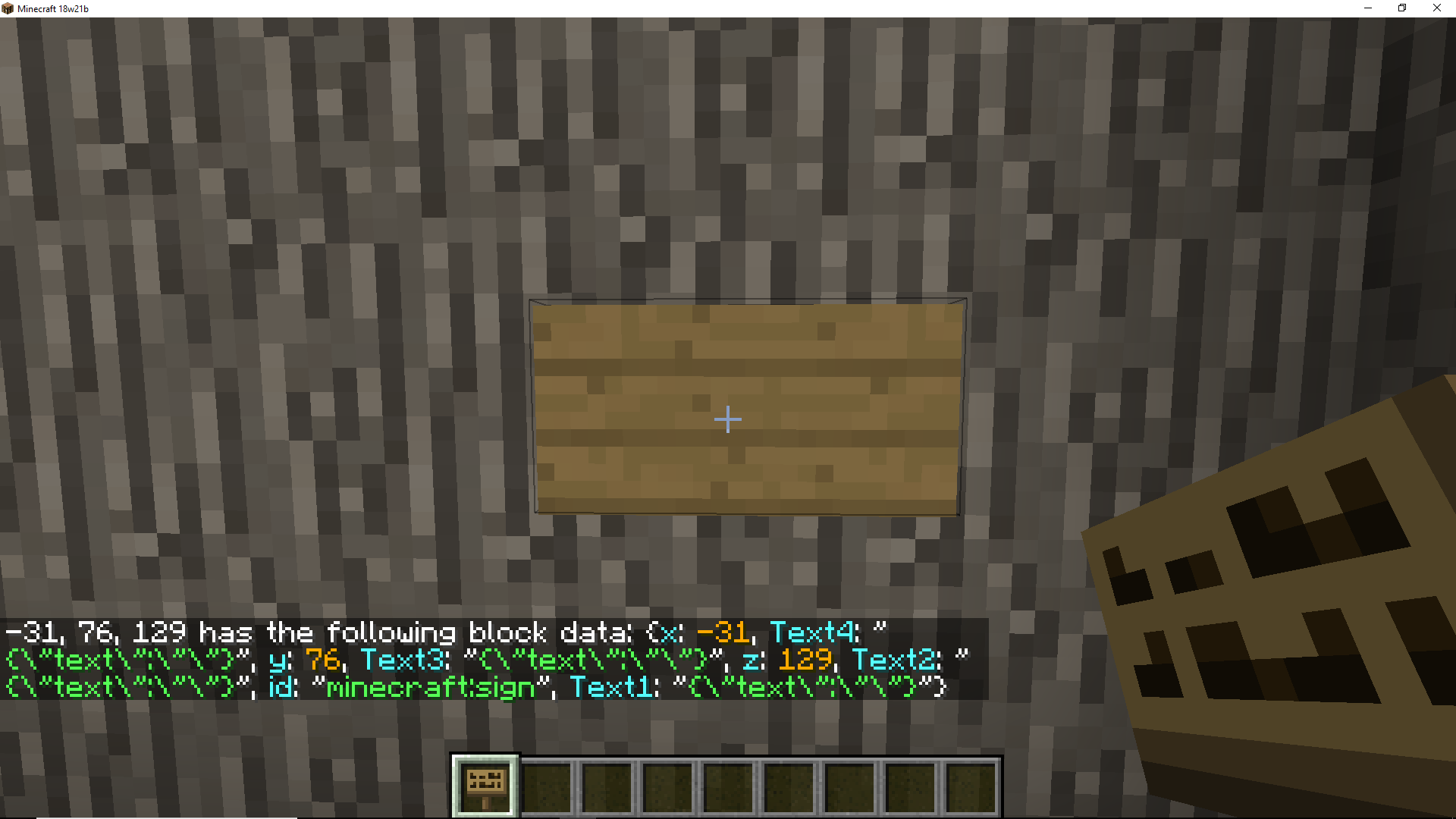
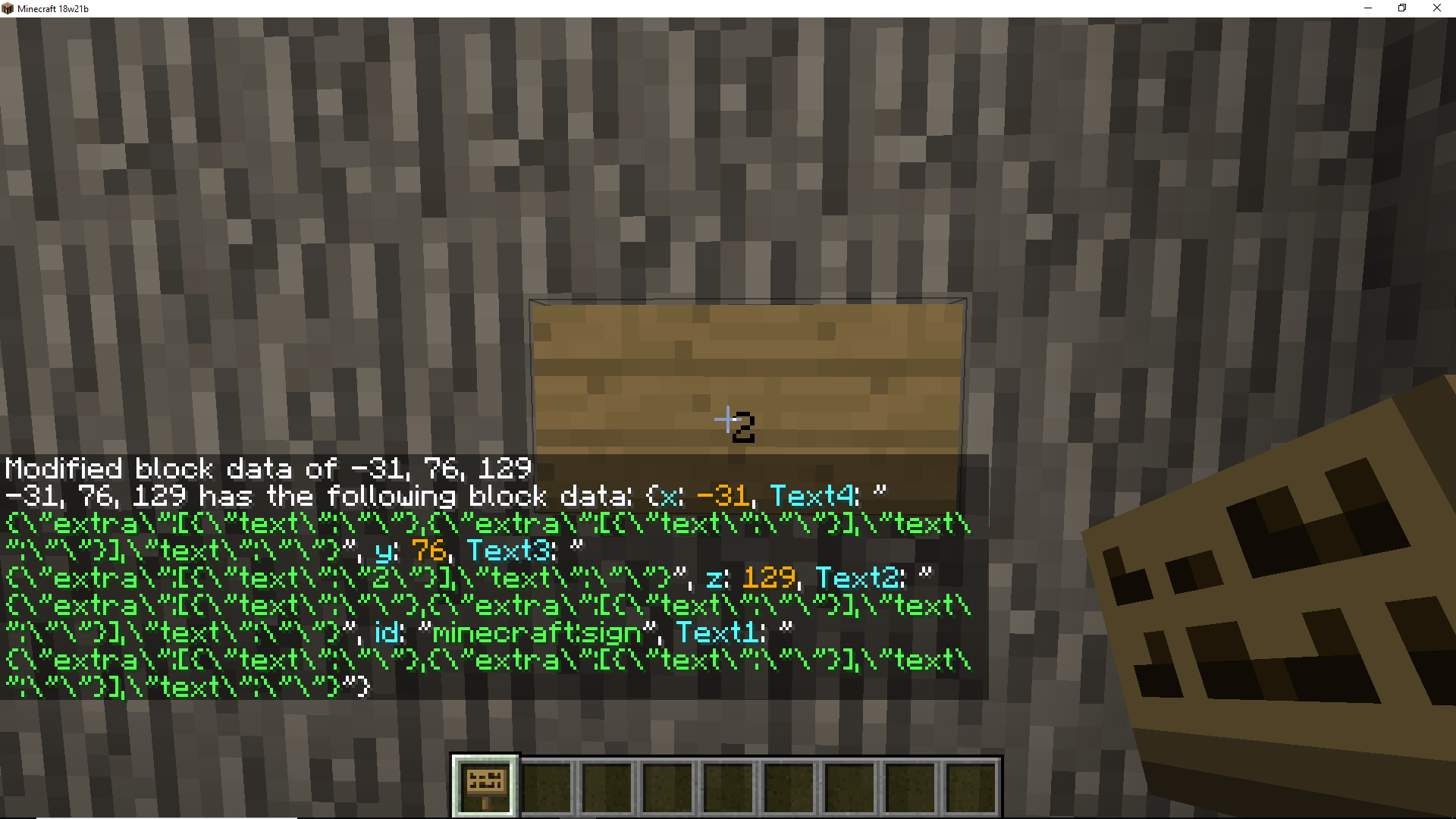
Use "/data merge block" on a sign cause a crash.:
Internal Exception io.netty.hander.codec.DecoderExecption: h: Loading NBT Data
To reproduce :
- Place a sign
- Use a /data merge block on sign
Exemple :/data merge block ~ ~ ~ {Text3:"{\"text\":\"Test\",\"bold\":true,\"italic\":true,\"color\":\"dark_green\"}"}
- made several times /data merge on a sign.
- Look at the difference with "/data get block"
Hello.
I explain badly, If you need more information ask me
Use "/data merge block" on a sign cause a crash.:
Internal Exception io.netty.hander.codec.DecoderExecption: h: Loading NBT Data
To reproduce :
- Place a sign
- Use a /data merge block on sign
Exemple :/data merge block ~ ~ ~ {Text3:"{\"text\":\"Test\",\"bold\":true,\"italic\":true,\"color\":\"dark_green\"}"}3. made several times /data merge on a sign.
4. Look at the difference with "/data get block"
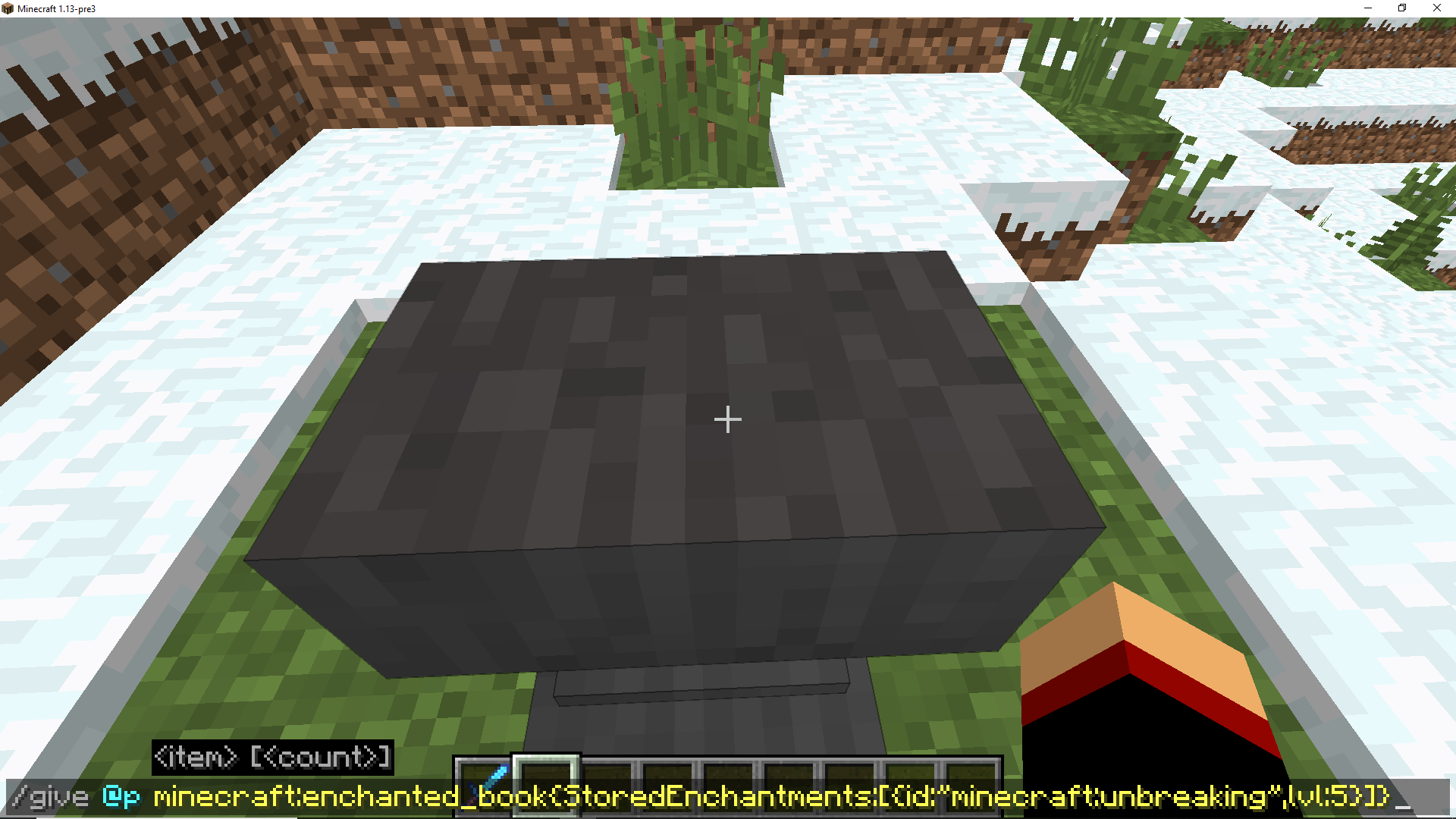
Give a custom enchanted book with a level beyond the limit of enchantments.
Exemple :
/give @p minecraft:enchanted_book{StoredEnchantments:[{id:"minecraft:unbreaking",lvl:5}]}/give @p minecraft:enchanted_book{StoredEnchantments:[{id:"minecraft:"sharpness",lvl:10}]}/give @p minecraft:enchanted_book{StoredEnchantments:[{id:"minecraft:protection",lvl:50}]}Merge this enchanted book with item.
Enchantment becomes equal to enchantment limit.Give a custom enchanted book with a level beyond the limit of enchantments.
Exemple :
/give @p minecraft:enchanted_book{StoredEnchantments:[{id:"minecraft:unbreaking",lvl:5}]}/give @p minecraft:enchanted_book{StoredEnchantments:[{id:"minecraft:sharpness",lvl:10}]}/give @p minecraft:enchanted_book{StoredEnchantments:[{id:"minecraft:protection",lvl:50}]}Merge this enchanted book with item.
Enchantment becomes equal to enchantment limit.
Atribute modifierblue for sword with commandsAtribute modifier change color of item.
It's a very annoying bug, I managed to reproduce it with my DataPack, it's really weird.
if you can take a look it would be nice.Bug : When I disconnect and then reconnect display of the bossbar no longer works,
but the values are always there.When I do "/bossbar set levelup player1 visible false" and "/bossbar set levelup:player1 visible true" display works again, but it's pretty weird anyway.
To Reproduce :
1. I managed to reproduce the display bug with my datapack so I advise you to install it to realize this bug
Download LevelUp2. -Create a world
-You will see a bossbar at the top as in the screenshots.
(I configure them to increase alone)3. You just have to log out and log in to see the display bug.
It's a very annoying bug, I managed to reproduce it with my DataPack, it's really weird.
if you can take a look it would be nice.Bug : When I disconnect and then reconnect display of the bossbar no longer works,
but the values are always there.When I do "/bossbar set levelup player1 visible false" and "/bossbar set levelup:player1 visible true" display works again, but it's pretty weird anyway.
To Reproduce :
1. I managed to reproduce the display bug with my datapack so I advise you to install it to realize this bug
Download LevelUp2. -Create a world
-You will see a bossbar at the top as in the screenshots.
(I configure them to increase alone)3. You just have to log out and log in to see the display bug.
if you want to try again /function levelup:reset and /reload
It's a very annoying bug, I managed to reproduce it with my DataPack, it's really weird.
if you can take a look it would be nice.Bug : When I disconnect and then reconnect display of the bossbar no longer works,
but the values are always there.When I do "/bossbar set levelup player1 visible false" and "/bossbar set levelup:player1 visible true" display works again, but it's pretty weird anyway.
To Reproduce :
1. I managed to reproduce the display bug with my datapack so I advise you to install it to realize this bug
Download LevelUp2. -Create a world
-You will see a bossbar at the top as in the screenshots.
(I configure them to increase alone)3. You just have to log out and log in to see the display bug.
if you want to try again /function levelup:reset and /reloadI'm sorry for spelling I'm french I use google translation
It's a very annoying bug, I managed to reproduce it with my DataPack, it's really weird.
if you can take a look it would be nice.Bug : When I disconnect and then reconnect display of the bossbar no longer works,
but the values are always there.When I do "/bossbar set levelup player1 visible false" and "/bossbar set levelup:player1 visible true" display works again, but it's pretty weird anyway.
To Reproduce :
1. I managed to reproduce the display bug with my datapack so I advise you to install it to realize this bug
Download LevelUp2. -Create a world with the Datapack /reload if needed
-You will see a bossbar at the top as in the screenshots.
(I configure them to increase alone)3. You just have to log out and log in to see the display bug.
if you want to try again /function levelup:reset and /reloadI'm sorry for spelling I'm french I use google translation


It's a very annoying bug, I managed to reproduce it with my DataPack, it's really weird.
if you can take a look it would be nice.Bug : When I disconnect and then reconnect display of the bossbar no longer works,
but the values are always there.When I do "/bossbar set levelup player1 visible false" and "/bossbar set levelup:player1 visible true" display works again, but it's pretty weird anyway.
To Reproduce :
1. I managed to reproduce the display bug with my datapack so I advise you to install it to realize this bug
Download LevelUp2. -Create a world with the Datapack /reload if needed
-You will see a bossbar at the top as in the screenshots.
(I configure them to increase alone)3. You just have to log out and log in to see the display bug.
if you want to try again /function levelup:reset and /reload
I'm sorry for spelling I'm french I use google translation----------------------- 12/08/2018 -----------------------
It's a very annoying bug, I managed to reproduce it with my DataPack, it's really weird.
if you can take a look it would be nice.Bug : When I disconnect and then reconnect display of the bossbar no longer works,
but the values are always there.When I do "/bossbar set levelup player1 visible false" and "/bossbar set levelup:player1 visible true" display works again, but it's pretty weird anyway.
To Reproduce :
1. I managed to reproduce the display bug with my datapack so I advise you to install it to realize this bug
Download LevelUp2. -Create a world with the Datapack /reload if needed
-You will see a bossbar at the top as in the screenshots.
(I configure them to increase alone)3. You just have to log out and log in to see the display bug.
if you want to try again /function levelup:reset and /reloadI'm sorry for spelling I'm french I use google translation
----------------------- 13/08/2018 -----------------------
I find more information about this bug, What is problematic is these commands :execute store result bossbar test max run scoreboard players get @p MaxSo to reproduce the bug :
1.Create a BossBar et configure this./bossbar add bug {"text":"Bug Tracker"} /bossbar set minecraft:bug players @s2.Create a scoreboard
/scoreboard objectives add Time minecraft.custom:minecraft.play_one_minute /scoreboard objectives add Max dummy /scoreboard players set @s Max 20003. Create a Animate Bossbar
execute store result bossbar bug max run scoreboard players get @p Max execute store result bossbar bug value run scoreboard players get @p Time4. log out and log in to see the display bug.
----------------------- 12/08/2018 -----------------------
It's a very annoying bug, I managed to reproduce it with my DataPack, it's really weird.
if you can take a look it would be nice.Bug : When I disconnect and then reconnect display of the bossbar no longer works,
but the values are always there.When I do "/bossbar set levelup player1 visible false" and "/bossbar set levelup:player1 visible true" display works again, but it's pretty weird anyway.
To Reproduce :
1. I managed to reproduce the display bug with my datapack so I advise you to install it to realize this bug
Download LevelUp2. -Create a world with the Datapack /reload if needed
-You will see a bossbar at the top as in the screenshots.
(I configure them to increase alone)3. You just have to log out and log in to see the display bug.
if you want to try again /function levelup:reset and /reloadI'm sorry for spelling I'm french I use google translation
----------------------- 13/08/2018 -----------------------
I find more information about this bug,What is problematic is these commands :execute store result bossbar test max run scoreboard players get @p MaxSo to reproduce the bug :
1.Create a BossBar et configure this./bossbar add bug {"text":"Bug Tracker"} /bossbar set minecraft:bug players @s2.Create a scoreboard
/scoreboard objectives add Time minecraft.custom:minecraft.play_one_minute /scoreboard objectives add Max dummy /scoreboard players set @s Max 20003. Create a Animate Bossbar
execute store result bossbar bug max run scoreboard players get @p Max execute store result bossbar bug value run scoreboard players get @p Time4. log out and log in to see the display bug.
----------------------- 12/08/2018 -----------------------
It's a very annoying bug, I managed to reproduce it with my DataPack, it's really weird.
if you can take a look it would be nice.Bug : When I disconnect and then reconnect display of the bossbar no longer works,
but the values are always there.When I do "/bossbar set levelup player1 visible false" and "/bossbar set levelup:player1 visible true" display works again, but it's pretty weird anyway.
To Reproduce :
1. I managed to reproduce the display bug with my datapack so I advise you to install it to realize this bug
Download LevelUp2. -Create a world with the Datapack /reload if needed
-You will see a bossbar at the top as in the screenshots.
(I configure them to increase alone)3. You just have to log out and log in to see the display bug.
if you want to try again /function levelup:reset and /reloadI'm sorry for spelling I'm french I use google translation
----------------------- 13/08/2018 -----------------------
I find more information about this bug,So to reproduce the bug :
1.Create a BossBaretconfigure this./bossbar add bug {"text":"Bug Tracker"} /bossbar set minecraft:bug players @s2.Create a scoreboard
/scoreboard objectives add Time minecraft.custom:minecraft.play_one_minute /scoreboard objectives add Max dummy /scoreboard players set @s Max 20003. Create a Animate Bossbar
execute store result bossbar bug max run scoreboard players get @p Max execute store result bossbar bug value run scoreboard players get @p Time4. log out and log in to see the display bug.
----------------------- 12/08/2018 -----------------------
It's a very annoying bug, I managed to reproduce it with my DataPack, it's really weird.
if you can take a look it would be nice.Bug : When I disconnect and then reconnect display of the bossbar no longer works,
but the values are always there.When I do "/bossbar set levelup player1 visible false" and "/bossbar set levelup:player1 visible true" display works again, but it's pretty weird anyway.
To Reproduce :
1. I managed to reproduce the display bug with my datapack so I advise you to install it to realize this bug
Download LevelUp2. -Create a world with the Datapack /reload if needed
-You will see a bossbar at the top as in the screenshots.
(I configure them to increase alone)3. You just have to log out and log in to see the display bug.
if you want to try again /function levelup:reset and /reloadI'm sorry for spelling I'm french I use google translation
----------------------- 13/08/2018 -----------------------
I find more information about this bug,So to reproduce the bug :
1.Create a BossBar and configure this./bossbar add bug {"text":"Bug Tracker"} /bossbar set minecraft:bug players @s2.Create a scoreboard
/scoreboard objectives add Time minecraft.custom:minecraft.play_one_minute /scoreboard objectives add Max dummy /scoreboard players set @s Max 20003. Create a Animate Bossbar
execute store result bossbar bug max run scoreboard players get @p Max execute store result bossbar bug value run scoreboard players get @p Time4. log out and log in to see the display bug.
----------------------- 12/08/2018 -----------------------
It's a very annoying bug, I managed to reproduce it with my DataPack, it's really weird.
if you can take a look it would be nice.Bug : When I disconnect and then reconnect display of the bossbar no longer works,
but the values are always there.When I do "/bossbar set levelup player1 visible false" and "/bossbar set levelup:player1 visible true" display works again, but it's pretty weird anyway.
To Reproduce :
1. I managed to reproduce the display bug with my datapack so I advise you to install it to realize this bug
Download LevelUp2. -Create a world with the Datapack /reload if needed
-You will see a bossbar at the top as in the screenshots.
(I configure them to increase alone)3. You just have to log out and log in to see the display bug.
if you want to try again /function levelup:reset and /reloadI'm sorry for spelling I'm french I use google translation
----------------------- 13/08/2018 -----------------------
I find more information about this bug,So to reproduce the bug :
1.Create a BossBar and configure this./bossbar add bug {"text":"Bug Tracker"} /bossbar set minecraft:bug players @s2.Create a scoreboard
/scoreboard objectives add Time minecraft.custom:minecraft.play_one_minute /scoreboard objectives add Max dummy /scoreboard players set @s Max 20003. Create a Animate Bossbar, In a Repeat commands blocs
execute store result bossbar bug max run scoreboard players get @p Max execute store result bossbar bug value run scoreboard players get @p Time4. log out and log in to see the display bug.
I do not really explain this strange bug.
i teleport the mobs in 0, -10, 0 and then I kill them. but this commande
kill @e[x=0,y=-10,z=0,distance=..10,type=donkey]dosen't work.
If I try to get the coordinates it shows the correct string.
/execute as @e[type=donkey] at @s store result score @sCompassCord run data get entity @s Pos[0] /execute as @e[type=donkey] at @s store result score @sCompassCord run data get entity @s Pos[1] /execute as @e[type=donkey] at @s store result score @sCompassCord run data get entity @s Pos[2]and when I get tp on entity it works
/tp @s @e[type=donkey,limit=1]I noticed that it works when I'm less than 100 blocks of entity.
I do not really explain this strange bug.
i teleport the mobs in 0, -10, 0 and then I kill them. but this commande
kill @e[x=0,y=-10,z=0,distance=..10,type=donkey]dosen't work.
If I try to get the coordinates it shows the correct string.
/execute as @e[type=donkey] at @s store result score @s Cord run data get entity @s Pos[0] /execute as @e[type=donkey] at @s store result score @s Cord run data get entity @s Pos[1] /execute as @e[type=donkey] at @s store result score @s Cord run data get entity @s Pos[2]and when I
gettp on entity it worksI noticed that it works when I'm less than 100 blocks of entity.
I do not really explain this strange bug.
i teleport the mobs in 0, -10, 0 and then I kill them. but this commande
#Repeat kill @e[x=0,y=-10,z=0,distance=..10,type=donkey]dosen't work.
If I try to get the coordinates it shows the correct string.
/execute as @e[type=donkey] at @s store result score @s Cord run data get entity @s Pos[0] /execute as @e[type=donkey] at @s store result score @s Cord run data get entity @s Pos[1] /execute as @e[type=donkey] at @s store result score @s Cord run data get entity @s Pos[2]and when I tp on entity it works.
/tp @s @e[type=donkey,limit=1]I noticed that it works when I'm less than 100 blocks of entity.
I do not really explain this strange bug.
i teleport the mobs in 0, -10, 0 and then I kill them. but this commande
#Repeat kill @e[x=0,y=-10,z=0,distance=..10,type=donkey]dosen't work.
If I try to get the coordinates it shows the correct string.
/execute as @e[type=donkey] at @s store result score @s Cord run data get entity @s Pos[0] /execute as @e[type=donkey] at @s store result score @s Cord run data get entity @s Pos[1] /execute as @e[type=donkey] at @s store result score @s Cord run data get entity @s Pos[2]and when I tp on entity it works.
/tp @s @e[type=donkey,limit=1]I noticed that it works when I'm less than 100 blocks of entity.
I do not really explain this strange bug.
i teleport the mobs in 0, -10, 0 and then I kill them. but this commande
#Repeat #You can try with ths summon command summon donkey 0 -10 0 {NoGravity:1b,Tame:1,ChestedHorse:1,Temper:1,Attributes:[{Name:generic.armor,Base:100},{Name:generic.maxHealth,Base:1000}],Invulnerable:1,Health:1.0f,FallFlying:1b,PersistenceRequired:1,NoAI:1,Silent:1,DeathLootTable:"empty",ActiveEffects:[{Id:6,Amplifier:100,Duration:19980,ShowParticles:0b},{Id:11,Amplifier:250,Duration:1999980,ShowParticles:0b}]} kill @e[x=0,y=-10,z=0,distance=..10,type=donkey]dosen't work.
If I try to get the coordinates it shows the correct string.
/execute as @e[type=donkey] at @s store result score @s Cord run data get entity @s Pos[0] /execute as @e[type=donkey] at @s store result score @s Cord run data get entity @s Pos[1] /execute as @e[type=donkey] at @s store result score @s Cord run data get entity @s Pos[2]and when I tp on entity it works.
/tp @s @e[type=donkey,limit=1]I noticed that it works when I'm less than 100 blocks of entity.
I do not really explain this strange bug.
i teleport the mobs in 0, -10, 0 and then I kill them. but this commande
#Repeat #You can try with ths summon command summon donkey 0 -10 0 {NoGravity:1b,Tame:1,ChestedHorse:1,Temper:1,Attributes:[{Name:generic.armor,Base:100},{Name:generic.maxHealth,Base:1000}],Invulnerable:1,Health:1.0f,FallFlying:1b,PersistenceRequired:1,NoAI:1,Silent:1,DeathLootTable:"empty",ActiveEffects:[{Id:6,Amplifier:100,Duration:19980,ShowParticles:0b},{Id:11,Amplifier:250,Duration:1999980,ShowParticles:0b}]}kill @e[x=0,y=-10,z=0,distance=..10,type=donkey]dosen't work.
If I try to get the coordinates it shows the correct string.
/execute as @e[type=donkey] at @s store result score @s Cord run data get entity @s Pos[0] /execute as @e[type=donkey] at @s store result score @s Cord run data get entity @s Pos[1] /execute as @e[type=donkey] at @s store result score @s Cord run data get entity @s Pos[2]and when I tp on entity it works.
/tp @s @e[type=donkey,limit=1]I noticed that it works when I'm less than 100 blocks of entity.
I do not really explain this strange bug.
i teleport the mobs in 0, -10, 0 and then I kill them. but this commande
#Repeat #You can try with ths summon command summon donkey 0 -10 0 {NoGravity:1b,Tame:1,ChestedHorse:1,Temper:1,Attributes:[{Name:generic.armor,Base:100},{Name:generic.maxHealth,Base:1000}],Invulnerable:1,Health:1.0f,FallFlying:1b,PersistenceRequired:1,NoAI:1,Silent:1,DeathLootTable:"empty",ActiveEffects:[{Id:6,Amplifier:100,Duration:19980,ShowParticles:0b},{Id:11,Amplifier:250,Duration:1999980,ShowParticles:0b}]}kill @e[x=0,y=-10,z=0,distance=..10,type=donkey]dosen't work.
If I try to get the coordinates it shows the correct string.
/execute as @e[type=donkey] at @s store result score @s Cord run data get entity @s Pos[0] /execute as @e[type=donkey] at @s store result score @s Cord run data get entity @s Pos[1] /execute as @e[type=donkey] at @s store result score @s Cord run data get entity @s Pos[2]and when I tp on entity it works.
/tp @s @e[type=donkey,limit=1]I noticed that it works when I'm less than 100 blocks of entity.
I do not really explain this strange bug.
i teleport the mobs in 0, -10, 0 and then I kill them. but this commande
#Repeat #You can try with ths summon command summon donkey 0 -10 0 {NoGravity:1b,Tame:1,ChestedHorse:1,Temper:1,Attributes:[{Name:generic.armor,Base:100},{Name:generic.maxHealth,Base:1000}],Invulnerable:1,Health:1.0f,FallFlying:1b,PersistenceRequired:1,NoAI:1,Silent:1,DeathLootTable:"empty",ActiveEffects:[{Id:6,Amplifier:100,Duration:19980,ShowParticles:0b},{Id:11,Amplifier:250,Duration:1999980,ShowParticles:0b}]}kill @e[x=0,y=-10,z=0,distance=..10,type=donkey]dosen't work.
If I try to get the coordinates it shows the correct string.
/execute as @e[type=donkey] at @s store result score @s Cord run data get entity @s Pos[0] /execute as @e[type=donkey] at @s store result score @s Cord run data get entity @s Pos[1] /execute as @e[type=donkey] at @s store result score @s Cord run data get entity @s Pos[2]and when I tp on entity it works.
/tp @s @e[type=donkey,limit=1]I noticed that it works when I'm less than 100 blocks of entity.
I do not really explain this strange bug.
i teleport the mobs in 0, -10, 0 and then I kill them. but this commande
#Repeat kill @e[x=0,y=-10,z=0,distance=..10,type=donkey]dosen't work.
If I try to get the coordinates it shows the correct string.
/execute as @e[type=donkey] at @s store result score @s Cord run data get entity @s Pos[0] /execute as @e[type=donkey] at @s store result score @s Cord run data get entity @s Pos[1] /execute as @e[type=donkey] at @s store result score @s Cord run data get entity @s Pos[2]and when I tp on entity it works.
/tp @s @e[type=donkey,limit=1]I noticed that it works when I'm less than 100 blocks of entity.
#You can try with ths summon command summon donkey 0 -10 0 {NoGravity:1b,Tame:1,ChestedHorse:1,Temper:1,Attributes:[{Name:generic.armor,Base:100},{Name:generic.maxHealth,Base:1000}],Invulnerable:1,Health:1.0f,FallFlying:1b,PersistenceRequired:1,NoAI:1,Silent:1,DeathLootTable:"empty",ActiveEffects:[{Id:6,Amplifier:100,Duration:19980,ShowParticles:0b},{Id:11,Amplifier:250,Duration:1999980,ShowParticles:0b}]}
To reproduce
the following:
- Take an entity with Interface, we will take the Horse as an example.
- Press 'E' to enter
UI.- Change the name of Entity.
/data merge entity @e[type=donkey,sort=nearest,limit=1] {CustomName:'{"text":"Test"}'}It can be seen that CustomName does not change.
If we leave the Menu and reopen it works.This problem is annoying to create custom Interface Dynamics.
The best to try this put a block command with delay.To reproduce bug:
- Take an entity with Interface, we will take the Horse as an example.
- Press 'E' to enter in UI/Interface.
- Change the name of Entity. (Try with a command block with some delay.
/data merge entity @e[type=donkey,sort=nearest,limit=1] {CustomName:'{"text":"Test"}'}It can be seen that CustomName does not change.
If we leave the Menu and reopen it works.This problem is annoying to create custom Interface Dynamics.
When an image is over an interface like on screenshot 1, they items are not in the foreground, the Count are incorrectly applied, and a white filter is present (black_stained_glass).
and when you target a "Empty" slot this slot does not highlight.
To reproduce :
1- With a ResoucePack create a CustomFont (It's the more simplest).
2- In the Interface Rename The Entity/Block with CustomFont.You can try quickly with my ResoucePack :
https://www.dropbox.com/s/706bsi7ewnsfthn/Jira%20test.zip?dl=1summon donkey ~ ~ ~ {CustomName:'{"text":"\\uF808\\uEd99","color":"white"}'}When an image is over an interface like on screenshot 1, they items are not in the foreground, the Count are incorrectly applied, and a white filter is present (black_stained_glass).
and when you target a "Empty" slot this slot does not highlight.
To reproduce :
1- With a ResoucePack create a CustomFont (It's the more simplest).
2- In the Interface Rename The Entity/Block with CustomFont.You can try quickly with my ResoucePack :
https://www.dropbox.com/s/706bsi7ewnsfthn/Jira%20test.zip?dl=1team add NameNotVisible team modify NameNotVisible nametagVisibility never summon donkey ~ ~ ~ {Team:NameNotVisible,CustomName:'{"text":"\\uF808\\uEd99","color":"white"}'}
When an image is over an interface like on screenshot 1, they items are not in the foreground, the Count are incorrectly applied, and a white filter is present (black_stained_glass).
and when you target a "Empty" slot this slot does not highlight.
To reproduce :
1- With a ResoucePack create a CustomFont (It's the more simplest).
2- In the Interface Rename The Entity/Block with CustomFont.You can try quickly with my ResoucePack :
https://www.dropbox.com/s/706bsi7ewnsfthn/Jira%20test.zip?dl=1team add NameNotVisible team modify NameNotVisible nametagVisibility never summon donkey ~ ~ ~ {SaddleItem:{id:saddle,Count:1}},Tame:1,ChestedHorse:1,Team:NameNotVisible,CustomName:'{"text":"\\uF808\\uEd99","color":"white"}'}
When an image is over an interface like on screenshot 1, they items are not in the foreground, the Count are incorrectly applied, and a white filter is present (black_stained_glass).
and when you target a "Empty" slot this slot does not highlight.
To reproduce :
1- With a ResoucePack create a CustomFont (It's the more simplest).
2- In the Interface Rename The Entity/Block with CustomFont.You can try quickly with my ResoucePack :
https://www.dropbox.com/s/706bsi7ewnsfthn/Jira%20test.zip?dl=1team add NameNotVisible team modify NameNotVisible nametagVisibility never summon donkey ~ ~ ~ {SaddleItem:{id:saddle,Count:1}},Tame:1,ChestedHorse:1,Team:NameNotVisible,CustomName:'{"text":"\\uF808\\uEd99","color":"white"}'}
Use the Command on the Inventory of Entity.
(Minecart Chest, Donkey, mule...)Need to Close and open the GUI.
Also after a "/data modify" the command /replaceitem dosen't work.Exemple :
/data modify entity <Entity> Items[].tag.Enchantments[] set value {id:"infinity"}
"/data modify" dosen't work on the Inventory of Entity."/data modify" doesn't work on the Inventory of Entity.
Use the Command on the Inventory of Entity.
(Minecart Chest, Donkey, mule...)Need to Close and open the GUI.
Also after a "/data modify" the command /replaceitem dosen't work.Exemple :
/data modify entity <Entity> Items[].tag.Enchantments[] set value {id:"infinity"}On the Block (Chest, ShulkerBox...) use /data modify work fine.
Just Entity doesn't work.Really problémactic for Custom UI.
When you copy-paste the Model of Bow (Version > 1.14.4 > assets > minecraft > models > item > bow) in a Ressource Pack a strange bu appear.
The first Shoot dosen't work for
"model": "item/bow_pulling_0" "model": "item/bow_pulling_0"When you copy-paste the Model of Bow (Version > 1.14.4 > assets > minecraft > models > item > bow) in a Ressource Pack a strange bu appear.
The first Shoot dosen't work for
"model": "item/bow_pulling_0" "model": "item/bow_pulling_1" "model": "item/bow_pulling_2"Need Damage NBT.
Pick a bow in creative GUi and usse gamemode survival command work
Craft a Biw Work
Use a CustomModelData not work for the First Shoot
When you copy-paste the Model of Bow (Version > 1.14.4 > assets > minecraft > models > item > bow) in a Ressource Pack a strange bu appear.
The first Shoot dosen't work for
"model": "item/bow_pulling_0" "model": "item/bow_pulling_1" "model": "item/bow_pulling_2"Need Damage NBT.
Pick a bow in creative GUi and usse gamemode survival command work
Craft a Biw Work
Use a CustomModelData not work for the First Shoot
When you Past
When you copy-paste the Model of Bow (Version > 1.14.4 > assets > minecraft > models > item > bow) in a Ressource Pack a strange bu appear.
The first Shoot dosen't work for
"model": "item/bow_pulling_0" "model": "item/bow_pulling_1" "model": "item/bow_pulling_2"Need Damage NBT.
Pick a bow in creative GUi and usse gamemode survival command work
Craft a Biw Work
Use a CustomModelData not work for the First Shoot
When you copy-paste the Model of Bow (Version > 1.14.4 > assets > minecraft > models > item > bow) in a Ressource Pack a strange bu appear.
The first Shoot dosen't work for
"model": "item/bow_pulling_0" "model": "item/bow_pulling_1" "model": "item/bow_pulling_2"Need Damage NBT.
Pick a bow in creative GUi and usse gamemode survival command work
Craft a Biw Work
Use a CustomModelData not work for the First ShootYou can Try quickly with this Pack

When you copy-paste the Model of Bow (Version > 1.14.4 > assets > minecraft > models > item > bow) in a Ressource Pack a strange bug appear.
The first Shoot dosen't work for
"model": "item/bow_pulling_0" "model": "item/bow_pulling_1" "model": "item/bow_pulling_2"Need Damage NBT.
Pick a bow in creative GUi and usse gamemode survival command work
Craft a Biw Work
Use a CustomModelData not work for the First ShootYou can Try quickly with this Pack
When you copy-paste the Model of Bow (Version > 1.14.4 > assets > minecraft > models > item > bow) in a Ressource Pack a strange bug appear.The first Shoot dosen't work for
"model": "item/bow_pulling_0" "model": "item/bow_pulling_1" "model": "item/bow_pulling_2"Need Damage NBT.
Pick a bow in creative GUi and usse gamemode survival command work
Craft a Biw WorkUse a CustomModelData not work for the First ShootYou can Try quickly with this Pack
Arrow doesn't render in creative mode for the first shot when remodeling a bow
When you copy-paste Minecraft's default item model for the bow (version > 1.14.4 > 1.14.4.jar > assets > minecraft > models > item > bow) in a resource pack, the arrow doesn't render during the loading of the first shot.
This issue seems to occur when the bow doesn't have a Damage tag. The arrow always renders in survival mode.
How to reproduce:
1. Download the attached resource pack
2. Go in creative mode
3. Take a bow from the creative inventory or run /give @s minecraft:arrow
4. Try to shoot an arrowThey three model are not charged.
"model": "item/bow_pulling_0" "model": "item/bow_pulling_1" "model": "item/bow_pulling_2"
Description:
In the current version of the game, when max_stack_size and max_damage, are combined for an item (e.g., a diamond sword), using the item affects the durability of the entire stack instead of just the single item used. When the items in the stack are then distributed across different inventory slots, all items reflect the durability loss, rather than just the one that was used.Expected Behavior:
Only one item should exhibit a loss in durability.
For example, if a player has a stack of 10 diamond swords with a custom max_stack_size and max_damage, uses the sword, and then distributes the swords across their inventory, only the used sword should show any sign of durability loss. The remaining 9 swords should remain intact, with full durability.Steps to Reproduce:
- Use the command to give a player an item with both custom components, for example:
give @s minecraft:diamond_sword[minecraft:max_stack_size=64,minecraft:max_damage=10]- Use the item to strike an entity or mine a block, to reduce durability.
- In the inventory, split the stack of items across different slots.
- Observe that all items in the newly distributed stack show the same amount of durability loss.
Description:
In the current version of the game, when max_stack_size and max_damage, are combined for an item (e.g., a diamond sword), using the item affects the durability of the entire stack instead of just the single item used. When the items in the stack are then distributed across different inventory slots, all items reflect the durability loss, rather than just the one that was used.Expected Behavior:
An exception must be made.
-Only one item should exhibit a loss in durability.
For example, if a player has a stack of 10 diamond swords with a custom max_stack_size and max_damage, uses the sword, and then distributes the swords across their inventory, only the used sword should show any sign of durability loss. The remaining 9 swords should remain intact, with full durability.-Steps to Reproduce:
- Use the command to give a player an item with both custom components, for example:
give @s minecraft:diamond_sword[minecraft:max_stack_size=64,minecraft:max_damage=10]
- Use the item to strike an entity or mine a block, to reduce durability.
- In the inventory, split the stack of items across different slots.
- Observe that all items in the newly distributed stack show the same amount of durability loss.
Proposal for a fix :
In the "Item" class in the Components verification method, There's already an Exeption for that, but it's incomplete. To fix the bug, I guess you just need to add MAX_DAMAGE.
Current code :
DataComponentMap buildAndValidateComponents() { DataComponentMap dataComponentMap = this.buildComponents(); if (dataComponentMap.has(DataComponents.DAMAGE) && dataComponentMap.getOrDefault(DataComponents.MAX_STACK_SIZE, 1) > 1) { throw new IllegalStateException("Item cannot have both durability and be stackable"); } else { return dataComponentMap; } }Fix :
if ((dataComponentMap.has(DataComponents.DAMAGE) || dataComponentMap.has(DataComponents.MAX_DAMAGE)) && dataComponentMap.getOrDefault(DataComponents.MAX_STACK_SIZE, 1) > 1).
Description:
In the current version of the game, when max_stack_size and max_damage, are combined for an item (e.g., a diamond sword), using the item affects the durability of the entire stackinstead of just the single item used. When the items in the stack are then distributed across different inventory slots, all items reflect the durability loss, rather than just the one that was used.Expected Behavior:
An exception must be made.
-Only one item should exhibit a loss in durability.
For example, if a player has a stack of 10 diamond swords with a custom max_stack_size and max_damage, uses the sword, and then distributes the swords across their inventory, only the used sword should show any sign of durability loss. The remaining 9 swords should remain intact, with full durability.-Steps to Reproduce:
- Use the command to give a player an item with both custom components, for example:
give @s minecraft:diamond_sword[minecraft:max_stack_size=64,minecraft:max_damage=10]
- Use the item to strike an entity or mine a block, to reduce durability.
- In the inventory, split the stack of items across different slots.
- Observe that all items in the newly distributed stack show the same amount of durability loss.
Proposal for a fix :
In the "Item" class in the Components verification method, There's already an Exeption for that, but it's incomplete. To fix the bug, I guess you just need to add MAX_DAMAGE.
Current code :
DataComponentMap buildAndValidateComponents() { DataComponentMap dataComponentMap = this.buildComponents(); if (dataComponentMap.has(DataComponents.DAMAGE) && dataComponentMap.getOrDefault(DataComponents.MAX_STACK_SIZE, 1) > 1) { throw new IllegalStateException("Item cannot have both durability and be stackable"); } else { return dataComponentMap; } }Fix :
if ((dataComponentMap.has(DataComponents.DAMAGE) || dataComponentMap.has(DataComponents.MAX_DAMAGE)) && dataComponentMap.getOrDefault(DataComponents.MAX_STACK_SIZE, 1) > 1).
Description:
In the current version of the game, when max_stack_size and max_damage, are combined for an item (e.g., a diamond sword), using the item affects the durability of the entire stack. When the items in the stack are then distributed across different inventory slots or dropped, all items reflect the durability loss.Expected Behavior:
An exception must be made.
-Only one item should exhibit a loss in durability.
For example, if a player has a stack of 10 diamond swords with a custom max_stack_size and max_damage, uses the sword, and then distributes the swords across their inventory, only the used sword should show any sign of durability loss. The remaining 9 swords should remain intact, with full durability.-Steps to Reproduce:
- Use the command to give a player an item with both custom components, for example:
give @s minecraft:diamond_sword[minecraft:max_stack_size=64,minecraft:max_damage=10]
- Use the item to strike an entity or mine a block, to reduce durability.
- In the inventory, split the stack of items across different slots.
- Observe that all items in the newly distributed stack show the same amount of durability loss.
Proposal for a fix :
In the "Item" class in the Components verification method, There's already an Exeption for that, but it's incomplete. To fix the bug, I guess you just need to add MAX_DAMAGE.
Current code :
DataComponentMap buildAndValidateComponents() { DataComponentMap dataComponentMap = this.buildComponents(); if (dataComponentMap.has(DataComponents.DAMAGE) && dataComponentMap.getOrDefault(DataComponents.MAX_STACK_SIZE, 1) > 1) { throw new IllegalStateException("Item cannot have both durability and be stackable"); } else { return dataComponentMap; } }Fix :
if ((dataComponentMap.has(DataComponents.DAMAGE) || dataComponentMap.has(DataComponents.MAX_DAMAGE)) && dataComponentMap.getOrDefault(DataComponents.MAX_STACK_SIZE, 1) > 1).
Description:
The post effect module for Data Driven enchantments, specifically the `min_amplifier` and `max_amplifier` property, is not being applied. This issue was observed with the "Bane of Arthropods" enchantment and also custom enchantments.Steps to Reproduce:
1. Give a player a sword enchanted with "Bane of Arthropods":give @s minecraft:diamond_sword[minecraft:enchantments={"minecraft:bane_of_arthropods":1}]2. Inflict damage to a monster.
3. Check the active potion effects on the monster:data get entity <Selector> active_effects4. Notice that the potion effect amplification is not being applied.
Current code :
{ "anvil_cost": 2, "description": { "translate": "enchantment.minecraft.bane_of_arthropods" }, "effects": { "minecraft:damage": [ { "effect": { "type": "minecraft:add", "value": { "type": "minecraft:linear", "base": 2.5, "per_level_above_first": 2.5 } }, "requirements": { "condition": "minecraft:entity_properties", "entity": "this", "predicate": { "type": "#minecraft:sensitive_to_bane_of_arthropods" } } } ], "minecraft:post_attack": [ { "affected": "victim", "effect": { "type": "minecraft:apply_mob_effect", "max_amplifier": 3.0, "max_duration": { "type": "minecraft:linear", "base": 1.5, "per_level_above_first": 0.5 }, "min_amplifier": 3.0, "min_duration": 1.5, "to_apply": "minecraft:slowness" }, "enchanted": "attacker", "requirements": { "condition": "minecraft:entity_properties", "entity": "this", "predicate": { "type": "#minecraft:sensitive_to_bane_of_arthropods" } } } ] }, "exclusive_set": "#minecraft:exclusive_set/damage", "max_cost": { "base": 25, "per_level_above_first": 8 }, "max_level": 5, "min_cost": { "base": 5, "per_level_above_first": 8 }, "primary_items": "#minecraft:enchantable/sword", "slots": [ "mainhand" ], "supported_items": "#minecraft:enchantable/weapon", "weight": 5 }
Yes but in snapshot 17w18a and 18b mojang break command block
Mc-117022
it's this bug
dosen't work for me
ok thx ^^ im borring xD
i have a new probleme now it's for loot_table custom i create a new request.
Look my new scrrenshot.


Custom loot_table dosen't work for me.
Thx /reload not working but close minecraft and re-open work
mcedit is for 1.12 and old version
Use this command for @s in command block.
/execute as @p at @s run tp @s 112 102 317
There is no relationship between the bug and I present the "duplicates".
We are in the last snapshot of 1.13. Fix this bug
Many players complain about this bug , You really need to fix this bug Please
confirmed for 18w20b
Duplicate
MC 1300096
/give @p minecraft:trident{enchantment:[{id:"minecraft:unbreaking",lvl:1}]}It works for me, there is no bug.
Not fix in pre release 2 it's work for rarely item but for item with color it's not work

This bug affects the hopper, stairs all that has a complex shape.
When you create too much, it becomes unplayable very quickly.
when one starts to make a medieval village with system complex redstone in the house,
lag spikes are permanent.
(it affects the pre-release 3).
It should be an urgency to fix this bug.
Confirmed 1.14
Yes,, I took a simplifying example.
The bug is that you can not kill entity with position selector has more than 100 block of them.
I think they chuncks of "void" are not loaded., i try with a forceload nothing to do.
A /kill @e works, however, when we use position arguments we can not kill entity it's really strange and in 1.13.2 he work properly.
Is not fixed for 1.14.
1.14 Confirmed
Change the nbt in SeletecItem or Inventory unless the tag exist dosen't work.
It's not a Duplicate of
MC-29318Because
MC-155047no have problem with ghost itemThis 2 bug are different
While analyzing the items class code, I came across this.
DataComponentMap buildAndValidateComponents() { DataComponentMap dataComponentMap = this.buildComponents(); if (dataComponentMap.has(DataComponents.DAMAGE) && dataComponentMap.getOrDefault(DataComponents.MAX_STACK_SIZE, 1) > 1) { throw new IllegalStateException("Item cannot have both durability and be stackable"); } else { return dataComponentMap; } }To fix the bug, I guess you just need to add max_damage like tihs :
if ((dataComponentMap.has(DataComponents.DAMAGE) || dataComponentMap.has(DataComponents.MAX_DAMAGE)) && dataComponentMap.getOrDefault(DataComponents.MAX_STACK_SIZE, 1) > 1) {