 InsecurleySecure
- InsecurleySecure
- JIRAUSER737012
- Europe/Stockholm
- Yes
- No
 MCPE-164488MCPE-170739



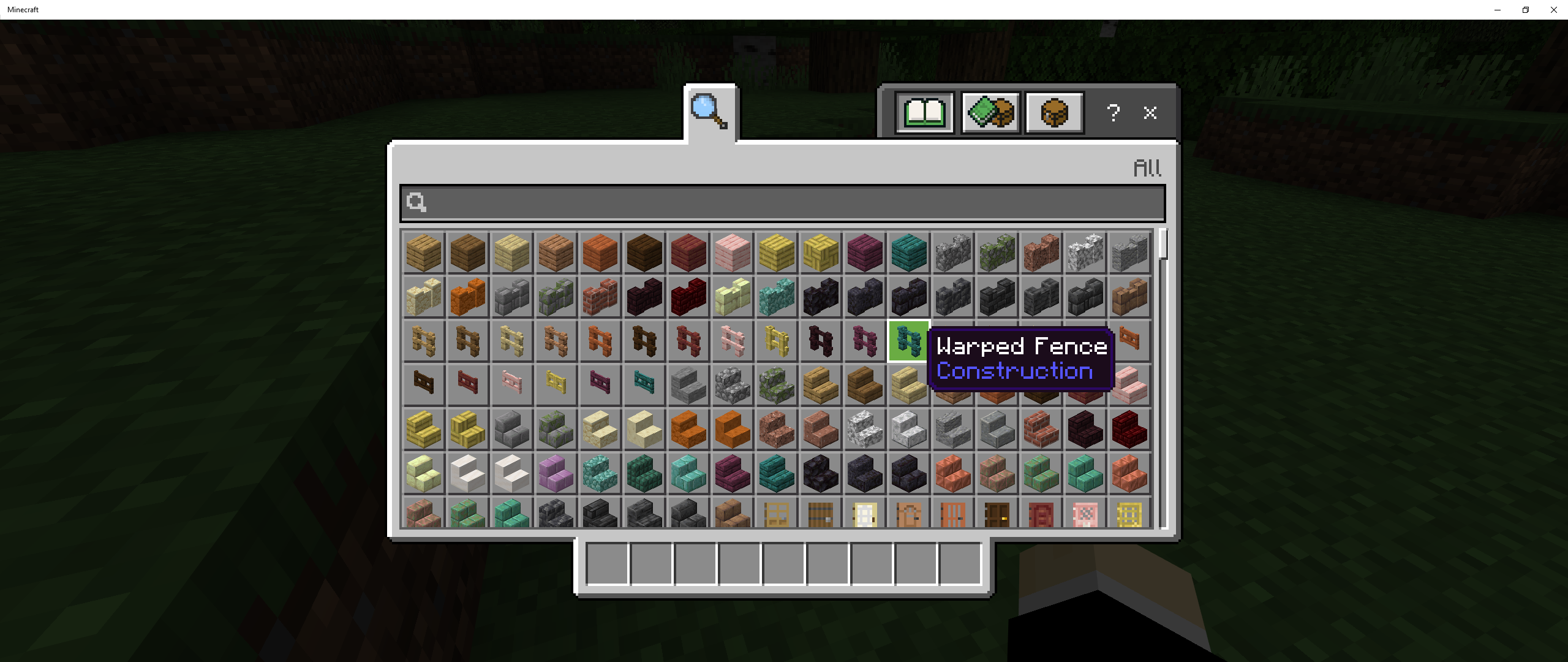
In adventure mode, some blocks and entities can be interacted with. With paintings, you are able to break them, but not place them. With flower pots, you can take flowers out, and put them in the pot. With armor stands, you can also take things from them and give them things. This is very annoying for map making.
Reproducing:
- place a painting. Then, go into adventure, and break it.
- place an armor stand, and put armor on it. then take it off in adventure.
- place a flower pot, and then put a flower in it. take it out of the pot in adventure.
I don't know if some of these are not bugs, but I did this anyway.
Minecraft 2022-11-21 17-18-12.mp4
In adventure mode, some blocks and entities can be interacted with. With paintings, you are able to break them, but not place them. With flower pots, you can take flowers out, and put them in the pot. With armor stands, you can also take things from them and give them things. This is very annoying for map making.
Reproducing:
- place a painting. Then, go into adventure, and break it.
- place an armor stand, and put armor on it. then take it off in adventure.
- place a flower pot, and then put a flower in it. take it out of the pot in adventure.
I don't know if some of these are not bugs, but I did this anyway.
In adventure mode, some blocks and entities can be interacted with. With paintings, you are able to break them, but not place them. With flower pots, you can take flowers out, and put them in the pot. With armor stands, you can also take things from them and give them things. This is very annoying for map making.
How do reproduce:
- place a painting. Then, go into adventure, and break it.
- place an armor stand, and put armor on it. then take it off in adventure.
- place a flower pot, and then put a flower in it. take it out of the pot in adventure.
I don't know if some of these are not bugs, but I did this anyway.
When going into a command block that is unconditional, it shows the conditional version instead of the unconditional version. This works for all types of command blocks. also, the inside of the command block always faces up, even if it was placed in a different direction.
Steps to reproduce:
- Place a impulse, repeating, and chain command block.
- Make sure they are not conditional.
- teleport yourself into the command blocks.
When running over any type of pressure plate, It won't stay down as long as it should. It sometimes doesn't happen, and sometimes does, it depends on how you step on it. Especially when placing pressure plates next to stairs, then running up them. This breaks a lot of redstone doors, and it can slam the doors in your face!
Steps to reproduce:
- place any type of pressure plate.
- put any type of redstone tool next to the pressure plate.
- then, put stairs down facing the pressure plate.
- notice when walking over the plate and onto the stairs, the redstone tool doesn't stay on as long as it should.
Conduits arealldark when placed in air
When placing a Conduit in air or in water, it looks dark, even when emitting light. When you place a Conduit underwater, it looks dark until you enter the water.
Steps to reproduce:
- Place a conduit in air and in water.
- It should look dark when placed in air. when placed in water, it should look dark
,until you enter the water.When placing a Conduit in air or in water, it looks dark, even when emitting light. When you place a Conduit underwater, it looks dark until you enter the water for a split second, before it turns dark again.
Steps to reproduce:
- Place a conduit in air and in water.
- It should look dark when placed in air. when placed in water, it should look dark until you enter the water, then turn dark again.
When you enter water as a spectator, you still see as far as you can when in any mode besides spectator. In lava, there is no fog, and you can see clearly through it, unlike any other gamemode.
Steps to reproduce:
- Find a water source, or place water.
- go into spectator, and enter the water.
- There will be fog. Do the same with lava, and it doesn't have fog.
Lava example \/ water example \/
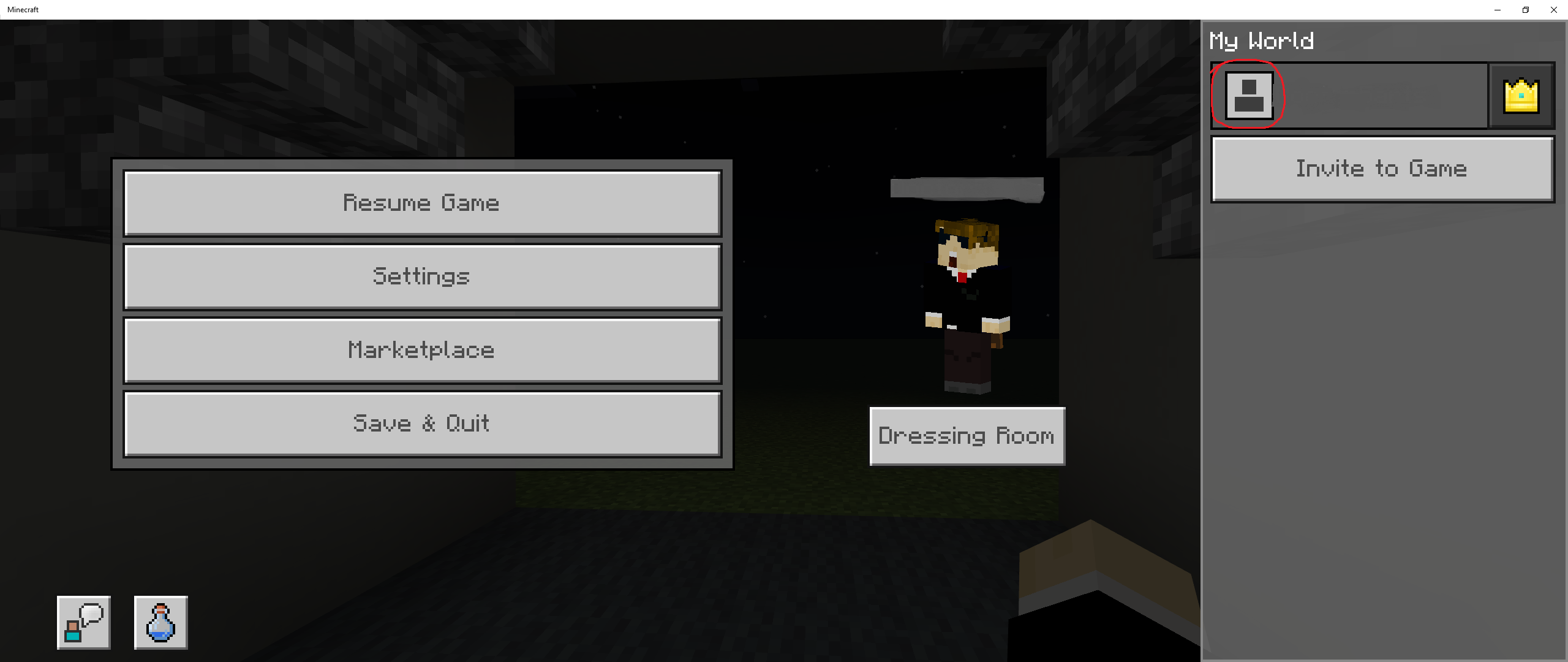
When entering a multiplayer world, you might notice in the friend list that the host does not have their profile picture, but instead a server icon. This also does not allow you to click on their profile to open their info menu (idk what it's called).
Also, in worlds that are not opened by people on the same network, some player's skins don't render, and are instead replaced by one of the default skins.
In single player, your profile picture doesn't show up, and is replaced by the default profile picture.When entering a multiplayer world, you might notice in the friend list that the host does not have their profile picture, but instead a server icon. This also does not allow you to click on their profile to open their info menu (idk what it's called).
Also, in single player, your profile picture doesn't show up, and is replaced by the default profile picture.
Host of multiplayer world shows server icon, some skins don't render
When using commands to remove weapons from entities that spawn with weapons (i.e., Pillager), or swap a weapon or item with an entity using commands or having them grab it, if they can, the mob still does the same damage with the weapon, even without having one.
with a pillager or piglin that spawned with a crossbow, if you remove their weapon with a command, the crossbow will be visually removed. when attacking, instead doing melee damage, they will still shoot arrows, and will shoot at a faster time than usual.
Steps to reproduce:
- Choose a hostile mob that spawns naturally with a weapon.
- on the entity, run this command:
/replacitem entity @e[type={entity)] slot.weapon.mainhand 0 air
- Notice how the entity has had their weapon removed.
- Enter survival, and make the mob attack you
What happens:
The mob will still attack with the same damage amount with their default weapon, or shoot arrows without a crossbow.
Expected outcome:
The entity should not do as much damage as their normal weapon, or they should not shoot arrows without a crossbow, and instead to melee or no damage at all.
If you want to try other things other than air, replace the air at the end of the command with another item.
When using commands to remove weapons from entities that spawn with weapons (i.e., Pillager), or swap a weapon or item with an entity using commands or having them grab it, if they can, the mob still does almost the same damage with the weapon, even without having one.
with a pillager or piglin that spawned with a crossbow, if you remove their weapon with a command, the crossbow will be visually removed. when attacking, instead doing melee damage, they will still shoot arrows, and will shoot at a faster time than usual.
Steps to reproduce:
- Choose a hostile mob that spawns naturally with a weapon.
- on the entity, run this command:
/replacitem entity @e[type={entity)] slot.weapon.mainhand 0 air
- Notice how the entity has had their weapon removed.
- Enter survival, and make the mob attack you
What happens:
The mob will still attack with the same damage amount with their default weapon, or shoot arrows without a crossbow.
Expected outcome:
The entity should not do as much damage as their normal weapon, or they should not shoot arrows without a crossbow, and instead to melee or no damage at all.
If you want to try other things other than air, replace the air at the end of the command with another item.
W
hen using commands to remove weapons from entitiesthat spawn withweapons (i.e., Pillager), or swap a weapon or item with an entity using commands or having them grab it, if they can, the mob still does almost the same damagewiththeweapon, even without having one.with a pillager or piglin that spawned with a crossbow, if you remove their weapon with a command, the crossbow will be visually removed. when attacking, instead doing melee damage, they will still shoot arrows, and will shoot at a faster time than usual.
Steps to reproduce:
- Choose a hostile mob that spawns naturally with a
weapon.- on the entity, run this command:
/replacitem entity @e[type={entity)] slot.weapon.mainhand 0 air
- Notice how the entity has had their
weaponremoved.- Enter survival, and make the
mobattack youWhat happens:
The
mob will still attack with the same damage amount with their default weapon, orshoot arrows without a crossbow.Expected outcome:
The entity should not
do as much damage as their normal weapon, or they should notshoot arrows without a crossbow, and instead to melee or no damage at all.
If you want to try other things other than air, replace the air at the end of the command with another item.
With a pillager or piglin that spawned with a crossbow, if you remove their weapon with a command, the crossbow will be visually removed. when attacking, instead doing melee damage, they will still shoot arrows, and will shoot at a faster time than usual. Entities with weapons spawned naturally also have no durability on their weapons and do not break, unlike Java edition.
Steps to reproduce:
- Choose a hostile mob that spawns naturally with a crossbow.
- on the entity, run this command:
/replacitem entity @e[type={entity)] slot.weapon.mainhand 0 air
- Notice how the entity has had their crossbow removed.
- Enter survival, and make the entity attack you.
What happens:
The entity will still shoot arrows, even without a crossbow.
Expected outcome:
The entity should not shoot arrows without a crossbow, and instead to melee or no damage at all.
If you want to try other things other than air, replace the air at the end of the command with another item.
When you make a gravity block fall and then tp the falling block to an area, the hitbox of the falling block entity will be teleported, but the model will stay in the same place it was before being teleported. The model will also still fall but will not break or turn into its block form when lands on a block. when the hitbox lands on a block, the model of the falling block will go to the hitbox, making it look like it teleported.
Steps to reproduce:
- Place a command block in the sky, then add this command:
/tp @e[type=falling_block] ~ ~-1~
- place a button on the command block, then place a gravity affected block.
- when the falling block falls, press the button. the falling block should still be falling in the same place it was before.
What is supposed to happen:
The falling block should be teleported with the hitbox of the falling block.
in some cases, this will happen with falling blocks on a piston.
When you make a gravity block fall and then tp the falling block to an area, the hitbox of the falling block entity will be teleported, but the model will stay in the same place it was before being teleported. The model will also still fall but will not break or turn into its block form when lands on a block. when the hitbox lands on a block, the model of the falling block will go to the hitbox, making it look like it teleported.
Steps to reproduce:
- Place a command block in the sky, then add this command:
/tp @e[type=falling_block] ~ ~-2 ~
- place a button on the command block, then place a gravity affected block.
- when the falling block falls, press the button. the falling block should still be falling in the same place it was before.
What is supposed to happen:
The falling block should be teleported with the hitbox of the falling block.
in some cases, this will happen with falling blocks on a piston.
Why does no one care about this?
This is a very serious bug! If or when an operator that is not the owner of the world de-ops the owner, they can change themselves back into an operator. but if they are put into adventure with no way out, they cannot do anything with commands, not even change gamemodes. Even exiting the world and editing your gamemode can't do anything.
This allows corrupt or mean operators to actually gatekeep op from the owner of the world, or if done by accident, this can result in basically losing the world!
Steps to reproduce:
- Enter a new world in Creative.
- First set your gamemode into adventure mode, then de-op yourself.
- notice how you are not able to change into op, and have no commands.
What should happen:
Owners of the world should be able to change back into op.NOTE: Do NOT do this on a world that you love.
Why does no one care about this?
This is a very serious bug! If or when an operator that is not the owner of the world de-ops the owner, they can change themselves back into an operator. but if they are put into adventure with no way out, they cannot do anything with commands, not even change gamemodes. Even exiting the world and editing your gamemode can't do anything.
This allows corrupt or mean operators to actually gatekeep op from the owner of the world, or if done by accident, this can result in basically losing the world!
Steps to reproduce:
- Enter a new world in Creative.
- First set your gamemode into adventure mode, then de-op yourself.
- notice how you are not able to change into op, and have no commands.
What should happen:
Owners of the world should be able to change back into op.NOTE: Do NOT do this on a world that you love.
Why does no one care about this?
This is a very serious bug! If or when an operator that is not the owner of the world de-ops the owner, they can change themselves back into an operator. but if they are put into adventure with no way out, they cannot do anything with commands, not even change gamemodes. Even exiting the world and editing your gamemode can't do anything.
This allows corrupt or mean operators to actually gatekeep op from the owner of the world, or if done by accident, this can result in basically losing the world!
Steps to reproduce:
- Enter a new world in Creative.
- First set your gamemode into adventure mode, then de-op yourself.
- notice how you are not able to change into op, and have no commands.
What should happen:
Owners of the world should be able to change back into op.NOTE: Do NOT do this on a world that you love.
When a mob walks, you can't notice if the facing direction updates all the time, or just when it walks. This is fine, until you want to use a caret(^) in a command (I.e. teleporting a mob/player to where the mob is looking), it will only face in the direction the mob is looking IF the mob is walking.
Steps to reproduce:
- Place a repeating command block.
Then, put this command into the command block:
/execute as @e[type=cow,c=1] at @s run tp @e[name="example"] ^ ^ ^5Name any mob this /\
- Spawn a cow, and then spawn any mob and name it "example".
- Turn the command block on. Notice that the "example" mob only rotates with the body, even if anchored to the eyes, and only does so if the mob walks.
The chicken in the videos is to show where the game thinks the mob is facing.
Facing direction updating \/ Facing direction not updating \/
When you enter the water by walking into it and not moving down quickly, the camera gets stuck on the top of the water, even though the player doesn't. This only works if you enter the water slowly, not from falling into or jumping.
Steps to reproduce:
- Make a pool of water at least 3 blocks deep.
- enter the water slowly. Notice that the camera gets stuck on the surface of the water.
- Try entering third-person. notice how the player still falls even when the camera gets stuck.
What should happen:
The camera should not get stuck on the water.I also lost my skin because of the Marketplace glitch, It's STILL HAPPENING!!!!!!
When you respawn or enter a new world, your world spawn is not exactly in the middle of the block you spawn on, but is off center and is always in the corner of the block. This can break some maps where you respawn in a box that gives you all your things back or does something else, and you spawn outside of the box.v
Steps to reproduce:
- Set the respawn radius to 0.
- place a block on the world spawn that is not a block around it.
- use /kill in survival to die and respawn.
- notice that you don't spawn on the center of the block, but in the corner, no matter the block that is there.
What should happen:
You respawn in the center of the block.
When you respawn or enter a new world, your world spawn is not exactly in the middle of the block you spawn on, but is off center and is always in the corner of the block. This can break some maps where you respawn in a box that gives you all your things back or does something else, and you spawn outside of the box.
vSteps to reproduce:
- Set the respawn radius to 0.
- place a block on the world spawn that is not a block around it.
- use /kill in survival to die and respawn.
- notice that you don't spawn on the center of the block, but in the corner, no matter the block that is there.
What should happen:
You respawn in the center of the block.
When you respawn, there is a slight delay until you can move again, and I think that is a bug of itself. While you are in the slight delay after respawning, mobs and players can attack you, giving them a few hits until you can fight back.
Steps to reproduce:
- spawn a hostile mob near your spawnpoint.
- go unto survival, then do /kill.
- notice when you respawn, you can be hit even when you are in the slight delay.
I think that delay after respawning might be it's own bug, but I'm not sure.
Redstone locking issue:
When you want to lock a hopper through a block or direct contact with a redstone torch, it won't lock. This breaks sorting systems and will destroy already made automatic sorting systems.Locked hoppers will also let blocks out, but not in.Steps to reproduce:
- Place a chain of hoppers 3 blocks tall.
- Then, place a redstone torch or block next to the hopper.
- If you placed a block, add a repeater facing the block and power it.
- Notice how when you place items into the top hopper, they still go into the bottom hopper.
Item locking issue
If you are able to lock a hopper that has storage or another hopper below it, the hopper will still let items into the storage or hopper, but it won't let items in to the hopper.Steps to reproduce:
- Place a chain of 3 blocks tall.
- Lock the middle hopper.
- Place an item in the top hopper. Notice the items don't go into the middle hopper.
- Now, place an item in the middle hopper. Notice it STILL let's am item into the bottom hopper, even though it is locked.
Redstone locking issue:
When you want to lock a hopper through a block or direct contact with a redstone torch, it won't lock. This breaks sorting systems and will destroy already made automatic sorting systems.Steps to reproduce:
- Place a chain of hoppers 3 blocks tall.
- Then, place a redstone torch or block next to the hopper.
- If you placed a block, add a repeater facing the block and power it.
- Notice how when you place items into the top hopper, they still go into the bottom hopper.
Item locking issue:
If you are able to lock a hopper that has storage or another hopper below it, the hopper will still let items into the storage or hopper, but it won't let items in to the hopper.Steps to reproduce:
- Place a chain of 3 blocks tall.
- Lock the middle hopper.
- Place an item in the top hopper. Notice the items don't go into the middle hopper.
- Now, place an item in the middle hopper. Notice it STILL let's am item into the bottom hopper, even though it is locked.
Redstone locking issue:
When you want to lock a hopper through a block or direct contact with a redstone torch, it won't lock. This breaks sorting systems and will destroy already made automatic sorting systems.Steps to reproduce:
- Place a chain of hoppers 3 blocks tall.
- Then, place a redstone torch or block next to the hopper.
- If you placed a block, add a repeater facing the block and power it.
- Notice how when you place items into the top hopper, they still go into the bottom hopper.
Item locking issue:
If you are able to lock a hopper that has storage or another hopper below it, the hopper will still let items into the storage or hopper, but it won't let items in to the hopper.Steps to reproduce:
- Place a chain of
3blocks tall.- Lock the
middlehopper.Placean itemin the top hopper. Notice the itemsdon't go into themiddlehopper.- Now, place an item in the
middlehopper. Notice it STILL let's amitem into the bottom hopper, even though it is locked.Redstone locking issue:
When you want to lock a hopper through a block or direct contact with a redstone torch, it won't lock. This breaks sorting systems and will destroy already made automatic sorting systems.Steps to reproduce:
- Place a chain of hoppers 3 blocks tall.
- Then, place a redstone torch or block next to the hopper.
- If you placed a block, add a repeater facing the block and power it.
- Notice how when you place items into the top hopper, they still go into the bottom hopper.
Item locking issue:
If you are able to lock a hopper that has storage or another hopper below it, the hopper will still let items into the storage or hopper, but it won't let items in to the hopper.Steps to reproduce:
- Place a chain of 2 blocks tall.
- Lock the top hopper.
- Throw an item on the top hopper. Notice the item don't go into the bottom hopper.
- Now, place an item in the top hopper. Notice it STILL let's an item into the bottom hopper, even though it is locked.
Redstone locking issue:
When you want to lock a hopper through a block or direct contact with a redstone torch, it won't lock. This breaks sorting systems and will destroy already made automatic sorting systems.Steps to reproduce:
- Place a chain of hoppers 3 blocks tall.
- Then, place a redstone torch or block next to the hopper.
- If you placed a block, add a repeater facing the block and power it.
- Notice how when you place items into the top hopper, they still go into the bottom hopper.
Item locking issue:
If you are able to lock a hopper that has storage or another hopper below it, the hopper will still let items into the storage or hopper, but it won't let items in to the hopper.Steps to reproduce:
- Place a chain of 2 blocks tall.
- Lock the top hopper.
- Throw an item on the top hopper. Notice the item don't go into the bottom hopper.
- Now, place an item in the top hopper. Notice it STILL let's an item into the bottom hopper, even though it is locked.
e
This only works for servers and realms.
When playing in a realm or multiplayer world, you may have come across this annoying glitch. Even though the letter or number doesn't show up unless editing, it still counts to the filter. It can be really annoying when you finish the sign, and then it gets hashed out because a color code and a normal word make a "swear".
Steps to reproduce:
Note this is ONLY for an example.
- Place a sign down.
- Copy this into the sign:
§l§f You know this is a glitch, right?
- Notice when you place it, all of the sign or the beginning of the sign is replaced with #.
What should happen:
Color codes should not apply to the profanity filter.
Believe me, I looked everywhere for this and couldn't find a duplicate.
When you try to lock a hopper only using a redstone torch or a redstone block, it won't work. If you try straight redstone dust pointing to the hopper however, it does lock. This only works with straight redstone dust, if you try to lock a hopper any other way it won't lock.
Looking at past videos and pictures, this is not an attended feature.
Steps to reproduce:
- Place
twohoppers, one on top of the other.- Power the
tophopper using any redstone source.- Put an item in the top hopper. Notice how the item still goes through, even if
it's powered by a redstone source except for straight redstone dust.What should happen:
The top hopper should always lock, no matter what's powering it.
Believe me, I looked everywhere for this and couldn't find a duplicate.
When you try to lock a hopper only using a redstone torch or a redstone block, it won't work. If you try straight redstone dust pointing to the hopper however, it does lock. This only works with straight redstone dust, if you try to lock a hopper any other way it won't lock.
Looking at past videos and pictures, this is not an attended feature.
Steps to reproduce:
- Place 3 hoppers, one on top of the other.
- Power the middle hopper using any redstone source.
- Put an item in the top hopper. Notice how the item still goes through, even if the middle hopper is powered by a redstone source, except for straight redstone dust.
What should happen:
The top hopper should always lock, no matter what's powering it.
When you throw a wind charge into a cobweb or flowing water, it doesn't get pushed by the current, even though bubbles appear. Other projectiles do get pushed by flowing water. I know that it's supposed to go through water without slowing down, but in Java it does get slowed down by flowing water.
Steps to reproduce:
- Make a straight flow of water.
- Go to the end where the water flows towards you, and throw a snowball.
- Then, throw a wind charge into the flowing water. Notice how it doesn't get pushed back.
What should happen:
The wind charge should slow down and possible come back, just like in Java edition.
delete me!
Wind charges don't slow down in flowing waterDelete me!
When you throw multiple wind charges in one direction, they can collide with each other when they get too far out of render distance, which they usually keep going until they hit ground, but normal projectiles don't collide with each other. This can be annoying when trying to stack wind charges, or when two players or a breeze throw wind charges at each other.
You can try this by throwing multiple wind charges in one direction. After awhile, you can see the explosion when they collide with each other.When you throw multiple wind charges in one direction, they can collide with each other when they get too far out of render distance, which they usually keep going until they hit ground, but normal projectiles don't collide with each other. This can be annoying when trying to stack wind charges, or when two players or a breeze throw wind charges at each other.
Steps to reproduce:
- Throw multiple wind charges in one direction, not pointing towards ground.
- Notice that after while, you may see explosions in the air where you threw the wind charges.
Another option:
- Put a breeze in a boat or in a cage, and make sure that the breeze can hit you.
- Go into survival mode, and aggravate the breeze by throwing a wind charge at it.
- Time your throws so that the wind charge will hit the breeze's wind charge.
- Notice how the wind charge will hit the breeze's wind charge, and not go through it into the breeze.
What should happen:
The wind charge should go through each other, just like Java edition.
ok
done
When you throw multiple wind charges in one direction, they can collide with each other when they get too far out of render distance, which they usually keep going until they hit ground, but normal projectiles don't collide with each other. This can be annoying when trying to stack wind charges, or when two players or a breeze throw wind charges at each other.
Steps to reproduce:
- Throw multiple wind charges in one direction, not pointing towards ground.
- Notice that after while, you may see explosions in the air where you threw the wind charges.
Another option:
- Put a breeze in a boat or in a cage, and make sure that the breeze can hit you.
- Go into survival mode, and aggravate the breeze by throwing a wind charge at it.
- Time your throws so that the wind charge will hit the breeze's wind charge.
- Notice how the wind charge will hit the breeze's wind charge, and not go through it into the breeze.
What should happen:
The wind charge should go through each other, just like Java edition.
Command block minecarts don't visually storetheircommands
When you place a command block minecart and put a command in it, the exit out of the command block minecart and open the UI again, you will notice that the command you just entered is gone (the tick delay will also be reset). It will still work
as long as you don'tre-open it. This can get really annoying when trying to edit commands inside of them,just for them to be erased.
Steps to reproduce:
- Use this command to get a command block minecart:
/give @s command_block_minecart
- Place the minecart on a rail, and then put any command into it.
- Exit out of the command block minecart, then activate it using a powered activator rail. It should work.
- Now, open the command block minecart up again. Notice how the command you entered is now gone.
What should happen:
- The command shouldn't be erased from the command block minecart, and same with the tick delay.
When you place a command block minecart and put a command in it, the exit out of the command block minecart and open the UI again, you will notice that the command you just entered is gone (the tick delay will also be reset). It will still work, even if you reopen it. This can get really annoying when trying to edit commands inside of them, as you have to retype anything that you entered into it.
Steps to reproduce:
- Use this command to get a command block minecart:
/give @s command_block_minecart
- Place the minecart on a rail, and then put any command into it.
- Exit out of the command block minecart, then activate it using a powered activator rail. It should work.
- Now, open the command block minecart up again. Notice how the command you entered is now gone.
What should happen:
- The command shouldn't be erased from the command block minecart, and same with the tick delay.

When you repeatedly teleport a mob to a certain block, just like with players, it should stay facing in the same direction as it was when it was first teleported. This doesn't actually work, without using the facing command, they still look around when they should do the same thing as a player being teleported. Even if you use the "facing" subcommand and make it face a certain direction. They do look in that direction while idle, but sometimes they still look at you and completely ignore the "facing" subcommand.
Steps to reproduce:
- Place a repeating command block, then enter this command into it:
/tp @e[type=villager,c=1] ~ ~1 ~ facing ~ ~1 ~
- Summon a villager, then activate the command block.
- notice how the villager will face in the correct direction if you aren't close to it, but then it will try to look at you when you get close to it, but the head stays in the correct direction. This works for all mobs.
When you repeatedly teleport a mob to a certain block, just like with players, it should stay facing in the same direction as it was when it was first teleported. This doesn't actually work, without using the facing command, they still look around when they should do the same thing as a player being teleported. Even if you use the "facing" subcommand and make it face a certain direction. They do look in that direction while idle, but sometimes they still look at you and completely ignore the "facing" subcommand.
Steps to reproduce:
- Place a repeating command block, then enter this command into it:
/tp @e[type=villager,c=1] ~ ~1 ~ facing ~ ~1 ~
- Summon a villager, then activate the command block.
- notice how the villager will face in the correct direction if you aren't close to it, but then it will try to look at you when you get close to it, but the head stays in the correct direction. This works for all mobs.
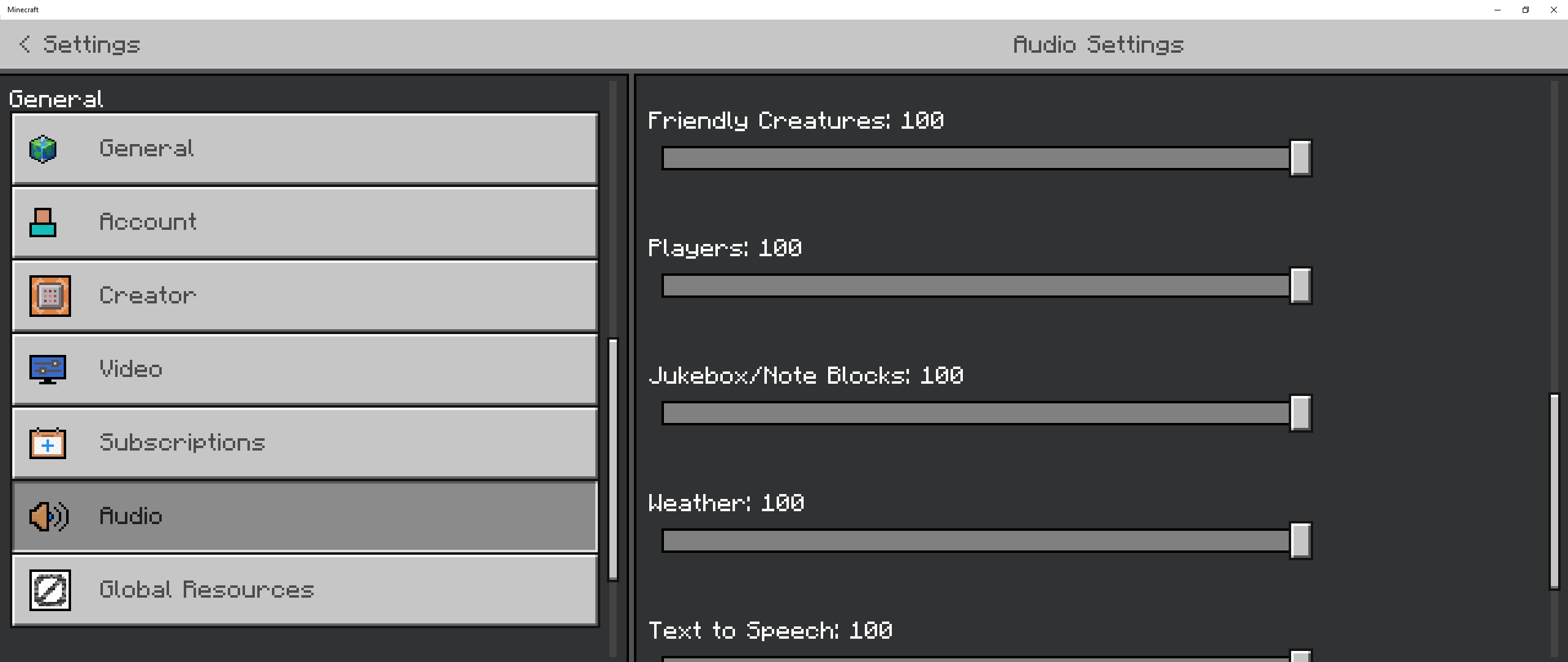
I'm making some custom songs for a game that I'm making, and I'm replacing the underwater songs to do so. There are 3 songs,butonly2 of them work. For some reason, replacing "shuniji" with another song won't do anything, and the original song will play. The other 2, Dragon Fish and Axolotl, work fine.I even tried swapping the custom music replacing Dragon Fish with the file replacing Shuniji, but that still didn't work. The music that was working for Dragon Fish didn't play anymore, but the file that was replacing Shuniji worked.
And it isn't only that one song, either. I tried replacing other songs before replacing the underwater songs, and some of those didn't work either.
Sorry if this is confusing at all, I don't really know how to explain it better!
Steps to reproduce:
- Get a blank resource pack
- Create a file in the "sounds" file and name it "music"
- Create a file in the "music" file and name that "game"
- Create a file in the "game" file and name it "water"
- Add 3 .ogg songs and name them "dragon_fish", "axolotl", and "shuniji", or just replace shuniji.
- Load the resource pack into a world, and use this command:
/playsound music.game.water @s
- Notice how the song that you used to replace "shuniji" doesn't play, but it only plays the default sound.
Observed results:
The custom music file for "shuniji" doesn't play, and instead plays the default song.
Expected results:
The custom music file for "shuniji" should play, and not the default song.
This isn't the only song either! Trying to replace the credits song or the Soulsand Valley song won't work either.
Of course I made a bug report without trying everything. This bug only happens when you don't close and re-open minecraft!
I'm making some custom songs for a game that I'm making, and I'm replacing the underwater songs to do so. There are 3 songs, but only 2 of them work. For some reason, replacing "shuniji" with another song won't do anything, and the original song will play. The other 2, Dragon Fish and Axolotl, work fine.
I even tried swapping the custom music replacing Dragon Fish with the file replacing Shuniji, but that still didn't work. The music that was working for Dragon Fish didn't play anymore, but the file that was replacing Shuniji worked.
And it isn't only that one song, either. I tried replacing other songs before replacing the underwater songs, and some of those didn't work either.
Sorry if this is confusing at all, I don't really know how to explain it better!
Steps to reproduce:
- Get a blank resource pack
- Create a file in the "sounds" file and name it "music"
- Create a file in the "music" file and name that "game"
- Create a file in the "game" file and name it "water"
- Add 3 .ogg songs and name them "dragon_fish", "axolotl", and "shuniji", or just replace shuniji.
- Load the resource pack into a world, and use this command:
/playsound music.game.water @s
- Notice how the song that you used to replace "shuniji" doesn't play, but it only plays the default sound.
Observed results:
The custom music file for "shuniji" doesn't play, and instead plays the default song.
Expected results:
The custom music file for "shuniji" should play, and not the default song.
This isn't the only song either! Trying to replace the credits song or the Soulsand Valley song won't work either.
I am having this issue as well, It Is very annoying finding players like this.
If you are trying to use the fill command with a block that does not have any other states, like grass, and you want to make it hollow, how do you do that?
This works in 1.20.0 as well. Players can also place flowers in flower pots and take out flowers from them also.
This affects all levels, but it seems to happen more around 255-256.
I added attachments
This, unfortunately, is an intended feature.
this also supposedly makes it impossible to open realms, servers, and the marketplace. Also, I'm not having this issue, which is kind of weird.
I looked up to see if the bug report was already made, but I saw nothing!
Added videos
Affects 1.20.1
this affects me in my realm sometimes. We try to breed our sniffers, but they don't drop any eggs, and they show heart particles as well.
edit: my realm is in vanilla Minecraft, with no addons.
Not really, there is more to it than just the blank profile picture.
I don't, but I don't know if my friends have it on.
that is because a "..." is an ellipsis and is its own character. Phones usually change the three dots into the ellipsis, and I guess the standard Minecraft can't do that character and makes the font different.
This is also affecting me. I don't know if my friends can see my skin, but I see a default character for some reason.
Affects 1.20.10
Affects 1.20.12
affects 1.20.12, also piglins don't have durability on their weapons.
Affects 1.20.12, also pillagers don't have durability on their crossbows.
This affects 1.20.12!
Affects 1.20.12
And this is an example of Mojang taking their sweet time to fix something. (Plz don't hurt me)
It's really annoying when trying to break or place things on end rods, because you could break the block on the other side of it.
added videos
This was such a good feature though.
Still a thing in 1.20.30. It even happens with your own profile picture!
no, it just doesn't allow you to move at all, even if you hold or spam a movement key. Also notice in the video for a split second the crosshair is not there, and the text isn't either. This also kind of makes immediate respawn not immediate.
No. This happens with everyone, and he didn't change his profile picture.
Tested in preview, works there as well. It's a really random bug, too.
REOPEN THIS! I The other report does not have the redstone issue in it. I will remove the other part.
Also this is bedrock, not Java.
I originally thought that they could be pushed by water when I saw a video about it on Java, So I tried it out on Bedrock and the wind charges didn't slow down in flowing water. When tried it on java, it for some reason didn't work, even though it worked in the video. I decided that since it didn't work in Java or Bedrock, it was a false report.
added video
Still occurs to this day, it's very annoying when you make certain maps and this bug breaks it.
The facing subcommand is completely ignored when it's teleported constantly. It should stay facing in the same position just as a player does.
How is this invalid? These are supposed to be unbreakable!
effects 1.21.1
The original Music Discs are also way too quiet, and sometimes can't even be heard. Mall, for example, is so quiet even with the volume slider turned up to 100 that it's barely even noticeable when it first starts.
Added videos for the music discs.