 Jacky161
- Jacky161
- jacky161
- America/Edmonton
- Yes
- No
 MCPE-6590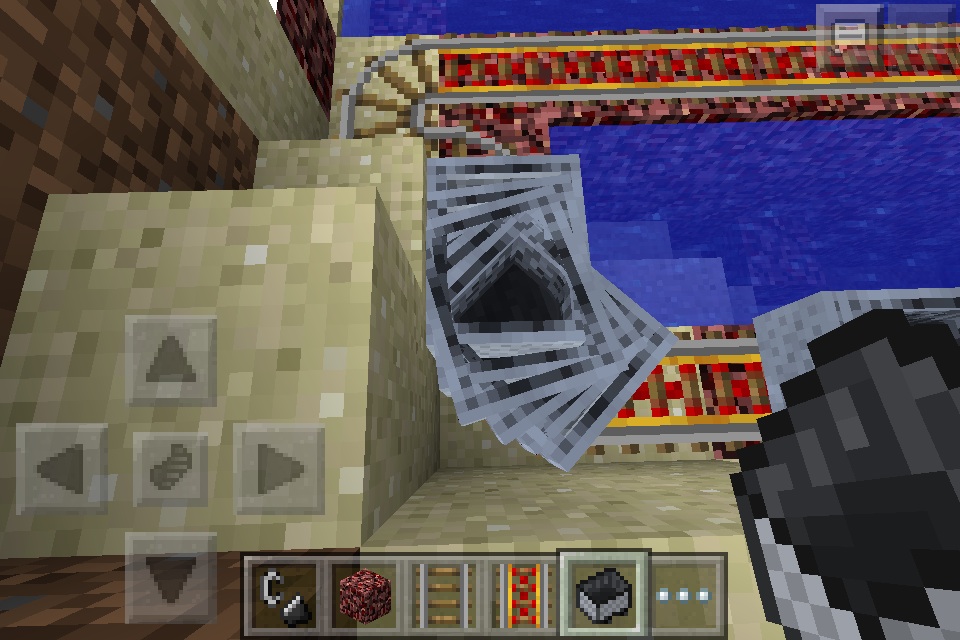

Put the summary of the bug you're having hereWhat I expected to happen was...:
The minecart would push the carts and everything would be normal.What actually happened was...:
The minecart got in a spinning glitch and it looked very weirdSteps to Reproduce:
1. Place alot of minecarts on a bunch of powered rails.
2. Place a minecart and push it.
3. Wait for the minecart to push all the minecarts
4. Then after it goes along the track a little it will go buggy.
Make sure you have alot of powered rails in front of the minecartsI was building my roller coaster and I wanted to have minecarts push other minecarts just for fun
What I expected to happen was...:
The minecart would push the carts and everything would be normal.What actually happened was...:
The minecart got in a spinning glitch and it looked very weirdSteps to Reproduce:
1. Place alot of minecarts on a bunch of powered rails.
2. Place a minecart and push it.
3. Wait for the minecart to push all the minecarts
4. Then after it goes along the track a little it will go buggy.
Make sure you have alot of powered rails in front of the minecarts
I've seen this bug already been reported "
MCPE-42542", however the poster hasn't responded to the request for the world so I am creating a new issue. Feel free to correct me if I'm not supposed to do this.I have 2 nether portals that both lead to the same place in the nether. I'll call them "Portal A" and "Portal B". Portal A was constructed first. It works completely as expected. Entering it and exiting. Portal B, which is about 100 blocks away, does not work when exiting. Entering works just fine however trying to exit gets stuck on "Building Terrain". This doesn't seem to be an issue with my world, as creating a new world in creative with the same seed and putting the portals at the exact same coordinates still does not work. The only way to get past the "Building Terrain" is to Alt + F4.
Coordinates:
Portal A 18,66,70
Portal B 124,64,91
Where you spawn after Alt + F4 18,79,67
Both the Creative Test World, and the Survival World have been attached. Survival world is too large to attach so I've linked it here. Survival World
Edit: Can confirm the issue still occurs on 1.11.1
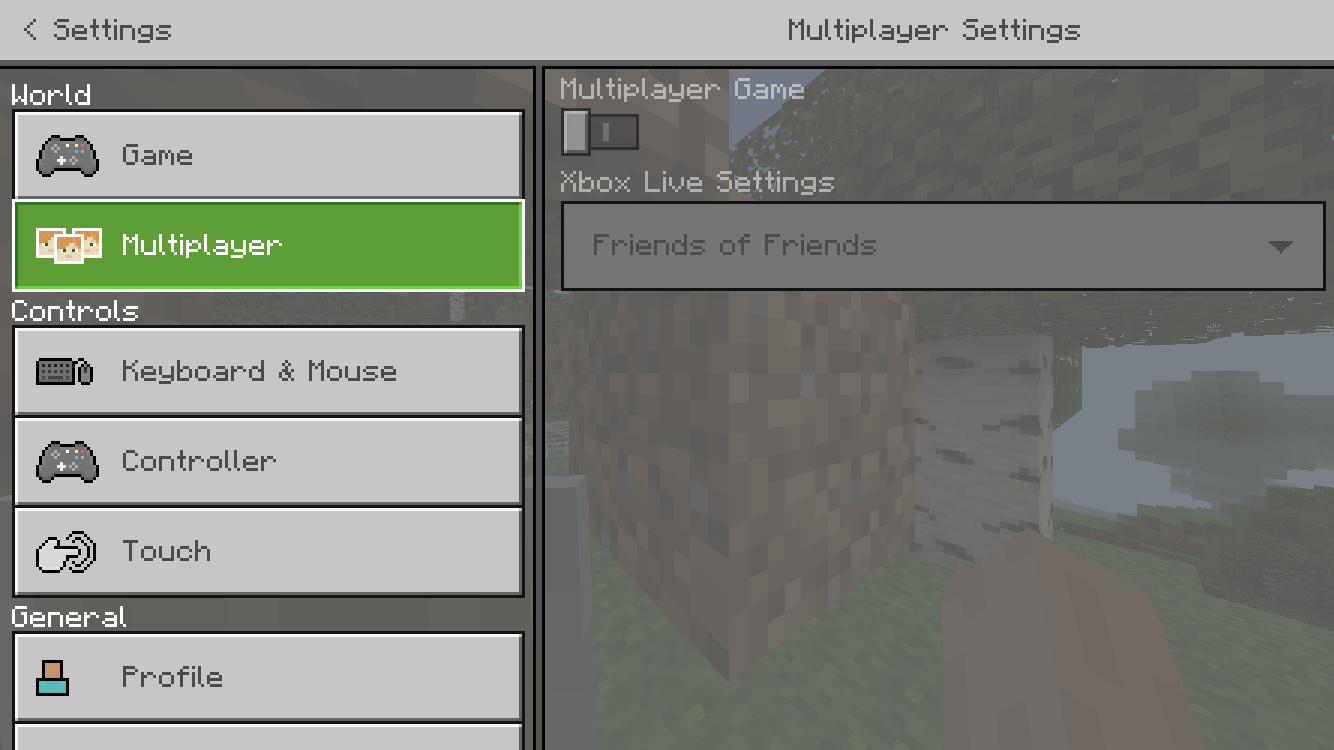
I am unable to host a Multiplayer Game on Minecraft iOS while on Data. I have Use Cellular Data enabled in settings. When I open my world making sure that Multiplayer Game is on, my friends are not able to join. If I go into the settings without leaving the world and then go into multiplayer, the Multiplayer Game toggle is off and can't be turned on. I am able to join normal Minecraft Servers like Mineplex just fine.
Steps:
- Disable WiFi and go onto Cellular Data
- Go into Minecraft
- Ensure that Use Cellular Data is on in the settings
- Load up the world ensuring that Multiplayer Game is toggled on
- Load the world. At this point, my friends do not see my world in the Friends category and inviting them does nothing.
- Go into pause, settings, then multiplayer. Multiplayer game will be off.
Edit: Still occurs on the newest update 1.11.1
This issue happens sometimes on my switch when I look downwards. When I push the analog stick up, my character moves backwards. If I push it down my character moves up. Left and right are reversed as well. If I move the camera even a little bit, the controls go back to normal. This is annoying when I'm doing stuff like planting crops where I'm looking down and all of the sudden I'm going the opposite way I want to go.