 James Macey
- james4373
- james4373
- Pacific/Auckland
- Yes
- No
 MC-44907
![[Mojang] Grum (Erik Broes)](../../../data/assets/gravatar/grum.png)






The beacon interface is greyed out. I was playing on a server running the 14w02c snapshot, hosted by MCProHosting. Server is 43craft.mcpro.co , have whitelisted Dinnerbone
What I expected to happen was...:
The beacon interface to appear, then I would be able to choose an effect, put in my iron ingot and press the check button.What actually happened was...:
The entire beacon interface was greyed out, I could not even select the most basic effect, and the only press able button was the exit button, however I was still able to put in an item.Steps to Reproduce:
Place down a beacon with the stand pyramid thingy, then right click on the beacon. You will see that the entire interface except the exit button is greyed out. (NOTE: Sometimes it works fine, other times (most times) it bugs out as above. It seems to be random.)The beacon interface is greyed out. I was playing on a server running the 14w02c snapshot, hosted by MCProHosting. Server is 43craft.mcpro.co , have whitelisted Dinnerbone
Bug does not exist in Singleplayer.
What I expected to happen was...:
The beacon interface to appear, then I would be able to choose an effect, put in my iron ingot and press the check button.What actually happened was...:
The entire beacon interface was greyed out, I could not even select the most basic effect, and the only press able button was the exit button, however I was still able to put in an item.Steps to Reproduce:
Place down a beacon with the stand pyramid thingy, then right click on the beacon. You will see that the entire interface except the exit button is greyed out. (NOTE: Sometimes it works fine, other times (most times) it bugs out as above. It seems to be random.)

This is correct, but it could be part of Villager overhaul
Not a duplicate. Interface greyed out regardless of when you right click it.
The interface does not appear right regardless in 14w02c, even if you wait for beam to appear or replace the beacon. See bug
MC-44907You need to be on a server running 14w02c on both the client and server
The crash report added as instructed by a moderator
Was there a block above the chest???
Confirmed, also applies to multiplayer
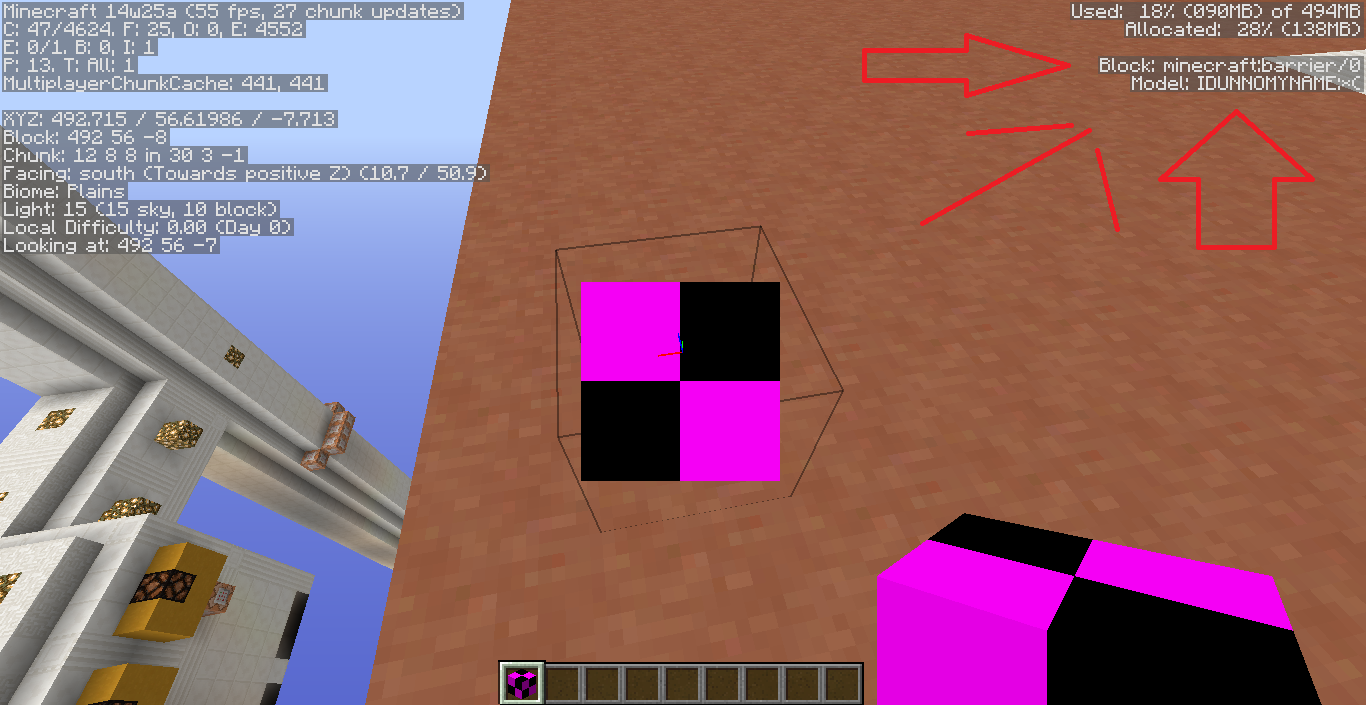
Also, the Model (under F3) is IDUNNOMYNAME:*(
It appears the model structure has been changed for 3D objects, including ladders.
Note the "Model" (added attachment)
You have too many sets of coordinates, not a bug. Just do the command with no parameters (/testforblock) and the command usage will show up in red.
I tried this. It removed 6 on the east side and 5 on the others. I then tried again, it removed 6 on east and west, then 5 on north and south. It could be random?
Clearly it was not fixed in 33c, if you had bothered to look at the screenshots and information you would have realised this,
Yes I am qmagnet.