 Jemus42
- jemus42
- jemus42
- Europe/Stockholm
- Yes
- No
 MC-36883
![[Mojang] Nathan Adams](../../../data/assets/gravatar/dinnerbone.png)

Mac OS X 10.8.5 and 10.9
Both Java 6 (official update provided by Apple) and Java 7 Update 45, as downloaded from Oracle. (Everything 64bit)OS irrelevant according to other users with the issue.
After the snapshot update, the server shuts down reproducibly when a player enters a nether portal.
Unfortunately, the server also stopped producing a log with the current snapshot. The logs/latest.log was last modified at 5pm today, which is the time we shutdown the server for the snapshot update, which I should probably report, too.
After the snapshot update, the server shuts down reproducibly when a player enters a nether portal. The server log looks normal, and from client side it looks just like the server was shut down normally.
Unfortunately, the server also stopped producing a log with the current snapshot. The logs/latest.log was last modified at 5pm today, which is the time we shutdown the server for the snapshot update, which I should probably report, too.
After the snapshot update, the server shuts down reproducibly when a player enters a nether portal. The server log looks normal, and from client side it looks just like the server was shut down normally.
Unfortunately, the server also stopped producing a log with the current snapshot. The logs/latest.log was last modified at 5pm today, which is the time we shutdown the server for the snapshot update, which I should probably report, too.After the snapshot update, the server shuts down reproducibly when a player enters a nether portal. The server log looks normal, and from client side it looks just like the server was shut down normally.
L3viathan delivered reproducibility instructions:
How to reproduce:
1. Create new world
2. Enter Nether
3. Place chest
4. Attach Item Frame
5. Put Item into Item Frame
6. Leave Nether
7. Reenter NetherP.S.: This can also be used to dupe items: Place an item in the item frame and break the chest.
P.P.S.: It might have nothing to do with the chests, just with the item frames
After the snapshot update, the server shuts down reproducibly when a player enters a nether portal. The server log looks normal, and from client side it looks just like the server was shut down normally.
L3viathan delivered reproducibility instructions:
How to reproduce:
1. Create new world
2. Enter Nether
3.Place chest
4.AttachItem Frame
5.Put Item into Item Frame
6.LeaveNether
7. Reenter NetherP.S.: This can also be used to dupe items: Place an item in the item frame and break the chest.
P.P.S.: It might have nothing to do with the chests, just with the item framesAfter the snapshot update, the server shuts down reproducibly when a player enters a nether portal. The server log looks normal, and from client side it looks just like the server was shut down normally.
L3viathan delivered reproducibility instructions:
How to reproduce:
1. Create new world
2. Enter Nether
3. Attach Item Frame to block
4. Put Item into Item Frame
5. Leave Nether
6. Reenter NetherP.S.: This can also be used to dupe items: Place an item in the item frame and break the chest.
P.P.S.: It might have nothing to do with the chests, just with the item frames
Server shuts down when player enters the nether (caused by item duplication due to item frames)
Still doesn't work for me, get's stuck at the MOJANG screen. The jar version doesn't work either, it just exits.
pastebin of dev console from the launcher: http://pastebin.com/NsEG536t
EDIT: Retried the current .jar: behaves exactly the same as the .dmg version.
Please, any hints?
Disregard everything I said before. It now works after I tried
rm ~/Library/Application\ Support/minecraft/assets/DS_Store (with the filename in Asterisks to match any possible duplicates, but it's too late for me to figure out how to avoid making bold text out of asterisks in here)
I don't know why it didn't work the first time around, and now I feel silly. But well, thanks a lot!
So far I experienced it on a specific world, but I created test worlds on both 1.6.4 and 1.7.1, where I did not have the issue.
I could provide a world download of the specific world if that would help, but because of bandwidth limitations I wouldn't want to post a public download link.
It is 1.1GB (sorry, it's been going since last august and I love it dearly).
Download via one of my servers where it's not a big deal if my hoster hates me:
http://dump.quantenbrot.de/latestbackup.tar.gz
EDIT for possibly relevant info:
There are multiple other players on my server with that world, and only two of them (OSX and Linux users respectively) experience issues similiar to mine, at least two others have the same OS as I do and don't have any performance issues – they even noticed improvements.
There is a mobfarm right
atwest of 0,0 – yes, but it has been there for about two weeks with no issues until a few days ago. The farm design includes a clock which triggers a whole bunch of dispensers, which I also suspected to induce lag, as well as the possibly high number of entities, but the interval of freezes doesn't seem to correlate with the clock.There also is the iron trench (giant iron golem farm, video: http://www.youtube.com/watch?v=YFaCNsuD01k) right at spawn, which has been there for well over 2 months without any issues.
I disabled the mob farm by disconnecting the clock from the redstone line to the dispensers, and after about 15 minutes of random playing I didn't notice any issues. However, earlier I have been able to play for a while without issues, too, so I am not yet sure it's simply the mobfarm's fault. I will report back on this later, it's almost 6am here and I should get some rest.
For the record: If it really turns out to be the mobfarm's fault I feel a decent amount of shame for not thinking about testing this before opening this issue.
We've been running the server with the disabled clock (and therefore disabled mobfarm) since the last update here and the affected players didn't experience any more freezes/lag like before.
Our next step is to re-enable the clock/mobfarm to see whether the issues reoccur.
However, L3viathan's comment above remains valid: Even if the freezes are cause by the mobfarm setup, it doesn't seem to make a lot of sense, i.e. maybe there is an underlying issue that cause otherwise manageable load to… overload?
Either way, the world download I linked above has been created at the point when I created this issue and has the mobfarm enabled. If you enter the world normally you should spawn at 0,70,0 and see the mobfarm right at the east side from spawn.
Same symptoms with similar setup (Iron Foundry) on our server, too.
Our server has become pretty much unplayable because of this issue.
The past hours have been spent like this:
1) We start the server
2) Everything seems to be oka–OHWAIT
3) A wild io.netty.handler.timeout.ReadTimeoutException appears!
4) Everything stops working, we kill all the processes
5) We try to figure out what's wrong
6) We fail
7) Go to 1)
Please help us Mojang, you're our only hope :/
Affects 14w03b… Sadly.
Huh, sounds familiar. Could you take a look at your debug log while/after these lagspikes occur? It reminds me of this issue I still have sometimes, and correlates with debug messages talking about very long chunk load times.
Reported the no logfile bug thing
EDIT: …The log thing was fixed by redownloading the .jar, will now try to get to the issue at hand.
Confirmed, works again, thanks!
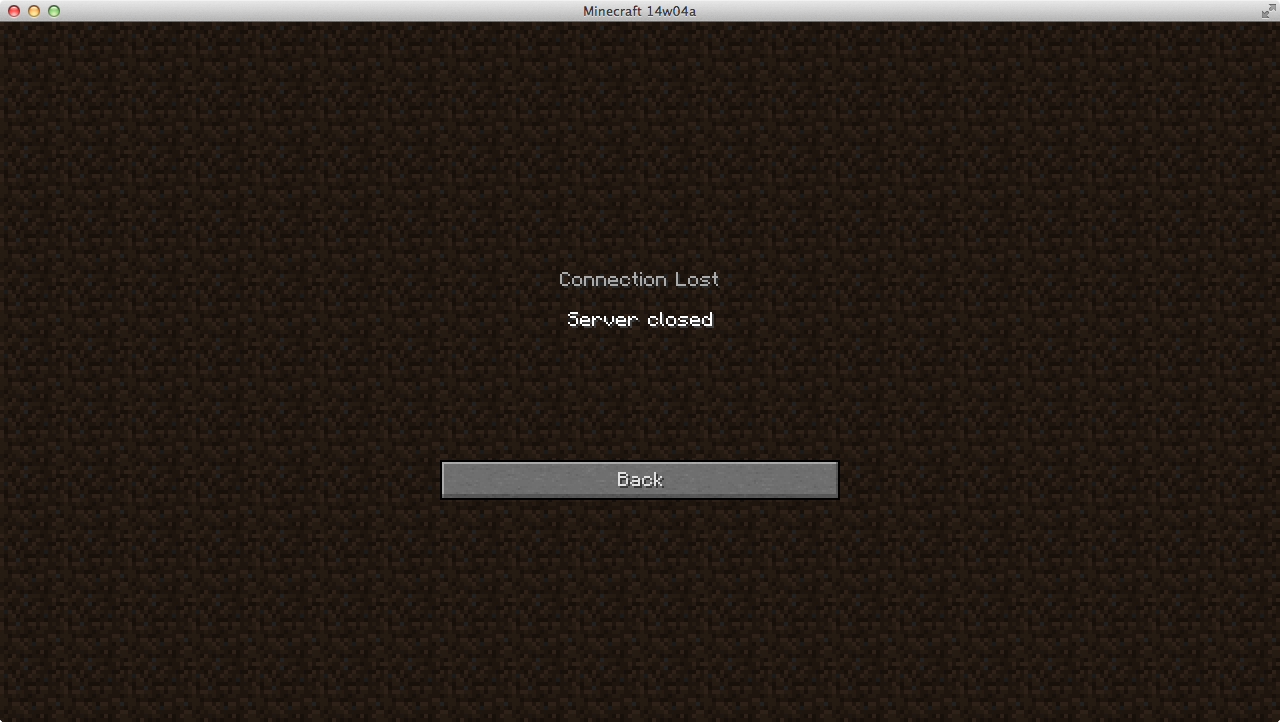
I attached the message the player sees after entering the nether portal, comes directly after the "Downloading terrain" screen.
Server seems to shut down as normal as soon as the nether should be loaded.
The server log does not contain any error messages, from the log it looks like a normal shutdown.
Well, our world is over a year old, definitely everything but fresh.
I uploaded the world here: http://dump.quantenbrot.de/wurstmineberg_2014-01-24_08h00.tar.gz
Disclaimer: It's 1.9 GB, and uncompressed it's 3 GB.
Regarding getting rid of the pigmen: Maybe it's easier to shut down the server, switch to peaceful/difficulty 0 in the server properties, and start the server again? Of course this would "delete" every hostile mob, which may not be a desired result, bit it's probably better than having no nether.
So I'm back home now and downloaded our server world from the link I provided (so it's the same version of the backup), and I entered the nether, where I landed way below our nether hub/portals which are around y110.
Anyway: There are >3200 entities, which is way too many and probably enough to force our server to shutdown, my laptop can barely handle it as it is.
Then I did /kill @e[type=PigZombie], which had close to no effect.
Then I killed all Ghasts, which only resultet in one Ghast being killed, so there's that.
Then I killed all item entities, which didn't help much.
Then I killed all the chicken, which yielded errors, but still too many entities.
… In total, I Killed Zombie Pigmen, Chicken, item entities, Ghasts, Skeletons, Magmacubes, but I still see >3100 entities.
In the end, I used F3 too look for where exactly these entities are, and it seemed to be our chests in the hub where materials for the hub construction/tunnels are stored. After I broke each chest, the total entitiy count did not rise dramatically as expected, but stayed the same. I then used the command to kill item entities after the chest was broken to remove all the items, and then the entitiy count dropped. After I broke all the chests and killed all the items, entitiy count is back to normal.
See final screenshot
More insights!
I deleted the world and unzipped the backup again to try something else: Breaking the item frames attached to the chests, some of them containing blocks, which were rendered weirdly as of the other bug I don't have at hand now, but it's known and appears in the snapshot videos of docm77 and SethBling afair. Anyway, I couldn't break the item frames on the chests, but after I broke the chests (and the item frames with it, obviously), it got better.
I made a screen recording so you can take a look at it, but it's still uploading, will edit this comment.
EDIT:
Here's the screen recording, relevant part @ 2minNevermind, L3viathan's video and reproduction steps are way better.
I attached the latest client log file from my experiment with the world. Has lots of errory looking things.
@l3viathan: So… We basically have a missingno way to dupe items now? That brings back so many memories
Apparently it's not as easy to reproduce as we thought, it doesn't happen on all worlds.
So here's the seed for our server's world: -6720233900416869526
All the item frames on our server's map still popped off, to. Even after redownloading the current version of 14w04b and restoring a backup with not-off-dropped frames.
It's not that big of a deal mostly, rather one of the bugs/glitches of mold annoyance.
Sorry, was a little preoccupied with
MC-45552and related issues.Just confirmed as well, issue still occurs in 14w04b.
@Per Thulin: Will do, thanks
Same as @Fenhl, OSX 10.10.4 and German keylayout.