 Kaelig2102
- Kaelig2102
- JIRAUSER760794
- Europe/Stockholm
- Yes
- No
 MCLG-461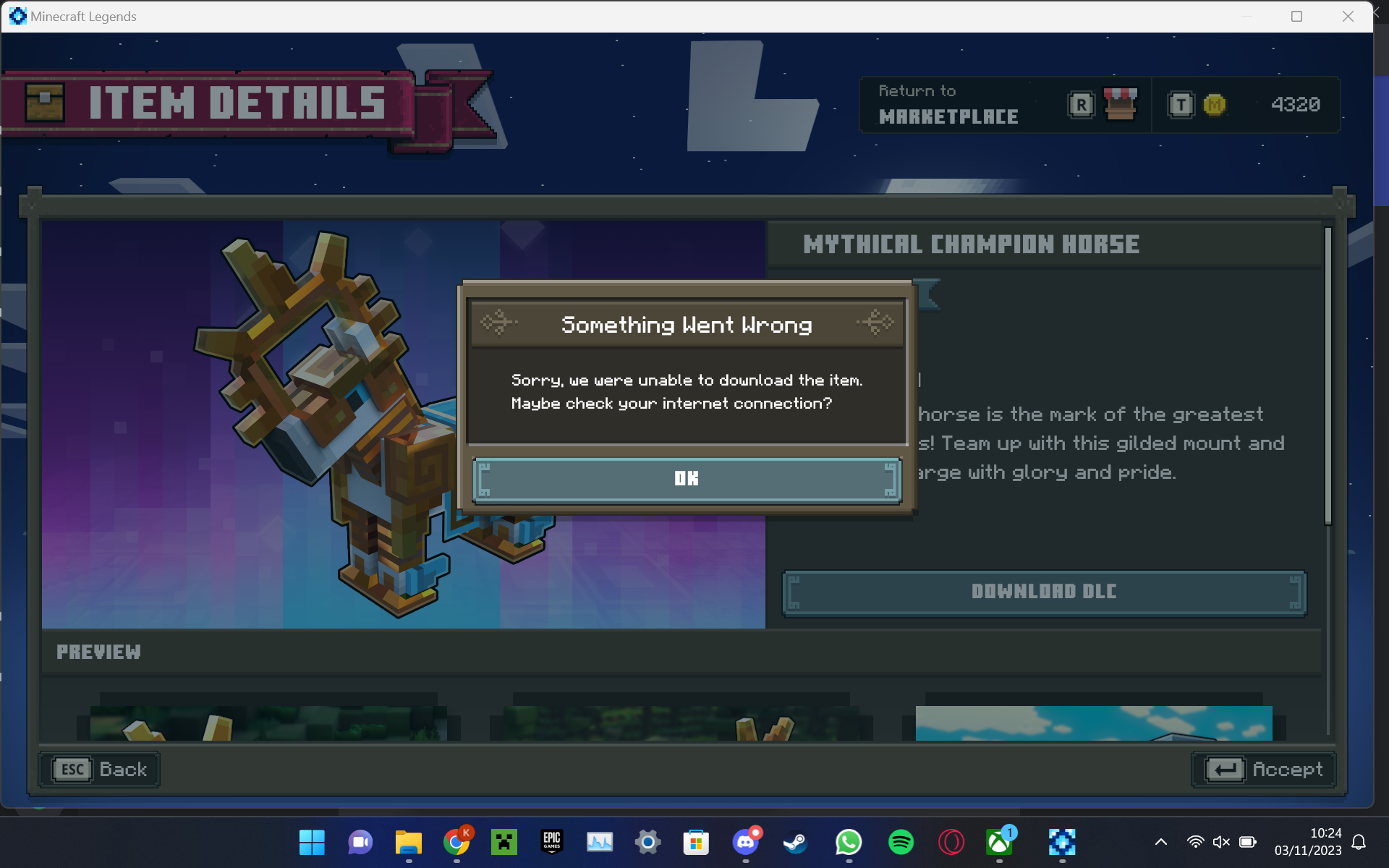

I recently wanted to download MCLG on my new pc, but upon launching the game, i noticed that i wasn't able to download anything on the marketplace, from skins to Lost Legends. Also, after restarting the game, my settings that i previously configured were reset.
After a bit of research, i found that the Minecraft Legends folder in my %appdata% folder was missing and there was only the XboxGames one.
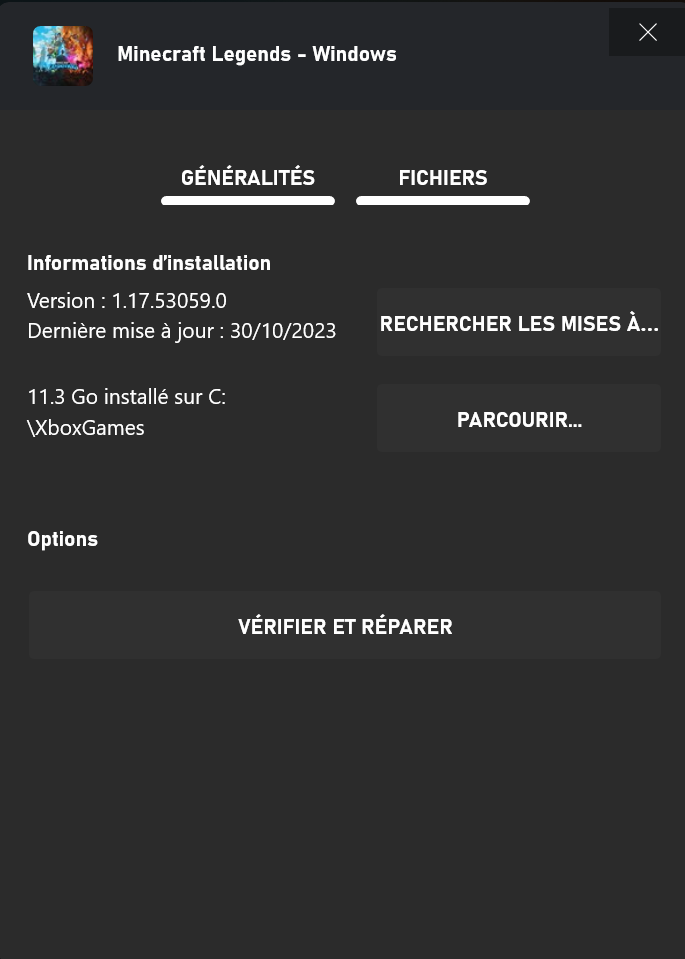
I aleready reinstalled the game multiple times on multiples stores like official launcher, the microsoft store and Xbox app but the folder was still missing. The size of the download was marked as 11.3 Go.
I don't know how to reproduce it, since no one else ever encountered this bug before.
Image description:
1: files menu from Xbox app, showing the game size, version and the location of the folder
2: screenshot of the roaming folder, sorted from A to Z, with the folder missing
3 screenshot of an attempt to download marketplace content, showing an internet error while you can see that i have internet by looking at the icon in the bottom right corner.
Feel free to ask me more infos if necessary and say if you encountered the same issue.
I recently wanted to download MCLG on my new pc, but upon launching the game, i noticed that i wasn't able to download anything on the marketplace, from skins to Lost Legends. Also, after restarting the game, my settings that i previously configured were reset.
After a bit of research, i found that the Minecraft Legends folder in my %appdata% folder was missing and there was only the XboxGames one.
I aleready reinstalled the game multiple times on multiples stores like official launcher, the microsoft store and Xbox app but the folder was still missing. The size of the download was marked as 11.3 Go.
I don't know how to reproduce it, since no one else ever encountered this bug before.
Image description:
- files menu from Xbox app, showing the game size, version and the location of the folder
- screenshot of the roaming folder, sorted from A to Z, with the folder missing
- screenshot of an attempt to download marketplace content, showing an internet error while you can see that i have internet by looking at the icon in the bottom right corner.
Feel free to ask me more infos if necessary and say if you encountered the same issue.
I have Windows 11 Professional Education 22H2 build 22621.2506 if that's what you wanted.
As mentionned above, my game is installed in the C:\XboxGames folder.
Hello again, so i did the exact plan that you said and still nothing changed. I hope that the upcoming update will somehow fix this. Anyway, thanks for your help and have a good day