 Michael Gavrilin
- korochun
- korochun
- Europe/Moscow
- Yes
- No
 MC-136460

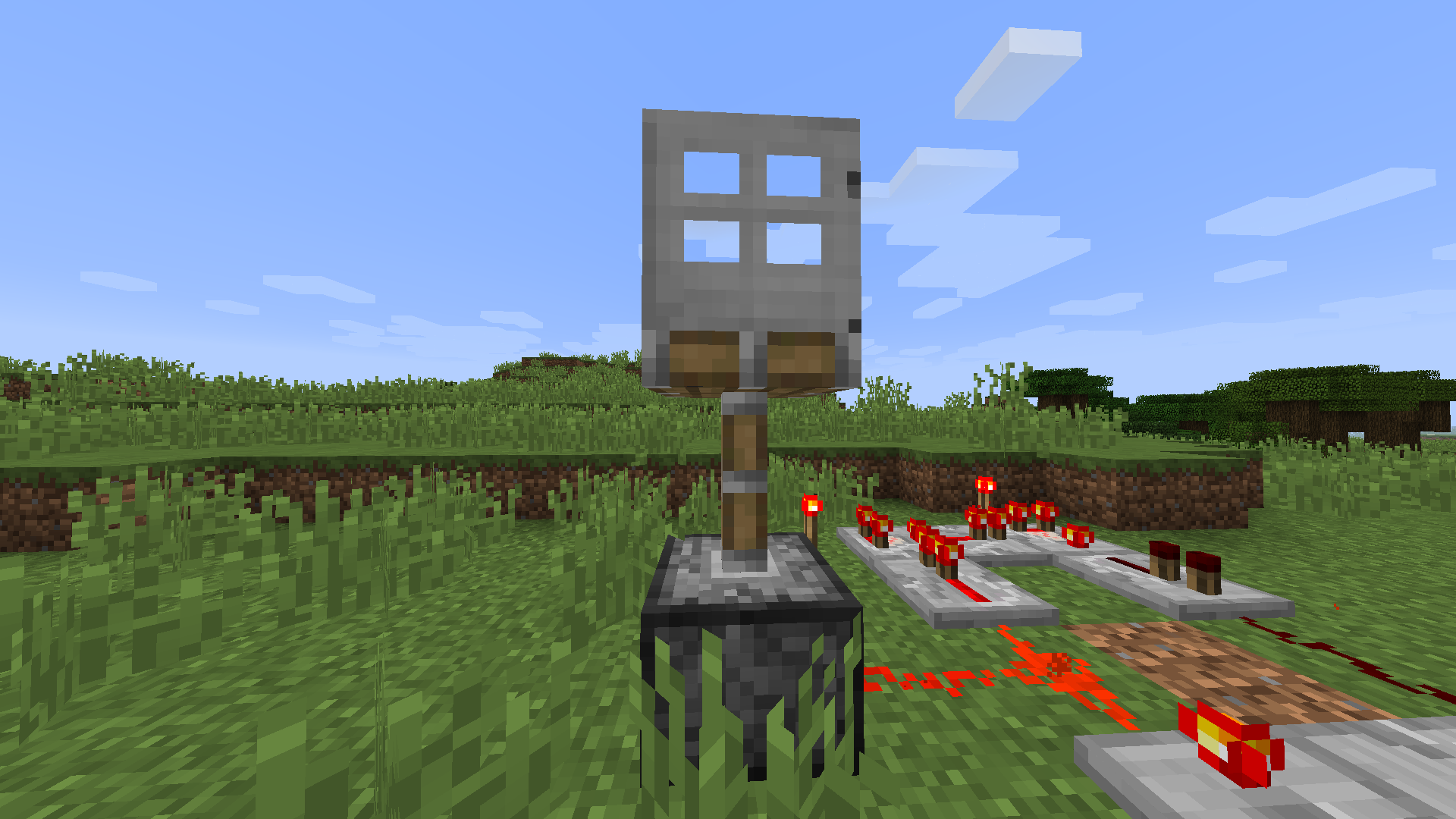



Mac OS High Sierra 10.13.6
2,9 GHz Intel Core i5
8GB 1600 MHz DDR3 RAM
Nvidia GeForce GT 650M 512MB Graphics
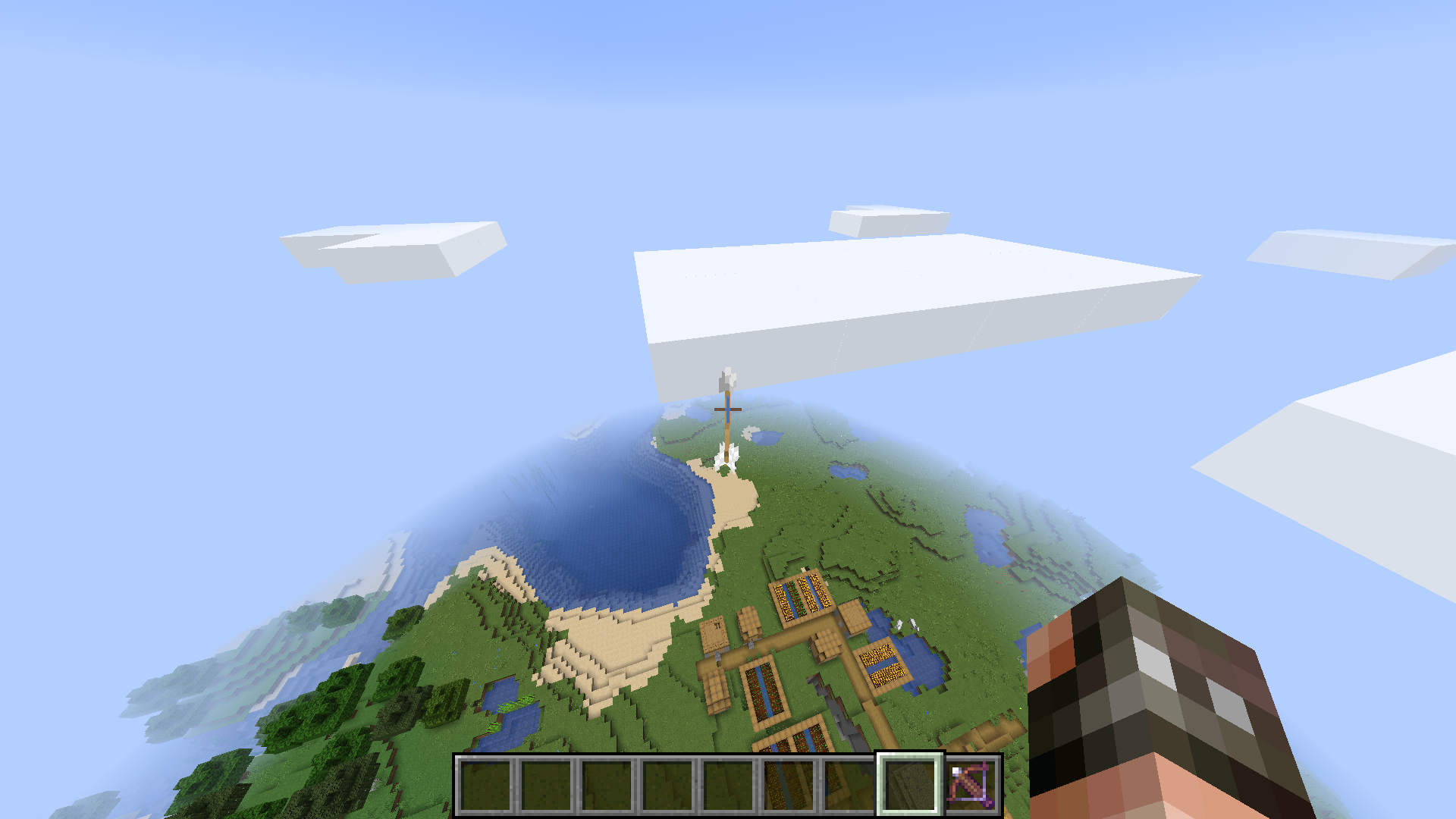
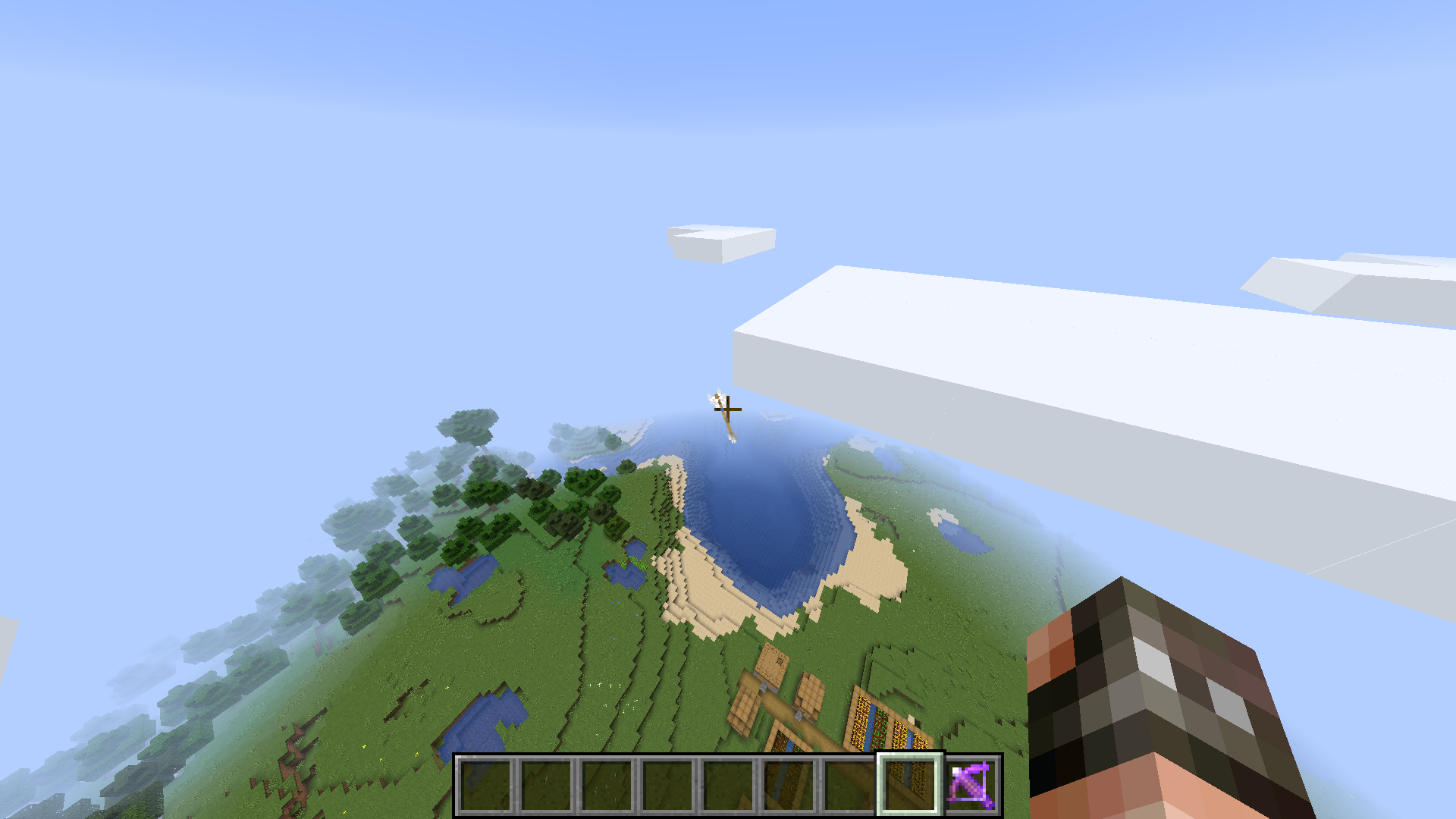
After enchanting the crossbow with everything the game allows, all arrows began to show undefined behaviour : they don't appear in the world, then appear in strange locations (see the screenshot, the arrow is stuck high in the sky ), rotate (after I made the first screenshot, the arrow re-oriented , so I decided to make a second one) and teleport in a strange manner ... Reloading the world doesn't fix the problem , but other worlds work fine.
After enchanting the crossbow with everything the game allows, all arrows began to show undefined behaviour (they worked fine before): they don't appear in the world, then appear in strange locations (see the screenshot, the arrow is stuck high in the sky ), rotate (after I made the first screenshot, the arrow re-oriented , so I decided to make a second one) and teleport in a strange manner ... Reloading the world doesn't fix the problem , but other worlds work fine.
I saw a FATAL Level message in my logs. Logs: latest.log
. Apparently, the player dying from a spider somehow generated a NullPointerException... The server kept running though. Don't think anyone will be able to reproduce it, but still sending a bug report, because it's a bug.
UPD: I saw this message once more, this time the player suffocated in a wall. Given how often the error happens, it actually may relatively somewhat be reproducible a bit. Updated logs: latest.log
Steps to reproduce:
- Create a new world, load a pre-existing one (1.15.2 worlds have this issue too) or log onto a server.
- Use /fill ... white_concrete hollow to create a box with dimensions of 7 or more blocks in any place in the world previously exposed to light.
Expected behaviour:
The box is dark inside.Result:
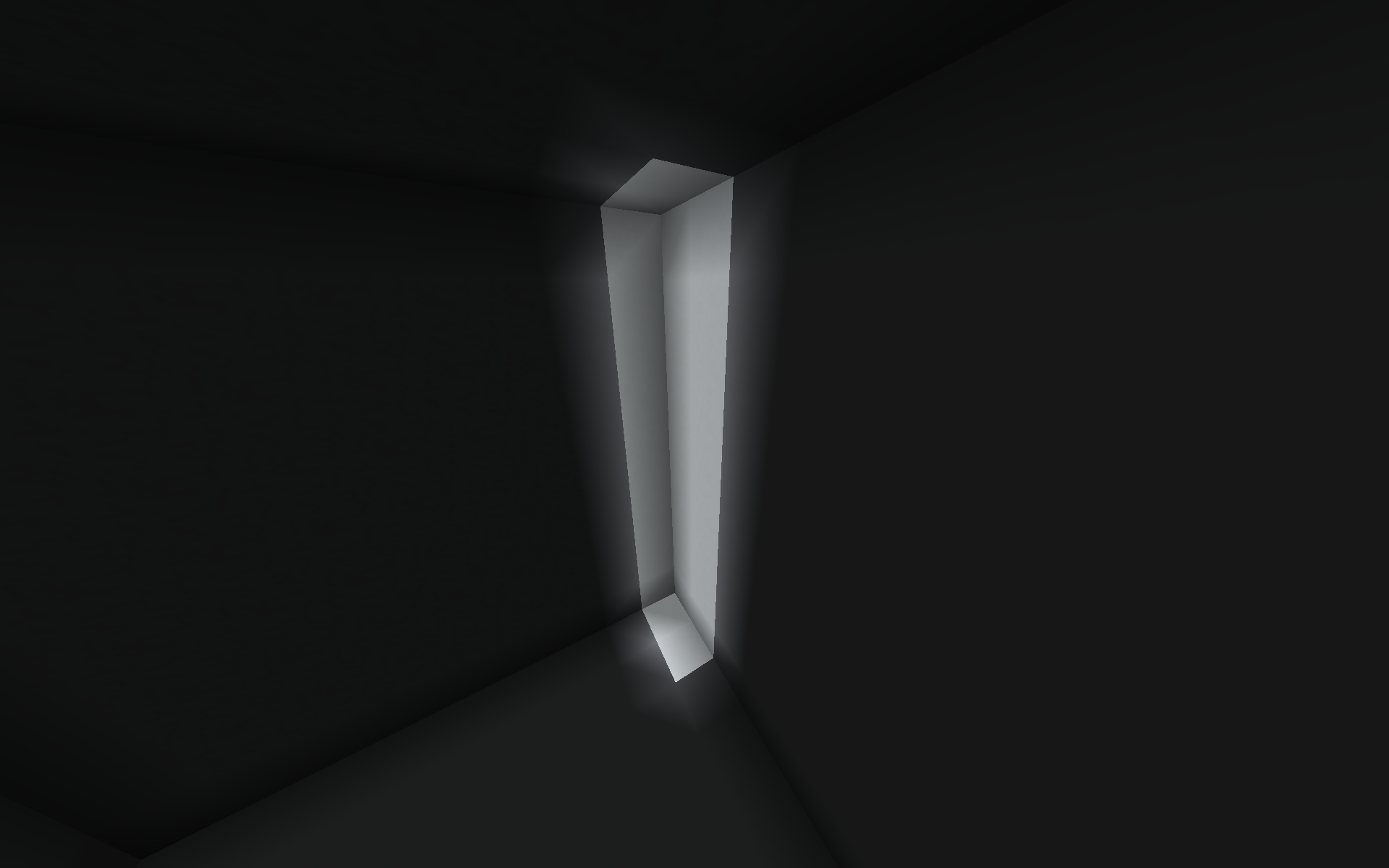
The box still has skylight level 15 inside of it.Fix:
Relog into the world or onto the server.History:
This issue was introduced in 20w12a, but only affected chunk borders (firstscreenshot). It was fixed in 20w15a, until being reintroduced in 1.16-pre1 (secondscreenshot).Notes:
- This doesn't work with all kinds of blocks. It does work with glowstone, dirt and concrete, but not with grass blocks.
- If the box is not a cube, it will be lit on one side.
- Updating lighting inside the box does not fix the issue.
- World type does not matter.
- Game rules don't affect this.
- Sometimes randomly doesn't work.
Steps to reproduce:
- Create a new world, load a pre-existing one (1.15.2 worlds have this issue too) or log onto a server.
- Use /fill ... white_concrete hollow to create a box with dimensions of 7 or more blocks in any place in the world previously exposed to light.
Expected behaviour:
The box is dark inside.Result:
The box still has skylight level 15 inside of it.Fix:
Relog into the world or onto the server.History:
This issue was introduced in 20w12a, but only affected chunk borders (second screenshot). It was fixed in 20w15a, until being reintroduced in 1.16-pre1 (first screenshot).Notes:
- This doesn't work with all kinds of blocks. It does work with glowstone, dirt and concrete, but not with grass blocks.
- If the box is not a cube, it will be lit on one side.
- Updating lighting inside the box does not fix the issue.
- World type does not matter.
- Game rules don't affect this.
- Sometimes randomly doesn't work.
Steps to reproduce:
- Create a new world, load a pre-existing one (1.15.2 worlds have this issue too) or log onto a server.
- Use /fill ... white_concrete hollow to create a box with dimensions of 7 or more blocks in any place in the world previously exposed to light.
Expected behaviour:
The box is dark inside.Result:
The box still has skylight level 15 inside of it.Fix:
Relog into the worldoronto the server.History:
This issue was introduced in 20w12a, but only affected chunk borders (second screenshot). It was fixed in 20w15a, until being reintroduced in 1.16-pre1 (first screenshot).Notes:
- This doesn't work with all kinds of blocks. It does work with glowstone, dirt and concrete, but not with grass blocks.
- If the box is not a cube, it will be lit on one side.
- Updating lighting inside the box does not fix the issue.
- World type does not matter.
- Game rules don't affect this.
- Sometimes randomly doesn't work.
Steps to reproduce:
- Create a new world, load a pre-existing one (1.15.2 worlds have this issue too) or log onto a server.
- Use /fill ... white_concrete hollow to create a box with dimensions of 7 or more blocks in any place in the world previously exposed to light.
Expected behaviour:
The box is dark inside.Result:
The box still has skylight level 15 inside of it.Fix:
Relog into the world/onto the server or rebuild the box.History:
This issue was introduced in 20w12a, but only affected chunk borders (second screenshot). It was fixed in 20w15a, until being reintroduced in 1.16-pre1 (first screenshot).Notes:
- This doesn't work with all kinds of blocks. It does work with glowstone, dirt and concrete, but not with grass blocks.
- If the box is not a cube, it will be lit on one side.
- Updating lighting inside the box does not fix the issue.
- World type does not matter.
- Game rules don't affect this.
- Sometimes randomly doesn't work.
Expected behavior:
Component selectors check if all list items are present.What actually happens:
The selector checks for order as well, which may be arbitrary.To reproduce:
- Take 2 bundles and 2 of any 2 stackable items.
- Place 1 of each item into both bundles, in different orders.
- Run the following command:
/clear @s bundle[bundle_contents=[{id:"itemA"},{id:"itemB"}]] 0
- Only 1 of the bundles is matched.
Note:
I believe that testing for order can be useful as well (e.g. place items into a bundle in a specific order to enter a password), so perhaps a way to do both is needed.
Expected behavior:
Component selectors check if all list items are present.What actually happens:
The selector checks for order as well, which may be arbitrary.To reproduce:
- Take 2 bundles and 2 of any 2 stackable items.
- Place 1 of each item into both bundles, in different orders.
- Run the following command:
/clear @s bundle[bundle_contents=[{id:"itemA"},{id:"itemB"}]] 0
- Only 1 of the bundles is matched.
Note:
I believe that testing for order can be useful as well (e.g. place items into a bundle in a specific order to enter a password), so perhaps a way to do both is needed.
Expected behavior:
Component selectors check if all list items are present.What actually happens:
The selector checks for order as well, which may be arbitrary.To reproduce:
- Take 2 bundles and 2 of any 2 stackable items.
- Place 1 of each item into both bundles, in different orders.
- Run the following command
:/clear @s bundle[bundle_contents=[{id:"itemA"},{id:"itemB"}]] 0
- Only 1 of the bundles is matched.
Note:
I believe that testing for order can be useful as well (e.g. place items into a bundle in a specific order to enter a password), so perhaps a way to do both is needed.Expected behavior:
Component selectors check if all list items are present.What actually happens:
The selector checks for order as well, which may be arbitrary.To reproduce:
- Take 2 bundles and 2 of any 2 stackable items.
- Place 1 of each item into both bundles, in different orders.
- Run the following command. Only 1 of the bundles is matched.
/clear @s bundle[bundle_contents=[{id:"itemA"},{id:"itemB"}]] 0Note:
I believe that testing for order can be useful as well (e.g. place items into a bundle in a specific order to enter a password), so perhaps a way to do both is needed.
No, I tried it on vanilla 1.12.2 and 1.13.1.
You know better, but I don't think that's a graphical issue, because the lower half doesn't show as a block.
It doesn’t happen anymore (1.13 and up) indeed. Thanks anyways.