 Dimitar
- mitko1239
- mitko1239
- Europe/Sofia
- Yes
- No
 MC-64521
![[Mojang] Searge (Michael Stoyke)](../../../data/assets/gravatar/searge.png)
![[Mojang] eowyn36](../../../data/avatars/users/18935.svg)
 MCLG-18
![[Mojang] elvendorke](../../../data/avatars/users/81677.png)

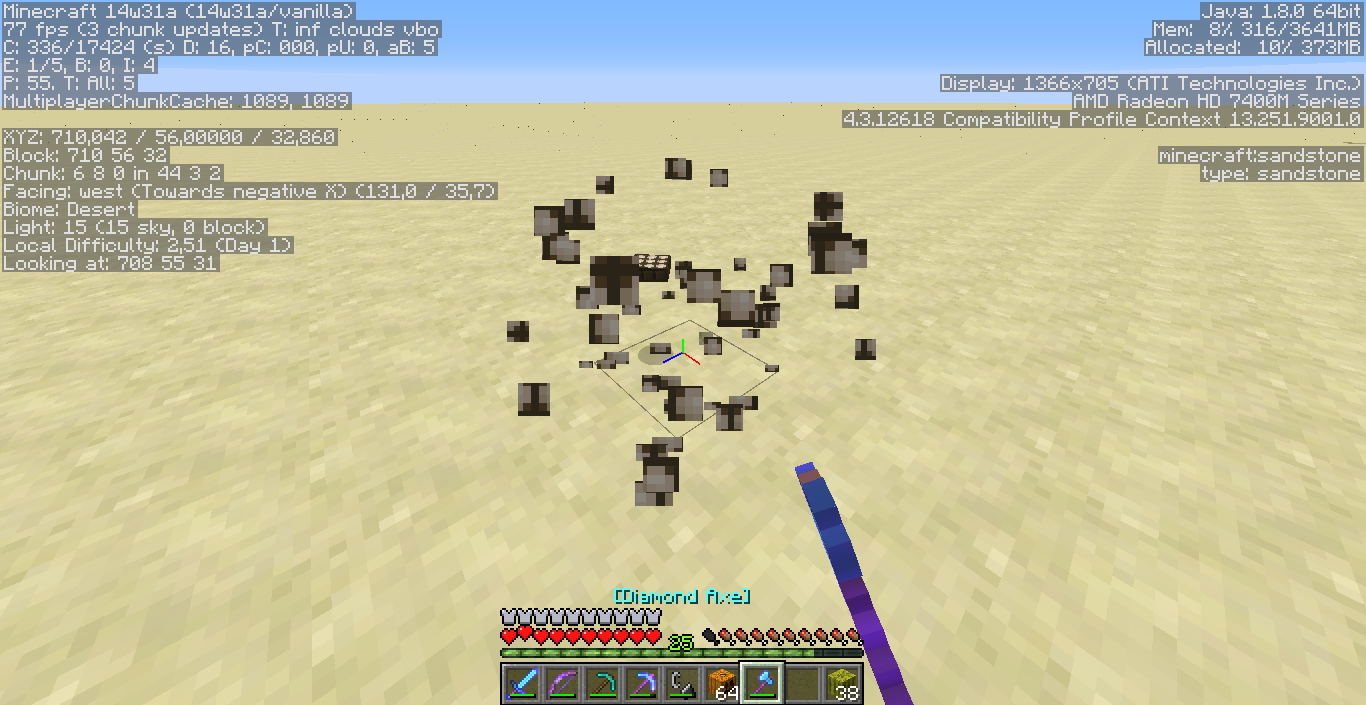





Inverted Daylight Sensor doesn't drop anything when mined, while the normal state daylight sensor drops itself.
Inverted Daylight Sensor doesn't drop anything when mined, while the normal state daylight sensor drops itself. Disregard the tool being used, it happens even without a tool.
Inverted Daylight Sensor doesn't drop anything when mined, while the normal state daylight sensor drops itself. D
isregard the tool being used, it happens even without a tool.Inverted Daylight Sensor doesn't drop anything when mined, while the normal state daylight sensor drops itself. Don't pay attention to the tool used in the screenshots, it happens even without a tool.
Inverted Daylight Sensor doesn't drop anything when mined, while the normal state daylight sensor drops itself. Don't pay attention to the tool used in the screenshots, it happens even without a tool.
Inverted Daylight Sensor doesn't drop anything when mined, while the normal state daylight sensor drops itself. Don't pay attention to the tool used in the screenshots, it happens even without a tool.
Video, showing off the issue: https://www.youtube.com/watch?v=dwRCHte7OVo
Inverted Daylight Sensor doesn't drop anything when mined, while the normal state daylight sensor drops itself. Don't pay attention to the tool used in the screenshots, it happens even without a tool.
Video, showing off the issue: https://www.youtube.com/watch?v=dwRCHte7OVoInverted Daylight Sensor doesn't drop anything when mined, while the normal state daylight sensor drops itself. Don't pay attention to the tool used in the screenshots, it happens even without a tool.
Video, showing off the issue: https://www.youtube.com/watch?v=dwRCHte7OVo
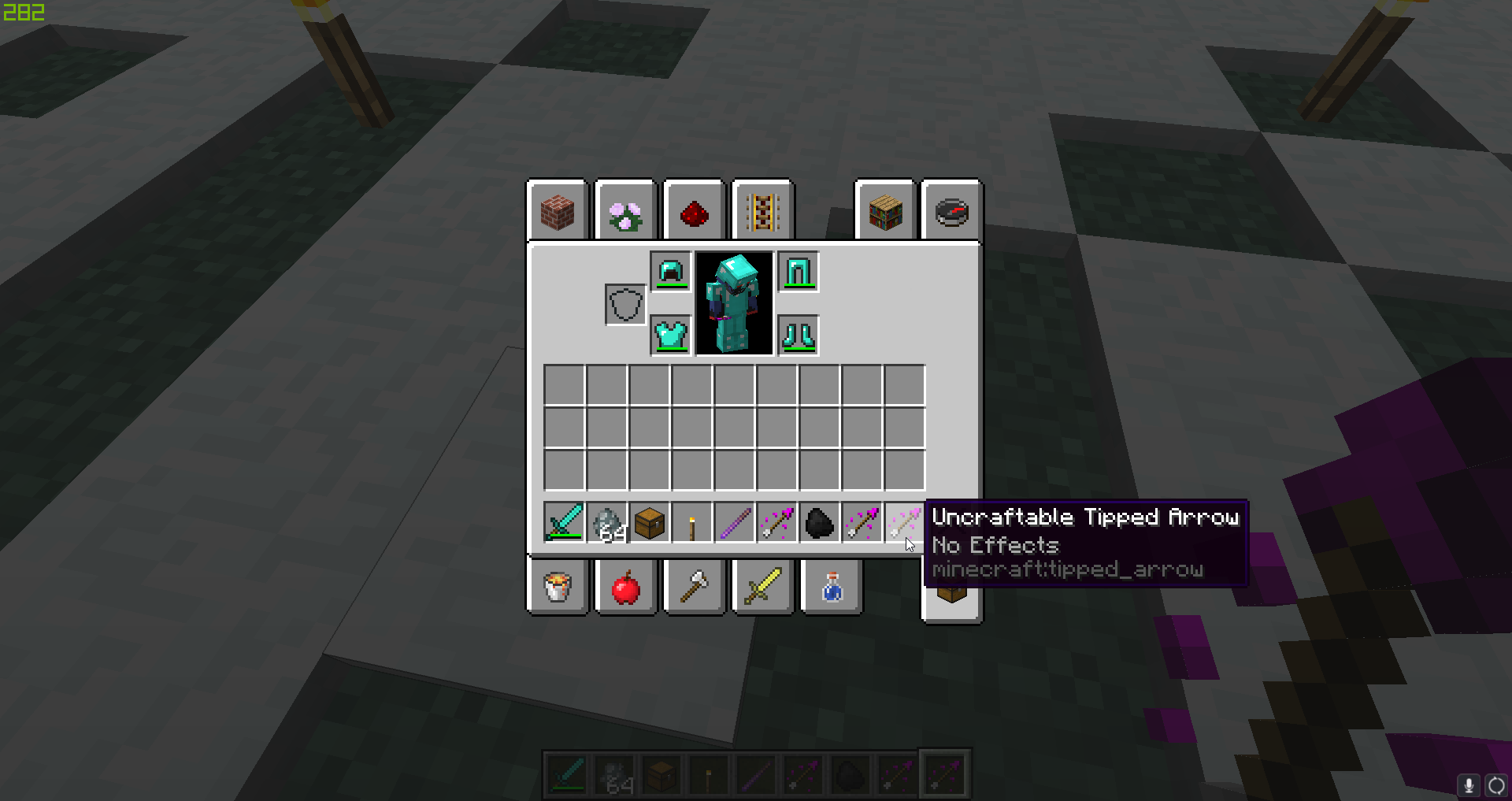
Strays drop Uncraftable Tipped Arrow with no effect instead of arrows of slowness
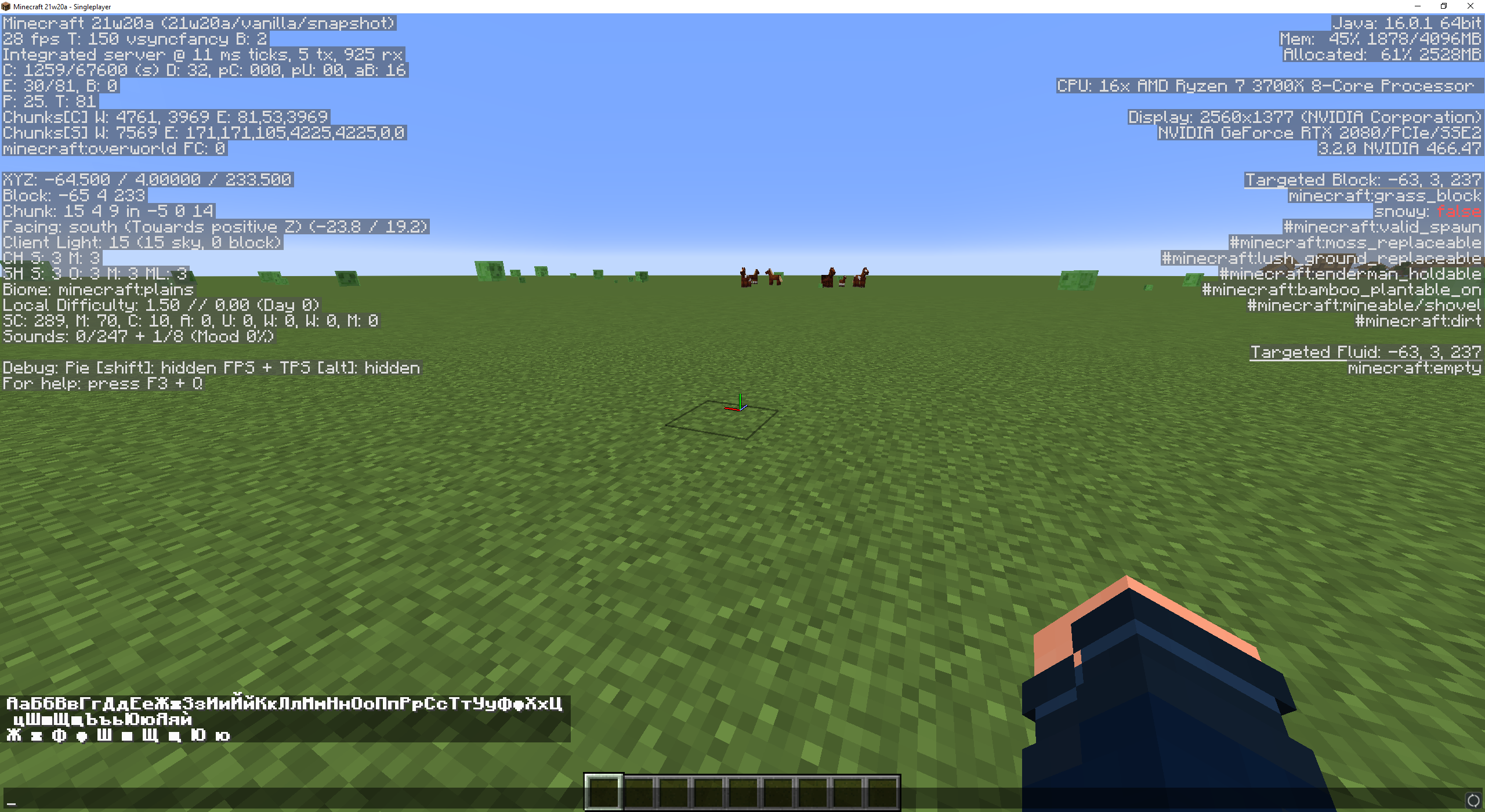
In general all the cyrillic symbols look better than 1.13-pre7 but some of them still look odd especially the lowercase "ш".
Commands to reproduce this:
/tellraw @p {"text":"АаБбВвГгДдЕеЖжЗзИиЙйКкЛлМмНнОоПпРрСсТтУуФфХхЦцШшЩщЪъьЮюЯяѝ","bold":true}/tellraw @p {"text":"Ж ж Ф ф Ш ш Щ щ Ю ю","bold":true}
2020-04-15_22.40.47.png
The game crashes when attempting to nagivate up or down with the arrow keys on the keyboard after changing a key bind and leaving the last key on focus.
Exit code is -1 and the error is ArrayIndexOutOfBoundsException (crash report attached):The Bug:
The game crashes when attempting to nagivate up or down with the arrow keys on the keyboard after changing a key bind and leaving the last key on focus.
Steps to Reproduce:
- Go to Setttings > Controls > Key Binds
- Mouse over a key bind and Left click to change it.
- Select a new or the same key on the keyboard.
- Without changing the focus with the mouse to a different keybind, press the Up or Down arrow
Observed Behavior:
Observe the game closing unexpectedly.
Expected Behavior:
The game navigating to the previous or next key bind and not closing unexpectedly.
The Bug:
The game crashes when attempting to na
givate up or down with the arrow keys on the keyboard after changing a key bind and leaving the last key on focus.Steps to Reproduce:
- Go to Setttings > Controls > Key Binds
- Mouse over a key bind and Left click to change it.
- Select a new or the same key on the keyboard.
- Without changing the focus with the mouse to a different keybind, press the Up or Down arrow
Observed Behavior:
Observe the game closing unexpectedly.
Expected Behavior:
The game navigating to the previous or next key bind and not closing unexpectedly.
The Bug:
The game crashes when attempting to navigate up or down with the arrow keys on the keyboard after changing a key bind and leaving the last key on focus.
Steps to Reproduce:
- Go to Setttings > Controls > Key Binds
- Mouse over a key bind and Left click to change it.
- Select a new or the same key on the keyboard.
- Without changing the focus with the mouse to a different keybind, press the Up or Down arrow
Observed Behavior:
Observe the game closing unexpectedly.
Expected Behavior:
The game navigating to the previous or next key bind and not closing unexpectedly.
The empty state sprite for the oxygenHUDtakes a little longer to start displaying compared to Bedrock editionThe empty state sprite for the oxygen bar takes a little longer to start displaying compared to Bedrock edition
When an air bubble pops, there seems to be an extra frame with no sprite being drawn, before the empty state sprite appears. This is not the case in the Bedrock edition.
Versions compared in attached videos below:
- Minecraft Java Edition 1.21.2-pre1
- Minecraft Bedrock Edition 1.21.40.25 Preview
How to reproduce:
- Jump in a body of water at least 2 blocks deep (to start losing air).
- Observe the oxygen
HUDafter a bubble pops.Expected result:
The sprite should change from the popping bubble to the empty state on the next frame/draw.
Observed result:
There is an extra frame that does not contain a sprite, and the empty state sprite is drawn on the next frame.
When an air bubble pops, there seems to be an extra frame with no sprite being drawn, before the empty state sprite appears. This is not the case in the Bedrock edition.
Versions compared in attached videos below:
- Minecraft Java Edition 1.21.2-pre1
- Minecraft Bedrock Edition 1.21.40.25 Preview
How to reproduce:
- Jump in a body of water at least 2 blocks deep (to start losing air).
- Observe the oxygen bar after a bubble pops.
Expected result:
The sprite should change from the popping bubble to the empty state on the next frame/draw.
Observed result:
There is an extra frame that does not contain a sprite, and the empty state sprite is drawn on the next frame.
When an air bubble pops, there seems to be an extra frame with no sprite being drawn, before the empty state sprite appears. This is not the case in the Bedrock edition.
Versions compared in the attached videos below:
- Minecraft Java Edition 1.21.2-pre1
- Minecraft Bedrock Edition 1.21.40.25 Preview
How to reproduce:
- Jump in a body of water at least 2 blocks deep (to start losing air).
- Observe the oxygen bar after a bubble pops.
Expected result:
The sprite should change from the popping bubble to the empty state on the next frame/draw.
Observed result:
There is an extra frame that does not contain a sprite, and the empty state sprite is drawn on the next frame.
![[Mod] Neko](../../../data/avatars/users/92901.png)
Correct me if I'm wrong, but I think it's supposed to sort profiles by name.
For me it crashes even if it's not fullscreen.
Why not show the ID and the name in brackets?
Just happened to me in 19w11b as well
Happened to me after upgrading from 19w14b to 1.14-pre1. I was going to the village and the game crashed with this message:
java.lang.IllegalStateException: POI data mismatch: already registered at ev{x=335, y=79, z=-417}
[^crash-2019-04-10_21.37.51-server.txt]
Crash happened to me when upgrading to 1.14-pre1:
crash-2019-04-10_21.37.51-server.txt
Looks like it's still an issue in 1.15-pre2. I attached a screenshot from the latest pre-release
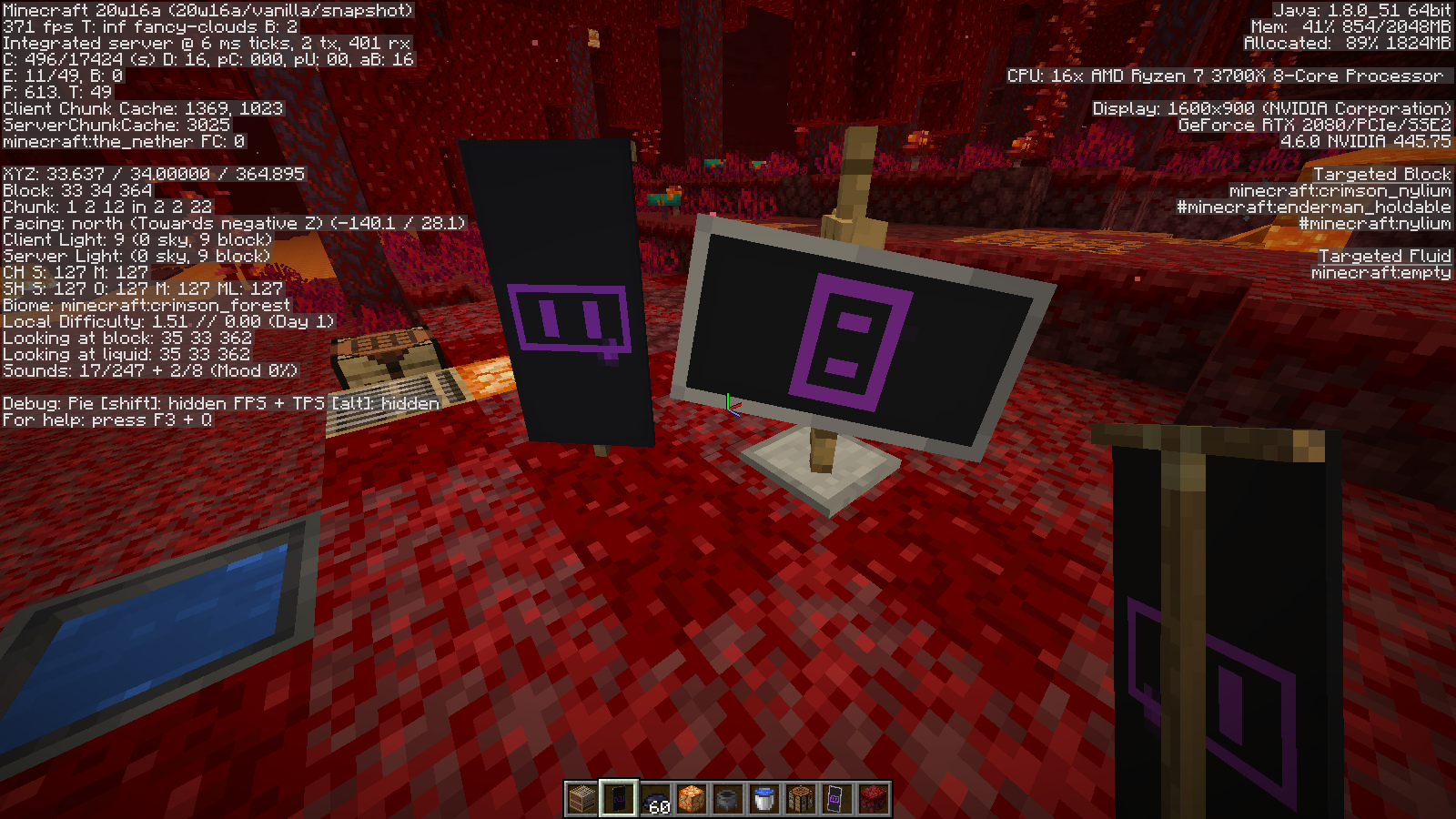
Kind of still present in 20w16a (I guess not the most complicated banner design, but still):
Added some commands to the description + a screenshot from the latest snapshot 21w20a.
I installed an Nvidia graphics driver update last night, but it did not resolve the issue. My internet connection is stable and I should have enough free space depending on the partition where the save is trying to be created, but all 3 of my partitions have at least 5 GB of free space.
Edit: It seems like reinstalling the game has so far fixed it, I was able to play for a bit and save so it might be resolved by the reinstall.