 Matthew Partington
- mrp_v2
- JIRAUSER530595
- America/Kentucky/Louisville
- Yes
- No
 MC-195912
 Low
Low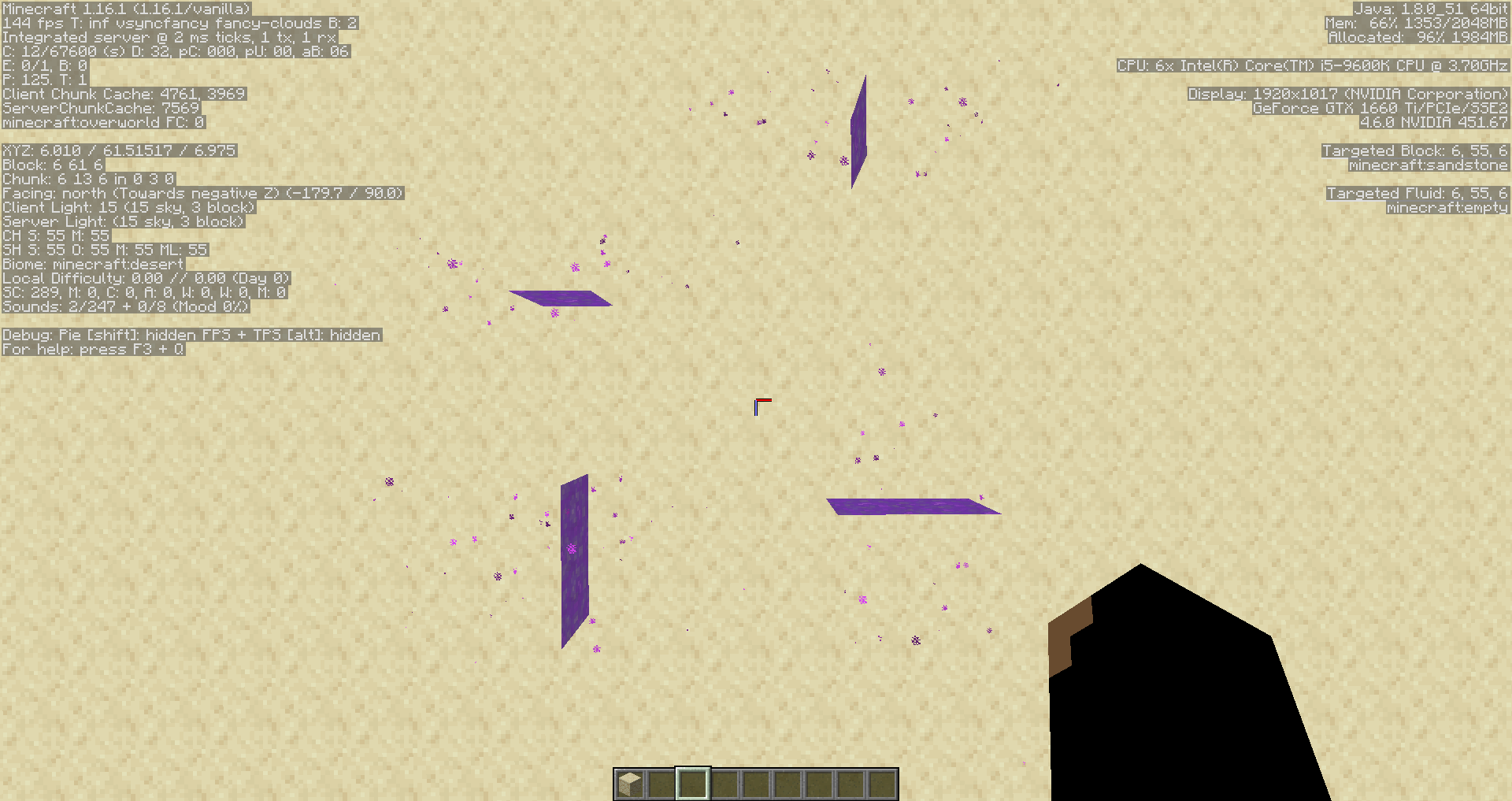


Nether portals particles spawn in based on whether there are adjacent portal blocks on the east or west, not based on the portal block's axis. This is evident when using /setblock x y z minecraft:nether_portal to obtain an isolated portal blocks, or when making multiple adjacent portals along the z axis.
This could be resolved simply by changed the particle spawning logic to use the blockstate axis instead of checking adjacent blocks to see if they are also portal blocks
Images:
The first image shows that the current logic works fine except for the lone portal block in the top left, which has its particles on the wrong sides.
The second image shows a survival example, adjacent portals causing the particles to spawn on the wrong sides.
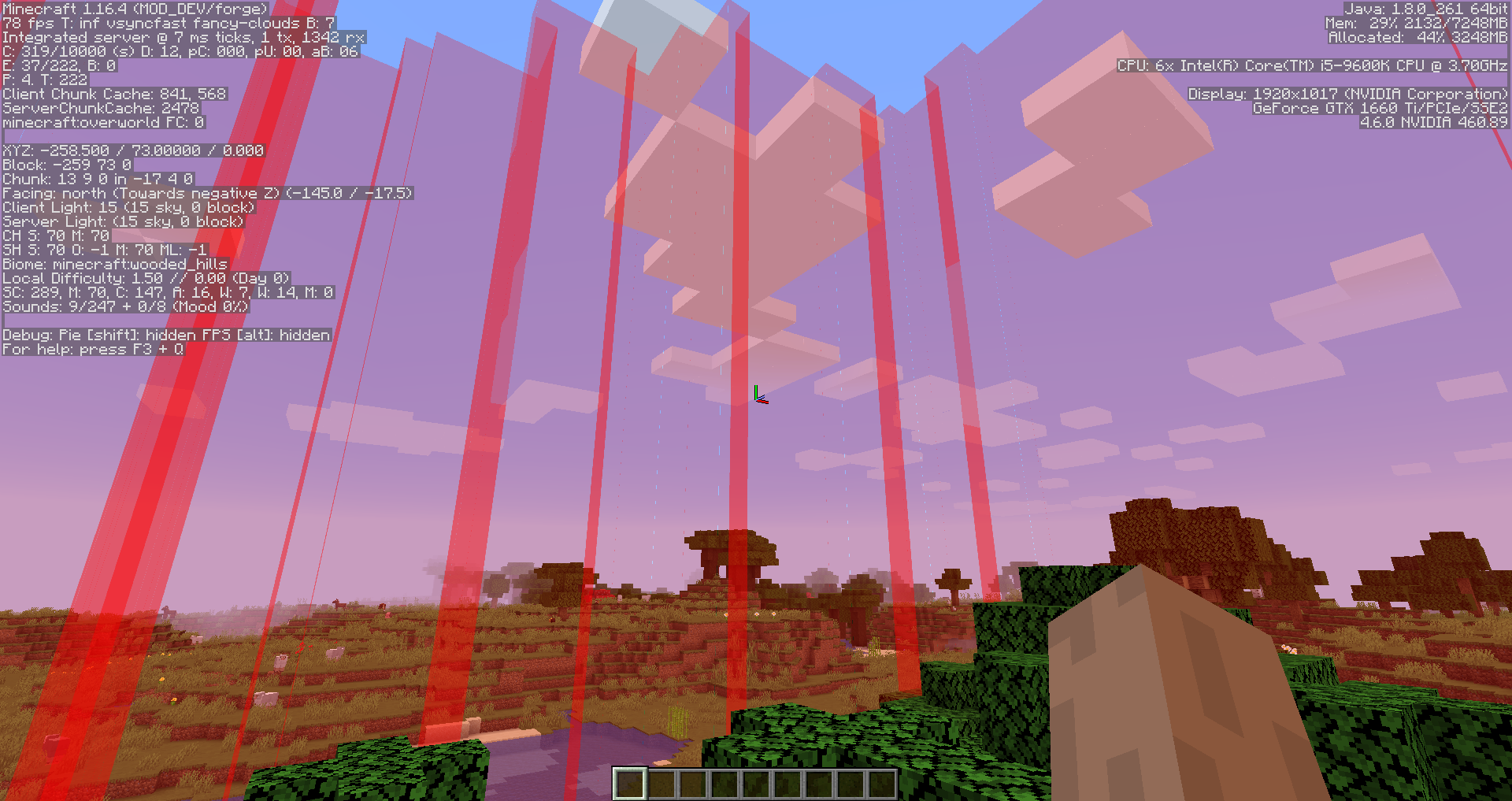
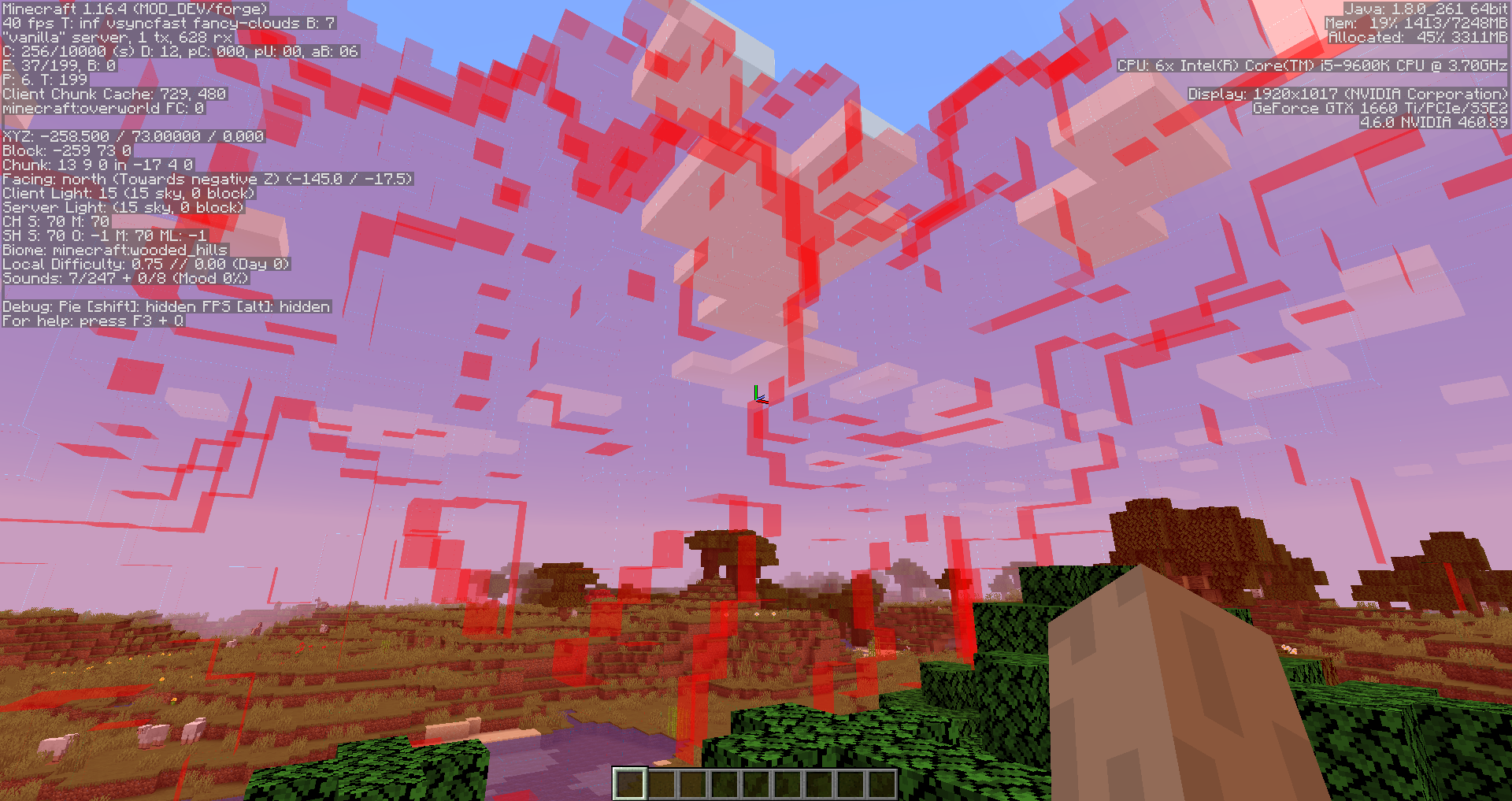
When connecting to a server, the biome borders (in the overworld) are not constant across all y-levels, unlike in a client/singleplayer world. This is easiest to observe when using the [Biome Border Viewer|https//www.curseforge.com/minecraft/mc-mods/biome-border-viewer] mod, but can also be observed using the F3 screen.
Tested by comparing a client world and a server world with the same seed, the client world's biome borders were constant across all y-levels, while the biome borders when connecting to the server varied with the y-level.
https://github.com/mrp-v2/BiomeBorderViewer/issues/2 is the source of this issue.
Attached Images (taken using the referenced mod above):
world seed: 7031511839578461877
location of camera: -258.5, 73, 0.0 (-145, -17.5)
observe the smooth borders on the client world, compared with the rough borders on the server world.
When connecting to a server, the biome borders (in the overworld) are not constant across all y-levels, unlike in a client/singleplayer world. This is easiest to observe when using the
[Biome Border Viewer|https//www.curseforge.com/minecraft/mc-mods/biome-border-viewer]mod, but can also be observed using the F3 screen.Tested by comparing a client world and a server world with the same seed, the client world's biome borders were constant across all y-levels, while the biome borders when connecting to the server varied with the y-level.
https://github.com/mrp-v2/BiomeBorderViewer/issues/2 is the source of this issue.
Attached Images (taken using the referenced mod above):
world seed: 7031511839578461877
location of camera: -258.5, 73, 0.0 (-145, -17.5)
observe the smooth borders on the client world, compared with the rough borders on the server world.
When connecting to a server, the biome borders (in the overworld) are not constant across all y-levels, unlike in a client/singleplayer world. This is easiest to observe when using the Biome Border Viewer mod, but can also be observed using the F3 screen.
Tested by comparing a client world and a server world with the same seed, the client world's biome borders were constant across all y-levels, while the biome borders when connecting to the server varied with the y-level.
https://github.com/mrp-v2/BiomeBorderViewer/issues/2 is the source of this issue.
Attached Images (taken using the referenced mod above):
world seed: 7031511839578461877
location of camera: -258.5, 73, 0.0 (-145, -17.5)
observe the smooth borders on the client world, compared with the rough borders on the server world.
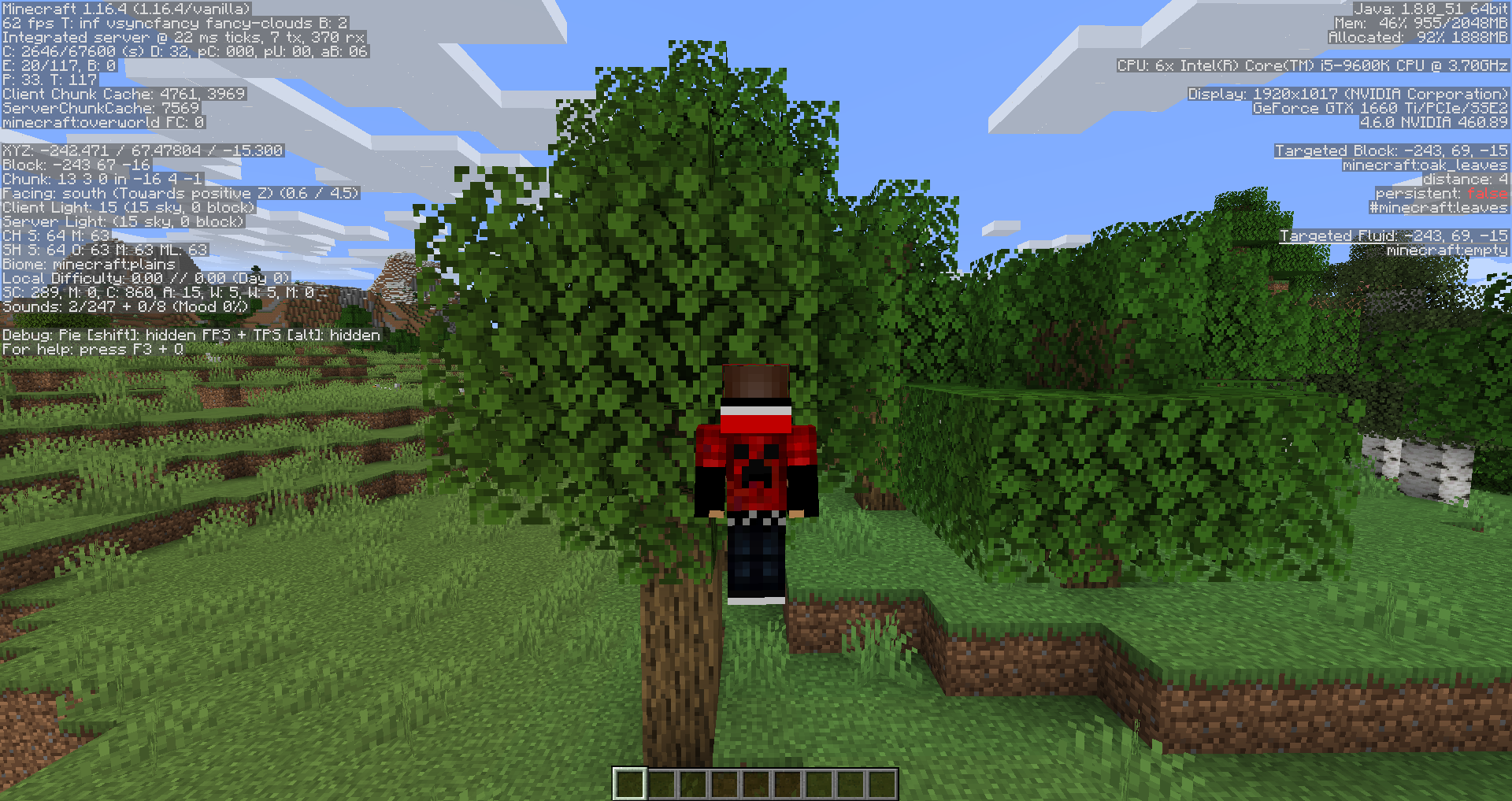
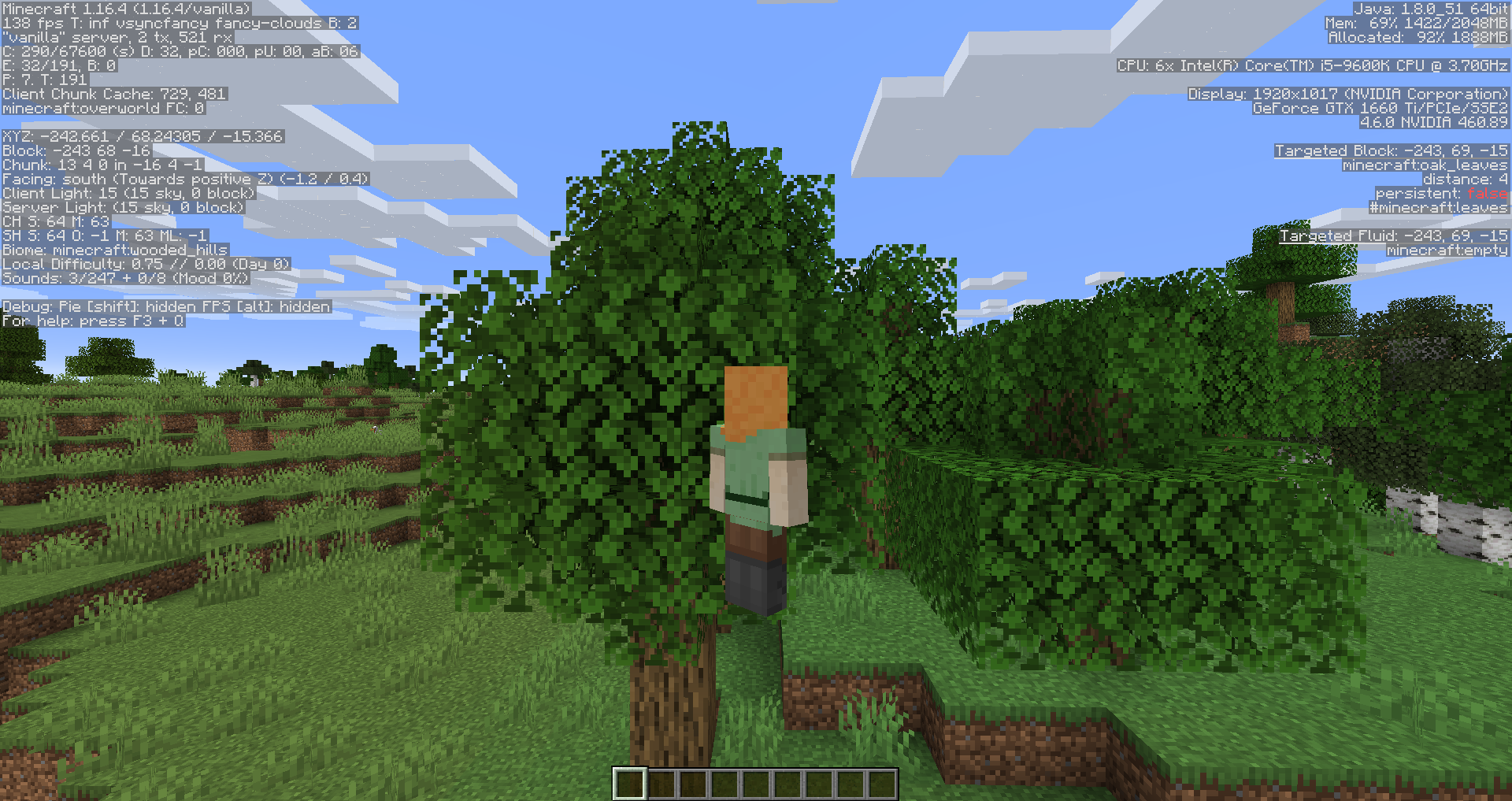
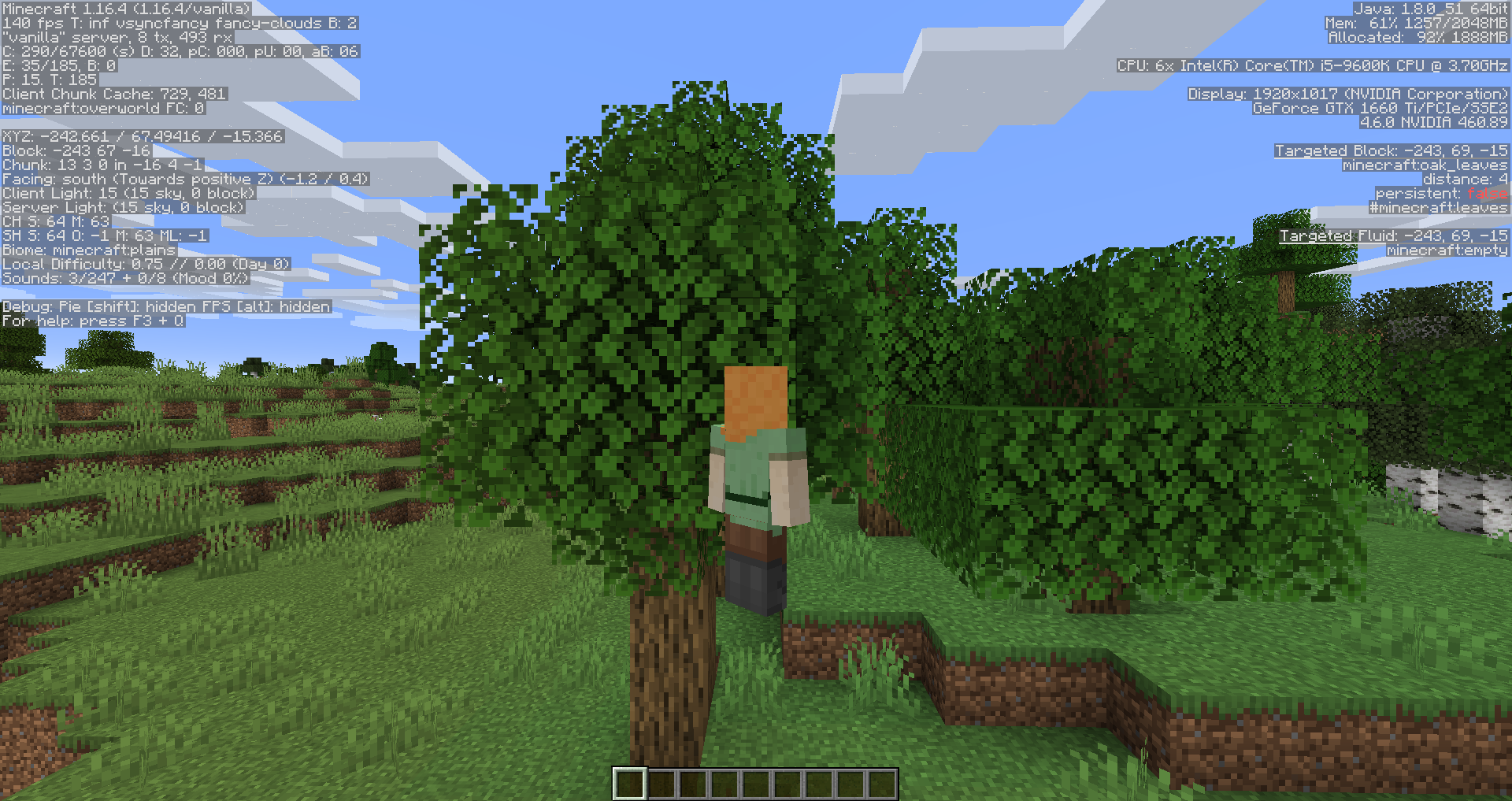
Images taken without mod:
The ones with the default skin are taken on a dedicated server, the other ones were taken on a client world. Notice that on the server, moving up/down by a block changes the biome, unlike on the client world.
This issue was observed on a vanilla server and also verified using a vanilla client. I only used a modded client because it is easier to see the biome borders using modded than by using the F3 screen. However, I will add screenshots from vanilla in a bit to prove it.
MC-173878may be related, but I don't think it is a duplicate issue. It describes an intended behavior that can be observed on both clients and servers. This issue, however, represents a discrepancy between server and client behavior.