 Guybrush Threepwood
- n3odymium
- n3odymium
- Europe/Stockholm
- Yes
- No
![[Mojang] Grum (Erik Broes)](../../../data/assets/gravatar/grum.png)
 MC-57580
 MCL-2563

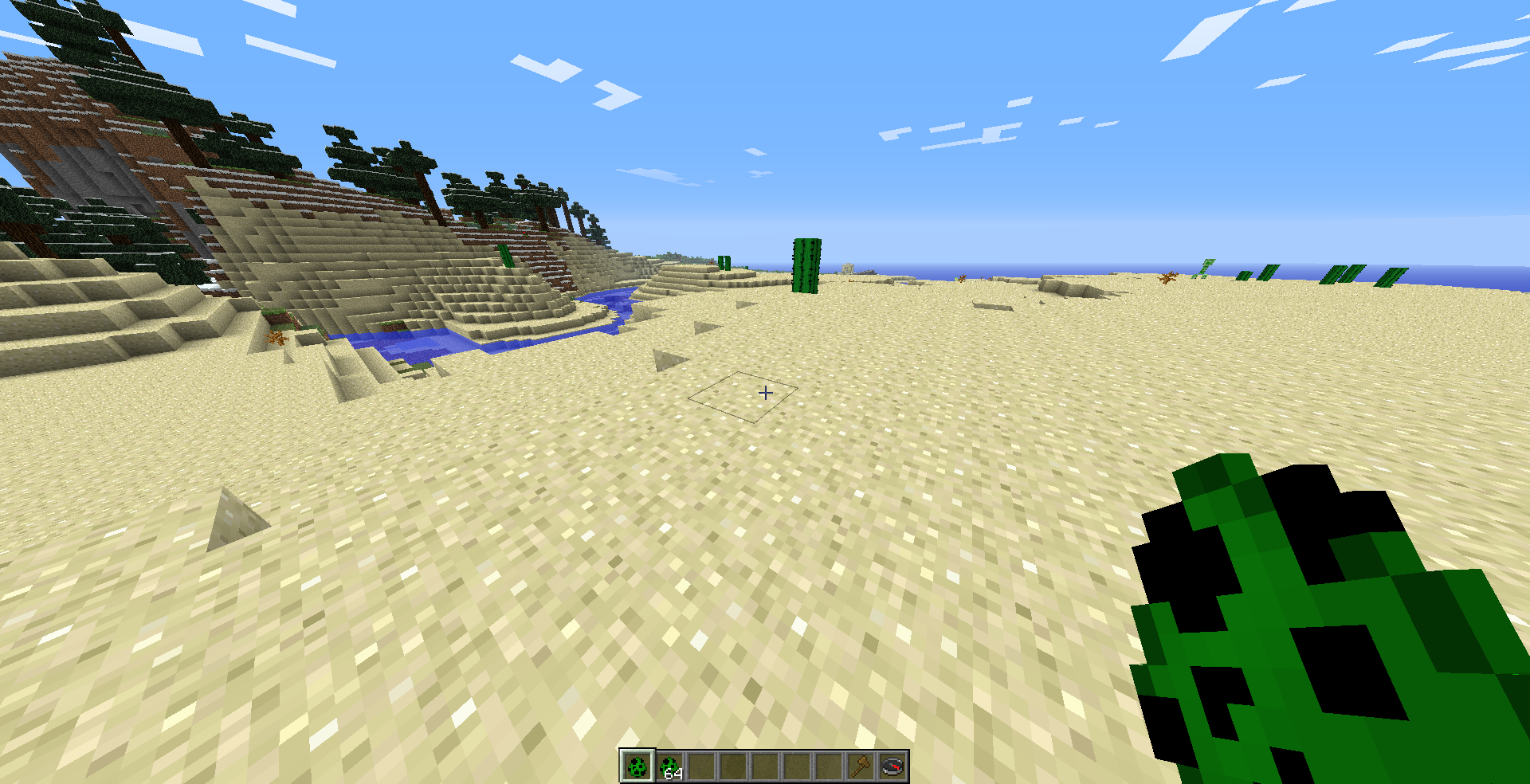
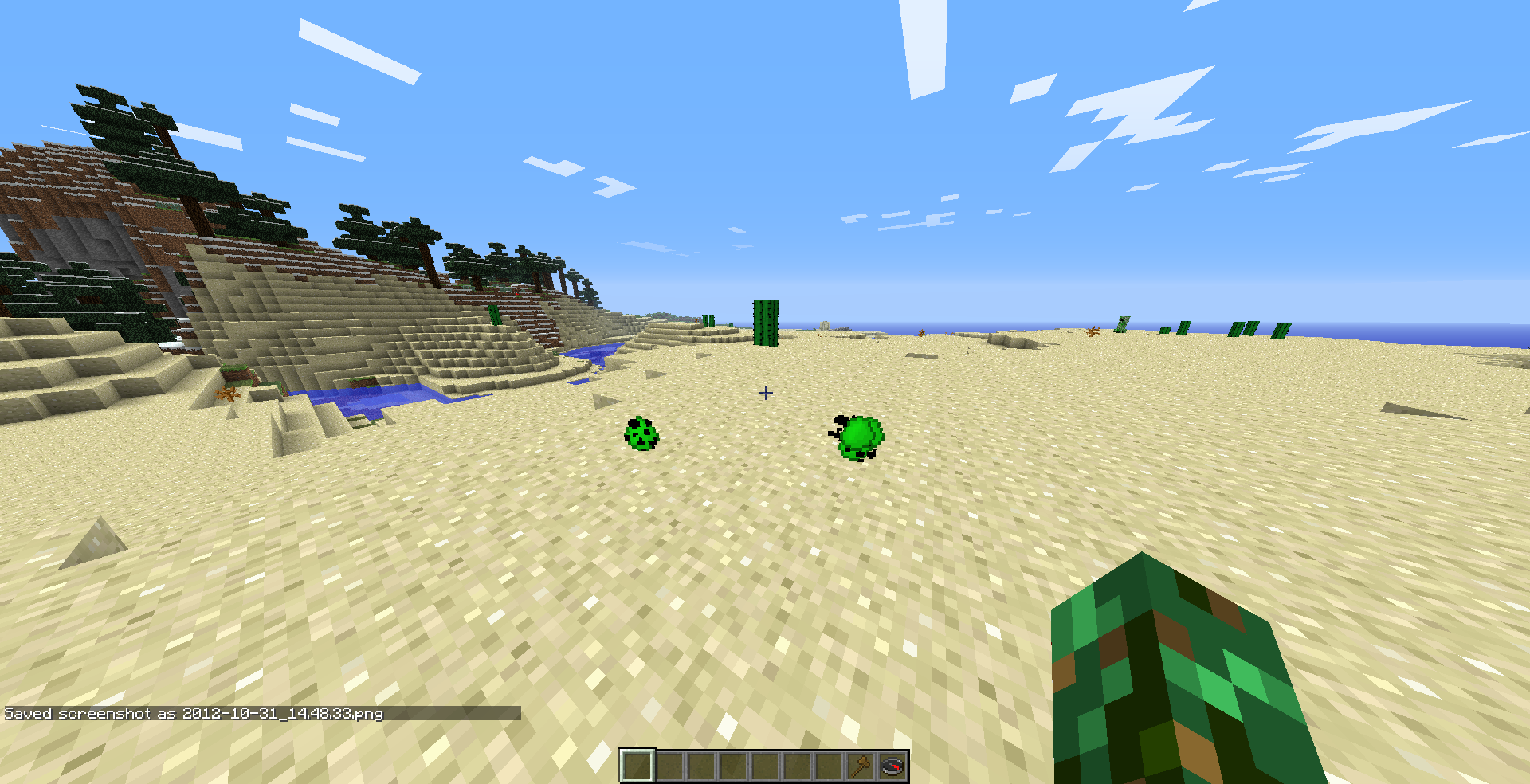

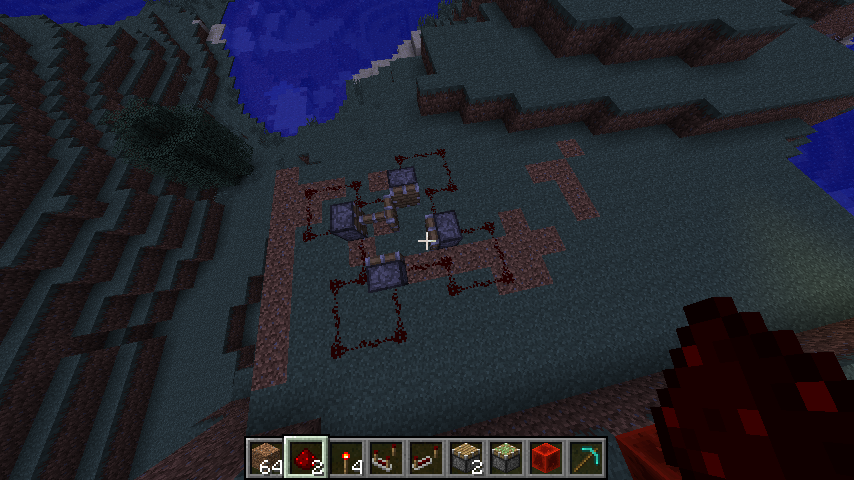


when specific mobs take damage, the right side of their head turns white.
this affects:wolves
sheep
zombie pigman
enderman
spider
creeper
zombiein addition, these mobs head right side has a black texture instead of the normal one when not taking damage
uname -a
----------------
Linux – 3.6.3-1-ARCH #1 SMP PREEMPT Mon Oct 22 10:23:56 CEST 2012 x86_64 GNU/Linuxjava -version
----------------
java version "1.7.0_09"
OpenJDK Runtime Environment (IcedTea7 2.3.3) (ArchLinux build 7.u9_2.3.3-1-x86_64)
OpenJDK 64-Bit Server VM (build 23.2-b09, mixed mode)"lwjgl 2.8.4
catalyst 12-9 (ubuntu version
with X.Org 1.13 support)fglrxinfo
-------------
display: :0.0 screen: 0
OpenGL vendor string: Advanced Micro Devices, Inc.
OpenGL renderer string: ATI Radeon HD 5800 Series
OpenGL version string: 4.2.11903 Compatibility Profile Context
when playing minecraft with the opensource radeon (r600g) driver on a HD5850, I get this error in the console once in a while:
'Client> radeon: The kernel rejected CS, see dmesg for more information.'
with this output in dmesg:
'[drm:radeon_cs_ioctl] ERROR Failed to parse relocation -12!'
the screen is heavily distorted for a moment, except for a few objects which still display fine.
The other objects render over each other (as if you have a crashed program and move a different window over it and it keeps parts of the content from the other window)I'm not exactly sure if this is a minecraft related bug, but as I only see this weird behaviour with minecraft and no other graphical application, I'm posting it here.
(The attached screenshot is from a modded minecraft 1.5.2 version with liteloader and weCUI; I wasn't fast enough to capture one when I tested it with vanilla 1.5.2 and 13w21a, but I can assure you that it happens there too)
when playing minecraft with the opensource radeon (r600g) driver on a HD5850, I get this error in the console once in a while:
'Client> radeon: The kernel rejected CS, see dmesg for more information.'
with this output in dmesg:
'[drm:radeon_cs_ioctl] ERROR Failed to parse relocation -12!'
the screen is heavily distorted for a moment, except for a few objects which still display fine.
The other objects render over each other (as if you have a crashed program and move a different window over it and it keeps parts of the content from the other window)I'm not exactly sure if this is a minecraft related bug, but as I only see this weird behaviour with minecraft and no other graphical application, I'm posting it here.
(The attached screenshot is from a modded minecraft 1.5.2 version with liteloader and weCUI; I wasn't fast enough to capture one when I tested it with vanilla 1.5.2 and 13w21a, but I can assure you that it happens there too)
when playing minecraft with the opensource radeon (r600g) driver on a HD5850, I get this error in the console once in a while:
'Client> radeon: The kernel rejected CS, see dmesg for more information.'with this output in dmesg:
'[drm:radeon_cs_ioctl] ERROR Failed to parse relocation -12!
'the screen is heavily distorted for a moment, except for a few objects which still display fine.
The other objects render over each other (as if you have a crashed program and move a different window over it and it keeps parts of the content from the other window)I'm not exactly sure if this is a minecraft related bug, but as I only see this weird behaviour with minecraft and no other graphical application, I'm posting it here.
(The attached screenshot is from a modded minecraft 1.5.2 version with liteloader and weCUI; I wasn't fast enough to capture one when I tested it with vanilla 1.5.2 and 13w21a, but I can assure you that it happens there too)
when playing minecraft with the opensource radeon (r600g) driver on a HD5850, I get this error in the console once in a while:
Client> radeon: The kernel rejected CS, see dmesg for more information.
with this output in dmesg:
[drm:radeon_cs_ioctl] ERROR Failed to parse relocation -12!
the screen is heavily distorted for a moment, except for a few objects which still display fine.
The other objects render over each other (as if you have a crashed program and move a different window over it and it keeps parts of the content from the other window)I'm not exactly sure if this is a minecraft related bug, but as I only see this weird behaviour with minecraft and no other graphical application, I'm posting it here.
(The attached screenshot is from a modded minecraft 1.5.2 version with liteloader and weCUI; I wasn't fast enough to capture one when I tested it with vanilla 1.5.2 and 13w21a, but I can assure you that it happens there too)
when playing minecraft with the opensource radeon (r600g) driver on a HD5850, I get this error in the console once in a while:
Client> radeon: The kernel rejected CS, see dmesg for more information.with this output in dmesg:
[drm:radeon_cs_ioctl] *ERROR* Failed to parse relocation -12!the screen is heavily distorted for a moment, except for a few objects which still display fine.
The other objects render over each other (as if you have a crashed program and move a different window over it and it keeps parts of the content from the other window)I'm not exactly sure if this is a minecraft related bug, but as I only see this weird behaviour with minecraft and no other graphical application, I'm posting it here.
(The attached screenshot is from a modded minecraft 1.5.2 version with liteloader and weCUI; I wasn't fast enough to capture one when I tested it with vanilla 1.5.2 and 13w21a, but I can assure you that it happens there too)
when playing minecraft with the opensource radeon (r600g) driver on a HD5850, I get this error in the console once in a while:
Client> radeon: The kernel rejected CS, see dmesg for more information.with this output in dmesg:
[drm:radeon_cs_ioctl] *ERROR* Failed to parse relocation -12!the screen is heavily distorted for a moment, except for a few objects which still display fine.
The other objects render over each other (as if you have a crashed program and move a different window over it and it keeps parts of the content from the other window)I'm not exactly sure if this is a minecraft related bug, but as I only see this weird behaviour with minecraft and no other graphical application, therefore I'm posting it here.
(The attached screenshot is from a modded minecraft 1.5.2 version with liteloader and weCUI; I wasn't fast enough to capture one when I tested it with vanilla 1.5.2 and 13w21a, but I can assure you that it happens there too)
when playing minecraft with the opensource radeon (r600g) driver on a HD5850, I get this error in the console once in a while:
Client> radeon: The kernel rejected CS, see dmesg for more information.with this output in dmesg:
[drm:radeon_cs_ioctl] *ERROR* Failed to parse relocation -12!the screen is heavily distorted for a moment, except for a few objects which still display fine.
The other objects render over each other (as if you have a crashed program and move a different window over it and it keeps parts of the content from the other window)I'm not exactly sure if this is a minecraft related bug, but as I only see this weird behaviour with minecraft and no other graphical application,
thereforeI'm posting it here.(The attached screenshot is from a modded minecraft 1.5.2 version with liteloader and weCUI; I wasn't fast enough to capture one when I tested it with vanilla 1.5.2 and 13w21a, but I can assure you that it happens there too)
I have different game directories for different versions of minecraft. To not having to add all servers again with each profile, I symlink a main servers.dat to the specific profile dirs. So far everything works fine. The game follows the symlink and reads the main servers.dat.
But when I add a new server and it tries to save the servers.dat, it doesn't respect the symlink and just overwrites it with a normal file
, instead of following the symlink and overwriting the shared servers.dat.I have different game directories for different versions of minecraft. To not having to add all servers again with each profile, I symlink a main servers.dat to the specific profile dirs. So far everything works fine. The game follows the symlink and reads the main servers.dat.
But when I add a new server and it tries to save the servers.dat, it doesn't respect the symlink and just overwrites it with a normal file. Instead of following the symlink and overwriting the shared servers.dat.
they spawn just like the normal chicken zombies, but the baby zombie pigmen does not control the chicken. The chicken AI still works (seeds ..). If you anger the pigmen it will only be able to attack if you're in close range.
You can try it yourself by using:
/summon PigZombie ~ ~ ~ {IsBaby:1, Riding:
{id:Chicken}}
they spawn just like the normal chicken zombies, but the baby zombie pigmen does not control the chicken. The chicken AI still works (seeds ..). If you anger the pigmen it will only be able to attack if you're in close range.
You can try it yourself by using:
{id:Chicken}
/summon PigZombie ~ ~ ~ {IsBaby:1, Riding:}
they spawn just like the normal chicken zombies, but the baby zombie pigmen does not control the chicken. The chicken AI still works (seeds ..). If you anger the pigmen it will only be able to attack if you're in close range.
You can try it yourself by using:
`/summon PigZombie ~ ~ ~ {IsBaby:1, Riding:{id:Chicken}}`
they spawn just like the normal chicken zombies, but the baby zombie pigmen does not control the chicken. The chicken AI still works (seeds ..). If you anger the pigmen it will only be able to attack if you're in close range.
You can try it yourself by using:
`/summon PigZombie ~ ~ ~ {IsBaby:1, Riding:{id:Chicken}}`they spawn just like the normal chicken zombies, but the baby zombie pigmen does not control the chicken. The chicken AI still works (seeds ..). If you anger the pigmen it will only be able to attack if you're in close range.
You can try it yourself by using:
'/summon PigZombie ~ ~ ~ {IsBaby:1, Riding:{id:Chicken}}'
theyspawn just like the normal chicken zombies, but the baby zombie pigmen does not control the chicken. The chicken AI still works (seeds ..). If you anger the pigmen it will only be able to attack if you're in close range.You can try it yourself by using:
'/summon PigZombie ~ ~ ~ {IsBaby:1, Riding:{id:Chicken}}'
you can spawn them just like the normal chicken zombies by using spawn eggs (1/2000 chance afaik), but the baby zombie pigmen does not control the chicken. The chicken AI still works (seeds ..). If you anger the pigmen it will only be able to attack if you're in close range.
You can try it yourself by using:
'/summon PigZombie ~ ~ ~ {IsBaby:1, Riding:{id:Chicken}}'
you can spawn them just like the normal chicken
zombies by using spawn eggs (1/2000 chance afaik), but the baby zombie pigmen does not control the chicken. The chicken AI still works (seeds ..). If you anger the pigmen it will only be able to attack if you're in close range.You can try it yourself by using:
'/summon PigZombie ~ ~ ~ {IsBaby:1, Riding:{id:Chicken}}'
you can spawn them just like the normal chicken jockeys by using spawn eggs (1/2000 chance afaik), but the baby zombie pigmen does not control the chicken. The chicken AI still works (seeds ..). If you anger the pigmen it will only be able to attack if you're in close range.
You can try it yourself by using:
'/summon PigZombie ~ ~ ~ {IsBaby:1, Riding:{id:Chicken}}'
the option in the edit menu forces this option for the specific entry you're editing. you can toggle the global visibility of the server ips by pressing F1
sry, added the gfx info. there're also other guys experiencing this: http://www.minecraftforum.net/topic/1533199-white-side-of-mobs-head-when-hit-by-player/
this screenshot is a bit more realistic. i used an vanilla mc 1.4.2 in ssp. the seed is 'pirate' i created the world two times to make sure it is a consistent bug
oh, ok. but srsly, how can that be a feature!? it just looks like some kind of worldgen error...
i couldn't find a different issue. or it is just badly named. can you post the link?
anyway i would rather close the other issue, this one is more direct & focused on the main problem. you could get the idea that this is caused by the dispenser at
MC-312confirmed
tails, i did search the already posted issues, but sadly most of them are labeled badly, thus you can not find them.
i have better pics!
you don't have to use /kill or fly away. you just have to wait or try again
still there in 13w18b
yeah, I just found out about the seefriendlyinvisibles option by sethbling's new video. played around with it and encountered this bug too
hope it gets fixed soon.
hey.
it doesn't include the natives in the same folder as the .jar anymore for some time now. it unzips it at runtime depending on the versions specified in the json from a common file in the libraries folder.
but yes, curiously the json is missing.
alternatively, you can get it here: http://pastie.org/private/lqhcnutf8drc8qb96ssx7g
just save this in ~/.minecraft/versions/13w21a/13w21a.json and it will stop complaining about redownloading
this is NOT a technical suppot issue.
anyways, i made a thread in the support forum you mentioned and as expected nobody could help me. could you please reopen this and let the devs decide themselves? i may repeat myself, but minecraft is the only application where i get this glitch.
because it sends an invalid gl commandstream to the in-kernel graphics driver!? it's a monolithic kernel ffs!
you probably meant this:
-Djava.net.preferIPv4Stack=falseanyways, not supporting ipv6 by default is just ridiculous in the year 2013..
why do you have to overwrite it?!
take a look in the calendar: it's 2013, not 2005.
Referring to Grum's comment : Why don't you just make the Launcher IPv4-only for the time being, and add the fallback code to the client?
Anyways, please don't overwrite 'java.net.preferIPv4Stack'
Joker.
This ticket is neither invalid nor resolved.
This could be fixed by a simple fix in the code.
And please elaborate to me how i shall hardlink a file on a different filesystem?
Thanks John. I couldn't have stated it better
But apparently the mods here rather close bug tickets then get them fixed. I saw that a few times already. If this is what you understand under a bugtracker, then you can also just close it down completely and redirect everyone to r/minecraftsuggestions for the 'suggestions'.
can confirm for smp
it still works in 1.7.2..
1) piston: just try it a few times, it will randomly work (didnt found the reason for this yet)
2) fence: instead of standing in the block where you will place your 'xray-block', push against the fences, place your blocks of choice by clicking against the fences and walk backwards into them. works every time
getting the same with 'traditional beauty' on linux. using 1.7.2 and the fxaa shader.
confirmed in 13w47b.
what? chicken - baby zombie pigmen - jockeys just spawn like regular zombie pigmen, just with a (much) lower chance.
no, it's not. it's the exact same nbt data.
still an issue in 1.7.4
yes, exactly.
there is no special 'aggressive chicken'. there's a special case in the code when a zombie rides a chicken to give control to the zombie. the same should be the case with zombie pigmen, because they also spawn riding chickens. or this is just a mistake, as zombie and zombie pigmen have a similiar spawning class and they only enabled the spawning by accident.
anyway, you hold a true point with the eggs updating the zombies, that can pickup loot, with a persistencerequired tag. especially with the pack spawning algortihm in minecraft, where you can get 1 chicken jockey and some special zombies that can pickup loot.
I dont see the spawned chickens as a problem though, as they only spawn in a really small quantity. but yeah, maybe they should introduce a new tag for chickens like 'canLayEggs' and disable it for the chickens spawned as part of chicken jockeys.
works fine. fix your mime associations.
Omg. I was hacking around my xorg configuration for DAYS because I thought I am just too stupid to configure it. My display always seemed to randomly revert back to 60hz for no reason. Then I realized that it's related to Minecraft at some point. I don't know if I should cry or laugh. Seriously, Mojang fix your game. But hey, they don't even look at this bugtracker; they rather implement some more useless features! Not to speak of the reported bugs here with numerous votes and which are in the game for a long time already and are essentially game-breaking. So, this bug will probably never get fixed. -> Can Confirm.
Just to clarify:
Minecraft 1.7.2
OpenJDK Runtime Environment (IcedTea 2.4.3) (ArchLinux build 7.u45_2.4.3-1-x86_64)
X.Org 1.14
Mesa 10.1 - r600g
As this only happens with Minecraft and because Devin get's the same quirky behaviour with a complete different setup: No.
Yes, I also suspect LWJGL to be the cause of this, as I can't see why Minecraft should do this by itself. Still, that's only a suspicion. And, no, I don't use any other LWJGL games. Still, the problem affects Minecraft, so I'm reporting it here. That's probably the best way as Grum is also involved in the LWJGL community, if this should be a LWJGL bug.
affects 14w02b
Yes, they still spawn and they still don't work.
affects 14w05b
Devin, do you have multiple monitors with different refresh rates? Maybe that's part of the problem?
me: 120hz main, 60hz 2nd
I suppose this metamodes option is nvidia-exclusive (never heard of it)?
I'm running the game windowed (kind of borderless windowed) with awesomeWM and I'm not using a display manager. I only get the 60hz framerate reset (also with older versions, not just 1.7).
Maybe you should update the description of the bug report report to reflect that it only affects specific multi-monitor setups?
Haha, ok, if I use the ingame fullscreen option the game immediately sets the refresh rate to 60hz (I think it re-applies ( ? ) the settings to every monitor, as my 2nd one also flashes because of a resolution/refresh change) and then kind of crashes and leaves me with a minecraft window that doesn't render properly anymore. (1.6.4)
Hey, I just found this post on the minecraftforum about the issue. http://www.minecraftforum.net/topic/1780873-minecraft-resets-refresh-rate-to-60hz-upon-quit/
You should probably edit the title of the issue, as it not only affects 120hz monitors.
Also, I just tested it with Terasology , a open source minecraft clone also using lwjgl, and I get the same problem. So it's either a lwjgl bug or a jre/openjdk bug. I will try to talk with some of the lwjgl developers about it, since it seems like you can't expect ANY support from mojang.
Good to hear this! I tried talking to them on IRC, but sadly there wasn't much activity. I didn't just want to create a bug report, as I was not sure if it is definitively a LWJGL bug.
just edit the corresponding verions/<mcversion>/<mcversion>.json and place your new library in the library folder
this is now merged in upstream: https://github.com/LWJGL/lwjgl/pull/66
now we just need mojang to ship a nightly build for the linux users. (which is one of the reasons why they have the new launcher; they did the same for the max users not a long time ago).
let's hope they find this thread at some point .. in the future
this is clearly a configuration issue. you should close this.
Seems to be fixed in 14w18a, but now I have different issues..
MC-47513actually this is a launcher bug, can someone move it?
I doubt it. There was an all-cap available the whole time already (metadata:14), so you would effectively just remove the corresponding all-spore (data:0) when you replace their texture with the all-cap one. Either way it would be a bug.
To clarify this a bit: data 0 is the all-spore now again ( at least for the red huge mushroom, didn't try the brown one ), but the huge mushroom structure drops the all-cap blocks now. So the old blocks stay the same, but are no longer obtainable. Better stock up on them if you play some kiddie server
(tested in 14w28b)
affects 29b
Shouldn't this work on it's own anyway? Maybe the problem is how you save it. Are you moving/copying a temporary copy of the file on top of the file to write to it? Just guessing here, could also just be a weird java problem.