 Ad Verhoeven
- quimoth
- quimoth
- Europe/Stockholm
- Yes
- No
 MC-5469
![[Mojang] Jeb (Jens Bergensten)](../../../data/assets/gravatar/jeb.jpeg)

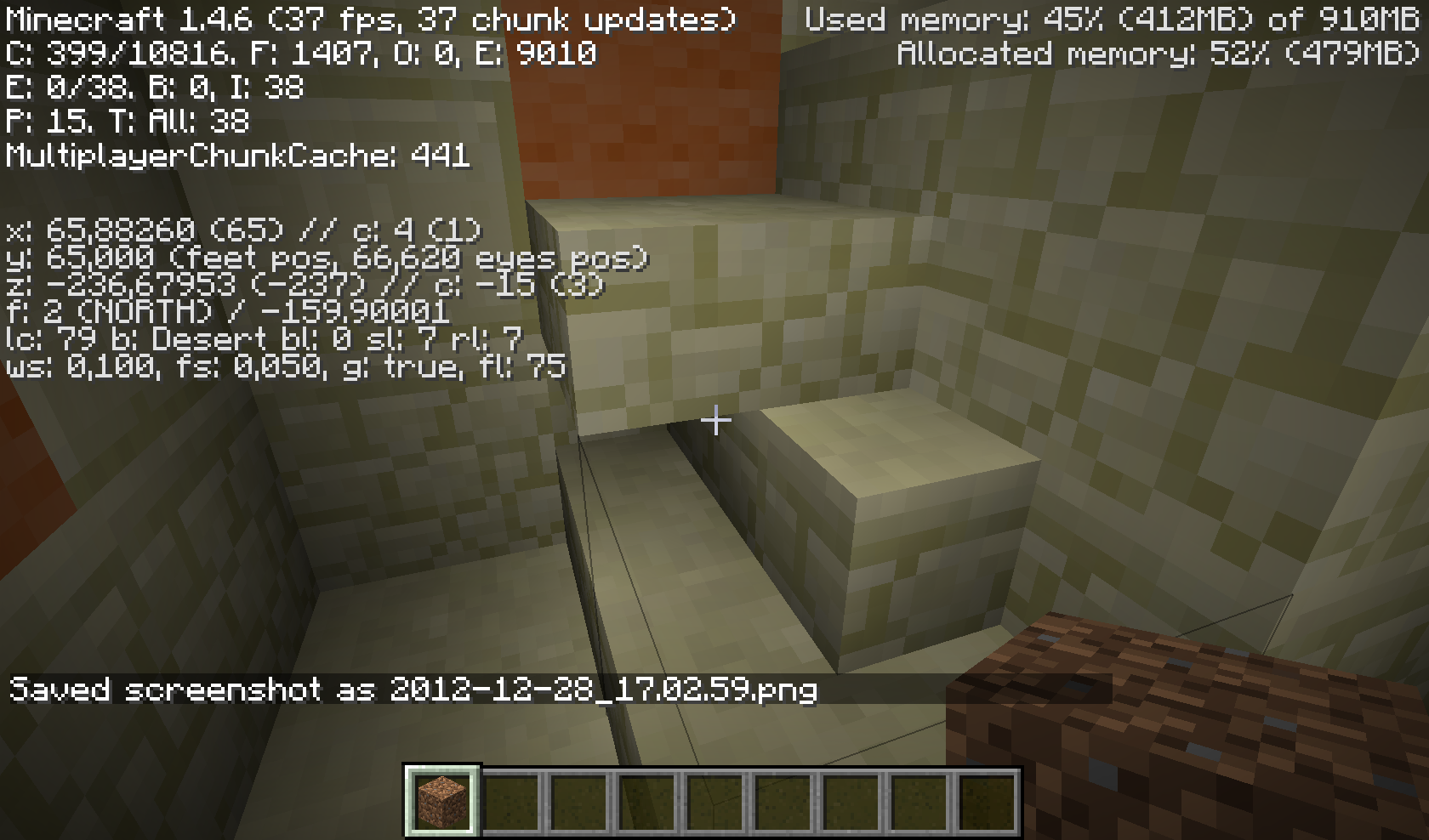
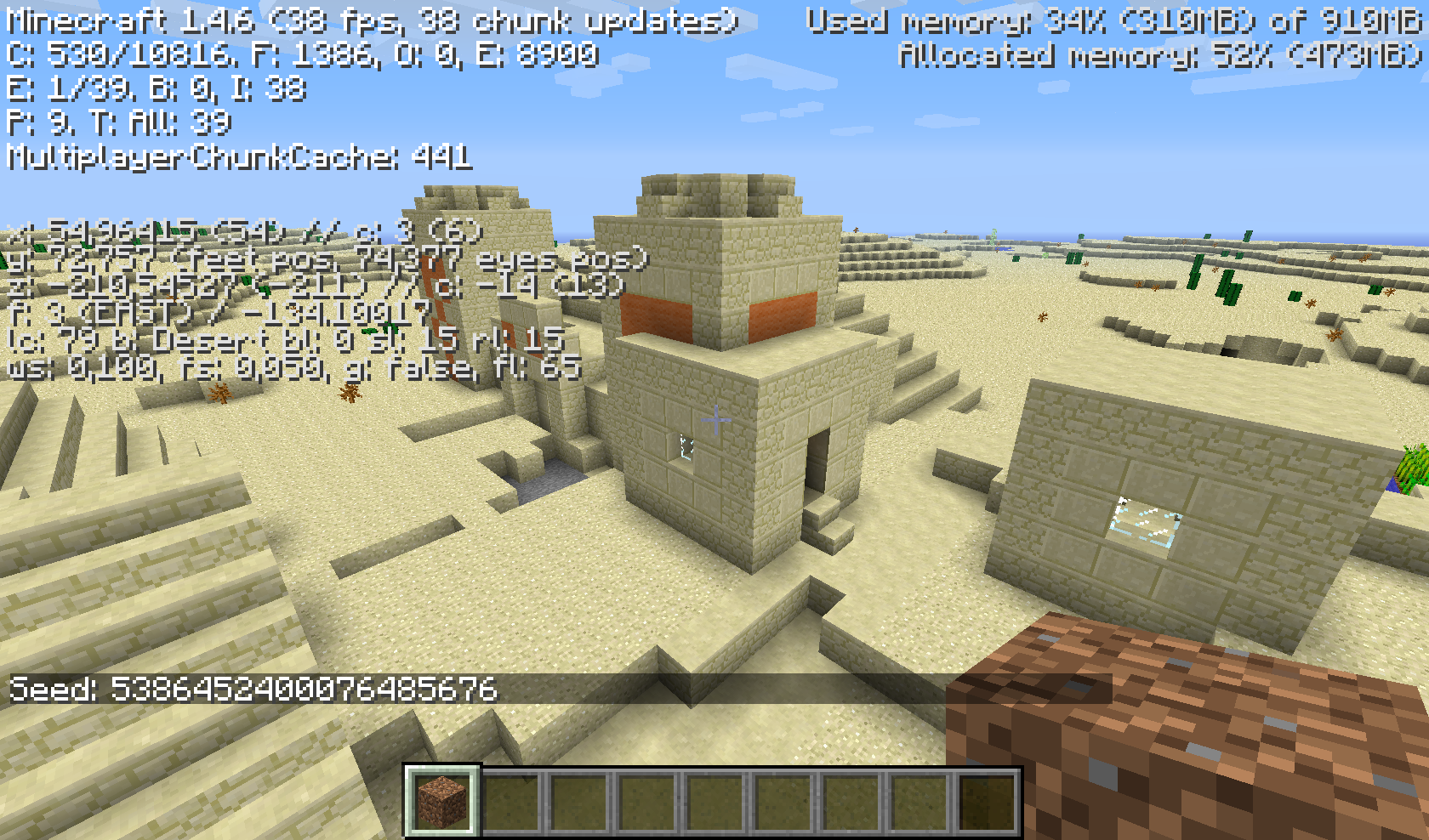


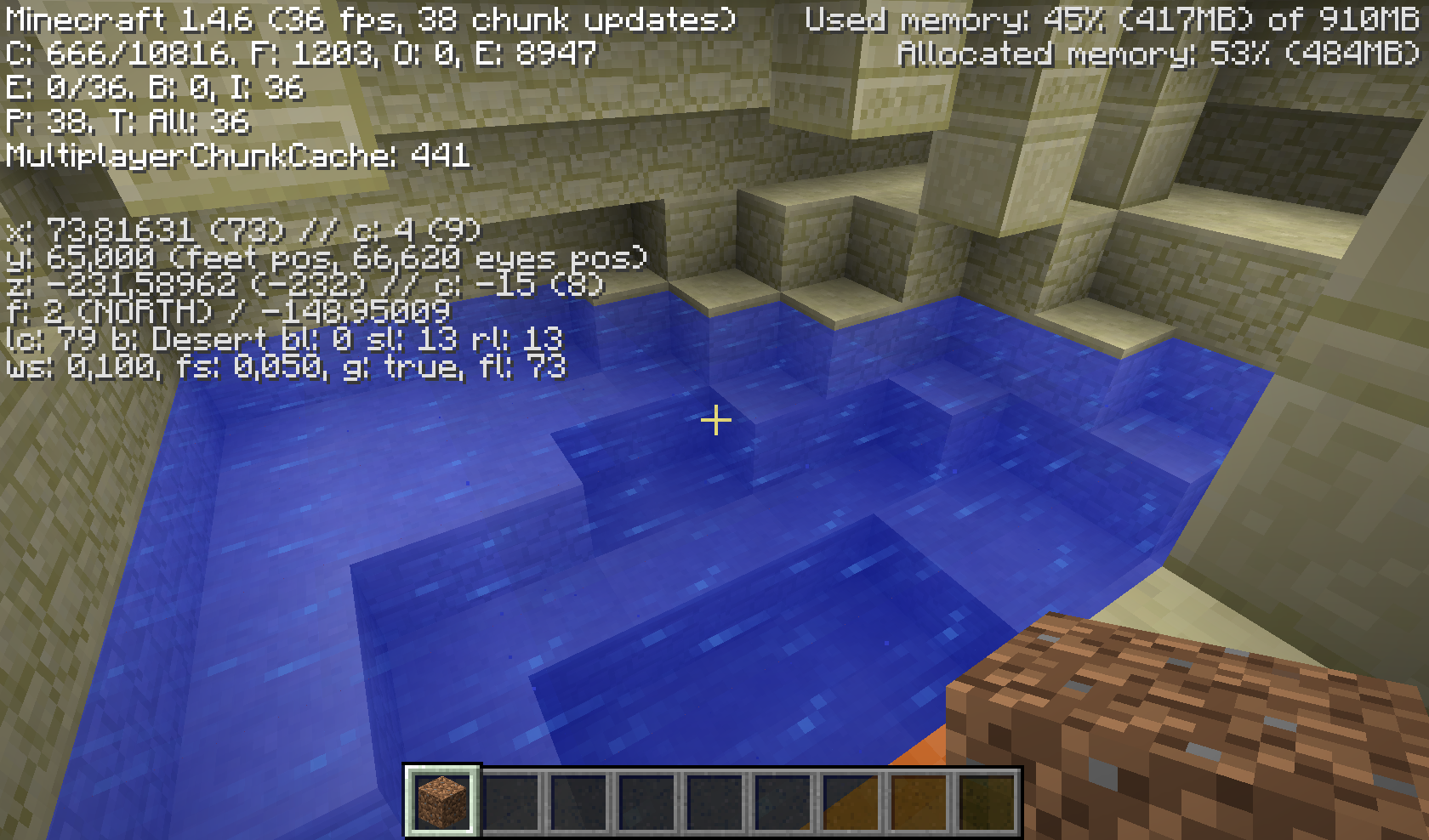
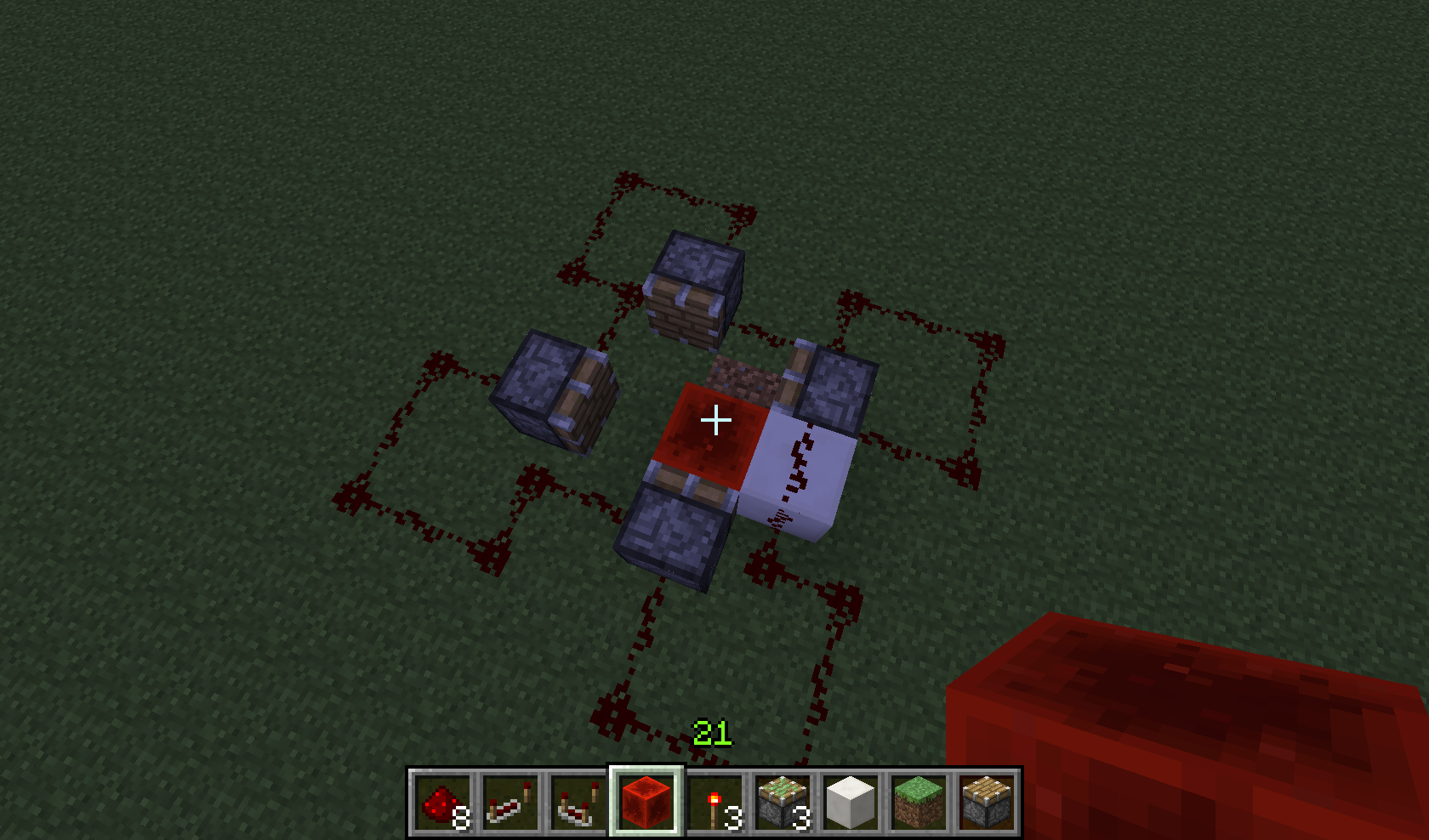
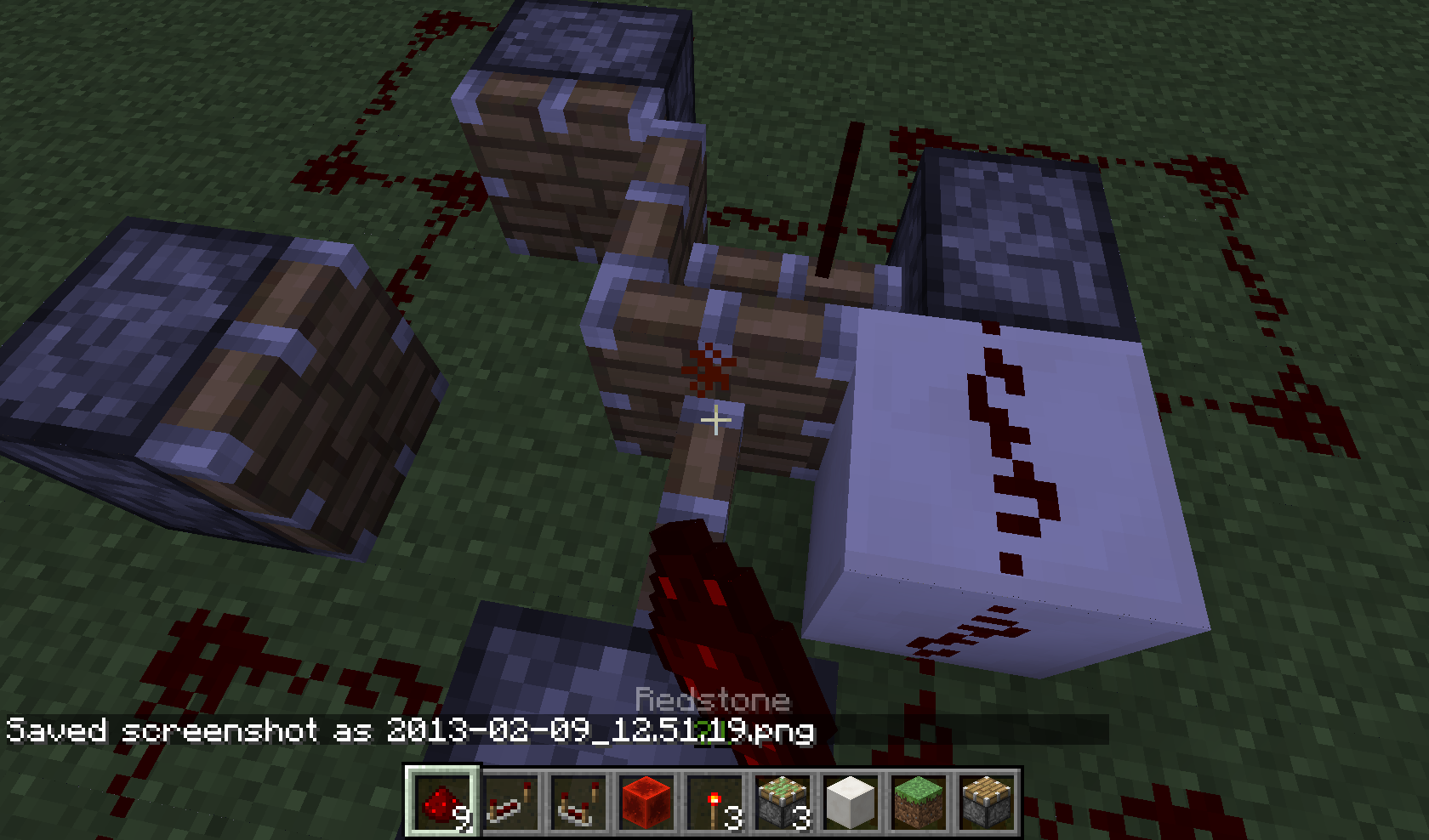
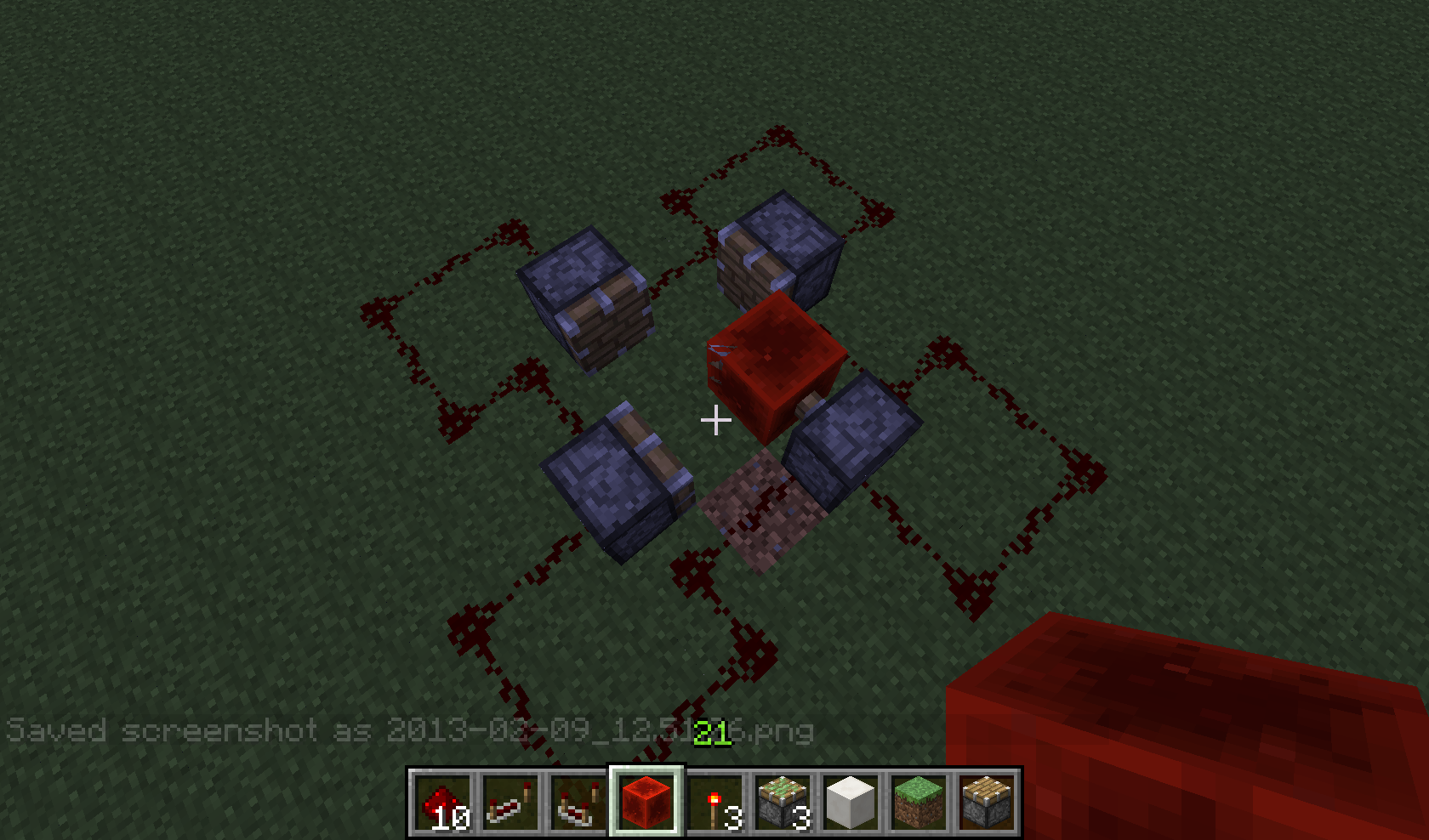
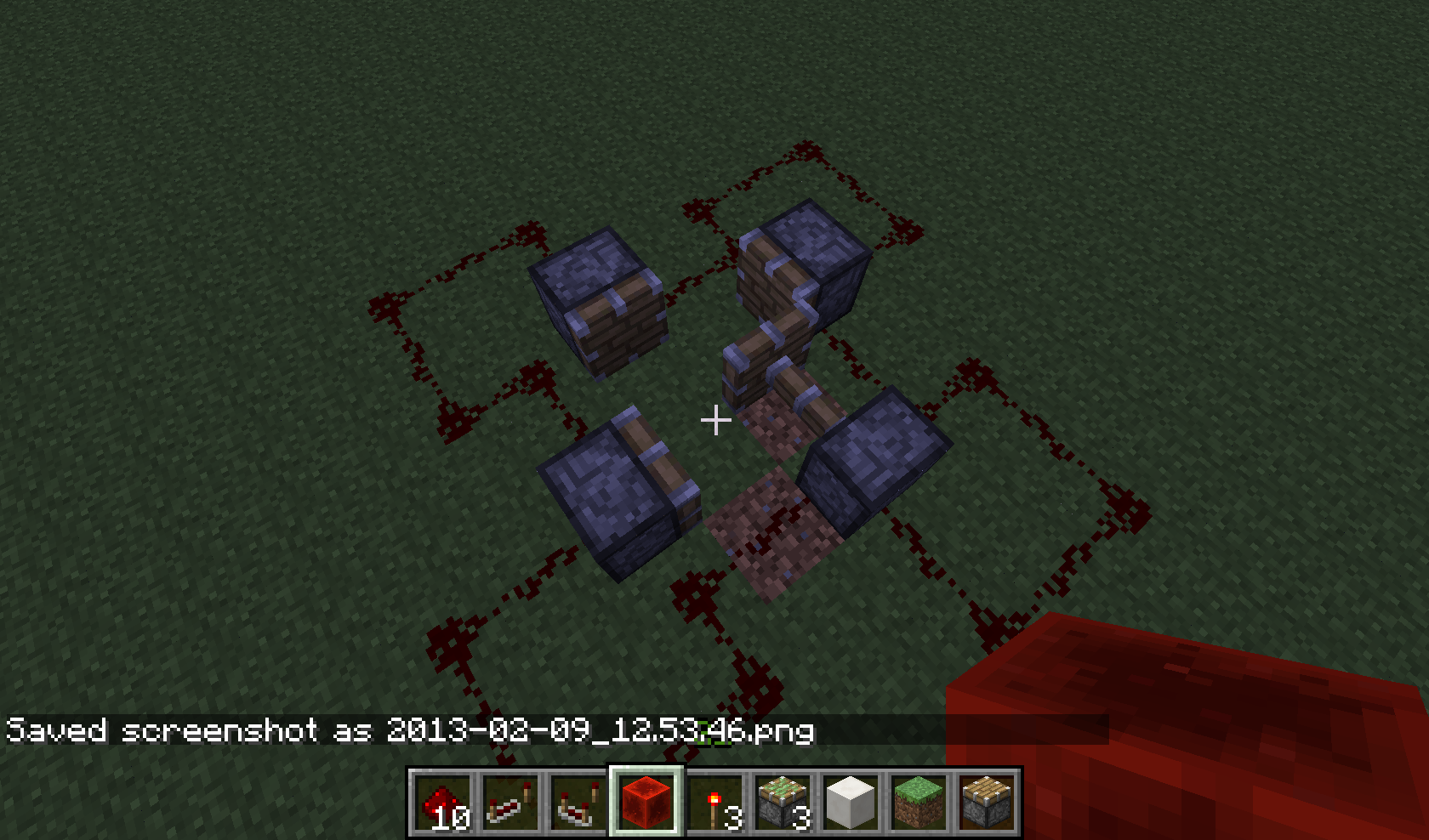






A desert temple no longer generates like it should since the stairs can turn around corners. (last 2 pictures)
Also there is this very uncommon bug I found on this world. The last screen shot shows both the seed and the coordinates of this bug, it occurs when a desert temple spawn to close to a desert village. as you can see in the first two screen shot the house is rendered first and then the temple is rendered inside.
Last and third bug is a water pool being generated inside the temple.
I hope this seed will help you to solve these issues for it is possible to test all 3 issues at the same time. (tho probably the only thing that has to be done is building a safe which makes it impossible for structures/objects generating in each other)
2012-12-28_17.12.33.png
I wanted to test the new dispenser function for an super fast auto farm with bonemeal and some hoppercarts taking the bonemeal to the dispensers
(tho i still needed hoppers between the rails and the dispensers to bring the items over)the next thing happens is that only the bonemeal i entered trough my inventory in creative worked and the bonemeal given by the /give command just doesnt do anything. not when doing things by hand nor when using a dispenser.
i haven't included screenshots. tho i can send some of bonemeal as being an entity instead of being consumed by the wheat seeds.
edit: /give player 351 n 16 or above will give one bonemeal that doesnt work. normal ID will work.
best regards,
Quimoth
I noticed that the blacksmith in the NPC villages still doesnt have an anvil but uses the double slabs instead.
this isnt a bug but it seems they forgot to change those slabs to an anvil.
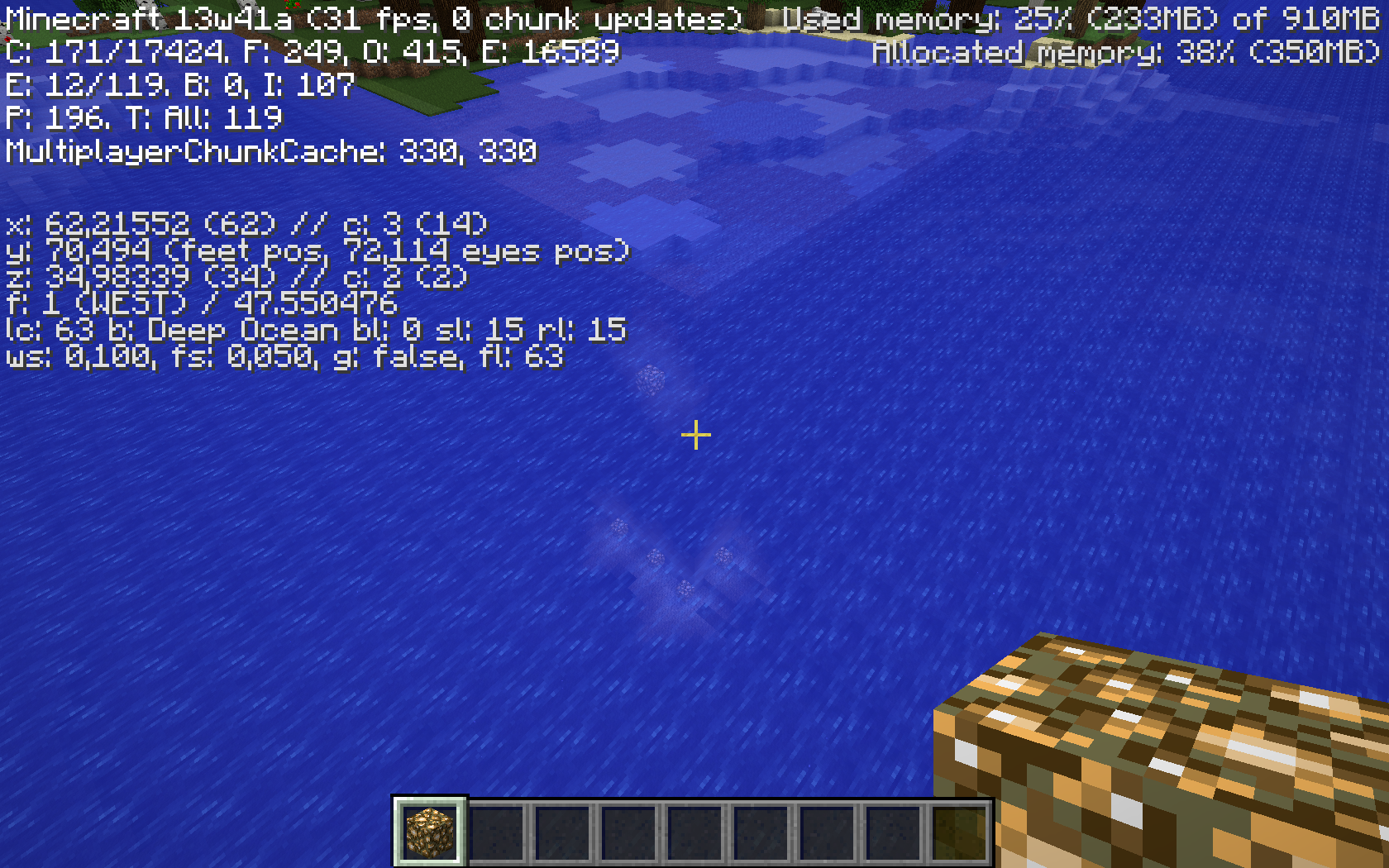
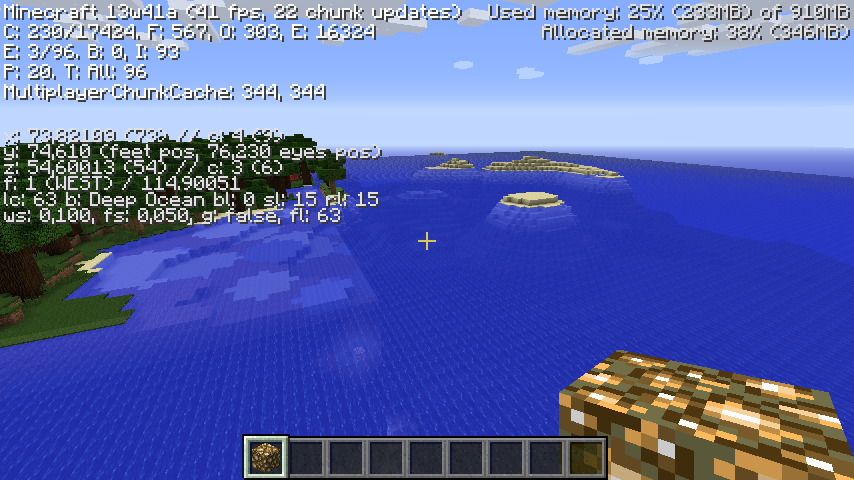
This strange thing generated in my world, i think it might be caused by the deep ocean and roofed forest biome have a way to high difference in height.
also:
i paused the game at this spot, went away for about 20 min, when i came back, minecraft suddenly sped up and it became night and day within a matter of secconds. (like the pause did pause my world, but not the time within the world)
greetings,
Quimoth
This strange thing generated in my world, i think it might be caused by the deep ocean and roofed forest biome have a way to high difference in height.
[seccond bug]also:
i paused the game at this spot, went away for about 20 min, when i came back, minecraft suddenly sped up and it became night and day within a matter of secconds. (like the pause did pause my world, but not the time within the world)[seccond bug]
greetings,
Quimoth
This strange thing generated in my world, i think it might be caused by the deep ocean and roofed forest biome have a way to high difference in height. See the pictures, it is a huge cliff(not intended i am quite sure of that). as you can see i put some glowstone on it to make it visible a little better.
[seccond bug]also:
i paused the game at this spot, went away for about 20 min, when i came back, minecraft suddenly sped up and it became night and day within a matter of secconds. (like the pause did pause my world, but not the time within the world)[seccond bug]
greetings,
Quimoth
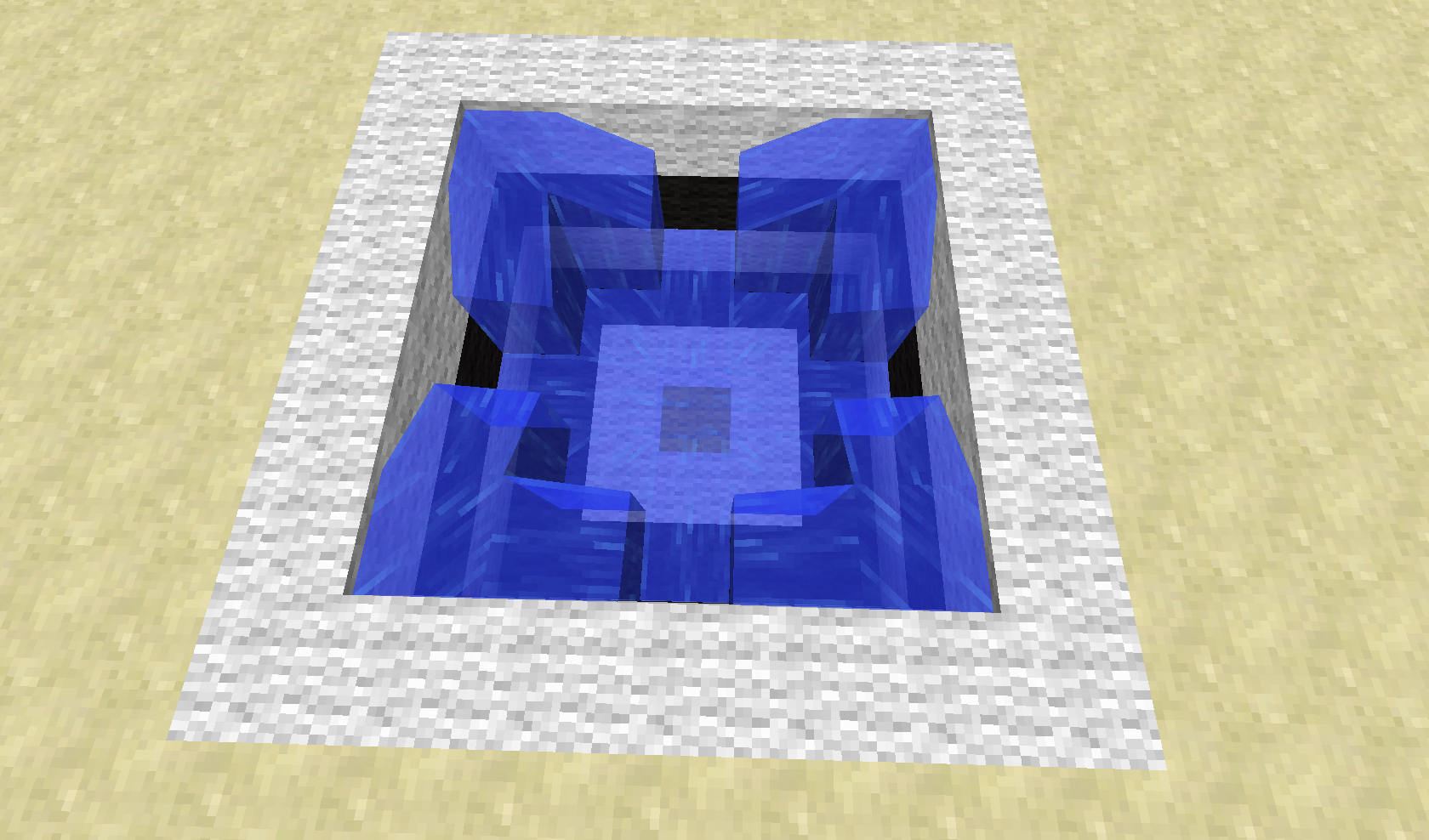
I noticed my sponge wasn't working as intended, it didn't absorb the entire 5x3x5 area (a pool with a sponge in the middle), instead on the west-side, the top most corners were left untouched.
Screenshot will follow up soon
I noticed my sponge wasn't working as intended, it didn't absorb the entire 5x3x5 area (a pool with a sponge in the middle), instead on the west-side, the top most corners were left untouched.
On second note, the amount of water block around the sponge seems to matter. if the flowing water stream had reached only just past the center of the pool when you quickly place a new sponge, the corners will be drained. (had this something to do with the way minecraft looks for connections between blocks of water?)
I noticed my sponge wasn't working as intended, it didn't absorb the entire 5x3x5 area (a pool with a sponge in the middle), instead on the west-side, the top most corners were left untouched.
On second note, the amount of water blocks around the sponge seems to matter. if the flowing water stream had reached only just past the center of the pool when you quickly place a new sponge, the corners will be drained. (had this something to do with the way minecraft looks for connections between blocks of water?)
I noticed my sponge wasn't working as intended, it didn't absorb the entire 5x3x5 area (a pool with a sponge in the middle), instead on the west-side, the top most corners were left untouched.
On second note, the amount of water blocks around the sponge seems to matter. if the flowing water stream had reached only just past the center of the pool when you quickly place a new sponge, the corners will be drained.
(had this something to do with the way minecraft looks for connections between blocks of water?)
I noticed my sponge wasn't working as intended, it didn't absorb the entire 5x3x5 area (a pool with a sponge in the middle), instead on the west-side, the top most corners were left untouched.
On second note, the amount of water blocks around the sponge seems to matter. if the flowing water stream had reached only just past the center of the pool when you quickly place a new sponge, the corners will be drained.
Note: it seems that a non-water block at the west side of the sponge fixes this issue. still not working as intended i think.
I noticed my sponge wasn't working as intended, it didn't absorb the entire 5x3x5 area (a pool with a sponge in the middle), instead on the west-side, the top most corners were left untouched.
On second note, the amount of water blocks around the sponge seems to matter. if the flowing water stream had reached only just past the center of the pool when you quickly place a new sponge, the corners will be drained.
Note: it seems that a non-water block at the west side of the sponge fixes this issue. still not working as intended i think. if the block directly east of the sponge is a water block, the west corners of the 5x3x5 area wont be absorbed. The screen-shot showing a line of wool is not entirely correct, just 1 block would suffice.
I noticed my sponge wasn't working as intended, it didn't absorb the entire 5x3x5 area (a pool with a sponge in the middle), instead on the west-side, the top most corners were left untouched.
On second note, the amount of water blocks around the sponge seems to matter. if the flowing water stream had reached only just past the center of the pool when you quickly place a new sponge, the corners will be drained.
Note: it seems that a non-water block at the west side of the sponge fixes this issue. still not working as intended i think. if the block directly east of the sponge is a water block, the west corners of the 5x3x5 area wont be absorbed. The screen-shot showing a line of wool is not entirely correct, just 1 block would suffice.
How to reproduce:
make a hole of 5x3x5 and place 2 water blocks in the top west corners.
then place a sponge in the center of the hole.
note that the water isn't absorbed/drained.reproduction on the east side of the hole is not possible, it seems to except only the south-west and north-west corners
Sponge absorbing bug (most definetly not working as intended)
Sponge absorbing bug (most definetly not working as intended)Sponge absorbing bug (most definitely not working as intended)
Sponge absorbing bug(most definitely not working as intended)
I noticed my sponge wasn't working as intended, it didn't absorb the entire 5x3x5 area (a pool with a sponge in the middle), instead on the west-side, the top most corners were left untouched.
On second note, the amount of water blocks around the sponge seems to matter. if the flowing water stream had reached only just past the center of the pool when you quickly place a new sponge, the corners will be drained.
Note: it seems that a non-water block at the west side of the sponge fixes this issue. still not working as intended i think. if the block directly east of the sponge is a water block, the west corners of the 5x3x5 area wont be absorbed. The screen-shot showing a line of wool is not entirely correct, just 1 block would suffice.
How to reproduce:
make a hole of 5x3x5 and place 2 water blocks in the top west corners.
then place a sponge in the center of the hole.
note that the water isn't absorbed/drained.reproduction on the east side of the hole is not possible, it seems to except only the south-west and north-west corners
I noticed my sponge wasn't working as intended, it didn't absorb the Top west corners of a 5x3x5 area. (with only 1 water block in each top most corner of the 5x3x5 area)
25 + 6 * 4 = 49
64 - 49 =/= 0 or below, please read the notes i make...
by the way, on my minecraft i CAN soak up beyond the limit of 64 blocks of water. it soaks up an exact number of 75 - 6 (3 for each west corner)= _69... even if you would count the placement of the sponge as -1... that is still beyond the cap._in either case this is a BUG.
On second note, the amount of water blocks around the sponge seems to matter. if the flowing water stream had reached only just past the center of the pool when you quickly place a new sponge, the corners will be drained.
Note: it seems that a non-water block at the west side of the sponge fixes this issue. still not working as intended i think. if the block directly east of the sponge is a water block, the west corners of the 5x3x5 area wont be absorbed. The screen-shot showing a line of wool is not entirely correct, just 1 block would suffice.
How to reproduce:
make a hole of 5x3x5 and place 2 water blocks in the top west corners.
then place a sponge in the center of the hole.
note that the water isn't absorbed/drained.reproduction on the east side of the hole is not possible, it seems to except only the south-west and north-west corners
I noticed my sponge wasn't working as intended, it didn't absorb the Top west corners of a 5x3x5 area. (with only 1 water block in each top most corner of the 5x3x5 area)
25 + 6 * 4 = 49
64 - 49 =/= 0 or below, please read the notes i make...
by the way, on my minecraft i CAN soak up beyond the limit of 64 blocks of water. it soaks up an exact number of 75 - 6 (3 for each west corner)= _69...even if you would count the placement of the sponge as -1... that is still beyond the cap._in either case this is a BUG.
On second note, the amount of water blocks around the sponge seems to matter. if the flowing water stream had reached only just past the center of the pool when you quickly place a new sponge, the corners will be drained.
Note: it seems that a non-water block at the west side of the sponge fixes this issue. still not working as intended i think. if the block directly east of the sponge is a water block, the west corners of the 5x3x5 area wont be absorbed. The screen-shot showing a line of wool is not entirely correct, just 1 block would suffice.
How to reproduce:
make a hole of 5x3x5 and place 2 water blocks in the top west corners.
then place a sponge in the center of the hole.
note that the water isn't absorbed/drained.reproduction on the east side of the hole is not possible, it seems to except only the south-west and north-west corners
I noticed my sponge wasn't working as intended, it didn't absorb the Top west corners of a 5x3x5 area. (with only 1 water block in each top most corner of the 5x3x5 area)
25 + 6 * 4 = 49
64 - 49 =/= 0 or below, please read the notes i make...
by the way, on my minecraft i CAN soak up beyond the limit of 64 blocks of water. it soaks up an exact number of 75 - 6 (3 for each west corner)= 69
even if you would count the placement of the sponge as -1... that is still beyond the cap.in either case this is a BUG.
On second note, the amount of water blocks around the sponge seems to matter. if the flowing water stream had reached only just past the center of the pool when you quickly place a new sponge, the corners will be drained.
Note: it seems that a non-water block at the west side of the sponge fixes this issue. still not working as intended i think. if the block directly east of the sponge is a water block, the west corners of the 5x3x5 area wont be absorbed. The screen-shot showing a line of wool is not entirely correct, just 1 block would suffice.
How to reproduce:
make a hole of 5x3x5 and place 2 water blocks in the top west corners.
then place a sponge in the center of the hole.
note that the water isn't absorbed/drained.reproduction on the east side of the hole is not possible, it seems to except only the south-west and north-west corners
I noticed my sponge wasn't working as intended, it didn't absorb the Top west corners of a 5x3x5 area. (with only 1 water block in each top most corner of the 5x3x5 area)
25 + 6 * 4 = 49
64 - 49 =/= 0 or below, please read the notes i make...by the way, on my minecraft i CAN soak up beyond the limit of 64 blocks of water.it soaks up an exact number of 75 - 6 (3 for each west corner)= 69
even if you would count the placement of the sponge as -1... that is still beyond the cap.in either case this is a BUG.
On second note, the amount of water blocks around the sponge seems to matter. if the flowing water stream had reached only just past the center of the pool when you quickly place a new sponge, the corners will be drained.
Note: it seems that a non-water block at the west side of the sponge fixes this issue. still not working as intended i think. if theblock directly east of the sponge is a water block, the west cornersof the5x3x5 area wont be absorbed. The screen-shot showing a line of wool is not entirely correct, just 1 block would suffice.How to reproduce:
make a hole of 5x3x5 and place 2 water blocks in the top west corners.
then place a sponge in the center of the hole.
note that the water isn't absorbed/drained.reproduction on the east side of the hole is not possible, it seems to except only the south-west and north-west corners
How to reproduce:
make a hole of 5x3x5 and place 2 water blocks in the top west corners. (or if you want to compare, place 1 water block in all the top corners)
then place a sponge in the center of the hole. (on top of the yellow wool)
note that the water isn't absorbed/drained/soaked up.then place the sponge on the spot where the yellow wool is, notice that there had to be drained 1 block more and yet it drained 7 more. (it fully drained the pool)
On second note, the amount of water blocks around the sponge seems to matter. if the flowing water stream had reached only just past the center of the pool when you quickly place a new sponge, the corners will be drained.
Note: it seems that a non-water block at the west side of the sponge fixes this issue. still not working as intended i think. if the block directly east of the sponge is a water block, the west corners of the 5x3x5 area wont be absorbed. The screen-shot showing a line of wool is not entirely correct, just 1 block would suffice.
reproduction on the east side of the hole is not possible, it seems to except only the south-west and north-west corners
How to reproduce:
make a hole of 5x3x5 and place 2 water blocks in the top
westcorners. (or if you want to compare, place 1 water block in all the top corners)
then place a sponge in the center of the hole. (on top of the yellow wool)
note that the water isn't absorbed/drained/soaked up.then place the sponge on the spot where the yellow wool is, notice that there had to be drained 1 block more and yet it drained 7 more. (it fully drained the pool)
On second note, the amount of water blocks around the sponge seems to matter. if the flowing water stream had reached only just past the center of the pool when you quickly place a new sponge, the corners will be drained.
Note: it seems that a non-water block at thewest side ofthesponge fixes this issue. still not working as intended i think. if the block directly east of the sponge is a water block, the west corners of the 5x3x5 area wont be absorbed. The screen-shot showing a line of wool is not entirely correct, just 1 block would suffice.
reproduction on the east side of the hole is not possible, it seems to except only the south-west and north-west cornersI've decided to redo the entire bug report from here. Since apparently comments are NOT being read. This said i would like to see the
How to reproduce:
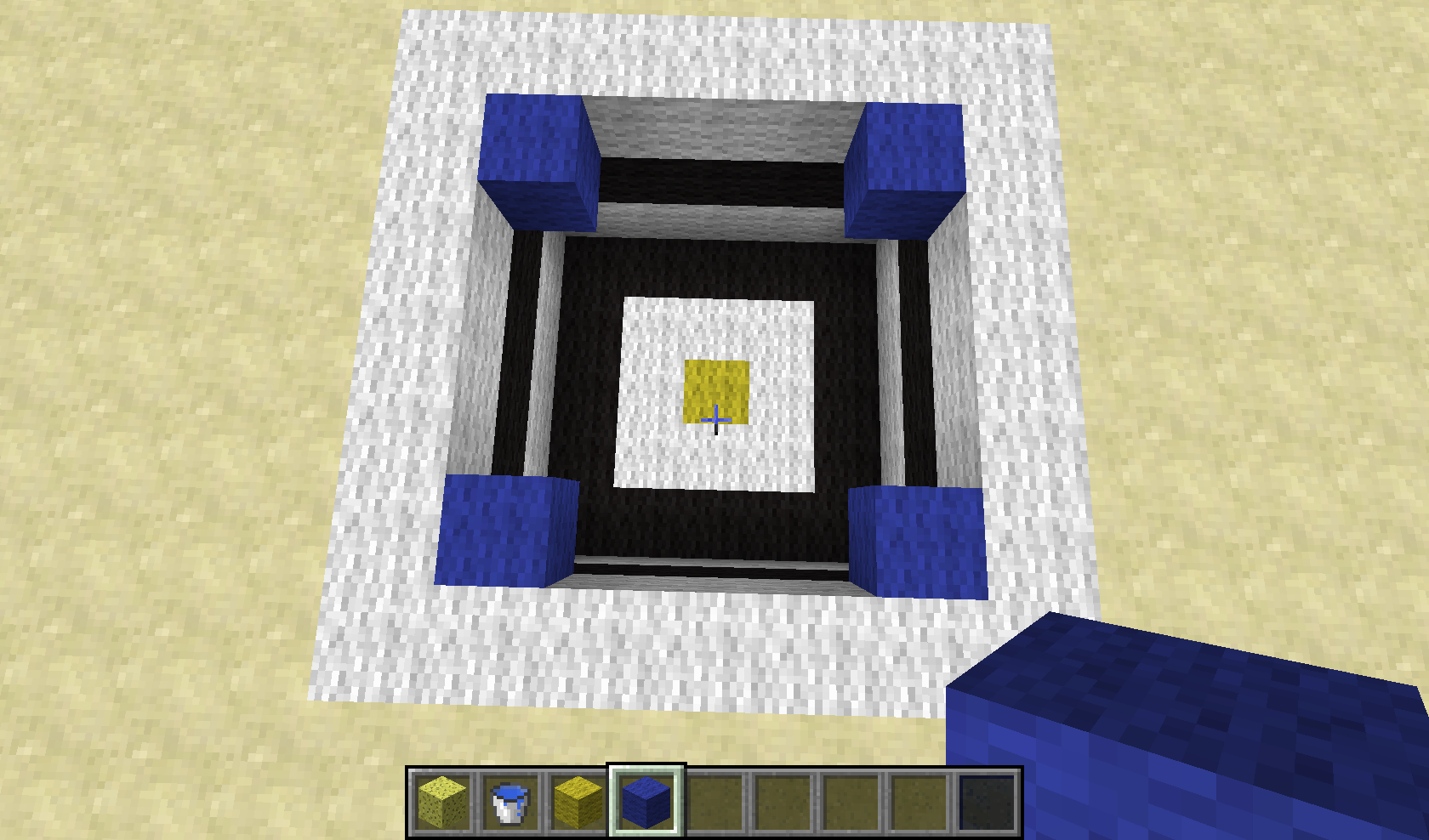
make a hole of 5x3x5 and place 2 water blocks in the top corners. (marked with blue wool in one of the screen-shots)
then place a sponge in the center of the hole. (on top of the yellow wool in the screen-shots)
note that the water isn't absorbed/drained/soaked up.
then place the sponge on the spot where the yellow wool is, notice that there had to be drained 1 block more and yet it drained 7 more. (it fully drains the pool)What I was expecting to happen was the same results on both situations OR an even smaller amount of drained water in the last case since you place the sponge further away and you have more water blocks.
There are of course multiple ways to recreate this bug, i chose this one since that comes closest to my original bug report.
I've decided to redo the entire bug report from here. Since apparently comments are NOT being read. This said i would like to see the first 6 screen-shots removed.(the ones without wool to mark the location of certain blocks)
How to reproduce:
make a hole of 5x3x5 and place 2 water blocks in the top corners. (marked with blue wool in one of the screen-shots)
then place a sponge in the center of the hole. (on top of the yellow wool in the screen-shots)
note that the water isn't absorbed/drained/soaked up.
then place the sponge on the spot where the yellow wool is, notice that there had to be drained 1 block more and yet it drained 7 more. (it fully drains the pool)What I was expecting to happen was the same results on both situations OR an even smaller amount of drained water in the last case since you place the sponge further away and you have more water blocks.
There are of course multiple ways to recreate this bug, i chose this one since that comes closest to my original bug report.
I've decided to redo the entire bug report from here. Since apparently comments are NOT being read. This said i would like to see the first 6 screen-shots removed.(the ones without wool to mark the location of certain blocks)
How to reproduce:
make a hole of 5x3x5 and place 2 water blocks in the top corners. (marked with blue wool in one of the screen-shots)
then place a sponge in the center of the hole. (on top of the yellow wool in the screen-shots)
note that the water isn't absorbed/drained/soaked up.
then place the sponge on the spot where the yellow wool is, notice that there hadtobe drained 1 block more and yet it drained 7 more. (it fully drains the pool)
What I was expecting to happenwas the same results on both situations OR an even smaller amount of drained water in the last case since you place the sponge further away and you have more water blocks.
There are of course multiple ways to recreate this bug, i chose this one since that comes closest to my original bug report.I've decided to redo the entire bug report from here. Since apparently comments are NOT being read. This said i would like to see the first 6 screen-shots removed.(the ones without wool to mark the location of certain blocks)
How to reproduce:
1. make a hole of 5x3x5 and place 2 water blocks in the top corners. (marked with blue wool in one of the screen-shots)
2. place a sponge in the center of the hole. (on top of the yellow wool in the screen-shots)
Note that the water isn't absorbed/drained/soaked up.3. Replace any water blocks removed for the retry (this means you have to replace only 2 water sources)
4. then place the sponge on the spot where the yellow wool is, notice that there had to be drained 1 block more and yet it drained 7 more.
In other words, there is more water being absorbed while the sponge has to reach more blocks and the sponge has to reach further.What I was expecting to happen was the same results on both situations OR an even smaller amount of drained water in the last case since you place the sponge further away and you have more water blocks.
There are of course multiple ways to recreate this bug/glitch, i chose this one since it comes closest to my original bug report.
I guess i will never write any comments, they are useless if they are not being used.
I've decided to redo the entire bug report from here. Since apparently comments are NOT being read. This said i would like to see the first 6 screen-shots removed.(the ones without wool to mark the location of certain blocks)
How to reproduce:
1. make a hole of 5x3x5 and place 2 water blocks in the top corners. (marked with blue wool in one of the screen-shots)
2. place a sponge in the center of the hole. (on top of the yellow wool in the screen-shots)
Note that the water isn't absorbed/drained/soaked up.3. Replace any water blocks removed for the retry (this means you have to replace only 2 water sources)
4. then place the sponge on the spot where the yellow wool is, notice that there had to be drained 1 block more and yet it drained 7 more.
In other words, there is more water being absorbed while the sponge has to reach more blocks and the sponge has to reach further.What I was expecting to happen was the same results on both situations OR an even smaller amount of drained water in the last case since you place the sponge further away and you have more water blocks.
There are of course multiple ways to recreate this bug/glitch, i chose this one since it comes closest to my original bug report.
I guess i will never write any comments again, they are useless if they are not being used.
I've decided to redo the entire bug report from here. Since apparently comments are NOT being read. This said i would like to see the first 6 screen-shots removed.(the ones without wool to mark the location of certain blocks)
How to reproduce:
1. make a hole of 5x3x5 and place 2 water blocks in the top corners. (marked with blue wool in one of the screen-shots)
2. place a sponge in the center of the hole. (on top of the yellow wool in the screen-shots)
Note that the water isn't absorbed/drained/soaked up.3. Replace any water blocks removed for the retry (this means you have to replace only 2 water sources)
4. then place the sponge on the spot where the yellow wool is, notice that there had to be drained 1 block more and yet it drained 7 more.
In other words, there is more water being absorbed while the sponge has to reach more blocks and the sponge has to reach further.What I was expecting to happen was the same results on both situations OR an even smaller amount of drained water in the last case since you place the sponge further away and you have more water blocks.
There are of course multiple ways to recreate this bug/glitch, i chose this one since it comes closest to my original bug report.
I guess i will never write any comments again, they are useless if they are not being used.
If things still aren't clear, i guess the best solution is to ask me for a world download.
I've decided to redo the entire bug report from here. Since apparently comments are NOT being read. This said i would like to see the first 6 screen-shots removed.(the ones without wool to mark the location of certain blocks)
How to reproduce:
1. make a hole of 5x3x5 and place 2 water blocks in the top corners. (marked with blue wool in one of the screen-shots)
2. place a sponge in the center of the hole. (on top of the yellow wool in the screen-shots)
Note that the water isn't absorbed/drained/soaked up.3. Replace any water blocks removed for the retry (this means you have to replace only 2 water sources)
4. then place the sponge on the spot where the yellow wool is, notice that there had to be drained 1 block more and yet it drained 7 more.
In other words, there is more water being absorbed while the sponge has to reach more blocks and the sponge has to reach further.What I was expecting to happen was the same results on both situations OR an even smaller amount of drained water in the last case since you place the sponge further away and you have more water blocks.
There are of course multiple ways to recreate this bug/glitch, i chose this one since it comes closest to my original bug report.
I guess i will never write any comments again, they are useless if they are not being used.
If things still aren't clear, i guess the best solution is to ask me for a world download.
I've decided to redo the entire bug report from here. Since apparently comments are NOT being read. This said I would like to see the first 6 screen-shots removed.(the ones without wool to mark the location of certain blocks)
How to reproduce:
1. make a hole of 5x3x5 and place 2 water blocks in the top corners. (marked with blue wool in one of the screen-shots)
2. place a sponge in the center of the hole. (on top of the yellow wool in the screen-shots)
Note that the water isn't absorbed/drained/soaked up.3. Replace any water blocks removed for the retry (this means you have to replace only 2 water sources)
4. then place the sponge on the spot where the yellow wool is, notice that there had to be drained 1 block more and yet it drained 7 more.
In other words, there is more water being absorbed while the sponge has to reach more blocks and the sponge has to reach further.What I was expecting to happen was the same results on both situations OR an even smaller amount of drained water in the last case since you place the sponge further away and you have more water blocks.
There are of course multiple ways to recreate this bug/glitch, i chose this one since it comes closest to my original bug report.
I guess i will never write any comments again, they are useless if they are not being used.
If things still aren't clear, i guess the best solution is to ask me for a world download.
Windows 7 64 Bit
.Windows 7 64 Bits
I've decided to redo the entire bug report from here. Since apparently comments are NOT being read. This said I would like to see the first 6 screen-shots removed.(the ones without wool to mark the location of certain blocks)
How to reproduce:
1. make a hole of 5x3x5 and place 2 water blocks in the top corners.
(marked with blue wool in one of the screen-shots)2. place a sponge in the center of the hole.
(on top of the yellow wool in the screen-shots)
Note that the water isn't absorbed/drained/soaked up.3. Replace any water blocks removed for the retry
(this meansyou have to replace only 2 water sources)4. then place the sponge on the spot where the yellow wool is, notice that there had to be drained 1 block more and yet it drained 7 more.
In other words, there is more water being absorbed while the sponge has to reach more blocks and the sponge has to reach further.What I was expecting to happen was the same results on both situations OR an even smaller amount of drained water in the last case since you place the sponge further away and you have more water blocks.
There are of course multiple ways to recreate this bug/glitch, i chose this one since it comes closest to my original bug report.
I guess i will never write any comments again, they are useless if they are not being used.
If things still aren't clear, i guess the best solution is to ask me for a world download.
I've decided to redo the entire bug report from here. Since apparently comments are NOT being read. This said I would like to see the first 6 screen-shots removed.(the ones without wool to mark the location of certain blocks)
How to reproduce:
1. make a hole of 5x3x5 and place 2 water blocks in the top corners. These spots are marked with blue wool in one of the screen-shots. Try to make sure the water has stopped flowing into air blocks or else it might not occur. The block east of the sponge should be water or flowing water or it won't bug/glitch.
2. place a sponge in the center of the hole. On top of the yellow wool in the screen-shots.
Note that the water isn't absorbed/drained/soaked up.3. Replace any water blocks removed for the retry, this should mean you have to replace only 2 water source-blocks and wait for the water to stop filling/replacing air blocks.
4. then place the sponge on the spot where the yellow wool is, notice that there had to be drained 1 block more and yet it drained 7 more. This has to do with the fact that there is no water or flowing water to the east of the sponge, which will make the results on the west-side become the same as on the east side.
In other words, there is more water being absorbed while the sponge has to reach more blocks and the sponge has to reach further and all that is just because of the block to the east of the sponge.What I was expecting to happen was the same results on both situations OR an even smaller amount of drained water in the last case since you place the sponge further away and you have more water blocks.
There are of course multiple ways to recreate this bug/glitch, i chose this one since it comes closest to my original bug report.
I guess i will never write any comments again, they are useless if they are not being used.
If things still aren't clear, i guess the best solution is to ask me for a world download.
I've decided to redo the entire bug report from here. Since apparently comments are NOT being read. This said I would like to see the first 6 screen-shots removed.(the ones without wool to mark the location of certain blocks)
How to reproduce:
1. make a hole of 5x3x5 and place 2 water blocks in the top corners. These spots are marked with blue wool in one of the screen-shots. Try to make sure the water has stopped flowing into air blocks or else it might not occur. The block east of the sponge should be water or flowing water or it won't bug/glitch.
2. place a sponge in the center of the hole. On top of the yellow wool in the screen-shots.
Note that the water isn't absorbed/drained/soaked up.3. Replace any water blocks removed for the retry, this should mean you have to replace only 2 water source-blocks and wait for the water to stop filling/replacing air blocks.
4. then place the sponge on the spot where the yellow wool is, notice that there had to be drained 1 block more and yet it drained 7 more. This has to do with the fact that there is no water or flowing water to the east of the sponge, which will make the results on the west-side become the same as on the east side.
In other words, there is more water being absorbed while the sponge has to reach more blocks and the sponge has to reach further and all that is just because of the block to the east of the sponge.What I was expecting to happen was the same results on both situations OR an even smaller amount of drained water in the last case since you place the sponge further away and you have more water blocks.
There are of course multiple ways to recreate this bug/glitch, i chose this one since it comes closest to my original bug report.
I guess i will never write any comments again, they are useless if they are not being used.
If things still aren't clear, i guess the best solution is to ask me for a world download, although trying out a lot of configurations of water, sponge and wool inside this 5x3x5 hole should be sufficient.
I've decided to redo the entire bug report from here. Since apparently comments are NOT being read. This said I would like to see the first 6 screen-shots removed.(the ones without wool to mark the location of certain blocks)
How to reproduce:
1. make a hole of 5x3x5 and place 2 water blocks in the top corners. These spots are marked with blue wool in one of the screen-shots. Try to make sure the water has stopped flowing into air blocks or else it might not occur. The block east of the sponge should be water or flowing water or it won't bug/glitch.
2. place a sponge in the center of the hole. On top of the yellow wool in the screen-shots.
Note that the water isn't absorbed/drained/soaked up.3. Replace any water blocks removed for the retry, this should mean you have to replace only 2 water source-blocks and wait for the water to stop filling/replacing air blocks.
4. then place the sponge on the spot where the yellow wool is, notice that there had to be drained 1 block more and yet it drained 7 more. This has to do with the fact that there is no water or flowing water to the east of the sponge, which will make the results on the west-side become the same as on the east side.
In other words, there is more water being absorbed while the sponge has to reach more blocks and the sponge has to reach further and all that is just because of the block to the east of the sponge.What I was expecting to happen was the same results on both situations OR an even smaller amount of drained water in the last case since you place the sponge further away and you have more water blocks.
There are of course multiple ways to recreate this bug/glitch, i chose this one since it comes closest to my original bug report.
I guess i will never write any comments again, they are useless if they are not being used.
If things still aren't clear, i guess the best solution is to ask me for a world download, although trying out a lot of configurations of water, sponge and wool inside this 5x3x5 hole should be sufficient.
I've decided to redo the entire bug report from here. Since apparently comments are NOT being read.
How to reproduce:
1. make a hole of 5x3x5 and place 2 water blocks in the top corners. These spots are marked with blue wool in one of the screen-shots. Try to make sure the water has stopped flowing into air blocks or else it might not occur. The block east of the sponge should be water or flowing water or it won't bug/glitch.
2. place a sponge in the center of the hole. On top of the yellow wool in the screen-shots.
Note that the water isn't absorbed/drained/soaked up.3. Replace any water blocks removed for the retry, this should mean you have to replace only 2 water source-blocks and wait for the water to stop filling/replacing air blocks.
4. then place the sponge on the spot where the yellow wool is, notice that there had to be drained 1 block more and yet it drained 7 more. This has to do with the fact that there is no water or flowing water to the east of the sponge, which will make the results on the west-side become the same as on the east side.
In other words, there is more water being absorbed while the sponge has to reach more blocks and the sponge has to reach further and all that is just because of the block to the east of the sponge.What I was expecting to happen was the same results on both situations OR an even smaller amount of drained water in the last case since you place the sponge further away and you have more water blocks.
There are of course multiple ways to recreate this bug/glitch, i chose this one since it comes closest to my original bug report.
I guess i will never write any comments again, they are useless if they are not being used.
If things still aren't clear, i guess the best solution is to ask me for a world download, although trying out a lot of configurations of water, sponge and wool inside this 5x3x5 hole should be sufficient.
why did my pictures get removed after i posted a new one????
that is why i now send all 6 again. and this time they did arrive.....
minecraft just doesnt see the difference between blocks that are visible when placed next to stairs/slabs and blocks that are not visible. if a block is partly transparent then minecraft will render all 6 blocks around it. could be considered a bug but i think that testing which blocks should and which blocks shouldnt be rendered wont make the game much faster. atleast for stairs that will be the cause if you would ask me. slabs are easier because there is only 1 extra block that doesnt have to be rendered and that block can be only below or under the slab.
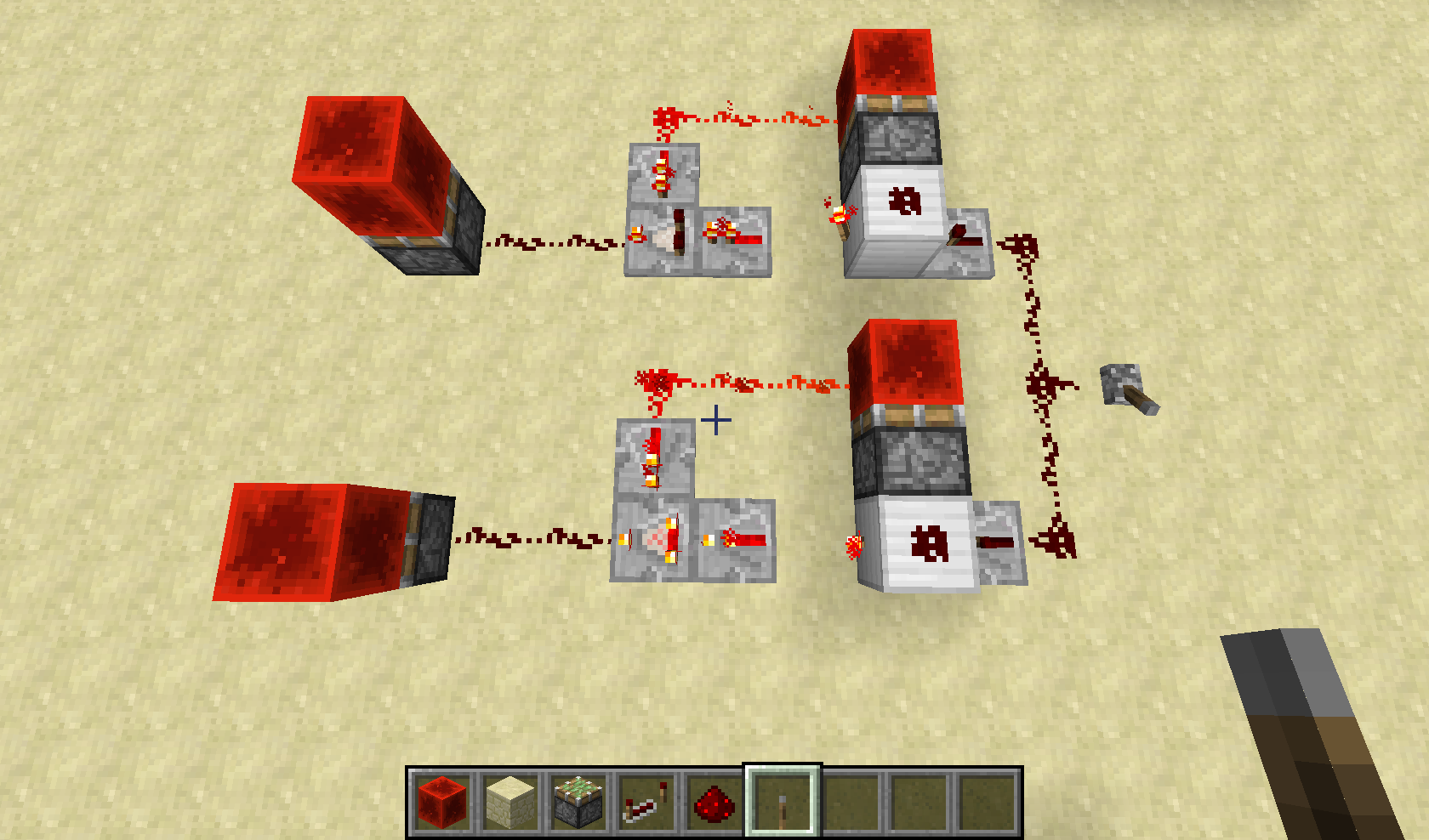
is it supposed to??? i thought the hopper was the only supposed to move things from its own container to the container of the block below or next to the hopper. and it did work for me to get the block from the hopper into the moving chest minecart.
This bug is NOT fixed.
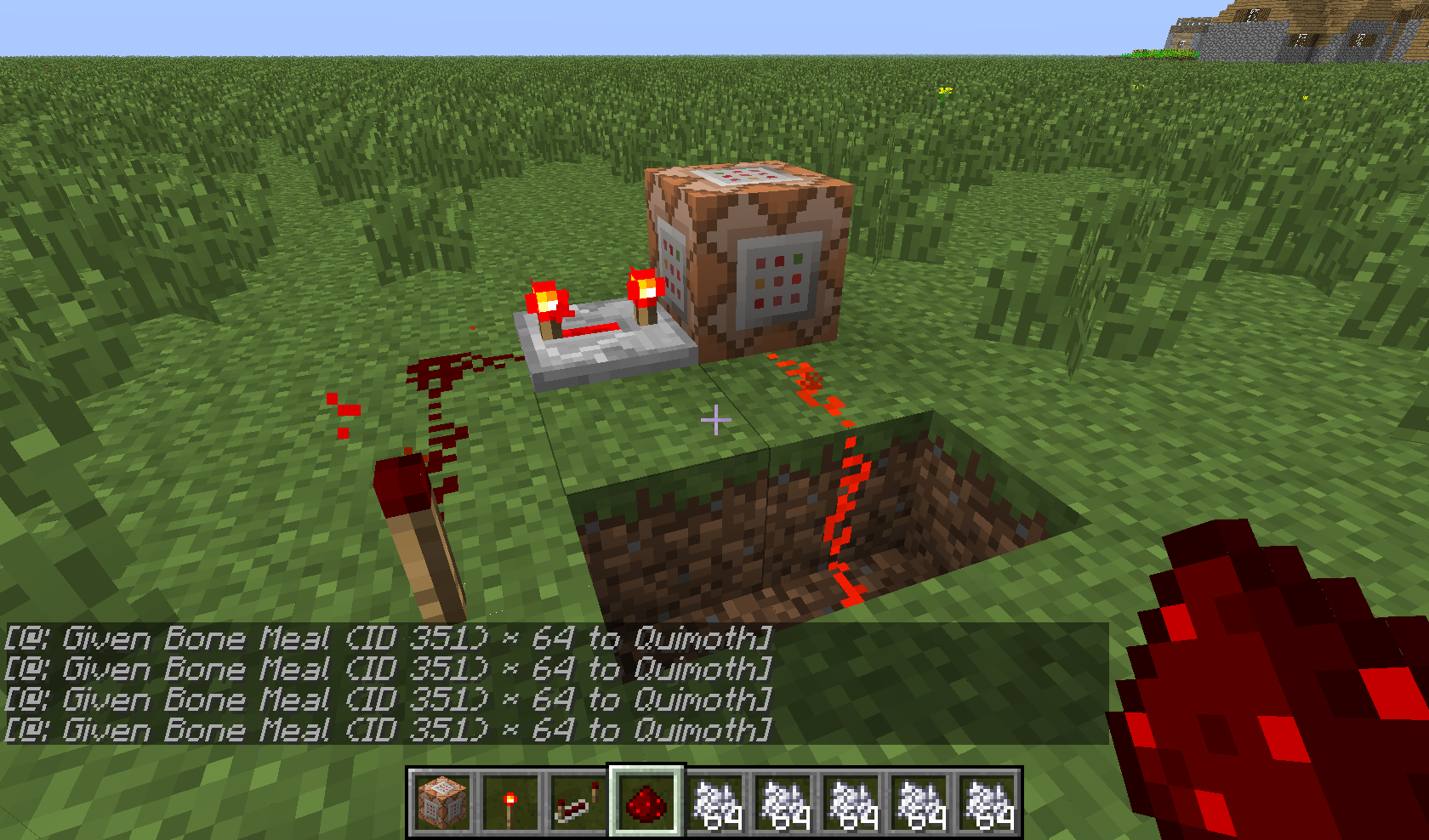
this is how i called the bug: create a repeating system consisting of a repeater on ANY state + redstone torch. attach a command block to it with the command: /give <yourplayername> 351 64 43
the 43 will grant you bonemeal instead of incsacks. but it seems to be breaking the bonemeal, it wont grow anything in any way. I might have forgotten to tell that when you use the correct ID for bonemeal(15) it DOES work. but that doesnt take away that this is a way to get bonemeal that can't be used to grow plants.
bug still exists in new snapshot. if you can't reproduce then please be so smart to ask for more specific information instead of setting it resolved. because this actually ISNT resolved.
screenshot of construction + script. construction is of no importance tho because it is about the wrong ID in the give command that breaks bonemeal.
it isnt meant to be used as 351:id. and the id isnt 1.... so please... test it correctly.
it is meant to be called this way: /give <playername> <item_id> <number of items> <extra item id>
anyway i understand that the extra id should be the exact id and not an id near it.
yes but in mod/plugin free minecraft singleplayer mode this is NOT the way to use the /give command.
trust me... it is used as i wrote above... the 351:15 wont work in mod/plugin free minecraft the /give playername 351:15 64 command will throw an error because 351:15 is not a number. instead: use it the way i wrote above.
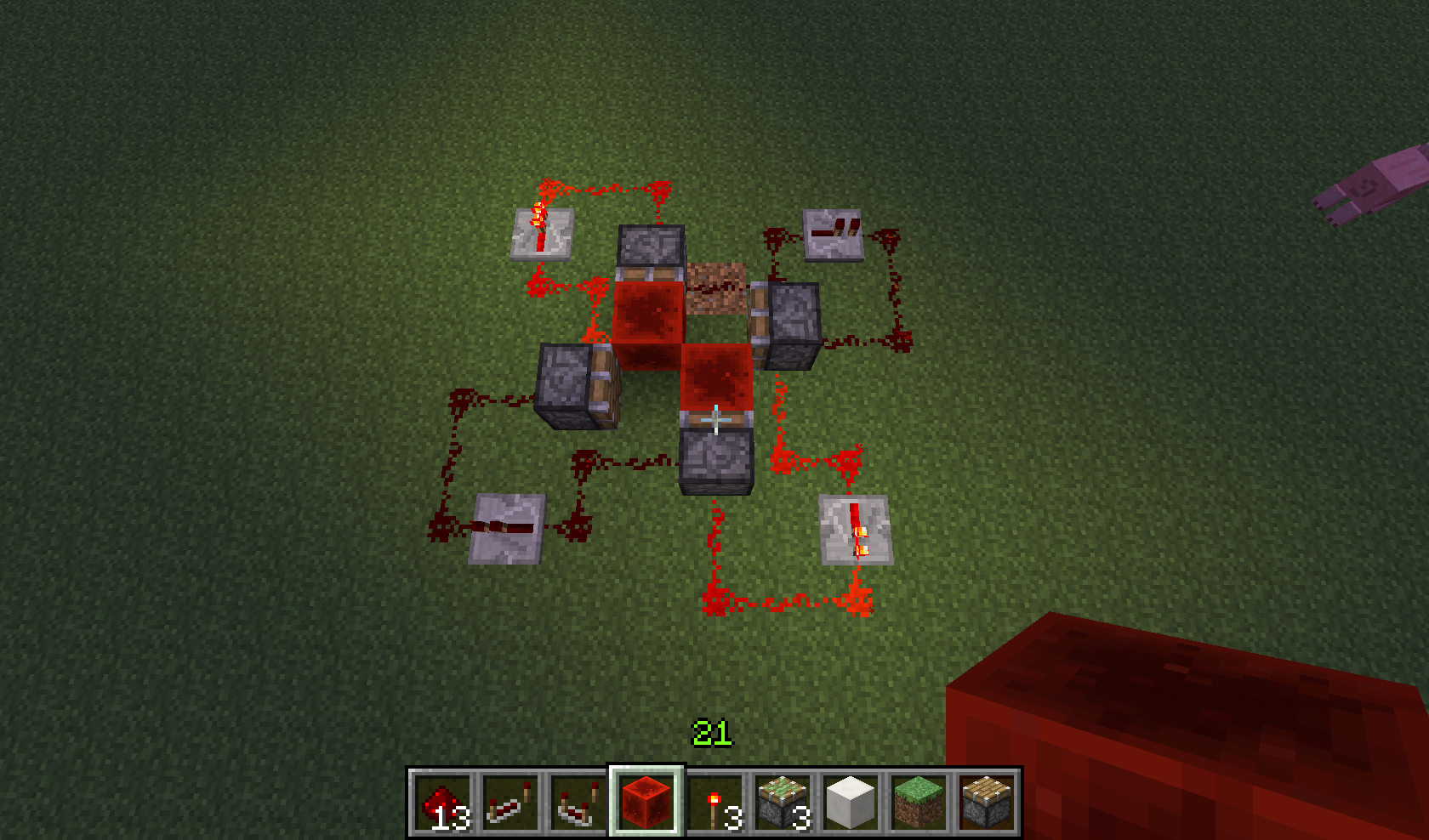
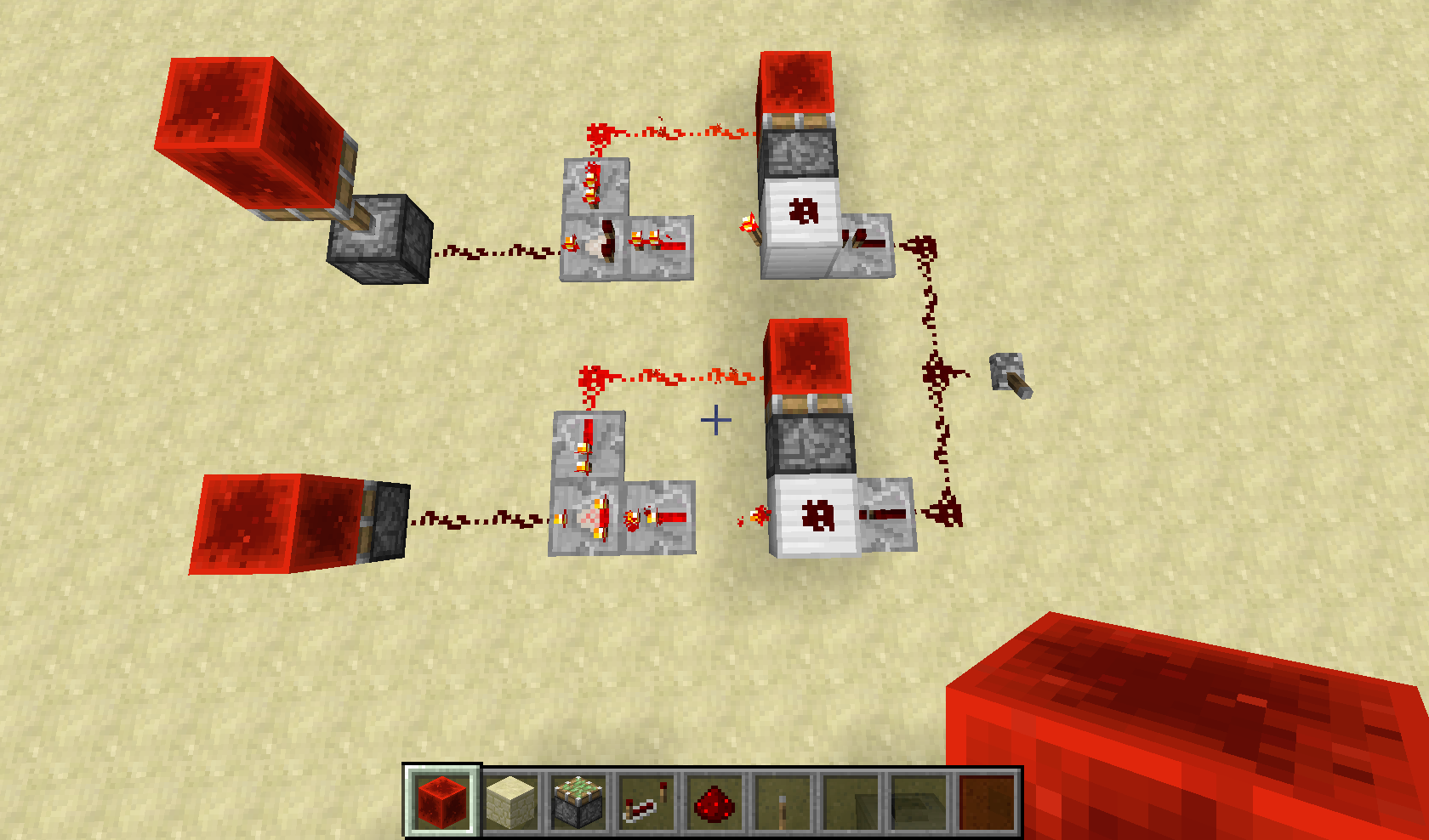
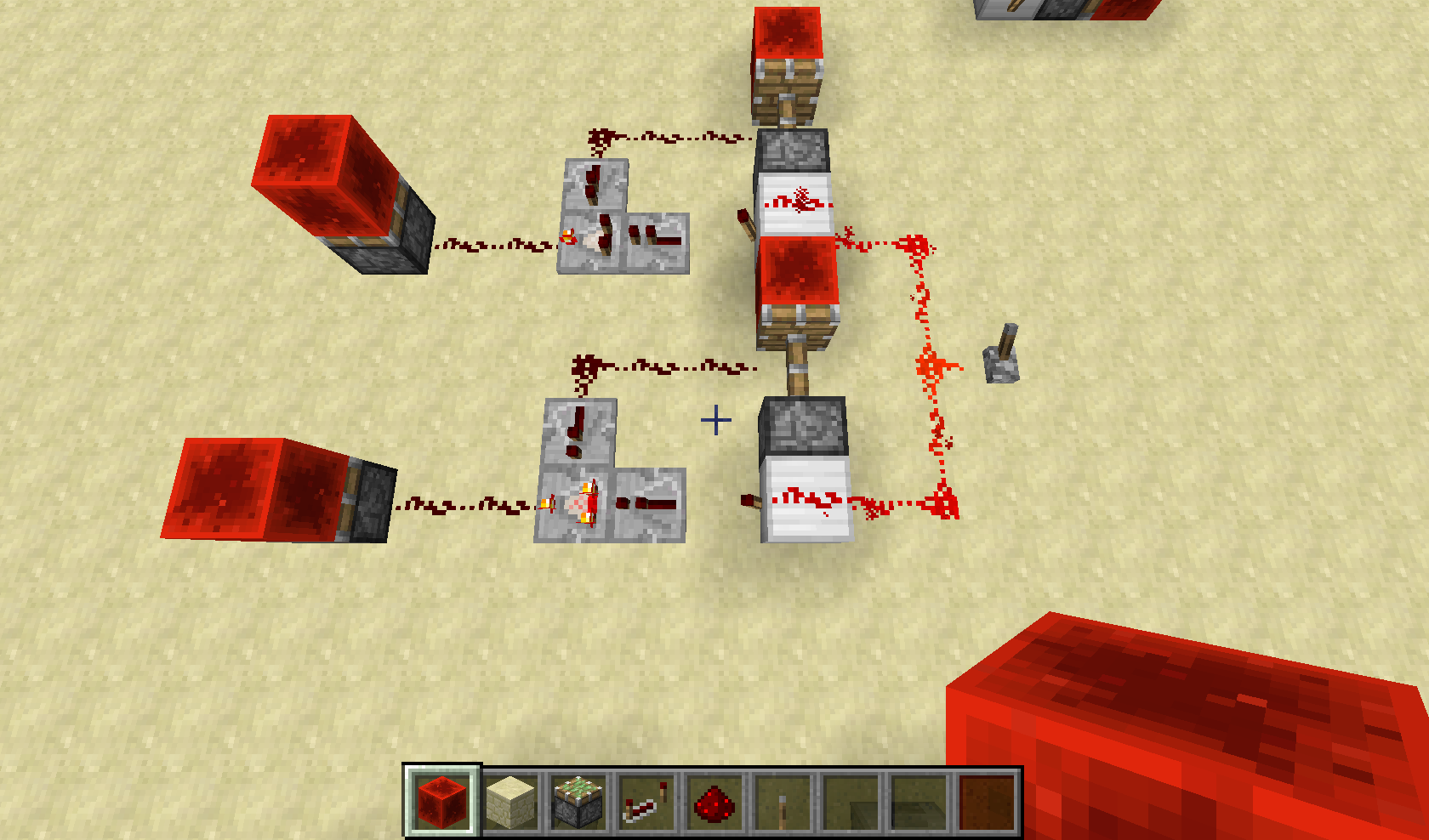
Loooool, I didnt even notice the redstone block still somehow was in the circuit, as you can see the pistons are still being moved but the redstoneblock is no longer visible. <- this was only about the seccond bug, the one with the redstone wire on the same level as the pistons.
2nd note to this is that when interrupting one of the wires the block will reappear, this did not happen with the first bug I noted, and in my opinion is a glitch even if it doesn't really disappear but just gets invisible.
repeaters can solve all issues, therefore i think pistons HAVE to get a delay in order to solve this, because otherwise there is just no simple way i can see which solves the problem.
repeaters solve the issues that occurred, it is now even possible to place a second block in the circuit without having a chance for the blocks to disappear. also it is of course much easier to time the placement so that the block doesn't push away any wires
this bug also occurs when filling a furnace with both fuel and ore by shift clicking(one of these two has to be already in the furnace), but only when there is a comparator adjecent to the furnace,
suggestion: the counting mechanics of hopper and comparator somehow interrupt the furnace process deleting all items inside, by normally filling it(without shift) the furnace still does his job, also i have a picture of an empty furnace that still burns. i will also attach a crash-report.
really hard to see but there are some yellow fire particles at the left, while the fire in the ui of the furnace is not burning.
Yeah if people would make a GOOD summary it would be possible, but in this case I thought it was a redstoneblock SPECIFIC bug, sorry for that but really, how am I supposed to know if this bug is redstoneblock specific or not?
the list with piston related bugs is so huge that i indeed use the search function and type: redstoneblock disappears as search function.... well that didnt give a hit obviously.
Sorry but i really do not see why this should be a duplicate.
since when is a pyramid generating inside a village house related to Grass generation other than that both are world generating bugs?
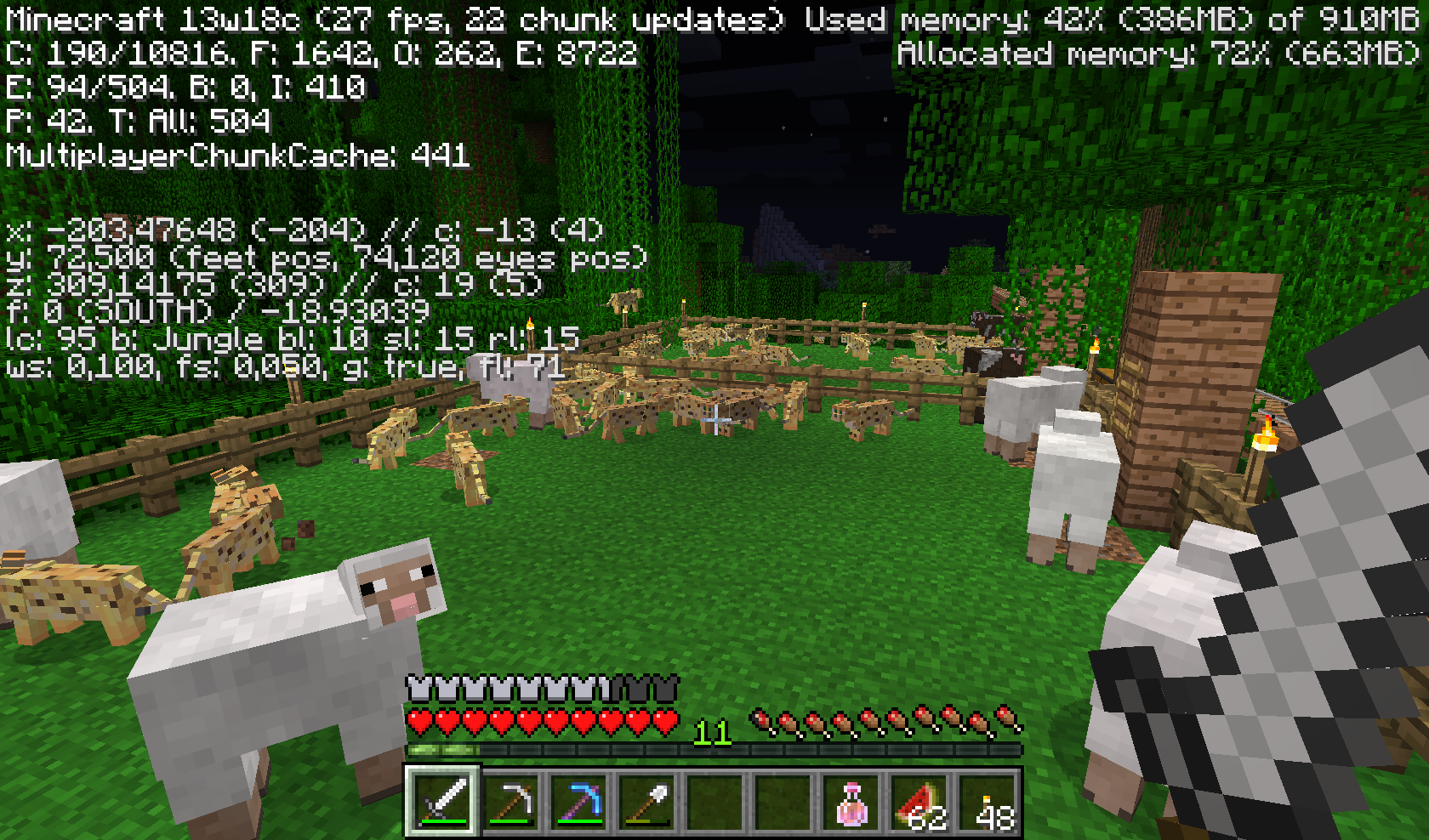
Lol i just found out this bug existed, suddenly there were like 500 ocelots that had spawned inside my farm. rly weird, lost all my chickens but got enough ocelots to scare a gaint creeper away
ps. can anyone tell me how to prevent my world from crashing due to an overload of ocelots? right now i can still play, but if this continues, minecraft will probably crash.
this was quite a while ago. last time i played the number was above 1000.
they seem to center around this farm you see on the picture, but that could be because they can't get out after they went in and wont de-spawn.
yeah i have those as well. i can send the seed but i am not that good at looking which region files i should send and the complete map is not going to work(it is over 200 mb since it is large biomes and so i need to travel quite far to get to the plains for horses or to the swamp for slimes etc. etc.)
last time I played around 400 extra ocelots had spawned above the 400 that were already there (total count of enitities 1000 but i have some item frames and other entities ofc)
if anyone could help me to use the in-game coords to get the right region files i can send the exact region(with my beautiful tree house with mine-cart rails to my mines and some wooden horse bridges
seed: -6294889212756226575
i've found something very remarkable. might be usefull.
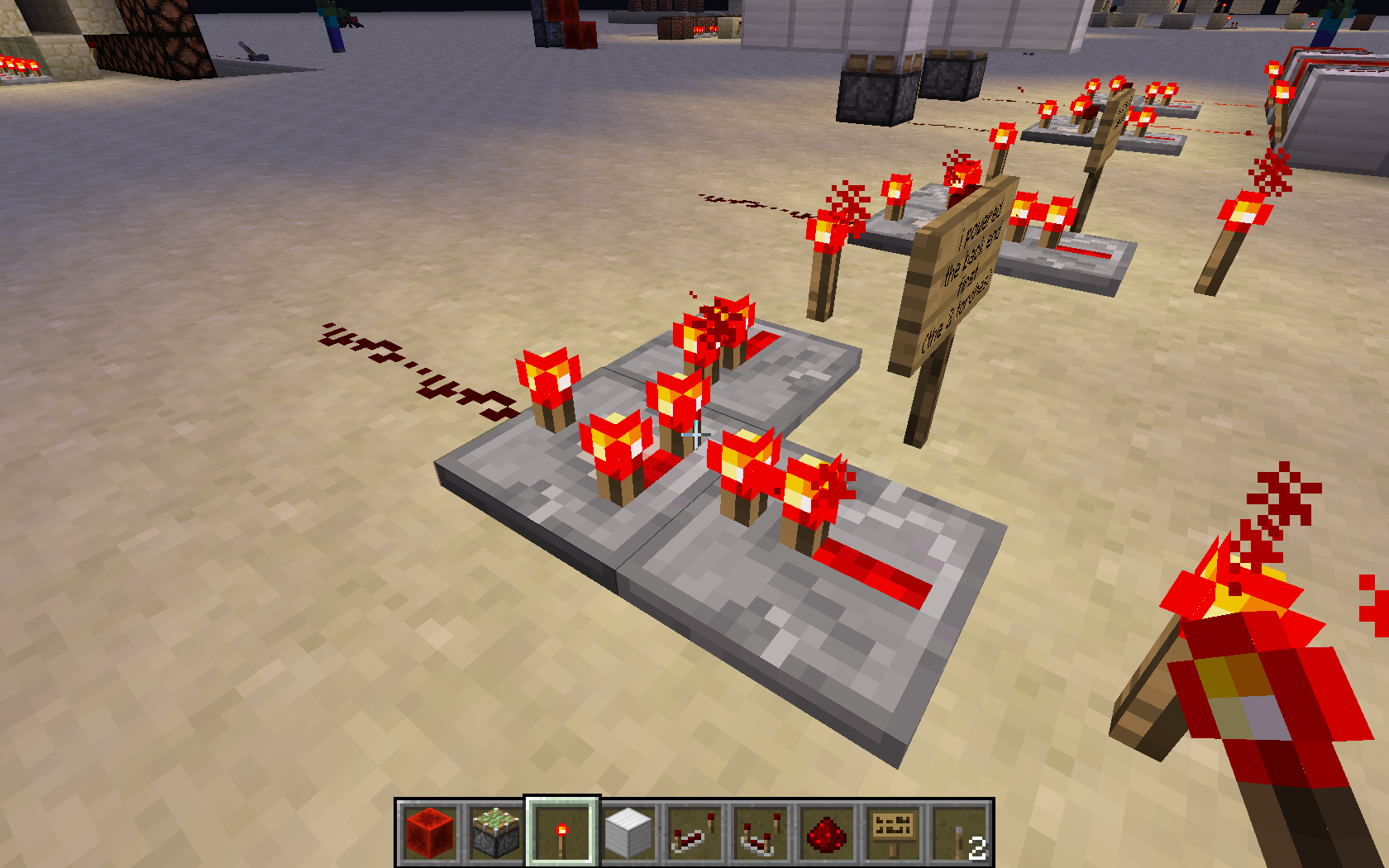
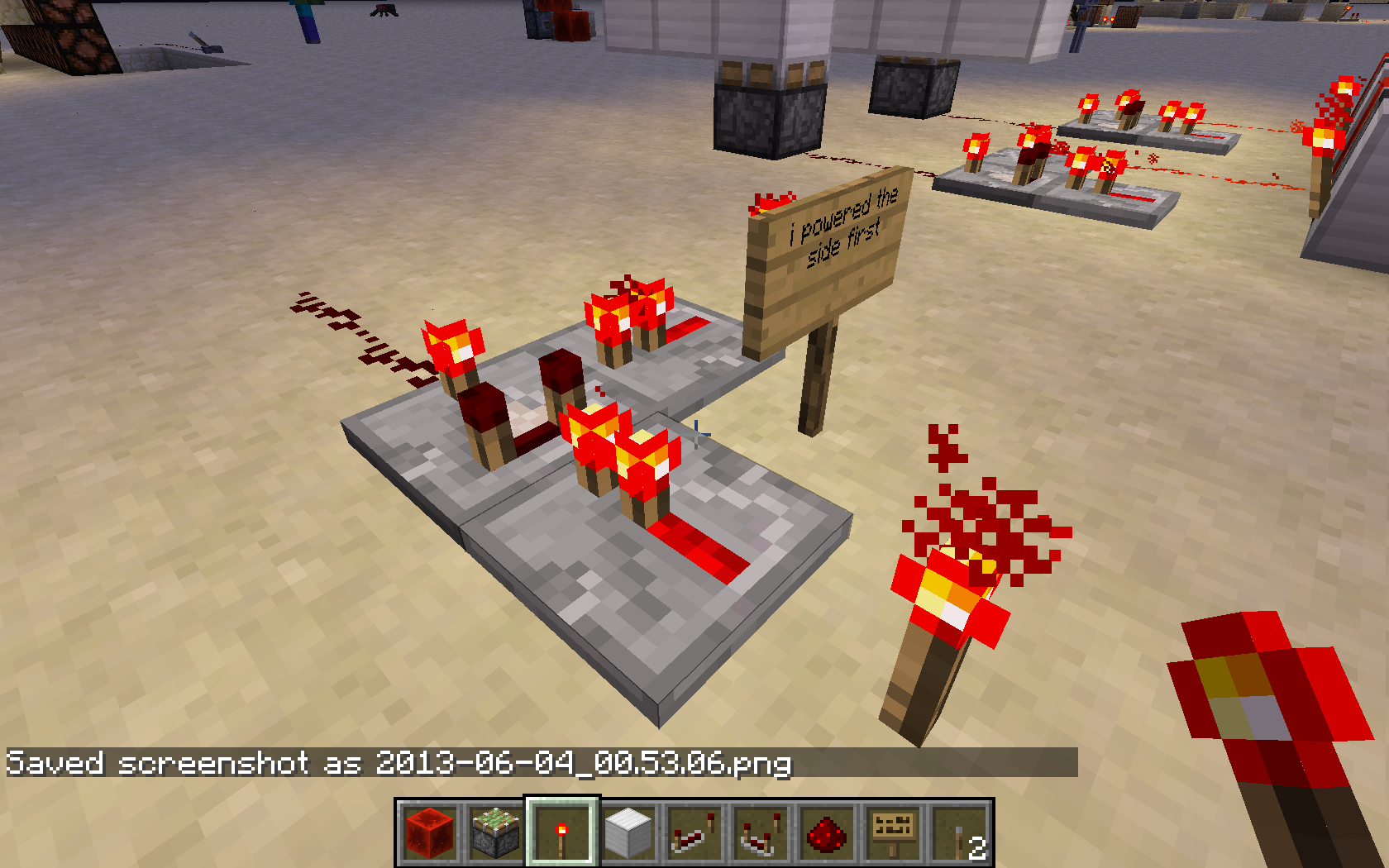
when i tried to make a up/down edge detector using a sticky piston with redstoneblock and an normal invertor, i found out that it matters which side gets powered first in substraction mode.
if i powered the left/right side, the detector would work. if i power the main input of the comparator first, it wouldn't update once the sides got update since the delay between the 2 invertors is too small for the comparator to update its state(the 2 torches stay on while they should turn off).
i use 2 repeaters for the inputs, so that the inputs are precisely equal.
i will add some pictures. i am not sure if this is a new issue, or just part of the problem in this one(it looks to me as if it could be the same).
first picture i powered the backend first (2 torches side)
seccond picture i powered the side first
as you can see the power levels are EXACTLY the same, as is the output.
but once you combine these with the 2 invertors of the last picture which do not have the same delay you can get short pulses only when the visual of the back 2 torches is turned OFF.
(it takes 1 tick more for the redstone block to update the signal after it is pushed)
the last 2 give a little last picture of how i implemented everything, i hope i've been clear enough for anyone to reproduce this complicated bug(or is it a feature?).
This seccond bug i did NOT search for. but i doubt if you have read my entire post.
so please read it over AGAIN.
the first part i am talking about a cliff, which is visible on the screenshots.
it has nothing to do with the day/night bug. it is a world generating error/bug.
sorry i forgot to post the seed.
for copy-paste lazyness: -5954229936912293072
i also added a screenshot with the seed
this is a feature, you should indeed just count blocks by writing down the coordinates of the first map you made and then walk a lot
Alright here is the part that really annoys me:
i've got 6 beautiful maps in item frames, but the only way to make the map load within a time span shorter then 10 minutes, is by taking each map out and load it separately by holding it in my hands. There is no excuse for bandwidth, since if taking them out and loading them one by one in your hands is faster that would mean mojang secretly added bandwidth. Also the map data most of the time is fixed, unless someone is building a lot and you have a copy of it so you "explore" the new buildings.
i suggest that you should at least try to equal the time it takes to load X maps by hand to the time it takes to load X maps in item frames. (right now i have a chest with copies next to the map wall, this way you don't have to wait all day before the map has loaded)
It is just like the chest minecart, you have beautiful ideas for it, but some game mech's make about half of the uses either a lot harder or impossible. Chest minecart will lose momentum and stop when it rides into an unloaded chunk, which means you can't even practically use it to transport items from your mine to your base unless you got an overload of pistons or hoppers to create lag creating and dangerous chunk loaders. This means that practically, you will only waste time since you use up just as much resources as you get and need to spend time into building the chunk loaders as well since you need to load the 5x5 area. Since the horse update, minecarts just aren't anywhere near a viable way of transport for either goods or players.
It is in fact still a feature. you should just look for the amount of blocks a player needs to walk in order to get the alignment right.
this means that it will be 128 * 2^(zoom) starting at zoom 0. keep z or x the same, and walk that distance over the other horizontal axis untill you have added exactly 128 * 2^(zoom)
The fact that the map is player centric is actually a good thing, since you can achieve whatever you wont. Creating giant maps will be more difficult, but you can have a huge map of the area surrounding your house/town/castle without having to build your entire castle on a special spot.
I marked the pool with some wool so you have a better view of it. last screen shot shows how the water remains untouched in the west corners.
this last screenshot shows how these 2 corners DO get removed (while placing the sponge block at the exact same position as before)
No that is not the entire problem, in a 5x3x5 area, 1 sponge should drain all the water, and it doesn't. unless you place a block to the east of were the sponge would go.
this isn't just an error with flowing water.
the rule seems to be that whenever there is a water block (either flowing or a full block) to the east of a sponge, the sponge won't drain the block in the top west corner of the 5x3x5 pool.
But why do they have to be biased to one direction? please make them soak up an equal amount in each direction, otherwise it matters where you place the sponge a bit to much imo.
maybe make it cap in such a way that you get a symetric area drained?
owh, and jeb, this is not the only problem.
5x5 + 2x6 - 1 = 37. and still those corners will not be absorbed, i would like you to reconsider this as an unresolved bug.
5x5 + 2x6 -2 = 36. that does work but only if you place the block to the direct east of the sponge.
Requesting to reopen this issue, sponge hasn't absorbed all 64 blocks within it's cap.
How to reproduce:
make a hole of 5x3x5 and place 2 water blocks in the top west corners.
then place a sponge in the center of the hole.
note that the water isn't absorbed/drained.
reproduction on the east side of the hole is not possible, it seems to except only the south-west and north-west corners
also, only the corners were left, meaning that the sponge still removed 75 - 1 - 2 = 72 blocks of water.
minus one since the sponge itself will replace a water block, and minus 2 for the 2 corners of which only the top most source block is left unharmed.
if what you said earlier is true, it is still most definitely not working as intended.
I'm having similar problems, it seems to be due to a cap in how much a sponge can absorb, on my world it seemed the sponge didnt absorb in the west direction.
https://bugs.mojang.com/browse/MC-57525
my bug report is noted as working as intended while you can actually count water blocks and come to the conclusion it does not work as intended.
i bet the absorbing code is just not yet bug/random free. i think most people would agree that it should be less random since 64 blocks wont cause a sphere to form. (not to mention i found out it actually doesn't cap to 64 on my worlds)
Just confirmed this bug is still working the same in 14w28b.
1 block east to the sponge block will mean the top west corners of a 5x3x5 area will not be depleted even though they should be since they are within the cap and within range of the sponge.
you can also place just 1 block of water in the top north-west/north south corner (keeping the other spaces empty of water source blocks) and then you will see that as long as 1 block of water is to the east the sponge wont soak it up. (unless you place it really close)
also added another thing which seems a bug to me.
Here you can see another example of a sponge not soaking up a block.
It could be that it is coded correctly for both Z-axis and Y-axis but not for the X-axis, which would cause the west direction to be incorrect whenever it comes close to the limit of the sponge it's range. It could still be that Y-axis is also coded wrongly, but Z-axis clearly isn't since that would've caused no bugs since it would be symmetrical.
would like more opinions on this issue
Stop marking it as resolved when you clearly didn't read the entire report. it also contains water being ignored based on its relative position to the sponge, which only fails to work on the west side.
but alright. i'll make a new one for the real bug.
ps. next time you look over this bug report, use a calculator to count the total number of blocks, since there are situations in which this bug happens while the number of water blocks is clearly BELOW 75.
there is no 75 block cap on MY version of the snapshot.
well, i bet it wont be fixed since there is nobody reading the full report OR trying to reproduce any of these bugs.
im quite sure that placing a sponge further away from the water blocks should still have the same results OR worse (atleast that is what 99.99999% of the people would expect) but according to everyone reacting on this report... it is as normal as it could be.
reproduction: See my last upload (the one with the yellow piece of wool).
First step: place sponge on-top of the wool, notice how the west corners remain.
Second step: remove the wet sponge and replace the remove water
Third step: remove the yellow wool in the same setup, and place the sponge on the spot where the yellow wool was. Notice that not only had the sponge 1 extra block to soak up at first, it also soaked up the two west corners.
the blue wool represents the spots of the water source blocks
I've redone the entire report, i hope it is clear enough now.
If it isn't, then i guess some people are to lazy to even try and reproduce it (the last picture should really suffice)
I've added the reproduction steps, yet still you seem to deny the fact that this is a bug or at-least something that is illogical to 99% of the people playing minecraft. Without any other comments on how to make it clearer... i actually can't help the fact that most people will post here as soon as 1.8 gets out (or make duplicates)
I've also confirmed that it is still not fixed/changed.
just to clarify a last bit, placing the sponge on the spot where the yellow wool is will drain ALL the water. (again make sure the water has stopped flowing into air blocks) placing it on top of the yellow wool will leave 6 blocks of water including 2 source-blocks which will then fill a part of the hole again.
Has there been any respond from the developers?
As i stated before, there are things which could be considered features... but some most definitely defy logic.
Bug is indeed fixed. the strange cap on water-blocks to be absorbed makes it hard to tell weather all bugs are fixed. I would suggest choosing for a sphere/cube around the sponge and change the cap to the water blocks fitting in such a shape. like in the old days when a sponge just didnt absorb any water that was more then 2 blocks away. (it makes it easier to check for bugs/glitches)
I just checked this bug for 14w34c again.
those pictures i showed now give slightly different results.
the visuals do have effect on the pulse (therefore i think this might actually be a feature??)
if the comparator is off it will give a pulse on an downward slope et vice versa for a comparator which is fully lit.
the inverter I am using: https://bugs.mojang.com/secure/attachment/30893/2013-06-04_00.58.36.png
wow. this is very strange, a repeater used to power this changed it to my previous findings (it only gives a pulse when the comparator isn't lit/on)
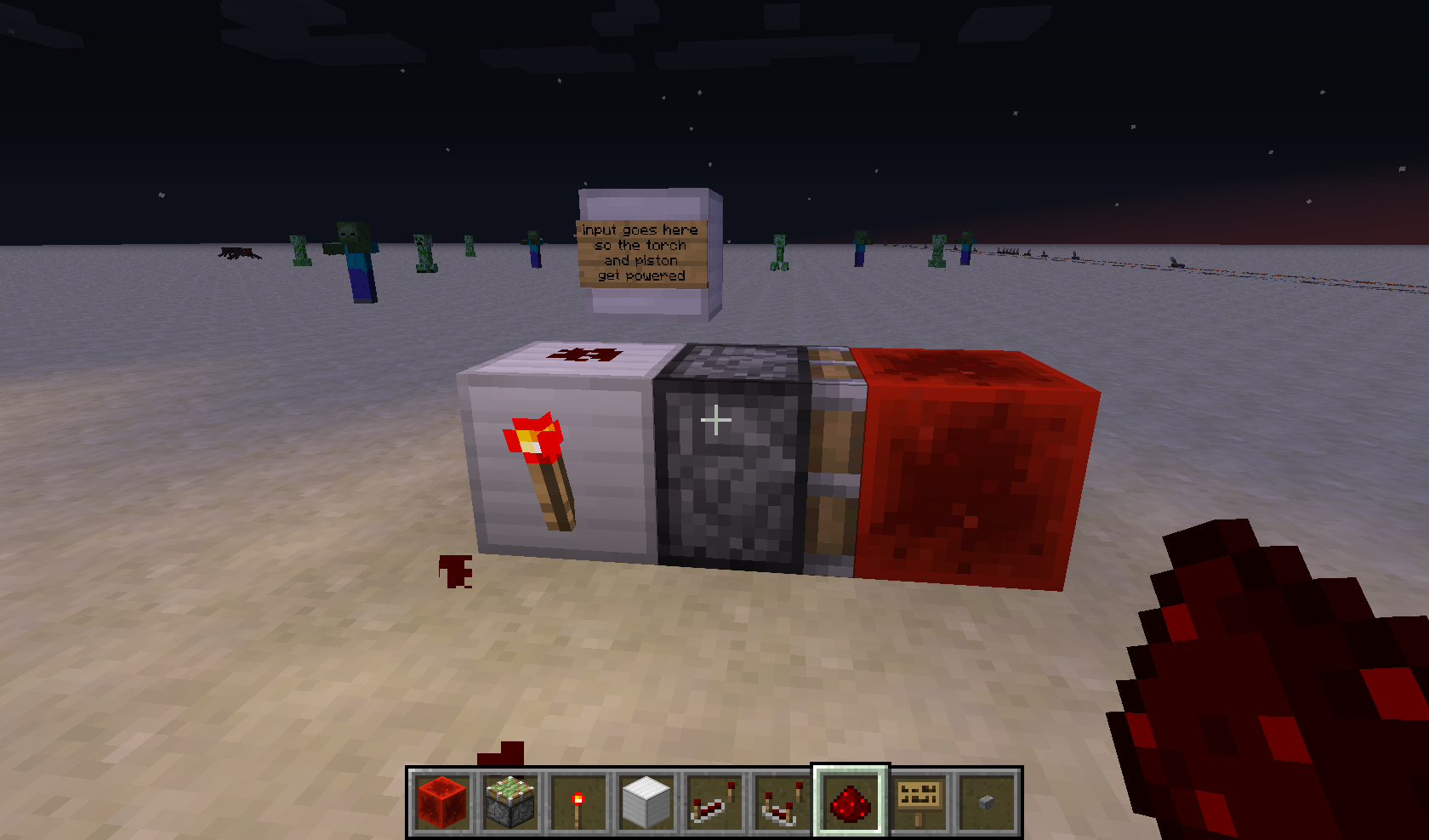
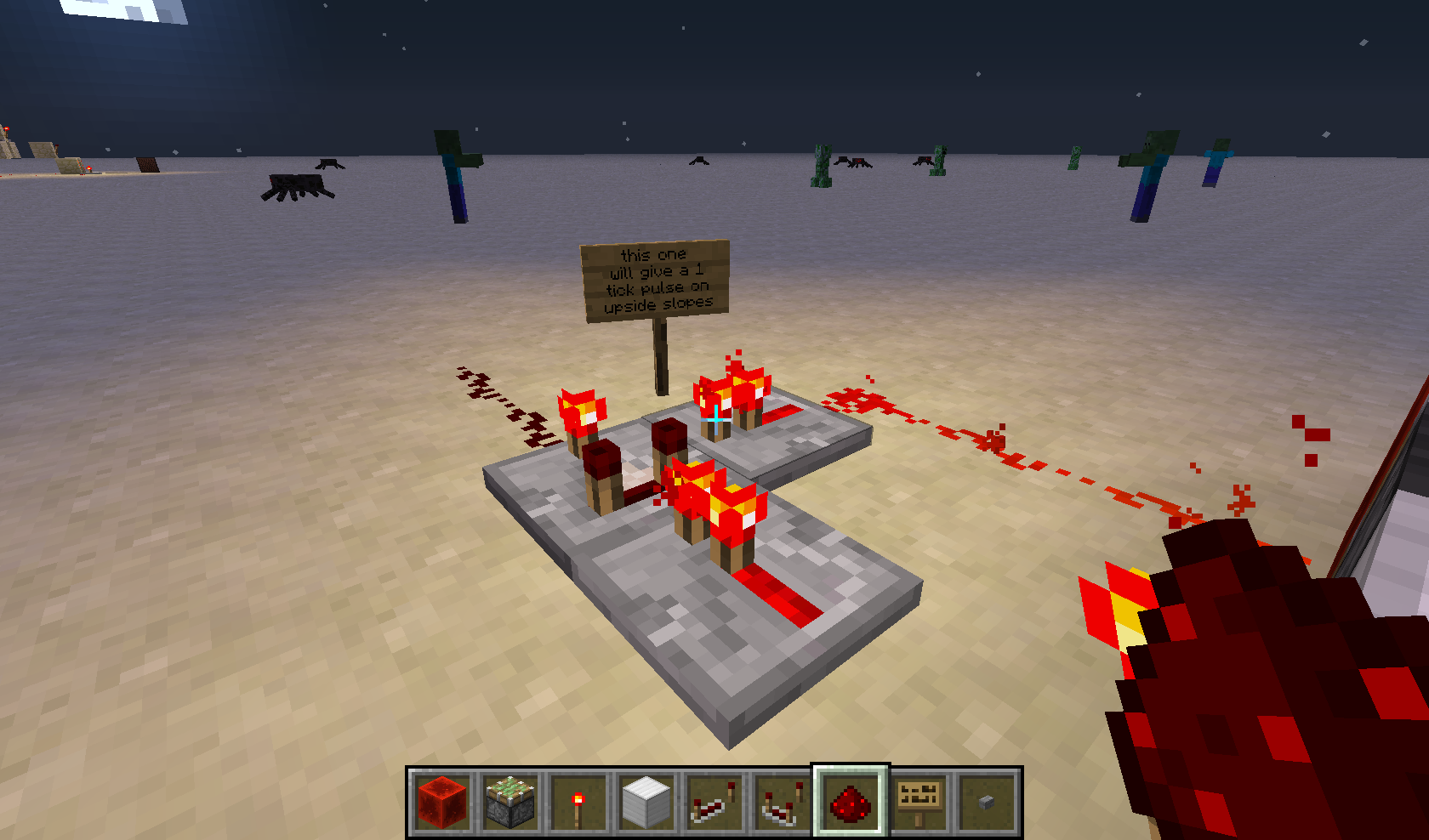
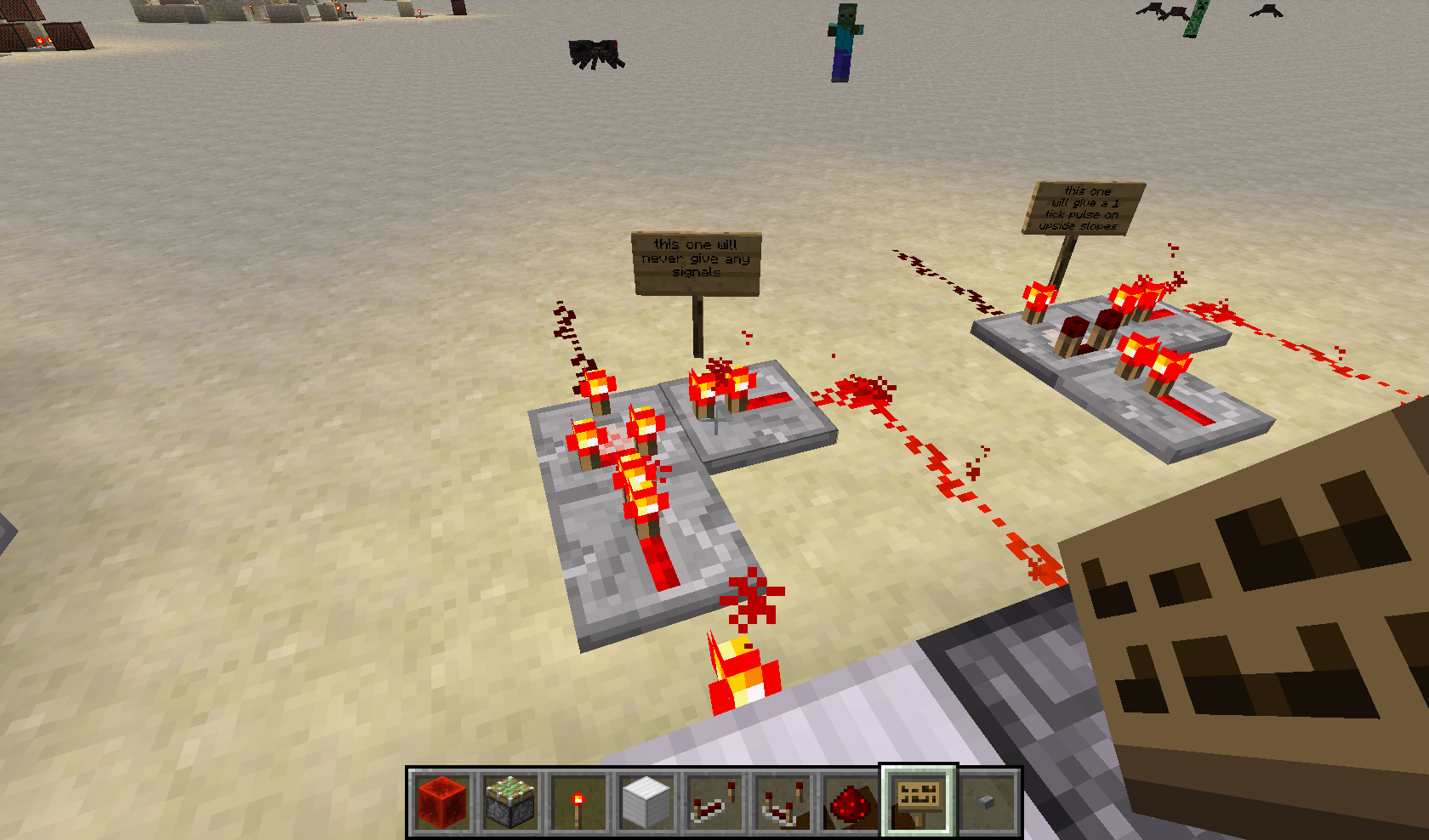
the first picture shows how i tried to make a very easy system to demonstrate this bug/feature in a few screenshots, the left side pistons are only to show that there has been a pulse.
the third screenshot (which should've shown both pistons extended) however failed, it remained stable.
upon removing the repeater i did get the original output i was expecting.
screenshot https://bugs.mojang.com/secure/attachment/79165/2014-08-20_12.23.46.png and https://bugs.mojang.com/secure/attachment/79166/2014-08-20_12.23.51.png show what i was expecting to happen (which happens if you do not use repeaters to power the inverter)
I hope this information is detailed enough for someone to get hold on this strange bug.
This is indeed a block-state bug, I made that clear about 1 year ago with my set of screen-shots. I am not fully sure whether it is going to be fixed easily since it has to do with the time the game takes to calculate these changes. It all seems to be about slight differences in timing, most likely only a few game ticks.
I do think that this isn't what is intended to happen, but it might be useful for some redstone machines nonetheless.
i WOULD consider this a bug, minecarts and other entities DO bounce in horizontal motion if I am not mistaken, not to mention the simple fact that it is strange that you do not remain horizontal speed if you try to boost your height with a piston contraption.
(tripwire in front of a sticky piston with some slimeblocks so they activate while you fly just a few inches above them.
perhaps a feature suggestion, but not a strange one
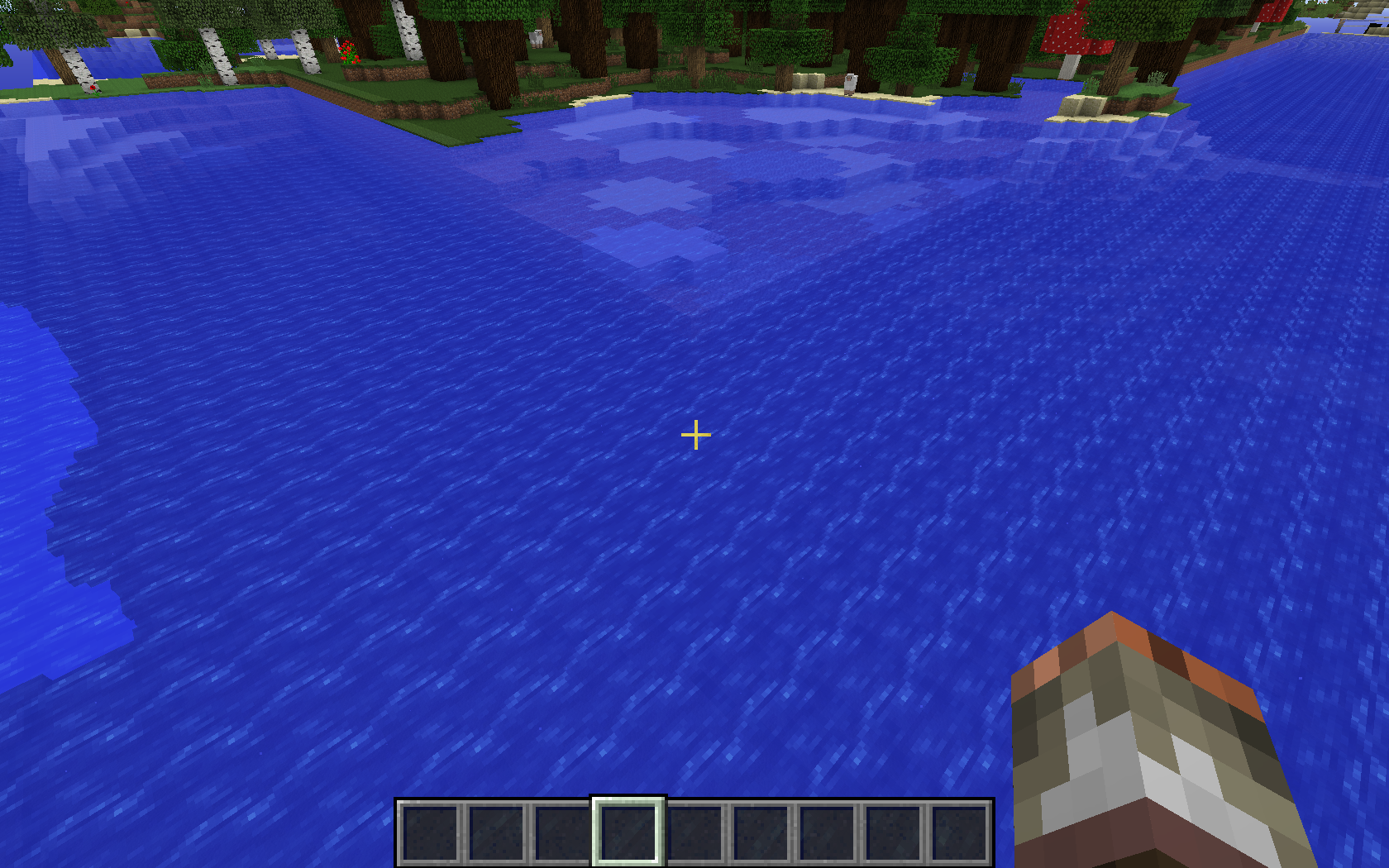
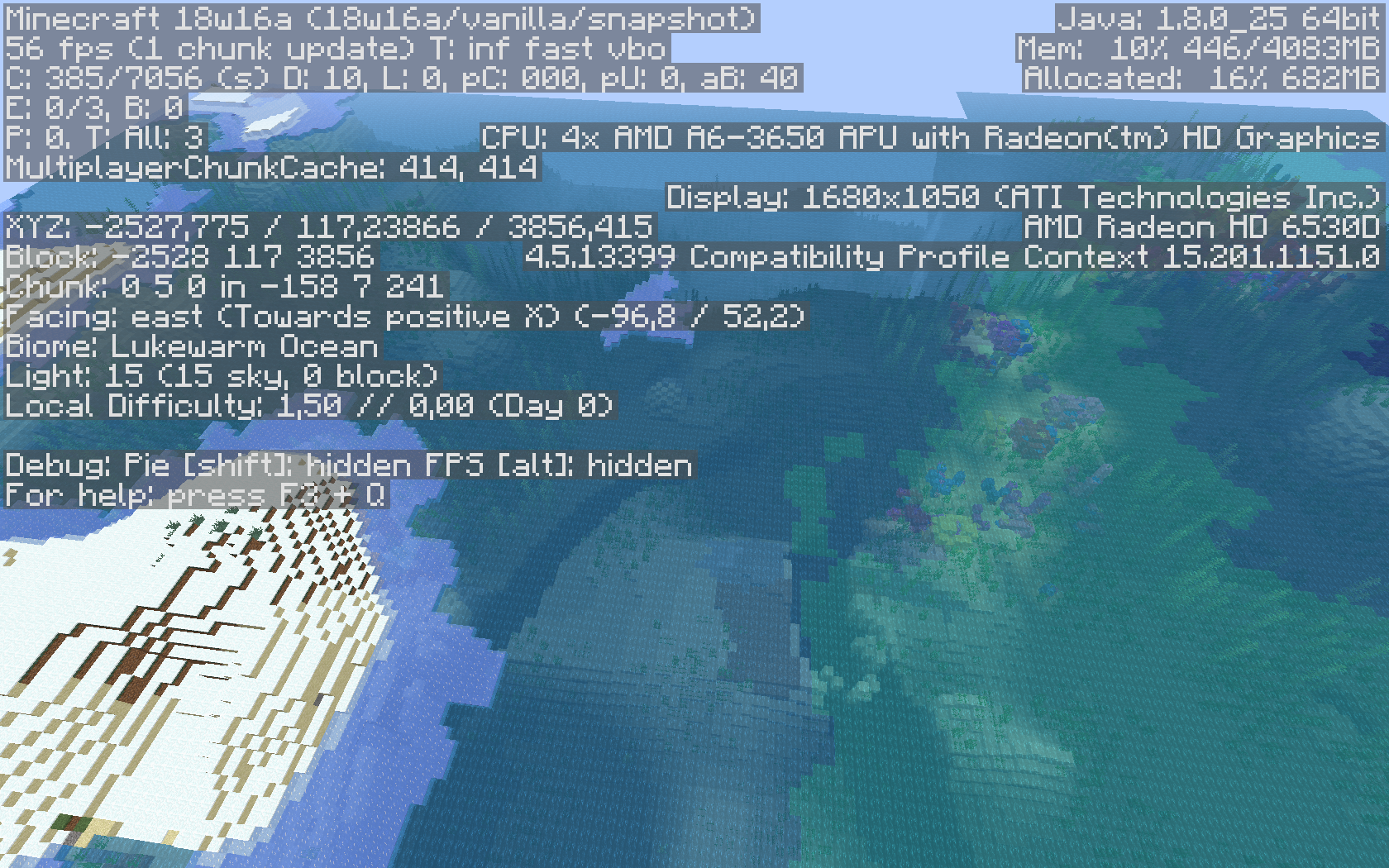
Is it intended that cold beach is directly next to lukewarm ocean?

I would really appreciate if oceans made more sense. There is no ice to be found near any lukewarm ocean et vice versa.
Right now I find more lukewarm ocean then cold/frozen ocean near coldbeaches and other cold/snowy biomes. e.g. it is more likely for a weird combination to happen then it is to find a normal combination. Feels like the good old days you had ice plains next to a desert.
last attachment surely makes no sense, a coral reef and full lukewarm/warm ocean surounded by cold beach/iceplains????
