 Rynneer
- Rynneer
- rynneer
- America/Chicago
- Yes
- No
 MC-74602
 MCL-3244







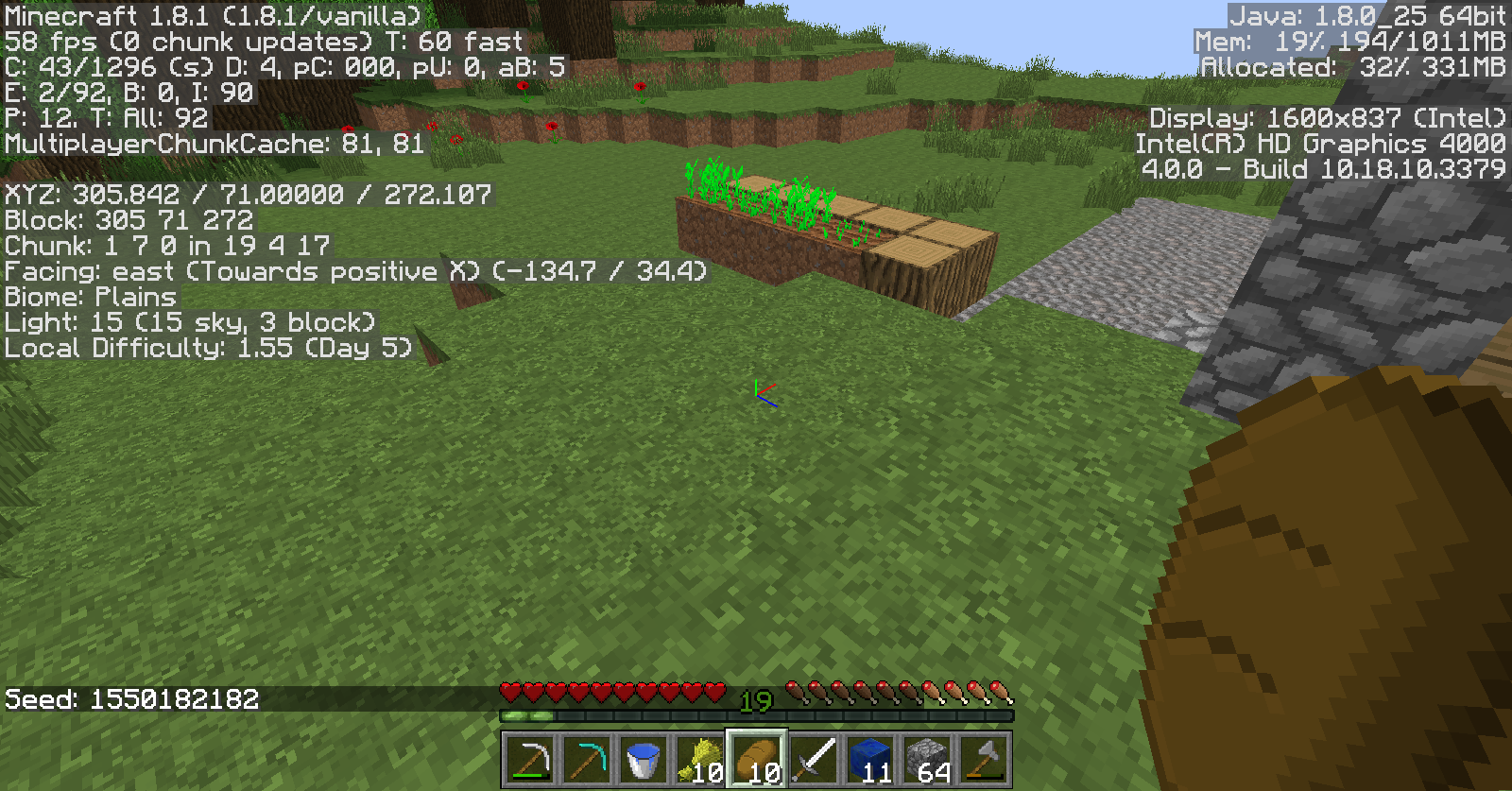
Minecraft version 1.8
Java version 8u25
Minecraft version 1.8
Java version 8u25Minecraft version 1.8
JRE version: Java(TM) SE Runtime Environment (8.0_25-b18) (build 1.8.0_25-b18)
This kind of error has been solved before, but on different versions and using different drivers. I have updated my graphics card, Java, made sure that Java is 64-bit, uninstalled and reinstalled Minecraft, and rebooted my computer. I have also confirmed that my system meets all minimum requirements to run Minecraft. This is a very frustrating error and I know I'm not the only one having this problem.
Additionally, Minecraft has worked for almost a year, and this is the first time I've had trouble with it. I also recently updated WindowsThis is what the Minecraft Launcher displays every time after the crash:
[14:53:21] [Client thread/INFO]: Setting user: Rynneer
[14:53:21] [Client thread/INFO]: (Session ID is token:be7aad353c14435aadb609012f8b526c:beda61d9ea024dd5b8ffff46a11ac23a)
[14:53:22] [Client thread/INFO]: LWJGL Version: 2.9.1
[14:53:23] [Client thread/INFO]: Reloading ResourceManager: Default, faithful32pack.zip
[14:53:24] [Sound Library Loader/INFO]: Starting up SoundSystem...
[14:53:24] [Client thread/WARN]: File minecraft:sounds/mob/ghast/fireball.ogg does not exist, cannot add it to event minecraft:item.fireCharge.use
[14:53:25] [Thread-6/INFO]: Initializing LWJGL OpenAL
[14:53:25] [Thread-6/INFO]: (The LWJGL binding of OpenAL. For more information, see http://www.lwjgl.org)
[14:53:25] [Thread-6/INFO]: OpenAL initialized.
[14:53:25] [Sound Library Loader/INFO]: Sound engine started
[14:53:28] [Client thread/INFO]: Created: 1024x1024 textures-atlas
[14:53:36] [Server thread/INFO]: Starting integrated minecraft server version 1.8
[14:53:36] [Server thread/INFO]: Generating keypair
[14:53:36] [Server thread/INFO]: Preparing start region for level 0
[14:53:37] [Server thread/INFO]: Preparing spawn area: 27%
[14:53:38] [Server thread/INFO]: Changing view distance to 5, from 10
[14:53:38] [Server thread/INFO]: Rynneer[local:E:b6a301d3] logged in with entity id 117 at (1385.699999988079, 42.41999998688698, 139.69999998807907)
[14:53:39] [Server thread/INFO]: Rynneer joined the game
#
- A fatal error has been detected by the Java Runtime Environment:
#- EXCEPTION_ACCESS_VIOLATION (0xc0000005) at pc=0x00007fffc78ed5d3, pid=5160, tid=8096
#- JRE version: Java(TM) SE Runtime Environment (8.0_25-b18) (build 1.8.0_25-b18)
- Java VM: Java HotSpot(TM) 64-Bit Server VM (25.25-b02 mixed mode windows-amd64 compressed oops)
- Problematic frame:
- C [ig7icd64.dll+0x6d5d3]
#- Failed to write core dump. Minidumps are not enabled by default on client versions of Windows
#- An error report file with more information is saved as:
- C:\Users\
Brynne\AppData\Roaming\.minecraft\hs_err_pid5160.log
#- If you would like to submit a bug report, please visit:
- http://bugreport.sun.com/bugreport/crash.jsp
- The crash happened outside the Java Virtual Machine in native code.
- See problematic frame for where to report the bug.
#
AL lib: (EE) alc_cleanup: 1 device not closed
Java HotSpot(TM) 64-Bit Server VM warning: Using incremental CMS is deprecated and will likely be removed in a future releaseThis kind of error has been solved before, but on different versions and using different drivers. I have updated my graphics card, Java, made sure that Java is 64-bit, uninstalled and reinstalled Minecraft, and rebooted my computer. I have also confirmed that my system meets all minimum requirements to run Minecraft. This is a very frustrating error and I know I'm not the only one having this problem.
Additionally, Minecraft has worked for almost a year, and this is the first time I've had trouble with it. I also recently updated WindowsThis is what the Minecraft Launcher displays every time after the crash:
[14:53:21] [Client thread/INFO]: Setting user: Rynneer
[14:53:21] [Client thread/INFO]: (Session ID is token:be7aad353c14435aadb609012f8b526c:beda61d9ea024dd5b8ffff46a11ac23a)
[14:53:22] [Client thread/INFO]: LWJGL Version: 2.9.1
[14:53:23] [Client thread/INFO]: Reloading ResourceManager: Default, faithful32pack.zip
[14:53:24] [Sound Library Loader/INFO]: Starting up SoundSystem...
[14:53:24] [Client thread/WARN]: File minecraft:sounds/mob/ghast/fireball.ogg does not exist, cannot add it to event minecraft:item.fireCharge.use
[14:53:25] [Thread-6/INFO]: Initializing LWJGL OpenAL
[14:53:25] [Thread-6/INFO]: (The LWJGL binding of OpenAL. For more information, see http://www.lwjgl.org)
[14:53:25] [Thread-6/INFO]: OpenAL initialized.
[14:53:25] [Sound Library Loader/INFO]: Sound engine started
[14:53:28] [Client thread/INFO]: Created: 1024x1024 textures-atlas
[14:53:36] [Server thread/INFO]: Starting integrated minecraft server version 1.8
[14:53:36] [Server thread/INFO]: Generating keypair
[14:53:36] [Server thread/INFO]: Preparing start region for level 0
[14:53:37] [Server thread/INFO]: Preparing spawn area: 27%
[14:53:38] [Server thread/INFO]: Changing view distance to 5, from 10
[14:53:38] [Server thread/INFO]: Rynneer[local:E:b6a301d3] logged in with entity id 117 at (1385.699999988079, 42.41999998688698, 139.69999998807907)
[14:53:39] [Server thread/INFO]: Rynneer joined the game
#
- A fatal error has been detected by the Java Runtime Environment:
#- EXCEPTION_ACCESS_VIOLATION (0xc0000005) at pc=0x00007fffc78ed5d3, pid=5160, tid=8096
#- JRE version: Java(TM) SE Runtime Environment (8.0_25-b18) (build 1.8.0_25-b18)
- Java VM: Java HotSpot(TM) 64-Bit Server VM (25.25-b02 mixed mode windows-amd64 compressed oops)
- Problematic frame:
- C [ig7icd64.dll+0x6d5d3]
#- Failed to write core dump. Minidumps are not enabled by default on client versions of Windows
#- An error report file with more information is saved as:
- C:\Users\Rynneer\AppData\Roaming\.minecraft\hs_err_pid5160.log
#- If you would like to submit a bug report, please visit:
- http://bugreport.sun.com/bugreport/crash.jsp
- The crash happened outside the Java Virtual Machine in native code.
- See problematic frame for where to report the bug.
#
AL lib: (EE) alc_cleanup: 1 device not closed
Java HotSpot(TM) 64-Bit Server VM warning: Using incremental CMS is deprecated and will likely be removed in a future release
This kind of error has been solved before, but on different versions and using different drivers. I have updated my graphics card, Java, made sure that Java is 64-bit, uninstalled and reinstalled Minecraft, and rebooted my computer. I have also confirmed that my system meets all minimum requirements to run Minecraft. This is a very frustrating error and I know I'm not the only one having this problem.
Additionally, Minecraft has worked for almost a year, and this is the first time I've had trouble with it. I also recently updated WindowsThis is what the Minecraft Launcher displays every time after the crash:
[14:53:21] [Client thread/INFO]: Setting user: Rynneer
[14:53:21] [Client thread/INFO]: (Session ID is token:be7aad353c14435aadb609012f8b526c:beda61d9ea024dd5b8ffff46a11ac23a)
[14:53:22] [Client thread/INFO]: LWJGL Version: 2.9.1
[14:53:23] [Client thread/INFO]: Reloading ResourceManager: Default, faithful32pack.zip
[14:53:24] [Sound Library Loader/INFO]: Starting up SoundSystem...
[14:53:24] [Client thread/WARN]: File minecraft:sounds/mob/ghast/fireball.ogg does not exist, cannot add it to event minecraft:item.fireCharge.use
[14:53:25] [Thread-6/INFO]: Initializing LWJGL OpenAL
[14:53:25] [Thread-6/INFO]: (The LWJGL binding of OpenAL. For more information, see http://www.lwjgl.org)
[14:53:25] [Thread-6/INFO]: OpenAL initialized.
[14:53:25] [Sound Library Loader/INFO]: Sound engine started
[14:53:28] [Client thread/INFO]: Created: 1024x1024 textures-atlas
[14:53:36] [Server thread/INFO]: Starting integrated minecraft server version 1.8
[14:53:36] [Server thread/INFO]: Generating keypair
[14:53:36] [Server thread/INFO]: Preparing start region for level 0
[14:53:37] [Server thread/INFO]: Preparing spawn area: 27%
[14:53:38] [Server thread/INFO]: Changing view distance to 5, from 10
[14:53:38] [Server thread/INFO]: Rynneer[local:E:b6a301d3] logged in with entity id 117 at (1385.699999988079, 42.41999998688698, 139.69999998807907)
[14:53:39] [Server thread/INFO]: Rynneer joined the game
#
- A fatal error has been detected by the Java Runtime Environment:
#- EXCEPTION_ACCESS_VIOLATION (0xc0000005) at pc=0x00007fffc78ed5d3, pid=5160, tid=8096
#- JRE version: Java(TM) SE Runtime Environment (8.0_25-b18) (build 1.8.0_25-b18)
- Java VM: Java HotSpot(TM) 64-Bit Server VM (25.25-b02 mixed mode windows-amd64 compressed oops)
- Problematic frame:
- C [ig7icd64.dll+0x6d5d3]
#- Failed to write core dump. Minidumps are not enabled by default on client versions of Windows
#- An error report file with more information is saved as:
- C:\Users\
Rynneer\AppData\Roaming\.minecraft\hs_err_pid5160.log
#- If you would like to submit a bug report, please visit:
- http://bugreport.sun.com/bugreport/crash.jsp
- The crash happened outside the Java Virtual Machine in native code.
- See problematic frame for where to report the bug.
#
AL lib: (EE) alc_cleanup: 1 device not closed
Java HotSpot(TM) 64-Bit Server VM warning: Using incremental CMS is deprecated and will likely be removed in a future releaseThis kind of error has been solved before, but on different versions and using different drivers. I have updated my graphics card, Java, made sure that Java is 64-bit, uninstalled and reinstalled Minecraft, and rebooted my computer. I have also confirmed that my system meets all minimum requirements to run Minecraft. This is a very frustrating error and I know I'm not the only one having this problem.
Additionally, Minecraft has worked for almost a year, and this is the first time I've had trouble with it. I also recently updated WindowsThis is what the Minecraft Launcher displays every time after the crash:
[14:53:21] [Client thread/INFO]: Setting user: Rynneer
[14:53:21] [Client thread/INFO]: (Session ID is token:be7aad353c14435aadb609012f8b526c:beda61d9ea024dd5b8ffff46a11ac23a)
[14:53:22] [Client thread/INFO]: LWJGL Version: 2.9.1
[14:53:23] [Client thread/INFO]: Reloading ResourceManager: Default, faithful32pack.zip
[14:53:24] [Sound Library Loader/INFO]: Starting up SoundSystem...
[14:53:24] [Client thread/WARN]: File minecraft:sounds/mob/ghast/fireball.ogg does not exist, cannot add it to event minecraft:item.fireCharge.use
[14:53:25] [Thread-6/INFO]: Initializing LWJGL OpenAL
[14:53:25] [Thread-6/INFO]: (The LWJGL binding of OpenAL. For more information, see http://www.lwjgl.org)
[14:53:25] [Thread-6/INFO]: OpenAL initialized.
[14:53:25] [Sound Library Loader/INFO]: Sound engine started
[14:53:28] [Client thread/INFO]: Created: 1024x1024 textures-atlas
[14:53:36] [Server thread/INFO]: Starting integrated minecraft server version 1.8
[14:53:36] [Server thread/INFO]: Generating keypair
[14:53:36] [Server thread/INFO]: Preparing start region for level 0
[14:53:37] [Server thread/INFO]: Preparing spawn area: 27%
[14:53:38] [Server thread/INFO]: Changing view distance to 5, from 10
[14:53:38] [Server thread/INFO]: Rynneer[local:E:b6a301d3] logged in with entity id 117 at (1385.699999988079, 42.41999998688698, 139.69999998807907)
[14:53:39] [Server thread/INFO]: Rynneer joined the game
#
- A fatal error has been detected by the Java Runtime Environment:
#- EXCEPTION_ACCESS_VIOLATION (0xc0000005) at pc=0x00007fffc78ed5d3, pid=5160, tid=8096
#- JRE version: Java(TM) SE Runtime Environment (8.0_25-b18) (build 1.8.0_25-b18)
- Java VM: Java HotSpot(TM) 64-Bit Server VM (25.25-b02 mixed mode windows-amd64 compressed oops)
- Problematic frame:
- C [ig7icd64.dll+0x6d5d3]
#- Failed to write core dump. Minidumps are not enabled by default on client versions of Windows
#- An error report file with more information is saved as:
- C:\Users\Brynne\AppData\Roaming\.minecraft\hs_err_pid5160.log
#- If you would like to submit a bug report, please visit:
- http://bugreport.sun.com/bugreport/crash.jsp
- The crash happened outside the Java Virtual Machine in native code.
- See problematic frame for where to report the bug.
#
AL lib: (EE) alc_cleanup: 1 device not closed
Java HotSpot(TM) 64-Bit Server VM warning: Using incremental CMS is deprecated and will likely be removed in a future release
This kind of error has been solved before, but on different versions and using different drivers. I have updated my graphics card, Java, made sure that Java is 64-bit, uninstalled and reinstalledMinecraft, and rebooted my computer. I have also confirmed that my system meets all minimum requirements to run Minecraft. This is a very frustrating error and I know I'm not the only one having this problem.
Additionally, Minecraft has worked for almost a year, and this is the first time I've had trouble with it. I also recently updated WindowsThis is what the Minecraft Launcher displays every time after the crash:
[14:53:21] [Client thread/INFO]: Setting user: Rynneer
[14:53:21] [Client thread/INFO]: (Session ID is token:be7aad353c14435aadb609012f8b526c:beda61d9ea024dd5b8ffff46a11ac23a)
[14:53:22] [Client thread/INFO]: LWJGL Version: 2.9.1
[14:53:23] [Client thread/INFO]: Reloading ResourceManager: Default, faithful32pack.zip
[14:53:24] [Sound Library Loader/INFO]: Starting up SoundSystem...
[14:53:24] [Client thread/WARN]: File minecraft:sounds/mob/ghast/fireball.ogg does not exist, cannot add it to event minecraft:item.fireCharge.use
[14:53:25] [Thread-6/INFO]: Initializing LWJGL OpenAL
[14:53:25] [Thread-6/INFO]: (The LWJGL binding of OpenAL. For more information, see http://www.lwjgl.org)
[14:53:25] [Thread-6/INFO]: OpenAL initialized.
[14:53:25] [Sound Library Loader/INFO]: Sound engine started
[14:53:28] [Client thread/INFO]: Created: 1024x1024 textures-atlas
[14:53:36] [Server thread/INFO]: Starting integrated minecraft server version 1.8
[14:53:36] [Server thread/INFO]: Generating keypair
[14:53:36] [Server thread/INFO]: Preparing start region for level 0
[14:53:37] [Server thread/INFO]: Preparing spawn area: 27%
[14:53:38] [Server thread/INFO]: Changing view distance to 5, from 10
[14:53:38] [Server thread/INFO]: Rynneer[local:E:b6a301d3] logged in with entity id 117 at (1385.699999988079, 42.41999998688698, 139.69999998807907)
[14:53:39] [Server thread/INFO]: Rynneer joined the game
#
- A fatal error has been detected by the Java Runtime Environment:
#- EXCEPTION_ACCESS_VIOLATION (0xc0000005) at pc=0x00007fffc78ed5d3, pid=5160, tid=8096
#- JRE version: Java(TM) SE Runtime Environment (8.0_25-b18) (build 1.8.0_25-b18)
- Java VM: Java HotSpot(TM) 64-Bit Server VM (25.25-b02 mixed mode windows-amd64 compressed oops)
- Problematic frame:
- C [ig7icd64.dll+0x6d5d3]
#- Failed to write core dump. Minidumps are not enabled by default on client versions of Windows
#- An error report file with more information is saved as:
- C:\Users\Brynne\AppData\Roaming\.minecraft\hs_err_pid5160.log
#- If you would like to submit a bug report, please visit:
- http://bugreport.sun.com/bugreport/crash.jsp
- The crash happened outside the Java Virtual Machine in native code.
- See problematic frame for where to report the bug.
#
AL lib: (EE) alc_cleanup: 1 device not closed
Java HotSpot(TM) 64-Bit Server VM warning: Using incremental CMS is deprecated and will likely be removed in a future releaseAfter I open Minecraft and load a world, it works for a little while (the working time varies) but then crashes, with a window popping up saying "Java (TM) SE binary platform has stopped working". The MInecraft Launcher then presents me with a game log which is included below, and a link to the error report.
This kind of error has been solved before, but on different versions and using different drivers. I have updated my graphics card, Java, made sure that Java is 64-bit, uninstalled and reinstalled Minecraft, and rebooted my computer. I have also confirmed that my system meets all minimum requirements to run Minecraft. This is a very frustrating error and I know I'm not the only one having this problem.
Additionally, Minecraft has worked for almost a year, and this is the first time I've had trouble with it. I also recently updated WindowsThis is what the Minecraft Launcher displays every time after the crash:
[14:53:21] [Client thread/INFO]: Setting user: Rynneer
[14:53:21] [Client thread/INFO]: (Session ID is token:be7aad353c14435aadb609012f8b526c:beda61d9ea024dd5b8ffff46a11ac23a)
[14:53:22] [Client thread/INFO]: LWJGL Version: 2.9.1
[14:53:23] [Client thread/INFO]: Reloading ResourceManager: Default, faithful32pack.zip
[14:53:24] [Sound Library Loader/INFO]: Starting up SoundSystem...
[14:53:24] [Client thread/WARN]: File minecraft:sounds/mob/ghast/fireball.ogg does not exist, cannot add it to event minecraft:item.fireCharge.use
[14:53:25] [Thread-6/INFO]: Initializing LWJGL OpenAL
[14:53:25] [Thread-6/INFO]: (The LWJGL binding of OpenAL. For more information, see http://www.lwjgl.org)
[14:53:25] [Thread-6/INFO]: OpenAL initialized.
[14:53:25] [Sound Library Loader/INFO]: Sound engine started
[14:53:28] [Client thread/INFO]: Created: 1024x1024 textures-atlas
[14:53:36] [Server thread/INFO]: Starting integrated minecraft server version 1.8
[14:53:36] [Server thread/INFO]: Generating keypair
[14:53:36] [Server thread/INFO]: Preparing start region for level 0
[14:53:37] [Server thread/INFO]: Preparing spawn area: 27%
[14:53:38] [Server thread/INFO]: Changing view distance to 5, from 10
[14:53:38] [Server thread/INFO]: Rynneer[local:E:b6a301d3] logged in with entity id 117 at (1385.699999988079, 42.41999998688698, 139.69999998807907)
[14:53:39] [Server thread/INFO]: Rynneer joined the game
#
- A fatal error has been detected by the Java Runtime Environment:
#- EXCEPTION_ACCESS_VIOLATION (0xc0000005) at pc=0x00007fffc78ed5d3, pid=5160, tid=8096
#- JRE version: Java(TM) SE Runtime Environment (8.0_25-b18) (build 1.8.0_25-b18)
- Java VM: Java HotSpot(TM) 64-Bit Server VM (25.25-b02 mixed mode windows-amd64 compressed oops)
- Problematic frame:
- C [ig7icd64.dll+0x6d5d3]
#- Failed to write core dump. Minidumps are not enabled by default on client versions of Windows
#- An error report file with more information is saved as:
- C:\Users\Brynne\AppData\Roaming\.minecraft\hs_err_pid5160.log
#- If you would like to submit a bug report, please visit:
- http://bugreport.sun.com/bugreport/crash.jsp
- The crash happened outside the Java Virtual Machine in native code.
- See problematic frame for where to report the bug.
#
AL lib: (EE) alc_cleanup: 1 device not closed
Java HotSpot(TM) 64-Bit Server VM warning: Using incremental CMS is deprecated and will likely be removed in a future release
When I try to load my Minecraft world, it does not load and instead is stuck at Building Terrain. Additionally, the only way for me to close the window is via Task Manager. This has happened three times, and I have rebooted my computer. Crash report is attached
When I try to load my Minecraft world, it does not load and instead is stuck at Building Terrain. Additionally, the only way for me to close the window is via Task Manager. This has happened three times, and I have rebooted my computer. Crash report is attached
Error mysteriously resolved.
It still happens with the resource pack disabled.
Seed: -2016541617
Does this have something to do with lag? This happens very often to me even though I'm on fast graphics and use VBOs.