 Shadow Wolfhawk
- Shadow Wolfhawk
- JIRAUSER693222
- Europe/Stockholm
- Yes
- No
 MCPE-151606
 REALMS-11525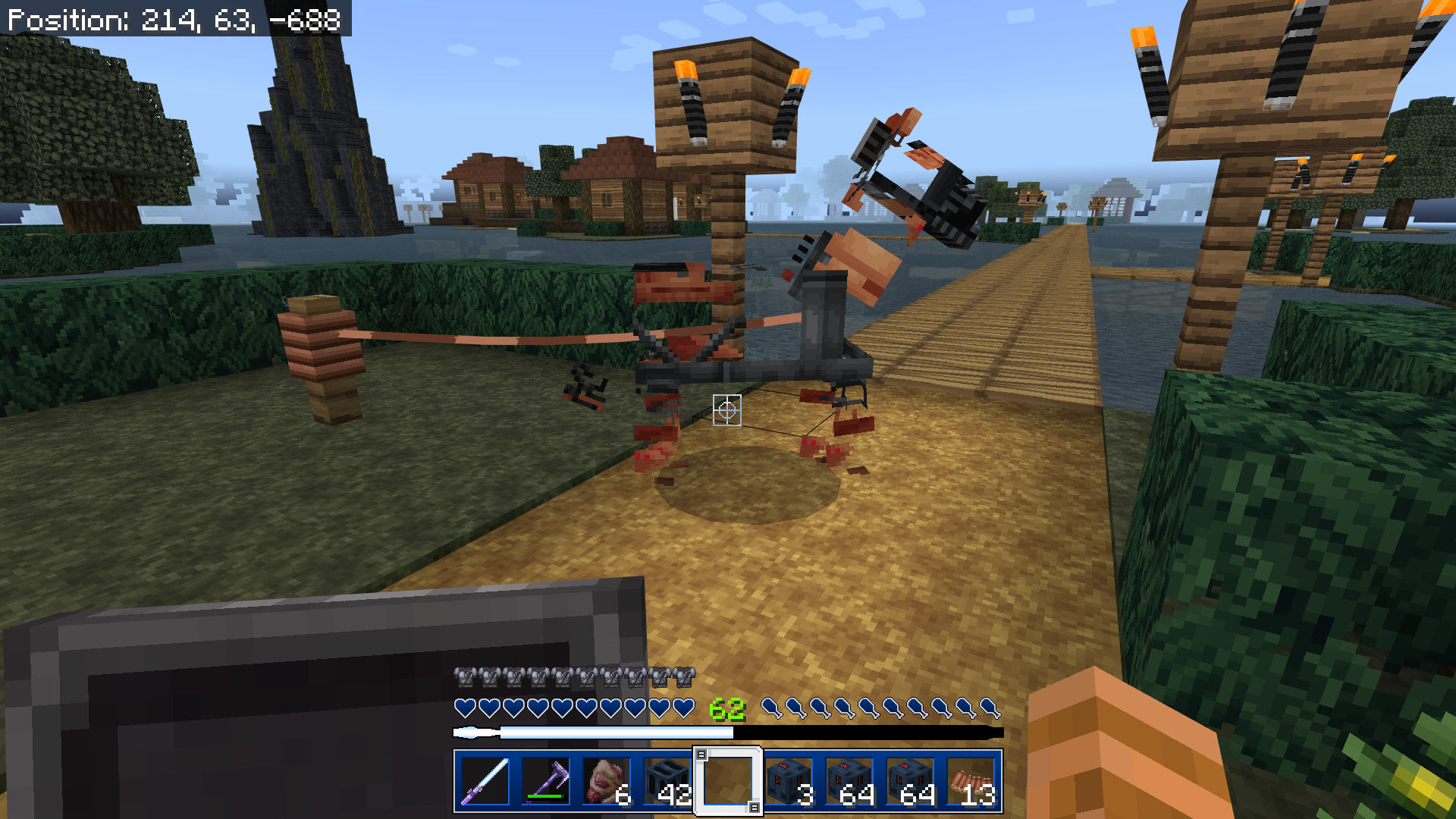
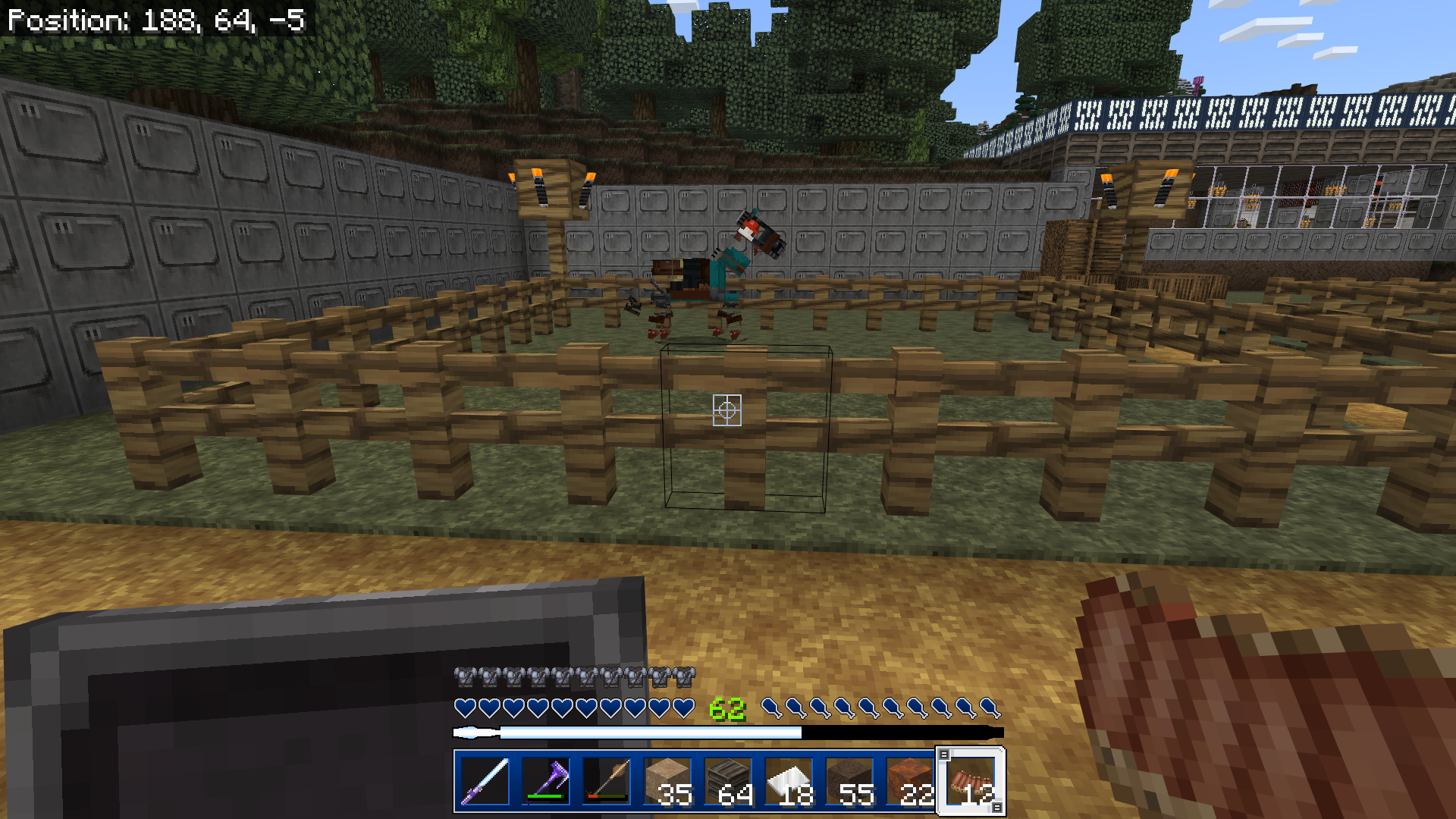
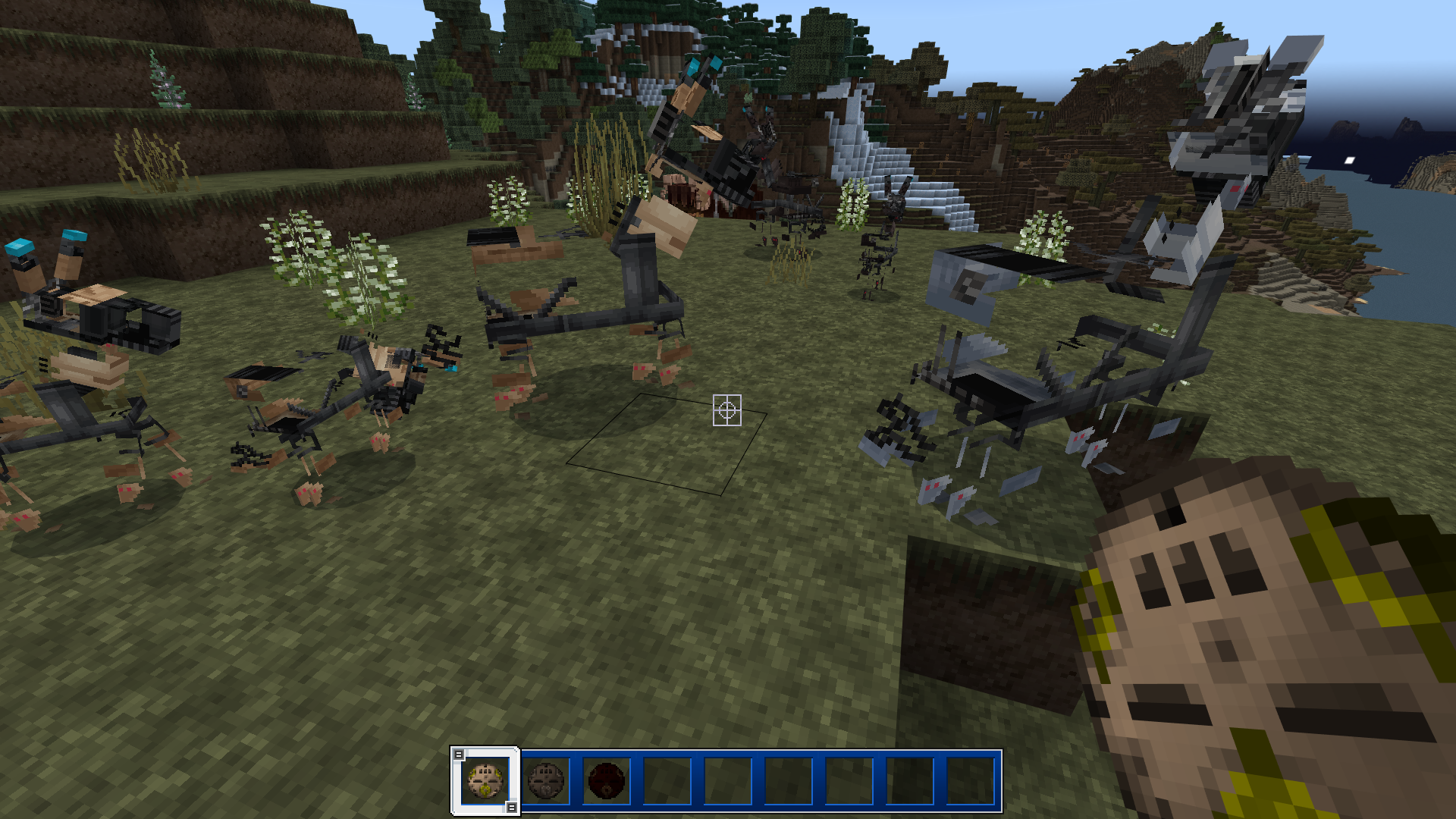
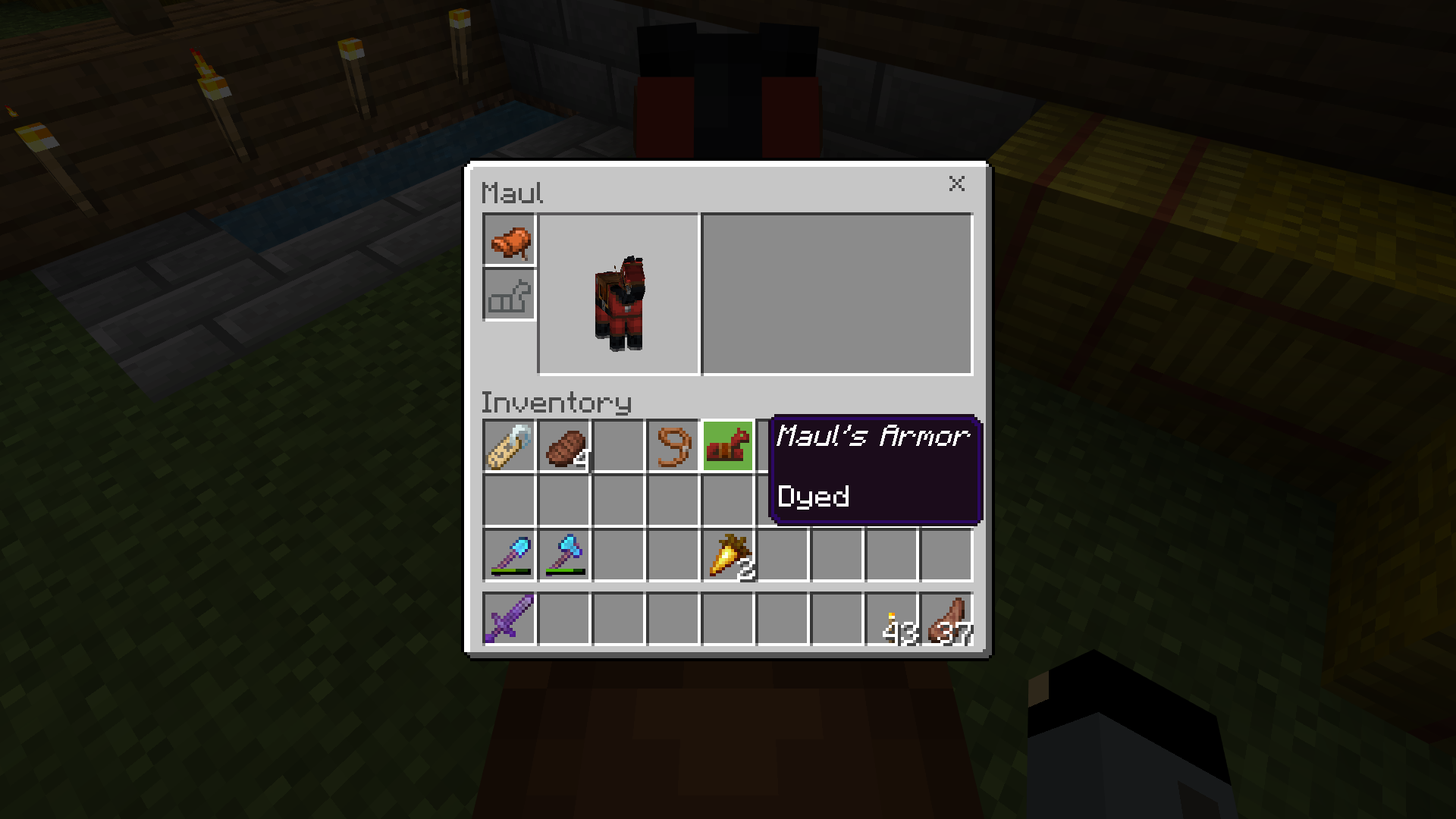






I have the Star Wars Mash-Up resource pack applied to a Realm and the skin textures for Horses, Donkeys, Mules are not appearing correctly. The pictures below are of two tamed horses - one with a saddle and armor, the other without. My tamed Donkey (also with a saddle; not pictured) is also appearing this way as are wild horses/donkeys. I went in and created a new local world and spawned in these animals and they still appear this way (also pictured) I've tried deleting/reinstalling the resource pack and it still shows as this. Everything else seems to be showing correctly.
Player skins are alo not appearing correctly. My custom Uploaded skin is showing as it should but all other skins created in the in-game character builder keep defaulting to Steve.
FYI: There was an Update for this pack yesterday (i found out after having a few other issues with it) and this started happening following that update.
Platform: PC Windows 10
Edition: Bedrock
Verison: 1.18.2
This is affecting me now as well. The STAR WARS MASH-UP resource pack was added to my Realm when I created it and as of yesterday, it has stopped working. The pack stated there was an error and required an update yeasterday. After the update it stopped applying to the Realm. It will apply the textures on a local world but when I try to open my Realm, it keeps loading as Vanilla. Not sure if this because of the latest 1.18 update to the game or another reason. I've been off of this Realm for a month because of another bug that you guys recently fixed (villagers, animals, etc. just randomly started vanishing) because I haven't wanted to do anything that would mess up my progress. As of the last update that problem stopped but now all of a sudden the texture pack has stopped working. I've tried shutting down the game and reopening; clearing cache; redownloading the texture pack, uploading a backup onto a new Realm; setting the requirement to download the pack to join the Realm.... CAN YOU PLEASE FIX THIS ISSUE!? I don't know what else to do here. I've put a year's worth of work into this Realm and my nephews are excited to join it now that they have Minecraft. Can you help us out, please?
Platform is PC (Windows 10)
UPDATE: Ok... what the heck!? If I activate the pack under global resources, my Vanilla Realm will show the resource pack but the one that is SUPPOSED TO HAVE IT STILL COMES UP AS VANILLA.
Also - I'm seeing that this particular ticket is TWO YEARS OLD AND STILL OPEN, WITH MULTIPLE DUPLICATES ATTACHED TO IT AND NEW COMMENTS STILL BEING ADDED. SO, CLEARLY THIS IS STILL A PROBLEM. WE CAN SEE AT THE TOP OF THE TICKET THAT IT IS CURRENTLY UNASSIGNED. MEANING - NO ONE IS WORKING ON IT. ASSIGN SOMEONE TO THIS ISSUE, MOJANG SUPPORT!!!!
Horse Armor is not showing properly on the horses.
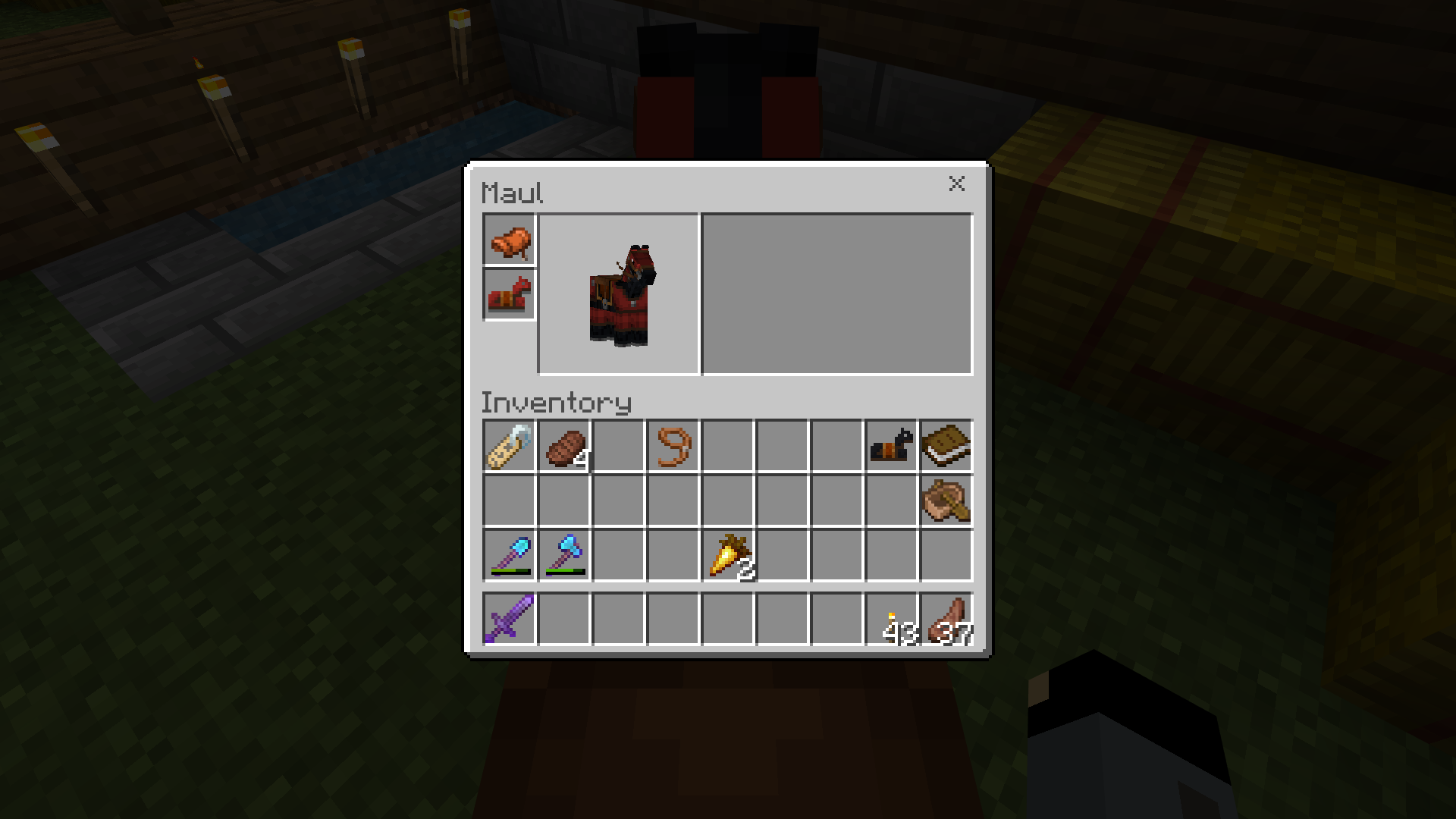
Prior to thethis week's update, horses that have armor still appear to have the armor on if it's removed (pictures 1 & 2). Likewise - horses not currently wearing armor will not appear to wearing armor once it's placed in the slot (pictures 3 & 4).[Note: I checked to see if this issue was submitted already - all instances that I've found are several years old and marked as "Resolved". I have no idea what the original ticket may have been in all of those, so I'm starting this new one]
Horse Armor is not showing properly on the horses. As of this week's update, horses that have armor still appear to have the armor on if it's removed (pictures 1 & 2). Likewise - horses not currently wearing armor will not appear to wearing armor once it's placed in the slot (pictures 3 & 4).
[Note: I checked to see if this issue was submitted already - all instances that I've found are several years old and marked as "Resolved". I have no idea what the original ticket may have been in all of those, so I'm starting this new one]
Horse Armor is not showing properly on the horses. As of this week's update, horses that
havearmor still appear to have the armor on if it's removed (pictures 1 & 2). Likewise - horses not currently wearing armor will not appear to wearing armor once it's placed in the slot (pictures 3 & 4).[Note: I checked to see if this issue was submitted already - all instances that I've found are several years old and marked as "Resolved". I have no idea what the original ticket may have been in all of those, so I'm starting this new one]
Horse Armor is not showing properly on the horses. As of this week's update, horses that already had armor still appear to have the armor on if it's removed (pictures 1 & 2). Likewise - horses not currently wearing armor will not appear to wearing armor once it's placed in the slot (pictures 3 & 4).
[Note: I checked to see if this issue was submitted already - all instances that I've found are several years old and marked as "Resolved". I have no idea what the original ticket may have been in all of those, so I'm starting this new one]
Horse Armor is not showing properly on the horses. As of this week's update, horses that already had armor still appear to have the armor on if it's removed (pictures 1 & 2). Likewise - horses not currently wearing armor will not appear
towearing armor once it's placed in the slot (pictures 3 & 4).[Note: I checked to see if this issue was submitted already - all instances that I've found are several years old and marked as "Resolved". I have no idea what the original ticket may have been in all of those, so I'm starting this new one]
Horse Armor is not showing properly on the horses. As of this week's update, horses that already had armor still appear to have the armor on if it's removed (pictures 1 & 2). Likewise - horses not currently wearing armor will not appear as wearing armor once it's placed in the slot (pictures 3 & 4).
[Note: I checked to see if this issue was submitted already - all instances that I've found are several years old and marked as "Resolved". I have no idea what the original ticket may have been in all of those, so I'm starting this new one]
I've set up a Redstone auto sorter (a model that I have used in the past and has worked without issue) and for some reason it has failed twice now.
The first instance happened last week (while still using ver. 1.19.7). I came back to the game a few days later and the issue seemed to have fixed itself and the sorter was working correctly. As of today (now having updated yesterday to 1.19.8) the system has failed again.
The Redstone torches do not provide power when placed and the hoppers - that should be locked - become unlocked as the corresponding comparators are not receiving power.
On each occasion where this happened, I had been afk at a mob farm that the auto sorter is set up at and let it run for several hours. At some point during these two sessions, the Redstone components lost power and the hoppers that should have been locked were passing all dropped items into the collection chests.
Bedrock for Windows 11 ver 1.19.7 & 1.19.8
Just an update from my end - This is still an issue with the current version. again it only appears to be the textures on the Horse, Donkey, and Mule mobs. everything else is as it should be as far as I know. Please fix this issue. I'm kind of afraid to play my Realm in case something glitches and messes up my progress.
That ticket only addresses half the issue, yes. As stated (and shown in the pictures I provided) it also affects newly tamed horses that have not yet had armor applied prior to the update. If you apply armor to said horses, the armor does not appear on them even though it has been placed on the horse.
This is happening for me too. I bred 2 horses (that I've had for a while) with 14 hearts each this morning that resulted in an offspring with 15 hearts. I logged out for a minute to fix a visual glitch with an item and now the parents are showing at 12 and 13 hearts and the offspring is showing at 10 hearts. I also had an offspring with the blacked out hearts bug as well.
This is on Bedrock for PC ver. 1.19.70
I logged into my Realm this morning to update the journal that I've keeping in game that logs my family's time on the server and the lore I'm creating for my Realm. The last entry I made was on October 2, 2023. When I opened the book & quill this morning, everything that had been written in it going back to July 27, 2023 had been deleted. Thinking that the game must have glitched since the last login or update, I went into the cloud and downloaded the backup save from October 2 to check it. Again - everything was missing going back to the end of July. Same for the previous backup saves that I checked from September.
Everything was fine a few days ago and now months worth of family activities and lore and have been deleted. The pages are still in the book but everything is blank. And no - no one accidentally deleted the entries while looking through the book. I'm the only one who opens it and someone else messing with it would not affect the cloud saves.
I don't know if this has something to do with the update to v.1.20.32 since October 2 (which was still on v.1.20.31 at that point) but i don't see how it could affect the cloud saves going back several months to an even older version of the game. No other copies of these entries exist and I'd like to get them back if at all possible.
So, this bug is back again. The horses still have their armor showing in their inventory but it does not appear on them in the overworld.
this is as of 1.21.23
It seems to be fine for now. I've been using the same keyboard and mouse for the past few years and have never had the issue before. They are both wired. Again - Bedrock is the only game I was having an issue with. Java edition and every other game/program on my PC had no issued reading their inputs. The issues started the day before the this ticket was created.
It seems the glitch actually messed up the keybinds and wouldn't let me reset them to something usable. I was finally able to correct them and I'm able to play again as of this morning.