 Nilay Gomkale
- strifinity
- JIRAUSER518853
- Europe/Stockholm
- Yes
- No
 MCL-14515
 MC-193215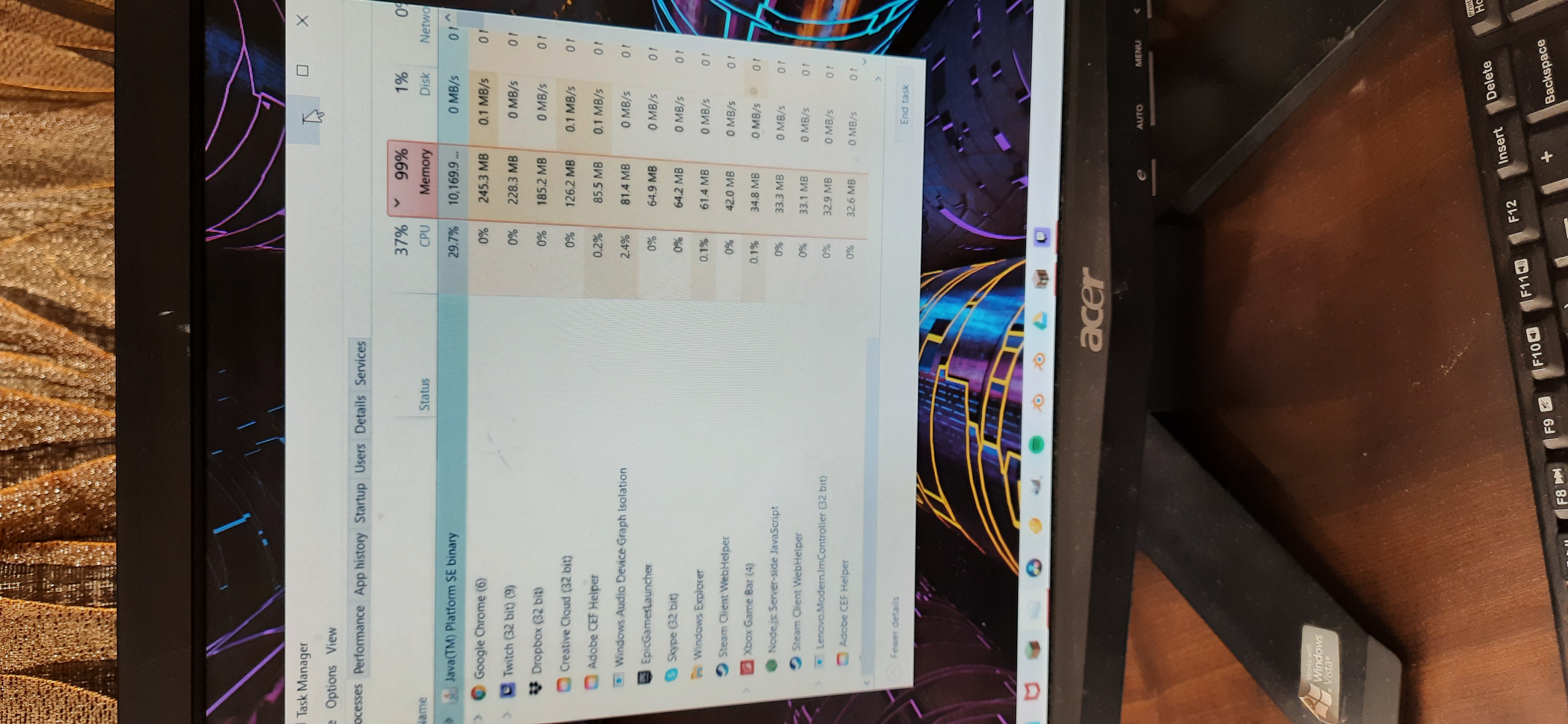
I have noticed after the recent launcher update after I played earlier today, the amount of RAM being used has increased alot. This hurts especially in modded minecraft. On further research that the launcher has a new update called "Enable dynamic content caching" Which probably is the cause of this issue. Could someone please elaborate it's function and add a way to manually disable it? It hurts streaming performance and used almost 9GB RAM (as seen in task manager) during modded minecraft play (1.12.2, which normally took within the assigned range of 4GB RAM)
Update: I ran minecraft later after waking up an now it's reached a peaked at consuming 11GB RAM and it is showing no signs of stopping..oh it almost hit 12 GB :''(
I have noticed after the recent launcher update after I played earlier today, the amount of RAM being used has increased alot. This hurts especially in modded minecraft. On further research that the launcher has a new update called "Enable dynamic content caching" Which probably is the cause of this issue. Could someone please elaborate it's function and add a way to manually disable it? It hurts streaming performance and used almost 9GB RAM (as seen in task manager) during modded minecraft play (1.12.2, which normally took within the assigned range of 4GB RAM)
Update: I ran minecraft later after waking up an now it's reached a peaked at consuming 11GB RAM and it is showing no signs of stopping..oh it almost hit 12 GB :''(
Another Update: Without Shaders installed, It hovers over 8-9 GB(for still having 17 mods in it ) of RAM Used.
But on the contrary doesn't use much ram(5.5GB for 200+ mods) while playing a modpack off of twitch?? How ??

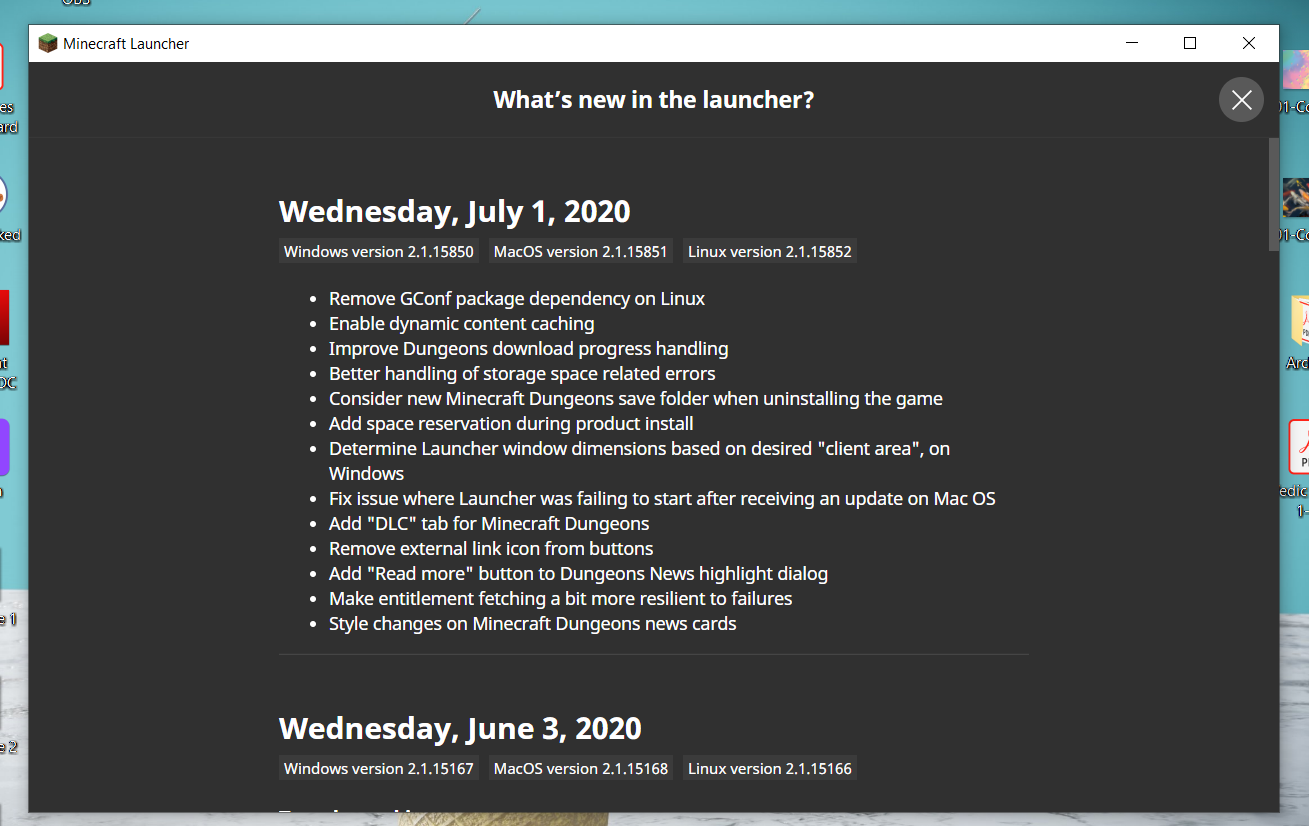
From the vanilla launcher about section
I have noticed after the recent launcher update after I played earlier today, the amount of RAM being used has increased alot. This hurts especially in modded minecraft. On further research that the launcher has a new update called "Enable dynamic content caching" Which probably is the cause of this issue. Could someone please elaborate it's function and add a way to manually disable it? It hurts streaming performance and used almost 9GB RAM (as seen in task manager) during modded minecraft play (1.12.2, which normally took within the assigned range of 4GB RAM). Under normal Circumstances, it never took more than 4GB ram
Update: I ran minecraft later after waking up an now it's reached a peaked at consuming 11GB RAM and it is showing no signs of stopping..oh it almost hit 12 GB :''(
Another Update: Without Shaders installed, It hovers over 8-9 GB(for still having 17 mods in it ) of RAM Used.
But on the contrary doesn't use much ram(5.5GB for 200+ mods) while playing a modpack off of twitch?? How ??Windows 10
16GB RAM
Modded Miecraft 1.12.2
I have noticed after the recent launcher update after I played earlier today, the amount of RAM being used has increased alot. This hurts especially in modded minecraft. On further research, I noticed that the launcher has a new update called "Enable dynamic content caching" Which probably is the cause of this issue. Could someone please elaborate it's function and add a way to manually disable it? It hurts streaming performance and used almost 9GB RAM (as seen in task manager) during modded minecraft play (1.12.2, which normally took within the assigned range of 4GB RAM)
Update: I ran minecraft later after waking up an now it's reached a peaked at consuming 11GB RAM and it is showing no signs of stopping..oh it almost hit 12 GB :''(
Another Update: Without Shaders installed, It hovers over 8-9 GB(for still having 17 mods in it ) of RAM Used.
But on the contrary doesn't use much ram(5.5GB for 200+ mods) while playing a modpack off of twitch?? How ??
I have noticed after the recent launcher update after I played earlier today, the amount of RAM being used has increased alot. This hurts especially in modded minecraft. On further research, I noticed that the launcher has a new update called "Enable dynamic content caching" Which probably is the cause of this issue. Could someone please elaborate it's function and add a way to manually disable it? It hurts streaming performance and used almost 9GB RAM (as seen in task manager) during modded minecraft play (1.12.2, which normally took within the assigned range of 4GB RAM)
Update: I ran minecraft later after waking up an now it's reached a peaked at consuming 11GB RAM and it is showing no signs of stopping..oh it almost hit 12 GB :''( The pic I shared is of my task manager while running the said mods.
Another Update: Without Shaders installed, It hovers over 8-9 GB(for still having 17 mods in it ) of RAM Used.
But on the contrary doesn't use much ram(5.5GB for 200+ mods) while playing a modpack off of twitch?? How ??
My modded world, after the update, started using 9GB RAM. I don't even know why
16GB Ram
About that, On vanilla it runs within range but a little higher than usual. I would be glad if anybody me told what does Enable Dynamic Content Caching do? and how do I reduce this usuage. I have been these mods for a week now with ton of room to spare in my RAM but this started to happen randomly yesterday(after the update)
My problem is independent of the twitch launcher. Please help me and don't dismiss this problem without any care. You still have not mentioned how to fix the excess ram usage.
I will keep posting this bug till somebody helps me out here. This is extremely irresponsible dismissal of problem. I have reinstalled the minecraft launcher, but I still face this problem.
Okay. Atleast explain what does Enable Dynamic Content Caching do? I have asked 3 times and nobody has answered this question.
Yeah Idk thats why I am asking
Cool.....Okay...... So......still no clue on how to fix the excess RAM usage....okay