 TheBrook
- The_Brook
- the_brook
- Europe/Stockholm
- Yes
- No
 MC-241626


Current Behaviour
When loading a world with a invalid data pack the game soft-locks and continues tryin
fto load the world forever.Expected behaviour
The world loads without the data pack (as /reload does) and prompt a message.
Current Behaviour
When loading a world with a invalid data pack the game soft-locks and continues trying to load the world forever.
Expected behaviour
The world loads without the data pack (as /reload does) and prompt a message.
Current Behaviour
When loading a world with a invalid data pack the game soft-locks and continues trying to load the world forever.
Post 1.13 Pre-release 6
The entire game crashes.
Expected behaviour
The world loads without the data pack (as /reload does) and prompt a message.
Description: Exception in server tick loop

i: Non [a-z0-9_.-] character in namespace of location: #minecraft:logs
	at on.<init>(SourceFile:35)
	at on.<init>(SourceFile:43)
	at ayu.a(SourceFile:166)
	at ayu.b(SourceFile:148)
	at ayu$$Lambda$1315/1900488066.apply(Unknown Source)
	at java.util.stream.ReferencePipeline$3$1.accept(ReferencePipeline.java:193)
	at java.util.ArrayList$Itr.forEachRemaining(ArrayList.java:891)
	at java.util.Spliterators$IteratorSpliterator.forEachRemaining(Spliterators.java:1801)
	at java.util.stream.AbstractPipeline.copyInto(AbstractPipeline.java:512)
	at java.util.stream.AbstractPipeline.wrapAndCopyInto(AbstractPipeline.java:502)
	at java.util.stream.AbstractPipeline.evaluate(AbstractPipeline.java:576)
	at java.util.stream.AbstractPipeline.evaluateToArrayNode(AbstractPipeline.java:255)
	at java.util.stream.ReferencePipeline.toArray(ReferencePipeline.java:438)
	at ayu.<init>(SourceFile:41)
Seems to occur after loading advancements.
Seems to occur after loading advancements. Can corrupt the world.
Seems to occur after loading advancements. Can corrupt the world.
Seems to occur after loading advancements. Can corrupt the world. You can sucessfully restore it by creating a world with the exact same name. But as soon as you have commands right on it, it crashes.
Seems to occur after loading advancements. Can corrupt the world. You can sucessfully restore it by creating a world with the exact same name. But as soon as you have commands right on it, it crashes.
Seems to occur after loading advancements. Can corrupt the world. You can sucessfully restore it by creating a world with the exact same name. But as soon as you have commands right on it, it crashes.
Seems to occur after loading advancements. Can corrupt the world. You can sucessfully restore it by creating a world with the exact same name. But as soon as you have commands right on it, it crashes.
Seems to occur after loading advancements. Linked with data packs.
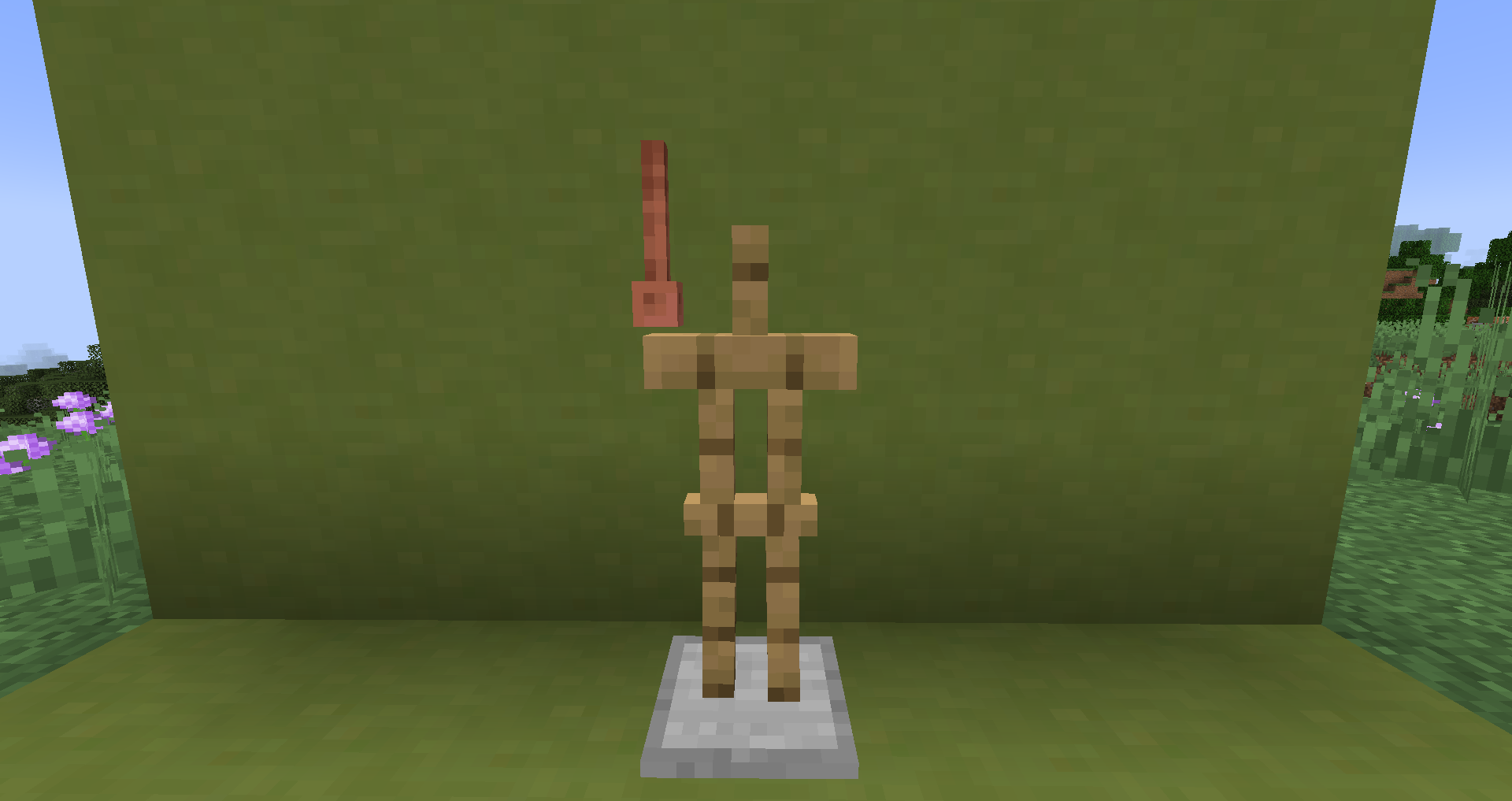
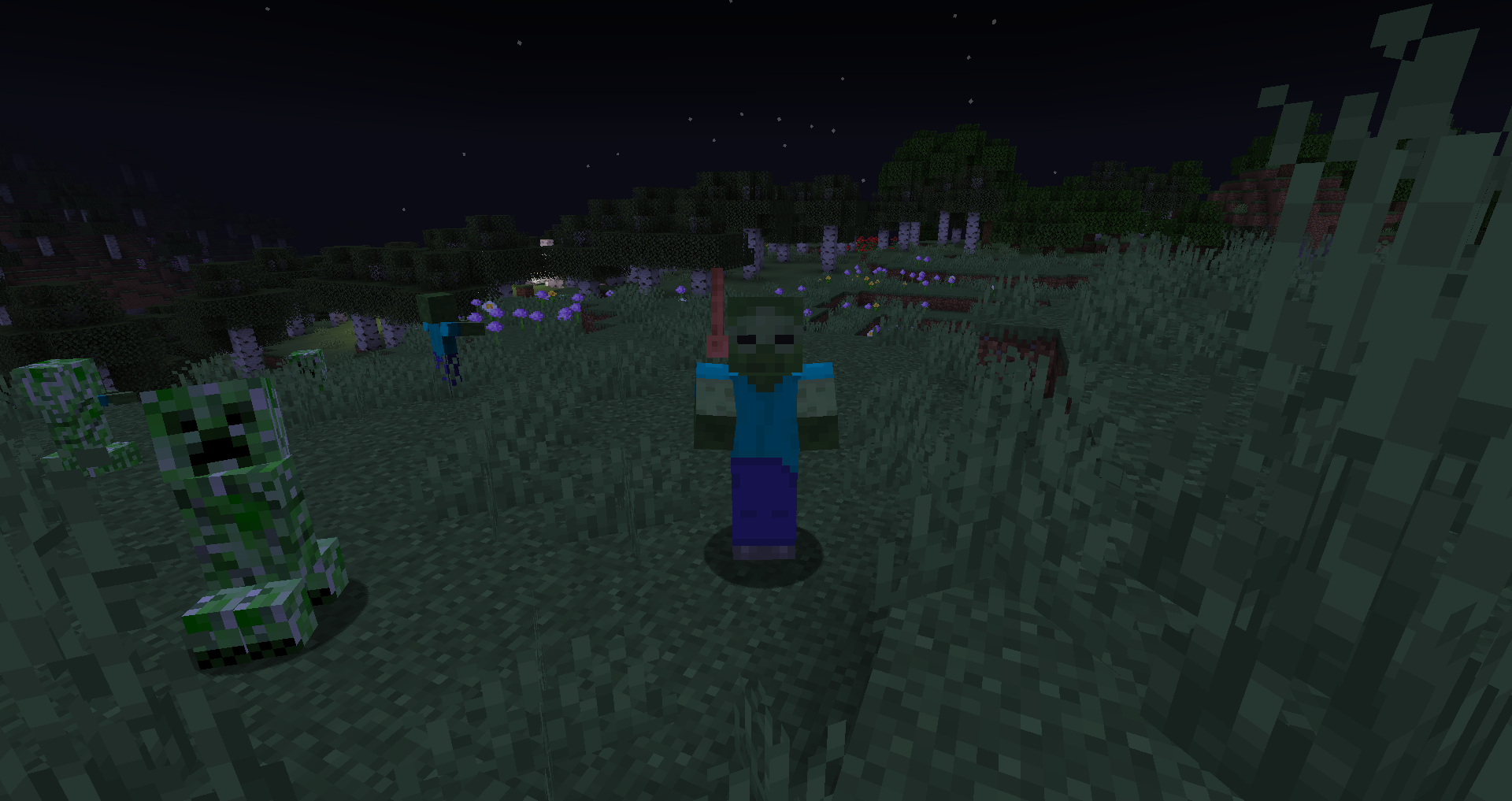
Lightning rods are displayed incorrectly when weared on the head of an entity
Expected behavior
Lightning rods should be displayed properly above the head and in the same orientation as in the inventory.Observed behavior
Lightning rods are displayed too low, on one side and inverted while weared on the head of an entity-Steps to Reproduce:
{id:"minecraft:lightning_rod",Count:1}
Summon an entity with a lightning rod on the head.
/summon minecraft:armor_stand ~ ~ ~ {ArmorItems:[{},{},{},]}
Expected behavior
Lightning rods should be displayed properly above the head and in the same orientation as in the inventory.Observed behavior
Lightning rods are displayed too low, on one side and inverted while weared on the head of an entity-Steps to Reproduce:
Summon an entity with a lightning rod on the head./summon minecraft:armor_stand ~ ~ ~ {ArmorItems:[{},{},{},{id:"minecraft:lightning_rod",Count:1}]}
Sorry, Mandela effect.
I have the same bug. Here is my configuration :
Windows 10, version 1803
Java build 1.8.0_111-b14
It's impossible because it does not load the world.
Here is an example. It does not change with other functions/tags errors.
Added a sample data pack with the same error.
Could you take a screenshot of the problem ?
Found a problematic advancement.
The attached image shows the GUI with a grid texture. The red and blue grid is representing the overlay and the yellow and green one the item.
Confirmed in 1.16.3