 Vince
Vince
- verenos
- verenos
- Europe/Stockholm
- Yes
- No
 MC-1845
![[Mojang] Nathan Adams](../../../data/assets/gravatar/dinnerbone.png)
 MCPE-12000








This isn't a bug per say. It's a request for you to update the language files on Minecraft.
I've been putting quite a bit of time and effort into polishing off Spanish-Mexico. There's many errors still, and there's little to no activity on that language. So I'll take me a while to get through them all alone.
For example, when the Pretty Scary Update was released. There wasn't even a translation for Witch or Bat in Spanish. There wasn't even a translation for all the new items or blocks, and even from previous versions of Minecraft. There was also plenty of inconsistencies with grammar. Such as "Open to LAN" would be "Opening to laN" or "Open with lan". Also with people voting on misspelled words, for example. "died by magic" would be "died by magi". "died by magi" would be voted +3 by users. I still have little control on fixing that, and it would of remained the same today if I hadn't fixed majority of it with an alt account (betlhan is the alt account).
This lead me to volunteer my time for the Spanish speakers worldwide. Also for my younger siblings couldn't even understand what words in English meant and had problems understanding due to the grammar. I'm sorry, I'm known to yack quite a bit, but please Update the language files. They're not complete yet in terms of errors, but it's a much smoother ride for Spanish Speakers. Thank you.
This isn't a bug per say. It's a request for you to update the language files on Minecraft.
I've been putting quite a bit of time and effort into polishing off Spanish-Mexico. There's many errors still, and there's little to no activity on that language. So I'll take me a while to get through them all alone.
For example, when the Pretty Scary Update was released. There wasn't even a translation for Witch or Bat in Spanish. There wasn't even a translation for all the new items or blocks, and even from previous versions of Minecraft. There was also plenty of inconsistencies with grammar. Such as "Open to LAN" would be "Opening to laN" or "Open with lan". Also with people voting on misspelled words, for example. "died by magic" would be "died by magi". "died by magi" would be voted +3 by users. I still have little control on fixing that, and it would of remained the same today if I hadn't fixed majority of it with an alt account (betlhan is the alt account).
This lead me to volunteer my time for the Spanish speakers worldwide. Also for my younger siblings who couldn't even understand what words in English meant and had problems understanding due to the grammar. I'm sorry, I'm known to yack quite a bit, but please Update the language files. They're not complete yet in terms of errors, but it's a much smoother ride for Spanish Speakers. Thank you.
This isn't a bug per say. It's a request for you to update the language files on Minecraft.
I've been putting quite a bit of time and effort into polishing off Spanish-Mexico. There's many errors still, and there's little to no activity on that language. So I'll take me a while to get through them all alone.
For example, when the Pretty Scary Update was released. There wasn't even a translation for Witch or Bat in Spanish. There wasn't even a translation for all the new items or blocks, and even from previous versions of Minecraft. There was also plenty of inconsistencies with grammar. Such as "Open to LAN" would be "Opening to laN" or "Open with lan". Also with people voting on misspelled words, for example. "died by magic" would be "died by magi". "died by magi" would be voted +3 by users. I still have little control on fixing that, and it would of remained the same today if I hadn't fixed majority of it with an alt account (betlhan is the alt account).
This lead me to volunteer my time for the Spanish speakers worldwide. Also for my younger siblings who couldn't even understand what words in English meant and had problems understanding due to the grammar. I'm sorry, I'm known to yack quite a bit, but I can't stress it enough, please Update the language files. They're not complete yet in terms of errors, but it's a much smoother ride for Spanish Speakers. Thank you.
This isn't a bug per say. It's a request for you to update the language files on Minecraft.
I've been putting quite a bit of time and effort into polishing off Spanish-Mexico. There's many errors still, and there's little to no activity on that language. So I'll take me a while to get through them all alone.
For example, when the Pretty Scary Update was released. There wasn't even a translation for Witch or Bat in Spanish. There wasn't even a translation for all the new items or blocks, and even from previous versions of Minecraft. There was also plenty of inconsistencies with grammar. Such as "Open to LAN" would be "Opening to laN" or "Open with lan". Also with people voting on misspelled words, for example. "died by magic" would be "died by magi". "died by magi" would be voted +3 by users. I still have little control on fixing that, and it would of remained the same today if I hadn't fixed majority of it with an alt account (betlhan is the alt account).
This lead me to volunteer my time for the Spanish speakers worldwide. Also for my younger siblings who couldn't even understand what words in English meant and had problems understanding due to the grammar. I'm sorry, I'm known to yack quite a bit, but I can't stress it enough, please Update the language files for Español-Mexico/Spanish-Mexico. They're not complete yet in terms of errors, but it's a much smoother ride for Spanish Speakers. Thank you.
This isn't a bug per say. It's a request for you to update the language files on Minecraft.
I've been putting quite a bit of time and effort into polishing off Spanish-Mexico. There's many errors still, and there's little to no activity on that language. So I'll take me a while to get through them all alone.
For example, when the Pretty Scary Update was released. There wasn't even a translation for Witch or Bat in Spanish. There wasn't even a translation for all the new items or blocks, and even from previous versions of Minecraft. There was also plenty of inconsistencies with grammar. Such as "Open to LAN" would be "Opening to laN" or "Open with lan". Also with people voting on misspelled words, for example. "died by magic" would be "died by magi". "died by magi" would be voted +3 by users. I still have little control on fixing that, and it would of remained the same today if I hadn't fixed majority of it with an alt account (betlhan is the alt account).
This lead me to volunteer my time for the Spanish speakers worldwide. Also for my younger siblings who couldn't even understand what words in English meant and had problems understanding due to the grammar. I'm sorry, I'm known to yack quite a bit, but I can't stress it enough, please Update the language files for Español-Mexico/Spanish-Mexico. They're not complete yet in terms of errors, but it's a much smoother ride for Spanish Speakers and at least we'll be able to understand it now to an extent. Thank you.
Making this short and simple, If the squids are on the upper layer of water blocks in some river or ocean or lake. They will begin to suffocate and die. This can also occur if they're near the upper water blocks as well.
Squids dye.Squids die.
Squids die in water.
What I expected to happen was...:
A single water bucket would empty when placing water and would still remain in the hotbar as an empty bucket waiting to be refilled again.What actually happened was...:
The water bucket emptied, but also moved inside the inventory. This is problematic if you wish to place plenty of water without crafting additional buckets due to the scrolling hotbar present in Minecraft Pocket Edition.Steps to Reproduce:
1. Open up your inventory.
2. Select the bucket.
3. Pick up water using an empty bucket.
4. Open up your inventory.
5. Select the water bucket.
6. Place the water at desired location.
7. Open up your inventory.
8. Select the empty bucket.
9. Collect water using the empty bucket.
10. Open up your inventory.
11. Select the water bucket.
12. Place the water at your desired location again.
13. Repeat steps 1-12 to continue placing more waterThis would be more efficient if players would be allowed to place the items or blocks they wish to use in the hotbar. While keeping them there without having them disappear by scrolling off the screen after selecting another block or item.
Buckets - Scrollng Hotbar
Buckets - Scrolling Hotbar Issue
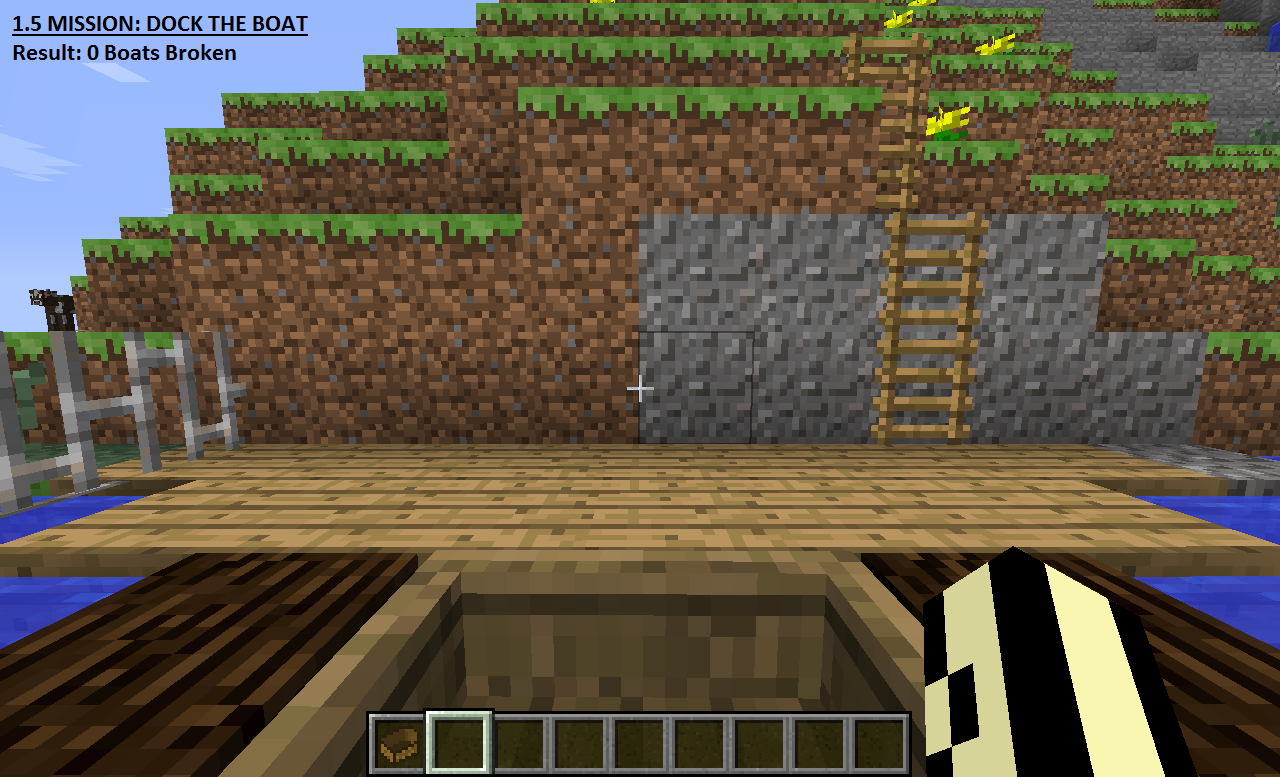
I'm unable to use boats. The new boat controls contribute a large amount of motion sickness to me. I've ended up not using boats entirely as the result.
For wide angled turns you need to move your mouse quickly towards the sides of the boat. To control it in narrow spaces you need to move the boat slower than as you would walking. The lack of a brake also creates a problem where players have to turn their boats in the opposite direction rapidly as they approach their destinations.
Please bring back the previous controls for boats. It's not helping anybody and it creates a health issue to some as it does to me. The press "Shift" to exit the boat is prefectly acceptable. There's no need to change that.
Random GerenalCrash (Non-Specific)Random Gerenic Crash (Non-Specific)
Random Gerenic Crash(Non-Specific)Random Gerenic Crash, Boat Uncontrollable, Title Screen Is Broken
Just was playing on a server, waiting on a tree to grow. Then the game crashed without any specific reason. Also boats are horribly uncontrollable with the current "W" key and Mouse set up, no way to control them without having to break many and induce motion sickness. There's also the issue where the title screen shows up distorted (see image attached). It may be related to integrated graphics cards.
---- Minecraft Crash Report ----
// Daisy, daisy...Time: 9/20/13 12:20 AM
Description: Updating screen eventsjava.lang.NullPointerException
at aye.a(SourceFile:86)
at aya.a(SourceFile:37)
at azw.a(SourceFile:52)
at azo.d(SourceFile:240)
at azo.m(SourceFile:211)
at awo.o(SourceFile:1260)
at awo.aa(SourceFile:730)
at awo.e(SourceFile:681)
at net.minecraft.client.main.Main.main(SourceFile:104)A detailed walkthrough of the error, its code path and all known details is as follows:
---------------------------------------------------------------------------------------– Head –
Stacktrace:
at aye.a(SourceFile:86)
at aya.a(SourceFile:37)
at azw.a(SourceFile:52)
at azo.d(SourceFile:240)
at azo.m(SourceFile:211)– Affected screen –
Details:
Screen name: azw– Affected level –
Details:
Level name: MpServer
All players: 1 total; [bgf['Verenos'/0, l='MpServer', x=1.66, y=64.62, z=-2.67]]
Chunk stats: MultiplayerChunkCache: 255, 255
Level seed: 0
Level generator: ID 00 - default, ver 1. Features enabled: false
Level generator options:
Level spawn location: World: (-3,65,0), Chunk: (at 13,4,0 in -1,0; contains blocks -16,0,0 to -1,255,15), Region: (-1,0; contains chunks -32,0 to -1,31, blocks -512,0,0 to -1,255,511)
Level time: 1263303 game time, 1263303 day time
Level dimension: 0
Level storage version: 0x00000 - Unknown?
Level weather: Rain time: 0 (now: false), thunder time: 0 (now: false)
Level game mode: Game mode: survival (ID 0). Hardcore: false. Cheats: false
Forced entities: 1 total; [bgf['Verenos'/0, l='MpServer', x=1.66, y=64.62, z=-2.67]]
Retry entities: 0 total; []
Server brand: vanilla
Server type: Non-integrated multiplayer server
Stacktrace:
at bga.a(SourceFile:294)
at awo.b(SourceFile:1872)
at awo.e(SourceFile:690)
at net.minecraft.client.main.Main.main(SourceFile:104)– System Details –
Details:
Minecraft Version: 13w38a
Operating System: Windows 8 (amd64) version 6.2
Java Version: 1.7.0_25, Oracle Corporation
Java VM Version: Java HotSpot(TM) 64-Bit Server VM (mixed mode), Oracle Corporation
Memory: 99310496 bytes (94 MB) / 210239488 bytes (200 MB) up to 954466304 bytes (910 MB)
JVM Flags: 2 total; -XX:HeapDumpPath=MojangTricksIntelDriversForPerformance_javaw.exe_minecraft.exe.heapdump -Xmx1G
AABB Pool Size: 12866 (720496 bytes; 0 MB) allocated, 2 (112 bytes; 0 MB) used
IntCache: cache: 0, tcache: 0, allocated: 13, tallocated: 95
Launched Version: 13w38a
LWJGL: 2.9.0
OpenGL: Mobile Intel(R) 4 Series Express Chipset Family GL version 2.1.0 - Build 8.15.10.1808, Intel
Is Modded: Probably not. Jar signature remains and client brand is untouched.
Type: Client (map_client.txt)
Resource Packs: []
Current Language: English (US)
Profiler Position: N/A (disabled)
Vec3 Pool Size: 54 (3024 bytes; 0 MB) allocated, 17 (952 bytes; 0 MB) used
Random Gerenic Crash, Boats Uncontrollable, Title Screen Is Broken
RandomGerenic Crash, Boats Uncontrollable, Title Screen Is Broken
Please redirect this bug report to the Pocket Edition project. There's no Minecraft Pocket Edition option under Project selection when creating an issue
I'm unable to use a furnace with either of the control options. No menu appears when you try to tap on it, tap and hold on it, or break and replace.
iPhone 5 (iOS 7.1.2)
Minecraft Pocket Edition version 0.9.0
The map isn't infinite, it'swas generated from a previous version.
The game mode is Survival.
iPhone 5 (iOS 7.1.2)
Minecraft Pocket Edition version 0.9.0
The map isn't infinite, it'swas generated from a previous version.
The game mode is Survival.
iPhone 5 (iOS 7.1.2)
Minecraft Pocket Edition version 0.9.0
The map isn't infinite, it'swas generated from a previous version.
The game mode is Survival.
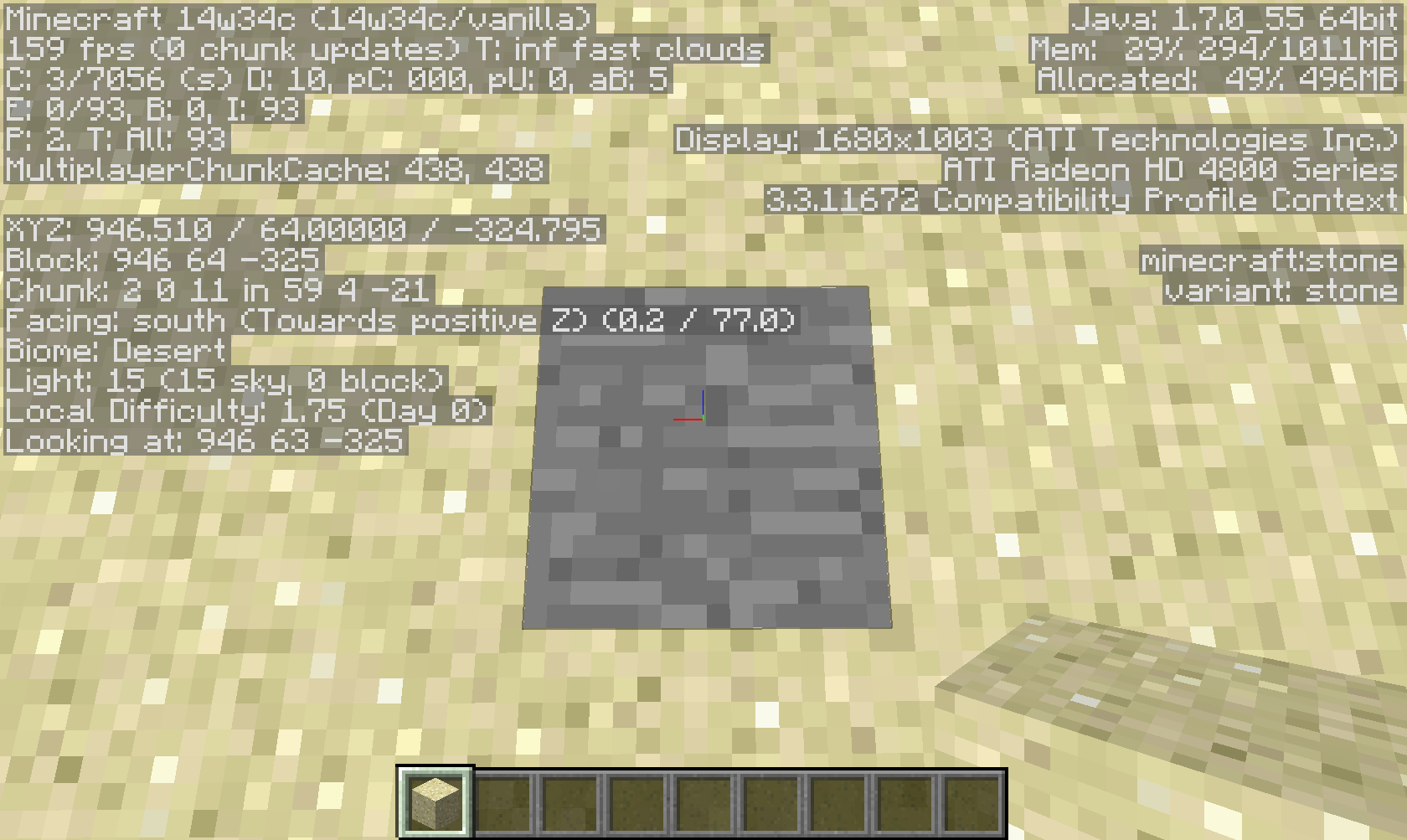
Command blocks teleport the player to the incorrect coordinates if the command is set to /tp (name) X Y Z.
Command blocks also set blocks in the incorrect locations if used with /setblock and /clone.Check images for details, I can provide the map used
toif further investigation is necessary.
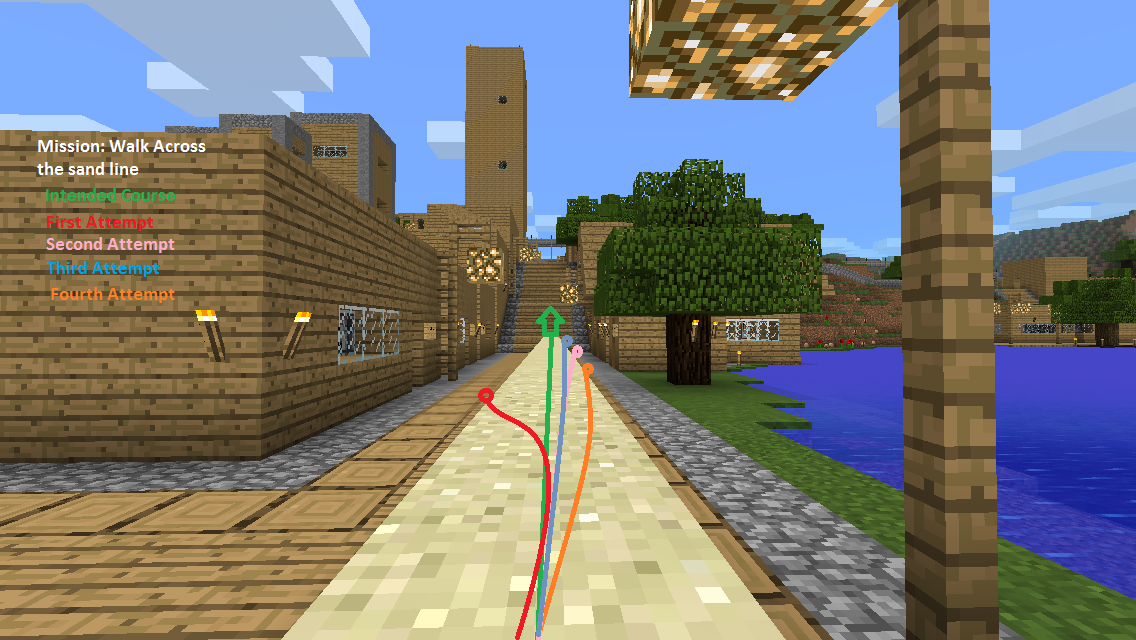
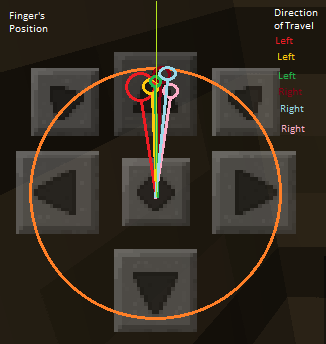
I would like to bring up an issue that has plagued me for quite some time with split touch controls. It is even more prevalent on this recent 0.13.0 update. It is very well known that emulated directional pads on touch screens are not as accurate as a mouse and keyboard setup. In this case trying to accurately place or break a block in the far distance without causing any nearby damage to the artwork or structure is very difficult.
First when breaking a block, it takes a second to begin removal. Then it maintains that velocity until you remove your finger off of the touch screen. This leads to frequent destruction of blocks if your finger isn't quick enough to be lifted off the screen in time.
-My suggestion to fix this issue is to add an additional slight delay after breaking the first block to prevent unwanted destruction of blocks nearby.Second, the reach for placing or destroying blocks is too far. Attempting to play the game on smaller screens leads to very frequent mistakes that go unnoticed in the distance. This also occurs on the larger displays. Less than the smaller screens, but still unreliable enough to cause unwanted block placement or removal.
Please don't ignore this plea. This needs to be resolved for the benefit of the players/community.
I would like to bring up an issue that has plagued me for quite some time with split touch controls on creative mode. It is even more prevalent on this recent 0.13.0 update. It is very well known that emulated directional pads on touch screens are not as accurate as a mouse and keyboard setup. In this case trying to accurately place or break a block in the far distance without causing any nearby damage to the artwork or structure is very difficult.
First when breaking a block, it takes a second to begin removal. Then it maintains that velocity until you remove your finger off of the touch screen. This leads to frequent destruction of blocks if your finger isn't quick enough to be lifted off the screen in time.
-My suggestion to fix this issue is to add an additional slight delay after breaking the first block to prevent unwanted destruction of blocks nearby.Second, the reach for placing or destroying blocks is too far. Attempting to play the game on smaller screens leads to very frequent mistakes that go unnoticed in the distance. This also occurs on the larger displays. Less than the smaller screens, but still unreliable enough to cause unwanted block placement or removal.
Please don't ignore this plea. This needs to be resolved for the benefit of the players/community.
Split Touch Control Block Breaking And Placing Sensitivity - Block Reach Problems - Creative Mode
I created this map since the first version of Minecraft on iOS. It's quite old. However as of this latest update (1.9.0) I'm no longer able to even able to open the map without having the entire game crash to the desktop.
I have uploaded the map to OneDrive since it's over the 10 megabyte limit allowed here.
https://1drv.ms/u/s!AkFk2ur82Bis-nJdMqkrfCWbR5HL
edit: I should add that I have backed up my maps and reinstalled Minecraft several times without any noticeable effect in further hopes to resolve the issue.
Okay then Mustek, How would I do such a request? There's no option to my knowledge on the Crowdin website for requesting updates. So the update to 1.4.5 would still be using outdated languages files if I don't pressure on this.
No my good sir, that issue has be resolved. I'm reopening this issue due to the list mentioned above. I will do what it takes to get this pushed to Mojang. My health and recreation with boats depends on it!
I have tried it more than once. Never was I successful in getting Mojang's attention. This also isn't a suggestion. This a bug in the game.
I know, but then again the customers are always correct, not one but all if they all take arms against a common cause. There would never be a product, particularly this gem of a game, without us. This boat mechanic is flawed, it's a mistake that makes boats behave erratically. This is very similar to the issue back during when the game was in Beta with the ladder's hit boxes removed. Luckily that was fixed when we raised hell and Jens decided to notice, I wonder if they're ignoring this issue? I'm also not the only one who has pushed this to Mojang. Here's a tiny tiny taste of what I can pull up in a short matter of time.
http://www.reddit.com/r/Minecraft/comments/1higcv/mojang_please_revert_back_to_pre16_boat_mechanic/
http://www.reddit.com/r/Minecraft/comments/1jrcdl/mojang_please_revert_to_the_pre16_boat_mechanics/
http://www.reddit.com/r/Minecraft/comments/1hi04z/mojang_please_restore_boats_to_their_former_glory/
I can easily pull up more information, but I know that I'm not going to be able to dent anything no matter how much I try. I don't also want to start a fight with nobody. I'm just desperate for this to return back to the way it was before as do many people do as well. I also understand that you're not responsible for fixing any related issues. I'm just going to leave whatever I have here in hopes that one day Mojang will see our plea. From the looks of it we'll never have our opportunity. Sigh.................
I think this is because those heavy and light pressure plates now count the amount of entities that are on them instead.
I hate to be arguing here, but this needs to get fixed. This bug wasn't present before in the previous versions.
Turns out somebody posted a similar topic on Reddit related to this matter. https://www.reddit.com/r/MCPE/comments/3ti1c8/does_anybody_else_want_to_get_rid_of_that_long/
The link posted is similar except the error is for Windows. This bug is present on Mac and Linux.
MC-272360Similar issue, except it’s present on Mac and Linux.