 MC-100758
World Goes Black and Purple or Invisible
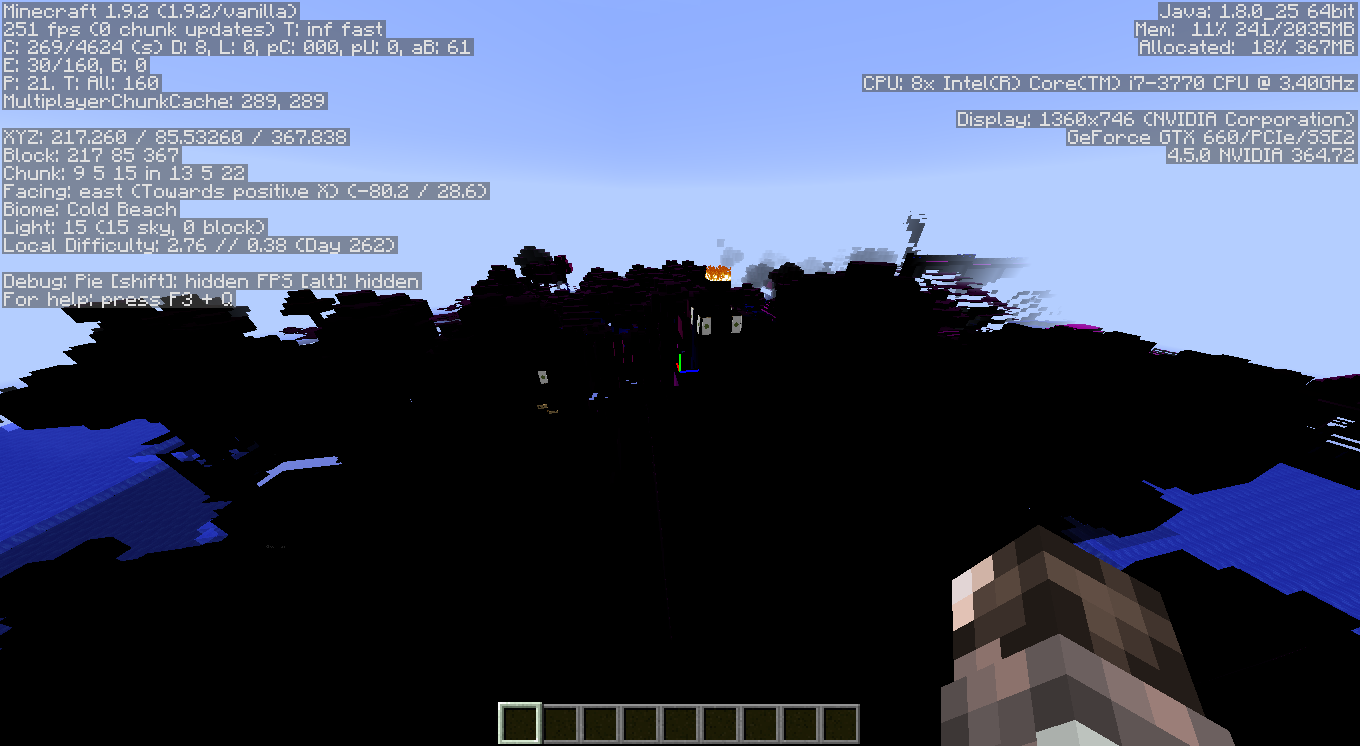
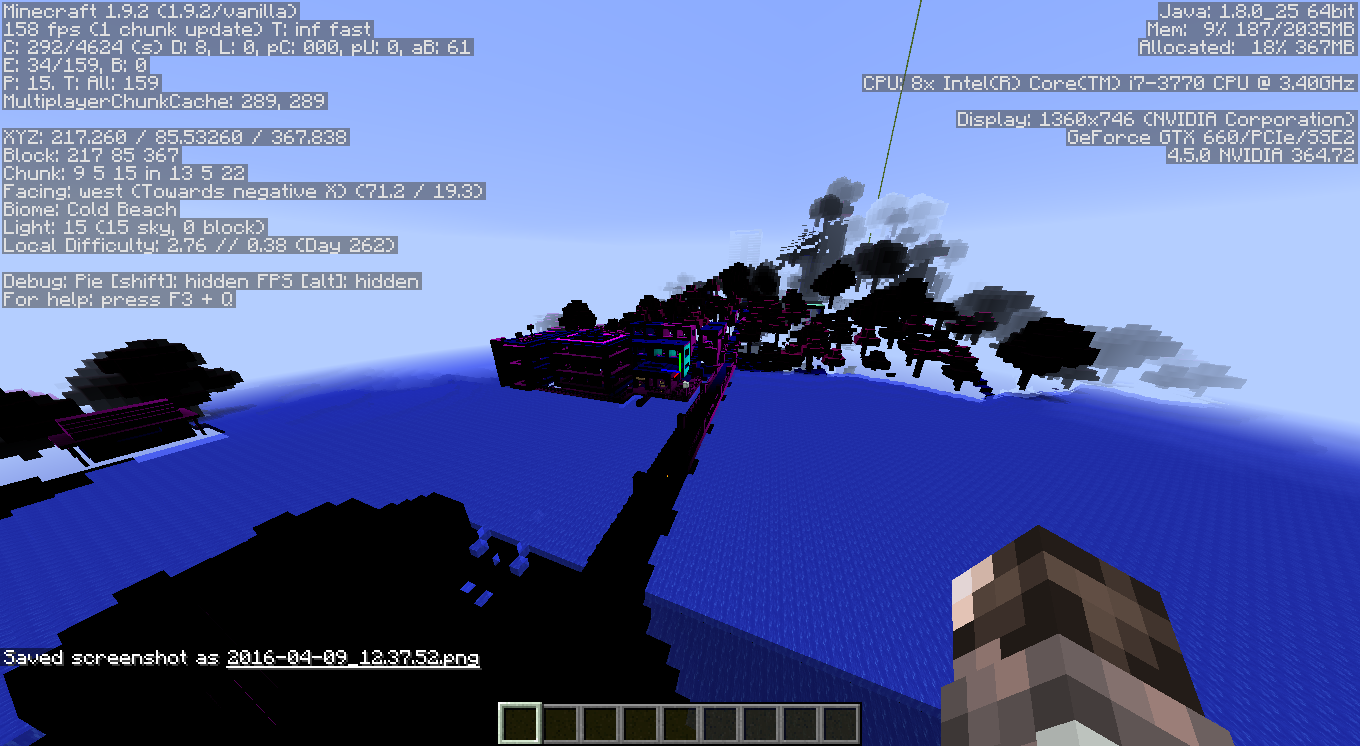
While playing on my world in LAN with my brother, all of the sudden the world turns into a black, purple, and invisible mess. I was in creative, while he was in survival but not affected (LAN world set to adventure mode). Opening inv, all the blocks and tabs had no images, just the inv template grey. Water was one of the only textures/blocks visible and unaffected. My display driver crashed once, and I had a memory leak I believe too once also.
Thanks for the help!
Environment
Windows 7 HP SP1, Intel Core i7 3770 CPU @3.4Ghz, Nvidia GTX 660 (Newest driver), 8Gb RAM DDR3, x64, Java v8 update 77 1Tb HDD space


Created Issue:
World Goes Black and Purple or Invisible
While playing on my world in LAN with my brother, all of the sudden the world turns into a black, purple, and invisible mess. I was in creative, while he was in survival but not affected (LAN world set to adventure mode). Opening inv, all the blocks and tabs had no images, just the inv template grey. Water was the only texture/block visible and unaffected. My display driver crashed once, and I had a memory leak I believe too once also.
Thanks for the help!
Environment
Windows 7 HP SP1, Intel Core i7 3770 CPU @3.4Ghz, Nvidia GTX 660 (Newest driver), 8Gb RAM DDR3, x64, Java v8 update 77 1Tb HDD space
Attachments3
While playing on my world in LAN with my brother, all of the sudden the world turns into a black, purple, and invisible mess. I was in creative, while he was in survival but not affected (LAN world set to adventure mode). Opening inv, all the blocks and tabs had no images, just the inv template grey. Water was one of the only textures/blocks visible and unaffected. My display driver crashed once, and I had a memory leak I believe too once also.
Thanks for the help!

level.dat
![[Bot] Arisa](../../../data/assets/gravatar/mustek2.png)

Have you tried updating your graphics card drivers?
Please force a crash, by pressing f3+c for 10 seconds, and attach it here.
My level file
@FVbico My drivers are updated but I'll run a check update after the forced crash.
Just a note, providing the level.dat doesn't provide the world, only a few of it's settings.
If you want to provide a world (most likely not needed here as it's most likely caused by hardware or such) unload the entire world folder.
I thought it might help haha. I've been playing the same exact situation and nothing has happened so I believe its just a display and graphics driver problem. It happens once in a while after start up and stops after a few crashes/restarts. Just never seen this happen with minecraft before.
This issue and the fact that your graphics driver crashed are typical for an overheated graphics card / CPU.
This is a technical support issue; this site is for bug reports only. For technical support please use the Mojang Support Center.