 MC-56221
Using a theme that has a High Contrast colour scheme stops graphics from updating properly in Windows 8
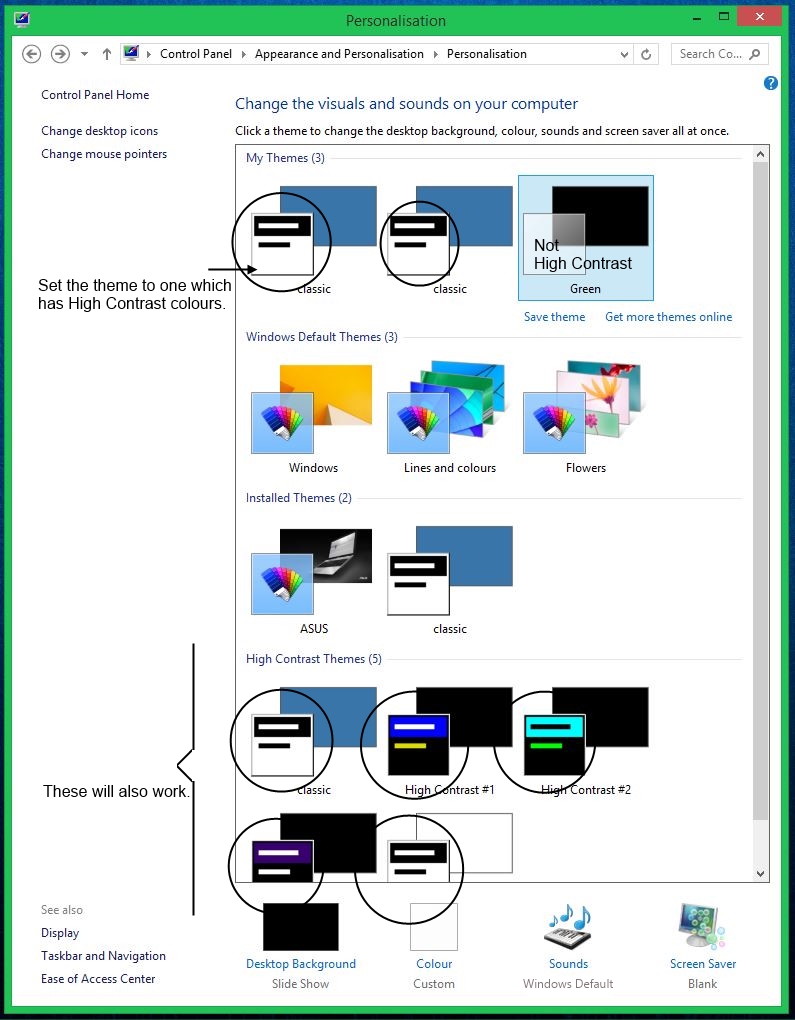
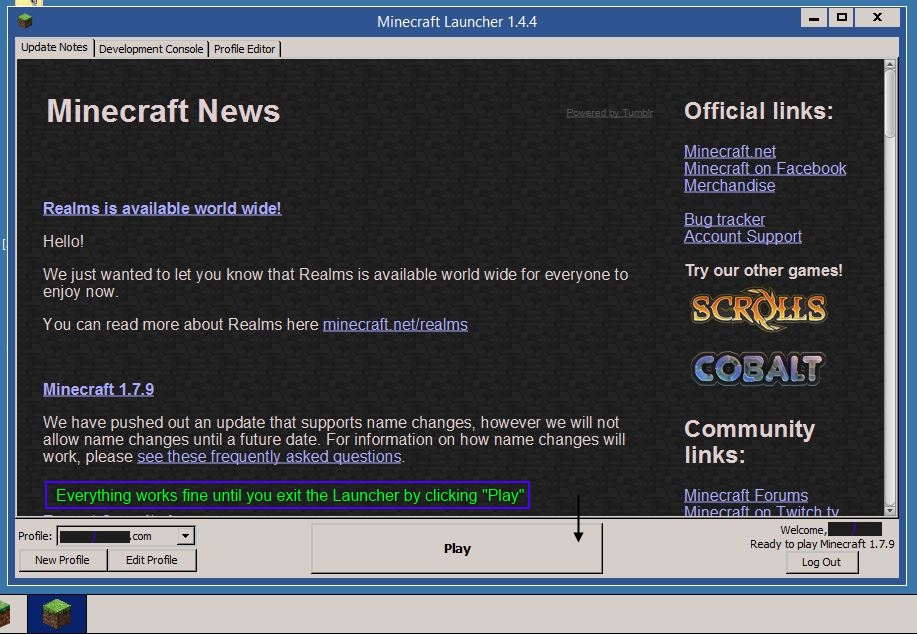
I installed a theme for Windows that replicates as closely as possible on Windows 8, the GUI appearance of Windows 95. It does this by using a High Contrast Colour scheme with Win95's colours. I tried to play Minecraft with it on but I found that it didn't work:
Setting the windows theme to one that has a High Contrast colour scheme stops the graphics from updating properly. See attached screenshots on how to recreate.
NOTES:
*The only OS I know this to happen on is Windows 8. It will probably not apply to Windows 7 or earlier because its colour scheme system is different
**The graphics will still work normally if a theme with a standard colour scheme is used until the title screen is reached and then is switched with one that has a High Contrast colour scheme.
Environment
Windows8 64Bit, Java Version7 Update55





Created Issue:
Using a theme that has a High Contrast colour scheme stops graphics from updating properly in Windows 8
I installed a theme for Windows that replicates as closely as possible on Windows 8, the GUI appearance of Windows 95. It does this by using a High Contrast Colour scheme with Win95's colours. I tried to play Minecraft with it on but I found that it didn't work:
Setting the windows theme to one that has a High Contrast colour scheme stops the graphics from updating properly. See attached screenshots on how to recreate.
NOTES:
*The only OS I know this to happen on is Windows 8. It will probably not apply to Windows 7 or earlier because its colour scheme system is different
**The graphics will still work normally if a theme with a standard colour scheme is used until the title screen is reached and then is switched with one that has a High Contrast colour scheme.
Environment
Windows8 64Bit, Java Version7 Update55
Attachments6


This site is for bug reports for Minecraft and Scrolls, any bugs/technical problems found in anything besides Mojang's code do not belong on this bug tracker.