 MC-69623
Lava rivers and lakes generating instead of water
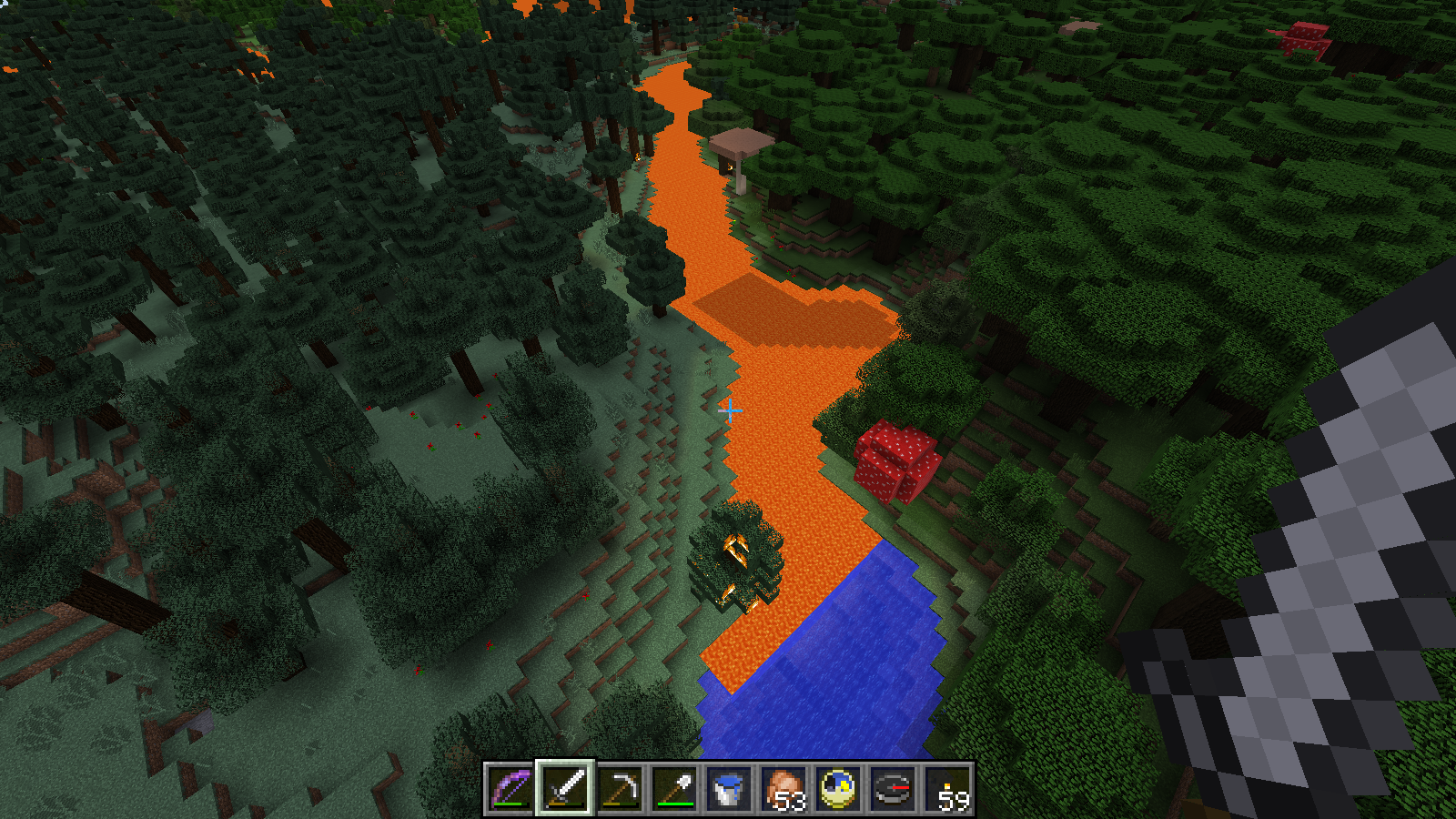
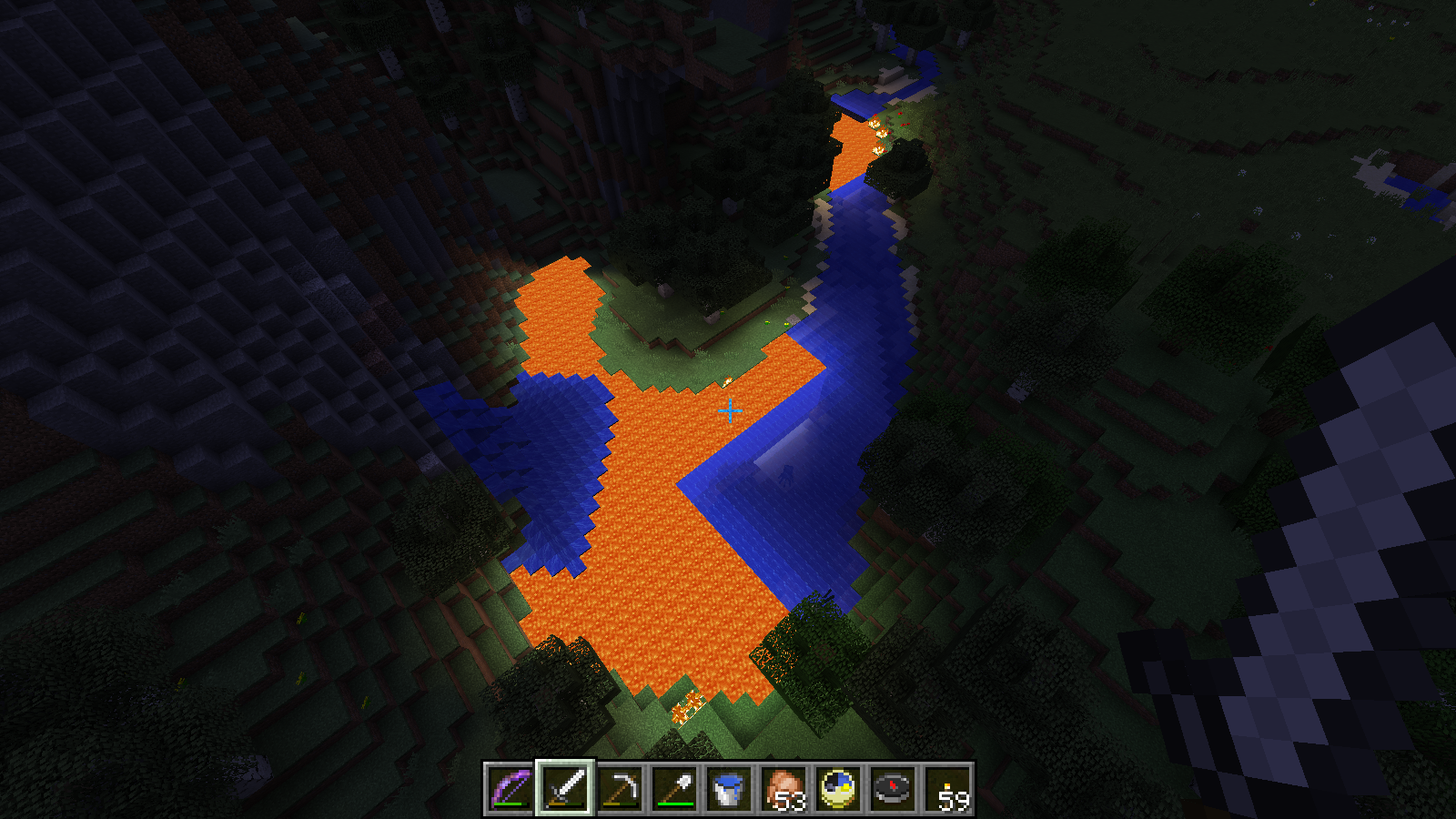
When downloading a Realms 1.7.10 save locally and placing it into either of the two most recent Minecraft builds (1.8-pre2 and 14w34d), overworld rivers and lakes in previously unexplored chunks spawn lava where water should be. This is demonstrated in the included screenshots.
Environment
Windows 8.1 Update 1 (x64), Java 1.8u11 (x64)


Created Issue:
Lava rivers and lakes generating instead of water
When downloading a Realms 1.7.10 save locally and placing it into either of the two most recent Minecraft builds (1.8-pre2 and 14w34d), overworld rivers and lakes in previously unexplored chunks spawn lava where water should be. This is demonstrated in the included screenshots.
Environment
Windows 8.1 Update 1 (x64), Java 1.8u11 (x64)
Attachments3

![[Bot] Arisa](../../../data/assets/gravatar/mustek2.png)
Please give us a seed and coordinates and/or attach a worldsave.
I've compressed the world save but it's nearly 100MB. The upload dialog states that nothing larger than 10MB can be submitted. Is there an alternative method for providing larger files, or am I just misinterpreting something?
Here's the other information you requested, however:
Seed:
-4414185165226316006
Example of issue at coordinates:
-978, 108,-1326
Please let me know what else I can provide. I will be doing additional testing myself, for what it's worth.
Thanks!
This probably describes what you are seeing: http://redd.it/2erghl. Notice that one of the comments says that this is caused by swamps generating small water puddles. NOTE: I'm not saying this bug is invalid, I'm just pointing out one of the possible causes.
Additional testing bore the following fruit:
1) Copies of the world using Re-Create (which obviously wipes all changes made players) results in lava EVERYWHERE water should be, with the exception of waterfalls, certain swamp squares (like you've noted) and the water generated in villages' farms and wells.
2) Creating an entirely new world from scratch using the seed works fine in all versions of Minecraft I've tested.
This suggests that there's something amiss with my world in particular. It was created before Realms allowed uploading, and we'd only spent a short amount of time (days?) in it before submitting it to Realms as our server world. Could the fact that it was generated locally then uploaded be the root cause? I have not intentionally enabled lava lakes/rivers/oceans, so it seems that the key issue is that they're generating despite this?
Thanks!
Uploading a world to a server should not change a lot in the files of the world. It could be that Realms makes a change that causes Minecraft to enable lava lakes as soon as it gets loaded in 1.8, but Mojang will have to look into that themselves.
Maybe it has to do with the "Good Luck" Custom World Preset (which spawns lava instead of water), or Custom worlds settings on Lava Lakes and Lava Oceans. I don't know much about realms though so don't take my word for it.
Interesting. I'll do a bit of Googling for this 'Good Luck' feature since this is the first I've heard of it. Thanks for your input!
I think Mojang made a mistake when adding the lava ocean option. They added a "lava oceans" and a "water oceans" to the world generator settings. Normally, when toggling the lava oceans, water oceans automatically get turned off. However, Realms somehow forcefully turns lava oceans on while also keeping water oceans on. This could cause the terrain you are seeing.
Is this still an issue in the current Minecraft Snapshot 15w46a or later? If so, please update the affected versions in order to best aid Mojang ensuring bugs are still valid in the latest releases/pre-releases.
I no longer have access to the save/world that was exhibiting this issue. We used the seed on a new world and played it for months before moving on to the next one. I don't know how rampant this issue ended up being, but it was a very disappointing 'break' that may have had a tiny window where it occurred. I've had no issues, major or even minor, since.
Sorry I don't have more to report. It would have been nice to get that particular world 'fixed' but it's lost to the ages now.
Thanks to everyone for their assistance trying to identify and resolve the problem!
Thanks for the feedback.