 MC-80806
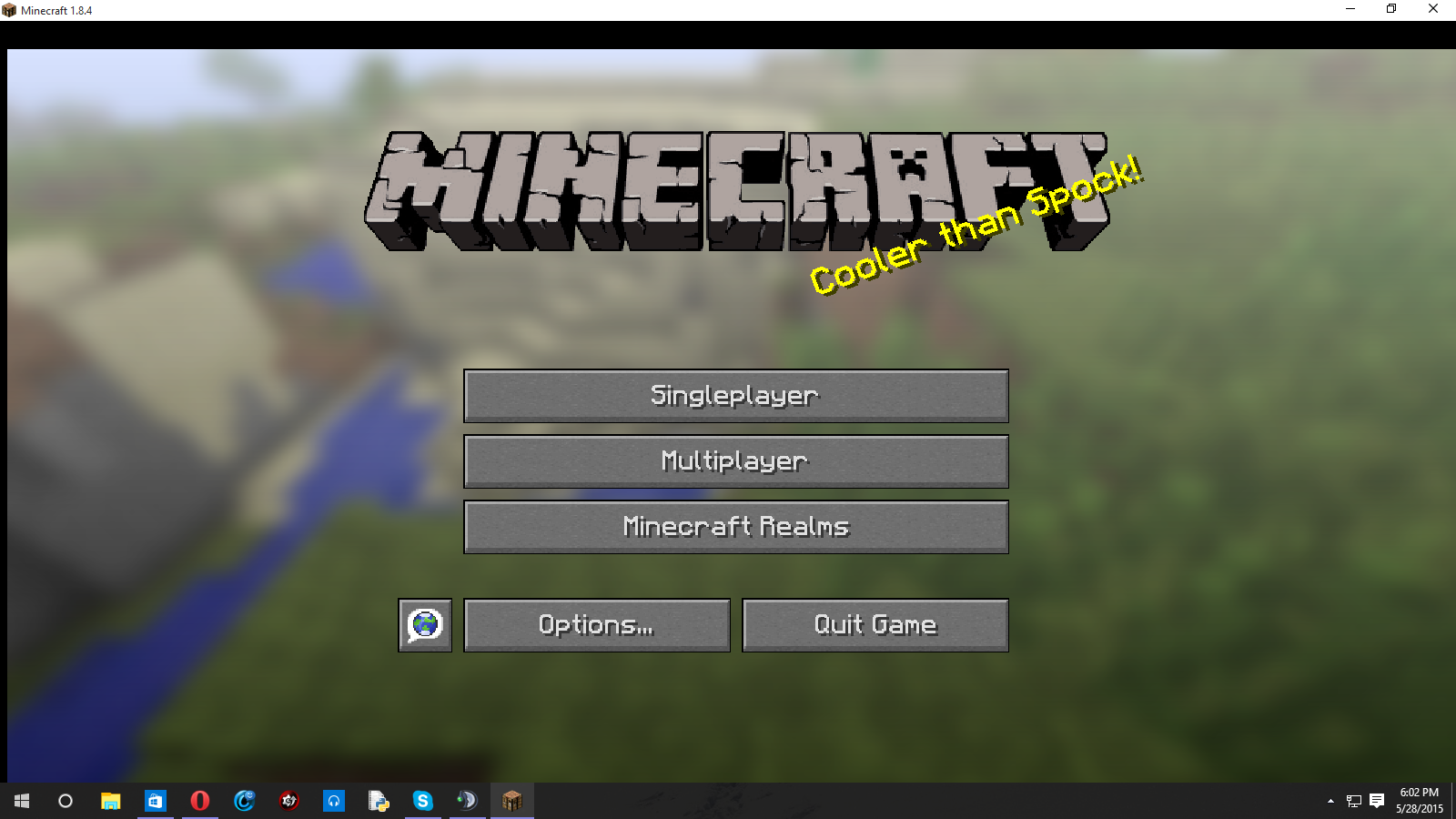
Minecraft has black edges on the left and top.
I recently updated my computer to Windows 10 build 10122 and have since had an issue with Minecraft. My screen has black edges around it. I've tried reinstalling, downgrading (version 1.0.0 alpha works without black edges), reinstalling Java, using the .exe and .msi. None of these work. I also reached out to Mojang support but received no help. The game works perfectly fine in full screen though. The issue seems to be in windowed mode only. I've seen the issue in 1.7+.
Environment
I am running Windows 10 build 10122. I have the most recent java build.
Linked Issues
is duplicated by1
Attachments1

Created Issue:
Minecraft has black edges on the left and top.
I recently updated my computer to Windows 10 build 10122 and have since had an issue with Minecraft. My screen has black edges around it. I've tried reinstalling, downgrading (version 1.0.0 alpha works), reinstalling Java, using the .exe and .msi. None of these work. I also reached out to Mojang support but received no help. The game works perfectly fine in full screen though. The issue seems to be in windowed mode only. I've seen the issue in 1.7+.
Environment
I am running Windows 10 build 10122. I have the most recent java build.
Attachments1

I recently updated my computer to Windows 10 build 10122 and have since had an issue with Minecraft. My screen has black edges around it. I've tried reinstalling, downgrading (version 1.0.0 alpha works without black edges), reinstalling Java, using the .exe and .msi. None of these work. I also reached out to Mojang support but received no help. The game works perfectly fine in full screen though. The issue seems to be in windowed mode only. I've seen the issue in 1.7+.

is duplicated by
That is true, but I've also experienced this glitch in Windows 7 as well before. (I don't ask about 7 because I don't use it anymore)
I also think Minecraft should have some support prerelease because Microsoft owns the game now.
Windows 10 is still in beta and will not be supported until release.