 MCD-59
Map doesn't show up in Windowed mode when snapped
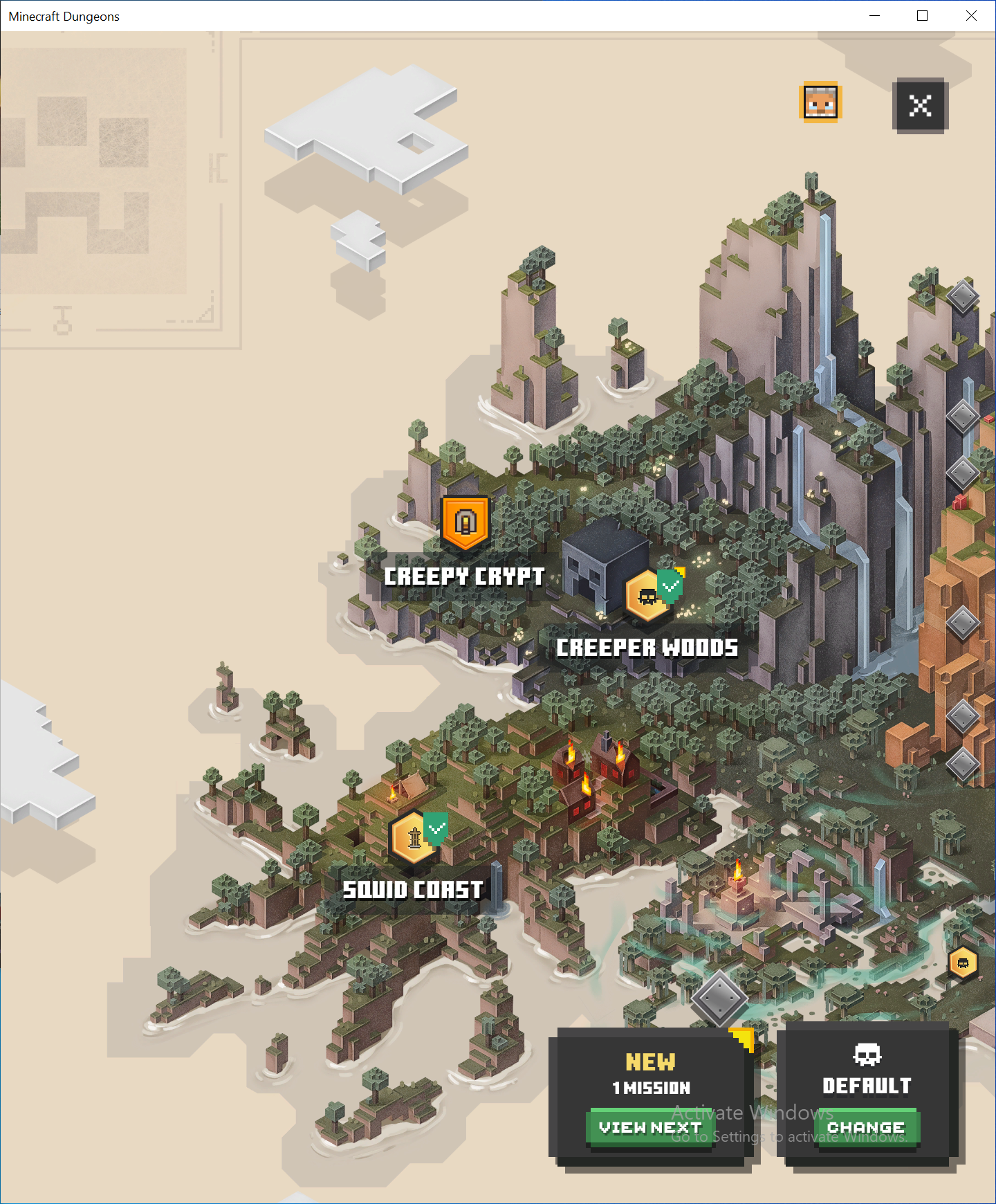
While playing the game in windowed mode & snapped to one side of the screen, the world map was not showing up. In its place was an empty brown screen. After unsnapping and resnapping the game, the map showed up. This hadn't happened before.
Attached are screenshots of before and after resnapping the game, and an example of what I mean by "snapped"/"snapping" (as I'm not sure what its technical name is or how to effectively describe it)
Steps to reproduce:
- Change the display mode to WIndowed
- Click and drag the game window to one side of the screen so it "snaps" into place
- Return to the game and try to open the full map



Created Issue:
Map doesn't show up in Windowed mode when snapped
While playing the game in windowed mode & snapped to one side of the screen, the world map was not showing up. In its place was an empty brown screen. After unsnapping and resnapping the game, the map showed up.
Attached are screenshots of before and after resnapping the game, and an example of what I mean by "snapped"/"snapping" (as I'm not sure what its technical name is or how to effectively describe it)
Attachments3
- Unresolved
- Open
- Unconfirmed
- Windows 10
- Version #19204
While playing the game in windowed mode & snapped to one side of the screen, the world map was not showing up. In its place was an empty brown screen. After unsnapping and resnapping the game, the map showed up. This hadn't happened before.
Attached are screenshots of before and after resnapping the game, and an example of what I mean by "snapped"/"snapping" (as I'm not sure what its technical name is or how to effectively describe it)
Steps to reproduce:
- Change the display mode to WIndowed
- Click and drag the game window to one side of the screen so it "snaps" into place
- Return to the game and try to open the full map

![[Mojang] Mega_Spud (Jay Wells)](../../../data/avatars/users/92696.png)
Thank you for your report!
However, this issue has been temporarily closed as Awaiting Response
Is this still an issue in the latest version? If it is, please try and include steps to reproduce the issue of possible:
If your ticket does not look like the example given here, then it's likely to be closed as incomplete.
This ticket will automatically reopen when you reply.
Quick Links:
📓 Issue Guidelines – 💬 Mojang Support – 📧 Suggestions – 📖 Minecraft Wiki
Cleaning up old tickets: This ticket had been set to 'Awaiting Response', but has not received a response from the reporter (~3 months+) so is being closed as Incomplete. If you feel this is still a valid issue then please comment, or create a new ticket following the Issue Guidelines which includes steps to reproduce the problem.
For any account or purchasing related issues, please contact Minecraft Customer Support directly, as we cannot assist with those here at the bug tracker.
Quick Links:
📓 Issue Guidelines – 💬 Mojang Support – 📧 Suggestions – 📖 Minecraft Wiki