![[Mojang] Mega_Spud (Jay Wells)](../../../data/avatars/users/92696.png) [Mojang] Mega_Spud (Jay Wells)
[Mojang] Mega_Spud (Jay Wells)
- Mega_Spud
- mega_spud
- Europe/London
- Yes
- No
 MCPE-10879
 WEB-770

![[Mod] Greymagic27](../../../data/avatars/users/92875.png)
![[Mod] markderickson](../../../data/avatars/users/18946.svg)


![[Mod] Avoma](../../../data/avatars/users/86198.png)
![[Helper] Jack McKalling](../../../data/avatars/users/92859.png)


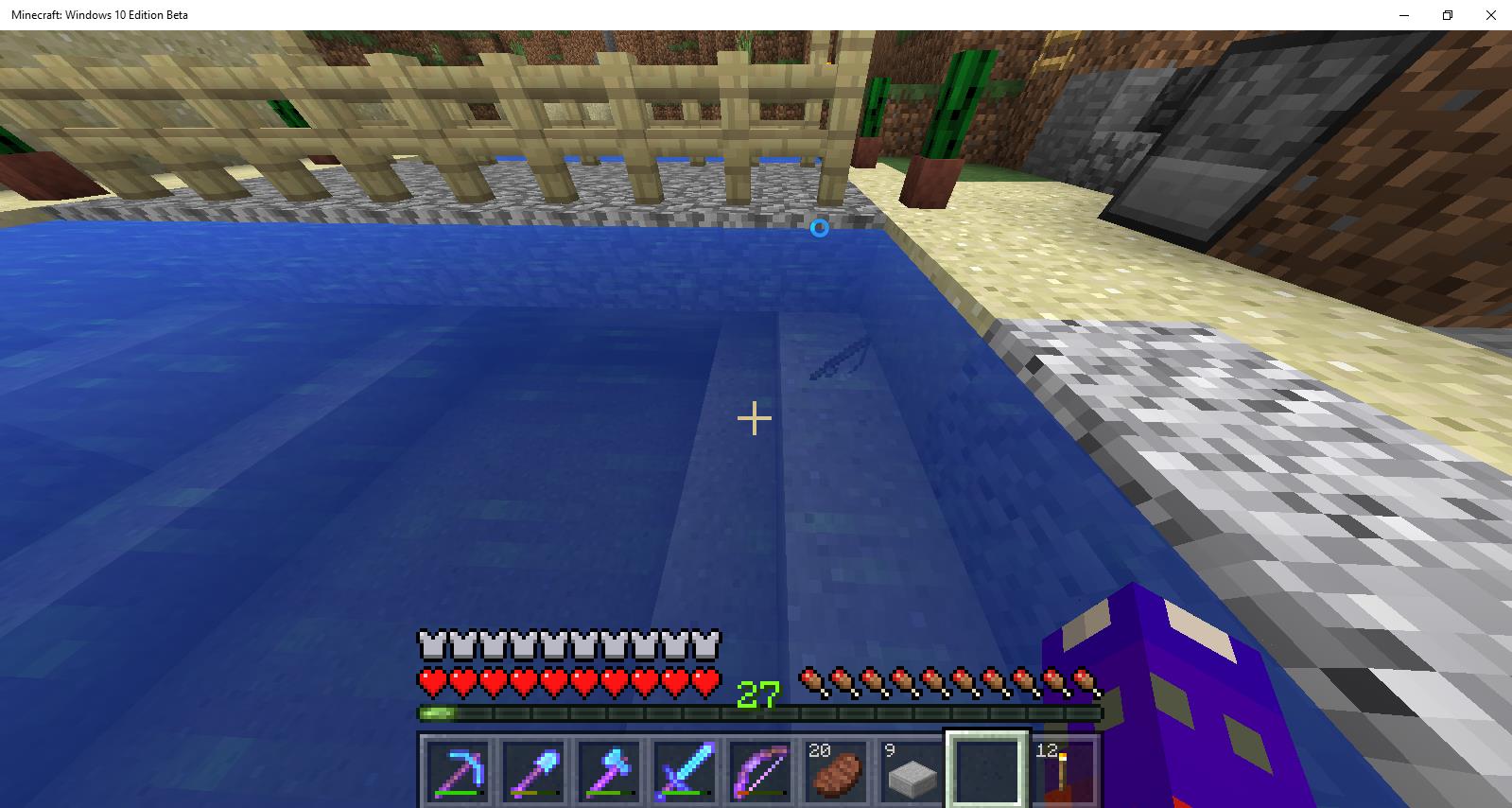


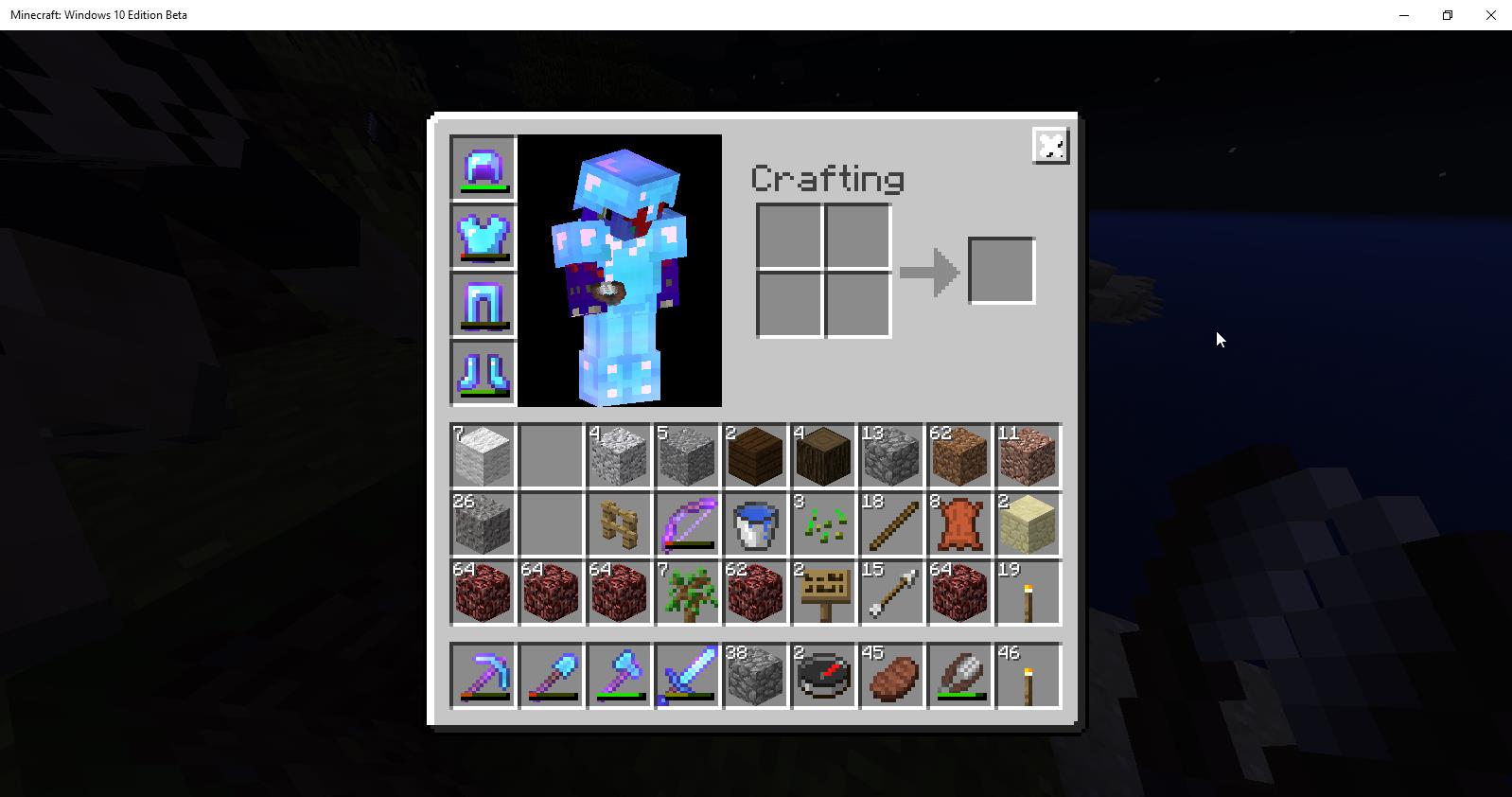







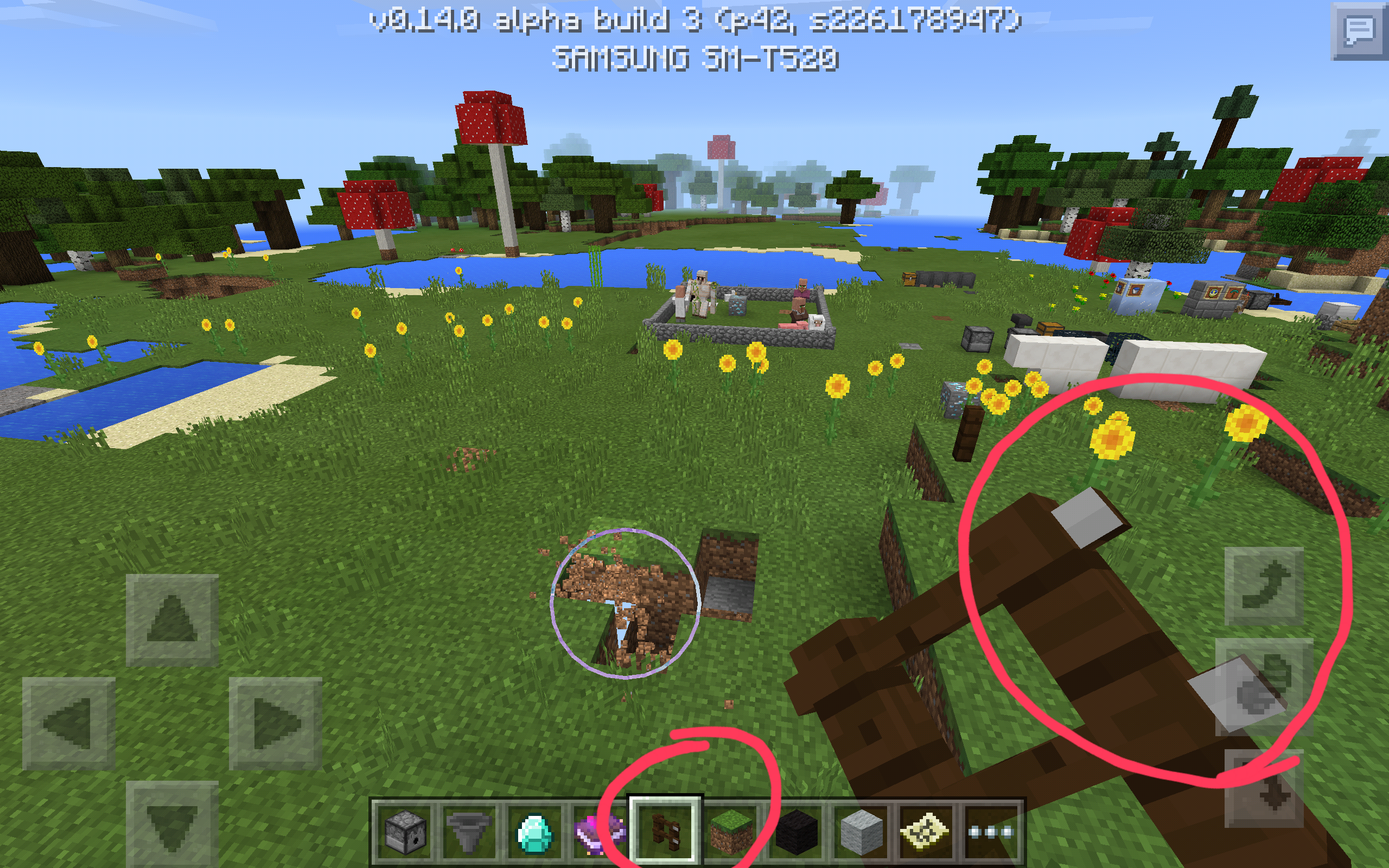


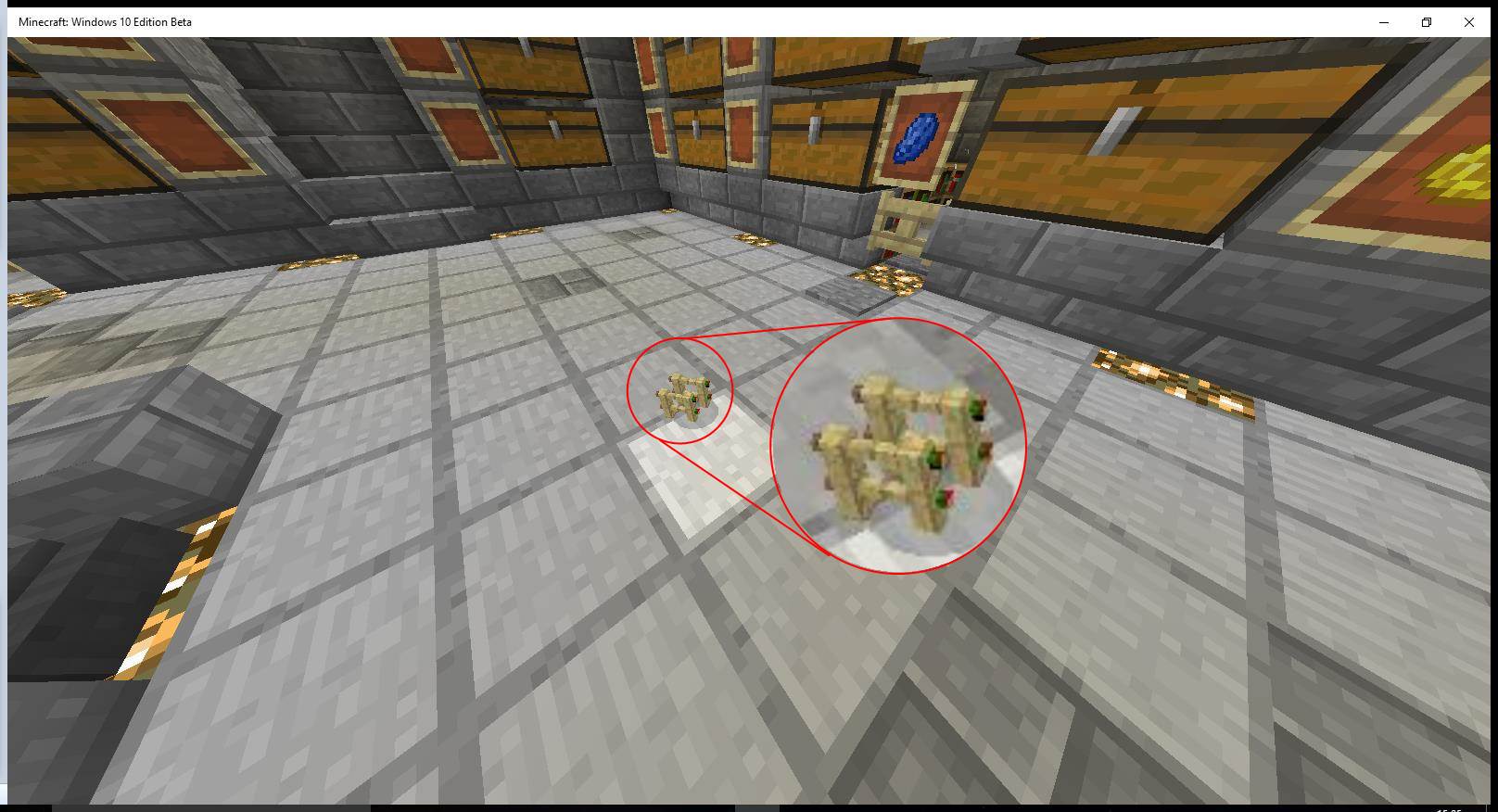


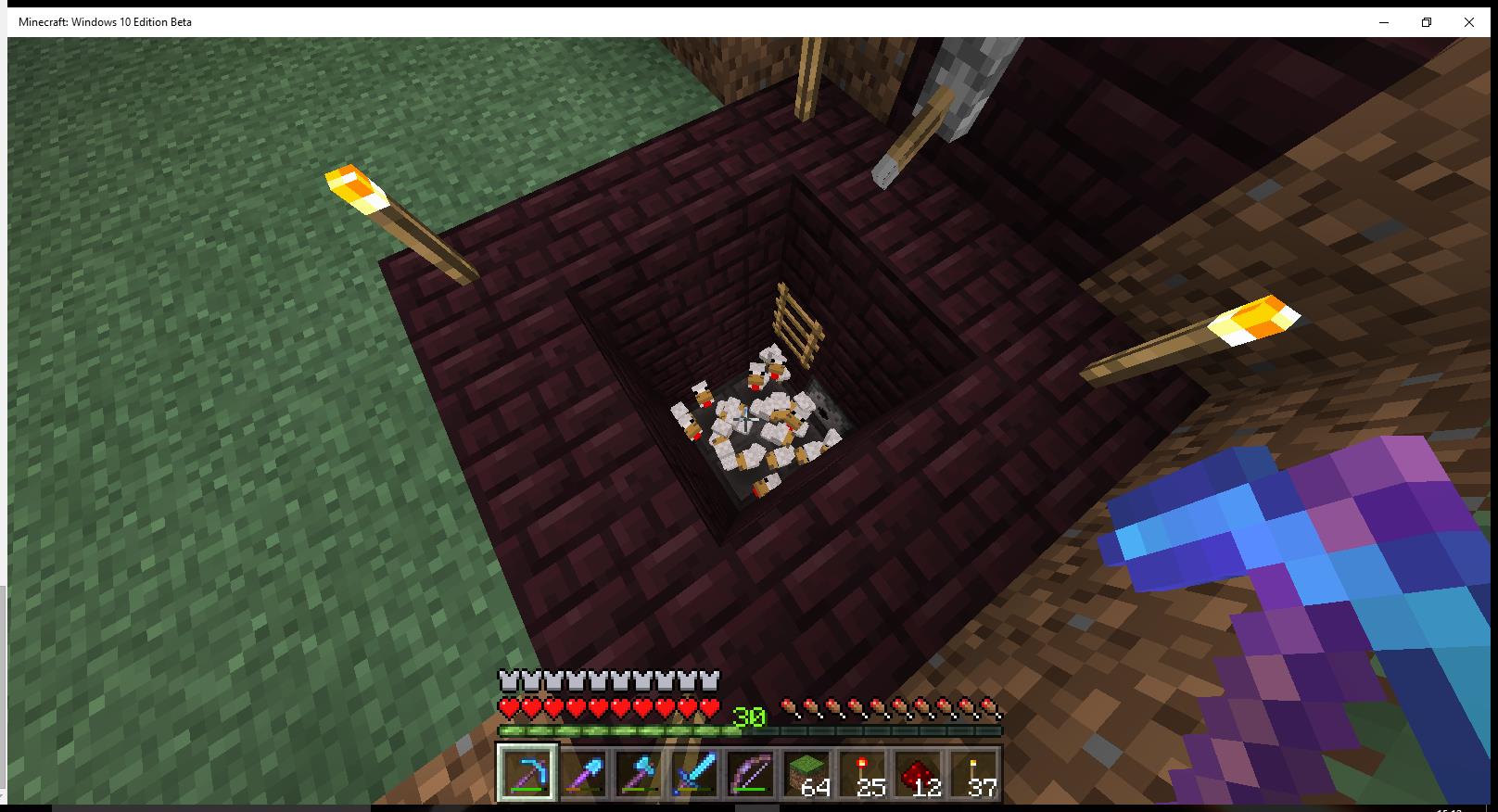


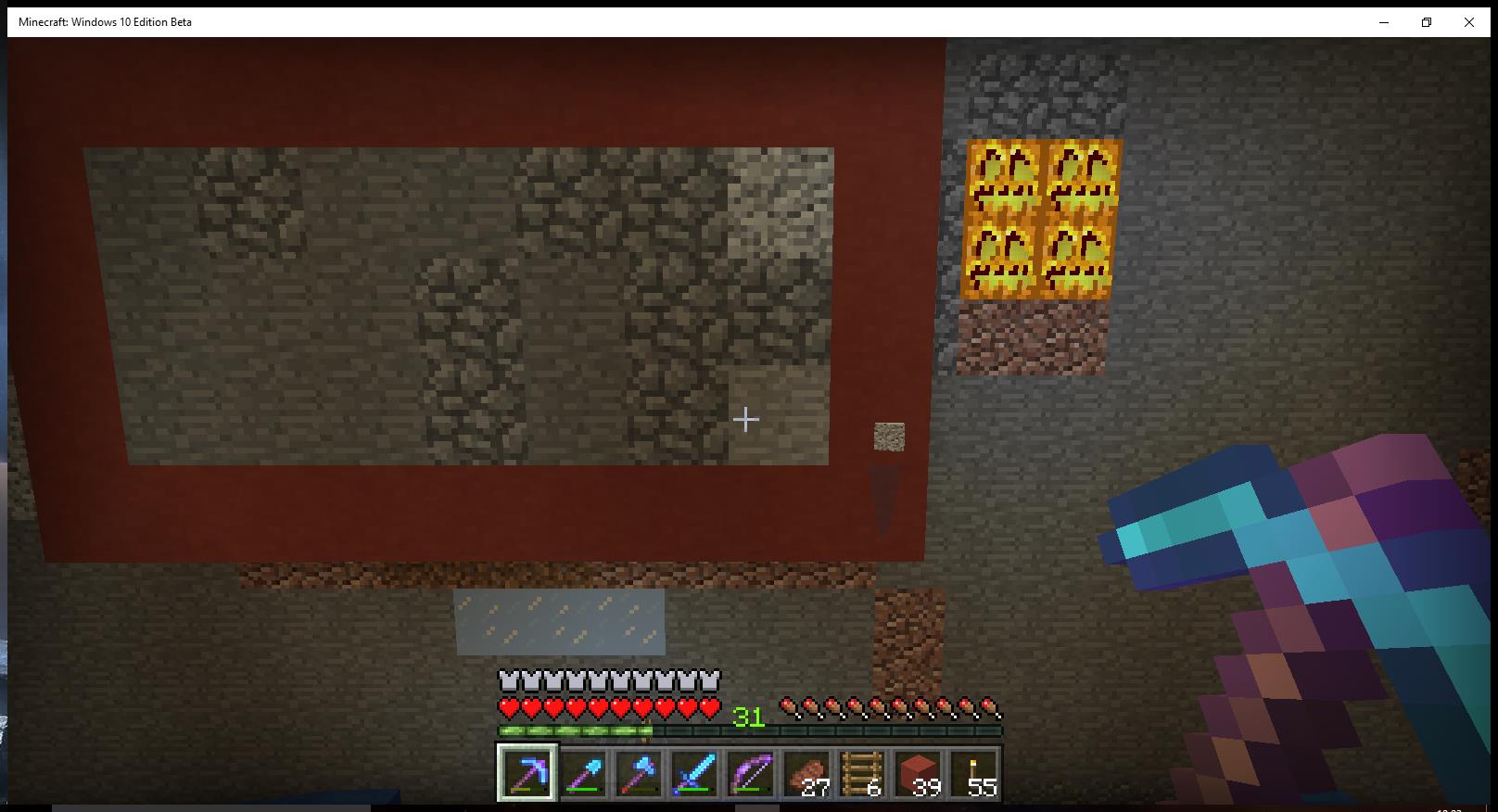

This goes for all armour wearing mobs AFAIK, I have noticed this on Win 10 PC edition 0.12.1
Also, the armour that gets dropped is nearly always at full durability.
Fishing line still not connected to float when FOV setting is adjusted in 0.14.2

relates to
is duplicated by
relates to
relates to
is duplicated by
is duplicated by
is duplicated by
is duplicated by
relates to
relates to
is duplicated by
is duplicated by
is duplicated by
is duplicated by
relates to
Transferring items toDispenser or DropperContainer is BuggyTransferring items to Certain Containers is Buggy
Tested on Samsung TabPro SM-T520 in Creative mode
When transferring a stack of items to a Hopper, dropper or dispenser, the items don't reliably move to the container.
Examples
- If trying to transfer half a stack of arrows to a dispenser, when you release halfway through holding the item, the progress bar continues animating until fully green, but nothing actually moves to the container
- When holding the item to transfer a whole stack, only some of the items transfer, or none at all.
- Tapping a stack will transfer one item, but double tapping will fill the transfer bar, but none will move across. (the transfer bar then doesn't disappear)
- When holding a stack to transfer it, the transfer bar can move around following finger movements, and will then sit out of place (see screenshot #2)
is duplicated by
is duplicated by
relates to
is duplicated by
[Mojang] Mega_Spud (Jay Wells) Update:
In 0.16.0 on touchscreen, this seems to affect all containers including chests.Tested on Samsung TabPro SM-T520 in Creative mode
When transferring a stack of items to a Hopper, dropper or dispenser, the items don't reliably move to the container.
Examples
- If trying to transfer half a stack of arrows to a dispenser, when you release halfway through holding the item, the progress bar continues animating until fully green, but nothing actually moves to the container
- When holding the item to transfer a whole stack, only some of the items transfer, or none at all.
- Tapping a stack will transfer one item, but double tapping will fill the transfer bar, but none will move across. (the transfer bar then doesn't disappear)
- When holding a stack to transfer it, the transfer bar can move around following finger movements, and will then sit out of place (see screenshot #2)
is duplicated by
is duplicated by
is duplicated by
This bug appears to be fixed for 0.14.0 Beta build 1
Screenshot_2016-01-27-12-53-08.png
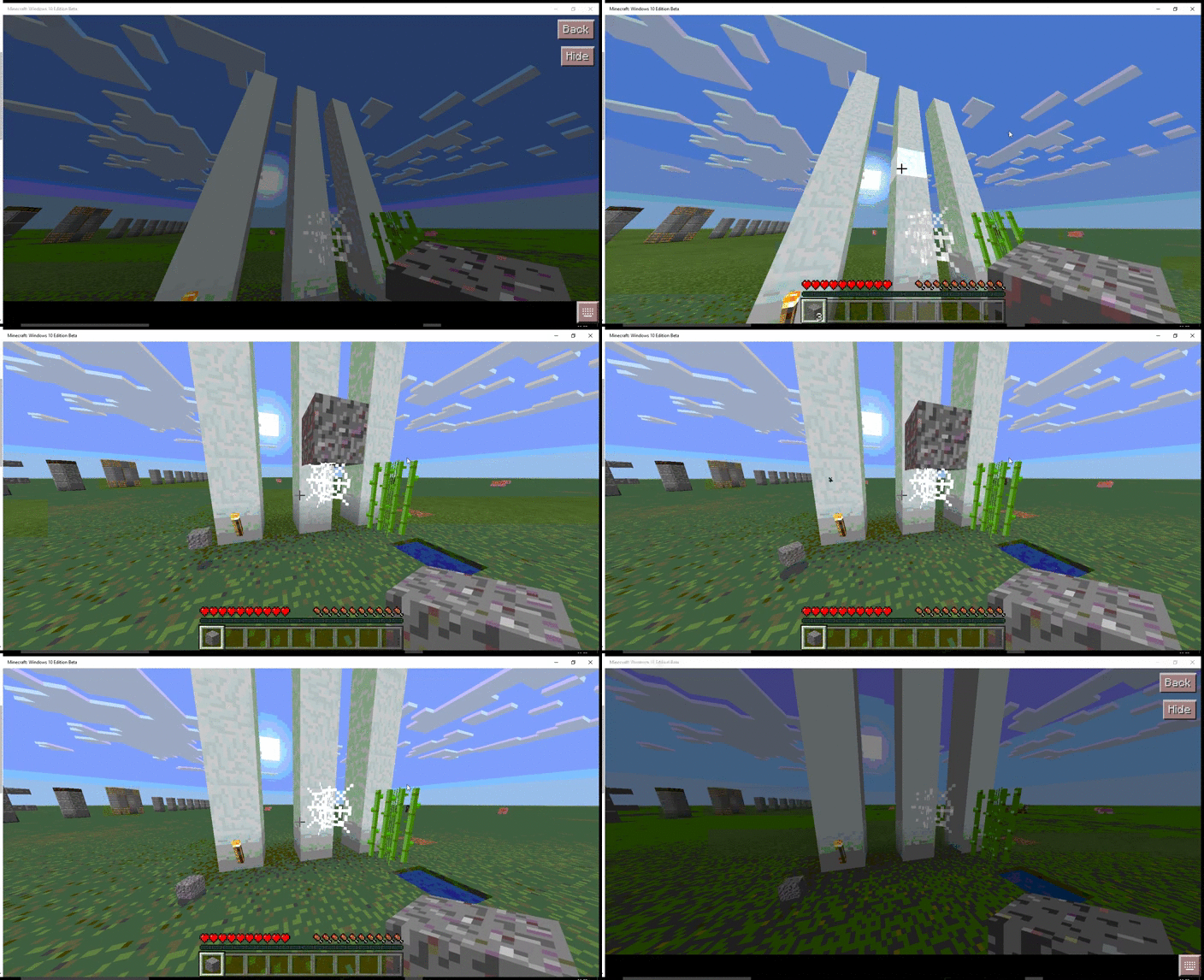
When gravel falls onto a cobweb, it slowly falls through, and then disappears, rather than dropping as a collectible item.
Small video clip attached, showing how gravels falls and drops as item on torch, but not on cobweb. (low quality, but should suffice)
Possibly related to
MCPE-1682, but that was such an old bug and didn't mention Cobwebs.Edit: Added animated gif to view without download.
Falling Gravel DisappearsWhenitFallson Cobweb blockFalling Gravel (+ Others) Disappear When Fall on Cobweb block
When gravel falls onto a cobweb, it slowly falls through, and then disappears, rather than dropping as a collectible item.
Small video clip attached, showing how gravels falls and drops as item on torch, but not on cobweb. (low quality, but should suffice)
Possibly related to
MCPE-1682, but that was such an old bug and didn't mention Cobwebs.Edit: Added animated gif to view without download.
When gravel falls onto a cobweb, it slowly falls through, and then disappears, rather than dropping as a collectible item.
Small video clip attached, showing how gravels falls and drops as item on torch, but not on cobweb. (low quality, but should suffice)
Also affects:
- Red Sand
- Anvil
- Sand
Possibly related to
MCPE-1682, but that was such an old bug and didn't mention Cobwebs.Edit: Added animated gif to view without download. Added affected blocks that fall.
Falling Gravel (+ Others) Disappear When They Fall on Cobweb block
When gravel falls onto a cobweb, it slowly falls through, and then disappears, rather than dropping as a collectible item.
Small video clip attached, showing how gravels falls and drops as item on torch, but not on cobweb. (low quality, but should suffice)
Also affects:
- Red Sand
- Anvil
- Sand
- Top Snow
Possibly related to
MCPE-1682, but that was such an old bug and didn't mention Cobwebs.Edit: Added animated gif to view without download. Added affected blocks that fall.
relates to
is duplicated by
relates to
https://twitter.com/_tomcc/status/693435735345610753
Tommaso Checchi @_tomcc 22m22 minutes ago
We've released 0.13.1 again to revert the broken 0.13.2 update, please get that to stop crashing
https://twitter.com/_tomcc/status/693435735345610753
Tommaso Checchi @_tomcc 22m22 minutes ago
We've released 0.13.1 again to revert the broken 0.13.2 update, please get that to stop crashing
https://twitter.com/_tomcc/status/693435735345610753
Tommaso Checchi @_tomcc 22m22 minutes ago
We've released 0.13.1 again to revert the broken 0.13.2 update, please get that to stop crashing
I was expecting that fast clicking the
mousewould be faster than simply holding the mouse button down.For example, using a mob grinder, I would usually be able to fast click the mouse and make more hits per second, as opposed to holding it (on pc java version)
However on MCPE it doesn't matter whether I hold the
attackbutton or press it quickly, it still hits at the same rate, roughly once per second.
(same if I hold or rapidly press X on keyboard)I was expecting that fast clicking the Left mouse button (attack) would be faster than simply holding the mouse button down.
For example, using a mob grinder, I would usually be able to fast click the mouse and make more hits per second, as opposed to holding it (on pc java version)
However on MCPE it doesn't matter whether I hold the Left mouse button or press it quickly, it still hits at the same rate, roughly once per second. (same if I hold or rapidly press X on keyboard)
Using the Right mouse button works correctly. It allows you to place blocks or use bonemeal as fast as you possibly can.
relates to
relates to
relates to
Affecting version 0.13.1 - (Wouldn't let me choose that option)
This is happening fairly often now, I'll describe it as best as I can:When other's join my PC via LAN/WiFi, there will occasionally be a stall then a crash, usually when someone is using a chest, or going through a portal. When I reload the game and map, a lot of progress has been rolled back, including inventory items, buildings etc, but not usually XP. Oddly not everything gets rolled back to a set point, but most things do. It's as if the game only autosaves a certain amount of data.
One small workaround I have found is to periodically get everyone to leave the LAN, then I exit the map and restart it; this seems to force a 'save'. It's not really acceptable though, as it should be autosaving much more reliably without any intervention.
TL;DR-
1: Game randomly crashes when using chests or using portal.
2: Map is rolled back, making items and building work disappear.This is happening fairly often now, I'll describe it as best as I can:
When other's join my PC via LAN/WiFi, there will occasionally be a stall then a crash, usually when someone is using a chest, or going through a portal. When I reload the game and map, a lot of progress has been rolled back, including inventory items, buildings etc, but not usually XP. Oddly not everything gets rolled back to a set point, but most things do. It's as if the game only autosaves a certain amount of data.
One small workaround I have found is to periodically get everyone to leave the LAN, then I exit the map and restart it; this seems to force a 'save'. It's not really acceptable though, as it should be autosaving much more reliably without any intervention.
TL;DR-
1: Game randomly crashes when using chests or using portal.
2: Map is rolled back, making items and building work disappear.
This is happening fairly often now, I'll describe it as best as I can:When other's join my PC via LAN/WiFi, there will occasionally be a stall then a crash, usually when someone is using a chest, or going through a portal. When I reload the game and map, a lot of progress has been rolled back, including inventory items, buildings etc, but not usually XP. Oddly not everything gets rolled back to a set point, but most things do. It's as if the game only autosaves a certain amount of data.
One small workaround I have found is to periodically get everyone to leave the LAN, then I exit the map and restart it; this seems to force a 'save'. It's not really acceptable though, as it should be autosaving much more reliably without any intervention.
TL;DR-
1: Game randomly crashes when using chests or using portal.
2: Map is rolled back, making items and building work disappear.Intermittently the game will crash and close, causing a rollback of blocks placed/broken, as well as items going missing from the survival inventory.
This is happening fairly often now, I'll describe it as best as I can:
When other's join my PC via LAN/WiFi, there will occasionally be a stall then a crash, usually when someone is using a chest, or going through a portal. When I reload the game and map, a lot of progress has been rolled back, including inventory items, buildings etc, but not usually XP. Oddly not everything gets rolled back to a set point, but most things do. It's as if the game only autosaves a certain amount of data.
One small workaround I have found is to periodically get everyone to leave the LAN, then I exit the map and restart it; this seems to force a 'save'. It's not really acceptable though, as it should be autosaving much more reliably without any intervention.
TL;DR-
1: Game randomly crashes when using chests or using portal.
2: Map is rolled back, making items and building work disappear.
Intermittently the game will crash and close, causing a rollback of blocks placed/broken, as well as items going missing from
the survival inventory.This is happening fairly often now, I'll describe it as best as I can:
When other's join my PC via LAN/WiFi, there will occasionally be a stall then a crash, usually when someone is using a chest, or going through a portal. When I reload the game and map, a lot of progress has been rolled back, including inventory items, buildings etc, but not usually XP. Oddly not everything gets rolled back to a set point, but most things do. It's as if the game only autosaves a certain amount of data.
One small workaround I have found is to periodically get everyone to leave the LAN, then I exit the map and restart it; this seems to force a 'save'. It's not really acceptable though, as it should be autosaving much more reliably without any intervention.
TL;DR-
1: Game randomly crasheswhen using chests or using portal.
2: Map is rolled back, making items and building work disappear.Intermittently the game will crash and close, causing a rollback of blocks placed/broken, as well as items going missing from my inventory. It's difficult to reproduce reliably, but happens fairly often, and at times a couple of hours worth of changes can roll back. It also affects creative maps.
One example of this happening:
When other's join my PC via LAN/WiFi, there will occasionally be a stall then a crash, usually when someone is using a chest, or going through a portal. When I reload the game and map, a lot of progress has been rolled back, including inventory items, buildings etc, but not usually XP. Oddly not everything gets rolled back to a set point, but most things do. It's as if the game only autosaves a certain amount of data.One small workaround I have found is to periodically get everyone to leave the LAN, then I exit the map and restart it; this seems to force a 'save'. It's not really acceptable though, as it should be autosaving much more reliably without any intervention.
TL;DR-
1: Game randomly crashes for no apparent reason.
2: Map is rolled back, making items and building work disappear.
is duplicated by
is duplicated by
is duplicated by
relates to
 REALMS-101
is duplicated by
is duplicated by
is duplicated by
relates to
is duplicated by
is duplicated by
is duplicated by
is duplicated by
is duplicated by
is duplicated by
is duplicated by
relates to
relates to
relates to
is duplicated by
relates to
is duplicated by
relates to
is duplicated by
is duplicated by
is duplicated by
is duplicated by
is duplicated by
is duplicated by
is duplicated by
is duplicated by
is duplicated by
is duplicated by
is duplicated by
is duplicated by
is duplicated by
is duplicated by
relates to
relates to
is duplicated by
relates to
is duplicated by
is duplicated by
relates to
is duplicated by
is duplicated by
relates to
By your comments, do you mean that there are servers supported by you? If so, where can we find them?
is duplicated by
is duplicated by
is duplicated by
relates to
is duplicated by

iyuri kenzo gella Achievements are in the Windows 10 edition of MCPE.
I've had this a couple of times now, and I don't think it's a duplicate of
MCPE-2453, as this bug I can add items to a furnace, but it won't actually process the items I place inside.I was trying to smelt sand into glass, and I set up a hopper feed system. Once this happens, none of the furnaces operate, even the ones not connected to hoppers, and even after a reload of a map.
See screenshot to see that the correct items are in the furnce ui, but there is nothing else happening.
The only way to get the furnaces to operate correctly again is to exit the game completely, then restart it.
Reopening.
In 1.0.0 Angry pigmen don't move any faster than neutral pigmen. You can outpace them by walking backwards.
I could not craft stone steps, but, as in the screenshots, I can craft stone slabs from diorite, andesite and granite (or from any combination of diorite, andesite, granite or cobblestone when using the MATTIS crafting system). On win10 (using the PC crafting system) stone slabs can be crafted from any combinations of these materials except for cobblestone. Strange.
Addition by [Mojang] Mega_Spud (Jay Wells)
These can also be used to craft repeaters and comparators as well as stone slabs using the Windows 10 PC crafting system, which creates an inconsistency between versions (See ticket MCPE-25191 for this issue).
original report follows
as everyone knows,diorite can't be made into a stone steps,but I let a diorite to it ,not only in Build 7,but also in Build 8
The Device of me is RED MI 1s
备注,当时是我的一个朋友告诉我的并给我截图,我本人并没有遇见。同时感谢各位的认真负责,以及在语法上的修正,谢谢。希望能被修复吧!
Update by [Mojang] Mega_Spud (Jay Wells):
Summary:
The grass in the roofed forest biome is too light, when compared to how it should be (in the Java edition)
Steps to Reproduce:
- Compare the grass colour in a roofed forest biome in Bedrock and Java edition
Observed Results:
The grass is much lighter in the Bedrock edition.
Expected Results:
It should be darker, as it is in the Java edition.
Screenshots/Videos attached: Yes
Notes: Seed for testing 1524356562
Original Description:
Roofed Forest's biome grass is too lightly colored.
Update for 1.2.0.22 by [Mojang] Mega_Spud (Jay Wells):
Although there have been some changes to the way dropped items behave in the 1.2 beta, they can still get stuck inside transparent blocks. Video showing the issue: https://youtu.be/prjuNIXbgZ0
Edit by [Mojang] Mega_Spud (Jay Wells):
Verification builds:
1.1.0.9 Retail
1.0.8.1 Retail
Summary:
Dropped items can become stuck inside transparent blocks, instead of being pushed out to the next available space. Under certain circumstances these cannot be picked up by the player until the transparent blocks are broken (eg. Stairs).
(See screenshots)
Steps to Reproduce Example 1: (See example video: https://youtu.be/sfjmxf_pp6s)
- Create a 3x2x3 cube of glass blocks, with a hollow tube in the middle
- Drop items into the tube in the middle
- Fill the tube with glass
Observed Results:
The items move up and then back down into the glass block at the bottom.
Expected Results:
The dropped items should move up to the top of the glass.

Steps to Reproduce - Example 2: (See example video: https://youtu.be/m9-k5ggk2rg)
- Make a 2x2 hole in the ground
- Drop items into the hole
- Place slabs or stairs in the hole
Observed Results:
The items simply stay stuck inside the slabs or stairs
Expected Results:
The dropped items should move up or out to the next available gap.
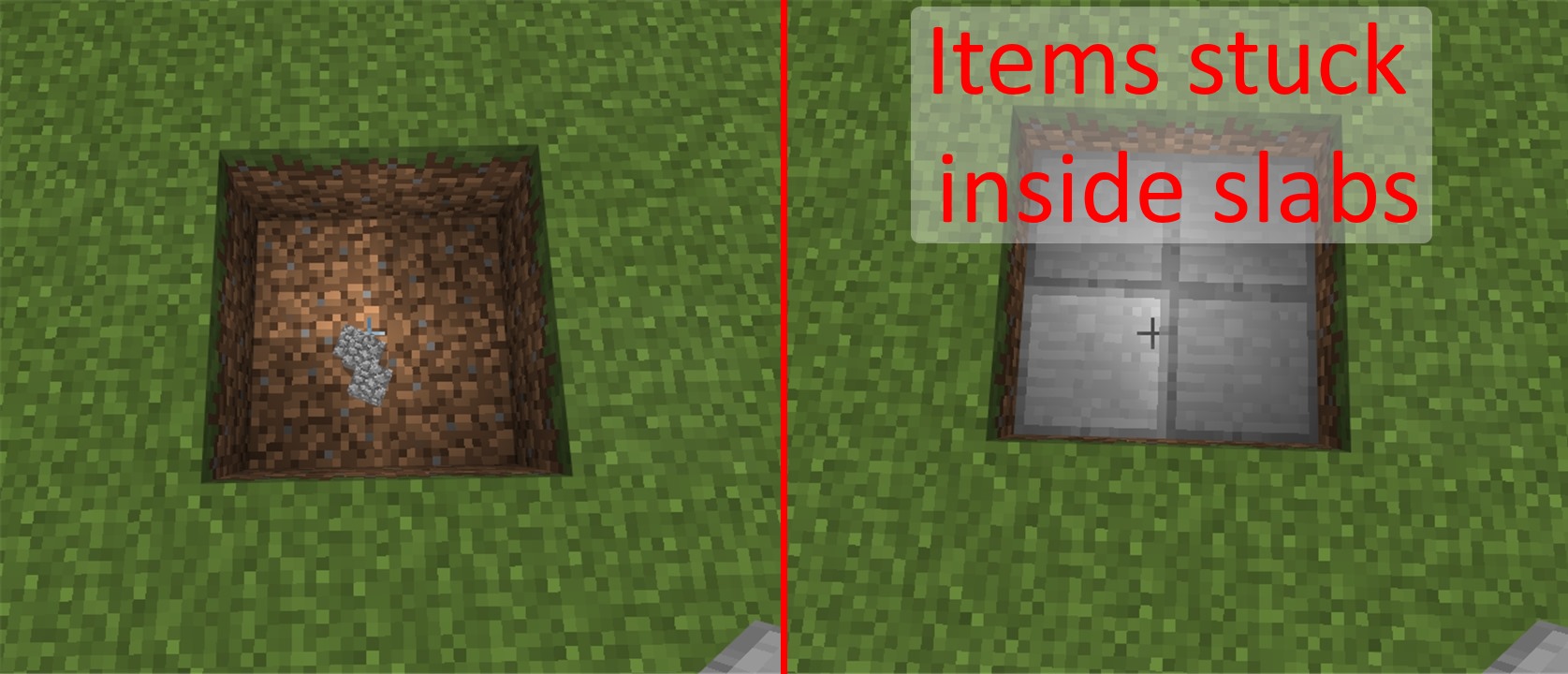
Screenshots/Videos attached: Yes
Notes:
Original Description:
When I put transparent blocks on dropped items, the items disappeared.

The player will start jump (auto jump on) when walking to the bottom slab then walk to top slab with carpet above it, and when the auto jump option turned off you can not step up to the block. On PC Edition, or other platforms you can walk to it normally like step up from slab to slab.
Edit by [Mojang] Mega_Spud (Jay Wells)
As of 1.0.0.0 Auto jump is still triggered when walking up onto a full block + carpet from a half slab (bug)
[Mojang] Mega_Spud (Jay Wells), Minecraft Wiki is not an official minecraft source.
[Mojang] Mega_Spud (Jay Wells) Update:
In 0.16.0 on touchscreen, this seems to affect all containers including chests.
Tested on Samsung TabPro SM-T520 in Creative mode
When transferring a stack of items to a Hopper, dropper or dispenser, the items don't reliably move to the container.
Examples
- If trying to transfer half a stack of arrows to a dispenser, when you release halfway through holding the item, the progress bar continues animating until fully green, but nothing actually moves to the container
- When holding the item to transfer a whole stack, only some of the items transfer, or none at all.
- Tapping a stack will transfer one item, but double tapping will fill the transfer bar, but none will move across. (the transfer bar then doesn't disappear)
- When holding a stack to transfer it, the transfer bar can move around following finger movements, and will then sit out of place (see screenshot #2)
[Mojang] Mega_Spud (Jay Wells), but when put the water back it will turn into regular water, i think they should make the colored water can not be taken away.
Resolved. Thank you, @[Mojang] Mega_Spud (Jay Wells).
Update by [Mojang] Mega_Spud (Jay Wells):
As of 1.1.0.0, the following issues are present:
- Jack o'Lanterns should be ejected/dropped from a dispenser
- Dispensers will place Jack o'Lanterns on snow/iron blocks to spawn golems (possible intended PE feature)
See this comment for an updated comparison between PE and Java
Original Description:
Pumpkins, jack o lanterns and wither skulls don't drop when dispensed in a dispenser.
LG G2 Lite
I play in my world and build. Perfect. And then it starts to thunder. After a while I quit the world (by the button "Quit to Title"). After I reopened the world, and the weather is reset to clear day and after 2 seconds it started to rain instead of thunder.
edit by [Mojang] Mega_Spud (Jay Wells)
Steps to Reproduce:
- Start a thunderstorm (/weather thunder)
- Observe thunder and lightning storm
- Exit World, and re-enter again
- Notice the weather will just be rain, and no longer a thunder storm

Thanks [Mojang] Mega_Spud (Jay Wells) serves me right for not playing PC.
![[Mojang] MissMarzenia (Aleksandra Zajac)](../../../data/assets/gravatar/missmarzenia.png)
[Mojang] Mega_Spud (Jay Wells) This is in fact a bug.
[Mojang] Mega_Spud (Jay Wells) that makes it a clone. Clones are even worse than duplicates... they are the spam of the Jira of Mojang.
Update by [Mojang] Mega_Spud (Jay Wells)
Partially Fixed in 1.1.0.0 - Wooden Slabs (all variants) still affected though.
Slabs of the same kind can't be stacked unless they are placed directly against the other half slab.
The gap should be able to be filled no matter where the cursor is pointing, to make the 2 half slabs a solid block.
In other words, it should detect that you are trying to make a double slab.
Difficult to describe, hopefully the image will explain it better than I can 
If you put an item in a dropper and drop it, it will act as if it was dropped by a player, which means there will be a delay between the moment the item is shot and the moment it becomes possible to get it.
Steps to reproduce :
-Place an item in a dropper
-Power the dropper
-Pick up the item.
Addition by [Mojang] Mega_Spud (Jay Wells): Added comparison video: https://youtu.be/xyYD5DjwcPI

[Mojang] Mega_Spud (Jay Wells) The block was programmed into the game as a half slab with an extra piece connected to it unlike the PC version where it was a full block. It's hard to say if that is a bug or not but will reopen for further input.
[Mojang] Mega_Spud (Jay Wells) has the right of it, we have no idea what is meant by "Ender Temple" in this ticket.
I (likely incorrectly) presumed End Cities, which are not in MCPE. Strongholds were added in 0.9.0. However, as kaleb418 said, the chunks you are in must have been generated in 0.9.0 or after for there to be any chance they will generate a stronghold. Even still, there is only a chance that a stronghold will generate beneath a village. Not all villages have strongholds under them. PHO is also right that even if you do have a stronghold, it is not guaranteed to be connected to a portal room.
Finally, we have been observing more differences in generation of the same seed in 0.14.2, but they are usually minor.
Long story short, please revise the description to provide more detail or submit a new report if we're all way off.
Sorry [Mojang] Mega_Spud (Jay Wells), I cannot reproduce on 0.14.3 survival or creative single player on the following devices:
- Samsung Galaxy S6 (SM-G920W8), Android 5.1.1
- Asus B121 Tablet touch & pen enabled, Win10 Pro (64-bit) v1511 b10586.318 (bluetooth keyboard)
- Apple iPad3 (MC705C/A) iOS 9.3.1 (13E238)
To test, I created a new survival world, built a crafting table, then 3 signs. Placed a sign and typed some text (no formatting used, sometimes one line some times 2). I broke that sign, placed another and tried typing it worked fine. Next I found a cow, made an item frame, placed and broke it, placed a sign and I could again type fine.
Can you reproduce consistently in a new world? If so, we're missing some conditions for this bug.
[Mojang] Mega_Spud (Jay Wells) Sorry feel free to re-edit it. I thought I found an easier way to reproduce the problem.

This issue is incomplete. Please provide a screenshot and steps to reproduce the lighting error you found. And as [Mojang] Mega_Spud (Jay Wells) said, it is very hard to understand what you are really saying. Consider using something like Google Translate.
[Mojang] Mega_Spud (Jay Wells) I'll just count the invalid report as a duplicate of this. This report being chosen instead because it has a better description. The invalid report didn't follow the guidelines. 
[Mojang] Mega_Spud (Jay Wells) It appears they've adjusted the lighting to be more pinkish, I think it's a feature, but I agree the contrast between the darker block looks like a mistake.
[Mojang] Mega_Spud (Jay Wells) I think you're right.
[Mojang] Mega_Spud (Jay Wells), what's so wrong with the current title?
Got it. Changed the title in accordance with [Mojang] Mega_Spud (Jay Wells)'s suggestion.
As [Mojang] Mega_Spud (Jay Wells) said. But also, try pressing the TAB or ESC key and see if you can type again. That's a temporary fix for MCPE-14417.
Thanks [Mojang] Mega_Spud (Jay Wells). So this is WAI.
Great. Thank you very much [Mojang] Mega_Spud (Jay Wells) for your inspection. Closed as "Works As Intended".
Update by [Mojang] Mega_Spud (Jay Wells):
Summary:
When disconnected from a server (LAN, for example), you can continue to hear sounds from the world, even though you are disconnected from it.
Steps to reproduce when playing over LAN:
- Join LAN map as a client
- Stand near enough to a nether portal to hear the sound it makes
- Get the LAN host to quit the map
Observed Results:
Notice during the Disconnected From Server screen that you can hear the nether portal sound continuing to loop plus any nearby mob sounds
Expected Results:
Any sounds should stop.
Screenshots/Videos attached: Yes
Notes:
Original Description:
Disconnect from a multiplayer world due to timeout
"Disconnected from server"-Screen plays sounds.
[Mojang] Mega_Spud (Jay Wells) Yeah I was using a spawn egg to test this, they weren't naturally spawned.
When killed by a Wither Skeleton, a Husk, or a Stray, their names in the death message is broken.
How to Reproduce:
Get killed by the mentioned mobs above.
(Title updated by [Mojang] Mega_Spud (Jay Wells)
I play MCPE on Just5 Blaster. So about the bug. When youre next to button its shows when youre in stone block and you suffoticate*.
*Cant spell that word sorry.
Update:
- According to private issue MCPE-14909, it affects leaf blocks too.
- According to [Mojang] Mega_Spud (Jay Wells), it also affects pressure plates on top of a fence. See the screenshot below.
Update by [Mojang] Mega_Spud (Jay Wells):
Summary:
Interacting with a container / block entity whilst using the PE ui setting will rearrange the items in the hotbar, moving items out of the player's main inventory.
Steps to Reproduce:
1. Have some clear spaces in the hotbar
2. Open a container (furnace, tamed horse, hopper etc)
3. Notice items have moved into the gaps in the hotbar
Expected Results:
The hotbar should not be changed unless the player places items into it, or collects dropped items.
Screenshots/Videos attached: Yes
Notes:
- List of block entities
- Affects horse inventories
Original Description:
blocks back to itembar when we open horse inventory !! for more information see the screenshot.
@[Mojang] Mega_Spud (Jay Wells): there's a distinction between the two issues.
Please repair this bug. It happens when I host a world on LAN and my friend joins. We spawn horses in with creative mode then go to survival. F =host R = player that joined world. For F there are no glitches but for R whenever he gets off a horse he has a random chance to kill it. Horses randomly die for R when he gets off of them. R is not holding a sword or bow in hand neither any weapon. Nothing is shooting the horse. It just dies randomly when R gets off. Sometimes it won't die but sometimes it will. I hope you understood me and please fix this also there are many bugs for R players. Thanks already . I have no attachements sorry but it happens quite often.
Addition by [Mojang] Mega_Spud (Jay Wells)
Temporary Workaround
If the player dismounts the horse when in shallow water, the horse shouldn't take damage.
[Mojang] Mega_Spud (Jay Wells) It's a typo of minecart. Not sure how I didn't notice that the first time.
Thank you for your report. This issue was, however, submitted earlier as MCPE-14544. Please perform a search next time to make sure your bug hasn't already been reported. And as [Mojang] Mega_Spud (Jay Wells) said, bug reports are basically only accepted in English. This is because there are very few people here who speak Japanese.
(In Japanese)
報告ありがとうございます。ですがそのバグは既に MCPE-14544 で報告済です。次回からはチケットを作成する前に既存の報告が無いかどうかを検索して確認するようお願いします。また [Mojang] Mega_Spud (Jay Wells) の言った通り、バグ報告は基本的に英語でのみ受け付けています。日本語の分かる人がここには殆ど居ないからです。
[Mojang] Mega_Spud (Jay Wells) I tested this in MC PC and you are in fact able to stop a minecart regardless of how fast it's going. The tracks the minecart was moving on were not elevated.
[Mojang] Mega_Spud (Jay Wells) Strange it was happening earlier. I cannot duplicate the issue now.
I basically
- placed the ice block on grass.
- broke the ice block.
and noticed the block beneath it was removed after breaking the ice.
While on a realms world, I had a chest full of items and when I broke it, nothing dropped out.
[Mojang] Mega_Spud (Jay Wells): This Also Affects other containers, such as furnaces and mine cart chests etc.
[Mojang] Mega_Spud (Jay Wells) I just provided steps to reproduce if that helps.
When I join my realm villagers will be lined up in a row outside of the house, or all my dogs will be out of their dog house. And the villagers will be glitched in the ground moving back & forth making a loud noise. My dogs will not stop making the noise of shaking off the rain.* Now when I got to my dog house my dogs will teleporting through the walls & be sitting on their beds where there supposed to be. But sometime not. And while they are glitched outside you can hit the villagers & dogs and they turn red but don't move it's very strange. I hope this makes sense if not I'll make a video.
*Separate issue, see REALMS-112
—
Edit by [Mojang] Mega_Spud (Jay Wells):
Steps To reproduce:
- Join a Realm or a game over LAN/XBL as a client
- Spawn ~10 villagers in a small (1x1) space
- Notice how the villagers glitch outside of the space they should be confined to
- Moving away and back again can result in copies of them them lining up in a row
A somewhat trivial bug, but a bug nonetheless. In the Windows 10 edition, fewer characters can be typed into a sign than the Android edition.
I was expecting to be able to type the same amount of characters on a sign across all platforms of the same game version.
Steps to Reproduce
- Place a sign in Win 10 edition and type 1 as many times as possible on the first line (max 14)
- Repeat the above on an Android device and notice that a maximum of 15 1's can be typed on one line
Tested on Windows 10 PC, Samsung TabPro Android 4.4.2 and Nexus 5 Android 6.0.1
Update by [Mojang] Mega_Spud (Jay Wells):
As pointed out by [MCPE Helper] Dylan K. Taylor, it also seems that in Windows 10, the number of characters is limted to the width of the sign, whereas on Android, it's dependant on the number of characters, which is 15.
![[MCPE Mod] Dr.Awesome4333](../../../data/assets/gravatar/drawesome4333.png)
Ok [Mojang] Mega_Spud (Jay Wells). I agree with Devs overruling the wiki,
Update by [Mojang] Mega_Spud (Jay Wells):
Squid spawners function only in the specific height range of y. 45 - 63.
Original description:
Hello, I've found a bug which is a bit weird.
I have a pond in my creative world with a monster spawner in it, set to produce squids with a spawn egg. However, no matter what I do, it won't spawn anything. I've tried placing it on the bottom, placing it so that it "floats" under the water (by placing it on a block first then deleting said block), putting it above water, and having only the top of it above water. I've stayed close to the spawner and checked that there were no squids in the pond. Nothing worked. My other spawners in my land animal farms work as intended, so why can't my squid spawner work?
The blocks I tested were obsidian and grass, if that helps.
The world type is flat, or superflat.
Reproducing-
Have some blocks ready in your hotbar
Put a monster spawner in the positions I described above (in a body of water)
Get a squid spawn egg in your hotbar
Put a squid in the monster spawner
The spawner will have a spinning squid with flames in it as intended but nothing should spawn.
When you walk on an table (Pressure plate on a fence) everything you see is wood
Title and Description edited by [Mojang] Mega_Spud (Jay Wells)
You should be able to place more torches by clicking against another torch.
Steps to Reproduce:
- Place one torch
- Tap or click that torch with another
- It should have placed a second torch beside the first, but did not.
In PC/Java you can place torches in the manner described, but not in Pocket Edition.
Please see the attached files to see the differences - And take note of the crosshair position
(Yellow is PC/Java, Red is MCPE)
( Edited by [Mojang] Mega_Spud (Jay Wells) )
Original description:
When You Shift and theres a torch on fence next to another fence and click the torch no place animation happens

Regarding this comment...
I can confirm that is an issue on LG Gpad 8.3 and also Samsung TabPro SM-T520. I find it's a bit unpredictable, and may be related to the exactly where you tap on the button.
I can successfully reproduce this every time on iOS.
[Mojang] Mega_Spud (Jay Wells) That's just it, I don't see an increase in visibility when just using water breathing. I was using night vision and water breathing in combination at the time. As a correction; I have the same visibility as if I didn't have water breathing. It seamed liked I could see a little better but that was actually just the effect of the night vision. Sorry for the mix up.
[Mojang] Mega_Spud (Jay Wells) The bug here is the blackness, not that you can go through a block.
I have signs with both Cyrylic and Latin texts in my MC World. I noticed that Cyrylic characters can be seen behind blocks as seen in attached SSs. It doesn't effect MC Font characters.
Comment by [Mojang] Mega_Spud (Jay Wells):
Tested with these characters:
Минецрафт
I think he ment the entire thing. The Devs did not include these things for a reason. Info reserved 6 is not accessible through any comands.
While we may not know the reasons why, it is what the chose based on the revisions they made with these lists in 0.15.90.1/2.
If wish to have these added, you can request them at the links [Mojang] Mega_Spud (Jay Wells) posted so that it is at least out there.
Sometime the mob running/move too fast
Addition by [Mojang] Mega_Spud (Jay Wells)
It seems that mobs generated before the latest update (0.15.90.7) are affected by this, and will move at a much higher speed than normal.
Update by [Mojang] Adrian Östergård
This bug has been reported to our internal bug tracker for further testing and a fix. It is scheduled to be fixed in one of the future updates (no specific date can be provided).
Please avoid duplicate comments. Post only NEW information regarding this bug.
When i summon the Elder Guardian and it attack me sound was glitched and game crash.
Update by [Mojang] Mega_Spud (Jay Wells)
This is in fact is a Guardian attack sound bug.
Steps to Reproduce:
- (This can be reproduced in a flat world in creative)
- Spawn many squid on the ground
- Spawn at least one Guardian nearby
- Observe the loud sound played when the guardian attacks
- Your device will crash and the sound does not stop until you force shut down the device
![[MCPE Helper] Aspergerian](../../../data/avatars/users/64928.png)
Ghasts, Blazes and Wither Skeletons all take fire / lava damage since the 0.15.90.7 update. The changelog stated "Nether mobs no longer lose fire resistance" which I think was a fix for MCPE-12467, but has left the mobs stated in the title with no resistance to fire and lava.
When flying too low towards the lava lakes or very close towards lava falls, the Ghasts make hurt sounds and turn orange/red as if on fire and eventually die.
Title and description updated by [Mojang] Mega_Spud (Jay Wells)
in survival mode to die played back with your experience and be was with armor she also back .not are losing the armor to die nor experience
Addition by [Mojang] Mega_Spud (Jay Wells):
When you die in survival mode, you do not lose your experience points or armour.
Steps to Reproduce
- Gain xp and equip armour
- Make sure you are in survival (/gamemode 0)
- Die (/kill)
- Observe that when you respawn, some xp remains and you are still wearing armour
Tested on Samsung TabPro SM-T520 on Android 4.4.2
Update:
As of 1.0.0.0 the player will lose armour and most xp upon death, but it seems that the player will always respawn with 2xp levels.
- Gain xp in survival (eg /xp 500L @a)
- Use the command /kill @p
- Notice the xp level when you respawn
Mobs getting spawned over and over. Friendly as well as hostile.
Update by [Mojang] Mega_Spud (Jay Wells):
It seems plausible that the mob cap is being ignored.
I tested an area with mob spawners and they continued producing new mobs even though there were many in the immediate vicinity.
According to the wiki:
If, at the time of spawning, 6 or more mobs of the spawner's type are present within a 9×9×9 area, centered on the spawner block, the spawner "poofs" without creating any mobs and then waits for the next cycle.
Screenshot:

DEVICE: Samsung Galaxy Tab A
When you apply the Flame enchantment to a bow, mobs don't get lit on fire when you shoot them with it. (Other enchantments may also not be working)
Update by [Mojang] Mega_Spud (Jay Wells)
Bows seem unaffected by
- Power
- Punch
- Flame
Infinity does work however
When playing in survival, the armor slots underneath the health bar has a gap between both of them.
Update by [Mojang] Mega_Spud (Jay Wells)
This also affects the other GUI elements on screen such as Horse health and absorption affect hearts.
(Worth mentioning that it's also affected in creative as well. When riding a rideable mob, their health is displayed lower than where it's supposed to be).
The release notes state that there is basic F3 support in the Windows 10 edition only. However, pressing F3 does absolutely nothing. I have tried with both a current world and generating a new world with the same results.
Addition by [Mojang] Mega_Spud (Jay Wells):
It looks like the mentioned F3 support won't be included in this update. Here's the statement from Mojang:
UPDATE: this list originally included entries for F3 support and coordinates, but these didn’t make it into this release after all. Soz.
Update by [Mojang] Mega_Spud (Jay Wells):
Steps to reproduce:
- Use /give @p stone_pickaxe 1 130
- Then /enchant @p silk_touch 1
- Then break 2 grass blocks. One will be a grass block, the final one dirt
Update by: [~576874]: A rewritten description
What I expected to happen was:
When I mine stone with a silk touch pick (with 1 durability left), the last block it has mined the silk touch enchant affects the last block it breaks.
What actually happened was:
When I mine stone with a silk touch pick (with 1 durability left), the last block it has mined the silk touch enchant does not affect the last block it breaks.
Therefore dropping cobble instead of stone
Steps to Reproduce:
1. Place down 33 stone blocks
2. Enchant a gold pick with silk touch
3. Break those 33 stone blocks. Notice that the 33rd block drops as cobble instead of stone
Device NVIDIA Shield Tablet K1
Confirmation Video Clip: https://youtu.be/p7F68DsHKl8
The bobber casts, but the hook is still attached to the fishing rod. There is no fishing line, and no sound effect when you've caught a fish.
What I expected to happen was:
When I right click to fish, there is a casting sound effect, the hook detaches from the fishing-rod, and a bobber appears in the water. When a fish is "hooked" there is a sound effect alerting me to right click to catch it.
What actually happened was:
I right click to fish, hear 2 casting sounds, and a bobber appears in the water without a fishing line. When I see the bubbles get closer to the bobber, the bobber doesn't move, and nothing else happens. If I right click at just the right time, I can catch a fish.
Steps to reproduce:
1. Right click with fishing-rod toward water to cast it.
2. Observe no line attached to bobber and hook still attached to rod.
Addition by [Mojang] Mega_Spud (Jay Wells)
The problem affects connected clients playing a multiplayer game including LAN games, not just realms.
Used description from duplicate ticket REALMS-190

Still affects 0.16.1. (Tested in Windows 10.) You can right-click a wall with a lead to attach the lead to it.
EDIT: Just tested, and it seems to also still affect MCPE, as of 0.17.0.1. [Mojang] Mega_Spud (Jay Wells), are you sure you tested this right?
Having fancy graphics on will fix the bug thanks to Mega_Spud for telling me. I was going to remove the addition but credit is a thing so...
Addition by [Mojang] Mega_Spud (Jay Wells)
This is a known issue that occurs when Fancy Graphics are Off
EDIT: : In 1.0.0.0(build3) the issue is fixed or at least for me.
Steps To Reproduce
0. Turn off fancy graphics if enabled.
1. Do /locate stronghold
2. Find End Portal.
3. Place all but one Ender Eye.
4. Place final one and ta-da. "Unfortunately Minecraft PE has crashed."
For now, the fix is to enable Fancy Graphics which could be a somewhat disappointing bug for slower devices.
1. Open Settings > Video
2. Check "Fancy Graphics"
3. Do Step of 1 of Steps To Reproduce
Also as mentioned by Yanbar
If you stand inside of the portal while putting in the eyes of ender.
You will go the End just like normal  ! Which I can imagine REALLY helps slower devices.
Updated Description by [Mojang] Mega_Spud (Jay Wells)
Choosing the Settings menu whilst in game results in severe lag / freeze. Even changing the volume of the device won't work until the settings menu has opened. It will usually open the settings menu eventually without crashing, though.
Steps to Reproduce:
- Press back to bring up the menu gui
- tap Settings
- Notice the delay/lag/freeze
Original Description:
The game freezes when I tap settings button while playing.
Device: DL Tablet 3405
PS: My device has an Intel Atom processor.
I have a samsung galaxy tab A
Poor Description Updated by [Mojang] Mega_Spud (Jay Wells)
End Rods should emit white particles.
In pocket edition however, they do not emit any particles.
Steps to Reproduce:
- Place an End Rod
- Notice that no particles are emitting
Please see screenshot for an example of how they should look.
(This ticket is not to be confused with MCPE-18169 which is referring to the breaking particles)
Edited by [Mojang] Mega_Spud (Jay Wells)
Using a sword with 'Looting' enchant can cause the game to crash when mobs wearing armour are dispatched quickly. (Attacking with anything without the looting enchant doesn't cause the same issue it seems)
Steps to Reproduce:
- Set game difficulty to 'hard'
- Attack several hostile mobs that are wearing armour using a Looting III sword
(Attached world save for testing)
Tested on Windows 10 edition, version 0.16.2
This will causes creative and survival worlds to crash, and will disconnect you from a realm.
Original description:
When a sword enchants with looting III and you hit any mob the game crashes by so many items that loose the mobs
Hello Mojang
Well, I'm here to report a bug that we have in version 0.17.0 / 1.0 of minecraft pocket edition, it turns out that there is no longer the option to take the wool off the sheep and I would be grateful if they could fix this error.
Thank you!
Addition by [Mojang] Mega_Spud (Jay Wells)
You cannot use shears that have anything less than 100% durability, meaning you can only use them once.
This affects:
- Shearing Sheep
- Removing a Snow Golem's Pumpkin Head
- Shearing a Mooshroom
(Updated Title)
Update by [Mojang] Mega_Spud (Jay Wells):
Steps to Reproduce (example):
- Use the command /effect @p strength 400 40
- Spawn a Ghast
- Hit Ghast, notice the hurt and death sound play together
In the Java version, just the death sound is played, not the hurt sound as well.
Video showing the issue: https://youtu.be/0gX_eQzXhwU
Original Description:
When killing any mob, their 'hurt' sound plays along with their 'death' sound, as opposed to ONLY playing the 'death' sound.
Edit by [Mojang] Mega_Spud (Jay Wells):
It appears that this issue can occur when interacting with other block entity/NPC/Mob inventories, including Villagers.
Original Description:
In my survival game, there are times when items disappear from my inventory. I have tried to find when and where this happens, as it has occurred very frequently.
And I found it occurs when I have been exiting my mine, with all my resources, I go to a series of furnaces that I have to make cobblestone into stone. And whilst I'm putting more wood and cobblestone into each one. I notice after that some items are missing.
The missing items that I have noticed, have been torches and also iron ore.
I usually always have my torches in the second slot, if this is related I don't know.
However they have definitely disappeared as I kept an eye for it this time.
I'm pretty certain it has something to do with the furnaces. Wether it's because I have 8 furnaces in a 2 by 4 set up, or the fact that I fill them up and take out the stone multiple times, I'm not sure.
However, please try find and fix this.
If it helps the slot torches were in, had been replaced with stone. So it must occur when I'm taking some out.
I have version 16.2 minecraft pocket edition.
Sharpness weapon should have atttack particle, but MCPE is missing that.
Edit by [Mojang] Mega_Spud (Jay Wells) and [Mod] turbo:
According to the wiki, certain enchants should show particles when used on the corresponding mob. These are:
Sword or axe enchanted with Sharpness, Smite, or Bane of Arthropods
The only sword that has attack particles, is the Bane of Arthropods, and even that is swirls rather than the correct particle, shown on the wiki:

Throwing an arrow or Potion on top of you it traverses your body(In LG L70)
Edit by [Mojang] Mega_Spud (Jay Wells)
I expected a splash potion or arrow to hit me if fired straight up.
What actually happens is it passes straight through without hitting you.
Steps to Reproduce (in creative):
- Change camera to third person (back) view
- Fly up 10 blocks or so above the ground
- Loooking directly up, Fire an arrow or splash potion straight up
- Look down as the potion or arrow is falling
- Notice that it will fall straight through you and hit the ground below instead
You cannot place buttons on top of redstone blocks in pocket/windows 10 edition but you can in Java edition.
Addition by [Mojang] Mega_Spud (Jay Wells)
Unable to be placed on redstone blocks:
- Buttons
- Levers
Xperia Z5
The player's body goes inside the blocks after diving into the water after flying with the elytra dealing suffocation damage in survival and suffocation effect in creative.
How to produce:
Fill a two blocks deep 2×2 area with water.
Make a two blocks high 2×2 platform of any block.
Wear the elytra wings.
Jump from a high place then fly with the elytra then go straight into the water (from air to water without stopping the elytra glading).
Leave the water and stand under the 2×2 platform that you made earlier.
Start jumping and you should notice the suffocation effect and if you switch to survival you'll get damage.
Update by [Mojang] Mega_Spud (Jay Wells):
Video demonstration: https://youtu.be/I2Oq8aWxwzU
Update by [Mojang] Mega_Spud (Jay Wells):
Summary:
Grass (short and tall) generation in Plains biomes is a lot less than in previous versions and in the Java version.
Steps to Reproduce:
- Start a new world (Seed example 1739530041)
- Travel to the plains biome (example: /tp 386 64 -22)
Observed Results:
There is not much grass and tall grass in the plains.
Expected Results:
In previous and other versions, plains have a lot of grass and tall grass.
Screenshots/Videos attached: Yes
Notes:
Original Description:
There seems to be a lot less patches of short grass (Plains), and there's more tall grass (Savannah).
Previously, both biomes had a lot more short grass.
![[MCPE Mod] Celesian](../../../data/avatars/users/81635.png)
[Mojang] Mega_Spud (Jay Wells) I cannot reproduce this bug on 0.16.2

Original Description:
I can breed two wild ocelots or wild ocelot with tamed ocelot.That causes that i cannot tame wild ocelot who is breeding with another tamed/wild ocelot.But this works only with feeded baby ocelots that will be adult ocelots.Also that baby ocelots acts like tamed cat.Jumps on near bed,chest,furnace,but does not follow you.That can be only reproduced with ocelot spawn egg with one big and two small ocelots.Also you cant make them to sit or stand.Normal baby ocelots from spawn egg acts normal.But ocelot with little ocelots will not
Update by [Mojang] Mega_Spud (Jay Wells):
Steps to Reproduce:
- Spawn Wild Ocelots with spawn eggs until an adult spawns with 2 Kittens
- Feed those kittens Fish until they grow
- They now almost behave like tamed cats, but retain their ocelot skins, and can be bred with normal tamed cats

Steps to Reproduce
- Enter survival mode and spawn a Ghast.
- When it fires a fireball at you, notice that the scream it makes sounds like it is reverberating or echoing rapidly or something.
Addition by [Mojang] Mega_Spud (Jay Wells):
Video clip comparing the sounds: https://youtu.be/PHZMncA4l84
When placing a painting on a ladder, the painting is always the same one and pops off after a few seconds
Edit by [Mojang] Mega_Spud (Jay Wells)
This also affects paintings placed on:
- Heads (skulls)
- Plant Pots
- Item Frames
- Vines
- Flowers (tall and normal)
- Grass, Ferns
- Saplings
- Rails
- Redstone components (Torches, lever, button, tripwire hook, repeater, comparators)
- Torches
- Snow Layers
- Cobwebs
Edited by [Mojang] Mega_Spud (Jay Wells)
Verification builds:
1.1.0.9 Retail
Summary:
LAN connected clients will be disconnected when the Windows 10 host switches applications or minimises the game window.
Steps to Reproduce:
Fullscreen Mode:
- Hosting a LAN game, press alt+tab to switch to another application
Windowed Mode:
- Press T or E
- Minimise the active window
Observed Results:
Clients will be disconnected after a short time
Expected Results:
Clients should stay connected, as the game is still active and running.
Screenshots/Videos attached: Yes
Notes:
Original Description:
In versions prior to 1.0 I was able to start a server game on my laptop and have Android tablets connect as clients. I can still do this, but now when I Alt+Tab away from Minecraft on my PC the clients disconnect. We have all upgraded to 1.0.
Connection type: Wi-fi
Update by [Mojang] Mega_Spud (Jay Wells):
Summary:
Occasionally, when a player connected as a client on a local multiplayer map glides with elytra, it will appear that the player is 'walking' through the air, and the gliding position does not show to the host or other players.
Steps to Reproduce:
- Have a player connect to a local world
- Watch as they glide with elytra
Observed Results:
Occasionally they will appear to be walking through the air.
Expected Results:
The player should be seen gliding with elytra.
Screenshots/Videos attached: No
Notes:
Original Description:
When another player using elytra in local multiplayer, sometimes show walking animation instead of gliding animation...
Trying to create an iron farm. Used villager spawn egg, which caused the entire game to white screen and shut down.
Addition by [Mojang] Mega_Spud (Jay Wells):
Using a Spawn Villager Egg whilst wearing enchanted armour will cause the game to crash (Windows 10, cannot reproduce on Android)
As noted in the changelog this issue has been fixed in the 1.8.x Beta version.
Players may still encounter the problem when playing 1.7.x, so we will leave the ticket open as a point of reference until the fix is included in the non-beta version.
Blazes are able to kill the player in one hit, dealing insane damage to heavily armored players with fire resistance potions on realms. The death message also seems buggy, as it doesn't say "Player was burnt to a crisp" or anything related to being killed by the blaze. It simply states "Player died." To recreate the bug, find a nether fortress in multiplayer, be in survival mode, with armor and fire resistance potions. Allow blazes to fire at you, making sure to keep high enough health where dying from them won't be possible. A blaze will eventually kill you with a single blow.
There's a bug in 1.0: If you place Broken Elytras in Item Frames, and there are Normal Elytras somewhere else in a Item Frame, the Broken look like Normal Eyltras but if you rejoin the world and place the Broken Elytras at first in the Item Frame and there are no Normal Elytras in a Item Frame somewhere else, and put then the Normal Elytras in a Frame they'll look like the Broken Elytras.
Update by [Mojang] Mega_Spud (Jay Wells):
Steps to Reproduce:
- Place two item frames
- Place Broken Eltyra wings in one frame
- Place New Elytra Wings in the second frame
- Notice both have 'broken elytra' texture
- Notice the held elytra have the wrong texture also
This works the other way around too, place new elytra first, then broken second.
Update by [Mojang] Mega_Spud (Jay Wells):
Verification builds:
1.2.3.6, 1.2.5.15, 1.2.6.2 Retail
Summary:
When placing directional blocks (such as droppers, dispensers, pistons, observers and command blocks) on the ground around the player, and the player is elevated above the ground, the blocks should all be facing upwards. There is an inconsistency depending on the coordinates of the player. When the player moves into the negative axes, the directional block placement changes.

Steps to Reproduce:
- In a flat world, place a bottom-half slab at position 4 5 4 and stand in the centre of it
- Place 4 dispensers in each direction beside you (notice they all face upwards, as expected)
- Now tp to -4 5 -4, place a slab, and stand in the centre
- Again place 4 dispensers in each direction beside you
Observed Results:
When the player is positioned in negative x or z, the directional block placement is not consistent with that when the player is in positive x or z.
Expected Results:
When elevated, directional blocks should always be facing upwards, regardless of the player's coordinates.
Screenshots/Videos attached: Yes
Notes:
Original Description:
When i tried to place pistons facing upward below a block, they faces me mostly.
Player can place top half slab under feet while standing on the bottom half slab. This should not be possible as the player is standing within the space the bock is to be placed. If the player is crouch walking while this bug occurs the player can fall off the edge of the block. A fairly minor bug but as you can see if you watch the attached video if this happens while bridging over the void the player will fall to his or her death which is how I came across this bug.
Edit by [Mojang] Mega_Spud (Jay Wells)
Steps to Reproduce:
- Place slab
- Stand on slab
- Place another slab on top of the first (at your feet)
- Notice player gets raised up
[Mojang] Mega_Spud (Jay Wells) I already provided a screen shot, do you not see it?
Blocks are transparent. When we try to jump and there is a block exactly above us we dont colide instead we go into take damage and come back again. The picture i uploaded contains iron block above my head.
My device : yu phoria
Update by [Mojang] Mega_Spud (Jay Wells):
It's possible to walk into solid blocks sometimes after flying with Elytra equipped.
Steps to Reproduce:
- From a height, fly down with elytra into a body of water
- Walk into a 1 high gap
- Notice your head can clip into a solid block
- If you do this in survival you will take suffocation damage
Video demonstration: https://youtu.be/I2Oq8aWxwzU
When flying very fast with the elytra, the "wind" sound it usually does starts glitching out and it feels like the sound is literally "broken" into pieces.
How to reproduce:
Fly upwards in creative to about y 250;
Equip the elytra and fly directly downwards.
Edit by [Mojang] Mega_Spud (Jay Wells):
Video demonstration of the sound played: https://youtu.be/O9qYbzoexlY
Update by [Mojang] Mega_Spud (Jay Wells):
Summary:
Falling blocks such as sand will break even when landing on blocks that have a full height hitbox, such as hoppers, upturned stairs, or top-half slabs.
Steps to Reproduce:
- Place sand a few blocks above an upturned stair block
Observed Results:
The sand will break and drop as an item as it hits the stair block.
Expected Results:
I expected the sand to fall and land as a block, not drop as an item.
Screenshots/Videos attached: Yes
Notes:
List of blocks that cause the falling entity to break, that do not in Java:
- Hoppers
- Stair blocks (any orientation)
- Top-half slabs
- Cauldron
- Composter
- Shulker Box
- Iron Bars
- Glass Pane
- Trapdoors (iron and wooden)
- Normal Glass

- Stained Glass
- Leaves
- Ice (not packed ice)
=Fixed in 1.16
(Also happens on the following, but for a different reason: These blocks have collision box heights that are > 1 block, which would cause the gravity block to become a stuck falling block if they didn't break. Thanks to yusufulus for pointing this out.)
- Fences
- Cobblestone (and other) walls
Additional info by [MCPE Mod] Auldrick:
"Gravity block" as used here means any of the following blocks:
- Anvil
- Concrete Powder
- Dragon Egg
- Gravel
- Red Sand
- Sand
Although Scaffolding and Top Snow also fall under the influence of gravity, they behave very differently from the above and are reported in other tickets.
Original Description:
Gravity blocks are broken when they are falling on non-full blocks (wooden fences, slabs, stairs, cobblestone walls (mossy and regular) daylight sensors, end portal frame, cake, enchanting table, grasspath, hoppers, cauldrons, and hoppers). Galaxy tab 4

Slots in hotbar are duplicating items. One item is cloned across hotbar. If you select new item in inventory it will be cloned to.
workaround for this problem is to drop all items and pick new from inventory, for each cloned slot because every time you do this process it's freeing one slot, sort off because this slot not working correctly afterwards, so its kinda severe, it's explained in this video.
Had this problem on two occasions in two different maps in creative mode only. First time it was three blocks cloned three times each, second time is in this vid it's one item cloned across eight slots.
device: Lenovo k50
[Mojang] Mega_Spud (Jay Wells) added gif:

Update by [Mojang] Mega_Spud (Jay Wells)
The speed effect doesn't apply to all mobs/entities.
What I expected to happen:
I expected the command /effect @e speed 150 50 to apply to all entity/mobs
What actually happened:
Several mobs were unaffected.
Steps to Reproduce:
- Use the command /effect @e speed 150 50
- Notice that some mobs are not affected
List of mobs that don't appear to get the speed affect (update):
- Creeper
- Villager
- Zombie
- Pigman
- Sheep
Original Description:
Steps to Reproduce
1.Use the / effect (Speed) command on some mob for eg a zombie. As you can see the zombie still gets its normal speed instead of increasing it
Update by [Mojang] Mega_Spud (Jay Wells)
All kinds of Fire Charges freeze when they fly under water.
Steps to Reproduce:
- Use a dispenser to dispense fire charges underwater
- Notice they travel a short distance then stop moving, and stay there
- Ghast, Blaze, and Ender Dragon fireball/charge attacks also behave the same way
Original Description:
When trying to fight with ghasts, and when the throw fireball it's gets stuck in water and doesn't disappear for a long Time. The device I'm using is Asus Zenfone go T500 LTE
Please look into this issue as there are some problems in beta build 3 ;D
Update by [Mojang] Mega_Spud (Jay Wells):
- Only seems to crash when using Pocket UI
Original Description:
I'm creating an addon using custom villager trades. When I edit the behavior of any of the json files of trading by changing their default item trades to minecraft:potion or minecraft:potion:1, the game crash when I pressed trade.

We are investigating this issue and need your feedback. It appears that in the 1.1 beta, entities may sometimes load before the chunk which we believe is what is causing world corruption. If you are on the 1.1 beta & experience world corruption, please comment & give us as much information as possible. Thank you!
Friendly Reminder from [Mojang] Mega_Spud (Jay Wells):
Please keep comments here limited to new information related to this issue only; offtopic comments may be removed.
If you wish to review or report other issues, please use the search function. If you have further feedback please visit https://feedback.minecraft.net/
There was a typo in the behavior pack included with the .mcworld that [Mojang] Mega_Spud (Jay Wells) attached, so I fixed it and reuploaded the test world. I also uploaded the behavior pack separately, for those who want to test the bug in other worlds.
Update by [Mojang] Mega_Spud (Jay Wells):
Summary:
The arrows on the sides of command blocks point in the wrong direction
Steps to Reproduce:
- Place command blocks in a row
- Look at the arrows on the sides of the command block
- On one side the arrows are pointing in the wrong direction
Observed Results:
The arrows on the top point in the correct direction, but the arrows on the sides point the wrong way
Expected Results:
The arrows should point in the direction that the sequence of command blocks follows.
Screenshots/Videos attached: Yes
Notes:
Original Description:
This screenshot says it all
Update by [Mojang] Mega_Spud (Jay Wells):
Summary:
Whenever I /setblock a Powered Lever on an Unpowered Lever, it won't activate the redstone mechanism next to it.
Steps to Reproduce:
- Place a redstone lamp
- Place a lever on the top of it
- Stand on top and run the command: /setblock ~ ~ ~ lever 13
Observed Results:
The redstone lamp is still unpowered, even though there is now a powered lever on top.
Expected Results:
The powered lever should power the redstone lamp.
Screenshots/Videos attached: No
Notes:
If a powered lever is set with the command without replacing another lever, it will power the redstone lamp correctly.
Original Description:
Whenever I /setblock a Powered Lever on an Unpowered Lever, it won't activate the redstone mechanism next to it.
Update by [Mojang] Mega_Spud (Jay Wells):
Summary:
Trees grown from saplings can sometimes grow as a fallen tree variant.
Steps to Reproduce:
- Start a new flat world
- Walk along and repeatedly use the command /fill ~ ~ ~ ~100 ~ ~ sapling to plant several rows of saplings
- Wait for the rows of saplings to grow (Increase random tick to speed up repro)
Observed Results:
Eventually some will generate as fallen trees, or just as a one block stump.
Expected Results:
Fallen trees should not grow from saplings.
Screenshots/Videos attached: Yes
Notes:
Original Description:
What the heck mojang..Is this supposed happend?? After a few min,It grow and falled..

Sometimes, when I jump with horses, they dissapear and they only appear when I log out and back in and go around waiting for the game to put me back on my horse (it eventually does). This is especially true near newly-generating terrain, thus making exploring impossible.
Device: android HT6
Update by [Mojang] Mega_Spud (Jay Wells): Simplified ticket to include only one issue
When a player is holding an item, the item hovers/is floating from its intended position in the hand. This bug was first found in 1.6.0 on Windows 10 Edition and then rediscovered after the latest update 1.7.0
Edit: This has also been seen on android devices.
- Image from itsatrab (Twitter: @bart_ajax)
Update by [Mojang] Mega_Spud (Jay Wells):
It seems this bug occurs when one of the skins with non-standard models is used. To reproduce, try using a 'Jesse' skin from the Story Mode Skin Pack.

Please remember that this is a bug tracker and not a forum for discussion or feedback. Please keep any comments limited to NEW, relevant information only, and add a vote if you would like to show your interest in this issue.
While we understand your frustration at certain game mechanics not working as you would always like or expect, please remember that there is not always a simple fix that will resolve the issue immediately. Please be assured we are actively looking into a solution for mob spawning that will work for all players.
We have put together a post on the feedback site that encompasses some of your most requested features regarding mob spawning - feel free to add a vote there:
Mob Spawning - Feedback Site
If you'd like to discuss the issue further, please visit the Minecraft Discord
Something seems to be still wrong with the mob spawn rates.
It's fine for mob spawners, but for simple mob farms like a 20x20 platform 24 blocks above the player it's still off. I play in hard difficulty and there are barely mobs spawning inside my mob farm/trap. Ii tried multiple positions around it, but nothing really changed except an occasional mob drop every minute or so. The overall spawn rate seems to be quite different from the Java edition.
Mob spawners, like my skeleton farm around a spawner, works great though.
I attached (uploaded) the world, with the player right below the mob farm.
Sadly my world is 12mb big, so I uploaded it somewhere else: http://www.ta-sa.org/files/20170508_mob_farm_spawn_problem.mcworld
Maybe this is a duplicate of MCPE-12422, but that one is just open for iOS and not Windows 10.

Update by [Mojang] Mega_Spud (Jay Wells) 03 July 17:
For the related issue of purchases not being unlocked until the store is opened, please refer to ticket MCPE-23151.
Update by [Mojang] Mega_Spud (Jay Wells) 23 Jun 17:
Thank you for your patience with this issue, it is obviously more than just a login issue for many players. The developers are aware of the problem and are working to fix it as soon as possible.
Update by [Mojang] Mega_Spud (Jay Wells):
There are several reports of marketplace in-game purchases (DLC) not showing up after an update.
Marketplace purchases are linked to the Xbox Live account they were bought with.
You must be logged in to the same account that you were signed in to when you made the purchase.
Please go through the following steps to try and restore your purchases:
- Check you are signed in to the same XBL account where you made the original purchase, then try to access your DLC.
- On iOS, press the Restore Purchases button
- If that does not work, try reinstalling the game:
- Backup your MinecraftWorlds folder (if you want to save your worlds) (Device storage > games > com.mojang > minecraftWorlds)
- Uninstall MCPE
- Delete the com.mojang folder (Device storage > games > com.mojang)
- Reinstall MCPE
- Sign in to your XBL account
- If reinstalling the game and signing in still does not work, then you may have an issue with your account or billing, you will need to contact Mojang Customer Support directly, or the store where you made the purchase originally.
Original Description:
I have purchased the fallout mashup pack, I have a receipt from apple and my apple account balance shows I have paid, but I am unable to access my pack, it just shows up as being locked and asks me to purchase it when I try to use it. I purchased it on the 9th May 2017.
Update by [Mojang] Mega_Spud (Jay Wells):
Verification builds:
1.1.0.9 Retail
Summary:
Various commands are missing their description in the Help section, because the description is missing from the .lang game file. These include:
- clear
- effect
- me
- playsound
- replaceitem
- setmaxplayers
- spreadplayers
- stopsound
- testfor
Steps to Reproduce (example):
- Type '/help me' in chat (or use any from the list above)
Observed Results:
A generic reference to where the description should be is shown on screen.
Expected Results:
I expected to see the description printed on screen.
(For a working example, use '/help kill')
Screenshots/Videos attached: Yes
Notes:
See this comment for the missing sections of the .lang file that can be added.
Original Description:
When typing '/help effect' or '/help me' there's no description for the command.

This Command: /testfor @p[r=5] Not work in Command Block
My device: Samsung Galaxy J5 (2015) Updated to Marshmallow
Snapdragon 410, Adreno 306, RAM 1,5 GB
note by [Mojang] Mega_Spud (Jay Wells): This seems to affect mobile versions, and not Windows 10 PC.
Update by [Mojang] Mega_Spud (Jay Wells):
Summary:
Comparators measuring items in a shulker box, give out an incorrect signal.
A chest, chestcart, and a shulker box have 27 slots. Comparators are supposed to emit full signal when they are full, i.e. 27 stacks of items. However, for shulker box comparators emit full signal for only 27 items, not stacks.
Steps to Reproduce:
- Place a chest and a shulker box
- Place a comparator and a 15 long line of redstone dust from each comparator
- Place 27 items in the chest, and 27 items in the shulker box
Observed Results:
The shulker box gives off a full redstone signal of 15, whereas the chest only outputs a signal strength of one.
Expected Results:
The shulker box should behave the same way as chests, and only give a full signal of 15 when all of the slots are full.
Screenshots/Videos attached: Yes
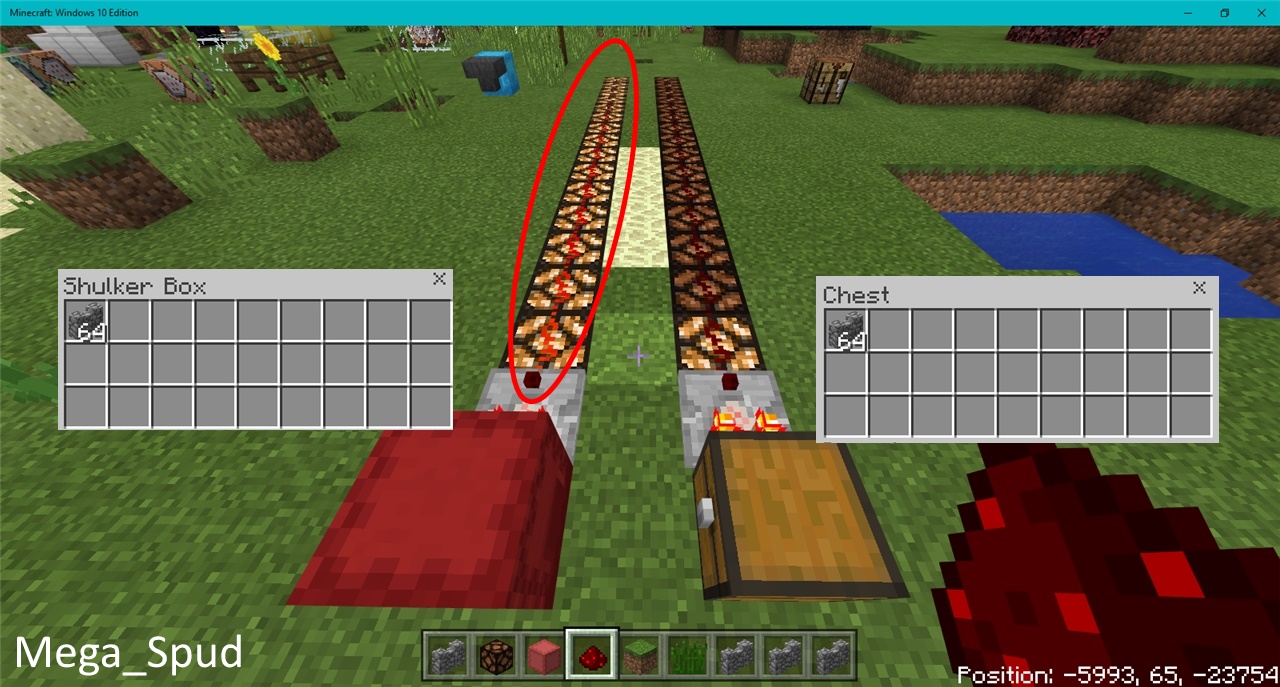
Notes:
Original Description:
When using a comparator to detect the amount of items in a chest, the comparator gives off a signal strength of 15 when the chest is full, however when using a comparator to detect the amount of items in a shulker box, the comparator gives off a signal strength of 15 when there are 27 or more items in the shulker box
Whenever I use the chat in the Lifeboat server (that's the only server that I know is working right now, but that's an unrelated issue), there's a chance that my game will freeze up and crash. This is really inconvenient because I like being able to chat with other players. This doesn't seem to happen in single player. It once froze for a moment in single player, but then started working a couple seconds later. The first time it froze in a server, it froze my whole computer along with it and I had to hard reset (holding down the power button until it turns off). If anyone else is having this problem, please explain it in the comments. Thanks.
Update: Most other servers seem to be working now, and this problem is happening on those as well.
Update: This is still happening on the Better Together beta and it does happen in singleplayer.
The development team are actively working on this issue and it is scheduled to be fixed in an upcoming update.
Closing the ticket again.
[Mojang] Mega_Spud (Jay Wells) confirmed that he could acquire blaze rods even with a non-Looting sword.

I am playing the 1.1 release of MCW10E My chicken farm needed some tuning up so i cut off the Egg output and routed it to a collection bin ~6 shulker boxes and a few hoppers.
When i hooked everything back up to my automation to pile the chicks into a 1x1x2 area (made of glass with hopper on the bottom and a bottom slab on the hopper), it looked very silly. Everything was hooked up to a redstone delay to lava the chickens every 30 seconds.
Well when so many of the chickens grew up, they exploded out of their tiny pen (not the creeper kind of explosion) it was like chicken fireworks but not blowing up. i lured them into a 2x2x2 hole in order to contain the issue. I will be uploading and leaving a link to the video i was able to capture.
To duplicate, create an auto-firing dispenser using a comparator to detect items in the dispenser with a repeater running into the dispenser to fire it any time there is an item. Then add a few hoppers running into that dispenser with 3 double chests full of eggs. Fire the eggs horizontally into a water elevator so any hatched eggs will swim up, Use the same water physics to conveyor-belt the chicks to a 1x1x2 holding cell where they will land on a bottom half slab. Do not kill any chickens as they need to grow into adult chickens for this to work.
for extra measure, add another cell close by with adult chickens. This is what i believe helped the explosion. many baby chickens wanting to go toward the adult ones cause them to bunch up in a corner.
I have duplicated this 4 times so far, so don't try and tell me it is not a thing. I have a video link coming soon (it's uploading now)
(EDIT) Here is a link to the video.
https://youtu.be/U8OA3dcbrOc
the explosion occurs at 14:30-14:35
Tutorial on how to duplicate is coming soon. I can do this reliably. Will be doing similar where i capture this happening. i will try to keep count of the chickens that go in to see if this could be a numbers issue. Stay tuned.
Mod Note by [Mojang] Mega_Spud (Jay Wells):
When the chicks start to grow into adults, the others start to get pushed out forcibly.
(Highlighted this point above.)
Update by [Mojang] Mega_Spud (Jay Wells):
Summary:
Redstone torches don't always make a burnout sound when they should.
Steps to Reproduce:
- Create a simple redstone torch burnout clock (as pictured)
Observed Results:
When the torch first burns out, it does not make a sound. When it randomly lights and burns out again later, it has a chance of making the burn-out sound.
Expected Results:
The torch burn-out sound should play each time the torch burns out.
Screenshots/Videos attached: Yes

Notes:
Original Description:
In 1.1.0.55, redstone torches made a burnout sound every time they were inverted. This was fixed in 1.1.1.0, but the fix introduced a new problem: they don't always make the burn-out sound when they burn out.
If you create a simple redstone torch burn-out contraption, and cause the clock to start while the torch is on, the redstone torch will not make a sound when it ends up burning out. After a while, it will randomly turn on again and end up burning out again, but this time it will make a sound as expected.
If you build a redstone torch clock and attach a lever and activate it to invert the torch and lock the contraption, and then deactivate the lever, thus turning the torch back on, the redstone torch will make a sound when it burns out.
It seems that if the burn-out contraption is started by placing a block to complete the burn-out circuit, no sound will be produced, but if the contraption is started by use of redstone to un-invert the redstone torch, a sound will be produced.
Update by [Mojang] Mega_Spud (Jay Wells):
Summary:
Magma blocks make the area around them darker than other blocks do.
Steps to Reproduce:
- Place a grass block down and observe the shadow
- Now place a magma block down in the same position and observe the shadow again
Observed Results:
Notice how the shadow cast by the Magma block is noticeably different to the grass block
Expected Results:
It should not cast a darker shadow.
Screenshots/Videos attached: Yes

Notes:
Original Description:
In the wiki it says that magma blocks are supposed to emit a light level of 3 but instead it makes the area around it a bit dark
Update by [Mojang] Mega_Spud (Jay Wells):
Verification builds:
1.1.3.1 Retail
Summary:
Clocks and compasses have invalid textures when held.
Steps to Reproduce:
- Hold a compass or a clock
- World may need to be reloaded in order to trigger the bug
Observed Results:
The texture of the held item is bugged or missing, see screenshots.
Expected Results:
The held item should have a proper texture and appear in the bottom right of the display.
Screenshots/Videos attached: Yes
Notes:
Can affect clocks and compasses in Item Frames too.
Tested using Classic UI on OnePlus One A0001 on Android 6.0.1 and on Samsung TabPro SM-T520 on Android 4.4.2, both on the 1.1.3.1 beta.
The bug also affected Pocket UI.
Original Description:
The Compass Don't indicate my spawn point, and i cant see the compass in my hand
When i tap on the text box for the keyboard to pop up, the text box remains on the bottom so the keyboard ends up covering it. It doesn’t raise above the keyboard like it should. This is extremely inconvenient as I can’t see what im typing.
Note by [Mojang] Mega_Spud (Jay Wells):
This comment helpfully points out that as a temporary workaround, turning your device over once or twice can help make the text box appear in the correct place.
Update:
This issue was related to the iOS keyboard and should be fixed by updating to iOS 11.2+
Update by [Mojang] Mega_Spud (Jay Wells):
Summary:
When travelling in a minecart, as the cart turns around a corner, black lines will appear on any blocks that are directly adjacent to the rails as you travel past them.
Steps to Reproduce:
- Ride a minecart on a rail that changes direction
Observed Results:
Black lines appear around the edges of blocks as you turn
Expected Results:
The blocks shouldn't render any differently
Screenshots/Videos attached: Yes

Notes:
Original Description:
A very annoying thing is happening with the rail and the minecart, when I'm inside it the edges of blocks around it turns black!
This issue has been fixed in the 1.2.5 beta. For those not enrolled in the beta (eg iOS users) the free music pack DLC will need to be redownloaded from the store when 1.2.5 is released fully (no eta is known yet).
Original Description:
Putting a music disc in the jukebox does not produce any music.
This issue seems to be occurring in my device alcatel pixi 4 (5) android 6.0 please fix.
Update by [Mojang] Mega_Spud (Jay Wells)
Verification builds:
1.2.0.7 Retail
Summary:
When using the classic UI option, there is no way to effectively use the 3x3 crafting grid, as there is no way to take out crafted items.
Steps to Reproduce:
- Using the classic ui option, open the creative inventory
- Place items to craft into the crafting grid
Observed Results:
There is no way to obtain crafted items there.
Expected Results:
There should be an output box for manual crafting, as you would see with a crafting table.
Screenshots/Videos attached: Yes
Notes:
Original Description:
There is no output, i think thats a problem. Because then ITS USELESS.

Edit by [Mojang] Mega_Spud (Jay Wells)
The hitbox for wall banners is incorrect; it stands out someway from the wall it is hanging from. (See screenshot)

Original Description:
When you click a banner on a 1 block high wall it goes in the bottom half goes to the bottom block. The outline of the banner is also not placed correctly.
Update by [Mojang] Mega_Spud (Jay Wells):
Summary:
Observers that are facing each other don't give out a steady redstone clock signal, rather, they pulse so rapidly they constantly power an adjacent block.
Steps to Reproduce:
- Place two observers, facing each other
- Place redstone circuitry next to them, to clearly see the output.
Observed Results:
The observers pulse rapidly, so much so that they are essentially just outputting a steady power output.
Expected Results:
I expected a steady repeating pulse, as in the Java edition.
Screenshots/Videos attached: Yes
Java Edition:

Bedrock Edition:

Notes:
Original Description:
When you place two observers facing each other they're supposed to give a pulsating redstone signal (because they both update their back textures) but they don't
Update by [Mojang] Mega_Spud (Jay Wells)
Verification builds:
1.2.0.7 Retail
Summary:
When using the Pocket UI profile, the 3x3 crafting grid only works for 2x2 crafting patterns.
Steps to Reproduce:
- Using the Pocket UI profile, open the creative inventory, and choose the crafting tab
- Place wooden planks in the pattern to make stairs
- Now place the planks in a 2x2 section to make a crafting table
Observed Results:
Any crafting that requires a 3x3 grid cannot be made, only items that can be made in the 2x2 grid.
Expected Results:
The 3x3 grid should function in the same way a crafting table does.
Screenshots/Videos attached: Yes
Notes:
Original Description:
In pocket ui creative there is a result box for the crafting grid where it shows how to craft things when you select them. However when you place things in this grid you can only make things that would fit in a 2 x 2 grid and it just feels wrong. It isn't like this in the classic ui, there there is no result box so the inventory crafting grid isn't usable in that wierd way and instead you can just see how to craft things. (This is in the inventory specifically not a crafting table.) Phone is galaxy s7.

Description updated by [Mojang] Mega_Spud (Jay Wells)
Verification builds:
1.2.0.2 Retail
Summary:
Firework rockets don't provide elytra boost if you are gliding close to the ground.
Steps to Reproduce:
- Jump off a block <5 blocks above the ground
- Immediately activate elytra to begin gliding
- Try and use a firework rocket to propel yourself forwards
Observed Results:
The firework rocket will not activate at all, unless you are ~10 blocks + above the ground
Expected Results:
You should be able to use firework rockets at any height, if you are actively gliding with elytra
Screenshots/Videos attached: Yes
Notes:
Original Description:
Fireworks cannot be used as propellers in elytra like on Java Edition
I can't put water bottles such as
- Water Bottles
- Mundane Water Bottles
- Akward Water Bottles
on brewing stands.
Note by [Mojang] Mega_Spud (Jay Wells):
This only appears to affect the Pocket UI option, so as a temporary workaround you could switch to the Classic UI.

Update by [Mojang] Mega_Spud (Jay Wells):
Summary:
The legs on the armour stand rotate in the wrong direction when set in certain poses.
Steps to Reproduce:
- Place leather trousers on an armour stand
- Cycle through the poses
Observed Results:
On the 8th pose the left leg is facing backwards.
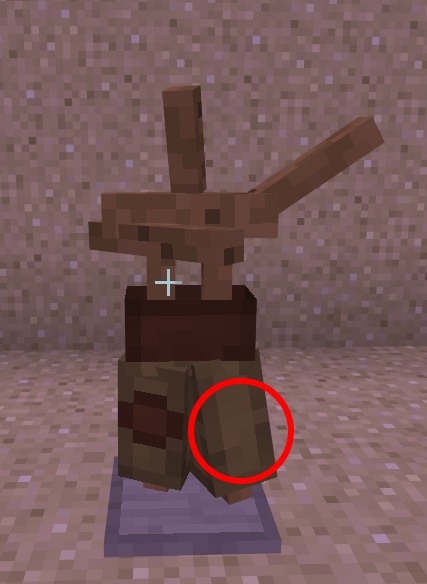
Expected Results:
The legs should not twist to that degree in the set poses.
Screenshots/Videos attached: Yes
Notes:
Original Description:
This is very annoying since it becomes unsymmetrical
edit by [Mojang] Mega_Spud (Jay Wells):
When transferring banners to or from containers using the Pocket UI, they show the texture of a sign instead of a banner.
Original Description:
In my LG k10 phone in the chest the banner turns to a sign when it goes in to/out of the chest (1.2 beta)
Update by [Mojang] Mega_Spud (Jay Wells):
Summary:
The skins of the characters 'Olivia' and 'Olivia Armoured' are not showing correctly and have incorrect textures.
Steps to Reproduce:
- Open the skin choice menu
- Scroll down and view the Story Mode Skin Pack
Observed Results:
'Olivia' and 'Olivia Armoured' have incorrect textures
Expected Results:
They should show as they did before
Screenshots/Videos attached: Yes
Comparison of the skins:

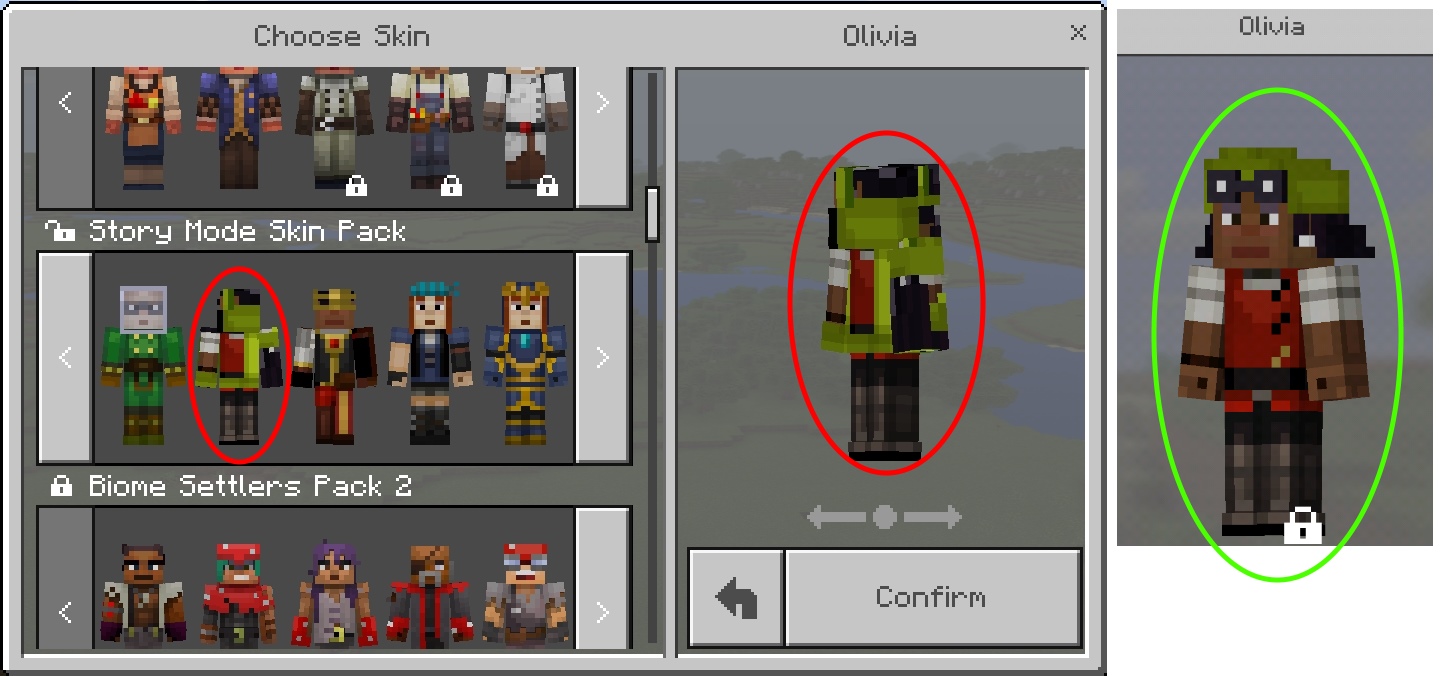
Notes:
Original Description:
In the Skin Pack: Minecraft Story Mode.
There is a bug in the skin of (Olivia) and (Olivia Armored).
Update by [Mojang] Mega_Spud (Jay Wells):
List of errors in the .lang files:
| How To Play Section | Sentence | Correct spelling | en_GB.lang | en_US.lang |
|---|---|---|---|---|
| Engineering > Redstone | needs a power source such as a Lever, Button, or Presure Plate. | Pressure | Line 2225 | Line 2235 |
| N/A | Recieved invalid form json. | Received | N/A | Line 5487 |
Original Description:
in the 'how to play' screen under droppers it says:
When powered by Redstone, Droppers will drop a single random item contained within. Tap the Dropper to open it and then you can load the it with items from your inventory.
what do you mean by "load the it" lol
When selecting items in the crafting table and inventory, instead of the item being "picked up", the slot you are trying to select gains a white border, as if you were using a controller. You are also not able to drag items throughout the inventory, making "PC Crafting" practically impossible. This bug, however, does not seem to affect you at all if you're in the chest GUI. I have left two screenshots below of an item being selected in the inventory and in a chest.
Mod note by [Mojang] Mega_Spud (Jay Wells) - Simplified this ticket to the most prominent of the multiple bugs posted here.
Update by [Mojang] Mega_Spud (Jay Wells):
Summary:
When using the Pocket UI on touch devices, items cannot be removed from the off-hand slot.
Steps to Reproduce:
- Ensure Pocket UI is selected
- Place arrows, a map or a totem in the off-hand
- Try to remove the item from the off-hand
Observed Results:
The item cannot be removed, it can only be replaced with another valid item, or dropped on the floor.
Expected Results:
Items should be able to be placed and removed freely to and from the off-hand slot
Screenshots/Videos attached: Yes
Notes:
Original Description:
- When we put some item in the off-hand (arrows or totem of undying) it is not possible to remove them from the slot (This is happening when you use Pocket UI)
Updated Description by [Mojang] Mega_Spud (Jay Wells)
Verification builds:
1.2.0.15 Retail
Summary:
If Auto Jump in enabled in the control settings, then Sprinting will be cancelled when the player Jumps, auto-jumps up one block, or runs down off the edge of a block.
Steps to Reproduce:
- Enable Auto Jump in the settings
- Sprint forward (double tap or press ctrl)
- Jump or run off the edge of a block
Observed Results:
Sprinting stops, and the player is slowed to a walk
Expected Results:
The player should continue sprinting forward
Screenshots/Videos attached: Yes
Notes:
Affects Windows 10 and mobile (Tested on Android)
Original Description:
- When you're walking and at the same time you're jumping at this point you stop running instead of continuing to run
Note by [Mojang] Mega_Spud (Jay Wells):
This only seems to be an issue if Auto Jump in enabled in the settings.
![[Mod] bemoty](../../../data/avatars/users/50554.png)
[Mojang] Mega_Spud (Jay Wells) I think you pressed the wrong button there, you resolved the ticket as Fixed instead of Incomplete.
Update by [Mojang] Mega_Spud (Jay Wells):
Summary:
Effect particles continue to show even if the command states that they should not.
Steps to Reproduce:
- Run the command /effect @a night_vision 10 1 true
Observed Results:
Black particles appear on the screen as shown in the attached screenshot.
Expected Results:
When the command states that particles should be hidden ("true") then they shouldn't show up.
Screenshots/Videos attached: Yes
Notes:
Original Description:
- When we put the command / effect (any effect, duration and level) on "show the particles", you put "true" instead of disappearing the particles appear again, but in black color

Update by [Mojang] Mega_Spud (Jay Wells):
Summary:
Torches can no longer be placed on the sides of Monster Spawner blocks
Steps to Reproduce:
- Try to place a torch on the top or side of a monster spawner.
Observed Results:
It cannot be done.
Expected Results:
I expected to be able to, as before.
Screenshots/Videos attached: Yes
Notes:
Original Description:
Since the 1.2.0.18 update, player is no longer able to place torches on the top or side faces of mob spawners.
How to replicate, find a mob spawner and try to place a torch on it, in either survival or creative mode.

Update by [Mojang] Mega_Spud (Jay Wells):
Summary:
Adding four or more layers to a banner will result in parts of it being invisible. It looks as though previous layers get overwritten, and become invisible.
Steps to Reproduce:
- Create a banner
- Keep adding layers of detail to it
Observed Results:
When you add four or more layers, the previous layers start to become invisible.
Expected Results:
The banner should just keep adding new layers on top, and not cause lower layers to become invisible.
Screenshots/Videos attached: Yes
Notes:
Original Description:
Using the banner, i'm craft a special banner, and the textures banners has bugged.
Update by [Mojang] Mega_Spud (Jay Wells):
Summary:
When the 'Toggle Perspective' key is reassigned to another key, it will change the perspective whenever that key is pressed, even if typing in chat or a command block, for example.
Steps to Reproduce:
- Reassign the 'Toggle Perspective' key to U
- Open chat and type U
Observed Results:
It types the letter, but also changes the players perspective
Expected Results:
It shouldn't only change the perspective if the player is typing into chat (or any text field)
Screenshots/Videos attached: Yes
Notes:
Affects any text input field, including Command Blocks, Inventory search, signs etc, as well as the pause screen.
Original Description:
Let's say I have F5 binded to R, if I'm in chat, and whatever word I'm typing happens to have R in it, it changes my view perspective even though I'm typing something in chat.
–
If this issue is a duplicate, sorry, I don't know what I should be looking for since this is a very specific issue.
–
EDIT: This isn't just a bug w/ chat, it happens in the inventory also
, while on the pause screen, everywhere!!

Update by [Mojang] Mega_Spud (Jay Wells):
Summary:
Transparent parts of player skin are not showing properly, and just show as black.
Steps to Reproduce:
- Equip a customised skin that has some transparency

Observed Results:
Notice the transparent parts just render as opaque black
Expected Results:
If the total skin transparency does not exceed the maximum allowable amount, then those parts should be invisible.
Screenshots/Videos attached: Yes
Notes:
Original Description:
Skin transparency appears to be completely broken- as any transparent pixel at all renders as black in-game. The images show the same skin used in 1.1.5 and 1.2
Update by [Mojang] Mega_Spud (Jay Wells):
Summary:
When I use pickblock (middle click) on a shulker box, it displays the wrong item name in the hotbar.
Steps to Reproduce:
- Use pickblock / middle click on a shulker box
Observed Results:
It displays "tile.shulker_box.name" in the hotbar tool-tip.
Expected Results:
It should give the proper name of the shulker box.
Screenshots/Videos attached: Yes
Notes:
Original Description:
See image. I middle clicked the shulker box and it displays "tile.shulker_box.name" When I scroll over the shulker box in my hotbar is displays the proper text "Purple Shulker Box"
Update by [Mojang] Mega_Spud (Jay Wells):
Summary:
Tilled soil / farmland cannot be damaged / trampled by players, only by animals.
Steps to Reproduce:
- Jump or drop down onto farmland
Observed Results:
The farmland remains unchanged, and crops do not get displaced.
Expected Results:
The farmland should get trampled, reverting it to dirt, and displacing any planted crops.
Screenshots/Videos attached: Yes
Notes:
Original Description:
Jumping on farmland won't do anything, it won't even drop the crops. This was working correctly before 1.2.0.18.
Here is a short video which shows how to reproduce this bug in version 1.2.0.22 on Windows 10.
https://youtu.be/Kj0Nx2dX1xg
Update by [Mojang] Mega_Spud (Jay Wells):
Summary:
Water flowing over mycelium doesn't cause it to turn back to dirt. According to the wiki, it should: "Mycelium reverts to dirt when covered by one of the light-impeding blocks above and the light level at that block is below 4."
Steps to Reproduce:
- Place a bucket of water down on some mycelium
Observed Results:
The mycelium does not revert to dirt when under water, at night.
Expected Results:
It should turn to dirt, just as grass does when under water, at night.
Screenshots/Videos attached: Yes
Notes:
Original Description:
Flowing water and water source blocks don't cause Mycelium to turn back into dirt at night.
If you have water flowing over mycelium at night it never changes back to dirt, I was able to recreate the bug both on a flat world and on a vanilla survival realm.

Update by [Mojang] Mega_Spud (Jay Wells):
Summary:
Skins that have the file extension in uppercase will not open.
Steps to Reproduce:
- Try and equip a skin that has .PNG file extension
Observed Results:
The skin will not be accepted, and the message "That's not a minecraft skin, silly." shows.
Expected Results:
I expected the skin to work even if the file extension is in uppercase.
Screenshots/Videos attached: Yes
Notes:
Changing the skin file to lowercase enables it to be recognised and used.
Original Description:
After the newest build i am able to use skins and they won't appear black. However the game won't allow me to use certain skins, most of them i noticed are .PNG files as apposed to .png. If i use .png then it will work fine and if i use .PNG it will say "That's not a minecraft skin, silly." I don't know why it really matters if it's capitalized or not. Sorry in advance if this is a duplicate but the internet won't help me with this one.
Update by [Mojang] Mega_Spud (Jay Wells):
Summary:
When a piston is is moving a glass block, the piston extension visibly disappears when viewed through the glass.
Steps to Reproduce:
- Have a sticky piston move a glass block up and down
- View the piston through the glass, from above
Observed Results:
The piston extension disappears, and you can only see the piston body through the glass.
Expected Results:
The piston extension should remain visible.
Screenshots/Videos attached: Yes
Notes:
Original Description:
Xperia Z5
The piston head disappears and reappears when it retracts behind glass.
Update by [Mojang] Mega_Spud (Jay Wells):
Summary:
Animals can be fed very soon again after breeding, and don't have the 5 minute cool-down as they do in the Java edition.
Steps to Reproduce:
- Breed two cows with wheat
- Try to feed them again after 30 - 60 seconds.
Observed Results:
The cows can be fed again, causing them to breed
Expected Results:
They shouldn't be able to be fed/bred again for 5 full minutes.
Screenshots/Videos attached: Yes
Notes:
Original Description:
Cows and Sheep have a very short cooldown (around 30 to 45 seconds) after entering love mode to enter the love mode again.
I found a post in the internet saying they should have a cooldown with around 5 minutes.
The screenshot is from my cow farm, where I could fed the cows two whole stacks of wheat (and I don't have 128 cows).
The time I counted was with two wild cows and two wild sheep. I could not test other animals.
Update by [Mojang] Mega_Spud (Jay Wells):
Summary:
Torches and other blocks can be placed on cocoa, as if the cocoa has a full block.
Steps to Reproduce:
- Place a torch onto the side of a cocoa pod
Observed Results:
The torch 'attaches' to the cocoa pod, but is visually hanging upon nothing as the cocoa doesn't occupy the space of a full block.
Expected Results:
Nothing should be able to be attached to cocoa pods (apart from the jungle log that it is attached to)
Screenshots/Videos attached: Yes
Notes:
Original Description:
I placed a torch on a cocao randomly, and the torch placed itself in mid air like it was placed against a block.
I try to sync my world which is over 160mb but it crashes when it trys to convert it
this is happening on the beta release for xbox one
If you participate in the beta, you can upload your world so the developers can look into the conversion issues such as this. (Please mention the receipt number in this report or take a screenshot of the receipt and add it to the ticket!)
Instructions:
Highlight the pre-conversion world you have issues with. Press Y. Follow the dialog and upload the world. Once the upload has finished you will see a receipt. Supply the receipt on this ticket as a image/screenshot/photo (clearly readable) or text.
Update by [Mojang] Mega_Spud (Jay Wells):
Summary:
When an endermite is in a minecart, it will suffocate if the cart goes off the rails.
Steps to Reproduce:
- Capture an endermite in a cart
- Push the cart off the rails
Observed Results:
The endermite immediately starts to take suffocation damage, and dies
Expected Results:
The endermite should be able to survive in a cart, even when it's not on rails.
Screenshots/Videos attached: Yes
Notes:
Test world attached: Endermite Cart.mcworld
Original Description:
When I put a endermite in a minecart and it goes off the rail it dies. I need this for a enderman farm.
Update by [Mojang] Mega_Spud (Jay Wells):
Summary:
When trying to move a player by teleporting them by small amounts (Less than 1, eg 0.5 blocks), they do not move incrementally as they should.
Steps to Reproduce:
- Use this command several times (or in a repeating command block) /execute @p ~ ~ ~ tp @s ~.1 ~ ~
Observed Results:
The player teleports to one location only, even if the command is run repeatedly.
Expected Results:
The player should get moved by 0.1 several times, incrementally moving the player along.
(For an example of how it should work, use whole numbers in the command, like this: /execute @p ~ ~ ~ tp @s ~2 ~ ~
Screenshots/Videos attached: Yes
Notes:
Test world attached Relative Coord TP.mcworld
Original Description:
If you teleport with relative coordinates with decimals like this (/tp ~.2 ~ ~), it works fine in chat, but if you do it with a repeating command block, it will just teleport you in the same location over and over again. This works when doing the command in chat, so I assume this is a bug with command blocks.
P.S, I did use /execute and /tp and neither fixed the issue.
Update by [Mojang] Mega_Spud (Jay Wells):
Summary:
The subtitle command should appear if the command is executed whilst the title is still shown on screen. This setup allows a delay to be made between showing the title and the subtitle on screen, if the subtitle command is run after the title command using command blocks and repeaters, for example.
Steps to Reproduce:
- Run the command /title @a title Title 123
- Whilst the title is still shown, immediately run the command /title @a subtitle subtitle 456
- Now repeat step 1 again
Observed Results:
The subtitle will not appear on screen after step 2, but only appears simultaneously with the title in step 3, and has no delay.
Expected Results:
If the subtitle command in run whilst a title is visible on screen, then it should show. This allows for a delay in the subtitle appearing on screen.
Screenshots/Videos attached: No
Notes:
Original Description:
I was using the /title and subtitle command, when I noticed that the title of the command block, was paried up with the subtitle command of another command block that wasn't connected to the pressure plate. The command blocks get mixed up with other command blocks, even though they aren't connected. Not only that, but when you try to use the title and subtitle command together, it will sometimes not show the subtitle, only the title, even though I set everything up corrcetly, but sometimes it takes two tries for both to work which is unfortunate. Please fix this, I really like the title command, but only when it works.
Update by [Mojang] Mega_Spud (Jay Wells):
Summary:
Stained glass does not show up on maps, as it does in the Java edition.
Steps to Reproduce:
- Fill an area with stained glass
- Open a locator map
Observed Results:
The stained glass is transparent, just the same as normal glass.
Expected Results:
The colours of the stained glass should show on the map.
Screenshots/Videos attached: Yes
Notes:
Original Description:
Stained glass doesn't have colors on maps, I was using a resource pack when I took the screenshot but it happens without it as well

When placing a torch in the 1.2.1 update, the surrounding blocks do not update leaving some bad shadowing. Hope this helps and that you can fix this issue quickly! Thanks!
Update by [Mojang] Mega_Spud (Jay Wells):
As a temporary workaround until this issue is fixed, you can turn off the smooth lighting option in the video settings to make things brighter.
Update by [Mojang] Mega_Spud (Jay Wells):
Summary:
If you try and open a door, gate, or trapdoor when moving, it rapidly opens and closes, often meaning the player cannot get through.
Repro Steps:
- Place a fence gate
- Walk towards it
- Open the gate whilst moving
Observed Results:
The gate opens and closes very rapidly.
Expected Results:
It should only open or close once, unless the player holds the interact button for a long time.
Screenshots/Videos attached: Yes
Notes:
Reportedly Affects:
- Doors
- Gates
- Trapdoors
- Levers
- Spawn Eggs
- Placing certain items such as torches
- Placing Water / Lava buckets
- Using Fireworks
- Light Sensor
- Redstone Repeater
- Redstone Comparator
- Adjust the direction of the item in the item frame
Original Description:
When I use the mouse to place blocks or use items, I experience what I see as an input bounce. This input bounce is not experienced outside of Minecraft. I tried several mouse with the same results. I have only experienced this phenomena since upgrading to the 1.2.1 version of Minecraft. When I try to open gates they often times open and close so fast and so many times that I am unable to pass through the gate.
Update by [Mojang] Mega_Spud (Jay Wells):
Verification Builds:
1.2.2.3 (Realms)
1.2.5.0 Retail Beta Build 1
Summary:
Doors that do not have two solid blocks beneath them will break when they receive a block update. (For example, trying to place a pressure plate beside them.) Once the door has broken, no other door can be placed there until there are two solid blocks beneath.
Steps to Reproduce: (Method 1)
- Place two blocks on top of each other
- Place a door on the top block
- Break the lower block
- Place a block next to the door
Observed Results:
The door will break and drop as an item.
Expected Results:
The door should not break unless it's supporting block is broken.
Steps to Reproduce: (Method 2)
- Attempt to place a door on a single floating block.
Observed Results:
The door will appear to place for a split second, but not leave the inventory.
Expected Results:
The door should be able to be placed on a single floating block.
Screenshots/Videos attached: Yes
Notes:
Original Description:
When walking over a wooden pressure plate in Realms instead of opening the door it breaks it. It does not happen in Single Player.

@Dawson Berry
I can only update the ticket with the currently released versions. This gives a estimate what versions are affected. The most important thing is posting the receipts, if you still experience this issue and do participate in the beta so the team can have a look at the specific issues. As requested by [Mojang] Mega_Spud (Jay Wells) here.
![[Mod] Sonicwave](../../../data/avatars/users/94627.png)
Update by [Mojang] Mega_Spud (Jay Wells):
Summary:
When given the status effect of blindness, the player can see through lava.
Steps to Reproduce:
- Use the command /effect @s blindness 100 0
- Jump into a pool of lava at least 2 deep (in creative or with fire resistance)
Observed Results:
You can see clearly through lava.
Expected Results:
Your vision should still be obscured by the lava.
Screenshots/Videos attached: Yes
Notes:
Original Description:
Blindness removes the fog/overlay of lava, as seen in the screenshots below.
When you type "/help a" in the Chatbar the chatbar reset to "a". When you type in any other letter it doesn't reset.
Edit by [Mojang] Mega_Spud (Jay Wells):
Example Steps to Reproduce:
- Start the game in 1.2.6.2 Retail and open a world
- Open the chat bar
- Press CTRL+Esc (focus moves from Minecraft)
- Click focus back on Minecraft
- Type some text or a command in the chat bar or inventory search
The issue reported here was fixed in the 1.17.40 update, however, there are other ways players may take damage during portal travel. If you are experiencing damage or death during portal travel, please review the following reports and vote on the open report that best matches your experience to show that you are affected.
MCPE-42310
MCPE-146959
MCPE-115933 / MCPE-158215 / MCPE-173386
Please do not comment on this report. Comments about other ongoing issues will be removed.
You can avoid taking damage from this bug when travelling overworld --> nether if you fill in 2 blocks below your nether-side portal, and make 2-block high chambers to the side, like this:
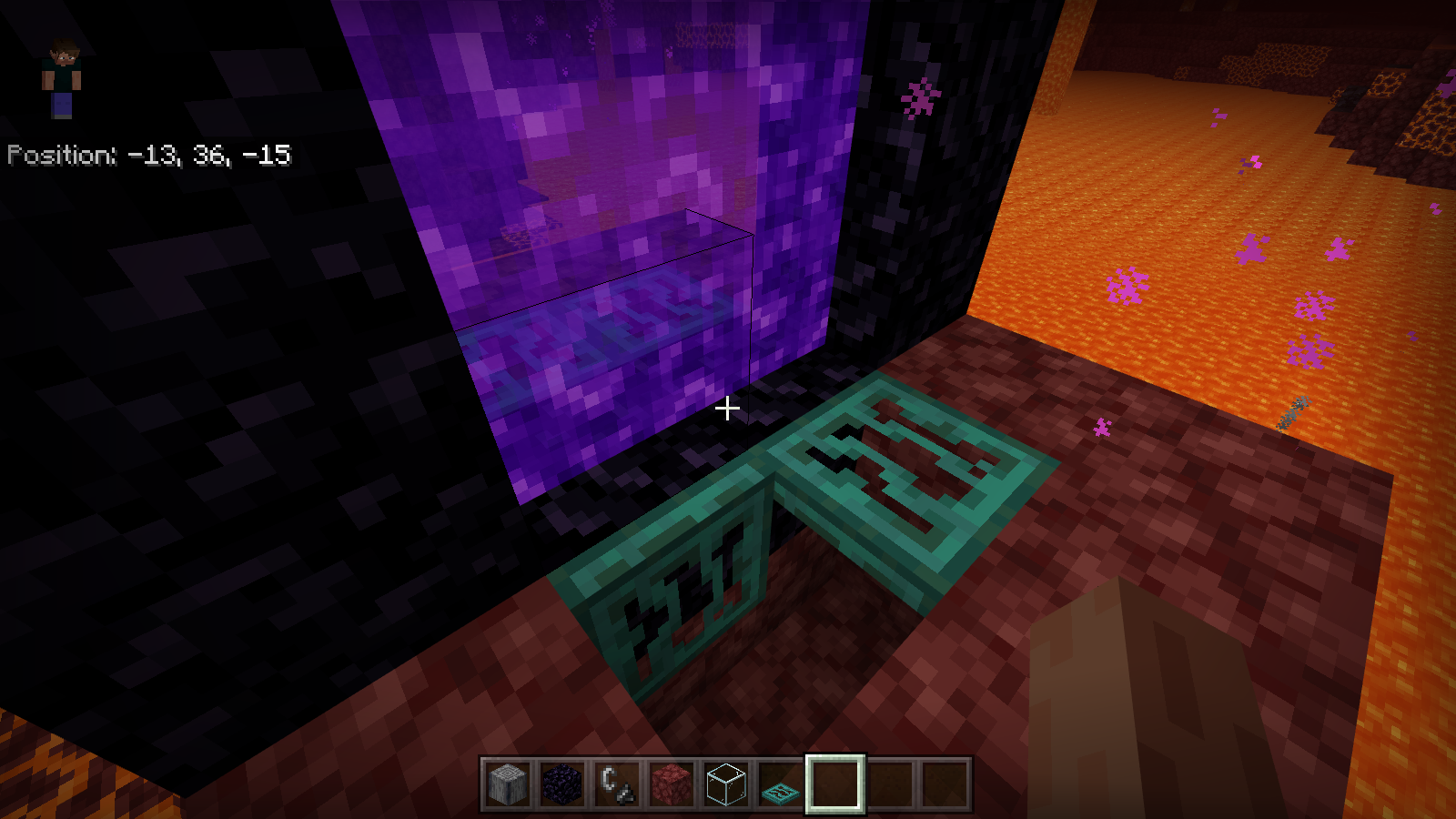
Update by [Mojang] Mega_Spud (Jay Wells):
Steps to Reproduce:
- Create a new world (No experiments, any seed, tested with several)
- Build and light a nether portal in the overworld
- Travel through
- In the nether, move the nether portal down by 1 block
- (break the top and bottom of the portal frame and place new blocks to move down by y1, and re-light)
- Place lava underneath the bottom obsidian blocks
- Switch to Survival
- Travel through the portal to the Overworld
- There's a ~50% chance that you will take half a heart of suffocation damage at this point
- Now travel back through the portal to the Nether
Observed Results:
The player is loaded into the lava beneath the portal.
As you load into the Nether, you can hear the player taking fire damage, and when you load in visually, you are on fire for several seconds, reducing your health significantly.
Expected Results:
You should not take any unexpected damage when travelling through the portal - the player should be spawned in a safe spot on the base of obsidian portal frame
Screenshots/Videos attached: Yes
Notes:
Original Description:
When going through nether portals I get a half to a whole heart worth of damage on a regular basis. Also, when going through a nether portal that is suspended above ground I will glitch through the floor and take fall damage from it. In instances where I am above lava I will also catch on fire.
Keywords for search: player suffocation suffocate damage dmg clip inside block spawn safe point nether portal travel travelling traveling overworld nether obsidian frame

OK MoJira team [Mojang] Mega_Spud (Jay Wells), at my house we have two iPad Mini both model A1432. One running iOS 9.3.5, one running iOS 8.1.1 (I held one back to compare / contrast differences. Both running Minecraft 1.2.5 as latest from the App Store. The kids get random lagginess they call "funky" in any single player levels after a time. They get random crashes in the same manner. There are no Xbox accounts as they're too young (4 and 6). Both iPads are wifi internet connected.
Update by [Mojang] Mega_Spud (Jay Wells):
Verification Builds:
1.2.6.2, 1.2.5.52 Retail
Summary:
Vines can be placed in a one-block space underneath leaf blocks, and will be invisible.
Steps to Reproduce:
- Stack two leaf blocks on the ground
- Break the lower leaf block
- Place a vine underneath the remaining leaf block
Observed Results:
An invisible vine block will be placed underneath the leaf block.
Expected Results:
Vines shouldn't be able to be placed underneath blocks, and they should never be invisible.
Screenshots/Videos attached: Yes
Notes:
Original Description:
Ivy invisible when it is laying on the ground in contact with a leaf of tree
To reproduce the bug, plant a tree (example oak) then give it bone powder then put ivy on the lower leaf (s) to a block of soil (Important !!) then put on floor .
Possibility to put under all the leaves has a block of the soil.
[Mojang] Mega_Spud (Jay Wells), I've done clean installs on both my kids' iPad Mini in recent days, with no discernible difference.
I know it might be hard to get hold of an older model iPad hardware device for proper debugging but it may be prudent to do so. Minecraft Pocket Edition was rock-solid. Whatever this replacement is, it's causing some issue on these older less capable devices.
If I have a device hooked up to XCode can I catch useful crash logs for you? Is there a debug mode r can enable to generate useful logs? Or a debug version you'd have us try?
Update by [Mojang] Mega_Spud (Jay Wells):
Summary:
Villagers should produce anger particles when they are hit by a player, if they are within a village. They currently only do so after opening the trading UI.
Steps to Reproduce:
- Find a villager in a valid village
- Punch the villager
- Open and exit the villagers trading UI
- Punch the villager again
Observed Results:
The villager will only produce angry particles when hit if the player has opened the trading UI.
Expected Results:
If the villager is within a valid village, it should always produce angry particles when hit.
Screenshots/Videos attached: Yes
Notes:
Original Description:
The angry villager particle is missing. Can you please bring it back?
Update by [Mojang] Mega_Spud (Jay Wells):
Summary:
When placing snow layers against the side of a block, they do not stack in the adjacent space beside as expected. Instead, they stack up two blocks away, as shown in the attached gif clip.
Steps to Reproduce:
- Place snow layers against the side of a block
Observed Results:
The snow layers end up being placed two blocks away.
Expected Results:
The snow layers should be placed in the free space next to the block.
Screenshots/Videos attached: Yes
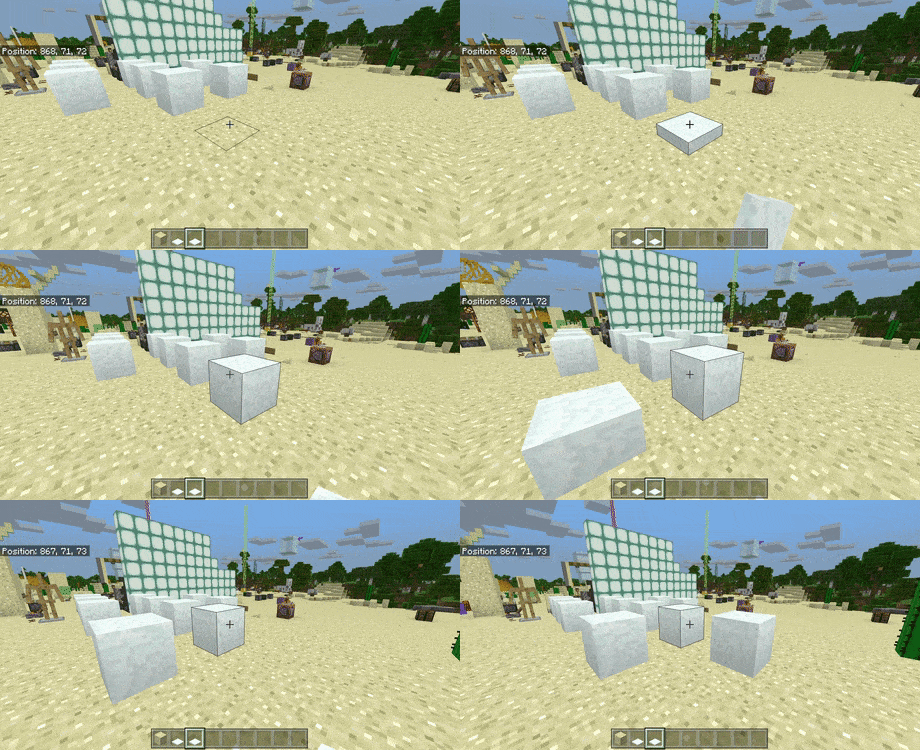
Notes:
Original Description:
Ideally the snow should be placed directly next to the block targeted just like how all other blocks do, but it is instead placed two blocks away from it for whatever reason.
Place soul sand down, place a cobweb on top of each block of soul sand, then walk through the webs diagonally in a direction away from (0,0) while sneaking and drawing back a bow.
The player will walk diagonally as one would expect when close to the origin of the world, but if done so after 32767 or below -32768 on both the X and Z axes, either the player will completely stop moving, or will be confined to movement on a single axis instead of the direction the player is facing.
Update by [Mojang] Mega_Spud (Jay Wells):
Repro Steps:
- Start a new world
- Teleport using command: /tp -32800 ~ -32800
- Punch a 2x2 hole in the ground
- Place down four soul sand blocks with cobwebs on top
- Equip a bow and arrow
- Shift to sneak, and draw the bow and hold
- Now walk backwards diagonally through the cob webs (hold A and S, or move joystick to bottom left)
- Take note of the direction of movement
Observed Results:
You are unable to walk diagonally, but can only move sideways or straight back.
Expected Results:
The diagonal movement should not be hindered when travelling large distances.
Screenshots/Videos attached: Yes
Notes:

[Mojang] Mega_Spud (Jay Wells) MCPE-31407 sounds like a similar issue, but seems to be just affecting certain blocks, not whole chunks.
[Mojang] Mega_Spud (Jay Wells) This recent report is describing a similar issue, if it's the same on this should probably be reopened: MCPE-31694
Minecraft not work when start the logo minecraft and does not respond in my device alcatel pixi 4(5) in the new beta 1.2.14.2 please fix :'(
Please comment below with your affected device and up-vote the issue if you are experiencing this issue.
FYI we've found a fix for the nasty crashing/not loading bug in beta on Android right now - we'll refresh the Android beta tomorrow morning with this fix! Thanks for reporting it on http://bugs.mojang.com . W10/Xbox - pls continue reporting bugs! <3
Update by [Mojang] Mega_Spud (Jay Wells):
Summary:
The Wither will show it's white spawning animation/overlay if you move far away from it and return again.
Steps to Reproduce:
- Summon a Wither
- Wait for the spawning animation to end
- Teleport far away from it (/tp ~ ~ ~1000)
- Teleport back to it (/tp ~ ~ ~-1000)
Observed Results:
The wither will be flashing white again, as if it were newly spawned.
Expected Results:
The wither should not show the spawning animation again.
Screenshots/Videos attached: Yes
Notes:
Original Description:
Wither's birth animation will play again after you rediscover it.
Update by [Mojang] Mega_Spud (Jay Wells):
Summary:
If you sneak before jumping into water, you are stuck in sneak mode, and can no longer jump or stop sneaking.
Steps to Reproduce:
- Using touch controls, stand near the edge of some water
- Double tap the d-pad to start sneaking
- Jump into the water
- Try and jump or swim upwards
Observed Results:
You are stuck sneaking, and cannot jump or swim.
Expected Results:
Jumping into the water should disengage sneaking, or at least enable you to jump/swim.
Screenshots/Videos attached: Yes
Notes:
Original Description:
In survival you can't go up if sneak and jump to the water. You can't go up, just move left, right. If you want go up you must use stairs or slabs. But not in the creative. In creative you can fly. Please fix it

This bug has been reported to our internal bug tracker for further testing and a fix. It is scheduled to be fixed in one of the future updates (no specific date can be provided).
While we understand your frustration at certain game feature or mechanics not working as you would always like or expect, please remember that there is not always a simple fix that will resolve the issue immediately. Please be assured we are actively looking into a solution though.
Since Betas, resource packs are not saving from game data or it just doesn't apply when restarting the game, as a resource pack maker this is very annoying because of the fact that you have to refresh resource packs by inserting them again
This appears to be a more general problem in the 1.5.0.1 beta. Pistons moving a block will cause the title to crash. Reported on all platforms.
Please add comments only if you have new information. We are already aware that this issue occurs across all platforms and devices, so it's not necessary to comment about additional devices. Adding your vote for this issue is a better way to let us know you are affected.
Original report:
I found a crash bug in the beta when trying to push the conduit with a piston!
The beta is 1.5.0.1, I selected 1.5.0.0 becuase I couldn't find it in the list
My phone: Samsung Galaxy S7 edge
Well now, here's a surprise! [Mojang] Mega_Spud (Jay Wells), I don't care for the menu animations and have always kept them off. So to test your theory I turned them on...and the slow responsiveness disappeared. Like, completely! I went back and forth a couple times to verify that I wasn't just seeing a memory priming effect, and I wasn't. The correlation seems reliable.
Edit 5 days later
After additional experimentation, turning on the screen animations seems to improve the situation but not eliminate it. When I first load a large world, pressing E brings up my inventory UI immediately, but if I close it and turn in another direction before trying to open it again, I get a UI animation (a row of vertical bars, like a phone signal strength indicator, but animated so the high bars move left and right) for a few seconds before the UI appears. Based on past experiences, when I turn a short time after loading a world, I can see chunks being rendered from me toward the horizon, and the UI (without animations) doesn't appear until those chunks have all been rendered.
Another affect of this lag is that if you open a chest soon after loading a world, you see the chest open animation immediately but the inventory UI doesn't appear for several seconds.
Update by [Mojang] Mega_Spud (Jay Wells):
Summary:
Newly created maps are blank when opened, but will update and show the player position icon when held in the off-hand. Moving the filled map back into the main-hand will stop new progress updating again.
Treasure maps are also affected; the player position icon does not update correctly, meaning the player cannot use the map in their main-hand to find treasure.
Steps to Reproduce:
- Start the game in 1.5.0.10 Beta
- Create a new world (Seed picker "Village Island" seed: -1060246543)
- Obtain and open a locator map
- Locate a shipwreck with a treasure map (Above seed /tp 24 ~ 56)
- Obtain and open the treasure map
- Now move either of those maps to your off-hand
Observed Results:
The map will not work as expected when in the main hand (hotbar slot). The player locator icon does not move for treasure maps.
Expected Results:
The map should work and update correctly in either hand.
Screenshots/Videos attached: Yes
Notes:
Original Description:
Hey i found a bug
We are investigating the broader issue that some users are facing when attempting to sign into the feedback site.
For now though, we are able to manually resolve the issue case-by-case, but each user will need to get in touch via the contact form found at https://feedback.minecraft.net - please include the details requested in this comment below.
I can't log in at feedback.minecraft.net …..
Each time I try it just doesn't log me in

Update by [Mojang] Mega_Spud (Jay Wells):
Summary:
The north and west edges of slime blocks are not bouncy if they have another block next to them (including water, slabs, but not other slime blocks). This means that the player can take fall damage when falling onto slime blocks unexpectedly.
Steps to Reproduce:
- Place a slime block in water (so that the top is not submerged)
- OR place a slime block on the ground and surround the block with slabs
- Jump on each of the four edges of the slime block
Observed Results:
When the slime block has a block next to it (including water) the north and west edges are not bouncy, and the player can take fall damage. (Stone particles and sound can be heard)
Expected Results:
Slime blocks should stop the player receiving fall damage, even when there are blocks beside it.
Screenshots/Videos attached: Yes
Notes:
Original Description:
Playing in survival on minecraft xbox live.
When you jump on a slime block close to water.
Only two of ridges and center make player bounce on.
Two other ridges have the strenght of a stone. That make us die if jump from high place.
Check my video
Here are some things you can try if you get stuck in a loop with the aka.ms/remoteconnect login process.
- Reboot your Switch (hold down the power/sleep button for a few seconds until a menu comes up, then select "Power Options", and then "Restart".
- Power cycle your internet router (unplug its power cord, wait a minute, then plug it in again).
- Reboot the device that you are using to access aka.ms/remoteconnect.
- Clear the browser cache on the device that you are using to access aka.ms/remoteconnect.
- Clear the DNS cache on the device that you are using to acces access aka.ms/remoteconnect.
- Use a different device to access aka.ms/remoteconnect.
Thanks for your patience while we try and get this issue resolved. Let's try and keep the ticket narrowed down to a single issue where possible. Please add a vote to this ticket if you are seeing an error message after you attempt to sign in.
It would be helpful if you could also send a message to Mojang Support with your Gamertag and a screenshot of your profile screen, by going to Minecraft>Settings>Profile, scroll to the bottom and take a screenshot of the IDs shown there. (Please do not share those here at the bug tracker.)
If you are seeing the related issue where you have to log in with your account each time you restart, please see MCPE-95651.
Original Description:
After installing the game for the first time and going through he process of linking the Switch to my Microsoft Account. Minecraft signs in fine and cross play can be done.
When I exit the game and start the game up it will not sign into my Microsoft account.
I have tried turning the console off which didn't work. I deleted the software and re-installed and it still didn't connect. I then deleted the software and save data, re-installed from fresh, set up the link from Switch to Microsoft account and all works fine until I exit the game and the process repeats again.
Any help or ideas would be appreciated
[Mojang] Mega_Spud (Jay Wells) why is this duplicate to MCPE-17272? his issue is about the piston not cutting the redstone dust power while the dust is being cut visually.
13-Nov-19: - The symptoms described in this report can have very many causes. At the time of this report, 3 separate causes were identified, and all of them were fixed by the time 1.8 was released. There were no subsequent reports of the bug, so this ticket was closed as Fixed 10 months ago.
The recent reports of similar symptoms on iOS since 1.13.0 was released have unrelated causes which are being tracked at MCPE-54465. I would recommend upvoting and watching that issue if you started having a problem like this on your iOS device at about the time of the 1.13.0 release. Some of the causes of the problem were fixed in 1.13.1, but the developers have more known causes that they're still working on.
11-Oct-18: - The 1.8.x beta versions now have a loading screen feature that enables us to see exactly what is being loaded - if you are able to include a screenshot here of the loading screen at the point where it is crashing it would very helpful.
25-July-18: - The 1.5.2.1 hotfix should have resolved the issue for many of the players. For anyone still affected, could you please leave a comment below that includes your device details and any new information that might help in finding out the cause of the problem.
23-July-18: The latest on the issue is that players are getting stuck on the loading screen as it tries to load in certain textures for the in game store. The developers have pinned down the problem and we are working on getting a hotfix out to resolve this as soon as possible. Thank you for your patience!
I have the Samsung Galaxy S9+ and I have uninstalled the app, cleared cache, cleared data, restarted my phone, did a factory reset and I checked to see if my device supported NEON (it does) , and it still wont yo past the first white minecraft loading page
20-July-18 - Today's update (1.5.1.2) is the first part if the fix that should stop any more player save data being lost. The team is working on a solution to try and recover lost inventory items. The advice so far is do not uninstall the game on the device where you last saw your old inventory.
11-July-18 - We are still looking into this issue, but in the meantime, if you could let us know a few details in the comments below it would be most helpful:
- Did this affect you on a Realm or a normal world?
- If it was a normal world, were all the players signed in to Xbox Live?
- Did you switch devices/platforms before your inventory etc was wiped?
People are logging in and having all their character data deleted and reset back to spawn point. Thank you for ruining hundreds of hours of gameplay working on building the latest enchantments and mining for all the best gear.
Edit: I'll chime in on the request by Mega_Spud.
- This has affected myself and friends on both a normal world, and Realms.
- On normal worlds, not everyone signed into Xbox accounts. On Realms, everyone had to.
- On a few occasions, one player would log in from the same device (Switch) and be reset. I've logged in from the Switch, and PC, and had my character reset. So, there seems to be no rhyme or reason, but many people below, in the comments, are reporting that not-switching, and switching platforms causes player resets.

@[Mojang] Mega_Spud (Jay Wells) yes just updated today but the mash up pack still not working
29-Jun-20 For any ongoing issues in 1.16+ please see ticket MCPE-84649.
Please note however, that we are not able to assist with the retrieval of worlds here at the bug tracker.
Account or syncing errors should be taken up with Xbox Customer Support directly.
Just did the 2nd half of the aquatic update. When I went to load my world's I noticed my big world with a ton of work was renamed/deleted. Can this be fixed???? The world that's highlighted in my picture was never there before, and my big world over 700mbs is gone. ????
EDIT** I JUST INSTALLED THE NEWEST UPDATE 1.5.3 AND LOADED THE WORD THAT WAS MESSED UP AND IT IS NOW RESTORED PROPERLY!!!! EVERYTHING HAS COME BACK!!! THANK YOU SOOOOO MUCH MOJANG! THANK YOU THANK YOU THANK YOU!!!!
just wondering if there was any update from the mods here of whats going on as even with the latest bug patch there wasnt anything for the mash up packs so wondering what the current status is of the investigation as [Mojang] Mega_Spud (Jay Wells) mentioned there still looking into it but was wondering if they already made any progress what so ever as i would like them to be transparent about it
12-Nov-18 - For those still having issues with their worlds not showing in the world list - In many cases the actual save data is still present on the device, so the advice from the developers in not to uninstall or delete the game data, as we are working on a fix that should enable the saves to be recognised and show in the list again correctly.
I was on my Xbox One Minecraft Bedrock Edition world when my power went out and when I logged back in the next day when my power returned my world was gone, deleted. This is on v1.5.0, and a survival multiplayer world

@[Mojang] Mega_Spud (Jay Wells) okey, but I update the issue with: the block sounds and animations, and eating sounds is NOT working on Massive Featured Servers (Mineplex, LifeBoat, CubeCraft Games and InPvP), yesterday I tested this bug on Xbox One and this bug is found too on Xbox One.
So, this is bug of Minecraft I guess?
Update by [Mojang] Mega_Spud (Jay Wells):
Summary:
Teleporting an entity with the /tp command should match the target's rotation to the one running the command. This issue was partially fixed in a recent beta (for armour stands), but according to users the fix should be applied to other entities as well:
Repro steps:
- Teleport an entity to the player using the following command:
/tp @e[type=...] @p
Observed Results:
The /tp command does teleport the entity to the player, but doesn't rotate the entity to have the same rotation as the player
Expected Results:
The entity should have its rotated changed to match the player when teleported
Screenshots/Videos attached: No
Notes:
Original Description:
The /tp command does teleport the armor stand to the player, but doesn't rotate the armor stand to have the same rotation as the player:
/tp @e[type=armor_stand] @p

Update by [Mojang] Mega_Spud (Jay Wells):
Summary:
A single piece of coal should be able to smelt 8 items. When a hopper is used to feed different items into a furnace however, there is a fractional delay in the process that means only 7 items will be smelted per piece of coal.
Steps to Reproduce:
Using the setup as pictured here:

- Build the setup as as pictured
- Place the items into the chests
- Wait for the furnace to use up the fuel
- Notice which items get smelted
Observed Results:
Only 7 of the 8 items will be smelted, as they are fed into the furnace via a hopper.
Expected Results:
All 8 items should be smelted.
Screenshots/Videos attached: Yes
Notes:
Original Description:
I set up a furnace and put three hoppers to it. I start cooking various items and the sum of them totals a number that is divisible by eight. I put in the exact amount of coal needed to cook all the items, in every other version of MC I've played (ps3 and java). (Edit: For complete clarity, this report is about the Win10 version of MC.)
The coal ran out, and there were still items left to be cooked. So something isn't working properly with the tick timing for pulling things out of a chest and putting a new item in it automatically with hoppers and chests to maintain the eight items cooked per coal, 1 item cooked per two sapling, 3 items cooked per two wood as fuel.
Water update looks awesome though!
EDIT: I got screenshots of my setup. Please note, that I tried with and without the lever and I got the same result, but only took screenshots of with the lever because that's the only way I could pause it long enough to get a screenshot of what is going in the "to cook" chest.
12-Nov-18 - For those still having issues with their worlds not showing in the world list - In many cases the actual save data is still present on the device, so the advice from the developers in not to uninstall or delete the game data, as we are working on a fix that should enable the saves to be recognised and show in the list again correctly.
Steps:
- Create world (created several days ago)
- "Save & Quit" several times
- Hard power off, by holding the XBox power button for 10 seconds (we had to because of controller issues)
- Turn console back on
- Open Minecraft
Previously created world not only doesn't have the most recent changes (as you'd expect after a hard power down), but the world is missing from the worlds list! My son put hours and hours of work into that world programming command blocks etc., and as far as we can see it is all gone.

Update by [Mojang] Mega_Spud (Jay Wells):
Summary:
Renaming an item using an anvil increases the prior work penalty, it should not. It should only add a single level, plus any prior penalty.
Wiki:
Renaming always costs a single level, in addition to any Prior Work penalty. Renaming will not increase the prior work penalty.
Repro Steps:
- Obtain sufficient XP
- Switch to Survival
- Rename a new sword in an anvil
- Notice the XP cost
- Rename it several more times, and notice the exponential increase in cost
Observed Results:
The costs doubles each time it's renamed. In Survival, the item will become 'too expensive' to upgrade, rename, or repair.
Expected Results:
Renaming should only cost one level each time, and should not add to the prior work penalty.
Screenshots/Videos attached: Yes (YouTube link)
Notes:
Original Description:
According to wiki page "Anvil mechanics", renaming items should NOT increase the prior work penalty(Java Edition 1.13.1 works well).
Affects Platforms: iOS, WIN10
Video Link: https://youtu.be/eTEXjjQltlI
![[Helper] Misode](../../../data/avatars/users/93314.png)
[Mojang] Mega_Spud (Jay Wells) The ticket that you linked as duplicates doesn't describe the same issue as this one. This ticket needs to be reopened.
iPad Air AND an iPad Air 2 is crashing as well when I load a certain world. Crashes within a minute on creative mode. Haven't tried other modes. Tried saving the game files to my MacBook (which I've done successfully before), uninstalled game, reinstalled game, reinstalled game files and no luck. Restarted iPad of course, too. That was the first world that I opened up with the new update. Other worlds seem to work though. The ones that doesn't work is 1.8MB, others are more!
I have my saved game files but how do I attach them to this thread? I click the attachment button and something named "broken save.zip" shows up and is unclickable. [Nevermind, I see the drag 'N' drop at the top. I just dumped the whole folder for the broken world in there!]
–
[Mojang] Mega_Spud (Jay Wells) - uploaded save as .mcworld file
@Heather Boyd Could you please answer the question from [Mojang] Mega_Spud (Jay Wells) ? Thank you in advance for your reply.
The world size can be found here:
Bedrock file size.png
Thank you to all who have taken time to report this bug, thank you for your patience while we try and work on a solution!
One confirmed workaround for the issue is to apply the skin using a skin .mcpack rather than applying it directly. A tutorial about creating a .mcpack with the skin can be found here.
Well today I went to play with my friend online on his world, my game crashed and he left the app and when he clicked on the app. He saw that he had no skin and he messaged me that iif i had no skin and i checked . I had no skin . Note it also resets your settings too. Comment if you have the same problem .
21/Jan/19 by [Mojang] Mega_Spud (Jay Wells)
As mentioned this issue has been fixed in the 1.9 beta version, but we will leave this ticket open as a point of reference until the fix is fully released.
Workaround: Players have found that placing a pool of water at the world spawn point will often prevent the player from falling to their death when the world is reloaded.
31/Dec/18 by [MCPE Mod] Auldrick:
This issue has already been fixed in the beta. We expect it to be fixed in release 1.9 when it becomes available. The release date for 1.9 has not been determined yet. Please limit additional comments to recurrences in the 1.9 Beta releases.
15/Dec/18 Workaround for Windows 10 by [MCPE Mod] Auldrick:
After saving and quitting, make sure to export a backup copy of your world before you load it again. (Doing it immediately after saving is the best practice.)
If you spawn in the wrong place and die, delete the world, then import your backup copy and try again. It worked for me!by
Samsung Galaxy S7 Active.
Saved game loaded. Player was near sea level but restored at above cloud level. Gravity worked.
Edit: confirmed the player was restored directly above the original spawn point, i.e., fell onto the location where player was spawned when the world was created.
Edit: confirmed still occurs after placing a bed. Fall still takes place over original spawn point, not over the bed.
[Mojang] Mega_Spud (Jay Wells)
17 Jan 19 - Thank you for everyone who has reported this issue. We are aware that this issue usually occurs after the player has been riding on a horse, and should only be affecting players in the 1.8 version of the game now.
This bug is fixed in the 1.9 beta, and the fix will be included in the 1.9 update when that is ready for full release (no specific date can be given). We will leave this ticket open as a point of reference until the fix has been fully released.
Normaiiy when you are generating chunks at a high speed :v some chunks just don't update correctly and nothing can go inside of those chunks and the mobs or entities in general are bugged and don't move, refreshing the chunks don't solve the problem and the entities that go inside the chunks (For example: Arrows or snowballs) are converted in bugged entities also.
You can't access to the chunk or chunks because a invisible wall is stopping you.
Sorry for my bad English, I'm a newbie with your language and thanks for your work and attention.
My phone is a GoMobile 504.
Here are some screenshots to show you the strange problem and to a better illustrative example:
Update by [Mojang] Mega_Spud (Jay Wells):
Verification builds:
1.9.0.0 beta | Windows 10:Yes
Summary:
Villagers should show their displeasure when a nearby panda is punched by a player by producing "villagerangry" particles. (Feature was added to Java, but is currently not working or is missing on Bedrock)
Repro Steps:
- Spawn a panda next to a villager
- Punch the panda
- Look for the Villager's reaction
Observed Results:
The villager does not show angered particles when the panda is hit.
Expected Results:
Villagers should show their displeasure when a nearby panda is punched by a player by producing "villagerangry" particles.
Screenshots/Videos attached: Yes
Java edition:

Notes:
Original Description:
When you attack them or you hit a panda in front of them, villagers should display angry particles, but they don't actually do it.

Some users have found that they are able to use the higher resolution packs by reducing the resolution in the pack settings.
Instructions can be found in this comment.
When I activate this RP, It always crashing, I can't upload it. In main menu all is normal, but when I'm joining any world, game always crashing.
Reported to be happening on Android, iOS and Xbox at least.

Update by [Mojang] Mega_Spud (Jay Wells):
Summary:
Sweet berries can be harvested infinitely from berry bushes.
Steps to Reproduce:
- Plant a sweet berry bush
- Right click / interact with the sweet berry bush
Observed Results:
The player receives an unlimited supply of berries when interacting, even with an empty hand.
Expected Results:
The bush should only supply a limited amount of berries, 1-2 berries in its third growth stage, and 2-3 in its final growth stage.
Screenshots/Videos attached: Yes
Notes:
Original Description:
Errorof picking barries infinitely when using a gamepad on android
Update by [Mojang] Mega_Spud (Jay Wells):
Summary:
After the player has experienced the bug with getting stuck in a black void (as per MCPE-40538) sometimes the game will not load correctly. Even in 1.11.0.4 the game can get stuck on the generating world screen. As mentioned in the comments, minimising the game and resuming it can force the world to load and render again.
Example world link: https://1drv.ms/f/s!AiiTOCjOSnByfocq6_gCg5djG8U
Steps to Reproduce:
- Attempt to load in a world where the player has been stuck in an end gateway on Windows 10
- When the game gets stuck on the "Generating world" screen, minimise the window, and then maximise it
Observed Results:
When the game is minimised/maximised, the world loads in correctly. This may not be a valid workaround for players on other platforms, however.
Expected Results:
The game should load correctly.
Screenshots/Videos attached: No
Notes:
Original Description:
After entering a fully functional End Gateway Portal post-update 1.9.0 (I had aready defeated the Ender Dragon and explored the islands around the Gateway Portal prior to this update), my character glitched out and stuck in place. I closed the game and opened it again.
Now my world doesn't load at all, I can't acess my game anymore. I am stuck in the Loading Screen (the one with the game tips). I have left my Switch running for 40 minutes non-stop and it didn't work.
The game doesn't crash or anything, because the game tips continue playing normally. I recorded a video but it doesn't show anything other than the loading screen for 30 seconds, which is the limit for the Nintendo Switch. If anyone has a temp fix please let me know.
Sadly I don't have a backup because it's mandatory to have a Nintendo Switch Subscription, which I don't own.
Other details:
-This world is a Survival game only.
-The file size is 208MB.
-I don't use cheats or Creative mode. If there's a way to recover the world using one of these, let me know. I am willing to activate cheats or Creative, as long as I don't lose this world which I have been working on for over a year now.

@Matthew Wiens please check MCPE-41513.
[Mojang] Mega_Spud (Jay Wells) is requesting sample worlds that have the loading issue.
Update by [Mojang] Mega_Spud (Jay Wells):
Summary:
Empty glass bottles can be placed in a brewing stand using a hopper, but they are also changed when brewed alongside potions/water bottles, meaning that they can no longer be stacked with other empty glass bottles.
NB - In the Java Edition, empty glass bottles can be placed in a brewing stand directly or via a hopper, but are not affected by the brewing process.
Steps to Reproduce:
- Place a hopper directed into the side of a brewing stand
- Place two water bottles and an empty glass bottle into the hopper, so they go into the brewing stand
- Place nether wart and blaze powder fuel in the relevant brewing stand slots
- After the nether wart is brewed, remove the empty glass bottle and attempt to stack it with new glass bottles.
Observed Results:
The glass bottle is affected by the brewing process, and can't be stacked with other glass bottles.
Expected Results:
Empty bottles can be placed in the brewing stand (as they can in Java) but they should not be affected by other potions being brewed at the same time.
Screenshots/Videos attached: Yes
glass_bottle_brew.mp4
Notes:
Original Description:
So I've realized that hoppers can put glass bottles into brewing stands. This wont actually start the brewing, but if you add a water bottle then the brewing will begin and it will brew the glass bottles and the water bottle. When I checked the glass bottle's NBT data it showed they had the justbrewed tag.

This bug has been reported to our internal bug tracker for further testing and a fix. It is scheduled to be fixed in one of the future updates (no specific date can be provided).
If you would like to add a vote and any NEW information in the comments below it would be appreciated.
With the release of 1.11.0.3, you should no longer need to use the workaround described below. If you were already using it, I recommend re-disabling Developer Mode after updating to 1.11.0.3.
Some players have found that enabling Developer Mode on Windows 10 enables the game to load. Please be cautious before you decide to try this workaround. Developer Mode may reduce your protection from a malware attack, and will make other changes to how Windows behaves that you may not want. The developers are still working on a proper fix, so if you have doubts about using Developer Mode we would advise you to wait.
Workaround: You must be using an account with Administrator permissions to perform these steps.
Open Settings > Update & Security > For developersImportant! Click the "Learn more" link to understand what changing this setting will do to Windows.Select Developer mode to enable Developer mode.
- If you are still unable to open Minecraft,-
Make sure you have backup copies of your worlds. (Use Export in the game settings to make a backup.)Uninstall Minecraft, then reinstall it from the Store.
When you're finished playing Minecraft for a while, it's a good idea to go back to the Settings page and disable Developer Mode by re-selecting "Microsoft Store apps". This will revert to the previous behavior of Windows and restore your protection from malware.
WARNING: If your copy of Minecraft was obtained from any source other than the Microsoft Store, it could have been modified to contain malware. With Developer Mode enabled, the malware may not be detected and could compormise your system and your files.
Thanks to Cameron C for initially finding the underlying certificate problem and ChongXG for discovering that Developer Mode circumvents it!
Original description:
When i try to launch Minecraft, It crashes.I havent seen this Before
Update by [Mojang] Mega_Spud (Jay Wells):
Summary:
Sometimes cactus cannot be smelted into green dye in a furnace. Looking at the items data, it seems that if the cactus block has a block state age of 1 or higher, then it won't smelt correctly. If the block state age is reset to 0 (by placing and breaking it again) then it can be smelted correctly.
Steps to Reproduce:
- Place a furnace down, and add fuel
- Break a cactus block, and place the cactus into a furnace
Observed Results:
Sometimes, the cactus won't be smelted into green dye. Placing and breaking the cactus block again allows it to be smelted correctly however, as the block state age is reset to zero.
Expected Results:
The cactus should always be processed into green dye correctly.
Screenshots/Videos attached: Yes - cactus_smelt_bug.mp4
Notes:
Original Description:
What happened to green dye? There is green everything else. No way to make those things without the dye.
Even in creative mode there is no way to get green dye.
Searched for answers but found nothing, so don't know if this is recent or not?
This is with experimental mode activated.
Update by [Mojang] Mega_Spud (Jay Wells):
Summary:
Lily pads are no longer being generated in the world, in swamp biomes for example.
Steps to Reproduce:
- Start a new world using the "Cliffside Village" seed from the seed picker (-334399639)
- Teleport to /tp 340 71 -39 ~ 40
- Look for lily pads on the swamp water
- Compare this world generation with 1.9.0 or earlier
Observed Results:
Lily pads are not being generated in 1.11.0.1 and 1.11.0.3 Betas.
Expected Results:
Lily pads should still be generated in the world as usual.
Screenshots/Videos attached: Yes
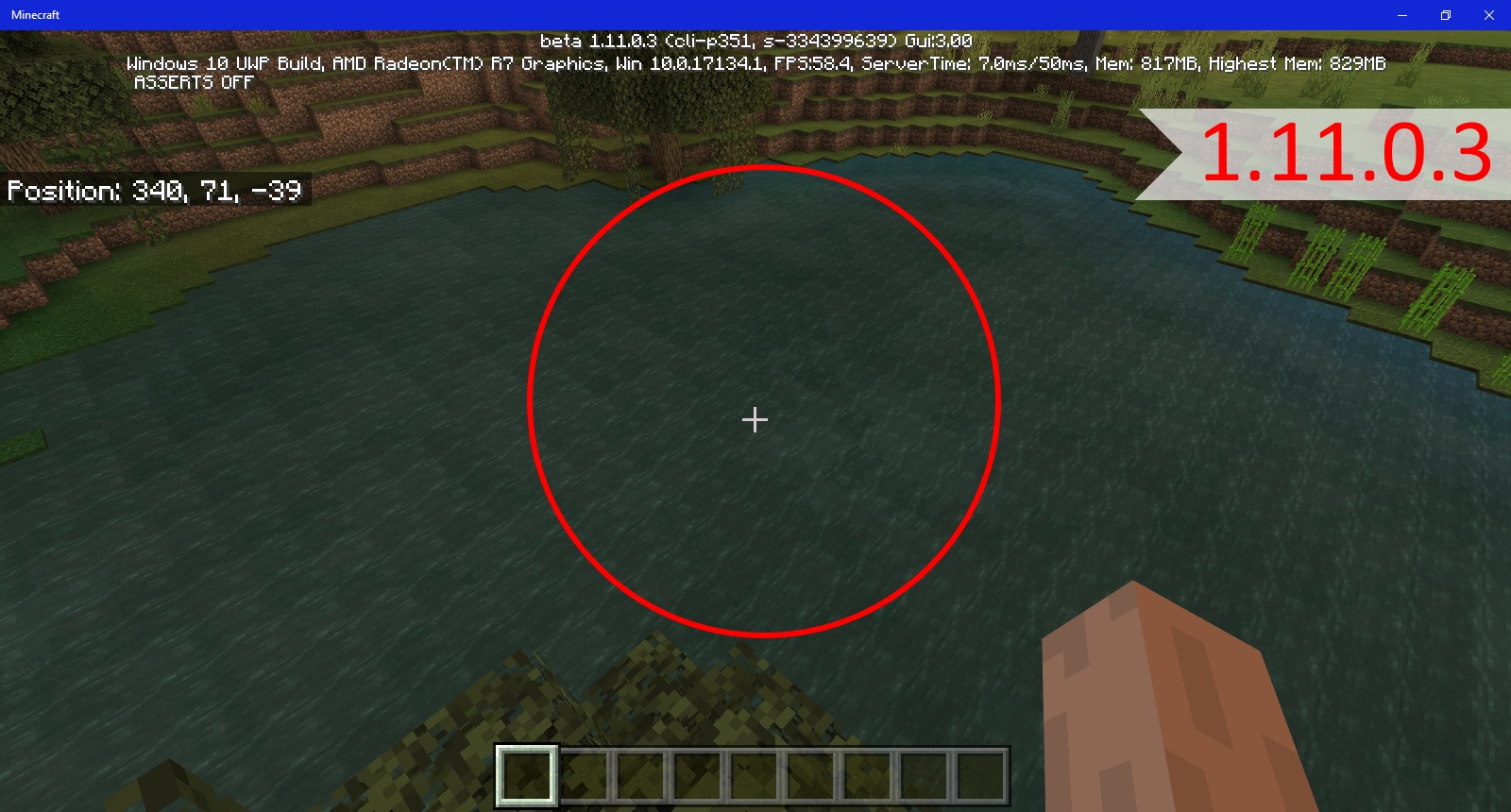

Notes:
Original Description:
I have noticed that there are no lily pads appearing anywhere in my world. I did find one by fishing but none are generating naturally in swamp biomes or any other biome
![[Mod] LateLag](../../../data/avatars/users/92884.png)
Update by [Mojang] Mega_Spud (Jay Wells):
Summary:
Some of the windows in the village structures are not at the same height as the others. This was apparently fixed in the Java edition.
Steps to Reproduce:
- Start an [EX] world with using the seed -1804478546
- Teleport to /tp 290 73 -1245 -42 20
- Look at the church window heights
Observed Results:
The windows on the right are not as high as the others.
Expected Results:
The windows should all be the same height.
Screenshots/Videos attached: Yes

Notes:
Original Description:
One of the church windows in the plains village is one block lower than it should be (See images).

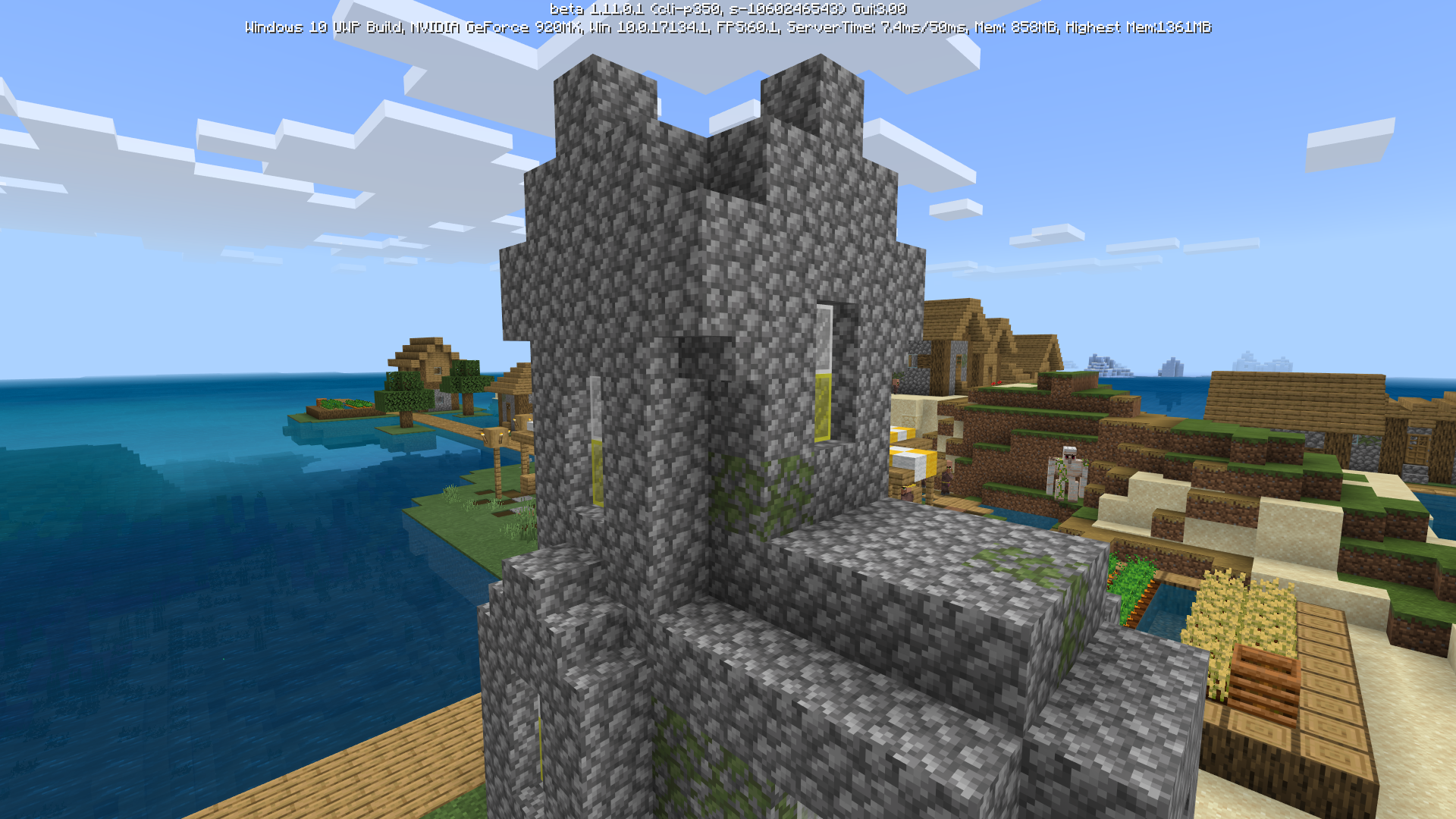
Java Edition already got that sorted out, I'd like to see the fix come for Bedrock as well.
Update by [Mojang] Mega_Spud (Jay Wells):
Summary:
Throwing splash water potions at a campfire only works when the potion hits the side of the block.
Steps to Reproduce:
- Place a campfire
- Throw a splash potion directly on the top of it
Observed Results:
The campfire does not go out. The splash potion has to hit the side of it in order to extinguish it.
Expected Results:
The campfire should be extinguished if a splash potion lands on top.
Screenshots/Videos attached: Yes
Notes:
Original Description:
Throwing splash bottles on the top of the campfire doesn't work, it only works when thrown at the side of the block.
Yep, I have lost several enchants by enchanting a few swords without exiting the table GUI, they just disappeared. I also lost enchants when trying to combine enchanted items in an anvil. (I'm playing MCW10E)
Why is this marked as resolved when it's still happening?!
Great, managed to get this working on MCW10E , thanks.
Still an issue! Very rare mob spawns in nether forts, and still finding some empty blaze spawners. (also no fortress treasure chests)
great thanks.
Slimes and magma cubes aren't spawning properly in my world, I've opened a huge area at one block above bedrock and haven't seen any slimes yet.
Also, I've only seen one magma cube in a nether fortress. I'm playing on maximum difficulty on Win 10 edition , 0.12.1
Had this bug a few times on my 'survival only' map. Blocks can occasionally be broken instantly by hand or any tool, including obsidian*. The blocks don't drop like a normal block, but disappear (like in creative). (*Obsidian should only break and drop when mined with diamond pick in survival). Playing 0.12.1 on MCW10E and have LAN players join via android devices.
Yep, sometimes switches to random item in hotbar also.
Agreed, tooltips need to be fixed/added. This also applies to potions, you cannot see what they are until you remove from chest and view them in inventory or hotbar.
Stone bricks are made from 4 'smooth' stone in a stone cutter. The igneous blocks can be crafted into their polished variant and that is it.
Confirmed on Win 10 Edition.
Jump (space) works for me to exit the boat.
Has anyone been able to break bedrock this way?
On the PC edition you can add certain enchanted books to shears and hoes using an anvil, you cannot enchant them on the table.
Confirmed! Win 10 Pc edition, mining, throwing a stack of torches away.
Do you mean that mobs always drop their armour? If so then I will vote for this bug, if not I'll write a new one. The armour dropping 100% of the time is overpowered.
Also:
This goes for all armour wearing mobs, and the armour that gets dropped is nearly always at full durability.
Win 10 PC edition 0.12.1
Oh wow yes, I have this on one of my maps and gave up on it. I can't punch mobs with bare hand. I have started a new map and don't want the same bug on it, so will avoid potions for now. I'm playing 0.12.1 Win 10 version on PC.
EDIT I was able to resolve it by drinking a 'Strength 2' potion. Even after the potion has worn off, I can now hit mobs with fists once again.
Flower pot broken with Silk Touch shovel with wrong icon and tooltip highlighted. Playing 0.12.1 Win 10 edition on PC
I lost a stack of books this way, but I was able to get them back by emptying my inventory and then re-adding books again back and forth until they were all showing again. Sorry if that's not very clear, but it did get my items back.
Try searching before posting "new" bugs, the problem with mobs dying on carpets has been reported several times.
It's a shame we don't have coordinates yet, as you would then be able to align the portals exactly.
Duplicate of
MCPE-9622Use the search function to see if the issue has already been reported.
Looks ok on Win 10 PC, can you provide a screenshot?
This bug was already reported, see
MCPE-10281.That works as intended.
I love this issue's description xD
I still have the problem with tamed wolves not standing on a particular map. 0.12.1 Win 10 edition on PC.
Still happens occasionally on 0.12.1:
On Windows 10 PC - I sometimes see split chests.
If a player on my LAN (playing on an Android device) tries to open a split chest, it crashes for them and they have to rejoin the game.
Windows 10 Edition on PC, 0.12.1 - empty blaze spawners and empty invisible chests that can be broken, but not opened.
For reference, the Official wiki says: "eating a potato restores 1 hunger [which is Half a Meat icon] and 0.6 hunger saturation."
http://minecraft.gamepedia.com/Potato
Luis Robles - Windows 10 PC edition is on 0.12.1 (added screenshot). However it's possible that the world was created in an earlier version, the bug still exists there as I have dogs that won't stand.
Not sure if this is entirely relevant but the effects screen can be opened whilst flying on 0.12.1 Win 10 PC.
Confirmed on my 0.12.1 Windows 10 PC edition - screenshot attached.
Eggs and Snowballs should only knockback mobs, not players.Have a read through the comments here for more info on how PC edition does / doesn't work:
MC-3179+1 from me - Win 10 edition on PC - 0.12.1
Confirmed on Win 10 PC 0.12.1 - Except that the sunflower particles show even on tall grass that has been grown with bonemeal - see screenshot.
Search before posting - this has been reported several times. See
MCPE-8998Ender SMan This is a bug being reported on Pocket Edition and Win 10 0.12.1 - not the PC version 1.8.x
0.12.1 on Win 10 Edition - Placed TNT on a fence, lit the TNT, it fell as if the fence was not there, and then detonated.
It's the carpet that is damaging the small villagers - see
MCPE-10300Mobs that take up 1 height sufocate on carpetsGolems dying on carpets:
MCPE-10869This has already been reported >>>
MCPE-10494It's best to search for reported issues before creating a new report.
Also, add your findings and vote to the already reported issues.
MCPE-10494I just crafted a cake and it consumed my 3 buckets.. (Expensive cake!) Playing Windows 10 Edition of 0.12.1 - Please reopen this if possible
Agreed - I used a splash potion of healing on a group of skellies which defeated them all but yielded no XP at all.
0.12.1 Win 10 PC
Already reported, see
MCPE-10587I'm fairly sure this is an intended feature, the spawner needs to be placed inside a slime chunk <level 39.
May I just add, that I broke a block of black wool that was placed, and when I collected it, 17 blocks 'appeared' in my inventory hotbar, so there is something buggy about it, and it could be that my inventory was full originally, which is similar to other reported bugs.
Still an issue in 0.12.1 Win 10 pc edition.
I find this bug so annoying!
What a waste of effort when you lose animals/npc's/golems randomly. Farming and breeding is a large part of the game, and is currently pretty pointless :/
Win 10 edition PC - 0.12.1
I agree it's as if it stores the 'breaking time' in some way. It's odd how sometimes when the block gets broken it doesn't drop a block though, as if in creative.
Oh ok, that makes sense.
Already reported, see
MCPE-10281<-----Tips for Making Awesome Reports
Please search for your bug before creating a report to make sure your issue hasn't already been reported. If it has, please join the discussion there!
MCPE-10300Works as intended.
For instance, a 'level 30' enchant (with full 15 bookshelves and 3 lapis) requires that you have 30XP levels, but will only take (or cost you) 1-3 levels.
To quote the wiki: 'the cost in levels depends on the enchantments, with highly enchanted items costing more.'
It seems that this is still an issue in 0.12.1 (specifically Win 10 PC edition)
See my attached images - some tools have duped to over 99+ items o_O
I'm not sure what has caused this, but will try to recreate the bug and post my findings.
Until then, just posting the evidence.
Just to add, I have found an invisible chest at a Stronghold also. There were other loot chests that generated correctly, but also came across this one. See attached image of particles appearing when hitting the chest..
( 0.12.1 Win 10 PC )
I've found this also on win 10 pc edition 0.12.1
This Issue is still occurring in 0.12.1 !
See screenshot, red sand fell onto torches, turned into regular sand.
Playing Win 10 PC edition.
I've just found another way to recover several stacks of items that had gone missing from having an over full inventory: Use an anvil, and I was able to see items that didn't show up in the regular inventory. I could then put said items in the rename/repair sections, close the gui, and the said items would drop onto the floor.
I'm pretty certain this was a bug caused by an overly-full inventory, which has been reported in this thread:
MCPE-10887(Could this 'black wool' report be closed as a duplicate? Sorry for the misunderstanding)
I'll add photo's which show snow, cobble and dirt which only showed on the anvil GUI.
This really needs attention, playing on a touch screen device means that players are constantly breaking blocks accidentally when they are moving or looking around, as the touch screen misinterprets 'looking' for 'action'.
Villages often generate with inaccessible doors, in both pocket edition and PC. http://minecraft.gamepedia.com/Village#Trivia
Works as intended, and Already reported, see
MCPE-11023A quick search will tell you:
This works as intended, and:.
MCPE-8714Windows 10 Edition 0.12.1
I'm having this issue still, the fishing line is not attached to the float. When I 'look' around, the line moves as well all around the float, but not attached to it.
See screenshots
Sammy This is a duplicate. The bug report I linked to shows sjx that this has been mistakenly reported before, and they can read more information about it in the link.
This ticket is Incomplete; it does not provide enough information to reproduce your issue.
Have you tried connecting to the local host with another android or windows 10 device?
I got 0.12.2 yesterday also (12/10/15). It's just bug fixes.
I'd like to add a similar experience on Windows 10 edition created in 0.12.1. and the map size is 447MB.
I have spent a lot of time on this map but it now crashes inexplicably every time a few seconds after loading, and causes the program to close completely.
A bit more info:
Mark Tan It might be helpful to add a screenshot of what you are seeing.
Sammy, you've linked this bug report to this bug report o_O - How is that a helpful comment?
This is still an issue in 0.12.2 Windows 10 Edition - An on Android devices too (Samsung TabPro 10.1, HTC Desire 500, Asus MemoPad 7.0, LG G-Pad 8.3)
I commented on the duplicate report, that using a strength potion can undo the effect of weakness that lasts. A temporary fix for the bug, but might get you out of a fix!
Confirmed Win 10 Edition 0.13.0 - Shift clicking items into a furnace does not start the smelting, and if you exit the furnace gui, the items will disappear. (I'll give MCPE a break for a while longer until the bugs are ironed out, still too frustrating to play)
This happened because of the bug where inventory items can go to invisible slots. It has already been reported and marked as fixed in a future update:
MCPE-9960Have you used a weakness potion at some point? Try a strength potion and see if you can then use your fists. It's a workaround until they fix the weakness bug.
Happened to me on 0.13.1 (Win 10) while playing as a client connected to an android acting as local server- I have got 3x Diamond picks with Fortune 3 Unb 3 in a row now; the enchants are not resetting/changing.
I think this is a duplicate of the already reported bug where items being held do not move in sync with arm movements - see
MCPE-12097Has anyone found a workaround for this at least? Very frustrating being stuck with the same enchantment options :/
Just an update - Although this was marked as resolved in a future update, this is still happening in 0.13.1 and is extremely frustrating. (The most common occurrence is when a chest gets broken and you gather up too many items.)
Update for 0.13.1 (Win 10) - Still despawning randomly. Very annoying.
Update for 2016 - Still happening, animals all over the place. (MCPE 0.13.1 Win 10 Edition)
ItsPlantseed, although similar, I don't this is related to the bug that you reported.
I think the connected devices are causing my Win 10 version to crash, and the rollback is more than just a couple of items.
I also don't think the problem I am reporting is related to a lack of memory.
Furthermore, in one of these rollbacks, an area I cleared and built a portal in disappeared. When I rebuilt the portal nearby to the one that disappeared, and travelled through and back again, it spawned me in the blocks where the original portal was (now dirt blocks), and then crashed.
This leads me to think it is to do with a world save issue.
I'm not sure what you mean by "it would causing the inventory is still saved" (English please)
However, my inventory is not getting saved, I've lost high level enchanted tools and also 8 saddles due to the bug I'm reporting. And again, my pc is not running out of memory.
It's all good, I just hope they fix these bugs soon
Just a quick bump (as the official one is private) - This bug still affects 0.13.1 Win 10 and Android.
Quick update for 0.13.1 - Cobble wall texture bug still there. Attached pic.
(If it helps, most android devices you can capture screenshots by pressing the Home key and the Power/Lock key simultaneously. The Note probably also has a gesture for screenshots too)
Regards,
Mega
Todd Steever When you die the items drop again, but I havent tested this extensively to see if they all return. I suggest using up your XP first of course!
Still an issue in January 2016 - 0.13.1 Win 10 edition
It affects Windows 10 edition aka Pocket edition
Still occurring in 0.13.1 Win 10 edition.
This feature works as intended.See http://minecraft.gamepedia.com/Cobblestone_Wall for more informationEdit: I can see the point you are making now. (At first I thought you were saying cobble walls should not attach to fence gates at all)
No, but it nicely explains that walls have always attached to fence gates, same with nether fence too.See first comment
Thanks Interesting that they haven't fixed this bug on the PC (Java) Minecraft yet either.
Playing on Win 10 Version 0.13.1 and have had plenty of ocelots spawning. Remember you need the difficulty set higher than the minimum (they won't spawn in on peaceful)
Duplicate of
MCPE-9960Confirmed on Win 10 0.13.1
PS - This is an hilarious 'feature' - I would be really pleased if it stays

barc0de1989 Of course, happy to help
The seed I'm playing is -821721826
There is a jungle at coordinates x:8381 y:93 z:-459 (You can travel directly south of spawn)
My savegame is over 200mb currently so I can't upload it easily I'm afraid.
Edit: I've just loaded the same seed on my Samsung Android device, and have searched the same area of jungle in survival 'Hard Mode' and haven't found a single ocelot.
With my 3rd party app on said device I can view all entities, and there aren't any ocelots in the area.
This leads me to think that perhaps they are spawning correctly on the Windows 10 edition, but not on the Android version.
This sounds very much like
MCPE-9960as Plantseed said above. If at some point you picked up cane when your inv was full, it will still exist there and any further cane you collect will fill up that 'invisible slot'.As a workaround, it should drop any extra items in this 'hidden inventory' when you die.
Still an issue on Windows 10 - 0.13.1
Are you on the edge of a snow biome perhaps? Rain falling through blocks has been reported already at
MCPE-9555and is due to be resolved in a future update.Could you add a screenshot?
I just loaded a fresh map with that seed, switched to creative, and flew to the jungle. Found an ocelot within about 10 minutes (screenshot attached). I must admit I expected to see more of them, so not sure if the rate is low, but then again they're not easy to spot and tend to run away
Windows 10 Edition, 0.13.1 , Difficulty on highest.
MCPE-9960)Be sure to do a quick search for your bug before just writing a duplicate ticket. According to mods approximately 51% of resolved tickets have been duplicates!
MCPE-8002Ah, is this perhaps why I couldn't place a ladder on the obsidian which made up my nether portal also? Could be a linked issue, I'll do some testing later on.
@Stan Fitzgerald
To get achievements on Windows 10 edition the world needs to be Survival only, and never switched to creative. For this particular achievement "Stayin' Frosty", use a fire resist potion and swim in lava. Working correctly in 0.13.1. Screenshot attached.
Duplicate of
MCPE-9960Try a search before writing a new bug report. A search of the words Invisible Inventory would be enough.
This particular bug is apparently fixed in a future release. You can leave a vote at report
MCPE-9960Duplicate of
MCPE-10591or possibly related? (Though in that bug, the line is not connected to the float when looking around)Duplicate of
MCPE-11282Remember to search before posting a new bug
Still affects 0.13.1
Confirmed on PC Windows 10 edition 0.13.1
Heh, I wish I had known this might happen.
Just lost a fairly large snow structure to this bug.
Playing 0.13.1 Windows 10 Edition (PC)
Chest Carts in abandoned mineshafts haven't been added to MCPE yet. Works as intended
Missing or invisible Chests in strongholds possibly related to the comments at
MCPE-8998Did you try searching before posting a new bug?
This is a duplicate of
MCPE-12441You can add your vote and any comments to that bug.
Duplicate of
MCPE-10445This has been reported already, please add your vote and comments to bug report
MCPE-10445Remember to search before creating a new issue.
Duplicate of
MCPE-7318You can add a vote and any comments to
MCPE-7318.So this works as intended? Snow just needs a tap to get snowballs, a bit like making villager path blocks.
Excellent! Can't wait!
I'll add my findings to this bug rather than create a new.
Here are the steps I have found to reliably reproduce an invisible item frame:
(Tested on Samsung TabPro SM-T520 in Creative mode)
1. Make sure minecraft isn't running in background (force close if running)
2. Start Minecraft and load world
3. Place item frame and insert item
4. Fly
5. Press the power button (but not hold; you want to lock, not shut down)
6. Unlock device to return to Minecraft
7. Item frames are invisible, and the items are still in place
Screenshot attached.
Also, the item frame bug was reported a bit eariler here:
MCPE-12526and the map marker bug was already reported here
MCPE-12493Already reported here
MCPE-12493Already reported here
MCPE-12493I would think this is working as intended.
It's probably a feature to allow the cauldron to be reset to plain water. Let's see what the devs say.
Ender pearls aren't mentioned as being added in the changelog 0.14.0 - I think this bug report is invalid.
(see http://pocketbeta.minecraft.net/2016/01/changelog-whats-new-in-0140.html)
Duplicate of
MCPE-12562Confirmed on. I noticed the icon looks correct when it's in the hotbar, however (possibly due to the frame cutting out the superfluous pixels)
Already reported here
MCPE-12493Remember to search before typing out a new bug report.
I think it could relate to/duplicate
MCPE-12562Ah ok, the official changelog was released (or possibly updated?) after 0.14.0 beta build 1, so I guess enderpearls didn't make it to this version, perhaps because of a last minute bug.
Oops, sorry!
I was expecting to be able to stand inside a cauldron, which can be used to extinguish fire if filled with water. (Useful if you are being attacked by Blaze, for instance.)
This seems to be a missing feature.
Tested on Samsung TabPro SM-T520
I just tested overloading my inventory in 0.14.0 build 1, and I could not pick up any more items than my inventory would allow. Hopefully this will be confirmed as fixed from now on!
This is working as intended
As pointed out by Ryan Ferreira you need to add a compass to the map with an anvil.
See screenshot for map with working marker.
Possibly a Duplicate of
MCPE-12498and the comments there.EnderPearls have already been reported and discussed at
MCPE-12495Duplicate of
MCPE-12493Please search before creating 'new' issues.
Duplicate of
MCPE-12493Please search before creating 'new' issues
Duplicate of
MCPE-12562Updated - bug also affects hoppers
A search shows this has already been reported at
MCPE-12526Duplicate of
MCPE-12562Just use the search bar at the top, and then filter it to the project that you are looking for, such as pocket edition.
Here's an example:
https://bugs.mojang.com/browse/MCPE-12526?jql=project%20%3D%20MCPE%20AND%20text%20~%20%22invisible%20frame%22%20ORDER%20BY%20created%20ASC
Just tested with 0.14.0 build one on my tablet, and blocks aren't being displaced by transparent blocks. Need to test further with opaque blocks.
See attached image for example with dirt blocks inside glass.
He is expecting the water to remain dyed if he removes it from a cauldron with a bucket and replaces it again.
In survival you can empty a cauldron if it's completely full, using an empty bucket, whether coloured or not.
Also, Duplicate of
MCPE-12493There are 7 other needless reports that duplicate
MCPE-11362now, and all the extra unnecessary reports that come in just make it harder to find the bugs that need attention. Thats why mojang ask that a search is made before posting a new one.Maybe check the syntax and spelling of your search terms, for instance 'Aliening' ≠ 'Aligning'
Duplicate of
MCPE-12500This can be closed as a duplicate of
MCPE-9960Duplicate of
MCPE-12526Thanks ItsPlantseed - Added sand, red sand, top snow and anvils also.
Maybe they should, but in this case, they just disappear.
Duplicate of
MCPE-125700.14.0 build 1 - Still some Keyboard and Mouse for Android support bugs, namely:
In summary the keyboard and mouse controls on Android do not offer the same functionality as the Win 10 version
https://twitter.com/_tomcc/status/692459923804983300
This was reported earlier, however at
MCPE-12743Duplicate of
MCPE-12103Consider doing a search next time, to see if your issue has been mentioned already.
Have you tested this in 0.14.0 build 2 yet?
Otherwise it could possibly be a duplicate of or related to
MCPE-12500There's a cave opening just a few blocks west of spawn on that seed 1252975344
A quick look around shows quite a few others in the immediate vicinity.
99% this is Duplicate of
MCPE-12570Works as Intended
Duplicate of
MCPE-12688Duplicate of
MCPE-10445Duplicate of
MCPE-12498Duplicate of
MCPE-12570Neither can you add dye to cauldrons on other platforms. It's a pocket edition exclusive feature imo.
Yes that's clear from your description. I still think it WAI. But what does my opinion matter?
To Quote Tommaso, his rather tongue-in-cheek say on this matter :
:
https://twitter.com/_tomcc/status/692459923804983300
No need to create another bug report, this was reported earlier, at
MCPE-12743DUPLICATE
Duplicate of
MCPE-12570This is a duplicate of
MCPE-8714and works as intended.The cauldron issue was reported at
MCPE-12516Still having crashes in 0.14.0 b3
This time in creative, and some placed blocks are getting rolled back.
Yes this still affects 0.13.1 on Windows 10 Edition (PC)
Just briefly tested this in 0.13.1 Win 10 edition, and the tamed ocelots were not attacking chickens anymore.
Also Confirmed on Win 10 Edition (PC) 0.13.1
Duplicate of
MCPE-12498Hmm, I couldn't reproduce this (0.14.0 b3 Samsung TabPro 10.1)
Fences also have extra/out of place pixels. See
MCPE-12395@inxomnyaa The front page has the information you need. It says:
This Bug was already reported at
MCPE-12562Remember to search before creating a new bug report
Has anyone tested this on 0.14.0 bx ?
I've turned my 0.13.1 one into a mushroom farm now
_This has already been reported at
MCPE-12569- you could add any comments to the existing report.Related to (possibly Duplicate of)
MCPE-844Either way, would love to see this resolved one day!
Duplicate of
MCPE-12395Duplicate of
MCPE-12395Duplicate of
MCPE-12395Duplicate of
MCPE-12395This has already been reported at
MCPE-12395(It even looks like you copied the picture that had been posted there???)So a duplicate of
MCPE-10445maybe?Duplicate of
MCPE-9846Search for the terms "fence texture" rather than creating a new bug report. This has been reported already at
MCPE-12395and is being reviewed for testing. Creating duplicate bug reports creates extra work and could slow down the development.Tyler Abolins and Jay-Arr Mitante Add any comments and votes to
MCPE-9869Duplicate of
MCPE-13064Search before creating a new bug report. This has been reported already at
MCPE-13064. Creating duplicate bug reports creates needless extra work, and ultimately could slow down the bugs being fixed.Duplicate of
MCPE-13064Search before creating a new bug report. This has been reported already at
MCPE-13064. Creating duplicate bug reports creates needless extra work, and ultimately could slow down the bugs being fixed.Man this is getting annoying, just rolled back about 2 hours work, materials lost (0.13.1 Win 10)
Duplicate of
MCPE-13064