 MCL-20691
Setting java executable to a non-java program does not show an error when it should
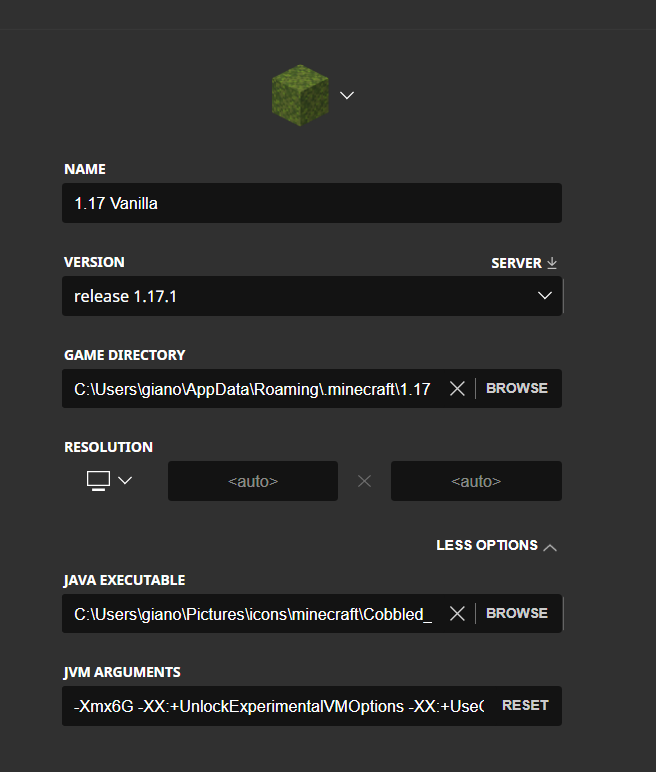
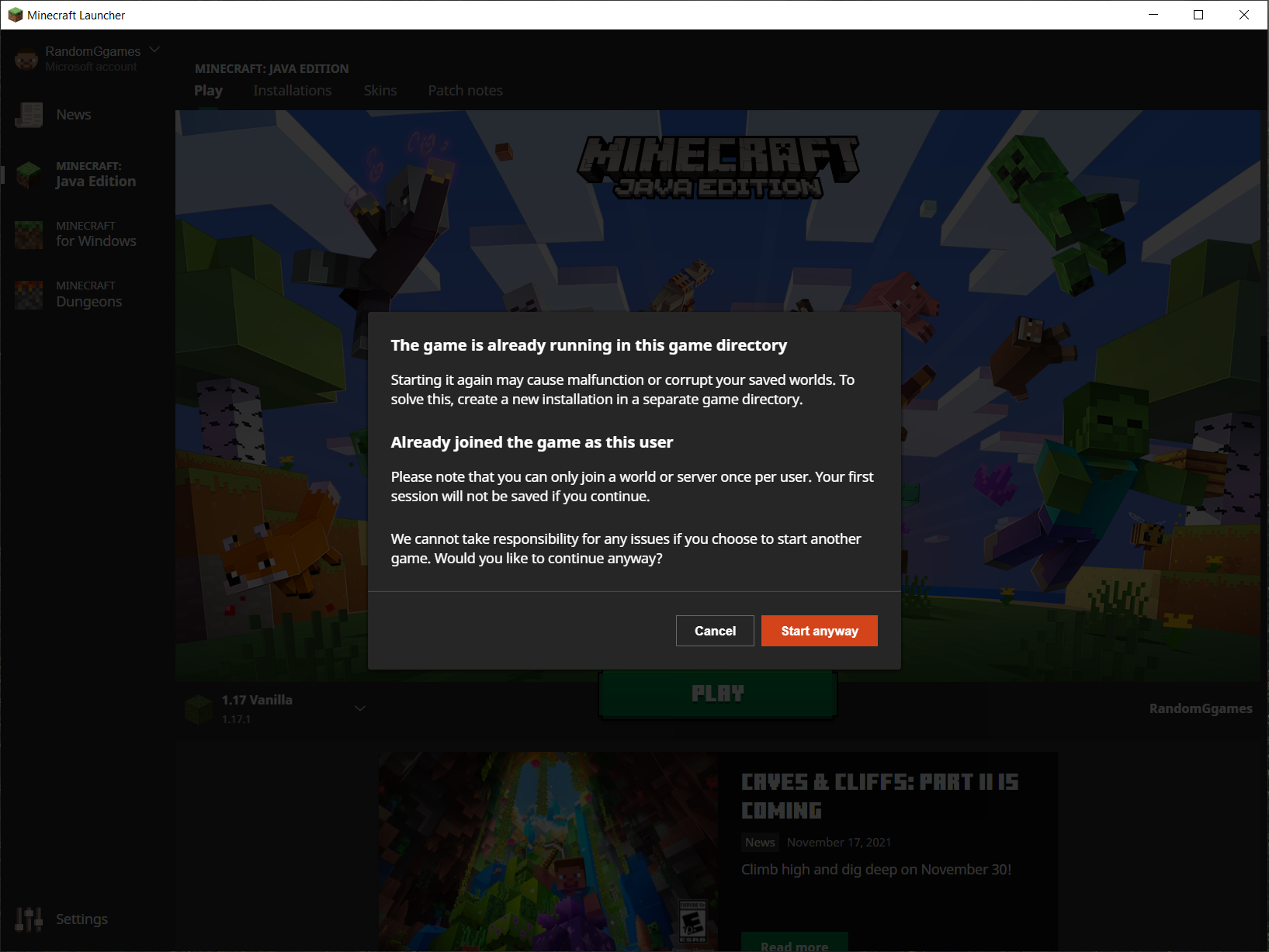
When an instillation's java executable path is set to an image for example, the launcher attempts to launch the game than does nothing. If you click play again, the launcher assumes the game is running just fine, when in fact it will never open.
To Reproduce:
- Create a new installation profile
- Set the Java Executable path to an image (I set it to C:\Users\MY_USER\Pictures\icons\minecraft\Cobbled_Deepslate.png)
- Launch the game
Environment
Windows 10



Created Issue:
Setting java executable to a non-java program does show show an error when it should
When an instillation's java executable path is set to an image for example, the launcher attempts to launch the game than does nothing. If you click play again, the launcher assumes the game is running just fine, when in fact it will never open.
To Reproduce:
- Create a new installation profile
- Set the Java Executable path to an image (I set it to C:\Users\MY_USER\Pictures\icons\minecraft\Cobbled_Deepslate.png)
- Launch the game
Environment
Windows 10
Attachments4
Changed Summary:
Setting java executable to a non-java program doesshowshow an error when it shouldSetting java executable to a non-java program does not show an error when it should

Hi user-2a4c8! I'm not able to reproduce this issue in the latest version of the Launcher; instead, I am given an Exit Code -1 crash. Is this still an issue for you?
Seems like it has been fixed. When? No idea. It is not an issue for v 10.0 2.2.10675.
Closing as 'cannot reproduce'.
If the issue will appear in the future, let us know, thanks!