 MCL-21733
Minecraft.exe is started with a path name that cannot be set in Windows Defender Firewall
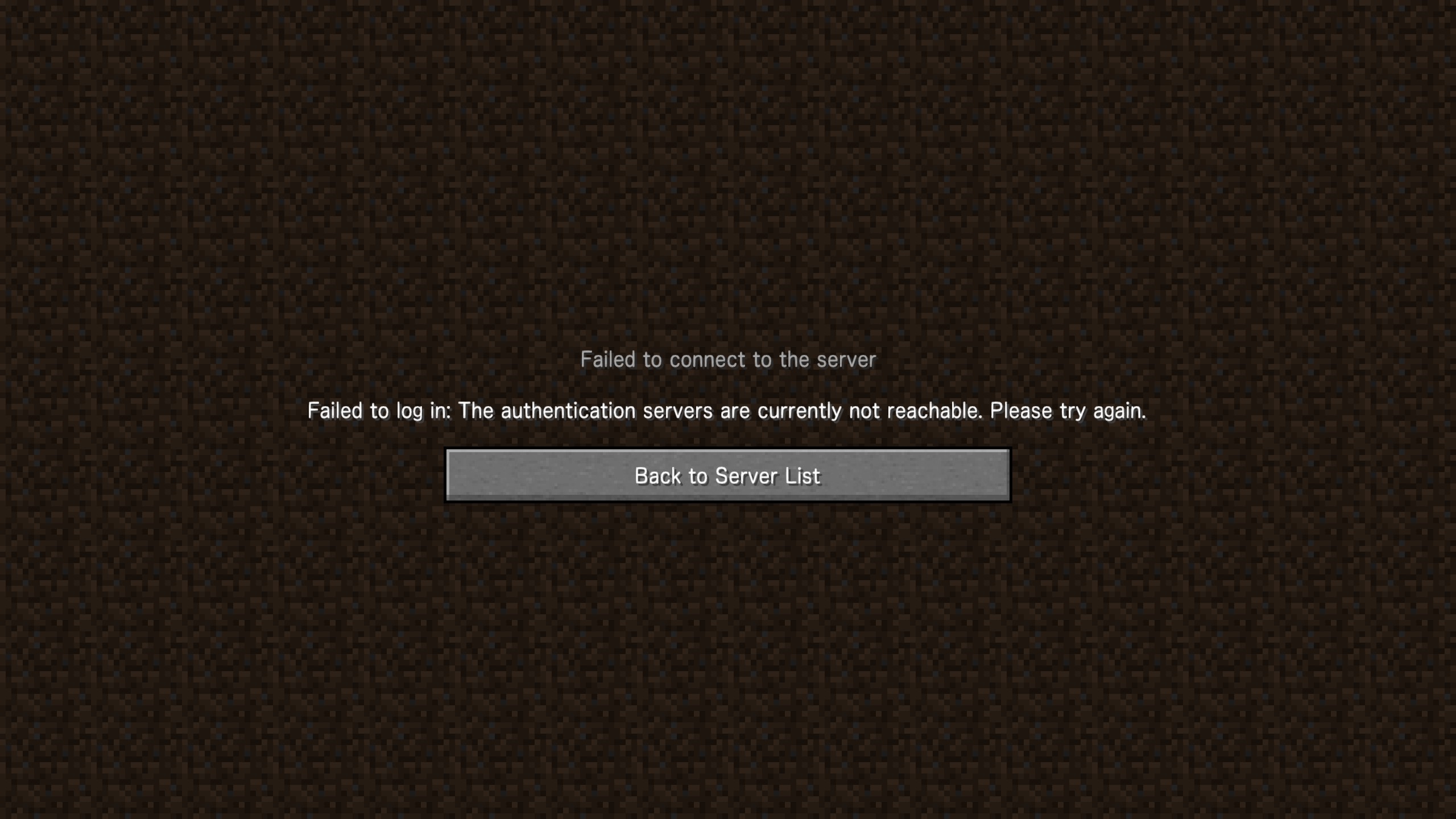
Minecraft.exe is started with a path name that cannot be set in Windows Defender Firewall, so you will not be able to start a client from the launcher or log in to the multiplayer server unless you allow all the sends in the firewall settings.
Correction: The client can start, but the button is displayed as "Play Offline" instead of "Play".
Environment
Windows 10 Pro 21H2 19044.1706
release 1.18.2-forge-40.1.20
Java EXECTUTABLE <Use bundled Java runtime>
Linked Issues



Created Issue:
Minecraft.exe is started with a path name that cannot be set in Windows Defender Firewall
Minecraft.exe is started with a path name that cannot be set in Windows Defender Firewall, so you will not be able to start a client from the launcher or log in to the multiplayer server unless you allow all the sends in the firewall settings.
Environment
Windows 10 Pro 21H2 19044.1706
Attachments1
Minecraft.exe is started with a path name that cannot be set in Windows Defender Firewall, so you will not be able to start a client from the launcher or log in to the multiplayer server unless you allow all the sends in the firewall settings.
Correction: The client can start, but the button is displayed as "Play Offline" instead of "Play".
Windows 10 Pro 21H2 19044.1706
Windows 10 Pro 21H2 19044.1706
release 1.18.2-forge-40.1.20
Java EXECTUTABLE <Use bundled Java runtime>
duplicates
multiplayer server is using "java.exe" or "javaw.exe" their port.
You can see it in "perfmon.exe".
Even if the transmission of "java.exe" or "javaw.exe" is allowed, if the transmission of minecraft.exe is not allowed, the authentication fails to log in to the multiplayer server.
Thank you for your report!
We're tracking this issue in
MCL-11510, so this ticket is being resolved and linked as a duplicate.If you would like to add a vote and any extra information to the main ticket it would be appreciated.
If you haven't already, you might like to make use of the search feature to see if the issue has already been mentioned.
Quick Links:
📓 Bug Tracker Guidelines – 💬 Community Support – 📧 Mojang Support
📓 Project Summary – ✍️ Feedback and Suggestions – 📖 Game Wiki
– I am a bot. This action was performed automatically! The ticket was resolved by one of our moderators, and I left this message to give more information to you.