Old Minecraft versions can't be launched from the official launcher since 1.19
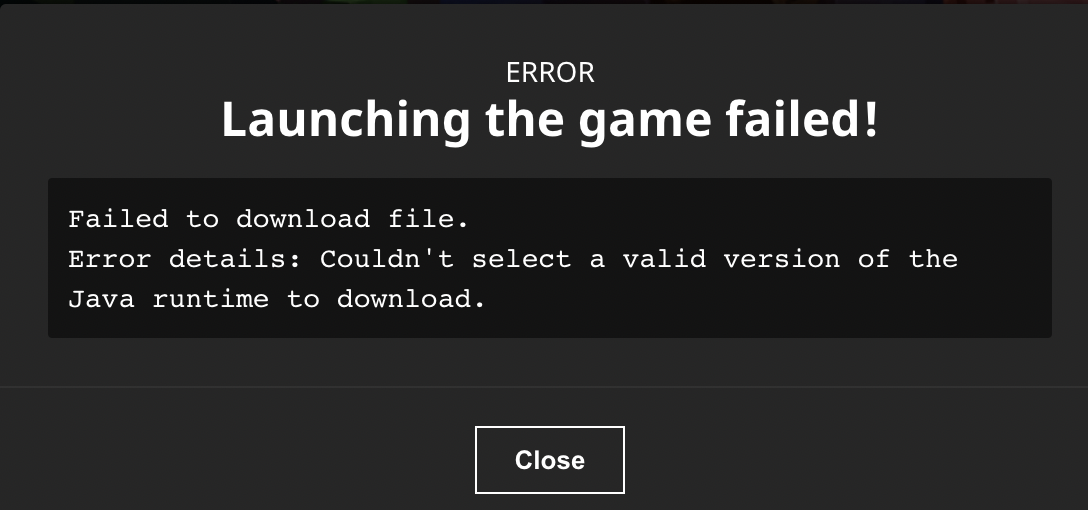
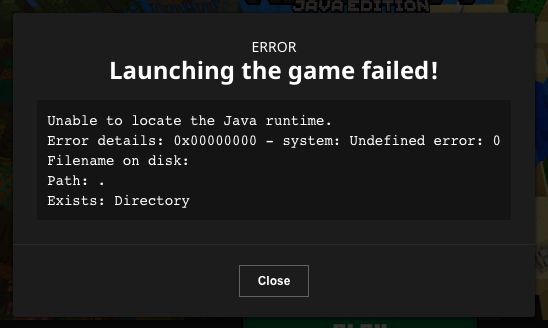
When trying to launch an old version of minecraft through the launcher on m1 macs, it now shows an error about a missing Java runtime.
the "affected versions" fields only let me chose 1.19 for some reason but recent versions of minecraft work just fine, so please ignore that
Environment
M1 MacBook air, macOS 12.5 beta 2


Created Issue:
Old Minecraft versions can't be launched from the official launcher since 1.19
When trying to launch an old version of minecraft through the launcher on m1 macs, it now shows an error about a missing Java runtime.
the "affected versions" fields only let me chose 1.19 for some reason but recent versions of minecraft work just fine, so please ignore that
Environment
M& MacBook air, macOS 12.5 beta 2
Attachments1
Changed Environment:
M
&MacBook air, macOS 12.5 beta 2M1 MacBook air, macOS 12.5 beta 2
![[Mod] markderickson](../../../data/avatars/users/18946.svg)
Moved Issue:  MC-252970 →
  MCL-22628
MC-252970 → MCL-22628Removed Category: (Unassigned)
Added Affects Versions: 2.3.451 (Windows)
Removed Affects Versions: 1.19
Added Attachments:
![[MCQA] Zgajak](../../../data/avatars/users/10122.svg)
![[Bot] Arisa](../../../data/avatars/users/43007.png)
To add to this, disabling the Setting
Use Arm64 Java Runtime for Minecraft: Java Edition
should fix the issue
It seems to not want to install any version that uses java-runtime-beta (x64), if you indicate a preference to install java-runtime-gamma (Arm64).
Also got this same thing on an M1 Mac mini, so it must just be all of the Macs with their new chips
My error message was slightly different, but I think it's the same thing
However the suggestion to disable ARM64 didn't work for me
Hi there!
Does this issue still occurs?
Does disabling/enabling "Use Arm64 Java Runtime for Minecraft: Java Edition" resolved your issue?
Have you tried updating/downgrading JDK java?
with the latest update of the launcher I have found that I now can play 1.8.9 on an M1 Mac mini, however I have not tested other versions.
Hi again lumap
Does this issue still occur to you?
Have any of the tips helped you?
This ticket will automatically reopen when you reply.