 MCL-5745
Launcher consistently states the game has crashed and will not play the game
Launcher consistently states the game has crashed and will not play the game
I recently updated from the old launcher and since that update, the game has not played at all. The old launcher is gone so I am not able to attempt a start on the old launcher to see if it is just the new launcher that is acting up.
What I expected to happen was...:
Upon pressing "play" I expected the game to run and load up as it always has.
What actually happened was...:
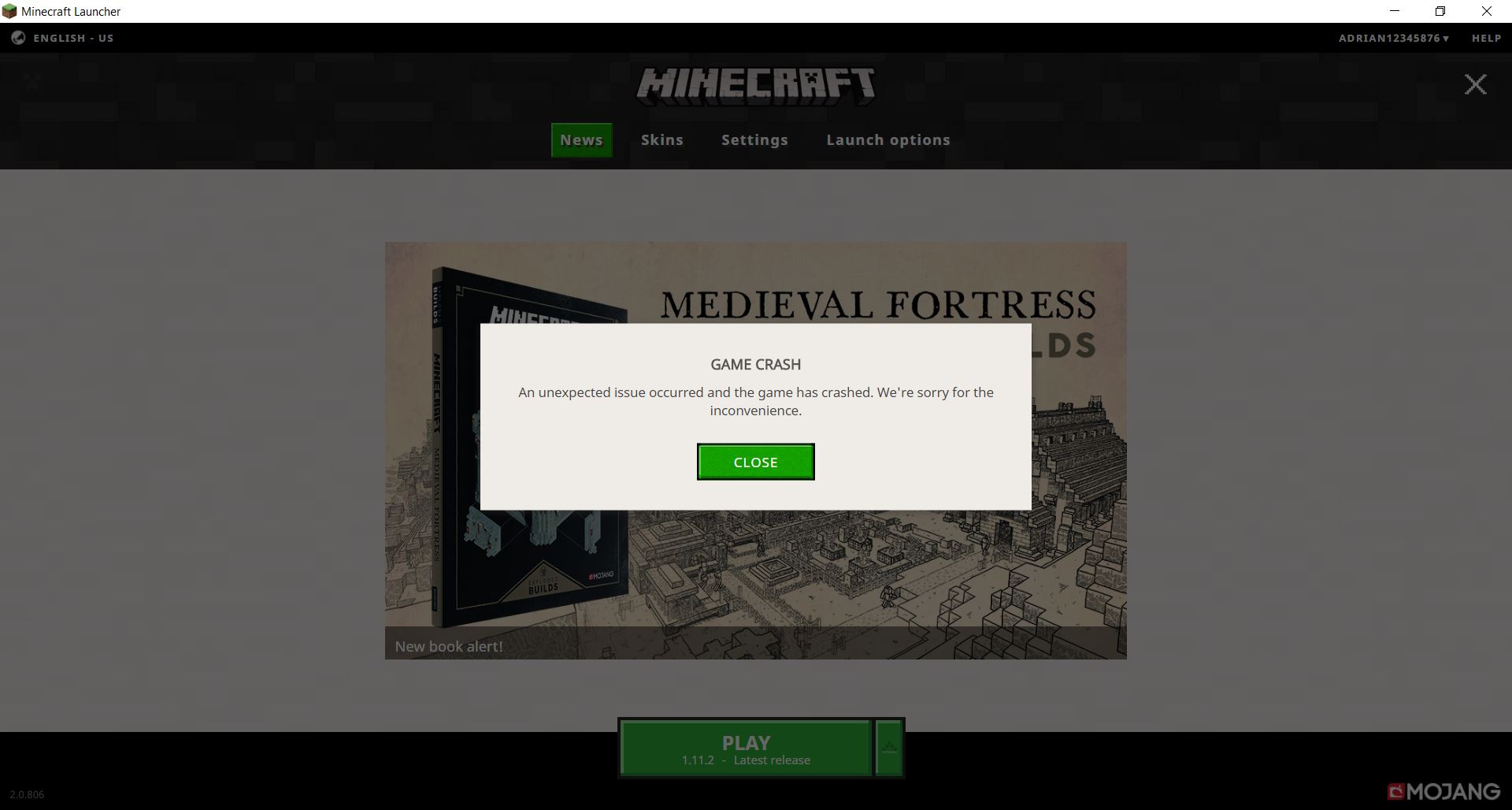
Instead the launcher disappears momentarily and then it comes back again with a message in a box stating:
Game crash
An unexpected issue occurred and the game has crashed. We're sorry for the inconvenience.
Steps to Reproduce:
1. Open the Launcher
2. Press the play button
3. Wait a moment and exhibit the crash
Environment
Windows 10, Java version 8 update 121, Minecraft 1.11.2 vanilla (no mods or 3rd party software)
Attachments1

Created Issue:
Launcher consistently states the game has crashed and will not play the game
Launcher consistently states the game has crashed and will not play the game
I recently updated from the old launcher and since that update, the game has not played at all. The old launcher is gone so I am not able to attempt a start on the old launcher to see if it is just the new launcher that is acting up.
What I expected to happen was...:
Upon pressing "play" I expected the game to run and load up as it always has.What actually happened was...:
Instead the launcher disappears momentarily and then it comes back again with a message in a box stating:Game crash
An unexpected issue occurred and the game has crashed. We're sorry for the inconvenience.Steps to Reproduce:
1. Open the Launcher
2. Press the play button
3. Wait a moment and exhibit the crashEnvironment
Windows 10, Java version 8 update 121, Minecraft 1.11.2 vanilla (no mods or 3rd party software)
Attachments1
![[Mod] Neko](../../../data/avatars/users/92901.png)


Thank you for your report!
However, this issue has been closed as a Incomplete.
Your report does not contain enough information. As such, we're unable to understand or reproduce the problem.
Please review the guidelines linked below before making further reports.
In case of a game crash, be sure to attach the crashlog from minecraft/crash-reports/crash-<DATE>-client.txt.
Quick Links:
📓 Issue Guidelines – 💬 Community Support – 📧 Customer Support – 📖 Game Wiki
Please check if the hotfix of
MC-112780fixes your problem.